
android图像与图像处理系列(一、Bitmap和BitmapFactory)
1、Drawable对象
Android应用添加了Drawabe资源之后,Android SDK会为这份资源文件在R清单文件中创建一个索引项:R.drawable.file_name,接着我们可以在xml资源文件中通过@drawable/file_name来访问该drawable对象,也可以在java代码中通过R.drawable.file_name来访问该drawable对象,在java代码中R.drawable.file_name只是一个int类型的常量,它只代表了drawable对象的一个id,如果要获取实际的drawable对象,则需要调用Resources的getDrawable(int id)方法来获取。
2、Bitmap与BitmapFactory
    (1)Bitmap代表一张位图,BitmapDrawable里封装的图片就是一个Bitmap对象,开发者为了把一个Bitmap对象封装成BitmapDrawable对象,可以调用BitmapDrawable的构造器:

      把一个Bitmap对象包装成BitmapDrawable对象

      BitmapDrawable drawable = new BitmapDrawable(bitmap);

    (2)如果需要获取BitmapDrawable所包装的Bitmap对象,可以调用BitmapDrawable的getBitmap()方法:

        获取BitmapDrawable对象所包装的Bitmap对象

        Bitmap bitmap = drawable.getBitmap();

   (3)Bitmap提供了一些静态方法来创建新的Bitmap对象:

        Bitmap.createBitmap(source, x, y, width,height):从源位图source的指定坐标点x,y开始,从中挖取宽width、高height的一块区域,创建新的Bitmap

      Bitmap.createScaledBitmap(src, dstWidth, dstHeight,filter):对源位图src进行缩放,缩成宽dstWidth、高DSTHeight的新位图

        Bitmap.createBitmap(width,height, config):创建一个宽width、高height的新位图

        Bitmap.createBitmap(source, x, y,width, height, m,filter):从源位图source的指定坐标点x,y开始,从中挖取宽width、高height的一块区域,创建新的Bitmap

          ,并按照Matrix指定的规则进行变换

  (4)BitmapFactory是一个工具类,他提供了一些方法用于从不同的数据源来解析、创建Bitmap对象:

       BitmapFactory.decodeByteArray(byte[] data, int offset, int length):从指定字节数组的offset位置开始,将长度为length的字节数据解析成Bitmap对象

      BitmapFactory.decodeFile(String pathName):从pathName指定的文件中解析、创建Bitmap对象

      BitmapFactory.decodeFileDescriptor(FileDescriptor fd):用于从FileDescriptor对应的文件中解析、创建Bitmap对象

      BitmapFactory.decodeResource(Resources res, int id):用于根据给定的资源ID从指定资源文件中解析、创建Bitmap对象

        BitmapFactory.decodeStream(InputStream is):用于从指定输入流中解析、创建Bitmap对象

  (5)Android为Bitmap提供了两个方法来判断它是否已经回收,以及强制Bitmap回收自己

      isRecycled():判断Bitmap对象是否已经回收

       recycle():强制一个Bitmap对象立即回收自己
3、实例:图片查看器,查询assets目录下的图片
布局文件:
<LinearLayout xmlns:android="http://schemas.android.com/apk/res/android"

    xmlns:tools="http://schemas.android.com/tools"

    android:layout_width="match_parent"

    android:layout_height="match_parent"

    android:orientation="vertical"

    android:gravity="center" >

    <ImageView

        android:id="@+id/imageview"

        android:layout_width="300dp"

        android:layout_height="300dp" />

    <Button

        android:id="@+id/btn"

        android:layout_width="fill_parent"

        android:layout_height="wrap_content"

        android:text="搜索下一个" />

</LinearLayout>
activity文件:
package com.example.image;

import java.io.IOException;

import java.io.InputStream;

import android.app.Activity;

import android.content.res.AssetManager;

import android.graphics.BitmapFactory;

import android.graphics.drawable.BitmapDrawable;

import android.os.Bundle;

import android.view.View;

import android.view.View.OnClickListener;

import android.widget.Button;

import android.widget.ImageView;

/**

 * Bitmap和BitmapFactory

 * @author yinbenyang

 */

public class MainActivity extends Activity {

    private ImageView imageview;

    String[] images = null;

    private Button btn;

    // 用于管理assets文件夹下的资源

    AssetManager assets = null;

    // 当前图片

    int currentImg = 0;

    @Override

    protected void onCreate(Bundle savedInstanceState) {

        super.onCreate(savedInstanceState);

        setContentView(R.layout.activity_main);

        imageview = (ImageView) findViewById(R.id.imageview);

        btn = (Button) findViewById(R.id.btn);

        assets = getAssets();

        try {

            // 获取/assets目录下的所有文件

            images = assets.list("");

        } catch (IOException e) {

            e.printStackTrace();

        }

        // 点击按钮查看下一张图片

        btn.setOnClickListener(new OnClickListener() {

            @Override

            public void onClick(View v) {

                //如果图片是最后一个了,就置为第一个

                if (currentImg >= images.length) {

                    currentImg = 0;

                }

                //找到下一个图片文件

                while (!images[currentImg].endsWith(".png")

                        && !images[currentImg].endsWith(".jpg")

                        && !images[currentImg].endsWith(".gif")) {

                    currentImg++;

                    if (currentImg >= images.length) {

                        currentImg = 0;

                    }

                }

                InputStream assetFile = null;

                try {

                    //打开指定资源对应的输入流

                    assetFile = assets.open(images[currentImg++]);

                } catch (IOException e) {

                    e.printStackTrace();

                }

                BitmapDrawable bitDrawable = (BitmapDrawable)imageview.getDrawable();

                //如果图片没有回收,先强制回收该图片

                if(bitDrawable != null && !bitDrawable.getBitmap().isRecycled()){

                    bitDrawable.getBitmap().recycle();

                }

                //改变ImageView显示的图片

                imageview.setImageBitmap(BitmapFactory.decodeStream(assetFile));

            }

        });

    }

}
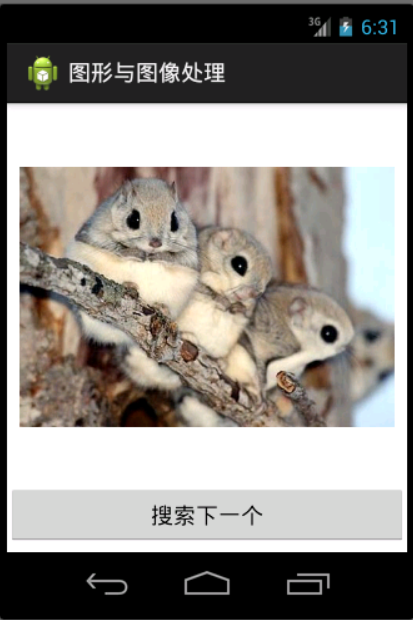
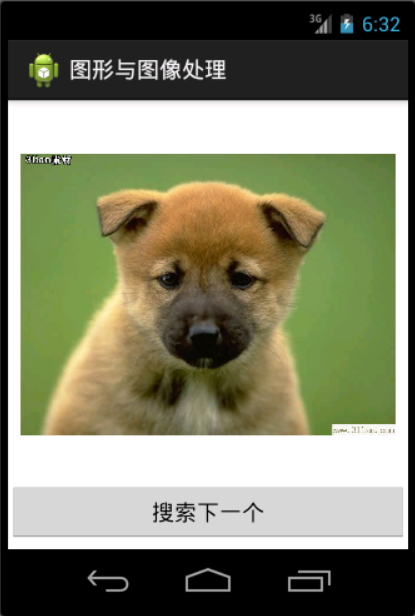
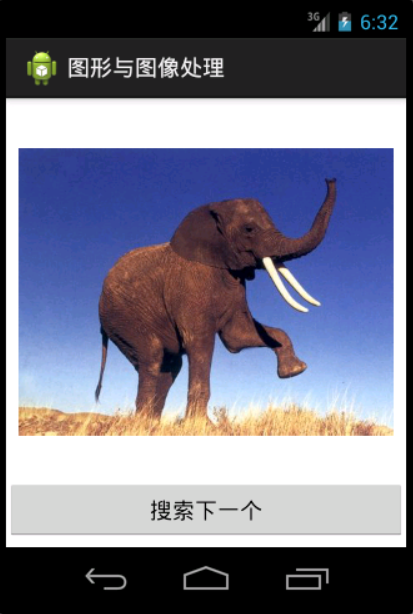
实例效果如下:点击搜索下一个,轮换显示图片
android图像与图像处理系列(一、Bitmap和BitmapFactory)的更多相关文章
- [Android] 图像各种处理系列文章合集
这是我近期在做Android随手拍一个项目的各种网上关于图片处理的资料,曾经学过数字图像处理都是用C++写的,以下的资料个人觉得是很优秀的各种集合,还有一方面它是在线笔记,希望对大家有所帮助吧 ...
- [Android] 随时拍图像处理部分总结及源码分享
http://blog.csdn.net/eastmount/article/details/45492065#comments [Android] 图像各种处理系列文章合集 http://blog. ...
- Android学习之——图形图像处理(Bitmap、BitmapFactory)(一)
转载自http://blog.csdn.net/csxwc/article/details/10345235 Bitmap是Android系统中的图像处理的最重要的类之一.用它可以获取图像文件信息,对 ...
- android图像处理系列之四-- 给图片添加边框(上)
图片处理时,有时需要为图片加一些边框,下面介绍一种为图片添加简单边框的方法. 基本思路是:将边框图片裁剪成八张小图片(图片大小最好一致,不然后面处理会很麻烦),分别对应左上角,左边,左下角,下边,右下 ...
- android图像处理系列之五-- 给图片添加边框(中)
前面一篇讲到给图片加边框的方式,只能给图片加一些有规则的边框,如果想加一些比较精美的效果,就有点麻烦了.下面就给出解决这个问题的思路. 思路是:一些比较精美的花边图片我们是很难用代码控制,就目前本人水 ...
- android图像处理系列之四--给图片添加边框(上)
图片处理时,有时需要为图片加一些边框,下面介绍一种为图片添加简单边框的方法. 基本思路是:将边框图片裁剪成八张小图片(图片大小最好一致,不然后面处理会很麻烦),分别对应左上角,左边,左下角,下边,右下 ...
- android图像处理系列之五--给图片添加边框(中)
前面一篇讲到给图片加边框的方式,只能给图片加一些有规则的边框,如果想加一些比较精美的效果,就有点麻烦了.下面就给出解决这个问题的思路. 思路是:一些比较精美的花边图片我们是很难用代码控制,就目前本人水 ...
- android图像处理系列之七--图片涂鸦,水印-图片叠加
图片涂鸦和水印其实是一个功能,实现的方式是一样的,就是一张大图片和一张小点图片叠加即可.前面在android图像处理系列之六--给图片添加边框(下)-图片叠加中也讲到了图片叠加,里面实现的原理是直接操 ...
- Android性能优化系列之Bitmap图片优化
https://blog.csdn.net/u012124438/article/details/66087785 在Android开发过程中,Bitmap往往会给开发者带来一些困扰,因为对Bitma ...
随机推荐
- 如何低成本的打造HTC Vive虚拟演播室直播MR视频?
http://m.toutiao.com/i6298923859378700802/?tt_from=weixin&utm_campaign=client_share&from=gro ...
- MPICH3 配置安装问题列表
问题列表 1: configure: error: F90 and F90FLAGS are replaced by FC and FCFLAGS respectively in this confi ...
- jquery导航栏
html <ul class="list"> <li>下拉菜单 <ul class="nav"> <li>下拉菜 ...
- HTML问题,a href =" "和 a href ="#"这两个有什么区别?
a href ="" 默认打开的还是当前页面,会刷新一下重新打开.a href ="#" 浏览器地址栏网址后面会多显示1个#.不会刷新页面,会回到页面顶部.
- cookie 二:
本篇随笔从cookie的入门开始,介绍了cookie的设置获取和移除,还有一些小的应用案例:一.设置cookie <script> //设置cookie:function setCooki ...
- [Weekly] 2014.03.01-2014.03.08
这周写过好多东西,虽然还没有完全弄明白线段树,但是progress还是有的! 不过有时候真的很想哭,因为自己的梦想连别人看看韩剧.无所事事还要分量轻,实在不明白政治课的Teamwork意义何在,花两分 ...
- android_permission权限大全
访问登记属性 android.permission.ACCESS_CHECKIN_PROPERTIES ,读取或写入登记check-in数据库属性表的权限 获取错略位置 android.permiss ...
- NSDate 时间比较...等
http://blog.csdn.net/reylen/article/details/8560128 创建当前时间 NSDate *date = [NSDate date]; 从现在开始的24小时 ...
- 隐匿在iOS文件系统中的隐私信息
说明: . 本文仅供安全学习及教学用途,提及的部分技术带有攻击性,请确保合法使用. . “这些都不是我干的,我就负责说出来.” . 图片仅供参考. . 本文所讨论的内容适用于iOS .4环境,其应用程 ...
- 永不消逝的电波(二)HackRF入门:家用无线门铃信号重放
0×00 前言 在第一篇文章:永不消逝的电波(一):无线电入门篇 我们了解了一下无线电的发展史以及无线电的一些物理知识,在第二篇里我们将用HackRF录制家用门铃的无线信号,然后重放门铃信号. 门铃从 ...