
IOS UICollectionView基础+UICollectionViewFlowLayout基础
UICollectionView在众多控件中也算是比较常用的了,像淘宝在浏览宝贝时采用的就是UICollectionView,对于UICollectionView->UICollectionViewFlowLayout当然也是必不可少的了,还是老样子结合代码进行简单介绍,首先看一下UICollectionView实现结果:
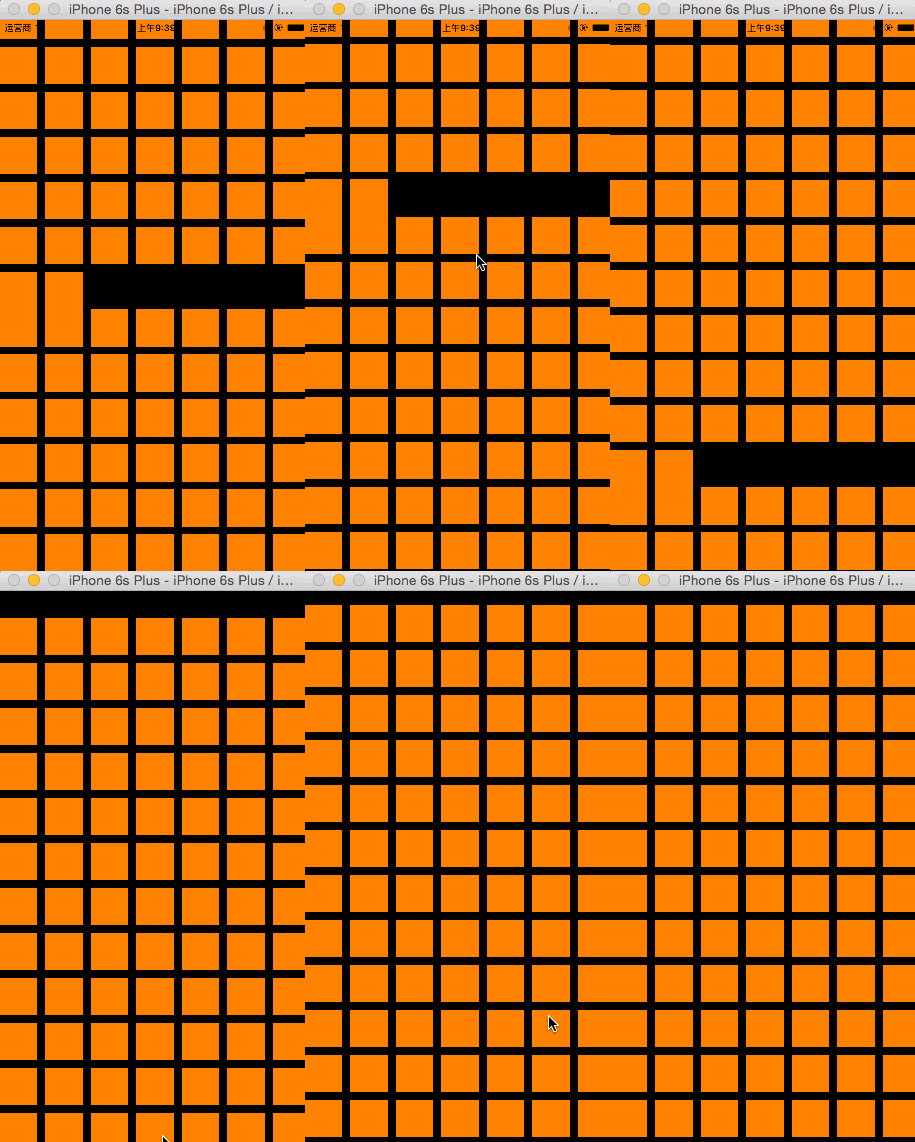
实现这些功能很简单,代码量极少,线看一下代码,然后进行深入了解:
//

//  ViewController.m

//  CX-UICollentionVIew基础

//

//  Created by ma c on 16/3/19.

//  Copyright © 2016年 xubaoaichiyu. All rights reserved.

//

#import "ViewController.h"

static NSString * identifier = @"cxCellID";

@interface ViewController ()<UICollectionViewDataSource>

@property (nonatomic, strong) UICollectionView * collectionView;

@end

@implementation ViewController

#pragma mark - set_and_get

-(UICollectionView *)collectionView{

    if (!_collectionView) {

        //自动网格布局

        UICollectionViewFlowLayout * flowLayout = [[UICollectionViewFlowLayout alloc]init];

        //网格布局

        _collectionView = [[UICollectionView alloc]initWithFrame:self.view.frame collectionViewLayout:flowLayout];

        //注册cell

        [_collectionView registerClass:[UICollectionViewCell class] forCellWithReuseIdentifier:identifier];

        //设置数据源代理

        _collectionView.dataSource = self;

    }

    return _collectionView;

}

#pragma mark - life

- (void)viewDidLoad {

    [super viewDidLoad];

    [self.view addSubview:self.collectionView];

}

#pragma mark - deleDate

//有多少的分组

-(NSInteger)numberOfSectionsInCollectionView:(UICollectionView *)collectionView{

    return ;

}

//每个分组里有多少个item

-(NSInteger)collectionView:(UICollectionView *)collectionView numberOfItemsInSection:(NSInteger)section{

    return ;

}

-(UICollectionViewCell *)collectionView:(UICollectionView *)collectionView cellForItemAtIndexPath:(NSIndexPath *)indexPath{

    //根据identifier从缓冲池里去出cell

    UICollectionViewCell * cell = [collectionView dequeueReusableCellWithReuseIdentifier:identifier forIndexPath:indexPath];

    cell.backgroundColor = [UIColor orangeColor];

    return cell;

}

@end
介绍过最最基本的知识点之后,按着步骤来,进行进一步介绍。
UICollectionViewFlowLayout的使用让UICollectionView更加丰富多彩,下面看一下使用UICollectionViewFlowLayout之后的效果吧->

代码->
//

//  ViewController.m

//  CX-UICollentionVIew基础

//

//  Created by ma c on 16/3/19.

//  Copyright © 2016年 xubaoaichiyu. All rights reserved.

//

#import "ViewController.h"

static NSString * identifier = @"cxCellID";

static CGFloat kMagin = .f;

static NSString * headIdentifier = @"cxHeadID";

@interface ViewController ()<UICollectionViewDataSource>

@property (nonatomic, strong) UICollectionView * collectionView;

@end

@implementation ViewController

#pragma mark - set_and_get

-(UICollectionView *)collectionView{

    if (!_collectionView) {

        //自动网格布局

        UICollectionViewFlowLayout * flowLayout = [[UICollectionViewFlowLayout alloc]init];

        CGFloat itemWidth = (self.view.frame.size.width -  * kMagin) / ;

        //设置单元格大小

        flowLayout.itemSize = CGSizeMake(itemWidth, itemWidth / 0.618);

        //最小行间距(默认为10)

        flowLayout.minimumLineSpacing = ;

        //最小item间距(默认为10)

        flowLayout.minimumInteritemSpacing = ;

        //设置senction的内边距

        flowLayout.sectionInset = UIEdgeInsetsMake(kMagin, kMagin, kMagin, kMagin);

        //设置UICollectionView的滑动方向

        flowLayout.scrollDirection = UICollectionViewScrollDirectionHorizontal;

        //sectionHeader的大小,如果是竖向滚动,只需设置Y值。如果是横向,只需设置X值。

        flowLayout.headerReferenceSize = CGSizeMake(,);

        //网格布局

        _collectionView = [[UICollectionView alloc]initWithFrame:self.view.frame collectionViewLayout:flowLayout];

        //注册cell

        [_collectionView registerClass:[UICollectionViewCell class] forCellWithReuseIdentifier:identifier];

        //注册header

        [_collectionView registerClass:[UICollectionReusableView class] forSupplementaryViewOfKind:UICollectionElementKindSectionHeader withReuseIdentifier:headIdentifier];

        //设置数据源代理

        _collectionView.dataSource = self;

    }

    return _collectionView;

}

#pragma mark - life

- (void)viewDidLoad {

    [super viewDidLoad];

    [self.view addSubview:self.collectionView];

}

#pragma mark - deleDate

//有多少的分组

-(NSInteger)numberOfSectionsInCollectionView:(UICollectionView *)collectionView{

    return ;

}

//每个分组里有多少个item

-(NSInteger)collectionView:(UICollectionView *)collectionView numberOfItemsInSection:(NSInteger)section{

    return ;

}

-(UICollectionViewCell *)collectionView:(UICollectionView *)collectionView cellForItemAtIndexPath:(NSIndexPath *)indexPath{

    //根据identifier从缓冲池里去出cell

    UICollectionViewCell * cell = [collectionView dequeueReusableCellWithReuseIdentifier:identifier forIndexPath:indexPath];

    cell.backgroundColor = [UIColor orangeColor];

    return cell;

}

-(UICollectionReusableView *)collectionView:(UICollectionView *)collectionView viewForSupplementaryElementOfKind:(NSString *)kind atIndexPath:(NSIndexPath *)indexPath{

    //kind有两种 一种时header 一种事footer

    if (kind == UICollectionElementKindSectionHeader) {

        UICollectionReusableView * header = [collectionView dequeueReusableSupplementaryViewOfKind:UICollectionElementKindSectionHeader withReuseIdentifier:headIdentifier forIndexPath:indexPath];

        header.backgroundColor = [UIColor yellowColor];

        return header;

    }

    return nil;

}

@end
灵活的是使用 UICollectionView+UICollectionViewFlowLayout 会带来更多的有趣的体验,随后我会介绍一些比较实用的实现。
IOS UICollectionView基础+UICollectionViewFlowLayout基础的更多相关文章
- iOS 9应用开发基础教程下册
iOS 9应用开发基础教程下册 介绍: 本教程是国内第一本iOS 9开发应用教程.本教程基于Xcode 7.0,使用Swift 2.0语言讲解如何开发iOS 9的应用App. 学习建议:本教程针对 ...
- iOS 开发之 GCD 基础
header{font-size:1em;padding-top:1.5em;padding-bottom:1.5em} .markdown-body{overflow:hidden} .markdo ...
- [.net 面向对象编程基础] (3) 基础中的基础——数据类型
[.net 面向对象编程基础] (3) 基础中的基础——数据类型 关于数据类型,这是基础中的基础. 基础..基础..基础.基本功必须要扎实. 首先,从使用电脑开始,再到编程,电脑要存储数据,就要按类型 ...
- [.net 面向对象编程基础] (4) 基础中的基础——数据类型转换
[.net面向对象编程基础] (4)基础中的基础——数据类型转换 1.为什么要进行数据转换? 首先,为什么要进行数据转换,拿值类型例子说明一下, 比如:我们要把23角零钱,换成2.30元,就需要把整形 ...
- [.net 面向对象编程基础] (5) 基础中的基础——变量和常量
[.net面向对象编程基础] (5) 基础中的基础——变量和常量 1.常量:在编译时其值能够确定,并且程序运行过程中值不发生变化的量. 通俗来说,就是定义一个不能改变值的量.既然不能变动值,那就必须 ...
- [.net 面向对象编程基础] (6) 基础中的基础——运算符和表达式
[.net 面向对象编程基础] (6) 基础中的基础——运算符和表达式 说起C#运算符和表达式,小伙伴们肯定以为很简单,其实要用好表达式,不是一件容易的事.一个好的表达式可以让你做事半功倍的效果,比如 ...
- [.net 面向对象编程基础] (7) 基础中的基础——流程控制语句
[.net 面向对象编程基础] (7) 基础中的基础——流程控制语句 本来没有这一节的内容,后来考虑到既然是一个系列文章,那么就尽可能写的详细一些,本节参考了网上朋友所写的例子,为的是让更多小伙伴学习 ...
- [.net 面向对象编程基础] (8) 基础中的基础——修饰符
[.net 面向对象编程基础] (8) 基础中的基础——修饰符 在进入C#面向对象核心之前,我们需要先对修饰符有所了解,其实我们在前面说到变量和常量的时候,已经使用了修饰符,并且说明了变量和常量的修改 ...
- JavaScript基础---语言基础(1)
写在前面: 通过四篇博客把JS基础中的基础整理一下,方便自己查阅,这些内容对于实际项目开发中也许并不会在意,但是作为JS的语言基础,自觉还是应该熟悉.在完成这三篇博客(JavaScript基础---语 ...
随机推荐
- TypeScript札记:初体验
1.简介 TypeScript 是一种由微软开发的自由和开源的编程语言.它是JavaScript的一个超集,而且本质上向这个语言添加了可选的静态类型和基于类的面向对象编程. TypeScript是一种 ...
- Java 集合系列09之 Map架构
概要 前面,我们已经系统的对List进行了学习.接下来,我们先学习Map,然后再学习Set:因为Set的实现类都是基于Map来实现的(如,HashSet是通过HashMap实现的,TreeSet是通过 ...
- 还在抱怨JS文件里没有智能提示吗, VS10以及以上都可以 .NET
1.打开JS文件 2.编写$.我们会发现什么也没有 3.托进来 4.有了哈 保存头部代码新建JS都贴上去.
- statpot:使用mongo+bootstrap+highcharts做统计报表
最近做了一个统计项目,这个统计项目大致的需求是统计接口的访问速度.客户端会调用一个接口来记录接口的访问情况,我的需求就需要分析这些数据,然后做出个统计报表. 需求实现 最初的时候想着每天把这些接口访问 ...
- ASP.NET MVC分页实现之改进版-增加同一个视图可设置多个分页
我之前就已经实现了ASP.NET MVC分页(查看该博文),但它有局限性,必须确保在同一个视图中只能有一处分页,若需要在同一个视图中设置多个分页,却无能为力,为此,我重新对原先的代码进行了优化,增加了 ...
- SQL Server技术问题之索引优缺点
索引是对数据库表中一列或多列的值进行排序的一种结构,使用索引可快速访问数据库表中的特定信息. 优点: 正确的索引会大大提高数据查询.对结果排序.分组的操作效率. 缺点: 1.存储空间,每个索引都要空间 ...
- 如何将oc代码转换成运行时代码
// 运行时 其实就是oc的底层 平时写的代码 最终都是转成底层的运行时代码以下面程序为例子: 如果我们想要看我们的main.m文件底层转换成了怎样的运行时代码 ,我们可以这样做. 1.打开终端 ...
- [Test] 单元测试艺术(1) 基础知识
单元测试不是软件开发的新概念,在1970年就一直存在,屡屡被证明是最理想的方法之一. 本系列将分成3节: 单元测试基础知识 打破依赖,使用模拟对象,桩对象,测试框架 创建优秀的单元测试 本节索引: 单 ...
- AC自动机 - 多模式串的匹配运用 --- HDU 3065
病毒侵袭持续中 Problem's Link:http://acm.hdu.edu.cn/showproblem.php?pid=3065 Mean: 略 analyse: AC自动机的运用. 这一题 ...
- P6 Professional Installation and Configuration Guide (Microsoft SQL Server Database) 16 R1
P6 Professional Installation and Configuration Guide (Microsoft SQL Server Database) 16 R1 May ...