
vue 使用 monaco-editor 实现在线编辑器
前言
项目里使用到 monaco-editor 编辑器,实现源码编辑器,看了很多网上教程,记录一下实现过程。在此之前引用很多博主的方法安装但是引入的时候,运行项目总是各种各样的错误,找不到头绪。终于在搜索文章的时候,看到里面的运行错误我也遇到过:来源
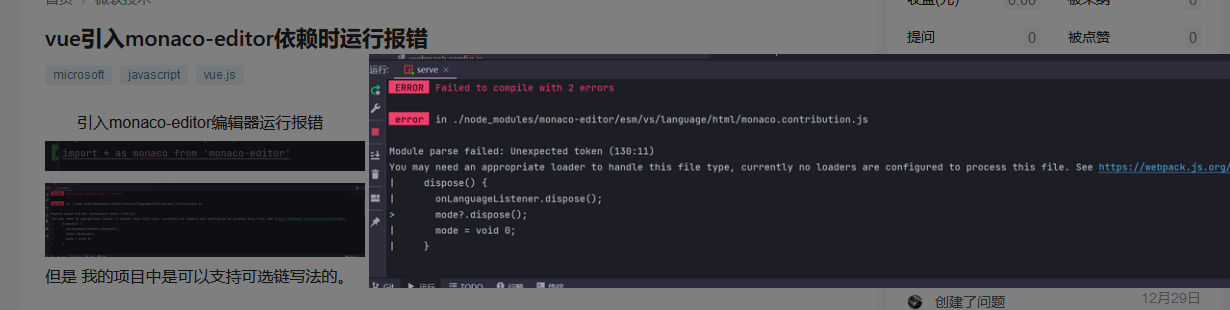
看到下面的评论,我也尝试着安装,版本号对应上就可以实现了。

话不多说,直接上代码.
安装
使用 npm 安装对应版本号
"monaco-editor": "0.27.0",

"monaco-editor-webpack-plugin": "4.2.0"
使用
import * as monaco from "monaco-editor";
子组件
<template>

  <div ref="main" style="width: 100%; height: 300px"></div>

</template>

<script>

import * as monaco from "monaco-editor";

export default {

  data() {

    return {

      monacoEditor: null,

    };

  },

  mounted() {

    this.init();

  },

  methods: {

    init() {

      // 使用 - 创建 monacoEditor 对象

      this.monacoEditor = monaco.editor.create(this.$refs.main, {

        theme: "vs-dark", // 主题

        value: "console.log(1111)", // 默认显示的值

        language: "javascript",

        folding: true, // 是否折叠

        foldingHighlight: true, // 折叠等高线

        foldingStrategy: "indentation", // 折叠方式  auto | indentation

        showFoldingControls: "always", // 是否一直显示折叠 always | mouseover

        disableLayerHinting: true, // 等宽优化

        emptySelectionClipboard: false, // 空选择剪切板

        selectionClipboard: false, // 选择剪切板

        automaticLayout: true, // 自动布局

        codeLens: false, // 代码镜头

        scrollBeyondLastLine: false, // 滚动完最后一行后再滚动一屏幕

        colorDecorators: true, // 颜色装饰器

        accessibilitySupport: "off", // 辅助功能支持  "auto" | "off" | "on"

        lineNumbers: "on", // 行号 取值: "on" | "off" | "relative" | "interval" | function

        lineNumbersMinChars: 5, // 行号最小字符   number

        enableSplitViewResizing: false,

        readOnly: false, //是否只读  取值 true | false

      });

    },

  },

};

</script>
父组件
<template>

  <div>

    <monaco-editor></monaco-editor>

  </div>

</template>

<script>

  import monacoEditor from './components/index.vue';

  export default{

     components:{

        monacoEditor

     }

  }

</script>
实现效果
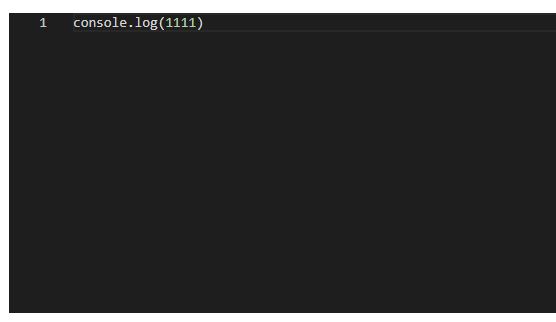
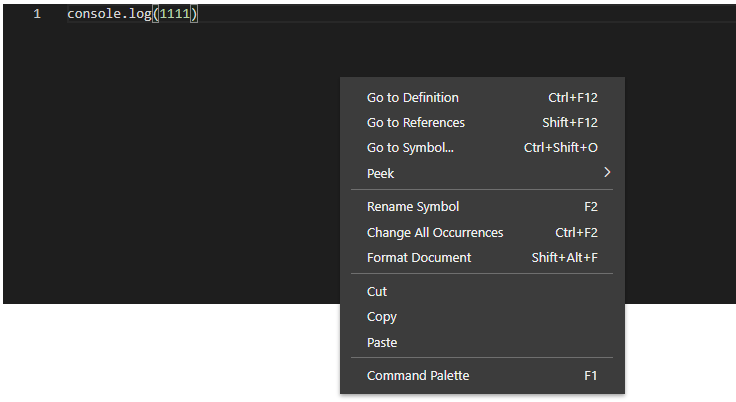
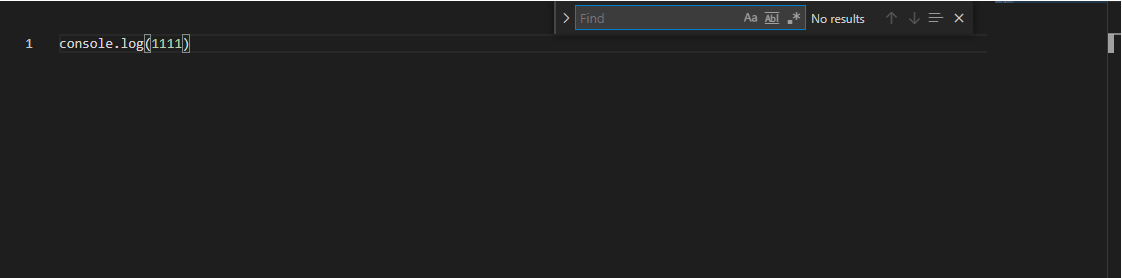
最终的实现效果里我发现的功能有:
- 代码提示
- 代码高亮
- 右键有菜单
- 代码搜索
其他配置
代码提示
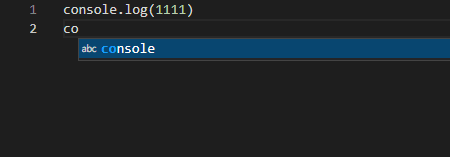
根据上面的步骤引入调用后,是有代码提示的,效果如下:
重点来了!!!!
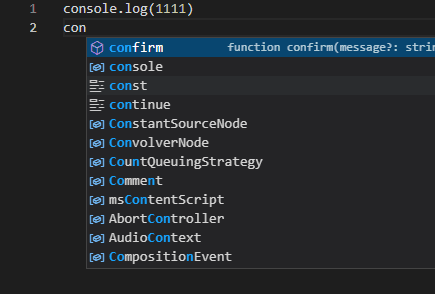
我在 vue.config.js 里配置了以下代码,代码提示一下子多了起来。
const MonacoWebpackPlugin = require('monaco-editor-webpack-plugin');

module.exports = {

   configureWebpack: {

      plugins: [

         new MonacoWebpackPlugin()

      ]

   }

};
示例
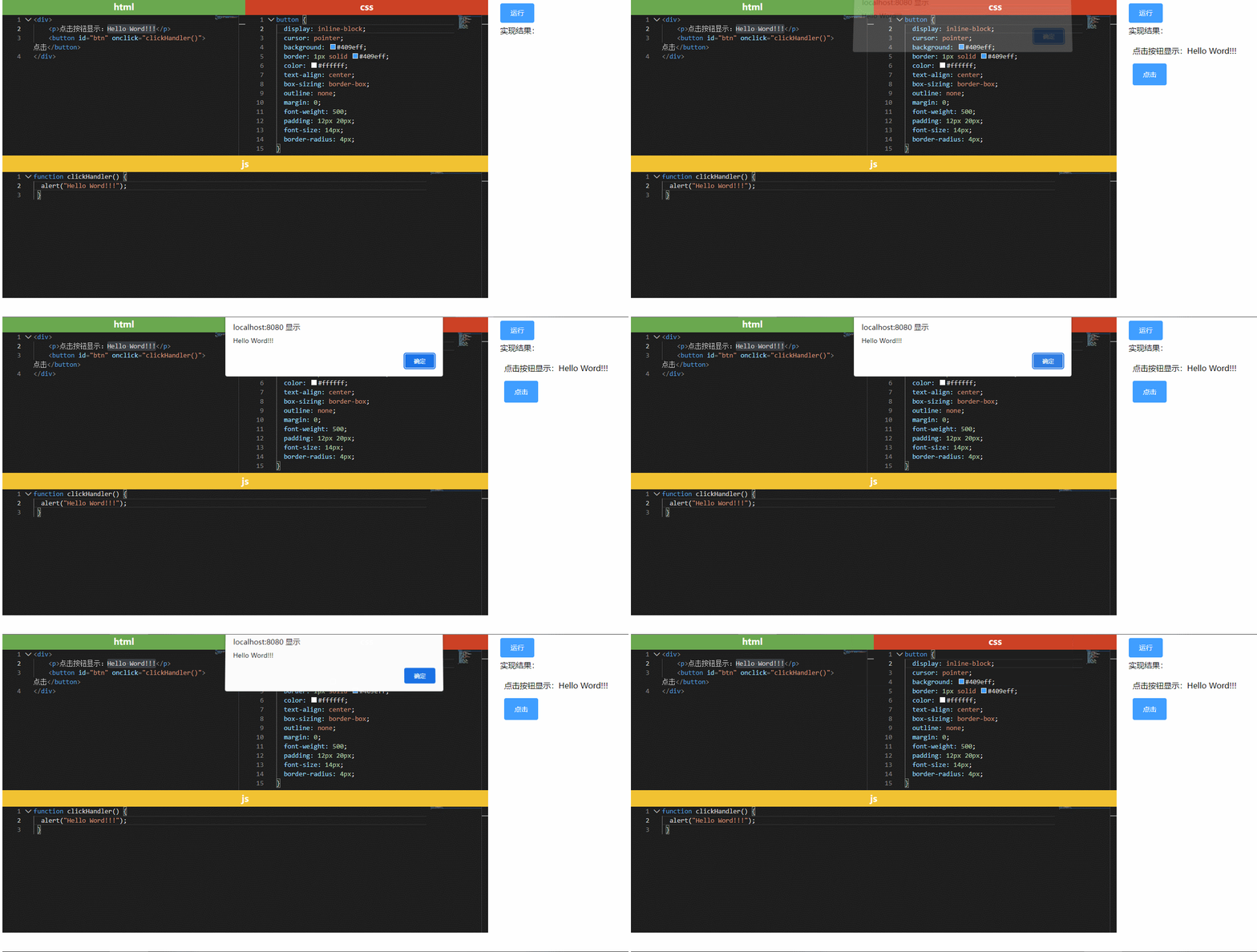
完成以上的使用和配置后,接下来就可以实现一个在线编辑器了,运行代码部分查询资料,借鉴了这个博主的 文章
<template>

  <div id="app" class="flex-row">

    <div class="left-content">

      <div class="flex-row">

        <div class="wrap">

          <p style="background: #6aa84f">html</p>

          <monaco-edito

            ref="html"

            width="500px"

            height="290px"

            language="html"

            ></monaco-edito>

        </div>

        <div class="wrap">

          <p style="background: #cc4125">css</p>

          <monaco-edito

            ref="css"

            width="500px"

            height="290px"

            language="css"

            ></monaco-edito>

        </div>

      </div>

      <div class="wrap">

        <p style="background: #f1c232">js</p>

        <monaco-edito ref="js" height="260px"></monaco-edito>

      </div>

    </div>

    <div class="right-content">

      <button @click="runCode">运行</button>

      <p>实现结果:</p>

      <iframe class="view-panel" id="preview" frameborder="0"></iframe>

    </div>

  </div>

</template>

<script>

  import MonacoEdito from "./components/monaco-editor.vue";

  export default {

    name: "app",

    components: {

      MonacoEdito,

    },

    methods: {

      runCode() {

        var html = this.$refs.html.monacoEditor.getValue();

        var css = this.$refs.css.monacoEditor.getValue();

        var js = this.$refs.js.monacoEditor.getValue();

        let code = `

        <!DOCTYPE html>

        <html lang="en">

        <head>

        <meta charset="UTF-8">

        <meta http-equiv="X-UA-Compatible" content="IE=edge">

        <meta name="viewport" content="width=device-width, initial-scale=1.0">

        <title>Editor</title>

        <style>${css}</style>

        </head>

        <body>${html}</body>

        <script>${js}<\/script>

        </html>

       `;

        console.log(code);

        const preview = document.getElementById("preview");

        preview.setAttribute("srcdoc", code);

      },

    },

  };

</script>

<style>

  * {

    padding: 0;

    margin: 0;

  }

  .flex-row {

    display: flex;

    flex-direction: row;

  }

  .result {

    border: 1px solid #ccc;

    width: 100%;

    height: 500px;

  }

  .left-content {

    width: 1000px;

  }

  .right-content {

    margin-left: 15px;

    padding: 10px;

    width: 100%;

  }

  .wrap {

    display: flex;

    flex-direction: column;

  }

  .wrap p {

    padding: 5px;

    text-align: center;

    font-size: 18px;

    font-weight: bold;

    color: #fff;

  }

  .right-content p {

    margin: 5px 0;

  }

  button {

    display: inline-block;

    line-height: 1;

    white-space: nowrap;

    cursor: pointer;

    background: #409eff;

    border: 1px solid #409eff;

    color: #ffffff;

    -webkit-appearance: none;

    text-align: center;

    box-sizing: border-box;

    outline: none;

    margin: 0;

    transition: 0.1s;

    font-weight: 500;

    padding: 12px 20px;

    font-size: 14px;

    border-radius: 4px;

  }

</style>
还要配置下 vue.config.js
const MonacoWebpackPlugin = require('monaco-editor-webpack-plugin');

module.exports = {

    configureWebpack: {

        plugins: [

            new MonacoWebpackPlugin({ languages: ['javascript', 'typescript', 'html', 'css', 'json'] })

        ]

    }

};
实现效果
源码地址
https://gitee.com/dyclown/vue-monaco-editor-demo
vue 使用 monaco-editor 实现在线编辑器的更多相关文章
- Asp.Net Core 使用Monaco Editor 实现代码编辑器
在项目中经常有代码在线编辑的需求,比如修改基于Xml的配置文件,编辑Json格式的测试数据等.我们可以使用微软开源的在线代码编辑器Monaco Editor实现这些功能.Monaco Editor是著 ...
- Vue cli2.0 项目中使用Monaco Editor编辑器
monaco-editor 是微软出的一条开源web在线编辑器支持多种语言,代码高亮,代码提示等功能,与Visual Studio Code 功能几乎相同. 在项目中可能会用带代码编辑功能,或者展示代 ...
- monaco editor + vue的配置
monaco editor是vscode的御用编辑器. 功能非常强大,使用方便轻巧,对js\ts等等语言支持都良好,能方便的扩展以支持其他语言或者自定义的特性. 夸了这么多,这里只说它一个问题: 这货 ...
- 在线编辑器ACE Editor的使用
ACE 是一个开源的.独立的.基于浏览器的代码编辑器,可以嵌入到任何web页面或JavaScript应用程序中.ACE支持超过60种语言语法高亮,并能够处理代码多达400万行的大型文档.ACE开发团队 ...
- 使用 TypeScript,React,ANTLR 和 Monaco Editor 创建一个自定义 Web 编辑器(二)
译文来源 欢迎阅读如何使用 TypeScript, React, ANTLR4, Monaco Editor 创建一个自定义 Web 编辑器系列的第二章节, 在这之前建议您阅读使用 TypeScrip ...
- 我熬夜开发了一款简约实用、支持多平台的Markdown在线编辑器(开源)
前言 之前,一直想开发一款属于自己的Markdown编辑器,主要是自己平常写文章可以更加灵活操作,另外扩宽自己的视野也是非常不错的选择啊!所以在周末就决定玩耍一番.首先我调研了很多线上热门的md编辑器 ...
- 手把手教你实现在Monaco Editor中使用VSCode主题
背景 笔者开源了一个小项目code-run,类似codepen的一个工具,其中代码编辑器使用的是微软的Monaco Editor,这个库是直接从VSCode的源码中生成的,只不过是做了一点修改让它支持 ...
- 在线编辑器的使用-KindEditor
第一种:KindEditor编辑器 步骤一:加载相应的核心的文件 下载地址:http://kindeditor.net/demo.php <link rel="stylesheet&q ...
- 05传智_jbpm与OA项目_部门模块中增加部门的jsp页面增加一个在线编辑器功能
这篇文章讲的是在线编辑器功能,之前的部门模块中,增加部门的功能jsp页面起先是这么做的.
随机推荐
- sort是不稳定排序
今天才知道sort是不稳定的,WA了一个点. sort()排序不是稳定排序,sort是主要用到了快速排序(平均时间复杂度为O(nlogn)),还结合了插入排序(时间复杂度为O(n2))和堆排序(时间复 ...
- Keytool配置 Tomcat的HTTPS双向认证
Keytool配置 Tomcat的HTTPS双向认证 证书生成 keytool 简介 Keytool是一个Java数据证书的管理工具, Keytool将密钥(key)和证书(certificates) ...
- 我的 Java 学习&面试网站又又又升级了!
晚上好,我是 Guide. 距离上次介绍 JavaGuide 新版在线阅读网站已经过去 7 个多月了(相关阅读:官宣!我升级了!!!),这 7 个多月里不论是 JavaGuide 的内容,还是 Jav ...
- nginx https证书配置
1. Nginx配置 server { listen 443; #指定ssl监听端口 server_name www.example.com; ssl on; #开启ssl支持 ssl_certifi ...
- Spring Security:用户和Spring应用之间的安全屏障
摘要:Spring Security是一个安全框架,作为Spring家族的一员. 本文分享自华为云社区<[云驻共创]深入浅出Spring Security>,作者:香菜聊游戏. 一.前言 ...
- 重学ES系列之字符串方面的处理
<!DOCTYPE html> <html lang="en"> <head> <meta charset="UTF-8&quo ...
- 不同的子序列问题I
不同的子序列问题I 作者:Grey 原文地址: 不同的子序列问题I 题目链接 LeetCode 115. 不同的子序列 暴力解法 定义递归函数 int process(char[] str, char ...
- UiPath参数介绍和使用
一.参数介绍 用于将数据从一个项目传递到另一个项目.在全局意义上,它们类似于变量,因为它们动态地存储数据并传递给它.变量在活动之间传递数据,而参数在自动化之间传递数据.因此,它们使你能够一次又一次地重 ...
- bat-Office激活命令
激活命令 cd C:\Program Files\Microsoft Office\Office16 //然后目录对的话,该目录下面应该有个 OSPP.VBS cscript ospp.vbs /ds ...
- 11.4 Android Studio如何设置代理
有些网络环境下,Android Studio下载无法下载依赖,这个时候就要配置代理,至于代理的问题,大家要自己解决. 获取代理信息 一般要获取如下信息: 地址:可以是域名和IP 端口: 代理类型:常用 ...