
【JVM实战系列】「监控调优体系」实战开发arthas-spring-boot-starter监控你的微服务是否健康
前提介绍
相信如果经历了我的上一篇Arthas的文章[【JVM实战系列】「监控调优体系」针对于Alibaba-Arthas的安装入门及基础使用开发实战指南]之后,相信你对Arthas的功能和使用应该有了一定的理解了。那么我们就要进行下一步的探索功能。
Arthas对于SpringBoot2的支持和监控体系
在SpringBoot2应用中加入arthas-spring-boot-starter后,Spring会启动arthas服务,并且进行attach自身进程,并配合tunnel server实现远程管理。这样的方案非常适合在微服务容器环境中进行远程诊断,在容器网络环境中仅需要对外暴露tunnel server的端口。
Arthas的监控体系所需要的组件支持
- Arthas Tunnel Server/Client(Java agent探针的管理和监控,方便我们管理服务和探针)
- Web Console
什么是Arthas Tunnel
在容器化部署的环境内部,Java进程可以是在不同的机器启动的,想要使用Arthas去诊断会比较麻烦,因为用户通常没有机器的权限,即使登陆机器也分不清是哪个Java进程。在这种情况下,可以使用 Arthas Tunnel Server/Client。
Arthas Tunnel的作用和目的
整个Arthas的功能体系中,可以通过Arthas Tunnel Server/Client来远程管理/连接多个Agent(也就代表着可以监控多个JVM进程)。主要目的用于监控和获取目标的JVM的进程数据信息。
下载部署Arthas tunnel server
Github源码仓库下载
下载地址Arthas tunnel server,目前最新版本为arthas-all-3.6.7版本,如下图所示。
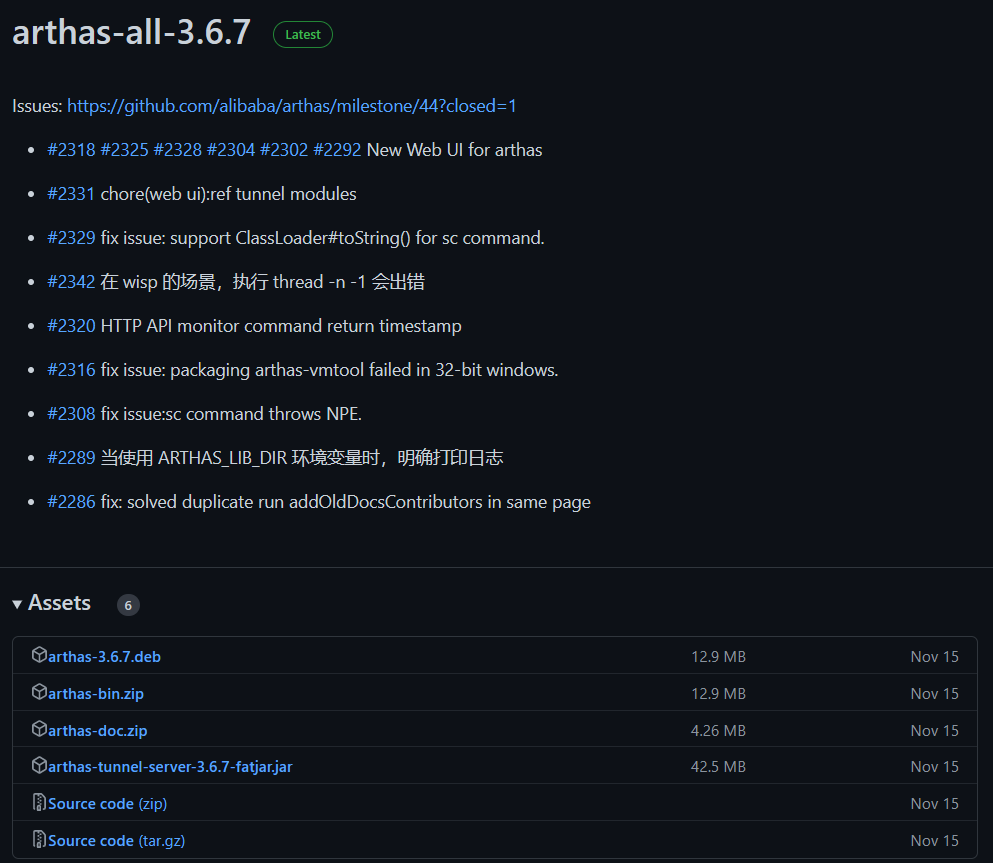
针对于Arthas的安装包进行下载资料进行介绍:
- arthas-3.6.7.deb:主要用于debian操作系统去运行的安装包
- arthas-bin.zip:二进制可运行执行包
- arthas-doc.zip:针对于arthas的文档
- arthas-tunnel-server-3.6.7-fatjar.jar:Arthas tunnel server服务的Jar可以执行包
- Source code(zip):源码zip压缩包
- Source code(tar.gz):源码tar包
Maven仓库下载
阿里云的下载地址:https://arthas.aliyun.com/download/arthas-tunnel-server/latest_version?mirror=aliyun
直接运行对应的Arthas tunnel server
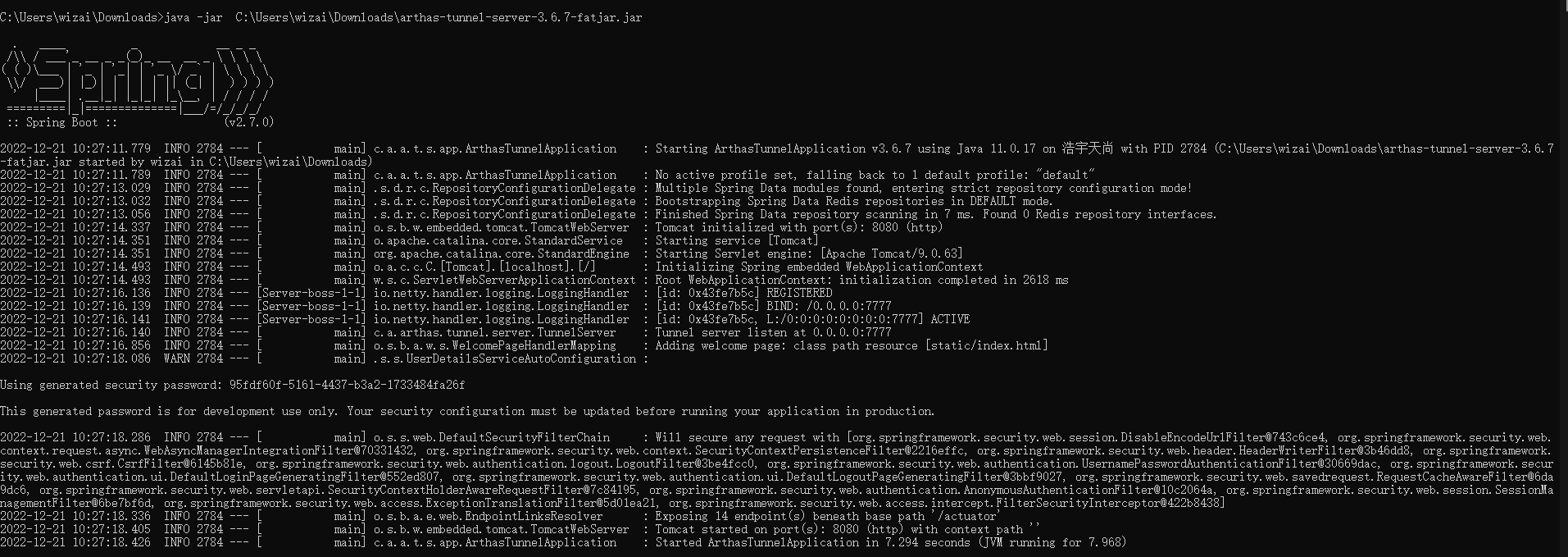
Arthas tunnel server是一个Spring boot fat jar 应用,直接java -jar启动:
java -jar arthas-tunnel-server.jar
默认情况下,arthas tunnel server的web端口是8080,Arthas agent 连接的端口是7777
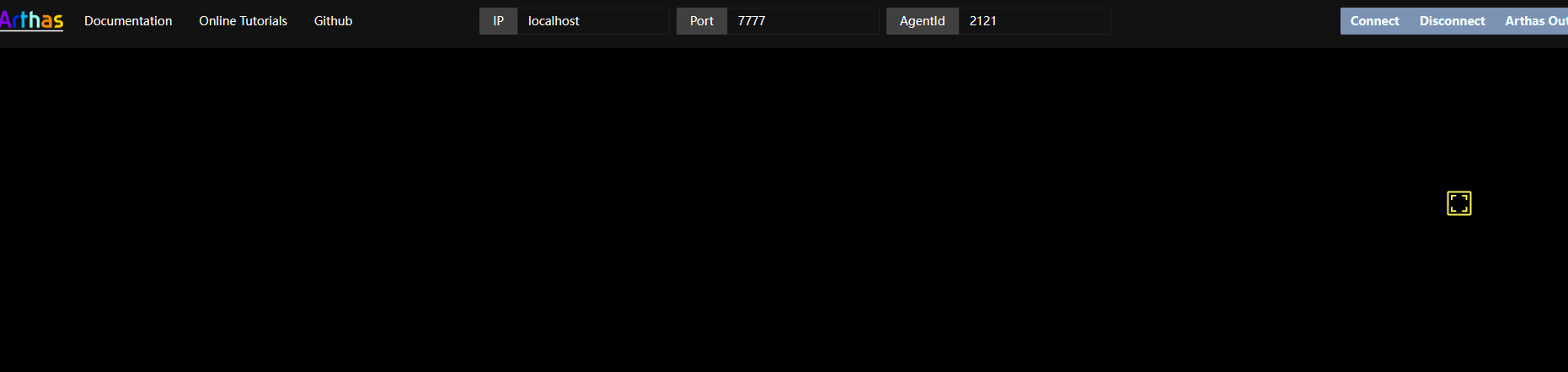
打开WebConsole,分别输入Arthas agent的ip(127.0.0.1)和port(7777),和SpringBoot应用里配置的agent-id(URJZ5L48RPBR2ALI5K4V),点Connect即可。
Web Console
如果希望可以通过浏览器连接Arthas服务,此时这里的Arthas服务指的不是Arthas tunnel server,Arthas是总体的服务控制端,发送指令的部分,而Arthas tunnel server属于对接和管理agent的专门服务(依赖于Arthas Spring Boot Starter的服务)。
出了CLI模式之外,Arthas目前支持 Web Console,用户在attach成功之后,可以直接访问:http://127.0.0.1:8563/。
可以填入 IP,远程连接其它机器上的arthas。启动之后,可以访问 http://127.0.0.1:8080/ ,再通过agentId连接到已注册的arthas agent 上,如下图所示。
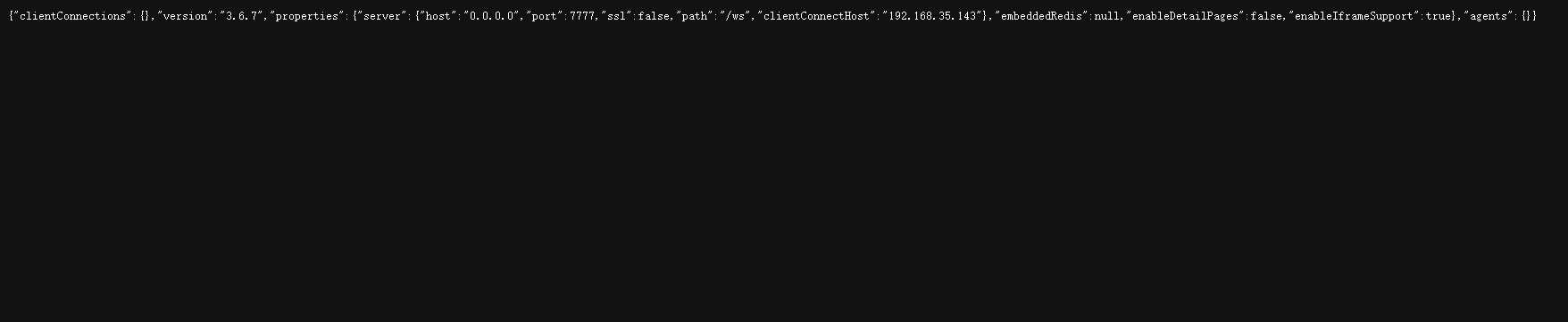
通过Spring Boot的Endpoint,可以查看到具体的连接信息: http://127.0.0.1:8080/actuator/arthas ,
登陆用户名是arthas,密码在 arthas tunnel server 的日志里可以找到,比如:
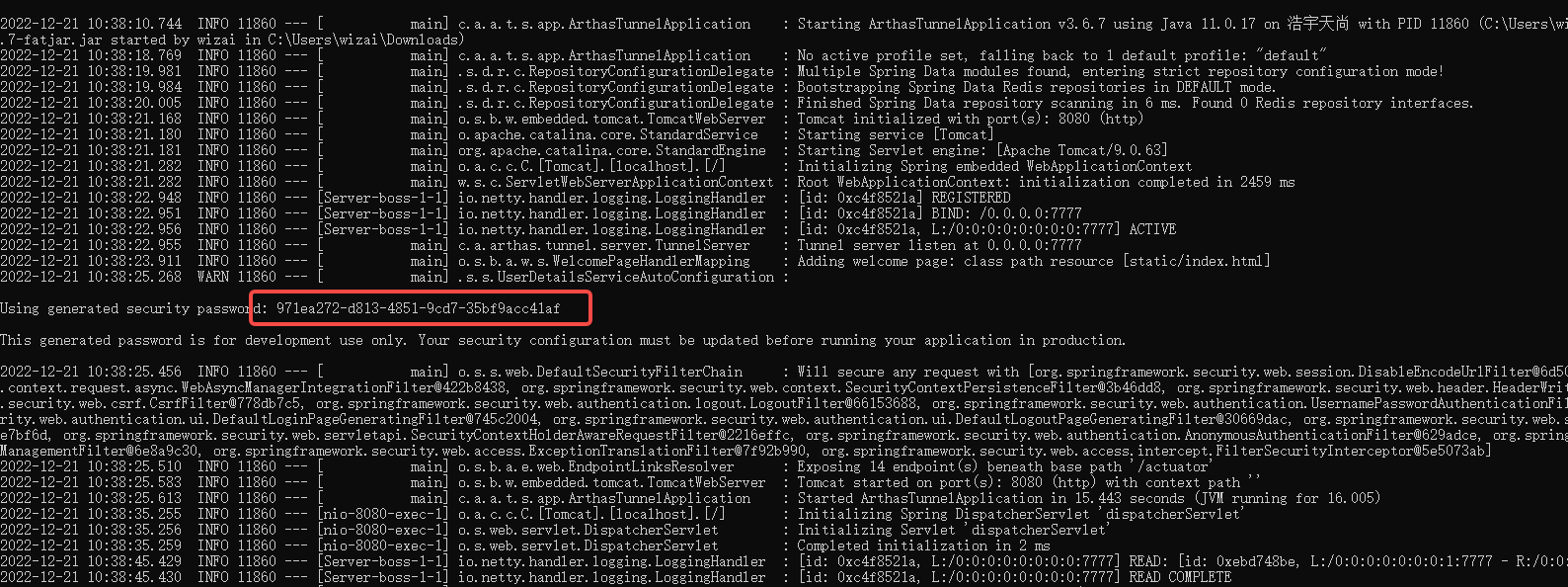
注意:默认情况下,arthas 只 listen 127.0.0.1,所以如果想从远程连接,则可以使用 --target-ip参数指定 listen 的 IP,更多参考-h的帮助说明。 注意会有安全风险,考虑下面的 tunnel server 的方案。
如何将服务连接Arthas tunnel server
主要有两种模式连接Arthas tunnel server:
- 远程运行的Arthas server连接Arthas tunnel server
- 远程运行的Arthas Spring Boot Starter的agent探针服务连接Arthas tunnel server
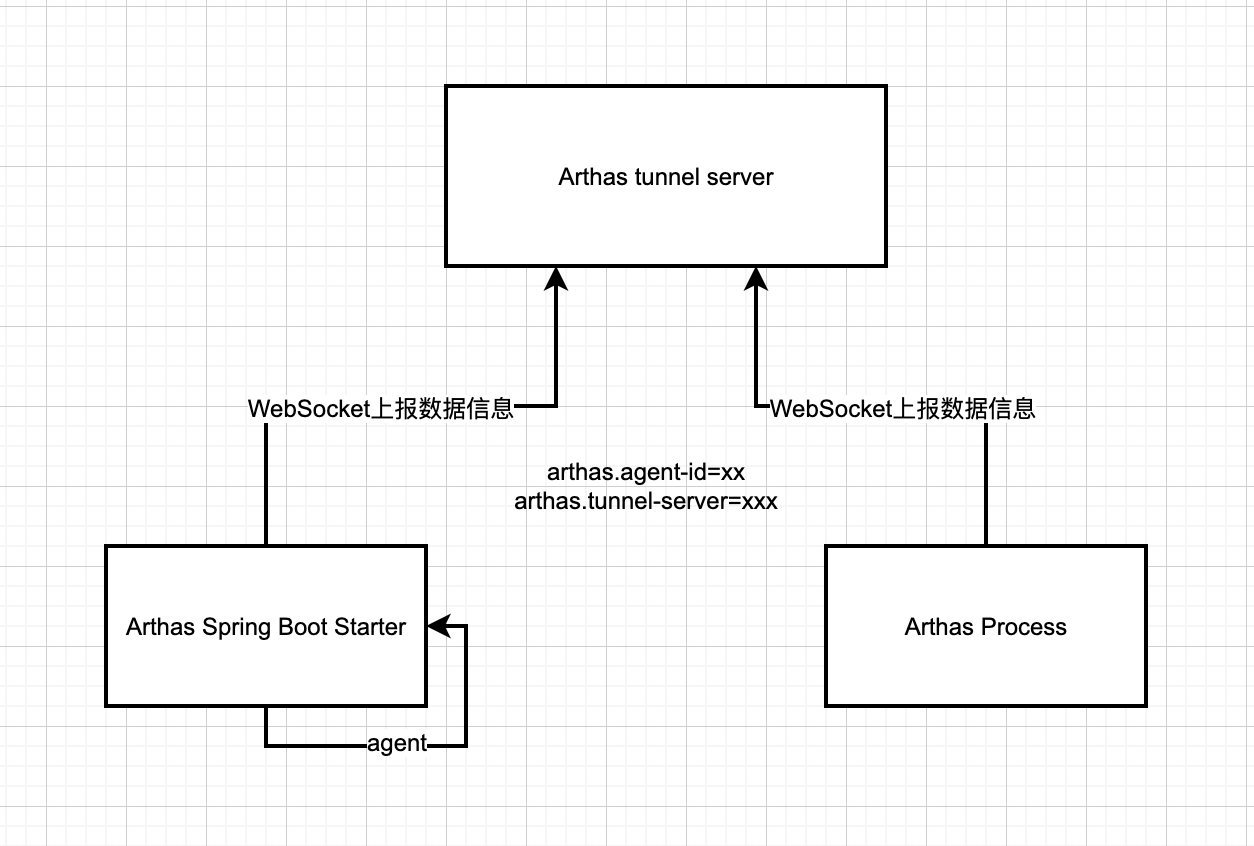
启动 arthas 时连接到 tunnel server
在启动 arthas,可以传递--tunnel-server参数,比如:
as.sh --tunnel-server 'ws://127.0.0.1:7777/ws'
如果有特殊需求,可以通过--agent-id参数里指定 agentId。默认情况下,会生成随机 ID。attach 成功之后,会打印出 agentId。
  ,---.  ,------. ,--------.,--.  ,--.  ,---.   ,---.

 /  O  \ |  .--. ''--.  .--'|  '--'  | /  O  \ '   .-'

|  .-.  ||  '--'.'   |  |   |  .--.  ||  .-.  |`.  `-.

|  | |  ||  |\  \    |  |   |  |  |  ||  | |  |.-'    |

`--' `--'`--' '--'   `--'   `--'  `--'`--' `--'`-----'

wiki      https://arthas.aliyun.com/doc

tutorials https://arthas.aliyun.com/doc/arthas-tutorials.html

version   3.1.2

pid       86183

time      2022-11-30 15:40:53

id        URJZ5L48RPBR2ALI5K4V
即使是启动时没有连接到 tunnel server,也可以在后续自动重连成功之后,通过 session 命令来获取 agentId:
[arthas@86183]$ session

 Name           Value

-----------------------------------------------------

 JAVA_PID       86183

 SESSION_ID     f7273eb5-e7b0-4a00-bc5b-3fe55d741882

 AGENT_ID       URJZ5L48RPBR2ALI5K4V

 TUNNEL_SERVER  ws://127.0.0.1:7777/ws
在浏览器里访问 http://localhost:8080/arthas,输入agentId,就可以连接到本机/其他机器上上的 arthas 了。
tunnel server的注意要点
- agentId要保持唯一,否则会在 tunnel server 上冲突,不能正常工作。
- 如果arthas agent配置了appName,则生成的agentId会带上appName的前缀。
添加对应的app-name参数
启动参数
as.sh --tunnel-server 'ws://127.0.0.1:7777/ws' --app-name demoapp ,则生成的 agentId 可能是demoapp_URJZ5L48RPBR2ALI5K4V。
Tunnel server 会以_做分隔符,提取出appName,方便按应用进行管理。
配置参数
解压的 arthas 目录下的 arthas.properties,或者在 spring boot 应用的application.properties里配置appName。
Arthas Spring Boot Starter的agent服务连接Jar
只支持 springboot2
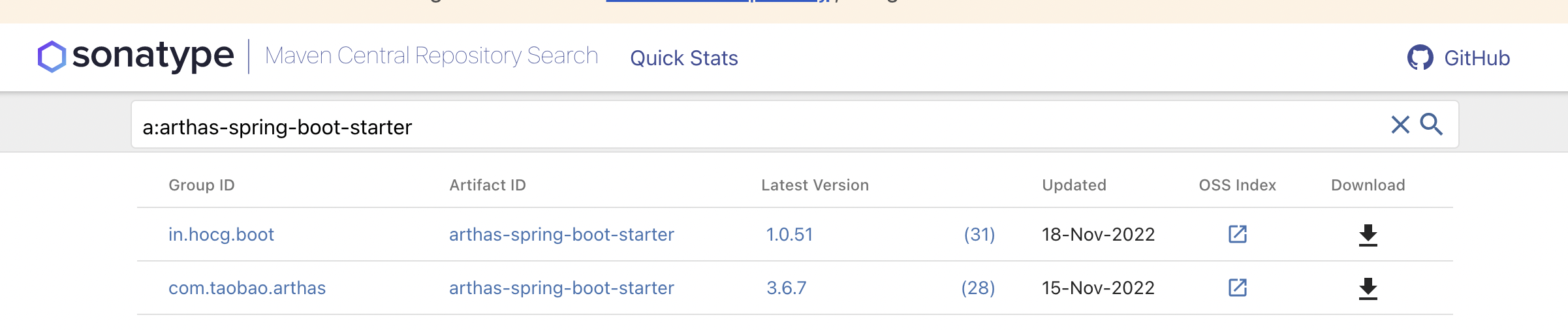
- 配置 maven 依赖:
arthas.version:3.6.7
<dependency>

     <groupId>com.taobao.arthas</groupId>

    <artifactId>arthas-spring-boot-starter</artifactId>

    <version>${arthas.version}</version>

</dependency>
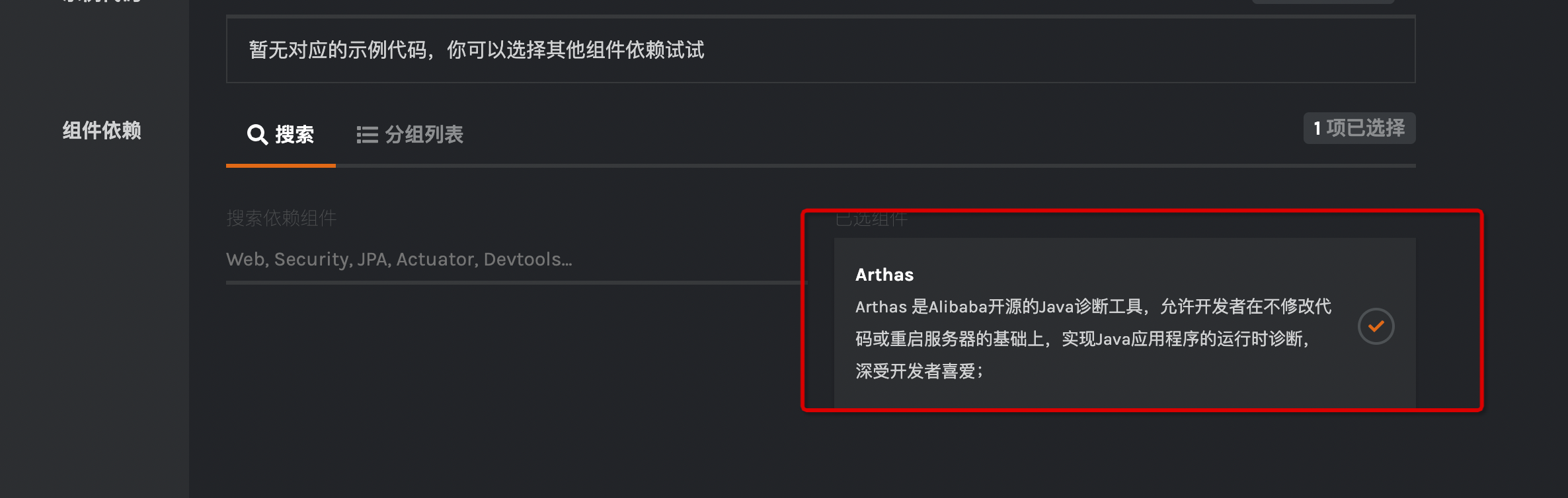
应用启动后,spring 会启动 arthas,并且 attach 自身进程。如果你不知道如何创建或者引入哪些依赖,可以采用一键创建包含 Arthas Spring Boot Starter 的工程:点击跳转到云原生脚手架
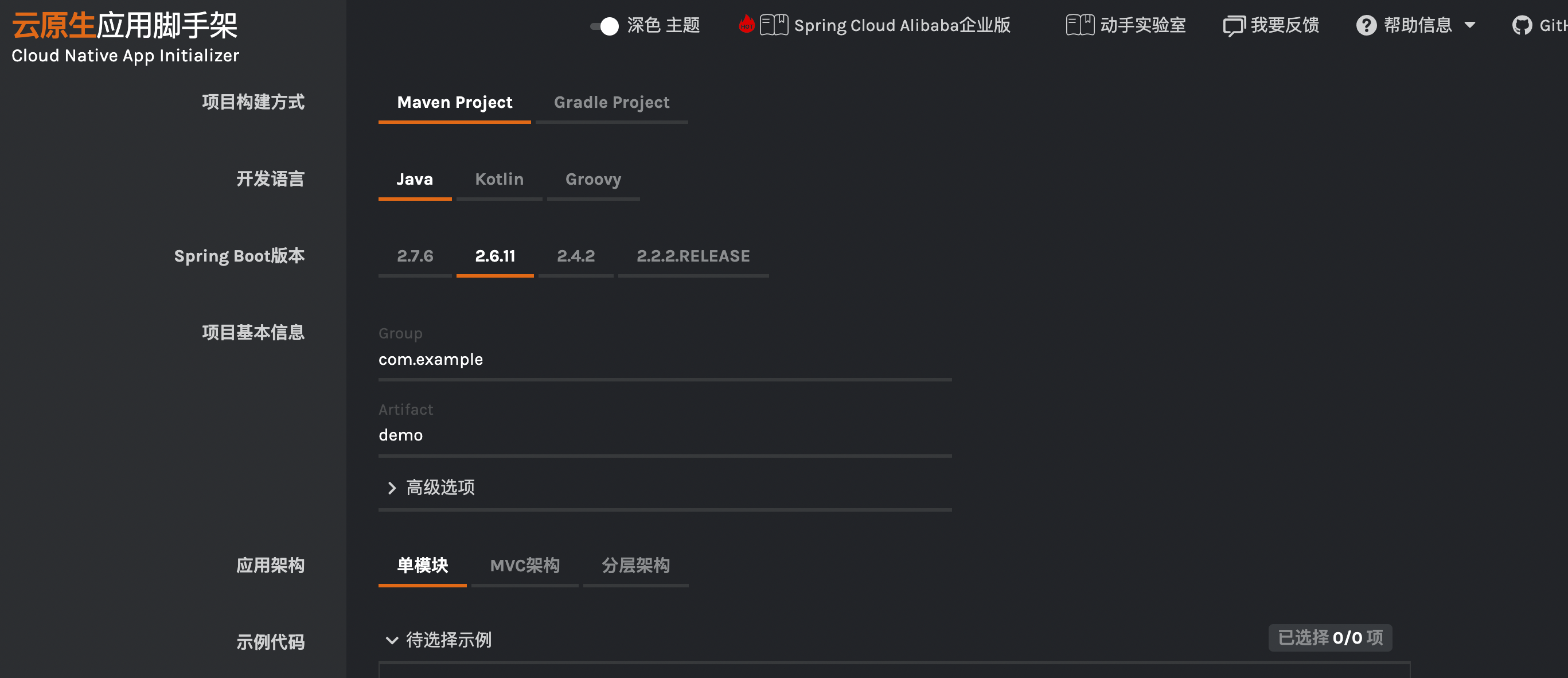
可以看到最下面已经自动勾选了arthas的监控机制体系。
application.yml配置
arthas:

  agent-name: nihaotest

  agent-id: URJZ5L48RPBR2ALI5K4V  #需手工指定agent-id

  tunnel-server: ws://127.0.0.1:7777/ws
查看 Endpoint 信息
需要配置 spring boot 暴露 endpoint:假定endpoint 端口是 8080,则通过下面 url 可以查看:
{

    "arthasConfigMap": {

        "agent-id": "hsehdfsfghhwertyfad",

        "tunnel-server": "ws://47.75.156.201:7777/ws",

    }

}
最后,启动SpringBoot服务即可。
非 spring boot 应用使用方式
非 Spring Boot 应用,可以通过下面的方式来使用:
 <dependency>

     <groupId>com.taobao.arthas</groupId>

     <artifactId>arthas-agent-attach</artifactId>

     <version>${arthas.version}</version>

 </dependency>

 <dependency>

      <groupId>com.taobao.arthas</groupId>

     <artifactId>arthas-packaging</artifactId>

     <version>${arthas.version}</version>

</dependency>
attach本身的服务进行探针探测。
import com.taobao.arthas.agent.attach.ArthasAgent;

public class ArthasAttachExample {

	public static void main(String[] args) {

		ArthasAgent.attach();

	}

}
也可以配置属性:
HashMap<String, String> configMap = new HashMap<String, String>();

configMap.put("arthas.appName", "demo");

configMap.put("arthas.tunnelServer", "ws://127.0.0.1:7777/ws");

ArthasAgent.attach(configMap);
Tunnel Server 的管理页面
需要在 spring boot 的application.properties里配置 arthas.enable-detail-pages=true
注意,开放管理页面有风险!管理页面没有安全拦截功能,务必自行增加安全措施。
在本地启动 tunnel-server,然后使用as.sh attach,并且指定应用名--app-name test:
$ as.sh --tunnel-server 'ws://127.0.0.1:7777/ws' --app-name test

telnet connecting to arthas server... current timestamp is 1627539688

Trying 127.0.0.1...

Connected to 127.0.0.1.

Escape character is '^]'.

  ,---.  ,------. ,--------.,--.  ,--.  ,---.   ,---.

 /  O  \ |  .--. ''--.  .--'|  '--'  | /  O  \ '   .-'

|  .-.  ||  '--'.'   |  |   |  .--.  ||  .-.  |`.  `-.

|  | |  ||  |\  \    |  |   |  |  |  ||  | |  |.-'    |

`--' `--'`--' '--'   `--'   `--'  `--'`--' `--'`-----'

wiki       https://arthas.aliyun.com/doc

tutorials  https://arthas.aliyun.com/doc/arthas-tutorials.html

version    3.5.3

main_class demo.MathGame

pid        65825

time       2022-07-29 14:21:29

id         test_PE3LZO9NA9ENJYTPGL9L
然后访问 tunnel-server,可以看到所有连接的应用列表:
http://localhost:8080/apps.html
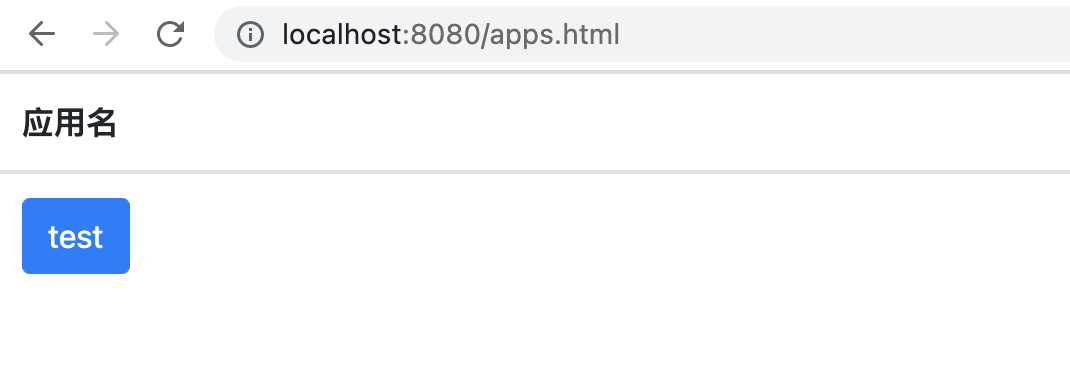
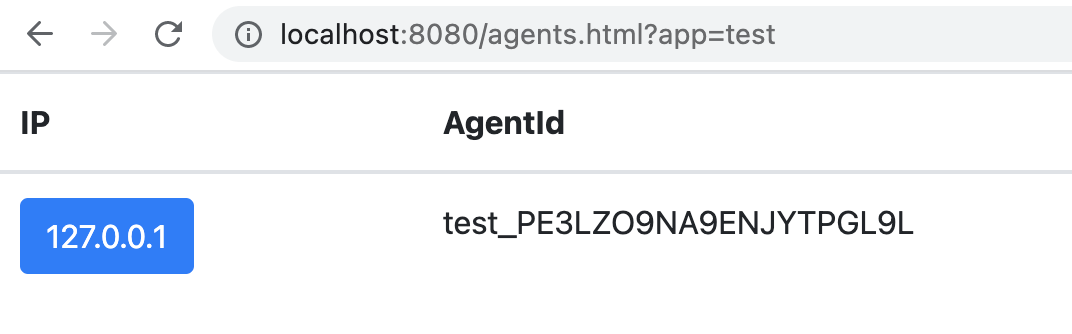
再打开详情,则可以看到连接的所有 agent 列表:
http://localhost:8080/agents.html?app=test
【JVM实战系列】「监控调优体系」实战开发arthas-spring-boot-starter监控你的微服务是否健康的更多相关文章
- SpringCloud微服务实战——搭建企业级开发框架(四十四):【微服务监控告警实现方式一】使用Actuator + Spring Boot Admin实现简单的微服务监控告警系统
业务系统正常运行的稳定性十分重要,作为SpringBoot的四大核心之一,Actuator让你时刻探知SpringBoot服务运行状态信息,是保障系统正常运行必不可少的组件. spring-b ...
- Spring Boot (九): 微服务应用监控 Spring Boot Actuator 详解
1. 引言 在当前的微服务架构方式下,我们会有很多的服务部署在不同的机器上,相互是通过服务调用的方式进行交互,一个完整的业务流程中间会经过很多个微服务的处理和传递,那么,如何能知道每个服务的健康状况就 ...
- Sping Boot入门到实战之实战篇(一):实现自定义Spring Boot Starter——阿里云消息队列服务Starter
在 Sping Boot入门到实战之入门篇(四):Spring Boot自动化配置 这篇中,我们知道Spring Boot自动化配置的实现,主要由如下几部分完成: @EnableAutoConfigu ...
- Spring Boot (十): Spring Boot Admin 监控 Spring Boot 应用
Spring Boot (十): Spring Boot Admin 监控 Spring Boot 应用 1. 引言 在上一篇文章<Spring Boot (九): 微服务应用监控 Spring ...
- java虚拟机性能监控调优及原则
摘抄 http://uule.iteye.com/blog/2114697 一.JVM内存模型及垃圾收集算法 1.根据Java虚拟机规范,JVM将内存划分为: New(年轻代) Tenured(年老 ...
- Java虚拟机内存模型及垃圾回收监控调优
Java虚拟机内存模型及垃圾回收监控调优 如果你想理解Java垃圾回收如果工作,那么理解JVM的内存模型就显的非常重要.今天我们就来看看JVM内存的各不同部分及如果监控和实现垃圾回收调优. JVM内存 ...
- 《Apache Kafka实战》读书笔记-调优Kafka集群
<Apache Kafka实战>读书笔记-调优Kafka集群 作者:尹正杰 版权声明:原创作品,谢绝转载!否则将追究法律责任. 一.确定调优目标 1>.常见的非功能性要求 一.性能( ...
- 转载-Spring Boot应用监控实战
概述 之前讲过Docker容器的可视化监控,即监控容器的运行情况,包括 CPU使用率.内存占用.网络状况以及磁盘空间等等一系列信息.同样利用SpringBoot作为微服务单元的实例化技术选型时,我们不 ...
- springboot(十九):使用Spring Boot Actuator监控应用
微服务的特点决定了功能模块的部署是分布式的,大部分功能模块都是运行在不同的机器上,彼此通过服务调用进行交互,前后台的业务流会经过很多个微服务的处理和传递,出现了异常如何快速定位是哪个环节出现了问题? ...
- (转)Spring Boot (十九):使用 Spring Boot Actuator 监控应用
http://www.ityouknow.com/springboot/2018/02/06/spring-boot-actuator.html 微服务的特点决定了功能模块的部署是分布式的,大部分功能 ...
随机推荐
- C语言中的位域的使用
转载:http://blog.sina.com.cn/s/blog_648d306d0100mv1c.html C语言中的位域的使用一.位域 有些信息在存储时,并不需要占用一个完整的字节, 而只需占几 ...
- 记一次 .NET 某电子病历 CPU 爆高分析
一:背景 1.讲故事 前段时间有位朋友微信找到我,说他的程序出现了 CPU 爆高,帮忙看下程序到底出了什么情况?图就不上了,我们直接进入主题. 二:WinDbg 分析 1. CPU 真的爆高吗? 要确 ...
- 开源数字基础设施 项目 -- Speckle
[Speckle](https://speckle.systems/)是用于 3D 设计的任何东西的开源数字基础设施.处理软件孤岛.实时协作.数据管理.版本控制和自动化之间的互操作性.致力于构建一个开 ...
- SQL 报表制作和整形
本文章主要介绍制作报表的查询,这些查询通常需要考虑与报表相关的格式设置,还需使用多级聚合. 1.将结果集转置为一行(行转列) 将多行中的值转换为单行中的列. 情景:有一个员工表,统计出一个结果集,显示 ...
- java简易两数计算器
public class calculator { public static void main(String[] args) { Scanner scanner = new Scanner(Sys ...
- git 进阶篇
在git使用时,有时需要在公司内部搭建自己的git服务器,用于内部的版本控制. 从远程服务器到本地 先创建服务器端的空git库,将其clone到本地,再将本地的修改push到服务器端 # step1: ...
- Jmeter——请求响应内容乱码解决办法
前段时间,换过一次设备,重新下载了Jmeter.有一次在编写脚本时,响应内容中的中文一直显示乱码. 遇到乱码不要慌,肯定是有办法来解决的.具体解决办法,可以参考之前的博文,Jmeter--BeanSh ...
- Oracle性能优化之运行参数设置
Oracle参数调整建议值 sessions=2150 processes=2000 open_cursors=5120 db_file_multiblock_read_count=64 log_bu ...
- Appscan安全扫描问题-会话检测失败
在进行手动探索-使用浏览器记录时,在后续的继续探索中经常碰到会话检测失败的问题.然而在[配置-登录管理-自动]中记录账号密码后再继续探索仍然提示会话检测失败....网上查找了资料,从该博主的博文中成功 ...
- Spring Cloud Alibaba 从入门到精通(2023)
Alibaba Cloud 简介 Spring Cloud Alibaba 即 Alibaba Cloud ,基于 Spring Cloud 构建,同时封装了阿里巴巴的 Nacos.Sentinel ...