
k8s之构建Mysql和Wordpress集群
一、实验目的
基于Kubernetes集群实现多负载的WordPress应用。将WordPress数据存储在后端Mysql,Mysql实现主从复制读写分离功能。
| 工作负载 | 服务 | 持久卷 | |
|---|---|---|---|
| Mysql | StatefulSet (StatefulSet实现有状态应用的编排运行) | Headless Service (为每个数据库分别提供一个唯一的标识) | openebs-hostpath (为每个数据库分别提供一个独立的存储) |
| Wordpress | Deployment (实现无状态应用的编排) | Cluster ip (为每个Wordpress提供一个集群IP) | openebs-jiva-csi(RWX)(实现存储的多路读写) |
1、准备Kubernetes集群环境
root@k8s-master01:~# kubectl get nodes

NAME           STATUS     ROLES           AGE   VERSION

k8s-master01   Ready      control-plane   24h   v1.28.2

k8s-node01     Ready      <none>          24h   v1.28.2

k8s-node02     Ready      <none>          24h   v1.28.2

k8s-node03     Ready      <none>          24h   v1.28.2
root@k8s-master01:~# kubectl get pod -n kube-system

NAME                                   READY   STATUS    RESTARTS          AGE

coredns-66f779496c-hm4xz               1/1     Running   0                 25h

coredns-66f779496c-s8cvs               1/1     Running   0                 25h

etcd-k8s-master01                      1/1     Running   0                 25h

kube-apiserver-k8s-master01            1/1     Running   0                 25h

kube-controller-manager-k8s-master01   1/1     Running   0                 25h

kube-proxy-c6x89                       1/1     Running   0                 25h

kube-proxy-pk9tr                       1/1     Running   0                 25h

kube-proxy-r6wqw                       1/1     Running   0                 25h

kube-proxy-rt5sf                       1/1     Running   0                 25h

kube-scheduler-k8s-master01            1/1     Running   0                 25h
二、安装OpenEBS
https://openebs.io/docs/user-guides/installation
1、安装openebs-operator
root@k8s-master01:~# kubectl apply -f https://openebs.github.io/charts/openebs-operator.yaml

namespace/openebs created

serviceaccount/openebs-maya-operator created

clusterrole.rbac.authorization.k8s.io/openebs-maya-operator created

clusterrolebinding.rbac.authorization.k8s.io/openebs-maya-operator created

customresourcedefinition.apiextensions.k8s.io/blockdevices.openebs.io created

customresourcedefinition.apiextensions.k8s.io/blockdeviceclaims.openebs.io created

configmap/openebs-ndm-config created

daemonset.apps/openebs-ndm created

deployment.apps/openebs-ndm-operator created

deployment.apps/openebs-ndm-cluster-exporter created

service/openebs-ndm-cluster-exporter-service created

daemonset.apps/openebs-ndm-node-exporter created

service/openebs-ndm-node-exporter-service created

deployment.apps/openebs-localpv-provisioner created

storageclass.storage.k8s.io/openebs-hostpath created

storageclass.storage.k8s.io/openebs-device created

root@k8s-master01:~# kubectl get pod -n openebs

NAME                                            READY   STATUS    RESTARTS   AGE

openebs-localpv-provisioner-6787b599b9-xm2mm    1/1     Running   0          14s

openebs-ndm-7mg7r                               1/1     Running   0          14s

openebs-ndm-cbph8                               1/1     Running   0          14s

openebs-ndm-cluster-exporter-7bfd5746f4-hsmq6   1/1     Running   0          14s

openebs-ndm-cvt75                               1/1     Running   0          14s

openebs-ndm-node-exporter-4qlnc                 1/1     Running   0          14s

openebs-ndm-node-exporter-b7qjp                 1/1     Running   0          14s

openebs-ndm-node-exporter-g6vhb                 1/1     Running   0          14s

openebs-ndm-operator-845b8858db-psrj4           1/1     Running   0          14s
2、所有节点安装iSCSI tools
OpenEBS的Jiva引擎依赖ISCSI协议,需要每个节点安装open-iscsi插件。
sudo apt-get update

sudo apt-get install open-iscsi

sudo systemctl enable --now iscsid

sudo apt install nfs-common
三、安装OpenEBS Jiva
Jiva会以CSI插件的形式把自己作为存储环境部署在k8s集群中,实现卷复制。
1、安装jiva-operator
root@k8s-master01:~# kubectl apply -f https://openebs.github.io/charts/jiva-operator.yaml

namespace/openebs unchanged

customresourcedefinition.apiextensions.k8s.io/jivavolumepolicies.openebs.io configured

customresourcedefinition.apiextensions.k8s.io/jivavolumes.openebs.io configured

customresourcedefinition.apiextensions.k8s.io/upgradetasks.openebs.io configured

serviceaccount/jiva-operator created

clusterrole.rbac.authorization.k8s.io/jiva-operator configured

clusterrolebinding.rbac.authorization.k8s.io/jiva-operator unchanged

deployment.apps/jiva-operator created

csidriver.storage.k8s.io/jiva.csi.openebs.io unchanged

serviceaccount/openebs-jiva-csi-controller-sa created

priorityclass.scheduling.k8s.io/openebs-jiva-csi-controller-critical configured

priorityclass.scheduling.k8s.io/openebs-jiva-csi-node-critical configured

clusterrole.rbac.authorization.k8s.io/openebs-jiva-csi-role unchanged

clusterrolebinding.rbac.authorization.k8s.io/openebs-jiva-csi-binding unchanged

statefulset.apps/openebs-jiva-csi-controller created

clusterrole.rbac.authorization.k8s.io/openebs-jiva-csi-attacher-role unchanged

clusterrolebinding.rbac.authorization.k8s.io/openebs-jiva-csi-attacher-binding unchanged

serviceaccount/openebs-jiva-csi-node-sa created

clusterrole.rbac.authorization.k8s.io/openebs-jiva-csi-registrar-role unchanged

clusterrolebinding.rbac.authorization.k8s.io/openebs-jiva-csi-registrar-binding unchanged

configmap/openebs-jiva-csi-iscsiadm created

daemonset.apps/openebs-jiva-csi-node created
root@k8s-master01:~# kubectl get pod -n openebs

NAME                                            READY   STATUS    RESTARTS   AGE

jiva-operator-5d8846bc49-4f7fm                  1/1     Running   0          12s

openebs-jiva-csi-controller-0                   5/5     Running   0          12s

openebs-jiva-csi-node-25b6f                     3/3     Running   0          12s

openebs-jiva-csi-node-9l9mb                     3/3     Running   0          12s

openebs-jiva-csi-node-cglqn                     3/3     Running   0          12s

openebs-localpv-provisioner-6787b599b9-nncrc    1/1     Running   0          3m56s

openebs-ndm-7l8gw                               1/1     Running   0          3m56s

openebs-ndm-cg99s                               1/1     Running   0          3m56s

openebs-ndm-cluster-exporter-7bfd5746f4-jxn7k   1/1     Running   0          3m56s

openebs-ndm-node-exporter-q9l5w                 1/1     Running   0          3m56s

openebs-ndm-node-exporter-rr9zz                 1/1     Running   0          3m56s

openebs-ndm-node-exporter-sxf9g                 1/1     Running   0          3m56s

openebs-ndm-operator-845b8858db-5jssm           1/1     Running   0          3m56s

openebs-ndm-w7xxn                               1/1     Running   0          3m56s
安装完成后生成两个新的资源类型
root@k8s-master01:~/learning-k8s/OpenEBS/jiva-csi# kubectl api-resources | grep jiva

jivavolumepolicies                jvp          openebs.io/v1                          true         JivaVolumePolicy

jivavolumes                       jv           openebs.io/v1                          true         JivaVolume
2、创建openebs-jivavolumepolicy
root@k8s-master01:~/learning-k8s/OpenEBS/jiva-csi# cat openebs-jivavolumepolicy-demo.yaml

apiVersion: openebs.io/v1alpha1

kind: JivaVolumePolicy

metadata:

  name: jivavolumepolicy-demo

  namespace: openebs

spec:

  replicaSC: openebs-hostpath

  target:

    # This sets the number of replicas for high-availability

    # replication factor <= no. of (CSI) nodes

    replicationFactor: 2

    # disableMonitor: false

    # auxResources:

    # tolerations:

    # resources:

    # affinity:

    # nodeSelector:

    # priorityClassName:

  # replica:

    # tolerations:

    # resources:

    # affinity:

    # nodeSelector:

    # priorityClassName:

root@k8s-master01:~/learning-k8s/OpenEBS/jiva-csi# kubectl apply -f openebs-jivavolumepolicy-demo.yaml

jivavolumepolicy.openebs.io/jivavolumepolicy-demo created

root@k8s-master01:~/learning-k8s/OpenEBS/jiva-csi# kubectl get jivavolumepolicy -n openebs

NAME                    AGE

jivavolumepolicy-demo   3m7s
3、创建OpenEBS存储类
创建存储类实现PV的动态置备
创建OpenEBS后会自动生成两个本地卷
- openebs-device
- openebs-hostpath
root@k8s-master01:~/learning-k8s/OpenEBS/jiva-csi# cat openebs-jiva-csi-storageclass.yaml

apiVersion: storage.k8s.io/v1

kind: StorageClass

metadata:

  name: openebs-jiva-csi

provisioner: jiva.csi.openebs.io

allowVolumeExpansion: true

parameters:

  cas-type: "jiva"

  policy: "jivavolumepolicy-demo"

storageclass.storage.k8s.io/openebs-jiva-csi created

root@k8s-master01:~/learning-k8s/OpenEBS/jiva-csi# kubectl get sc -n openebs

NAME               PROVISIONER           RECLAIMPOLICY   VOLUMEBINDINGMODE      ALLOWVOLUMEEXPANSION   AGE

openebs-device     openebs.io/local      Delete          WaitForFirstConsumer   false                  26m

openebs-hostpath   openebs.io/local      Delete          WaitForFirstConsumer   false                  26m

openebs-jiva-csi   jiva.csi.openebs.io   Delete          Immediate              true                   13s
4、创建openebs nfs provider
openebs nfs provider,实现在OpenEBS的基础上实现多路读写
创建后生成openebs-nfs-provisioner pod和openebs-rwx的存储类
root@k8s-master01:~# kubectl apply -f https://openebs.github.io/charts/nfs-operator.yaml

namespace/openebs unchanged

serviceaccount/openebs-maya-operator unchanged

clusterrole.rbac.authorization.k8s.io/openebs-maya-operator configured

clusterrolebinding.rbac.authorization.k8s.io/openebs-maya-operator unchanged

deployment.apps/openebs-nfs-provisioner created

storageclass.storage.k8s.io/openebs-rwx created

root@k8s-master01:~# kubectl get pod -n openebs

NAME                                            READY   STATUS    RESTARTS          AGE

jiva-operator-5d8846bc49-5x2d2                  1/1     Running   0                 10h

openebs-jiva-csi-controller-0                   5/5     Running   108 (6m18s ago)   10h

openebs-jiva-csi-node-5t6pt                     3/3     Running   0                 10h

openebs-jiva-csi-node-xqqbl                     3/3     Running   0                 10h

openebs-localpv-provisioner-6787b599b9-ns4nt    1/1     Running   101 (50s ago)     10h

openebs-ndm-cluster-exporter-7bfd5746f4-v97jr   1/1     Running   0                 10h

openebs-ndm-h9vkc                               1/1     Running   0                 10h

openebs-ndm-node-exporter-7zrl2                 1/1     Running   0                 10h

openebs-ndm-node-exporter-bt6kb                 1/1     Running   0                 10h

openebs-ndm-operator-845b8858db-9b6m5           1/1     Running   0                 10h

openebs-ndm-qqwv4                               1/1     Running   0                 10h

openebs-nfs-provisioner-5b595f4798-2ft9w        1/1     Running   0                 3m52s
root@k8s-master01:~# kubectl get sc  -n openebs

NAME               PROVISIONER           RECLAIMPOLICY   VOLUMEBINDINGMODE      ALLOWVOLUMEEXPANSION   AGE

openebs-device     openebs.io/local      Delete          WaitForFirstConsumer   false                  10h

openebs-hostpath   openebs.io/local      Delete          WaitForFirstConsumer   false                  10h

openebs-jiva-csi   jiva.csi.openebs.io   Delete          Immediate              true                   10h

openebs-rwx        openebs.io/nfsrwx     Delete          Immediate              false                  5m59s
四、部署Mysql集群
1、创建数据库集群(一主俩从)
root@k8s-master01:~/learning-k8s/examples/statefulsets/mysql# kubectl create namespace blog

namespace/blog created
root@k8s-master01:~/learning-k8s/examples/statefulsets/mysql# cat 01-configmap-mysql.yaml

apiVersion: v1

kind: ConfigMap

metadata:

  name: mysql

data:

  primary.cnf: |

    # Apply this config only on the primary.

    [mysql]

    default-character-set=utf8mb4

    [mysqld]

    log-bin

    character-set-server=utf8mb4

    [client]

    default-character-set=utf8mb4

  replica.cnf: |

    # Apply this config only on replicas.

    [mysql]

    default-character-set=utf8mb4

    [mysqld]

    super-read-only

    character-set-server=utf8mb4

    [client]

    default-character-set=utf8mb4
root@k8s-master01:~/learning-k8s/examples/statefulsets/mysql# cat 02-services-mysql.yaml

# Headless service for stable DNS entries of StatefulSet members.

apiVersion: v1

kind: Service

metadata:

  name: mysql

spec:

  ports:

  - name: mysql

    port: 3306

  clusterIP: None

  selector:

    app: mysql

---

# Client service for connecting to any MySQL instance for reads.

# For writes, you must instead connect to the primary: mysql-0.mysql.

apiVersion: v1

kind: Service

metadata:

  name: mysql-read

  labels:

    app: mysql

spec:

  ports:

  - name: mysql

    port: 3306

  selector:

    app: mysql
root@k8s-master01:~/learning-k8s/examples/statefulsets/mysql# cat 03-statefulset-mysql.yaml

apiVersion: apps/v1

kind: StatefulSet

metadata:

  name: mysql

spec:

  selector:

    matchLabels:

      app: mysql

  serviceName: mysql

  replicas: 3

  template:

    metadata:

      labels:

        app: mysql

    spec:

      initContainers:

      - name: init-mysql

        image: mysql:5.7

        command:

        - bash

        - "-c"

        - |

          set -ex

          # Generate mysql server-id from pod ordinal index.

          [[ $(cat /proc/sys/kernel/hostname) =~ -([0-9]+)$ ]] || exit 1

          ordinal=${BASH_REMATCH[1]}

          echo [mysqld] > /mnt/conf.d/server-id.cnf

          # Add an offset to avoid reserved server-id=0 value.

          echo server-id=$((100 + $ordinal)) >> /mnt/conf.d/server-id.cnf

          # Copy appropriate conf.d files from config-map to emptyDir.

          if [[ $ordinal -eq 0 ]]; then

            cp /mnt/config-map/primary.cnf /mnt/conf.d/

          else

            cp /mnt/config-map/replica.cnf /mnt/conf.d/

          fi

        volumeMounts:

        - name: conf

          mountPath: /mnt/conf.d

        - name: config-map

          mountPath: /mnt/config-map

      - name: clone-mysql

        image: ikubernetes/xtrabackup:1.0

        command:

        - bash

        - "-c"

        - |

          set -ex

          # Skip the clone if data already exists.

          [[ -d /var/lib/mysql/mysql ]] && exit 0

          # Skip the clone on primary (ordinal index 0).

          [[ $(cat /proc/sys/kernel/hostname) =~ -([0-9]+)$ ]] || exit 1

          ordinal=${BASH_REMATCH[1]}

          [[ $ordinal -eq 0 ]] && exit 0

          # Clone data from previous peer.

          ncat --recv-only mysql-$(($ordinal-1)).mysql 3307 | xbstream -x -C /var/lib/mysql

          # Prepare the backup.

          xtrabackup --prepare --target-dir=/var/lib/mysql

        volumeMounts:

        - name: data

          mountPath: /var/lib/mysql

          subPath: mysql

        - name: conf

          mountPath: /etc/mysql/conf.d

      containers:

      - name: mysql

        image: mysql:5.7

        env:

        - name: LANG

          value: "C.UTF-8"

        - name: MYSQL_ALLOW_EMPTY_PASSWORD

          value: "1"

        ports:

        - name: mysql

          containerPort: 3306

        volumeMounts:

        - name: data

          mountPath: /var/lib/mysql

          subPath: mysql

        - name: conf

          mountPath: /etc/mysql/conf.d

        livenessProbe:

          exec:

            command: ["mysqladmin", "ping"]

          initialDelaySeconds: 30

          periodSeconds: 10

          timeoutSeconds: 5

        readinessProbe:

          exec:

            # Check we can execute queries over TCP (skip-networking is off).

            command: ["mysql", "-h", "127.0.0.1", "-e", "SELECT 1"]

          initialDelaySeconds: 5

          periodSeconds: 2

          timeoutSeconds: 1

      - name: xtrabackup

        image: ikubernetes/xtrabackup:1.0

        ports:

        - name: xtrabackup

          containerPort: 3307

        command:

        - bash

        - "-c"

        - |

          set -ex

          cd /var/lib/mysql

          # Determine binlog position of cloned data, if any.

          if [[ -f xtrabackup_slave_info && "x$(<xtrabackup_slave_info)" != "x" ]]; then

            # XtraBackup already generated a partial "CHANGE MASTER TO" query

            # because we're cloning from an existing replica. (Need to remove the tailing semicolon!)

            cat xtrabackup_slave_info | sed -E 's/;$//g' > change_master_to.sql.in

            # Ignore xtrabackup_binlog_info in this case (it's useless).

            rm -f xtrabackup_slave_info xtrabackup_binlog_info

          elif [[ -f xtrabackup_binlog_info ]]; then

            # We're cloning directly from primary. Parse binlog position.

            [[ `cat xtrabackup_binlog_info` =~ ^(.*?)[[:space:]]+(.*?)$ ]] || exit 1

            rm -f xtrabackup_binlog_info xtrabackup_slave_info

            echo "CHANGE MASTER TO MASTER_LOG_FILE='${BASH_REMATCH[1]}',\

                  MASTER_LOG_POS=${BASH_REMATCH[2]}" > change_master_to.sql.in

          fi

          # Check if we need to complete a clone by starting replication.

          if [[ -f change_master_to.sql.in ]]; then

            echo "Waiting for mysqld to be ready (accepting connections)"

            until mysql -h 127.0.0.1 -e "SELECT 1"; do sleep 1; done

            echo "Initializing replication from clone position"

            mysql -h 127.0.0.1 \

                  -e "$(<change_master_to.sql.in), \

                          MASTER_HOST='mysql-0.mysql', \

                          MASTER_USER='root', \

                          MASTER_PASSWORD='', \

                          MASTER_CONNECT_RETRY=10; \

                        START SLAVE;" || exit 1

            # In case of container restart, attempt this at-most-once.

            mv change_master_to.sql.in change_master_to.sql.orig

          fi

          # Start a server to send backups when requested by peers.

          exec ncat --listen --keep-open --send-only --max-conns=1 3307 -c \

            "xtrabackup --backup --slave-info --stream=xbstream --host=127.0.0.1 --user=root"

        volumeMounts:

        - name: data

          mountPath: /var/lib/mysql

          subPath: mysql

        - name: conf

          mountPath: /etc/mysql/conf.d

      volumes:

      - name: conf

        emptyDir: {}

      - name: config-map

        configMap:

          name: mysql

  volumeClaimTemplates:

  - metadata:

      name: data

    spec:

      accessModes: ["ReadWriteOnce"]

      storageClassName: "openebs-hostpath"

      resources:

        requests:

          storage: 10Gi
root@k8s-master01:~/learning-k8s/examples/statefulsets/mysql# kubectl apply -f . -n blog

configmap/mysql created

service/mysql created

service/mysql-read created

statefulset.apps/mysql created

root@k8s-master01:~# kubectl get pod -n blog

NAME      READY   STATUS    RESTARTS   AGE

mysql-0   2/2     Running   0          28m

mysql-1   2/2     Running   0          21m

mysql-2   2/2     Running   0          6m34s

root@k8s-master01:~# kubectl get pv -n blog

NAME                                       CAPACITY   ACCESS MODES   RECLAIM POLICY   STATUS   CLAIM                  STORAGECLASS       REASON   AGE

pvc-082e3c6c-27fe-4f03-8dbc-459c5ee54b20   10Gi       RWO            Delete           Bound    blog/data-mysql-0      openebs-hostpath            30m

pvc-7785640d-623d-4dd6-90ff-0ce026254733   10Gi       RWO            Delete           Bound    default/data-mysql-0   openebs-hostpath            30m

pvc-87166c09-1fa3-403a-a0b4-bf88875b29d2   10Gi       RWO            Delete           Bound    blog/data-mysql-1      openebs-hostpath            19m

pvc-95948b7e-22e7-4fb9-8ade-84c76fc42fb6   10Gi       RWO            Delete           Bound    blog/data-mysql-2      openebs-hostpath            8m23s

root@k8s-master01:~# kubectl get pvc -n blog

NAME           STATUS   VOLUME                                     CAPACITY   ACCESS MODES   STORAGECLASS       AGE

data-mysql-0   Bound    pvc-082e3c6c-27fe-4f03-8dbc-459c5ee54b20   10Gi       RWO            openebs-hostpath   28m

data-mysql-1   Bound    pvc-87166c09-1fa3-403a-a0b4-bf88875b29d2   10Gi       RWO            openebs-hostpath   21m

data-mysql-2   Bound    pvc-95948b7e-22e7-4fb9-8ade-84c76fc42fb6   10Gi       RWO            openebs-hostpath   6m49s
创建完成后自动置备PVC,关联到数据库Pod。
2、进入数据库进行初始化
root@k8s-master01:~# kubectl exec -it -n blog mysql-0 bash

kubectl exec [POD] [COMMAND] is DEPRECATED and will be removed in a future version. Use kubectl exec [POD] -- [COMMAND] instead.

Defaulted container "mysql" out of: mysql, xtrabackup, init-mysql (init), clone-mysql (init)

bash-4.2# mysql

Welcome to the MySQL monitor.  Commands end with ; or \g.

Your MySQL connection id is 890

Server version: 5.7.44-log MySQL Community Server (GPL)

Copyright (c) 2000, 2023, Oracle and/or its affiliates.

Oracle is a registered trademark of Oracle Corporation and/or its

affiliates. Other names may be trademarks of their respective

owners.

Type 'help;' or '\h' for help. Type '\c' to clear the current input statement.

mysql> CREATE DATABASE wpdb;

Query OK, 1 row affected (0.01 sec)

mysql> CREATE USER wpuser@'%' IDENTIFIED BY 'wppass';

Query OK, 0 rows affected (31.12 sec)

mysql> GRANT ALL PRIVILEGES ON wpdb.* TO wpuser@'%';

Query OK, 0 rows affected (0.01 sec)
3、登录从库查看同步状态
root@k8s-master01:~# kubectl exec -it -n blog mysql-1 bash

kubectl exec [POD] [COMMAND] is DEPRECATED and will be removed in a future version. Use kubectl exec [POD] -- [COMMAND] instead.

Defaulted container "mysql" out of: mysql, xtrabackup, init-mysql (init), clone-mysql (init)

bash-4.2# mysql

Welcome to the MySQL monitor.  Commands end with ; or \g.

Your MySQL connection id is 987

Server version: 5.7.44 MySQL Community Server (GPL)

Copyright (c) 2000, 2023, Oracle and/or its affiliates.

Oracle is a registered trademark of Oracle Corporation and/or its

affiliates. Other names may be trademarks of their respective

owners.

Type 'help;' or '\h' for help. Type '\c' to clear the current input statement.

mysql> SHOW DATABASES;

+------------------------+

| Database               |

+------------------------+

| information_schema     |

| mysql                  |

| performance_schema     |

| sys                    |

| wpdb                   |

| xtrabackup_backupfiles |

+------------------------+

6 rows in set (0.10 sec)
五、部署WordPress集群
1、创建Secret用于WordPress连接数据库的信息
root@k8s-master01:~/learning-k8s/examples/wordpress# kubectl create secret generic mysql-secret -n blog --from-literal=wordpress.db=wpdb --from-literal=wordpress.user=wpuser --from-literal=wordpress.password=wppass --dry-run=client -oyaml > mysql-secret.yaml

root@k8s-master01:~/learning-k8s/examples/wordpress# kubectl apply -f mysql-secret.yaml secret/mysql-secret created

root@k8s-master01:~/learning-k8s/examples/wordpress# kubectl get secret -n blog

NAME           TYPE     DATA   AGE

mysql-secret   Opaque   3      43s
2、准备wordpress存储
root@k8s-master01:~/learning-k8s/examples/wordpress# cat openebs-sc.yaml

apiVersion: storage.k8s.io/v1

kind: StorageClass

metadata:

  annotations:

    cas.openebs.io/config: |

      - name: NFSServerType

        value: "kernel"

      - name: BackendStorageClass

        value: "openebs-jiva-csi"

      # NFSServerResourceRequests defines the resource requests for NFS Server

      #- name: NFSServerResourceRequests

      #  value: |-

      #      memory: 50Mi

      #      cpu: 50m

      # NFSServerResourceLimits defines the resource limits for NFS Server

      #- name: NFSServerResourceLimits

      #  value: |-

      #      memory: 100Mi

      #      cpu: 100m

      # LeaseTime defines the renewal period(in seconds) for client state

      #- name: LeaseTime

      #  value: 30

      # GraceTime defines the recovery period(in seconds) to reclaim locks

      #- name: GraceTime

      #  value: 30

      # FilePermissions defines the file ownership and mode specifications

      # for the NFS server's shared filesystem volume.

      # File permission changes are applied recursively if the root of the

      # volume's filesystem does not match the specified value.

      # Volume-specific file permission configuration can be specified by

      # using the FilePermissions config key in the PVC YAML, instead of

      # the StorageClass's.

      #- name: FilePermissions

      #  data:

      #    UID: "1000"

      #    GID: "2000"

      #    mode: "0744"

      # FSGID defines the group permissions of NFS Volume. If it is set

      # then non-root applications should add FSGID value under pod

      # Suplemental groups.

      # The FSGID config key is being deprecated. Please use the

      # FilePermissions config key instead.

      #- name: FSGID

      #  value: "120"

    openebs.io/cas-type: nfsrwx

  name: openebs-rwx

  resourceVersion: "52027"

provisioner: openebs.io/nfsrwx

reclaimPolicy: Delete                     #一般生产用Retain策略

volumeBindingMode: Immediate
root@k8s-master01:~/learning-k8s/examples/wordpress# kubectl apply -f openebs-sc.yaml

storageclass.storage.k8s.io/openebs-rwx configured

root@k8s-master01:~/learning-k8s/examples/wordpress# kubectl get sc -n openebs

NAME               PROVISIONER           RECLAIMPOLICY   VOLUMEBINDINGMODE      ALLOWVOLUMEEXPANSION   AGE

openebs-device     openebs.io/local      Delete          WaitForFirstConsumer   false                  12h

openebs-hostpath   openebs.io/local      Delete          WaitForFirstConsumer   false                  12h

openebs-jiva-csi   jiva.csi.openebs.io   Delete          Immediate              true                   12h

openebs-rwx        openebs.io/nfsrwx     Delete          Immediate              false                  116m
3、创建wordpress
root@k8s-master01:~/learning-k8s/examples/wordpress# cat 05-wordpress-service.yaml

apiVersion: v1

kind: Service

metadata:

  labels:

    app: wordpress

  name: wordpress

  namespace: blog

spec:

  ports:

  - name: 80-80

    port: 80

    protocol: TCP

    targetPort: 80

  selector:

    app: wordpress

  type: LoadBalancer

root@k8s-master01:~/learning-k8s/examples/wordpress# cat 06-pvc-wordpress.yaml

apiVersion: v1

kind: PersistentVolumeClaim

metadata:

  name: wordpress-pvc

  namespace: blog

spec:

  accessModes: ["ReadWriteMany"]

  volumeMode: Filesystem

  resources:

    requests:

      storage: 5Gi

  storageClassName: openebs-rwx
root@k8s-master01:~/learning-k8s/examples/wordpress# cat 07-deployment-wordpress.yaml

apiVersion: apps/v1

kind: Deployment

metadata:

  labels:

    app: wordpress

  name: wordpress

  namespace: blog

spec:

  replicas: 2

  selector:

    matchLabels:

      app: wordpress

  strategy:

    type: RollingUpdate

    rollingUpdate:

      maxSurge: 1

      maxUnavailable: 0

  template:

    metadata:

      labels:

        app: wordpress

    spec:

      containers:

      - image: wordpress:6-apache

        name: wordpress

        env:

        - name: WORDPRESS_DB_HOST

          value: mysql-0.mysql

        - name: WORDPRESS_DB_NAME

          valueFrom:

            secretKeyRef:

              name: mysql-secret

              key: wordpress.db

        - name: WORDPRESS_DB_USER

          valueFrom:

            secretKeyRef:

              name: mysql-secret

              key: wordpress.user

        - name: WORDPRESS_DB_PASSWORD

          valueFrom:

            secretKeyRef:

              name: mysql-secret

              key: wordpress.password

        volumeMounts:

        - name: data

          mountPath: /var/www/html/

      volumes:

      - name: data

        persistentVolumeClaim:

          claimName: wordpress-pvc
root@k8s-master01:~/learning-k8s/examples/wordpress# kubectl apply -f 05-wordpress-service.yaml -f 06-pvc-wordpress.yaml -f 07-deployment-wordpress.yaml -n blog

service/wordpress created

persistentvolumeclaim/wordpress-pvc created

deployment.apps/wordpress created

root@k8s-master01:~/learning-k8s/examples/wordpress# kubectl get pod -n blog

NAME                         READY   STATUS              RESTARTS   AGE

mysql-0                      2/2     Running             0          119m

mysql-1                      2/2     Running             0          112m

mysql-2                      2/2     Running             0          97m

wordpress-777c96d554-8wzpj   1/1     Running             0          24m

wordpress-777c96d554-zw5zz   1/1     Running             0          24m

root@k8s-master01:~/learning-k8s/examples/wordpress# kubectl get pvc -n blog

NAME            STATUS   VOLUME                                     CAPACITY   ACCESS MODES   STORAGECLASS       AGE

data-mysql-0    Bound    pvc-082e3c6c-27fe-4f03-8dbc-459c5ee54b20   10Gi       RWO            openebs-hostpath   99m

data-mysql-1    Bound    pvc-87166c09-1fa3-403a-a0b4-bf88875b29d2   10Gi       RWO            openebs-hostpath   92m

data-mysql-2    Bound    pvc-95948b7e-22e7-4fb9-8ade-84c76fc42fb6   10Gi       RWO            openebs-hostpath   77m

wordpress-pvc   Bound    pvc-10ebaa05-44bd-4573-8e6d-80d53c213b34   5Gi        RWX            openebs-rwx        4m13s
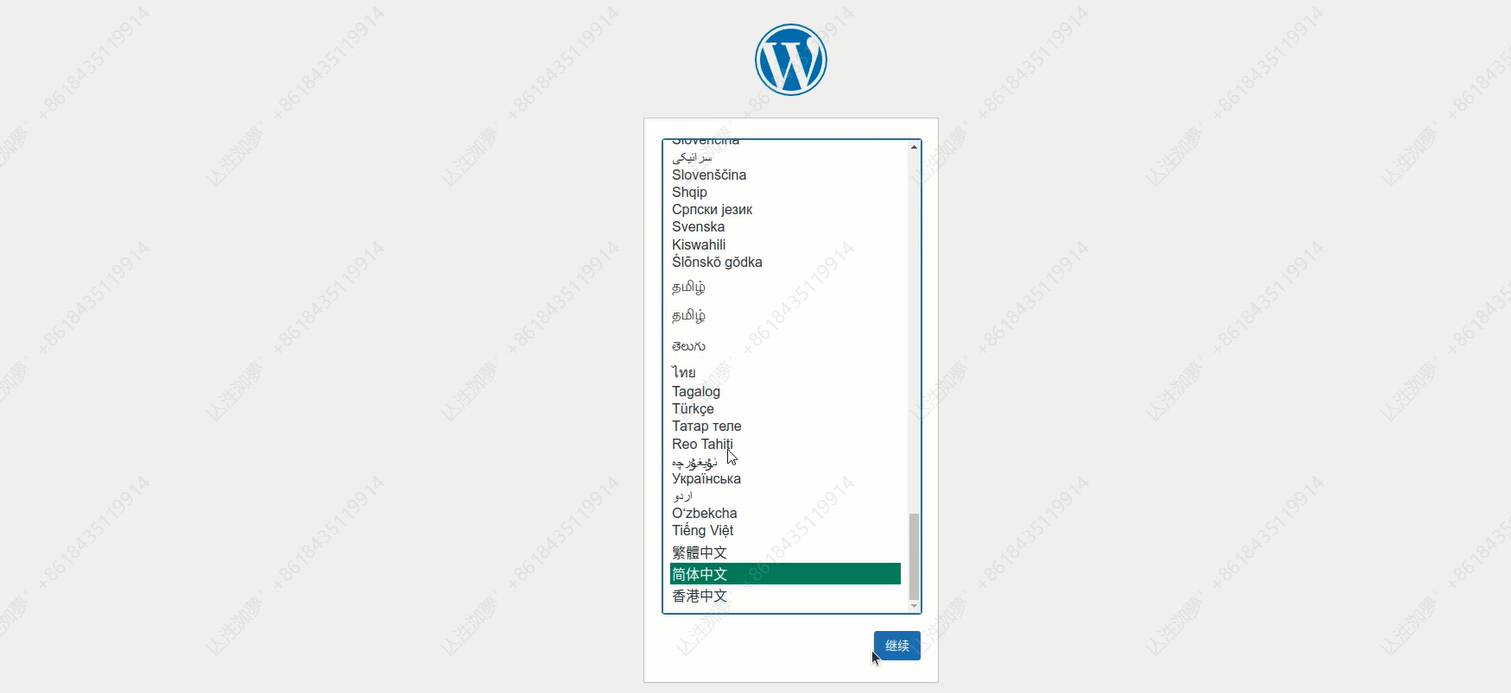
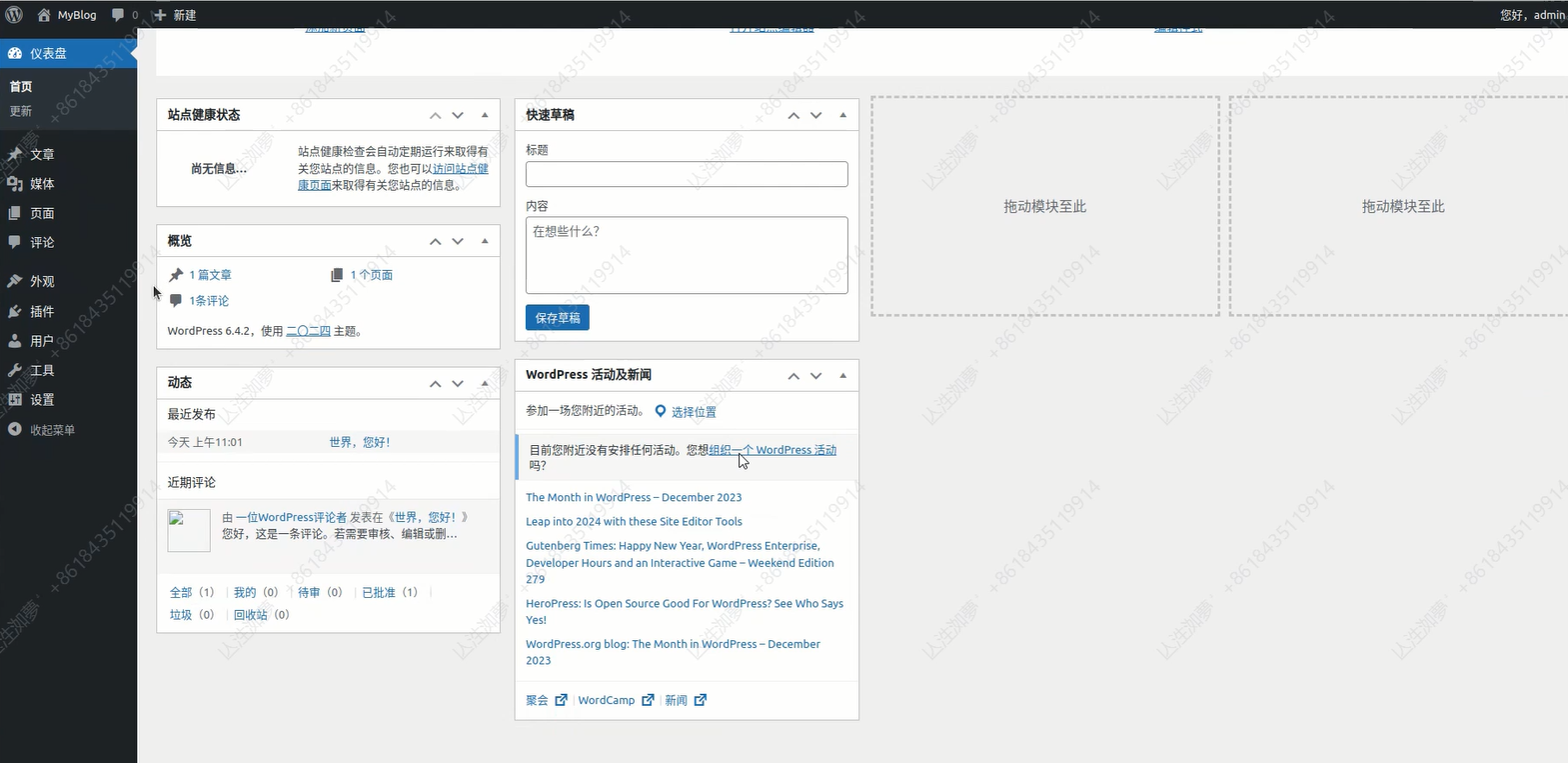
六、访问WordPress
七、扩展
- 集群要求
对于 mysql 集群来说,我们首先要选取主节点,并且启动它,如果这是一个已有数据 mysql 节点,还需要考虑如何备份 mysql 主节点上的数据。
此后,我们需要用另一套配置来启动若干从节点,并且在这些从节点上恢复上一步中主节点上的备份数据。
完成上述配置之后,我们还必须考虑如何保证只让主节点处理写请求,而读请求则可以在任意节点上执行。
除此以外,从节点的水平扩展也是必须考虑另一个问题。
由此可见,mysql 主从集群的构建具有网络状态 -- 主节点必须先行启动,并且具有存储状态 -- 每个节点需要有自己独立的存储,很显然,用 Deployment 作为控制器来进行 mysql 集群的搭建是无法实现的,而这恰恰是 StatefulSet 擅长处理的场景。
- 主从节点的区分 -- 配置与读写
- 主从节点不同的配置文件
mysql 主节点与从节点拥有完全不同的配置,主节点需要开启 log-bin 通过二进制的方式导出 bin-log 来实现主从复制,从节点需要配置主节点的信息外,还需要配置 super-read-only 来实现从节点的只读。
这在 Kubernetes 中是很容易实现的,我们只需要在 ConfigMap 中定义两套配置,然后在 pod 描述中依据不同的 pod 序号选择挂载不同的配置即可。
下面是一个 ConfigMap 的示例:
apiVersion: v1

kind: ConfigMap

metadata:

  name: mysql

  labels:

    app: mysql

data:

  master.cnf: |

    # 主节点MySQL的配置文件

    [mysqld]

    log-bin

  slave.cnf: |

    # 从节点MySQL的配置文件

    [mysqld]

    super-read-only
- 用Service 实现主从的读写分离
接下来,我们创建两个 Service,来实现对主从的读写分离:
apiVersion: v1

kind: Service

metadata:

  name: mysql

  labels:

    app: mysql

spec:

  ports:

  - name: mysql

    port: 3306

  clusterIP: None

  selector:

    app: mysql

---

apiVersion: v1

kind: Service

metadata:

  name: mysql-read

  labels:

    app: mysql

spec:

  ports:

  - name: mysql

    port: 3306

  selector:

    app: mysql
由于第一个 Service 配置了 clusterIP: None,所以它是一个 Headless Service,也就是它会代理编号为 0 的节点,也就是主节点。
而第二个 Service,由于在 selector 中指定了 app: mysql,所以它会代理所有具有这个 label 的节点,也就是集群中的所有节点。
- 集群初始化工作
有了上述两部分准备工作,我们就要开始着手构建我们的 MySQL 集群了,那么,最为首要的当然就是如何去初始化整个集群的各个节点了。
集群启动前,所需的初始化步骤有:
各个节点正确获取对应的 ConfigMap 中的配置文件,并且放置在 mysql 配置文件所在的路径。
如果节点是从节点,那么需要先将数据拷贝到对应路径下。
在从节点上执行数据初始化命令。
- 正确获取节点对应的配置文件
对于 StatefulSet 而言,每个 pod 各自的 hostname 中所具有的序号就是它们的唯一 id,因此我们可以通过正则表达式来获取这个 id,并且规定 id 为 0 表示主节点,于是,通过判断 server 的 id,就可以对 ConfigMap 中不同的配置进行获取了:
...

      # template.spec

      initContainers:

      - name: init-mysql

        image: mysql:5.7

        command:

        - bash

        - "-c"

        - |

          set -ex

          # 从 Pod 的序号,生成 server-id

          [[ `hostname` =~ -([0-9]+)$ ]] || exit 1

          ordinal=${BASH_REMATCH[1]}

          echo [mysqld] > /mnt/conf.d/server-id.cnf

          # 由于 server-id=0 有特殊含义,我们给 ID 加 100 来避开 0

          echo server-id=$((100 + $ordinal)) >> /mnt/conf.d/server-id.cnf

          # 如果Pod序号是0,说明它是Master节点,拷贝 master 配置

          # 否则,拷贝 Slave 的配置

          if [[ $ordinal -eq 0 ]]; then

            cp /mnt/config-map/master.cnf /mnt/conf.d/

          else

            cp /mnt/config-map/slave.cnf /mnt/conf.d/

          fi

        volumeMounts:

        - name: conf

          mountPath: /mnt/conf.d

        - name: config-map

          mountPath: /mnt/config-map
- 在从节点中实现数据拷贝
按照上一小节中的例子,我们已经知道如何去判断当前节点是否是 Master 节点,于是,我们很容易实现只在 Slave 节点中并且数据不存在的情况下进行数据拷贝操作:
...

      # template.spec.initContainers

      - name: clone-mysql

        image: gcr.io/google-samples/xtrabackup:1.0

        command:

        - bash

        - "-c"

        - |

          set -ex

          # 拷贝操作只需要在第一次启动时进行,所以如果数据已经存在,跳过

          [[ -d /var/lib/mysql/mysql ]] && exit 0

          # Master节点(序号为0)不需要做这个操作

          [[ `hostname` =~ -([0-9]+)$ ]] || exit 1

          ordinal=${BASH_REMATCH[1]}

          [[ $ordinal -eq 0 ]] && exit 0

          # 使用ncat指令,远程地从前一个节点拷贝数据到本地

          ncat --recv-only mysql-$(($ordinal-1)).mysql 3307 | xbstream -x -C /var/lib/mysql

          # 执行--prepare,这样拷贝来的数据就可以用作恢复了

          xtrabackup --prepare --target-dir=/var/lib/mysql

        volumeMounts:

        - name: data

          mountPath: /var/lib/mysql

          subPath: mysql

        - name: conf

          mountPath: /etc/mysql/conf.d
在这个示例中,我们使用了 ncat 命令实现从上一个已经启动的节点拷贝数据到当前节点,并且使用了第三方的备份还原工具 xtrabackup 来实现数据的恢复。
- MySQL 容器的启动
- 从节点启动前的数据初始化与恢复
在 initContainers 中,我们实现了在从节点中,将上一个节点的备份数据拷贝到当前节点的工作,那么,接下来我们就要去恢复这个数据了。
与此同时,我们还需要在 mysql 的实际运行中实时执行数据的同步、恢复与备份工作。上文提到的 xtrabackup 很方便地实现了这一系列功能。我们可以将这个集成工具作为一个 sidecar 启动,完成上述这些操作:
...

      # template.spec.containers

      - name: xtrabackup

        image: gcr.io/google-samples/xtrabackup:1.0

        ports:

        - name: xtrabackup

          containerPort: 3307

        command:

        - bash

        - "-c"

        - |

          set -ex

          cd /var/lib/mysql

          # 从备份信息文件里读取MASTER_LOG_FILEM和MASTER_LOG_POS这两个字段的值,用来拼装集群初始化SQL

          if [[ -f xtrabackup_slave_info ]]; then

            # 如果xtrabackup_slave_info文件存在,说明这个备份数据来自于另一个Slave节点。这种情况下,XtraBackup工具在备份的时候,就已经在这个文件里自动生成了"CHANGE MASTER TO" SQL语句。所以,我们只需要把这个文件重命名为change_master_to.sql.in,后面直接使用即可

            mv xtrabackup_slave_info change_master_to.sql.in

            # 所以,也就用不着xtrabackup_binlog_info了

            rm -f xtrabackup_binlog_info

          elif [[ -f xtrabackup_binlog_info ]]; then

            # 如果只存在xtrabackup_binlog_inf文件,那说明备份来自于Master节点,我们就需要解析这个备份信息文件,读取所需的两个字段的值

            [[ `cat xtrabackup_binlog_info` =~ ^(.*?)[[:space:]]+(.*?)$ ]] || exit 1

            rm xtrabackup_binlog_info

            # 把两个字段的值拼装成SQL,写入change_master_to.sql.in文件

            echo "CHANGE MASTER TO MASTER_LOG_FILE='${BASH_REMATCH[1]}',\

                  MASTER_LOG_POS=${BASH_REMATCH[2]}" > change_master_to.sql.in

          fi

          # 如果change_master_to.sql.in,就意味着需要做集群初始化工作

          if [[ -f change_master_to.sql.in ]]; then

            # 但一定要先等MySQL容器启动之后才能进行下一步连接MySQL的操作

            echo "Waiting for mysqld to be ready (accepting connections)"

            until mysql -h 127.0.0.1 -e "SELECT 1"; do sleep 1; done

            echo "Initializing replication from clone position"

            # 将文件change_master_to.sql.in改个名字,防止这个Container重启的时候,因为又找到了change_master_to.sql.in,从而重复执行一遍这个初始化流程

            mv change_master_to.sql.in change_master_to.sql.orig

            # 使用change_master_to.sql.orig的内容,也是就是前面拼装的SQL,组成一个完整的初始化和启动Slave的SQL语句

            mysql -h 127.0.0.1 <<EOF

          $(<change_master_to.sql.orig),

            MASTER_HOST='mysql-0.mysql',

            MASTER_USER='root',

            MASTER_PASSWORD='',

            MASTER_CONNECT_RETRY=10;

          START SLAVE;

          EOF

          fi

          # 使用ncat监听3307端口。它的作用是,在收到传输请求的时候,直接执行"xtrabackup --backup"命令,备份MySQL的数据并发送给请求者

          exec ncat --listen --keep-open --send-only --max-conns=1 3307 -c \

            "xtrabackup --backup --slave-info --stream=xbstream --host=127.0.0.1 --user=root"

        volumeMounts:

        - name: data

          mountPath: /var/lib/mysql

          subPath: mysql

        - name: conf

          mountPath: /etc/mysql/conf.d
- MySQL 容器的启动
接下来,我们就要启动我们的 MySQL 容器了:
...

      # template.spec

      containers:

      - name: mysql

        image: mysql:5.7

        env:

        - name: MYSQL_ALLOW_EMPTY_PASSWORD

          value: "1"

        ports:

        - name: mysql

          containerPort: 3306

        volumeMounts:

        - name: data

          mountPath: /var/lib/mysql

          subPath: mysql

        - name: conf

          mountPath: /etc/mysql/conf.d

        resources:

          requests:

            cpu: 500m

            memory: 1Gi

        livenessProbe:

          exec:

            command: ["mysqladmin", "ping"]

          initialDelaySeconds: 30

          periodSeconds: 10

          timeoutSeconds: 5

        readinessProbe:

          exec:

            # 通过TCP连接的方式进行健康检查

            command: ["mysql", "-h", "127.0.0.1", "-e", "SELECT 1"]

          initialDelaySeconds: 5

          periodSeconds: 2

          timeoutSeconds: 1
这里,我们使用了官方的 MySQL 5.7 版本镜像,并且挂载了在 initContainers 中已经完成数据与配置初始化的路径作为数据路径与配置路径。
同时我们配置了健康监测:
livenessProbe:存活探针,定时执行命令,来检测节点是否存活,如果检测失败,则自动重启节点;
readinessProbe:就绪探针,在启动后周期执行指令,只有当指令执行成功后,才允许 Service 将请求转发给节点。
参考:
k8s之构建Mysql和Wordpress集群的更多相关文章
- 容器化 | 在 K8s 上部署 RadonDB MySQL Operator 和集群
作者:程润科 数据库研发工程师 编辑:张莉梅 高级文档工程师 视频:钱芬 高级测试工程师 本文将演示在 Kubernetes 上部署 RadonDB MySQL Kubernetes 2.X(Oper ...
- MySQL数据库企业集群项目实战(阶段三)
MySQL数据库企业集群项目实战(阶段三) 作者 刘畅 时间 2020-10-25 目录 1 架构拓扑图 1 1.1 方案一 1 1.2 方案二 2 ...
- kubernetes(K8S)快速安装与配置集群搭建图文教程
kubernetes(K8S)快速安装与配置集群搭建图文教程 作者: admin 分类: K8S 发布时间: 2018-09-16 12:20 Kubernetes是什么? 首先,它是一个全新的基于容 ...
- MySQL企业常用集群图解
mysql集群架构图片 1.mysql企业常用集群架构 在中小型互联网的企业中.mysql的集群一般就是上图的架构.WEB节点读取数据库的时候读取dbproxy服务器.dbproxy服务器通过对S ...
- corosync+pacemaker and drbd实现mysql高可用集群
DRBD:Distributed Replicated Block Device 分布式复制块设备,原理图如下 DRBD 有主双架构和双主架构的,当处于主从架构时,这个设备一定只有一个节点是可以读写的 ...
- 【MySQL】容器集群支持数据库实践
京东容器数据库系统,管理1800台物理计算节点,生产1W+ 多MySQL Docker容器实例.架构简单可靠,Docker容器计算平台与MySQL集群管理平台解耦处理.为描述方便,京东容器化数据库系统 ...
- .net core下简单构建高可用服务集群
一说到集群服务相信对普通开发者来说肯定想到很复杂的事情,如zeekeeper ,反向代理服务网关等一系列的搭建和配置等等:总得来说需要有一定经验和规划的团队才能应用起来.在这文章里你能看到在.net ...
- Dubbo+zookeeper构建高可用分布式集群(二)-集群部署
在Dubbo+zookeeper构建高可用分布式集群(一)-单机部署中我们讲了如何单机部署.但没有将如何配置微服务.下面分别介绍单机与集群微服务如何配置注册中心. Zookeeper单机配置:方式一. ...
- mysql 的mgr集群
mysql 的mgr集群 http://wubx.net/mgr%E7%9B%91%E6%8E%A7%E5%8F%8A%E4%BC%98%E5%8C%96%E7%82%B9/ MGR调优参数因为基本复 ...
- Mysql Router 的集群
1. c:\mysql-router, c:\mysql-5.7.23, 这两个目录的bin都要加入path 2. c:\mysql-shell,在bin下,有一个 mysqlsh.exe, 双击,打 ...
随机推荐
- Nebula Graph 源码解读系列 | Vol.05 Scheduler 和 Executor 两兄弟
本文首发于 Nebula Graph Community 公众号 上篇我们讲述了 Query Engine Optimizer 部分的内容,在本文我们讲解下 Query Engine 剩下的 Sche ...
- vscode+gitee+picgo实现稳定图床
目录: 目录 目录: 1. 为什么使用vscode+gitee+picgo实现完美图床 2. 安装VSCode 2.1 安装VSCode软件及相关插件 3. 安装picgo 4. 准备Gitee图床 ...
- 私有网盘服务 dzzoffice部署
官网地址: https://dzzoffice.com/ dzzoffice有多种部署方式, docker方式,源码方式, 经过测试,这两种部署方式在数据进行备份恢复时都会存在一些bug, 所有这里采 ...
- 掌握pandas cut函数,一键实现数据分类
pandas中的cut函数可将一维数据按照给定的区间进行分组,并为每个值分配对应的标签.其主要功能是将连续的数值数据转化为离散的分组数据,方便进行分析和统计. 1. 数据准备 下面的示例中使用的数据采 ...
- HttpClientHandler VS SocketsHttpHandler
.NET Framework 和 .NET Core 2.0 及更低版本中由 HttpClient 使用的默认消息处理程序为HttpClientHandler. 从 .NET Core 2.1 开始, ...
- C#移除List中特定元素
在List里面移除其中一个元素之后,原有的索引以及索引对应的值会发生改变,如果按照原有的索引值删除,就会误删除其它元素. 1.实现思路 原始List为A,将需要删除的元素放到一个List B里面,遍历 ...
- C#串口开发之SerialPort类封装
目录 SerialPort类 参数封装 控件操作封装 SerialPortClient类实现 SerialPortClient类使用 测试Demo 参考文章 SerialPort类 微软在.NET中对 ...
- python parser 实例解析
一 parser: 该模块为Python的内部解析器和字节码编译器提供了一个接口.该接口的主要目的是允许Python代码编辑Python表达式的分析树并从中创建可执行代码. 这比试图将任意Python ...
- 手爱图仕Aputure MC RGB摄影补光灯体验测评
前记 作为一个智能硬件设备狂兼智能硬件方案提供商,工作就是和各种智能硬件打交道.最近无意入手了一个爱图仕Aputure MC RGB摄影补光灯.顺便体验了几天,既然体验了,肯定要写一个体验结果的.这 ...
- 09_使用SDL播放PCM
通过命令ffpay播放PCM 可以使用ffplay播放<08_音频录制02_编程>中录制好的PCM文件,测试一下是否录制成功. 播放PCM需要指定相关参数: ar:采样率 ac:声道数 f ...