
熬夜总结vue3中setUp函数的2个参数详解
1.setUp函数的第1个参数props
setup(props,context){}

第一个参数props:

props是一个对象,包含父组件传递给子组件的所有数据。

在子组件中使用props进行接收。

包含配置声明并传入的所有的属性的对象

也就是说:如果你想通过props的方式输出父组件传递给子组件的值。

你需要使用props进行接收配置。即props:{......}

如果你未通过Props进行接受配置,则输出的值是undefined
<template>

  <div class="box">

    父组件

  </div>

  <no-cont :mytitle="msg"

      othertitle="别人的标题"

      @sonclick="sonclick">

  </no-cont>

</template>

<script lang="ts">

import NoCont from "../components/NoCont.vue"

export default {

  setup () {

    let msg={

      title:'父组件给子给子组件的数据'

    }

    function sonclick(msss:string){

      console.log(msss)

    }

    return {msg,sonclick}

  },

  components:{

    NoCont

  }

}

</script>
<template>

    <div @click="sonHander">

        我是子组件中的数据

    </div>

</template>

<script lang="ts">

import { defineComponent,setup } from 'vue';

export default defineComponent({

  name: 'NoCont',

 //  未进行接受

 //   props:{

 //     mytitle:{

 //         type:Object

 //     }

 //   },

  setup(props,context){

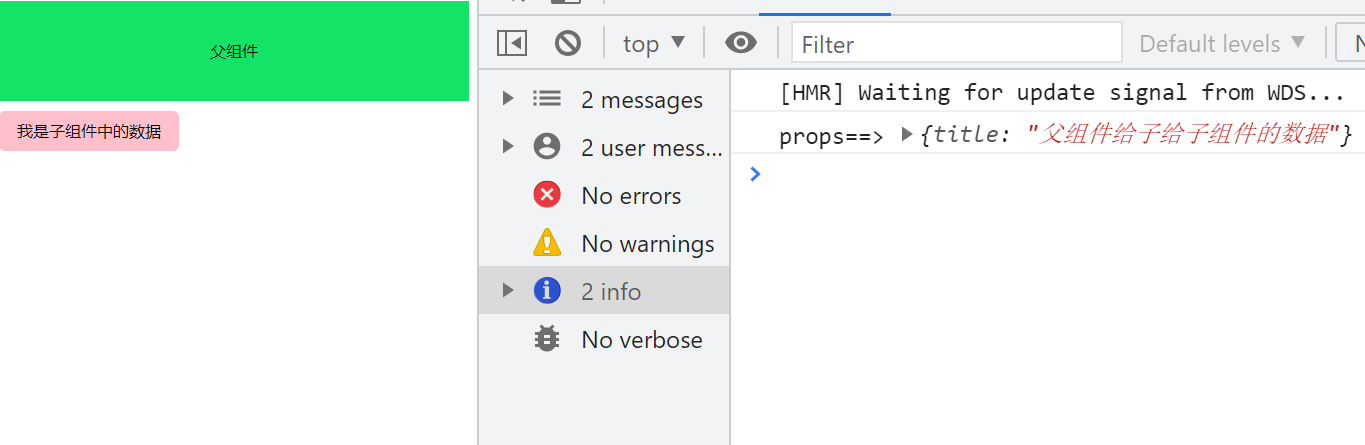
    console.log('props==>',props.mytitle);//输出的值是 undefined

    function sonHander(){

        context.emit('sonclick','子组件传递给父组件')

    }

    return {sonHander}

  }

});

</script>

为什么通过props.mytitle输出的值是undefined呢?

因为我们没有使用props进行接收配置。即

props:{

    mytitle:{

        type:Object

    }

},

如果我们添加上接受配置
2.参数context的讲解
第2个参数:context,是一个对象。

里面有attrs(获取当前标签上的所有属性的对象)

但是该属性是props中没有声明接收的所有的对象。

如果你使用props去获取值,同时props中你声明了你要获取的值

则:获取的值是undefined

注意点:

attrs获取值是不需要props中没有声明接收。

第1个参数props获取值是需要props中声明接收的

有emit事件分发,(传递给父组件需要使用该事件)

有slots插槽
<template>

    <div @click="sonHander">

        我是子组件中的数据

    </div>

</template>

<script lang="ts">

import { defineComponent,setup } from 'vue';

export default defineComponent({

  name: 'NoCont',

  props:{

      mytitle:{

          type:Object

      }

  },

  setup(props,context){

    //输出{title:父组件传递的值}

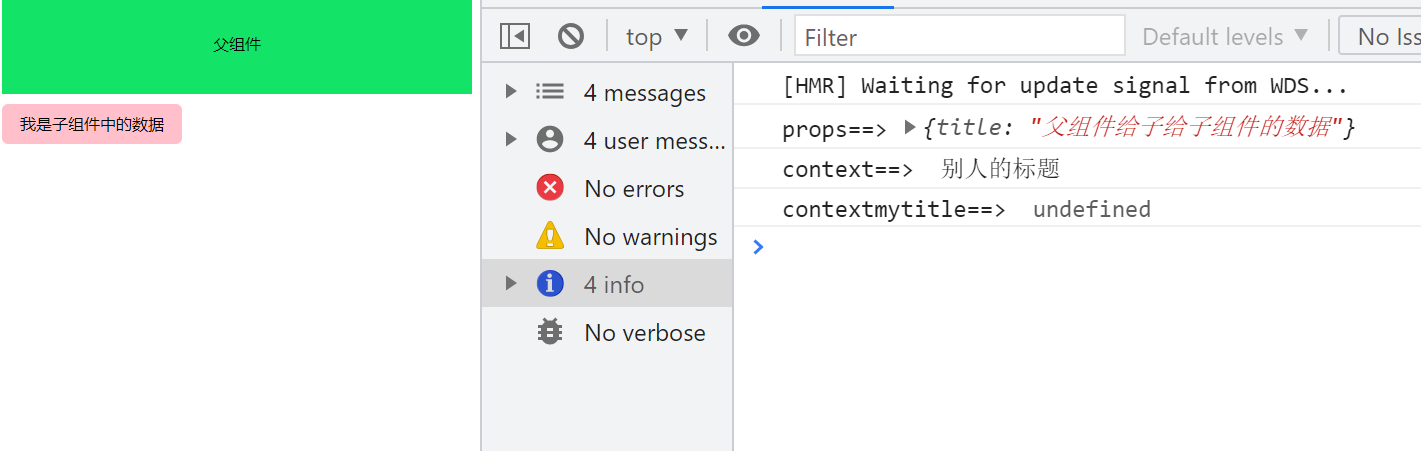
    console.log('props==>',props.mytitle);

    // 输出别人的标题【使用context获取值,不需要使用props去接受】

    console.log('context==> ',context.attrs.othertitle);

    // 输出undefined,因为context不需要使用props去接受。

    console.log('contextmytitle==> ',context.attrs.mytitle);

    function sonHander(){

        context.emit('sonclick','子组件传递给父组件')

    }

    return {sonHander}

  }

});

</script>
3. 子组件向父组件派发事件
<template>

    <div @click="sonHander">

        我是子组件中的数据

    </div>

</template>

<script lang="ts">

import { defineComponent,setup } from 'vue';

export default defineComponent({

  name: 'NoCont',

  props:{

      mytitle:{

          type:Object

      }

  },

  setup(props,context){

    function sonHander(){

        context.emit('sonclick','子组件传递给父组件')

    }

    return {sonHander}

  }

});

</script>

4.优化事件派发
我们知道第2个参数context是一个对象

并且对象中有三个属性attrs,slots,emit

在事件派发的时候,直接使用emit就ok了
<template>

    <div @click="sonHander">

        我是子组件中的数据

    </div>

</template>

<script lang="ts">

import { defineComponent,setup } from 'vue';

export default defineComponent({

  name: 'NoCont',

  props:{

      mytitle:{

          type:Object

      }

  },

  setup(props,{attrs,slots,emit}){

    //直接使用emit进行事件派发

    function sonHander(){

        emit('sonclick','子组件传递给父组件')

    }

    return {sonHander}

  }

});

</script>
5.获取父组件传递的值
我们将使用props参数获取值

以及使用attrs获取值
<template>

<hr/>

   <h2>子组件</h2>

    <div @click="sonHander">

        我是子组件中的数据

    </div>

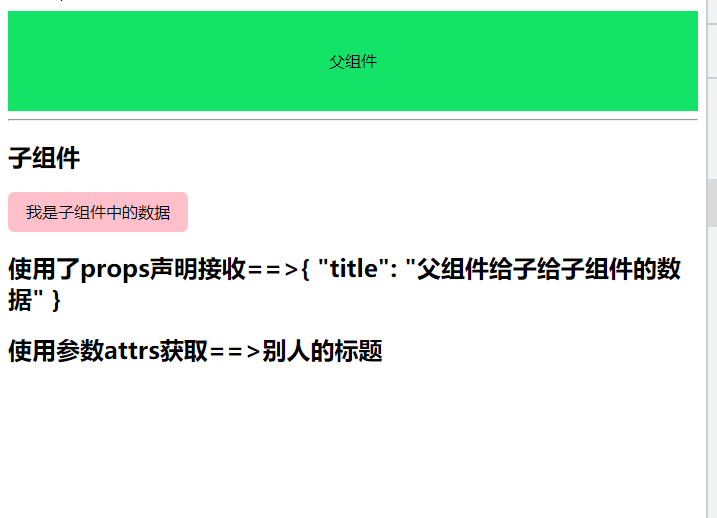
    <h2>使用了props声明接收==>{{ mytitle  }}</h2>

    <h2>使用参数attrs获取==>{{ attrs.othertitle  }}</h2>

</template>

<script lang="ts">

import { defineComponent,setup } from 'vue';

export default defineComponent({

  name: 'NoCont',

  props:{

      mytitle:{

          type:Object

      }

  },

  setup(props,{attrs,slots,emit}){

    function sonHander(){

        emit('sonclick','子组件传递给父组件')

    }

    return {sonHander,attrs}

  }

});

</script>
熬夜总结vue3中setUp函数的2个参数详解的更多相关文章
- SQL Server中排名函数row_number,rank,dense_rank,ntile详解
SQL Server中排名函数row_number,rank,dense_rank,ntile详解 从SQL SERVER2005开始,SQL SERVER新增了四个排名函数,分别如下:1.row_n ...
- 连接池中的maxIdle,MaxActive,maxWait等参数详解
转: 连接池中的maxIdle,MaxActive,maxWait等参数详解 2017年06月03日 15:16:22 阿祥小王子 阅读数:6481 版权声明:本文为博主原创文章,未经博主允许不得 ...
- linux中与Oracle有关的内核参数详解
工作当中遇到oracle运行时CPU占用率达到90%以上,调小以下参数值后恢复正常. fs.file-max = 65536 net.core.rmem_default=262144 net.core ...
- 【C#基础知识】C#控制台程序入口函数 Main(string[] args) 参数详解
测试环境vs2019+.net5.0 请看 :https://cloud.tencent.com/developer/article/1507934 本测试环境vs2022+.net6.0 +wind ...
- c语言main函数返回值、参数详解(返回值是必须的,0表示正常退出)
C语言Main函数返回值 main函数的返回值,用于说明程序的退出状态.如果返回0,则代表程序正常退出:返回其它数字的含义则由系统决定.通常,返回非零代表程序异常退出. 很多人甚至市面上的一些书籍,都 ...
- C#中static void Main(string[] args) 参数详解
学习C#编程最常见的示例程序是在控制台应用程序中输出Hello World! using System; namespace DemoMainArgs { class Program { static ...
- WordPress分类列表函数:wp_list_categories用法及参数详解举例
http://www.511yj.com/wordpress-wp-categories.html 注意: 1. wp_list_categories() 和 list_cats() 以及 wp_li ...
- C#控制台程序入口函数 Main(string[] args) 参数详解
学习C#编程最常见的示例程序是在控制台应用程序中输出Hello World! using System; namespace DemoMainArgs { class Program { static ...
- Angular中通过$location获取地址栏的参数详解
Angular中通过$location获取url中的参数 最近,项目开发正在进行时,心有点燥,许多东西没来得及去研究,今天正想问题呢,同事问到如何获取url中的参数,我一时半会还真没想起来,刚刚特意研 ...
随机推荐
- Scrum Meeting 3
Basic Info where:三号教学楼 when:2020/4/27 target: 简要汇报一下已完成任务,下一步计划与遇到的问题 Progress Team Member Position ...
- [基本运算符、流程控制之if判断、与用户交互、深浅拷贝]
[基本运算符.流程控制之if判断.与用户交互] 基本运算符 1.算数运算符 python支持的算术运算符与数学上计算的符号使用是一致的 salary = 3.3 res = salary * 12 p ...
- 反向解析 参数替换 reverse
- 13.API基础
1.API 1.1 API概述-帮助文档的使用 什么是API API (Application Programming Interface) :应用程序编程接口 java中的API 指的就是 JDK ...
- Vue3响应式系统api 之 ref reactive
reactive 接收一个普通对象然后返回该普调对象的响应式代理.等同于2.x的 Vue.observable() Vue3中响应数据核心是 reactive , reactive 中的实现是由 P ...
- 国内Ubuntu16.04下载地址<其他系统可返回最首项>
ubuntu16.04下载地址: 中科大源 http://mirrors.ustc.edu.cn/ubuntu-releases/16.04/ 阿里云开源镜像站 http:/ ...
- RHEL sosreport
RHEL sosreport简介 sosreport对很多RedHat爱好者来说应该并不陌生! 它是一款在RedHat Linux下帮你收集系统信息打成一个tar包的工具,你可以将这个tar包发给供应 ...
- ubuntu中安装visual studio code-(转载)
在Ubuntu中安装Visual Studio Code 编译自:http://itsfoss.com/install-visual-studio-code-ubuntu/ 作者: Abhishek ...
- 书列荐书 |《刻意练习》安德斯·艾利克森,罗伯特·普尔著
花了两天的时间,一气呵成的读完了这本书.凝练的精华就是:首先,世界上并没有真正的天才这一说.基因可能会起作用,但是经过后天大量的刻意练习,基因的这种作用会弱化.刻意练习需要专注.及时的反馈,并根据反馈 ...
- @RequestParam(required = true),@RequestParam(required = true)
今天在页面请求后台的时候遇到了一个问题,请求不到后台 页面代码 <li> <a href="javascript:void(0 ...