
002 Hello Spring Security
在前面已经搭建过环境框架,现在在demo模块下写一个简单的案例,让整个环境跑起来。
一:启动Demo项目
1.新建类
在这前,先建立包。
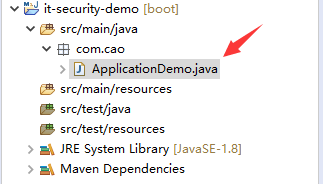
2.启动类程序
 package com.cao;

 import org.springframework.boot.SpringApplication;

 import org.springframework.boot.autoconfigure.SpringBootApplication;

 import org.springframework.web.bind.annotation.GetMapping;

 import org.springframework.web.bind.annotation.RestController;

 /**

  * 模块启动类

  * @author dell

  */

 @SpringBootApplication  //说明这是一个springboot项目

 @RestController            //可以提供rest服务

 public class ApplicationDemo {

     public static void main(String[] args) {

         //spring标准启动方式

         SpringApplication.run(ApplicationDemo.class, args);

     }

     @GetMapping("/hello")

     public String hello() {

         return "spring secutity demo";

     }

 }
3.启动效果
说明没有指定数据库。
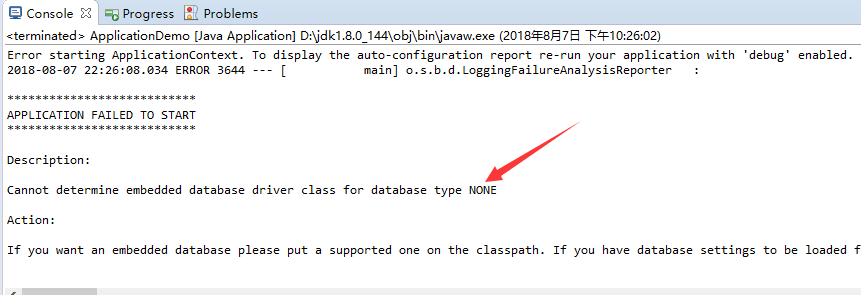
4.解决方式
在core虽然引入了jdbc,但是没有在项目中添加配置项。现在在demo模块中添加数据库配置项
新建File
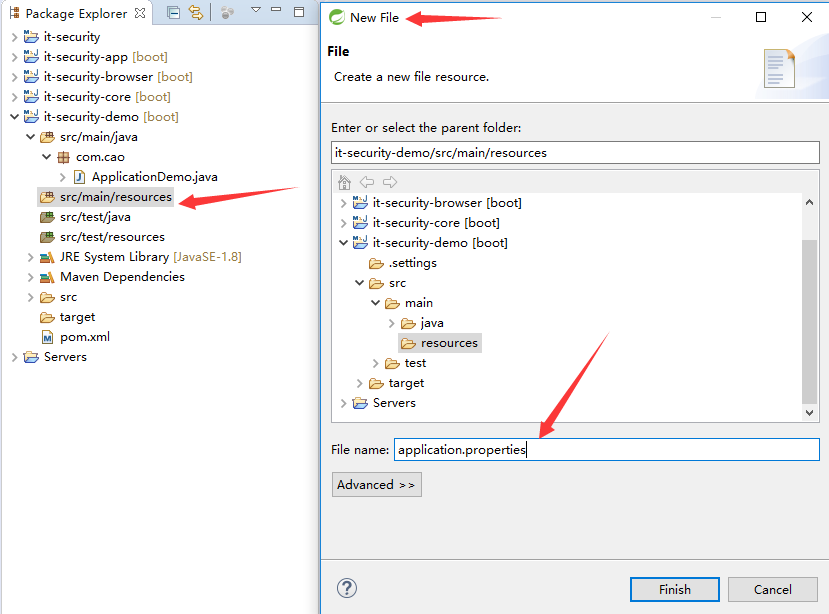
添加配置项
 spring.datasource.driver-class-name = com.mysql.jdbc.Driver

 spring.datasource.url= jdbc:mysql://127.0.0.1:3308/test?useUnicode=yes&characterEncoding=UTF-8&useSSL=false

 spring.datasource.username = root

 spring.datasource.password = 123456
5.再次启动
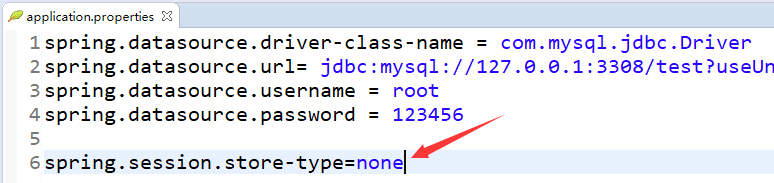
session的存储没有指定。
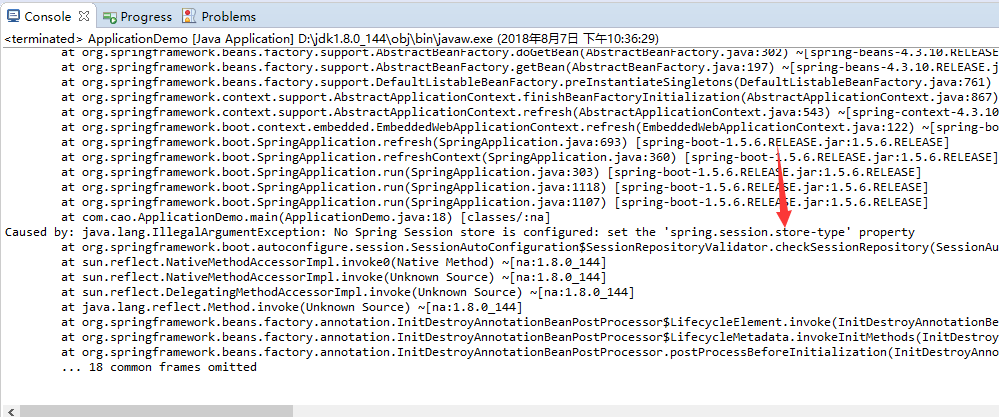
6.解决方式
在browser模块中有session引用,在这里指定session的存储为none
在学习过程中,如果8080端口被占用,可以在这里配置一个配置(这里使用8080,只是做一个示例)
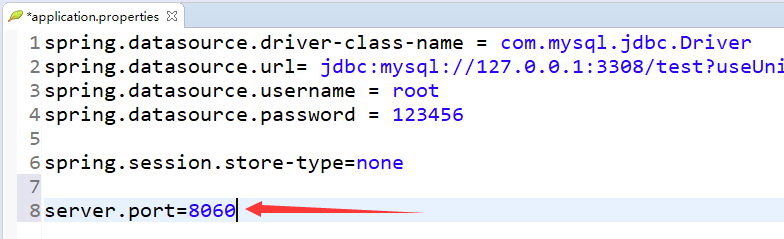
7.再次启动,可以成功启动
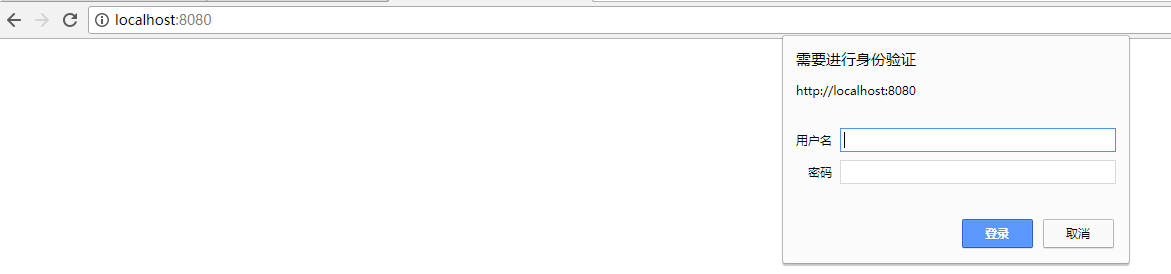
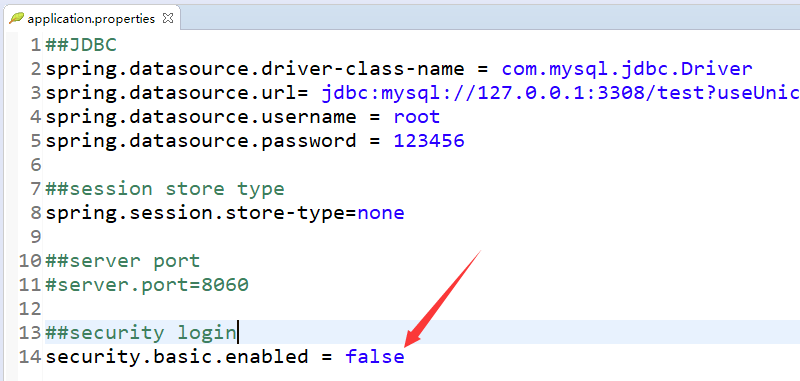
这里是默认,为了验证demo,暂时将这个通过配置项关掉。
8.最终效果
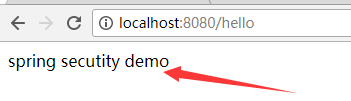
9.此时的application.properties
 ##JDBC

 spring.datasource.driver-class-name = com.mysql.jdbc.Driver

 spring.datasource.url= jdbc:mysql://127.0.0.1:3308/test?useUnicode=yes&characterEncoding=UTF-8&useSSL=false

 spring.datasource.username = root

 spring.datasource.password = 123456

 ##session store type

 spring.session.store-type=none

 ##server port

 #server.port=8060

 ##security login

 security.basic.enabled = false
二:打包
1.在父项目上构建
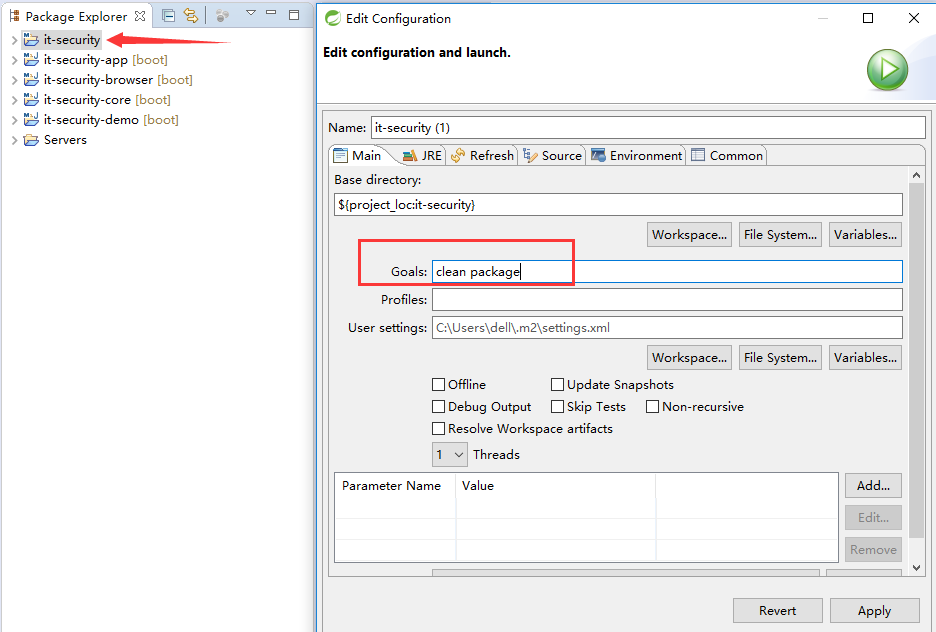
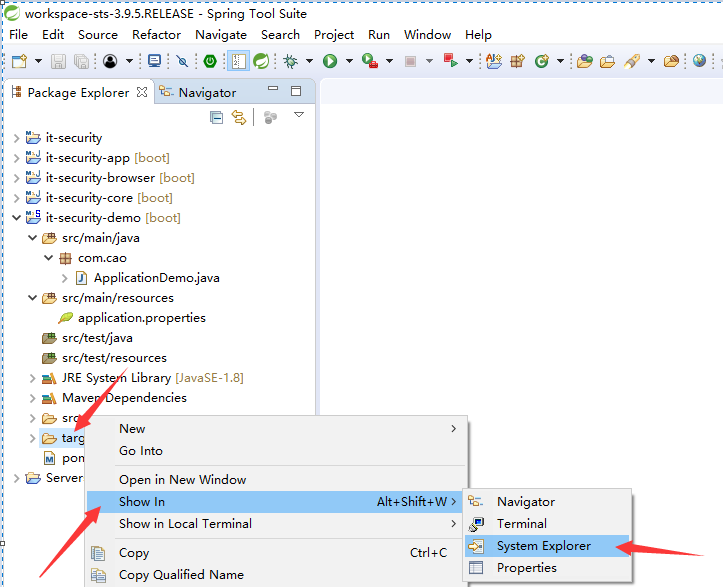
2.观看每个target
可以发现,这个打包不能提供web服务,因为包太小。
-----------------------------------------------------------------------
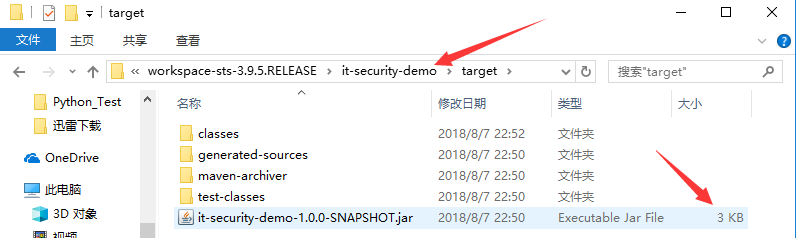
3.如何打一个可以执行的包呢
在demo模块中加一段build配置。
 <project xmlns="http://maven.apache.org/POM/4.0.0" xmlns:xsi="http://www.w3.org/2001/XMLSchema-instance" xsi:schemaLocation="http://maven.apache.org/POM/4.0.0 http://maven.apache.org/xsd/maven-4.0.0.xsd">

   <modelVersion>4.0.0</modelVersion>

   <artifactId>it-security-demo</artifactId>

   <parent>

       <groupId>com.jun.security</groupId>

       <artifactId>it-security</artifactId>

       <version>1.0.0-SNAPSHOT</version>

       <relativePath>../it-security</relativePath>

   </parent>

   <dependencies>

       <dependency>

             <groupId>com.jun.security</groupId>

             <artifactId>it-security-browser</artifactId>

             <version>${it.security.version}</version>

         </dependency>

   </dependencies>

   <build>

         <plugins>

             <plugin>

                 <groupId>org.springframework.boot</groupId>

                 <artifactId>spring-boot-maven-plugin</artifactId>

                 <version>1.3.3.RELEASE</version>

                 <executions>

                     <execution>

                         <goals>

                             <goal>repackage</goal>

                         </goals>

                     </execution>

                 </executions>

             </plugin>

         </plugins>

         <finalName>demo</finalName>

     </build>

 </project>
4.重新打包
效果如下:
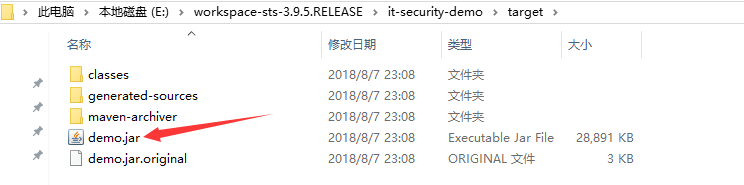
5.运行
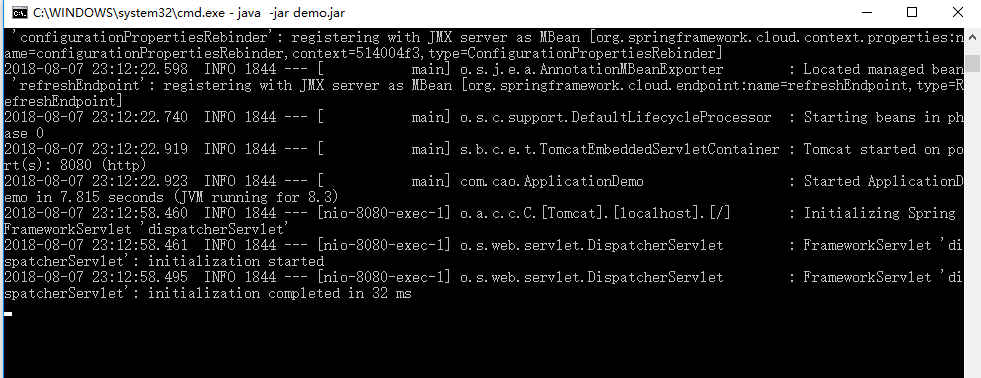
在命令行运行

6.最终启动效果
002 Hello Spring Security的更多相关文章
- Spring Security OAuth2 开发指南
官方原文:http://projects.spring.io/spring-security-oauth/docs/oauth2.html 翻译及修改补充:Alex Liao. 转载请注明来源:htt ...
- spring mvc 和spring security配置 web.xml设置
<?xml version="1.0" encoding="UTF-8"?> <web-app xmlns="http://xmln ...
- SPRING SECURITY JAVA配置:Web Security
在前一篇,我已经介绍了Spring Security Java配置,也概括的介绍了一下这个项目方方面面.在这篇文章中,我们来看一看一个简单的基于web security配置的例子.之后我们再来作更多的 ...
- 【OAuth2.0】Spring Security OAuth2.0篇之初识
不吐不快 因为项目需求开始接触OAuth2.0授权协议.断断续续接触了有两周左右的时间.不得不吐槽的,依然是自己的学习习惯问题,总是着急想了解一切,习惯性地钻牛角尖去理解小的细节,而不是从宏观上去掌握 ...
- spring security oauth2.0 实现
oauth应该属于security的一部分.关于oauth的的相关知识可以查看阮一峰的文章:http://www.ruanyifeng.com/blog/2014/05/oauth_2_0.html ...
- Spring Security(08)——intercept-url配置
http://elim.iteye.com/blog/2161056 Spring Security(08)--intercept-url配置 博客分类: spring Security Spring ...
- Spring Security控制权限
Spring Security控制权限 1,配置过滤器 为了在项目中使用Spring Security控制权限,首先要在web.xml中配置过滤器,这样我们就可以控制对这个项目的每个请求了. < ...
- Spring Security笔记:Hello World
本文演示了Spring Security的最最基本用法,二个页面(或理解成二个url),一个需要登录认证后才能访问(比如:../admin/),一个可匿名访问(比如:../welcome) 注:以下内 ...
- Spring Security笔记:自定义Login/Logout Filter、AuthenticationProvider、AuthenticationToken
在前面的学习中,配置文件中的<http>...</http>都是采用的auto-config="true"这种自动配置模式,根据Spring Securit ...
随机推荐
- HTML5 WebSocket 协议
1. 概述 1.1 说明 WebSocket:是HTML5开始提供的一种在单个TCP连接上进行全双工通讯的协议. WebSocket原理是使用JavaScript调用浏览器的API发出一个WebSoc ...
- Tornado学习笔记(三) 请求方式/状态码
本章我们来学习 Tornado 支持的请求方式 请求方式 Tornado支持任何合法的HTTP请求(GET.POST.PUT.DELETE.HEAD.OPTIONS).你可以非常容易地定义上述任一种方 ...
- 29)django-ORM连表结构
连表结构 一对多:models.ForeignKey(其他表) 多对多:models.ManyToManyField(其他表) 一对一:models.OneToOneField(其他表) 应用场景: ...
- vue中引入js,然后new js里的方法
阿里云Web播放器Web端使用SDK说明:https://help.aliyun.com/document_detail/51991.html?spm=5176.11065259.1996646101 ...
- input file 多张图片上传 获取地址 ——fileReader
//上传图片 $('#files').change(function(e){ var fil = this.files; var m =0; if(fil.length>3){ alert('重 ...
- 关于KEIL编译报错和警告问题
编译时候报错.. Library reports error: __use_no_semihosting was requested, but _ttywrch was referenced 上网找了 ...
- CSS3-字体渐变色
示例:Mauger`s Blog <!DOCTYPE HTML> <html> <head> <meta charset="utf-8"& ...
- setenforce: SELinux is disabled解决办法
如果在使用setenforce命令设置selinux状态的时候出现这个提示:setenforce: SELinux is disabled 那么说明selinux已经被彻底的关闭了 如果需要重新开启s ...
- IntelliJ IDEA使用教程 (总目录篇)
注:本文来源于< IntelliJ IDEA使用教程 (总目录篇) > IntelliJ IDEA使用教程 (总目录篇) 硬件要求 IntelliJ IDEA 的硬件要求 安装包云 ...
- Confluence 6 配置 简易信息聚合(RSS)
一个 Confluence 的管理员可以配置下面的 RSS 特性: Confluence 针对 RSS 聚合返回的最大项目数量. Confluence 针对 RSS 聚合允许的最大时间周期. 上面两个 ...