
01-vue学习篇-以优雅的姿势创建vue项目
前言
小白一枚,今年(2019)准备学习一下前端的技术,因为发现自己对后端(python)相对比较熟悉但是还是写不出一个优雅的系统,可见前端的重要性,于是静下心来跟大佬学习。在不断的激励自己调整自己的情绪,满足一下自己对技术的兴趣。大佬教的也比较直接,没有讲述太多原理(自己去看就行),而是直接上手操作vue项目。 喜欢这样的讲课风格,以下是第一天的学习笔记。
开发工具Visual Studio Code
安装插件
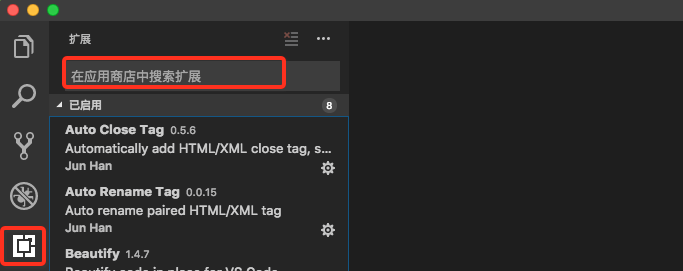
#插件列表
Auto Close Tag

Auto Rename Tag

Beautify

Chinese (Simplified) Language Pack for Visual Studio Code

ESLint

Path Intellisense

Prettier - Code formatter

Vetur
设置中文语言:command + shift + P,搜索框中输入“configure display language”,更改成以下内容,然后重启vscode。
{

    // Defines VS Code's display language.

    // See https://go.microsoft.com/fwlink/?LinkId=761051 for a list of supported languages.

    //"locale":"en" // Changes will not take effect until VS Code has been restarted.

    "locale":"zh-CN";

}
更改默认配置: 首选项->设置->然后点击右上角的{}->将下面的代码粘贴到里面->保存->重启工具(建议)
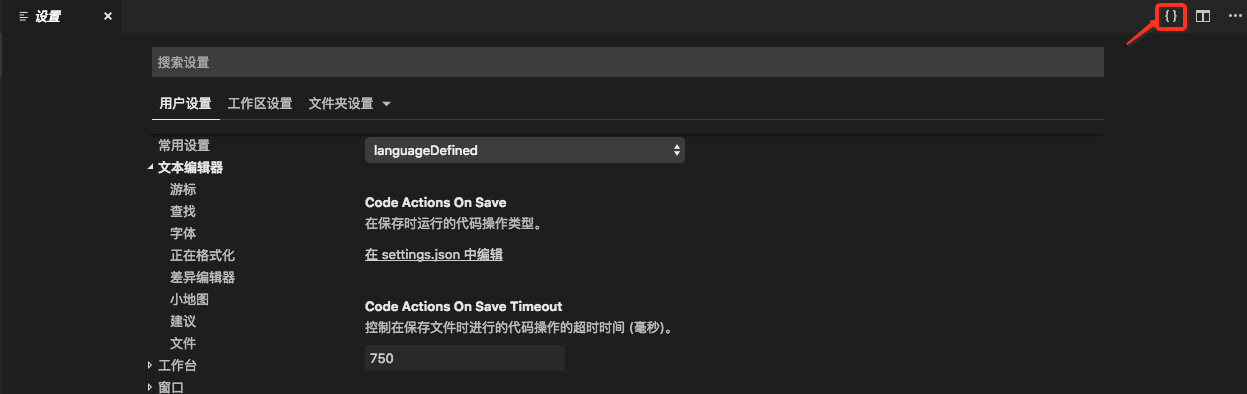
{

    "editor.fontSize": 15,

    "eslint.autoFixOnSave": true,

    "prettier.eslintIntegration": true,

    "eslint.validate":  [

        "javascript",{

            "language": "vue",

            "autoFix": true

        },"html",

        "vue"

    ],

}
到此基本的开发工具配置完成。
Vue配置
创建项目目录:然后拖入vscode->终端中打开,然后会显示出一个终端。

安装vue
npm install -g vue-cli
npm install cnpm -g --registry=https://registry.npm.taobao.org
vue --version
新建vue项目
ZeyangdeMacBook-Pro:~ test$ vue init webpack demo01

? Project name demo01

? Project description A Vue.js project

? Author Lizeyang <xxxxx@qq.com>

? Vue build standalone

? Install vue-router? Yes

? Use ESLint to lint your code? Yes

? Pick an ESLint preset Standard

? Set up unit tests No

? Setup e2e tests with Nightwatch? No

? Should we run `npm install` for you after the project has been created? (recommended) npm

   vue-cli · Generated "demo01".

# Installing project dependencies ...

# ========================

npm WARN deprecated browserslist@2.11.3: Browserslist 2 could fail on reading Browserslist >3.0 config used in other tools.

npm WARN deprecated bfj-node4@5.3.1: Switch to the `bfj` package for fixes and new features!

npm WARN deprecated browserslist@1.7.7: Browserslist 2 could fail on reading Browserslist >3.0 config used in other tools.

npm WARN deprecated circular-json@0.3.3: CircularJSON is in maintenance only, flatted is its successor.

> fsevents@1.2.4 install /Users/zeyang/demo01/node_modules/fsevents

> node install

[fsevents] Success: "/Users/zeyang/demo01/node_modules/fsevents/lib/binding/Release/node-v64-darwin-x64/fse.node" already installed

Pass --update-binary to reinstall or --build-from-source to recompile

> uglifyjs-webpack-plugin@0.4.6 postinstall /Users/zeyang/demo01/node_modules/webpack/node_modules/uglifyjs-webpack-plugin

> node lib/post_install.js

npm notice created a lockfile as package-lock.json. You should commit this file.

added 1305 packages from 698 contributors and audited 11083 packages in 58.494s

found 2 vulnerabilities (1 moderate, 1 high)

  run `npm audit fix` to fix them, or `npm audit` for details

Running eslint --fix to comply with chosen preset rules...

# ========================

> demo01@1.0.0 lint /Users/xxx/demo01

> eslint --ext .js,.vue src "--fix"

# Project initialization finished!

# ========================

To get started:

  cd demo01

  npm run dev

Documentation can be found at https://vuejs-templates.github.io/webpack
启动项目
#启动测试项目

npm run dev 或者是 npm run start

DONE Compiled successfully in 5923ms

I Your application is running here: http://localhost:8080
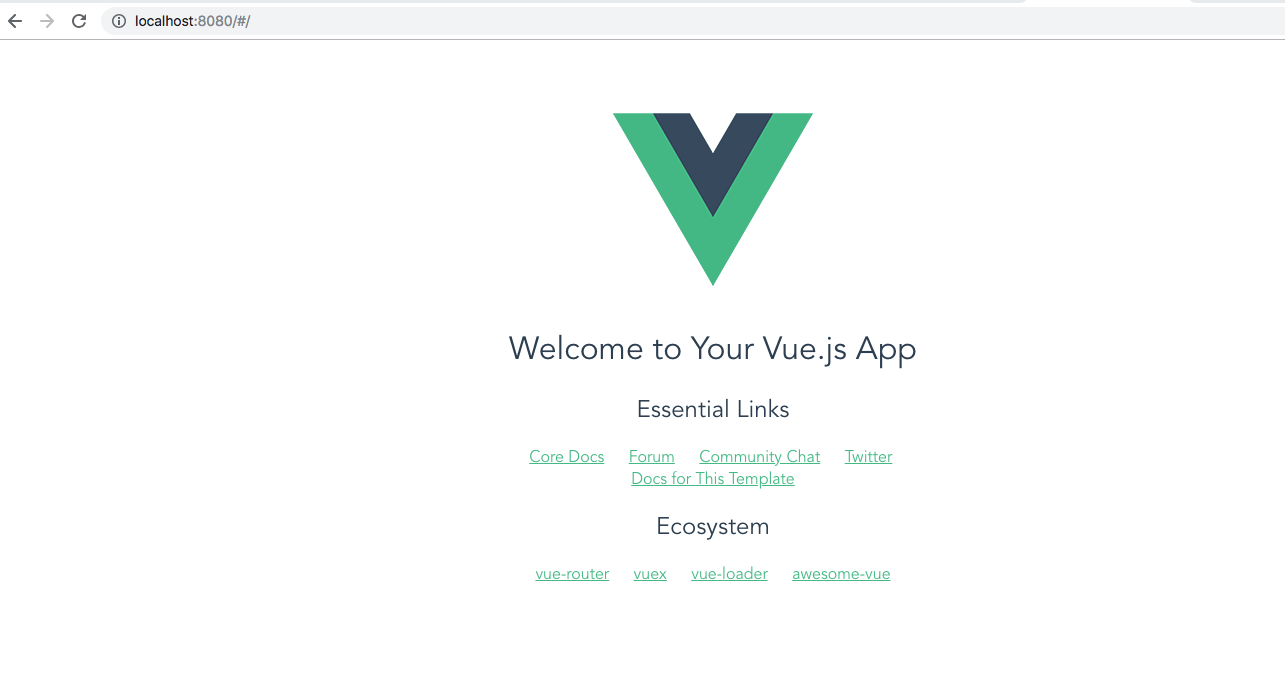
访问本机的8080端口验证效果
01-vue学习篇-以优雅的姿势创建vue项目的更多相关文章
- 02-vue学习篇-以正确的姿势使用vue
1.渲染数据 #view层 <div class="hello"> <h1>{{ msg }}</h1> //msg </div> ...
- Vue学习笔记-nodejs+vue-cli4+webpack按装配置+项目创建
一 使用环境: windows 7 64位操作系统 二 Vue学习-nodejs按装配置,Node.js 就是运行在服务端的 JavaScript. 1. 去nodejs的官网下载 https: ...
- Vue学习(二) :第一个Vue项目
OS: Windows 10 Home 64bit Chocolatey version: 0.10.13 npm version: 6.4.1 yarn version: 1.16.0 git ve ...
- Cordova+vue 混合app开发(一)创建Cordova项目
简介: Cordova包装你的HTML/JavaScript app到原生app容器中,可以让你访问每个平台设备的功能.这些功能通过统一的JavaScript API提供,让你轻松的编写一组代码运行在 ...
- 快乐学习 Ionic Framework+PhoneGap 手册1-1{创建APP项目}
快乐学习 Ionic Framework+PhoneGap 手册1-1 * 前提必须安装 Node.js,安装PhoneGap,搭建Android开发环境,建议使用真机调试 {1.1}= 创建APP项 ...
- maven学习(八)——使用maven创建javaweb项目
构建JavaWeb项目 1.创建JavaWeb项目 1.使用mvn archetype:generate命令,如下所示: mvn archetype:generate -DgroupId=com.my ...
- Vue 基于node npm & vue-cli & element UI创建vue单页应用
基于node npm & vue-cli & element UI创建vue单页应用 开发环境 Win 10 node-v10.15.3-x64.msi 下载地址: https ...
- Vue学习笔记【1】——什么是Vue.js
什么是Vue.js Vue.js 是目前最火的一个前端框架,React是最流行的一个前端框架(React除了开发网站,还可以开发手机App, Vue语法也是可以用于进行手机App开发的,需要借助于We ...
- Vue学习笔记一:使用vue-cli 创建开发环境
第一步:安装Node.js 点击此处下载 选择对应的安装包,进行安装. 第二步:安装淘宝镜像 有一个问题,使用 npm 会导致网速很慢,对于大陆用户,建议将 npm 的注册表源设置为国内的镜像, ...
随机推荐
- saltstack部署配置
共计使用三台虚拟机进行部署实验,系统环境:centos7.3 在master上进行部署配置: 配置主机名 [root@localhost ~]# hostname salt-master [root@ ...
- bat 批处理获取时间语法格式
bat 批处理获取时间语法格式 取年份:echo %date:~0,4% 取月份:echo %date:~5,2% 取日期:echo %date:~8,2% 取星期:echo %date:~10 ...
- ES搜索引擎基本操作
一.创建索引库 执行:,索引库的名称为zhen 结果(我已经创建过了,重复执行会报错): 二.创建索引 1.添加索引 2.添加索引(动态添加新列) 3.添加指定id的索引[根据id可以直接修改一前的索 ...
- DJANGO_SETTINGS_MODULE is undefined报错的解决
问题: ImportError: Settings cannot be imported, because environment variable DJANGO_SETTINGS_MODULE is ...
- html留言功能
<!DOCTYPE html> <html lang="zh"> <head> <meta charset="UTF-8&quo ...
- django重定向
return HttpResponseRedirect('/index/')# 重定向返回url格式:http://127.0.0.1:8000/index/会去掉前期的所有路由重新写入/index/ ...
- Java教程01-基础语法
目录 1. 基本概念 1.1. 环境变量 Path环境变量的作用->寻找命令 classpath变量的作用->寻找类文件 1.2. JDK里面有什么? 1.3. 什么是JRE? 2. Ja ...
- Beta阶段 - 博客链接合集
Beta阶段 - 博客链接合集 项目Github地址 安卓端(Stardust):https://github.com/StardustProject/Stardust 服务器端(Gravel):ht ...
- Spring的通知类型,切入表达式写法
转载自 https://www.cnblogs.com/ltfxy/p/9882697.html Spring中通知类型: 前置通知:目标方法执行之前进行操作,可以获得切入点信息 后置通知: 目标方 ...
- Python开发【第二篇】:基本数据类型
运算符 1.算数运算 2.比较运算 3.赋值运算 4.逻辑运算 5.成员运算 基本数据类型 所有对象所具备的方法都保存在类中.对象和类的关系,举个例子:哺乳动物是类:此类下有两个对象,一个为狗.一个为 ...