
关于docker的scratch镜像与helloworld
关于docker的scratch镜像与helloworld
参考:https://hub.docker.com/_/scratch?tab=description
参考:https://segmentfault.com/a/1190000000628247
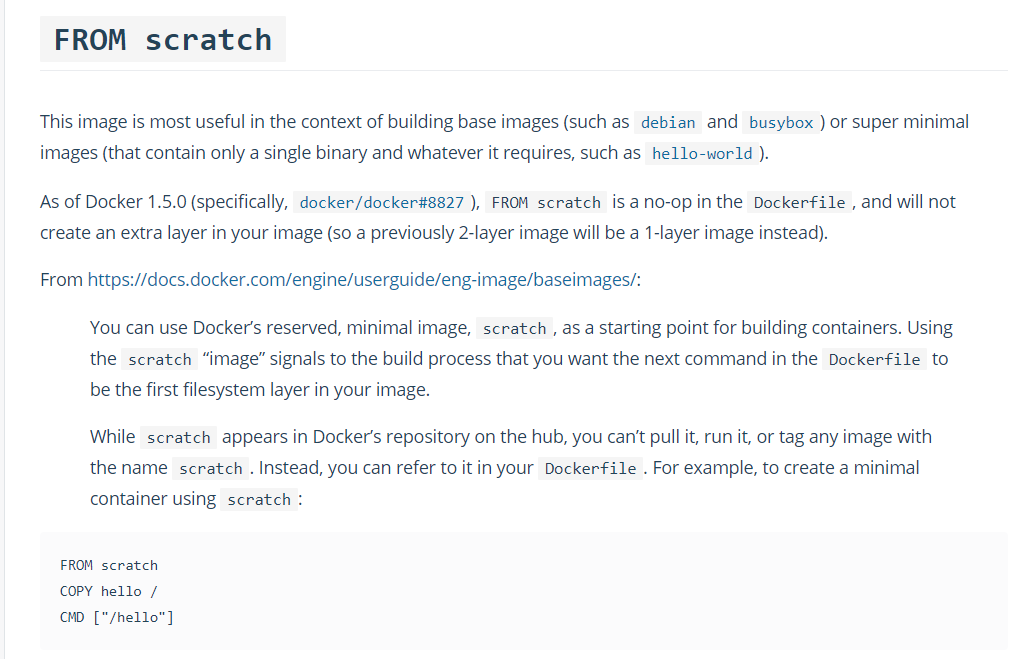
FROM scratch
官方说明:该镜像是一个空的镜像,可以用于构建busybox等超小镜像,可以说是真正的从零开始构建属于自己的镜像。要知道,一个官方的ubuntu镜像有60MB+,CentOS镜像有70MB+
可以把一个可执行文件扔进来直接执行
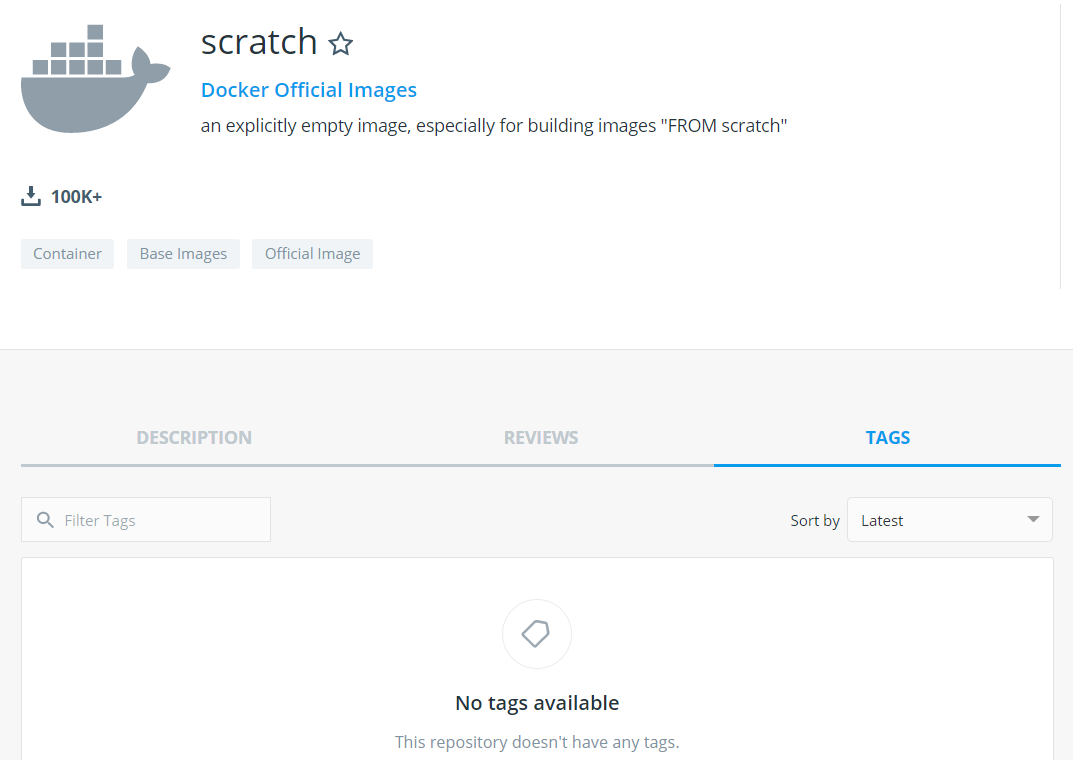
一、注意:scratch不可用被pull
FROM scratch专门用于构建最小镜像,直接pull会报以下错误,scratch是一个保留名称
[root@es-master1 ~]# docker pull scratch

Using default tag: latest

Error response from daemon: 'scratch' is a reserved name
二、如何制作大小为0 的镜像
既然scratch不能被拉取,如何做到docker image ls看到一个0字节的镜像
官方给出了下面方法:
$ tar cv --files-from /dev/null | docker import - scratch

$ docker image ls

REPOSITORY              TAG                 IMAGE ID            CREATED             SIZE

scratch                 latest              775bfce21429        9 minutes ago       0B
三、如何跑一个helloworld
可以参考:https://github.com/docker-library/hello-world/
3.1C语言不行,docker是go语言写的,跑的话报错
[root@es-master1 ~]# cat hello.c

#include <stdio.h>

main() {

  printf("hello world\n");

}
[root@es-master1 ~]# gcc hello.c -o hello

[root@es-master1 ~]# ll hello

-rwxr-xr-x 1 root root 8440 Nov 21 03:36 hello
Dockerfile
FROM scratch

COPY hello /

CMD ["/hello"]
[root@es-master1 ~]# docker build -t hello .

[root@es-master1 ~]# docker image ls hello

REPOSITORY          TAG                 IMAGE ID            CREATED             SIZE

hello               latest              3b89b5056a03        5 minutes ago       8.44kB
果然报错
[root@es-master1 ~]# docker run --rm hello

standard_init_linux.go:211: exec user process caused "no such file or directory"
ubuntu当然可以
[root@es-master1 ~]# cat Dockerfile

FROM ubuntu

COPY hello /

CMD ["/hello"]

[root@es-master1 ~]# docker build -t hello .

Sending build context to Docker daemon  24.63MB

Step 1/3 : FROM ubuntu

 ---> 775349758637

Step 2/3 : COPY hello /

 ---> 33de2082f11a

Step 3/3 : CMD ["/hello"]

 ---> Running in 3d347f62b926

Removing intermediate container 3d347f62b926

 ---> 1829a7bd40fe

Successfully built 1829a7bd40fe

Successfully tagged hello:latest

[root@es-master1 ~]# docker run --rm hello

hello world
官方的这个竟然有点看不懂了,c语言:https://github.com/docker-library/hello-world
[root@es-master1 tmp]# git clone https://github.com/docker-library/hello-world.git

[root@es-master1 tmp]# cd hello-world/

[root@es-master1 hello-world]# make all

[root@es-master1 hello-world]# amd64/hello-world/hello

Hello from Docker!

......
3.2go语言
使用go语言写:https://github.com/adriaandejonge/helloworld
[root@es-master1 hello-world]# tree -C .

.

├── Dockerfile

└── hello.go

0 directories, 2 files
[root@es-master1 hello-world]# cat hello.go

package main

import "fmt"

func main(){

    fmt.Printf("hello world\n")

}
[root@es-master1 hello-world]# cat Dockerfile

FROM google/golang as builder

WORKDIR /go/src/app

COPY hello.go .

RUN go build hello.go

FROM scratch

COPY --from=builder /go/src/app/hello /

CMD ["/hello"]
一个helloworld都这么大...
[root@es-master1 hello-world]# docker build -t hello .

[root@es-master1 hello-world]# docker image ls hello

REPOSITORY          TAG                 IMAGE ID            CREATED             SIZE

hello               latest              27eca431407a        2 minutes ago       2.36MB

[root@es-master1 hello-world]# docker run --rm hello

hello world
[root@es-master1 hello-world]# docker image history hello

IMAGE               CREATED             CREATED BY                                      SIZE                COMMENT

27eca431407a        3 minutes ago       /bin/sh -c #(nop)  CMD ["/hello"]               0B

1a35249e8575        3 minutes ago       /bin/sh -c #(nop) COPY file:7b1994197d7b5310…   2.36MB
也没用过go,网上了解到加个选项就能变小:https://www.jianshu.com/p/1405b0c2c5a3
[root@es-master1 hello-world]# cat Dockerfile

FROM google/golang as builder

WORKDIR /go/src/app

COPY hello.go .

RUN go build -ldflags="-w -s"  hello.go

FROM scratch

COPY --from=builder /go/src/app/hello /

CMD ["/hello"]

[root@es-master1 hello-world]# docker build -t hello .

[root@es-master1 hello-world]# docker image ls hello

REPOSITORY          TAG                 IMAGE ID            CREATED             SIZE

hello               latest              df8b3c8897f9        8 seconds ago       1.65MB
3.3改写官方的helloword
hello.c
[root@es-master1 ~]# cat hello.c

//#include <unistd.h>

#include <sys/syscall.h>

#ifndef DOCKER_GREETING

	#define DOCKER_GREETING "Hello from Docker!"

#endif

const char message[] =

	DOCKER_GREETING "\n";

void _start() {

	//write(1, message, sizeof(message) - 1);

	syscall(SYS_write, 1, message, sizeof(message) - 1);

	//_exit(0);

	syscall(SYS_exit, 0);

}
编译
[root@es-master1 ~]# gcc -static -Os -nostartfiles -fno-asynchronous-unwind-tables -o './hello'  'hello.c'

[root@es-master1 ~]# strip -R .comment -s 'hello'

[root@es-master1 ~]# ./hello

Hello from Docker!
dockerfile
FROM scratch

COPY hello /

CMD ["/hello"]
[root@es-master1 ~]# docker build -t hello .

#才1.06kB

[root@es-master1 ~]# docker image ls hello

REPOSITORY          TAG                 IMAGE ID            CREATED             SIZE

hello               latest              3b204a40c8cb        14 seconds ago      1.06kB

[root@es-master1 ~]# docker run --rm hello

Hello from Docker!
四、补充
- gcc -D可以定义宏,起到替换、条件编译的功能;即hello.c中定义了一个宏,我可以在gcc编译时使用-D替换该宏。就好像我docker镜像定义了一些变量,但是docker run仍可以-e传递变量,覆盖原有的变量
- gcc -static指定强制使用静态库,
- -O 对程序进行优化编译、链接。采用这个选项,整个源代码会在编译、链接过程中进行优化处理,这样产生的可执行文件的执行效率可以提高,但是编译、链接的速度就相应地要慢一些,而且对执行文件的调试会产生一定的影响,造成一些执行效果与对应源文件代码不一致等一些令人“困惑”的情况。因此,一般在编译输出软件发行版时使用此选项。
- -Os 使用了所有-O2的优化选项,但又不缩减代码尺寸的方法 https://www.cnblogs.com/luolizhi/p/5737091.html
- -nostartfiles 连接的使用不使用标准系统库。只有你指定的库才能够传递给连接器。不链接系统标准启动文件,而标准库文件仍然正常使用
- -fno-asynchronous-unwind-tables 用来不生成CFI指令
- -o 输出文件名
- stribe 给文件脱裤子。具体就是从特定文件中剥掉一些符号信息和调试信息。 在strip之后, 文件变小了, 仍然可以执行, 这就就节省了很多空间。
关于docker的scratch镜像与helloworld的更多相关文章
- docker基础之镜像
获取镜像 从 Docker Registry 获取镜像的命令是 docker pull.其命令格式为: docker pull [选项] [Docker Registry地址]<仓库名>: ...
- docker: docker安装和镜像下载
1 安装docker的apt源 apt-get install apt-transport-https ca-certificates curl software-properties-common ...
- docker 系列 - 基础镜像环境和Docker常用命令整理
=======================docker 基础镜像环境 alpine=======================可以使用 docker search 命令搜索指定的 image, ...
- Docker 本地导入镜像/保存镜像/载入镜像/删除镜像
1.Docker导入本地镜像 有时候我们自己在本地或者其它小伙伴电脑上拷贝了一份镜像,有了这个镜像之后,我们可以把本地的镜像导入,使用docker import 命令. 例如这里下载了一个 aliba ...
- centos7下安装docker(2镜像)
docker最小的镜像——hello-world 下载镜像 docker pull docker pull hello-world 查看镜像 docker images docker images ...
- Docker(四)-Dcoker镜像
Docker 运行容器前需要本地存在对应的镜像,如果镜像不存在本地, Docker 会从镜像仓库下载(默认是Docker Hub公共注册服务器中的仓库). Docker Hub:https://hub ...
- docker Dockerfile 创建镜像
Docker 组件 1. docker client : docker的客户端 2. docker server : docker daemon的主要组成部分,接受用户通过docker client发 ...
- Docker 常用命令——镜像
Docker 常用命令 帮助命令 docker version --版本信息 docker info --详细信息 docker --help --帮助 镜像命令 1.doc ...
- .NETCore 实现容器化Docker与私有镜像仓库管理
原文:.NETCore 实现容器化Docker与私有镜像仓库管理 一.Docker介绍 Docker是用Go语言编写基于Linux操作系统的一些特性开发的,其提供了操作系统级别的抽象,是一种容器管理技 ...
随机推荐
- ID 迭代加深搜索 模板 埃及分数
#include <bits/stdc++.h> using namespace std; #define LL long long int Maxd; LL Ans[10], now[1 ...
- pg_flame postgresql EXPLAIN ANALYZE 火焰图工具
pg_flame 是golang 编写的一个将pg的EXPLAIN ANALYZE 转换为火焰图,使用简单 以下是一个简单的demo 环境准备 docker-compose 文件 version: ...
- Vue中的native修饰符解析
native修饰符 一般来说,vue本身提供了v-on:eventName这个语法来提供vue的时事件绑定,通常使用@eventName这个语法糖代替上述语法. 使用过程中没有考虑@eventName ...
- windows内核代码之进程操作
[toc] 一丶简介 整理一下windows内核中.常用的代码.这里只整理下进程的相关代码. 二丶 windows内核之遍历进程 内核中记录进程的结构体是EPROCESS结构.所以只需要遍历这个结构即 ...
- GEE windows 环境配置
参照GEE开发大神的一篇文章GEE学习笔记 三十五:windows下配置本地开发环境 - 无形的风的文章 - 知乎. 按他的顺序下来还是出了点问题,再整理一下自己遇到的问题. 1.安装Google的 ...
- shell 四则运算
test.sh #/bin/bash read -p "请输入第一个数:" a read -p "请输入第二个数:" b if [ $a -gt $b ] th ...
- 访问者模式(Visitor Patten)
参考文章: http://www.importnew.com/15561.html 定义: 封装某些作用于某种数据结构中各元素的操作,它可以在不改变数据结构的前提下定义作用于这些元素的新的操作. um ...
- 后台启动es head,关闭shell后es head自动关闭
后台启动head命令:grunt server & 注意:加上&虽然执行了后台启动,但还是有日志打印出来,使用ctrl+c可以退出.这时如果直接关闭shell, head进程就会终止 ...
- 转载:【TP5.0】TP5 Validate 验证规则
下面是部分tp5内置的验证规则: 格式验证类: 'name'=>'require' 验证某个字段的值是否为数字(采用filter_var验证),例如: number 或者 integer 'na ...
- dubbo连接过程
场景1 启动时 dubbo服务提供端在Zookeeper上注册的节点目录:假设接口名称是:com.bob.dubbo.service.CityDubboService dubbo服务提供端连接到注册中 ...