
微信小程序获取地理位置
小程序只支持获取当前位置的经纬度,并不能直接获取到地理名称,需要通过第三方来逆地址解析,这里我选择的是腾讯位置服务
在使用前需要去申请key,这里是地址:https://lbs.qq.com/console/mykey.html?console=mykey
下面上栗子:
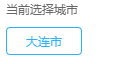
  <view class="hotcity-common thisCity">当前选择城市</view>
  <view class="thisCityName">{{city}}</view>
var QQMapWX = require('../../utils/qqmap-wx-jssdk.js');
var qqmapsdk;
page({
    data: {
    city: "",
    latitude: '',
    longitude: '',
    }

onLoad: function() {
    qqmapsdk = new QQMapWX({
      key: 'FD2BZ-R34KJ-4P4FW-KAW2S-ZASLV-GCFBR' //自己的key秘钥
    });
    this.getUserLocation();
  },

getUserLocation: function() {
    let vm = this;
    wx.getSetting({
      success: (res) => {
        console.log("设置信息"+JSON.stringify(res))
        if (res.authSetting['scope.userLocation'] != undefined && res.authSetting['scope.userLocation'] != true) {
          wx.showModal({
            title: '请求授权当前位置',
            content: '需要获取您的地理位置,请确认授权',
            success: function(res) {
              if (res.cancel) {
                wx.showToast({
                  title: '拒绝授权',
                  icon: 'none',
                  duration: 1000
                })
              } else if (res.confirm) {
                wx.openSetting({
                  success: function(dataAu) {
                    if (dataAu.authSetting["scope.userLocation"] == true) {
                      wx.showToast({
                        title: '授权成功',
                        icon: 'success',
                        duration: 1000
                      })
                      //再次授权,调用wx.getLocation的API
                      vm.getLocation();
                    } else {
                      wx.showToast({
                        title: '授权失败',
                        icon: 'none',
                        duration: 1000
                      })
                    }
                  }
                })
              }
            }
          })
        } else if (res.authSetting['scope.userLocation'] == undefined) {
          //调用wx.getLocation的API
          vm.getLocation();
        } else {
          //调用wx.getLocation的API
          vm.getLocation();
        }
      }
    })
  },

  // 微信获得经纬度
  getLocation: function() {
    let vm = this;
    wx.getLocation({
      type: 'wgs84',
      success: function(res) {
        console.log(JSON.stringify(res))
        var latitude = res.latitude
        var longitude = res.longitude
        var speed = res.speed
        var accuracy = res.accuracy;
        vm.getLocal(latitude, longitude)
      },
      fail: function(res) {
        console.log('fail' + JSON.stringify(res))
      }
    })
  },
  // 获取当前地理位置
  getLocal: function(latitude, longitude) {
    let vm = this;
    qqmapsdk.reverseGeocoder({
      location: {
        latitude: latitude,
        longitude: longitude
      },
      success: function(res) {
        let province = res.result.ad_info.province
        let city = res.result.ad_info.city
        vm.setData({
          province: province,
          city: city,
          latitude: latitude,
          longitude: longitude
        })

      }
    });
  },

})
以上就是小程序获取地理位置的全部方法
微信小程序获取地理位置的更多相关文章
- 微信小程序获取地理位置授权
微信小程序获取地理位置授权,首先需要在app.json中添加配置: "permission": { "scope.userLocation": { " ...
- 微信小程序-获取地理位置
近期公司使用微信小程序开发一套应用,涉及到使用小程序的获取地理位置接口,但是在使用测试过程中发现获取的经纬度偏差较大, 之后进行了一番搜索,终于找到了, 原文地址:http://blog.csdn.n ...
- 微信小程序 获取地理位置信息
app.json "permission":{ "scope.userLocation": { "desc": "你的位置信息将用 ...
- 微信小程序-获取当前城市位置及再次授权地理位置
微信小程序-获取当前城市位置 1. 获取当前地理位置,可通过wx.getLocation接口,返回经纬度.速度等信息; 注意---它的默认工作机制: 首次进入页面,调用该api,返回用户授权结果,并保 ...
- [微信小程序] 微信小程序获取用户定位信息并加载对应城市信息,wx.getLocation,腾讯地图小程序api,微信小程序经纬度逆解析地理信息
因为需要在小程序加个定位并加载对应城市信息 然而小程序自带api目前只能获取经纬度不能逆解析,虽然自己解析方式,但是同时也要调用地图,难道用户每次进小程序还要强行打开地图选择地址才定位吗?多麻烦也不利 ...
- 微信小程序-获取当前位置和城市名
微信小程序-获取当前城市位置 1, 获取当前地理位置,首先要拿到用户的授权wx.openSetting: 2,微信的getLocation接口,获取当前用户的地理位置(微信返回的是经纬度,速度等参数) ...
- 微信小程序-获取经纬度
微信小程序-获取经纬度 最近公司新功能 要求在外的市场人员 发送位置信息回来. 用的还是微信小程序开发.... 微信小程序 提供一个接口 getLocation 这个接口反回来的位置 相对实际位置 相 ...
- 微信小程序获取Access_token和页面URL生成小程序码或二维码
1.微信小程序获取Access_token: access_token具体时效看官方文档. using System; using System.Collections.Generic; using ...
- C# 微信小程序获取openid sessionkey
项目介绍 1.微信小程序获取openid和session_key 2.后台使用C#开发 项目流程 准备工作 1 获取appid 1.1 下载微信web开发工具 https://developers.w ...
随机推荐
- Django DTL模板语法中定义变量
- ch12 GUI
<Head First Java 2nd Edition> 摘录 JFrame 代表屏幕上的一个窗口,可以把 buttons, checkboxes, test fields 等等界面相关 ...
- java 中序列化(Serializable)
18年5月份,在毕业快一年的时候,我终于把自己从研发助理偏向行政打杂,偶尔写一些前端代码的处境,回归到了初衷-安安静静写前后端代码的小小程序员~过程中的心酸也就不在这里吐啦,毕竟我是小太阳,永不熄灭的 ...
- idea 背景颜色设置
1. 设置当前鼠标所在行颜色 2. 设置编辑区颜色
- BNUOJ 17286 Dollars
Dollars Time Limit: 3000ms Memory Limit: 131072KB This problem will be judged on UVA. Original ID: 1 ...
- HDU 1325 拓扑排序
根据题目所给的3个不符合情况的条件,一个个判断图是否符合这3个条件即可 1.不能出现内部环,拓扑排序判断 2.不能有超过1个点的入度为0,因为只有一个树根 3.每个点最多一个入度 这里要注意的一点是这 ...
- java 远程调用
1.webservice (soap+http) -aixs -axis2 -xfire—>cxf 2.webservice问题 -基于xml,xml效率,(数据传输效率,xml序列化效率) - ...
- [bzoj1833][ZJOI2010]数字计数(数位DP)
题目:http://www.lydsy.com:808/JudgeOnline/problem.php?id=1833 分析:简单的数位DP f[i][j][k]表示在i位数.最高位j的所有数字中k的 ...
- Java Number类(数据类型的包装类)
Java Number 一般地,当需要使用数字的时候,我们通常使用内置数据类型,如:byte.int.long.double等. 例如: int i = 5000; float gpa = 13.65 ...
- [Mini Programe] Upload Images
Code for upload iamges: chooseImage: choose the images to upload previewImage: preview the image and ...