
安卓开发笔记(二十五):ViewPager的使用
- 首先我们来看看运行之后的效果:
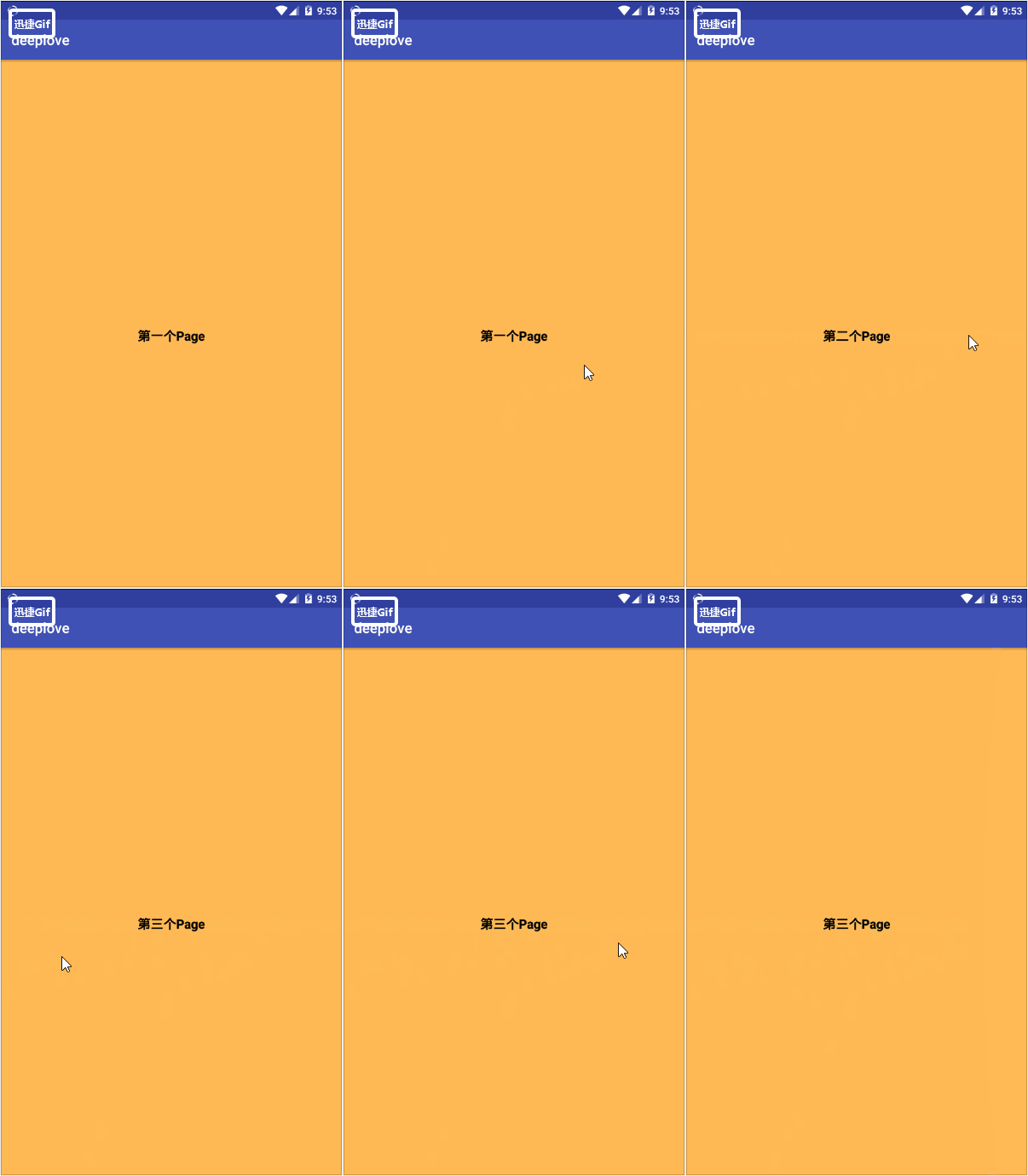
然后我们也不多说废话了,下面是这个项目所需要的全部代码,很多博主写这个都不把代码写完,因此笔者自己也琢磨了一会儿才把这个弄出来,感觉很烦,但我肯定会把代码写全的。我这里一共引入了三个界面,三个布局的xml我都会写的。
1.MainActivity.java
import android.support.v4.view.ViewPager;

import android.support.v7.app.AppCompatActivity;

import android.os.Bundle;

import android.view.LayoutInflater;

import android.view.View;

import java.util.ArrayList;

public class MainActivity extends AppCompatActivity {

    private ViewPager vpager_one;

    private ArrayList<View> aList;

    private MyPagerAdapter mAdapter;

    @Override

    protected void onCreate(Bundle savedInstanceState) {

        super.onCreate(savedInstanceState);

        setContentView(R.layout.activity_main);

        vpager_one = (ViewPager) findViewById(R.id.vpager_one);

        aList = new ArrayList<View>();

        LayoutInflater li = getLayoutInflater();

        aList.add(li.inflate(R.layout.view_one,null,false));

        aList.add(li.inflate(R.layout.view_two,null,false));

        aList.add(li.inflate(R.layout.view_three,null,false));

        mAdapter = new MyPagerAdapter(aList);

        vpager_one.setAdapter(mAdapter);

    }

}
2.MypagerAdapter.java
这个是ViewPager的适配器,和listview所需要的适配器差不多,是我们创建的新类。
import android.support.v4.view.PagerAdapter;

import android.view.View;

import android.view.ViewGroup;

import java.util.ArrayList;

public class MyPagerAdapter extends PagerAdapter {

    private ArrayList<View> viewLists;

    public MyPagerAdapter() {

    }

    public MyPagerAdapter(ArrayList<View> viewLists) {

        super();

        this.viewLists = viewLists;

    }

    @Override

    public int getCount() {

        return viewLists.size();

    }

    @Override

    public boolean isViewFromObject(View view, Object object) {

        return view == object;

    }

    @Override

    public Object instantiateItem(ViewGroup container, int position) {

        container.addView(viewLists.get(position));

        return viewLists.get(position);

    }

    @Override

    public void destroyItem(ViewGroup container, int position, Object object) {

        container.removeView(viewLists.get(position));

    }

}
3.activity_main.xml
<?xml version="1.0" encoding="utf-8"?>

<android.support.constraint.ConstraintLayout xmlns:android="http://schemas.android.com/apk/res/android"

    xmlns:app="http://schemas.android.com/apk/res-auto"

    xmlns:tools="http://schemas.android.com/tools"

    android:layout_width="match_parent"

    android:layout_height="match_parent"

    tools:context=".MainActivity">

    <android.support.v4.view.ViewPager

        android:id="@+id/vpager_one"

        android:layout_width="wrap_content"

        android:layout_height="wrap_content"

        android:layout_gravity="center" />

</android.support.constraint.ConstraintLayout>
4.view_one
<?xml version="1.0" encoding="utf-8"?>

<LinearLayout xmlns:android="http://schemas.android.com/apk/res/android"

    android:layout_width="match_parent"

    android:layout_height="match_parent"

    android:background="#FFBA55"

    android:gravity="center"

    android:orientation="vertical">

    <TextView

        android:layout_width="wrap_content"

        android:layout_height="wrap_content"

        android:text="第一个Page"

        android:textColor="#000000"

        android:textSize="18sp"

        android:textStyle="bold" />

</LinearLayout>
5.view_two
<?xml version="1.0" encoding="utf-8"?>

<LinearLayout xmlns:android="http://schemas.android.com/apk/res/android"

    android:layout_width="match_parent"

    android:layout_height="match_parent"

    android:background="#FFBA55"

    android:gravity="center"

    android:orientation="vertical">

    <TextView

        android:layout_width="wrap_content"

        android:layout_height="wrap_content"

        android:text="第二个Page"

        android:textColor="#000000"

        android:textSize="18sp"

        android:textStyle="bold" />

</LinearLayout>
6.view_three
<?xml version="1.0" encoding="utf-8"?>

<LinearLayout xmlns:android="http://schemas.android.com/apk/res/android"

    android:layout_width="match_parent"

    android:layout_height="match_parent"

    android:background="#FFBA55"

    android:gravity="center"

    android:orientation="vertical">

    <TextView

        android:layout_width="wrap_content"

        android:layout_height="wrap_content"

        android:text="第三个Page"

        android:textColor="#000000"

        android:textSize="18sp"

        android:textStyle="bold" />

</LinearLayout>
得解,就这么简单。我真是不知道其他博主为啥不把代码写全,尤其是每个viewpager的布局,连说都不说下有三个布局,真实让人头大。
安卓开发笔记(二十五):ViewPager的使用的更多相关文章
- python3.4学习笔记(二十五) Python 调用mysql redis实例代码
python3.4学习笔记(二十五) Python 调用mysql redis实例代码 #coding: utf-8 __author__ = 'zdz8207' #python2.7 import ...
- Java开发学习(二十五)----使用PostMan完成不同类型参数传递
一.请求参数 请求路径设置好后,只要确保页面发送请求地址和后台Controller类中配置的路径一致,就可以接收到前端的请求,接收到请求后,如何接收页面传递的参数? 关于请求参数的传递与接收是和请求方 ...
- 安卓开发笔记(十二):SQLite数据库储存(上)
SQLite数据库存储(上) 创建数据库 Android专门提供了一个 SQLiteOpenHelper帮助类对数据库进行创建和升级 SQLiteOpenHelper需要创建一个自己的帮助类去继承它并 ...
- Java基础学习笔记二十五 MySQL
MySQL 在dos中操作mysql 连接mysql命令: mysql -uroot -p密码 ,连接OK,会出现mysql> 对数据库的操作 创建一个库 create database 库名 ...
- 安卓开发笔记(十八):实现button按钮事件的三种方法
Android开发中有三种主要的方式用于设置View的点击事件,1.创建内部类:2.主类中实现OnClickListener接口:3.使用匿名内部类.这三种方式都用到了OnClickListener接 ...
- 论文阅读笔记二十五:Spatial Pyramid Pooling in Deep Convolutional Networks for Visual Recognition(SPPNet CVPR2014)
论文源址:https://arxiv.org/abs/1406.4729 tensorflow相关代码:https://github.com/peace195/sppnet 摘要 深度卷积网络需要输入 ...
- Java学习笔记二十五:Java面向对象的三大特性之多态
Java面向对象的三大特性之多态 一:什么是多态: 多态是同一个行为具有多个不同表现形式或形态的能力. 多态就是同一个接口,使用不同的实例而执行不同操作. 多态性是对象多种表现形式的体现. 现实中,比 ...
- 树莓派开发笔记(十五):树莓派4B+从源码编译安装mysql数据库
前言 树莓派使用数据库时,优先选择sqlite数据库,但是sqlite是文件数据库同时仅针对于单用户的情况,考虑到多用户的情况,在树莓派上部署安装mysql服务,通过读写锁事务等使用,可以实现多进 ...
- BizTalk开发系列(二十五) SQL Adapter
SQL Server 是.NET开发的首选数据库.当然开发BizTalk应用程序很多也离不了SQL Server.针对SQL Server的数据操作BizTalk 提供了SQL Adapter作为与数 ...
- Android开发(二十五)——Android上传文件至七牛
设置头像: Drawable drawable = new BitmapDrawable(dBitmap); //Drawable drawable = Drawable.createFromPath ...
随机推荐
- Python_重写集合
class Set(object): def __init__(self,data=None): if data == None: self.__data = [] else: if not hasa ...
- PAT1121:Damn Single
1121. Damn Single (25) 时间限制 300 ms 内存限制 65536 kB 代码长度限制 16000 B 判题程序 Standard 作者 CHEN, Yue "Dam ...
- Spring Cloud微服务系统下的数据一致性探讨
我想这个问题需要根据自己的系统具体架构来分别讨论,这边拿一个车联网的系统举例. 拆除GPS这个功能接口需要分几个步骤实现(不涉及数据更新的步骤略去了): ①更改GPS设备状态(设备管理服务) ②更改工 ...
- 十八、Hadoop学记笔记————Hbase架构
Hbase结构图: Client,Zookeeper,Hmaster和HRegionServer相互交互协调,各个组件作用如下: 这几个组件在实际使用过程中操作如下所示: Region定位,先读取zo ...
- SSM-MyBatis-04:Mybatis中使用properties整合jdbc.properties
------------吾亦无他,唯手熟尔,谦卑若愚,好学若饥-------------properties整合jdbc.properties首先准备好jdbc.properties,里面的key值写 ...
- SSM-MyBatis-03:Mybatis中简单的整合日志
------------吾亦无他,唯手熟尔,谦卑若愚,好学若饥-------------简单的整合日志,首先提供俩种方式,log4j和logback简单的说一下logback,他由log4j的原作者编 ...
- 解决WordPress无法上传媒体文件以及无法下载和安装主题与插件的问题
前言: 我的个人博客网站荒原之梦在安装成功WordPress之后本来是可以上传媒体文件,安装主题和插件的,但是后来不知道怎么回事就出了问题:不能上传媒体文件也不能安装主题和插件了.出现这个问题后我尝试 ...
- Spring boot +Spring Security + Thymeleaf 认证失败返回错误信息
[Please make sure to select the branch corresponding to the version of Thymeleaf you are using] Stat ...
- 《javascript语言精粹》读书笔记 Item2 对象
第三章 对象 JavaScript的简单数据类型包括数字.字符串.布尔值(true和false).null值和undefined值.其他 数字.字符串和布尔值"貌似"对象,因为它们 ...
- 【BZOJ 2744】【HEOI2012】朋友圈
题目链接: TP 题解: 对于A国,我们发现,最大团一定不大于2.对于B国,发现同奇偶性点之间都有边,不同奇偶性之间可能有边,也就是说对于B国是一个二分图最大团,也就是求B国补图的二分图最大独立集.然 ...