
CKEditor图片上传实现详细步骤(使用Struts 2)
CKEditor的编辑器工具栏中有一项“图片域”,该工具可以贴上图片地址来在文本编辑器中加入图片,但是没有图片上传。
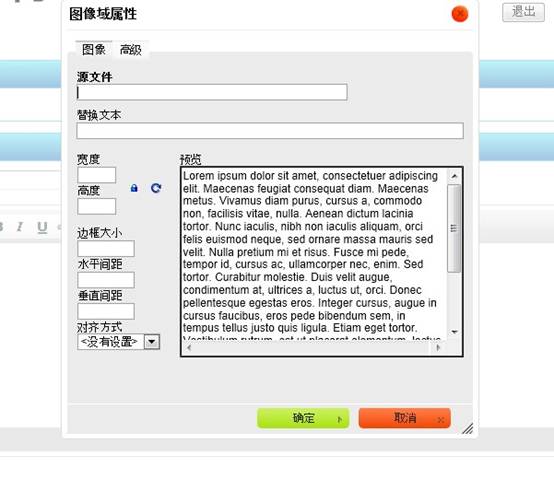
“预览”中有一大堆鸟语,看得很不爽。可以打开ckeditor/plugins/image/dialogs/image.js文件,搜索“b.config.image_previewText”就能找到这段鸟语了,(b.config.image_previewText||'')单引号中的内容全删了,注意别删多了。
扫除这个障碍,下面来研究图片上传。
step 1:
首先,还是image.js这个文件,搜索“upload”可以找到这一段
id:'Upload',hidden:true
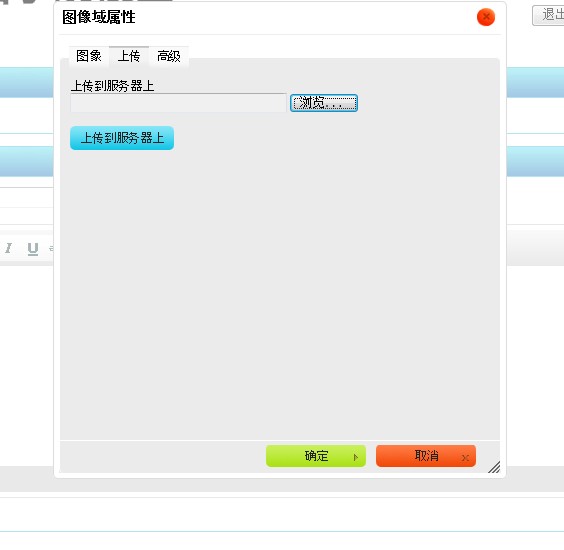
实际上上传功能被隐藏了,把上面的true改成false,再打开编辑器,就能找到上传功能了。
step 2:
上面的只是一个上传页面。也就相当于一个HTML的form表单,要配置点击“上传到服务器上”按钮后请求的Action。可以在ckeditor/config.js中配置。
加入:
config.filebrowserUploadUrl="actions/ckeditorUpload";
"ckeditorUpload"是请求的URL,也就是点击这个按钮就会post到ckeditorUpload地址进行处理,这里指向的是Struts 2的一个Action。当然,也可以用servlet或者ASP、PHP等来处理请求。
- <package name="actions" extends="struts-default" namespace="/actions">
- <action name="ckeditorUpload" class="com.xxx.CkeditorUpload ">
- </action>
- </package>
step 3:
文件上传的控件相当于<input type="file" name="upload" .../>,其name是”upload”,知道了name那么就可以在Action中获取这个文件。
- private File upload; //文件
- private String uploadContentType; //文件类型
- private String uploadFileName; //文件名
以上三个私有变量都要有set方法。如果不了解的话可以先学习一下Struts 2文件上传。
step 4:
如果上传的图片格式不正确,可以在上传界面进行提示。

这个提示不是ckeditor提示的,要在Action中响应。
- String callback = ServletActionContext.getRequest().getParameter("CKEditorFuncNum");
- if([判断条件]){
- out.println("<script type=\"text/javascript\">");
- out.println("window.parent.CKEDITOR.tools.callFunction(" + callback + ",''," + "'文件格式不正确(必须为.jpg/.gif/.bmp/.png文件)');");
- out.println("</script>");
- return null;
- }
step 5:
- InputStream is = new FileInputStream(upload);
- String uploadPath = ServletActionContext.getServletContext().getRealPath("/img/postImg");
- String fileName = java.util.UUID.randomUUID().toString(); //采用UUID的方式随即命名
- fileName += expandedName; // 加上后缀名
- File toFile = new File(uploadPath, fileName);
- OutputStream os = new FileOutputStream(toFile);
- byte[] buffer = new byte[1024];
- int length = 0;
- while ((length = is.read(buffer)) > 0) {
- os.write(buffer, 0, length);
- }
- is.close();
- os.close();
这段代码是Struts 2上传图片的核心代码,把图片上传后保存在项目的某个目录下,并随机重命名。
step 6:
图片上传成功,在目录下也可以看到图片,至此图片上传成功。但是如何将图片发到编辑器中呢?
点“确定”按钮会有以下提示。
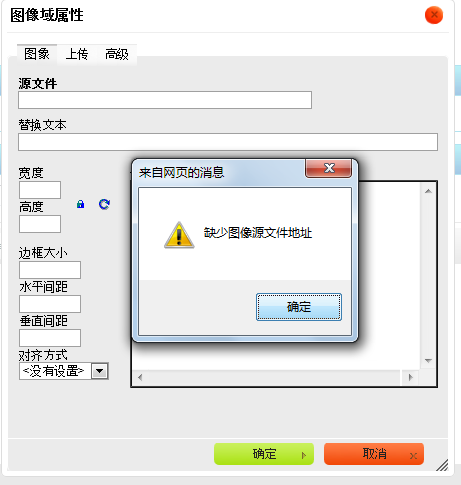
到这里,要在Action中返回一段JS脚本。
- String callback =ServletActionContext.getRequest().getParameter("CKEditorFuncNum");
- out.println("<script type=\"text/javascript\">");
- out.println("window.parent.CKEDITOR.tools.callFunction("+ callback + ",'" +"img/postImg/"+ fileName + "','')");
- out.println("</script>");
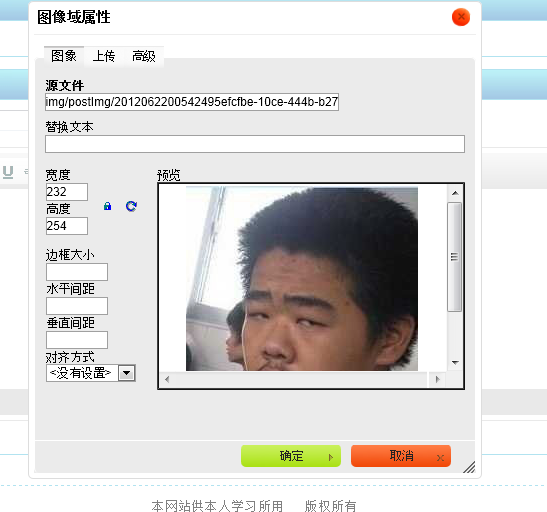
有了这段代码,图片上传成功后,根据这里的
"img/postImg/" + filename
相对地址,就可以使用这个图片,直接转到“图像”页面。
附:Struts 2 Action代码
- package com.xxg.bbs.action;
- import java.io.File;
- import java.io.FileInputStream;
- import java.io.FileOutputStream;
- import java.io.InputStream;
- import java.io.OutputStream;
- import java.io.PrintWriter;
- import javax.servlet.http.HttpServletResponse;
- import org.apache.struts2.ServletActionContext;
- import com.opensymphony.xwork2.ActionSupport;
- public class CkeditorUpload extends ActionSupport {
- private File upload;
- private String uploadContentType;
- private String uploadFileName;
- public File getUpload() {
- return upload;
- }
- public void setUpload(File upload) {
- this.upload = upload;
- }
- public String getUploadContentType() {
- return uploadContentType;
- }
- public void setUploadContentType(String uploadContentType) {
- this.uploadContentType = uploadContentType;
- }
- public String getUploadFileName() {
- return uploadFileName;
- }
- public void setUploadFileName(String uploadFileName) {
- this.uploadFileName = uploadFileName;
- }
- public String execute() throws Exception {
- HttpServletResponse response = ServletActionContext.getResponse();
- response.setCharacterEncoding("GBK");
- PrintWriter out = response.getWriter();
- // CKEditor提交的很重要的一个参数
- String callback = ServletActionContext.getRequest().getParameter("CKEditorFuncNum");
- String expandedName = ""; //文件扩展名
- if (uploadContentType.equals("image/pjpeg") || uploadContentType.equals("image/jpeg")) {
- //IE6上传jpg图片的headimageContentType是image/pjpeg,而IE9以及火狐上传的jpg图片是image/jpeg
- expandedName = ".jpg";
- }else if(uploadContentType.equals("image/png") || uploadContentType.equals("image/x-png")){
- //IE6上传的png图片的headimageContentType是"image/x-png"
- expandedName = ".png";
- }else if(uploadContentType.equals("image/gif")){
- expandedName = ".gif";
- }else if(uploadContentType.equals("image/bmp")){
- expandedName = ".bmp";
- }else{
- out.println("<script type=\"text/javascript\">");
- out.println("window.parent.CKEDITOR.tools.callFunction(" + callback + ",''," + "'文件格式不正确(必须为.jpg/.gif/.bmp/.png文件)');");
- out.println("</script>");
- return null;
- }
- if(upload.length() > 600*1024){
- out.println("<script type=\"text/javascript\">");
- out.println("window.parent.CKEDITOR.tools.callFunction(" + callback + ",''," + "'文件大小不得大于600k');");
- out.println("</script>");
- return null;
- }
- InputStream is = new FileInputStream(upload);
- String uploadPath = ServletActionContext.getServletContext()
- .getRealPath("/img/postImg");
- String fileName = java.util.UUID.randomUUID().toString(); //采用时间+UUID的方式随即命名
- fileName += expandedName;
- File toFile = new File(uploadPath, fileName);
- OutputStream os = new FileOutputStream(toFile);
- byte[] buffer = new byte[1024];
- int length = 0;
- while ((length = is.read(buffer)) > 0) {
- os.write(buffer, 0, length);
- }
- is.close();
- os.close();
- // 返回“图像”选项卡并显示图片
- out.println("<script type=\"text/javascript\">");
- out.println("window.parent.CKEDITOR.tools.callFunction(" + callback + ",'" + "img/postImg/" + fileName + "','')");
- out.println("</script>");
- return null;
- }
- }
CKEditor图片上传实现详细步骤(使用Struts 2)的更多相关文章
- springMVC和ckeditor图片上传
springMVC和ckeditor图片上传 http://blog.csdn.net/liuchangqing123/article/details/45270977 修正一下路径问题: packa ...
- 简单2步实现 asp.net mvc ckeditor 图片上传
1.打开ckeditor 包下的 config.js,添加一句 配置(PS:ckeditor 很多功能都在该配置文件里配置),如下: config.filebrowserImageUploadUrl ...
- .net core CKEditor 图片上传
最近在玩 asp.net core,不想用UEditor,想使用CKEditor.故需要图片上传功能. 废话不多说,先上效果图: CKEditor 前端代码: <text id="co ...
- CKEditor图片上传问题(默认安装情况下编辑器无法处理图片),通过Base64编码字符串解决
准备做一个文章内容网站,网页编辑器采用CKEditor,第一次用,默认安装情况下,图片无法插入,提示没有定义上传适配器(adapter),错误码提示如下: 根据提示,在官网看到有两种途径:一使用CKE ...
- CKEditor 图片上传
可以做如下配置: CKEDITOR.replace('editor1',{ filebrowserBrowseUrl:'/browser/browse.php', filebrowserUploadU ...
- C# MVC 使用 CKEditor图片上传 提示“不正确的服务器响应”
重点:看一下你使用的CKEditor版本 过程: 后台需要一款富文本编辑器.经过挑选后,最后选择了FCKEditor 的升级版 CKEditor .在官网下载了4.10.1版本. 经过一番配置后,富文 ...
- ios之AFN上传下载详细步骤(2)
五.AFN .GET\POST > GET请求 // 1.获得请求管理者 AFHTTPRequestOperationManager *mgr = [AFHTTPRequestOperation ...
- ckeditor图片上传二三事
最近实验室要用ckeditor,踩了几个小坑记录下. 1.出现iframe跨域问题 response.setHeader("X-Frame-Options", "SAME ...
- 使用struts2完成ckeditor和图片上传
代码地址如下:http://www.demodashi.com/demo/12427.html 使用struts2完成ckeditor和ckeditor图片上传 ckeditor版本ckeditor_ ...
随机推荐
- java内存溢出异常
名称 特征 作用 配置参数 异常 程序 计数器 占用内存小,线程私有, 生命周期与线程相同 大致为字节码行号指示器 无 无 虚拟机栈 线程私有,生命周期与线程 相同,使用连续的内存空间 Java 方法 ...
- window.location 对象
http://www.home.com:8080/windows/location/page.html?ver=1.0&id=timlq#love 1, window.location.hre ...
- Vivado 2017封装自定义IP Core
使用Vivado2017.3自定义IP Core.通常情况下,我们做设计采用模块化设计,对于已经设计好的一部分模块功能,就可以直接拿来调用,IP Core就是这样来的,一般来说我们看不到IP Core ...
- handsontable-developer guide-cell editor
单元格编辑 cell editor renderer:展示数据:editor:改变数据:renderer用一个函数表示:后者有一系列的操作,需要用class来表示: EditorManager han ...
- Web Service Error wsse:InvalidSecurity Policy Requires Integrity (Doc ID 1370736.1)
Web Service Error wsse:InvalidSecurity Policy Requires Integrity (Doc ID 1370736.1) Modified: 13 ...
- [leetcode] 10. Symmetric Tree
这次我觉得我的智商太低,想了很久才写出来.题目是让求镜像二叉树判断,题目如下: Given a binary tree, check whether it is a mirror of itself ...
- Bug报告提交规范
首先声明,bug的测试规范应该在公司的正式文档建立.本建议非正式文档,有些内容可能不正确,有些内容可能需要继续商榷,甚至有些内容同公司规范有冲突.如果发现问题,直接忽略本文相应内容.本帖本意仅就工作中 ...
- DNS本机可解析,其他主机通过本机无法解析问题
新建了一个redhat虚拟机,将此虚拟机作为dns服务器使用,配置完以后宿主机的dns服务器设置为配置好的虚拟机地址,结果总是显示no Server Reached,没有服务器可以到达,花了很长时间终 ...
- c语言博客作业06-文件
1.本章总结 1.1思维导图 1.2本章学习体会 这周学了结构体和文件,结构体作为一种数据的归类方式,相比数组或变量更具有整体全面性,例如一个数组只可以放一些按照元素顺序存放的单元变量,并且我们用 ...
- python--中的文件操作
1.文件操作 把文件打开 open 打开 f = open ('文件路径',mode='模式',encoding='编码格式') #打开一个文件操作的时候取到的是一个句柄 读取的方法 . read() ...