
Docker仓库搭建(Registry + Portus)
1.更新系统:
yum update -y
2. 安装docker-compos
yum -y install epel-release #pip安装包在epel源中
yum -y install python-pip
pip install -U docker-compose
3.安装git客户端
yum install -y git
4.复制Portus安装程序
git clone https://github.com/SUSE/Portus.git
5.配置Docker安装源
vi /etc/yum.repos.d/docker.repo
[dockerrepo]
name=Docker Repository
baseurl=https://yum.dockerproject.org/repo/main/centos/$releasever/
enabled=1
gpgcheck=1
gpgkey=
https://yum.dockerproject.org/gpg
6.安装docker引擎并启动
yum cleal all && yum makecache
yum install -y docker-engine
systemctl start docker.service
systemctl enable docker.service
此步如果有保存,请参考下面链接的地址:
http://www.cnblogs.com/amoyzhu/p/5261393.html
7. 安装Portus
| 1 2 3 4 5 6 7 8 9 10 11 12 13 14 15 16 17 18 19 20 21 22 23 24 25 26 27 28 29 30 31 32 33 34 35 36 37 38 39 |
./compose-setup.sh -e 192.168.0.109 #安装过程中会下载registry、mariadb、rails、ports_web等几个docker镜像 #如果网络不好可以先下载对应的几个docker镜像文件 #然后上传到portus服务器上并用docker load命令加载。 #镜像的具体版本号以实际为准。 REPOSITORY TAG IMAGE ID CREATED SIZE portus_web latest 24a654206d8b 2 days ago 1.086 GB registry 2.3.1 83139345d017 4 months ago 165.8 MB mariadb 10.0.23 93631b528e67 5 months ago 304.6 MB rails 4.2.2 99b347e4bbb4 13 months ago 884.5 MB 安装过后会给出相应的登陆信息和客户端需要的操作样例 ################### # SUCCESS # ################### Make sure port 3000 and 5000 are open on host 192.168.0.109 Open http://192.168.0.109:3000 with your browser and perform the following steps: 1. Create an admin account Perform the following actions on the docker hosts that need to interact with your registry: - Ensure the docker daemon is started with the '--insecure-registry 192.168.0.109:5000' To authenticate against your registry using the docker cli do: $ docker login -u <portus username> -p <password> -e <email> 192.168.0.109:5000 To push an image to the private registry: $ docker pull busybox |
8、打开防火墙端口
| 1 2 3 |
firewall-cmd --zone=public --add-port=3000/tcp --permanent firewall-cmd --zone=public --add-port=5000/tcp --permanent systemctl restart firewall.service |
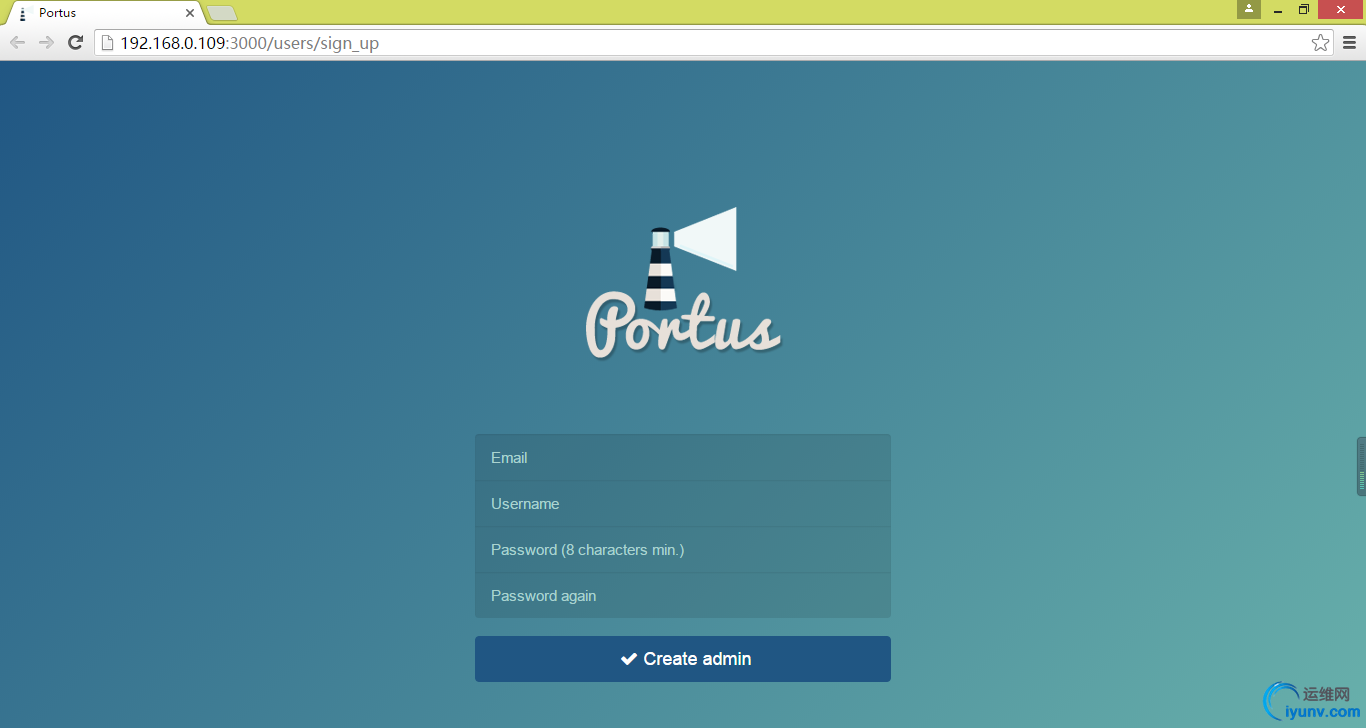
9. Portus初始化
连接到本docker仓库(也可以是其他仓库,必须是registry 2.0以上版本)
<ignore_js_op>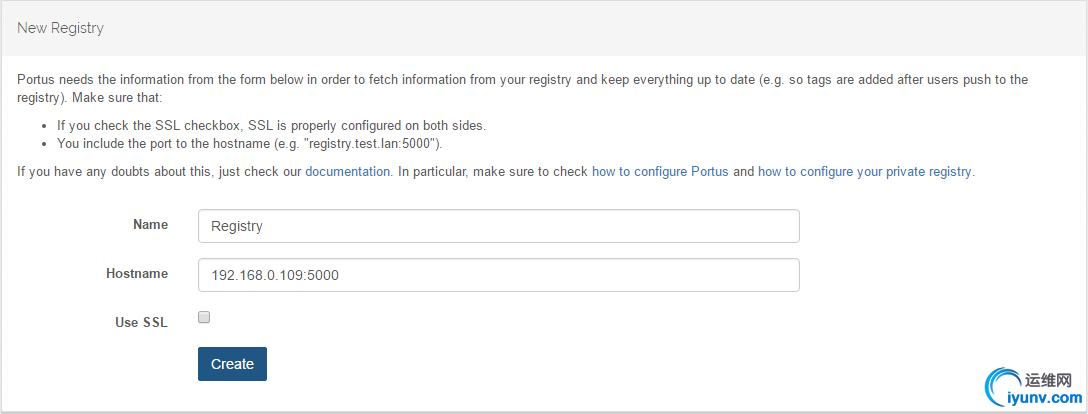
10、上传镜像测试
修改文件/lib/systemd/system/docker.service中的ExecStart增加--insecure-registry 192.168.0.109:5000并重启docker服务
| 1 2 |
systemctl daemon-reload systemctl restart docker.service |
检查docker服务
| 1 2 |
# ps -ef|grep insecure-registry root 29486 1 0 01:32 ? 00:00:00 /usr/bin/dockerd --insecure-registry 192.168.0.109:5000 |
11. 重启Portus容器:
docker start portus_db_1 portus_web_1 portus_crono_1 portus_registry_1
12.下载busybox镜像并上传到私有的仓库中(安装结束时有操作提示)
docker pull busybox
从docker官网上下载busybox镜像到本地
docker tag busybox 192.168.0.109:5000/admin/busybox
把刚下载的镜像busybox打上tag(重命名):192.168.0.109:5000/admin/busybox
docker login -u admin -p admin123 192.168.0.109:5000
登陆私有的镜像仓库
docker push 192.168.0.109:5000/admin/busybox
把本地的tag为192.168.0.109:5000/admin/busybox上传到私有仓库。
检查Portus界面的镜像信息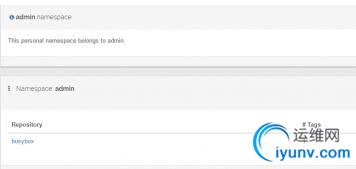
13.下载镜像测试
docker pull 192.168.0.109:5000/admin/busybox
Docker仓库搭建(Registry + Portus)的更多相关文章
- Docker 之registry私有仓库搭建
Docker 之registry私有仓库搭建 官方提供的私有仓库docker registry用法 https://yeasy.gitbooks.io/docker_practice/reposito ...
- 6.云原生之Docker容器Registry私有镜像仓库搭建实践
转载自:https://www.bilibili.com/read/cv15219863/?from=readlist #1.下载registry仓库并设置数据存放的目录(并生成认证账号密码) doc ...
- docker简单介绍---部署私有docker仓库Registry
1. 关于Registry 官方的Docker hub是一个用于管理公共镜像的好地方,我们可以在上面找到我们想要的镜像,也可以把我们自己的镜像推送上去.但是,有时候,我们的使用场景需要我们拥有一个私有 ...
- 为docker私有registry配置nginx反向代理
公司的Docker私有registry已经搭建好了,用官方的registry image很容易就搭建好了.现在就是要用nginx的反向代理把它放出来,以便在外网可以访问. 我的上一篇blog 讲了如何 ...
- docker 仓库搭建
阿里云服务器: 127.0.0.1(客户端) 127.0.0.2(私有服务器) 127.0.0.2作为私有仓库使用 1.下载镜像 [root@insure ~]# docker pull regist ...
- 解决: docker pull registry.access.redhat.com/rhel7/pod-infrastructure:latest
直接获取 rpm文件 wget http://mirror.centos.org/centos/7/os/x86_64/Packages/python-rhsm-certificates-1.19.1 ...
- Docker部署Registry私有镜像库
拉取镜像 docker pull registry:2.6.2 生成账号密码文件,这里采用htpasswd方式认证 docker run --rm --entrypoint htpasswd re ...
- docker私服registry管理镜像
前言 首先试想这样一个场景:当在自己的机器上(docker中)构建了mysql镜像,eureka镜像等等微服务镜像,这些镜像有可能需要放到其他的机器上docker环境中去运行,实行分布式架构部署.但如 ...
- docker 私有registry 配置
备注:此处使用linux镜像配置仓库 registry 启动步骤 https://hub.docker.com/_/registry/ docker login docker pull registr ...
随机推荐
- PowerDesigner中创建Oracle表全过程记录
本文记录如何在PowerDesigner中创建一个Oracle结构的表. 在进行本文阅读之前,需要在PowerDesigner进行 DBMS修改,DataBase创建,用户创建,表空间创建. 1. ...
- JS的基础语法
8.运算符号表达式 ①数学运算符 数学运算符有+.-.*./除().%(余数) var a = 10; var b = 5; alert(a+b); 预览以后在网页上弹出的对话框数值就是15. ②逻辑 ...
- 在线最优化求解(Online Optimization)之五:FTRL
在线最优化求解(Online Optimization)之五:FTRL 在上一篇博文中中我们从原理上定性比较了L1-FOBOS和L1-RDA在稀疏性上的表现.有实验证明,L1-FOBOS这一类基于梯度 ...
- Eclipse Plugin for Hadoop
Eclipse 官网下载向导 下载 下载的安装文件放到~/setupEnv,将安装到/opt目录下 cd ~/setupEnv sudo tar zxvf eclipse-java-kepler-SR ...
- iOS7 状态栏 修改为白色字体的步骤
1在Info.plist中设置UIViewControllerBasedStatusBarAppearance 为NO2 在需要改变状态栏颜色的ViewController中在ViewDidLoad方 ...
- Find the smallest number whose digits multiply to a given number n
Given a number ‘n’, find the smallest number ‘p’ such that if we multiply all digits of ‘p’, we get ...
- DllImport 相关错误
问题: 当我用 [DllImport("*.dll", EntryPoint = "*",CallingConvention = CallingConventi ...
- 很不错的文章---【问底】徐汉彬:亿级Web系统搭建——单机到分布式集群
[导读]徐汉彬曾在阿里巴巴和腾讯从事4年多的技术研发工作,负责过日请求量过亿的Web系统升级与重构,目前在小满科技创业,从事SaaS服务技术建设. 大规模流量的网站架构,从来都是慢慢“成长”而来.而这 ...
- 传说中的WCF(4):发送和接收SOAP头
如果你实在不明白Header是个啥玩意儿,你就想一想你发送电子邮件时,是不是有个叫“附件”的东东?对啊,那么SOAP头是不是可以理解为一种附加信息?就是附加到消息正文的内容. 消息正文又是啥?WCF除 ...
- android模拟器(genymotion)+appium+python 框架执行基本原理(目前公司自己写的)
android模拟器(genymotion)+appium+python 框架执行的基本过程: 1.Push.initDate(openid)方法 //业务数据初始化 1.1 v5db.p ...