
springBoot mybatis mysql pagehelper layui 分页
<!-- 加入 pagehelper 分页插件  jar包-->
<dependency>
    <groupId>com.github.pagehelper</groupId>
    <artifactId>pagehelper-spring-boot-starter</artifactId>
    <version>1.2.5</version>
</dependency>

在 application.properties 加上
#开启分页
# 指定数据库
pagehelper.helperDialect=mysql
# 需要启用 不然会报空数据的
pagehelper.reasonable=true
# 默认值false,分页插件会从查询方法的参数值中
pagehelper.supportMethodsArguments=true
# 用于从对象中根据属性名取值
pagehelper.params=count=countSql

接收 前端传过来的 页码 和 条数
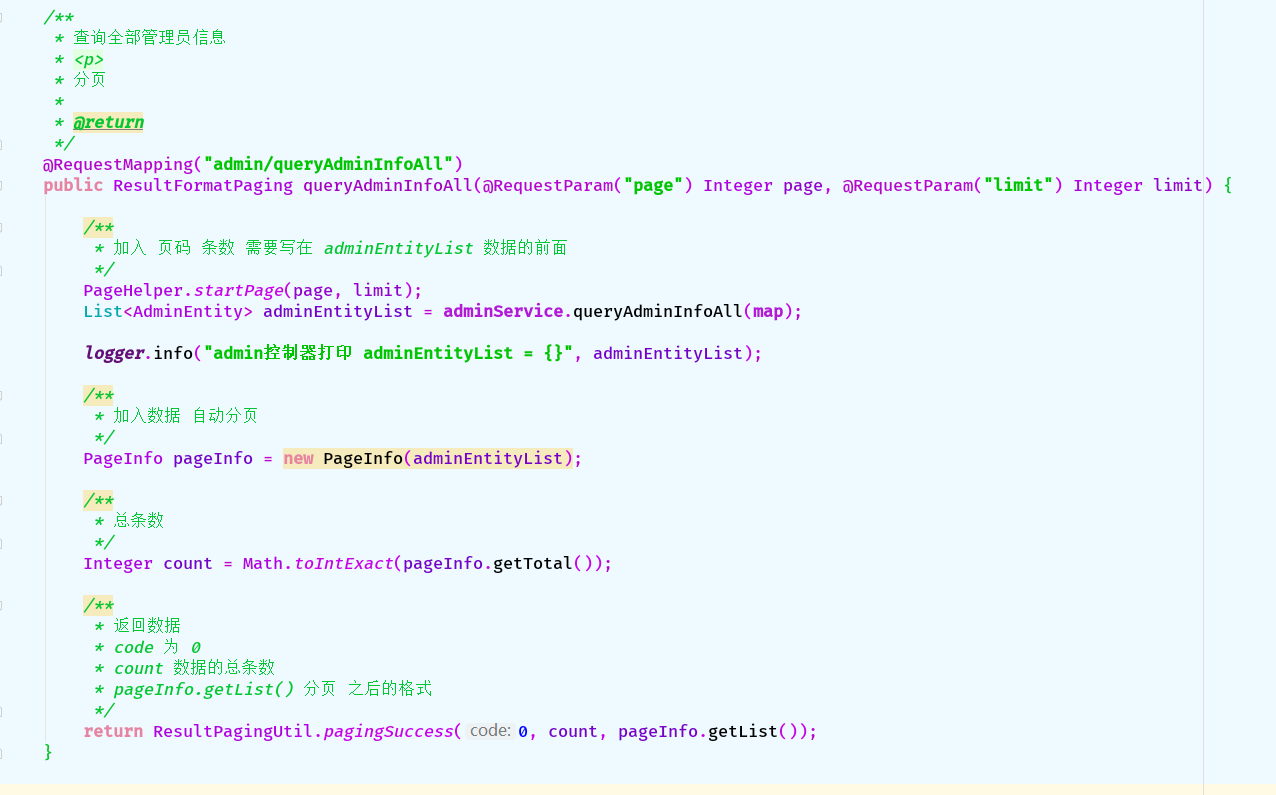
java 后台 代码如下:
@RequestMapping("admin/queryAdminInfoAll")
public ResultFormatPaging queryAdminInfoAll(@RequestParam("page") Integer page, @RequestParam("limit") Integer limit) {
    /**
     * 加入 页码 条数 需要写在 adminEntityList 数据的前面
     */
    PageHelper.startPage(page, limit);
    List<AdminEntity> adminEntityList = adminService.queryAdminInfoAll(map);

    logger.info("admin控制器打印 adminEntityList = {}", adminEntityList);

    /**
     * 加入数据 自动分页
     */
    PageInfo pageInfo = new PageInfo(adminEntityList);

    /**
     * 总条数
     */
    Integer count = Math.toIntExact(pageInfo.getTotal());

    /**
     * 返回数据
     * code 为 0
     * count 数据的总条数
     * pageInfo.getList() 分页 之后的格式
     */
    return ResultPagingUtil.pagingSuccess(0, count, pageInfo.getList());
}
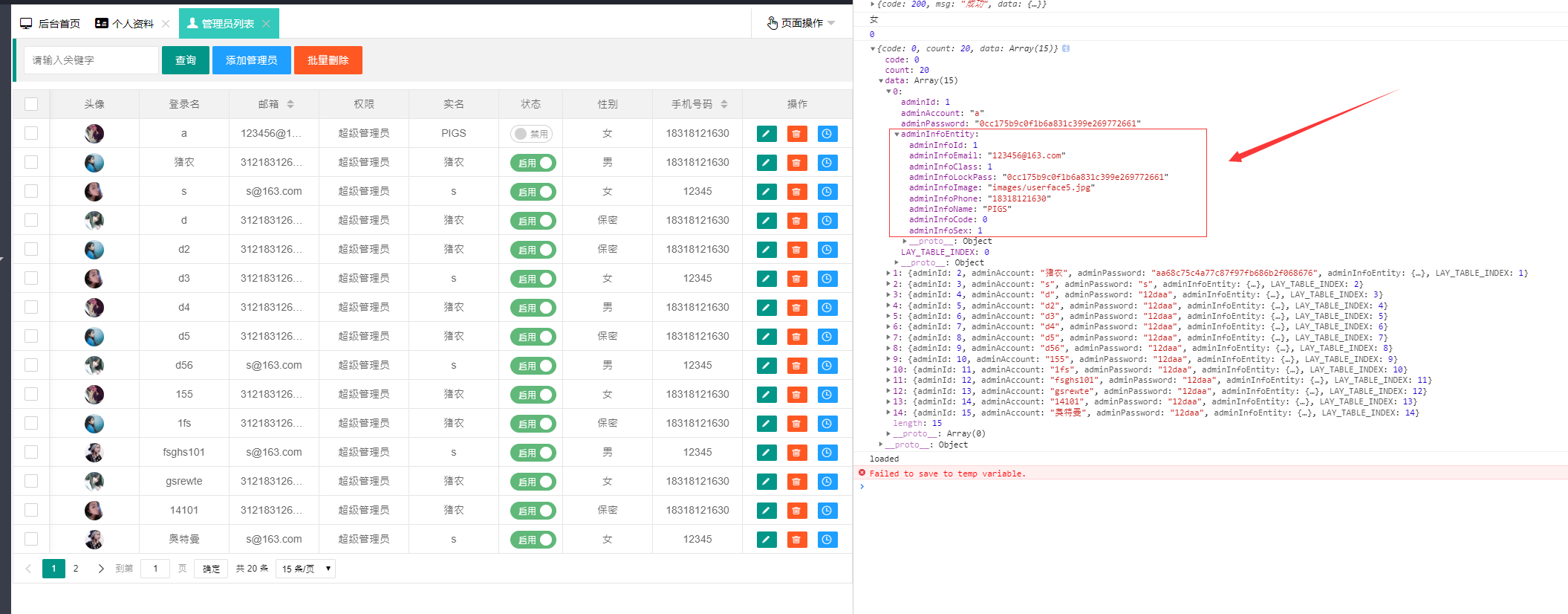
# 前端 layui 分页 浏览器打印的数据结构 由于 是数据包含着数据 我采用layui 提供的 templet 模板
 {
    field: 'adminInfoEntity', title: '手机号码', sort: true,
    templet: function (data) {
        return '<span>' + data.adminInfoEntity.adminInfoPhone + '</span>'
    }
}
layui js 代码:
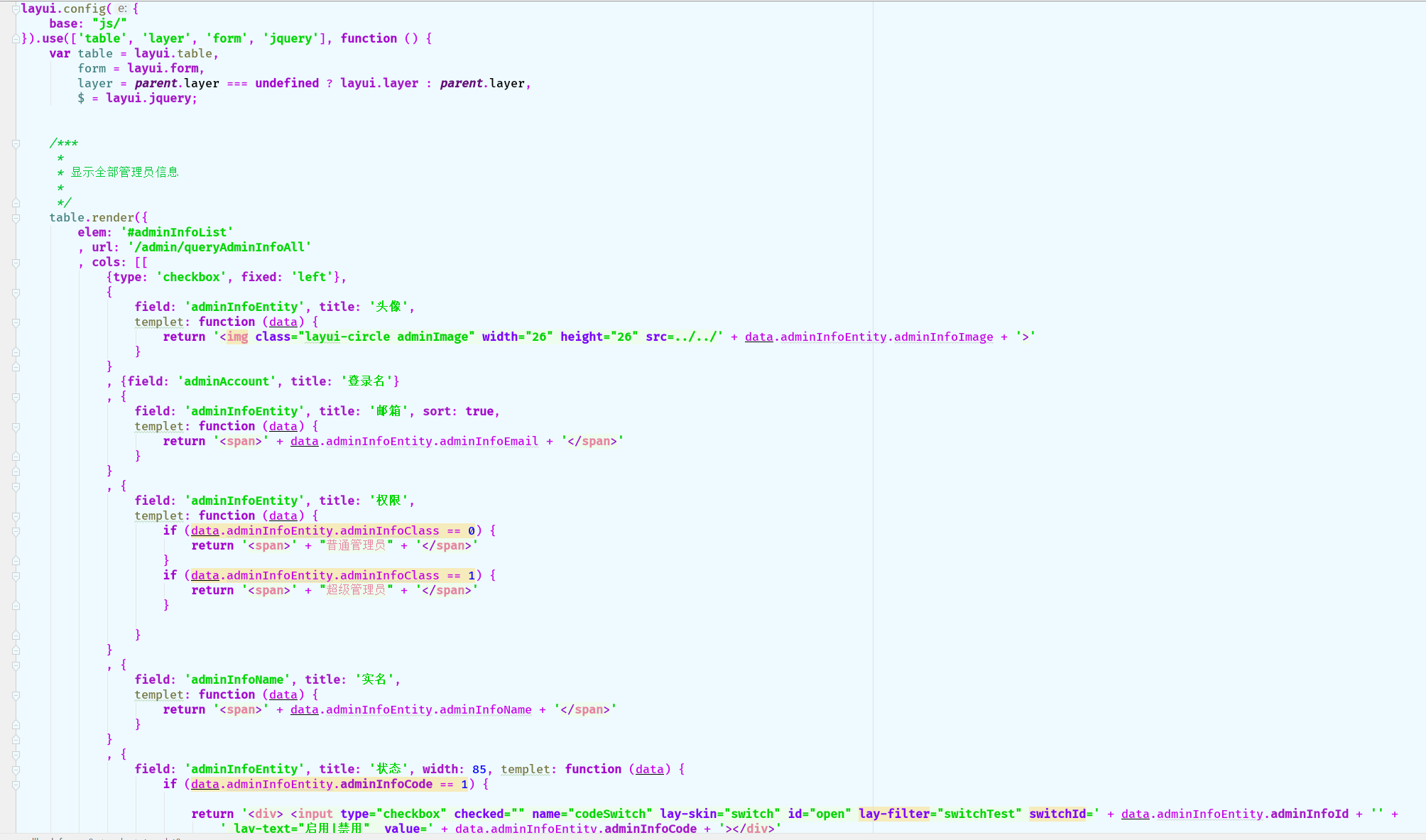
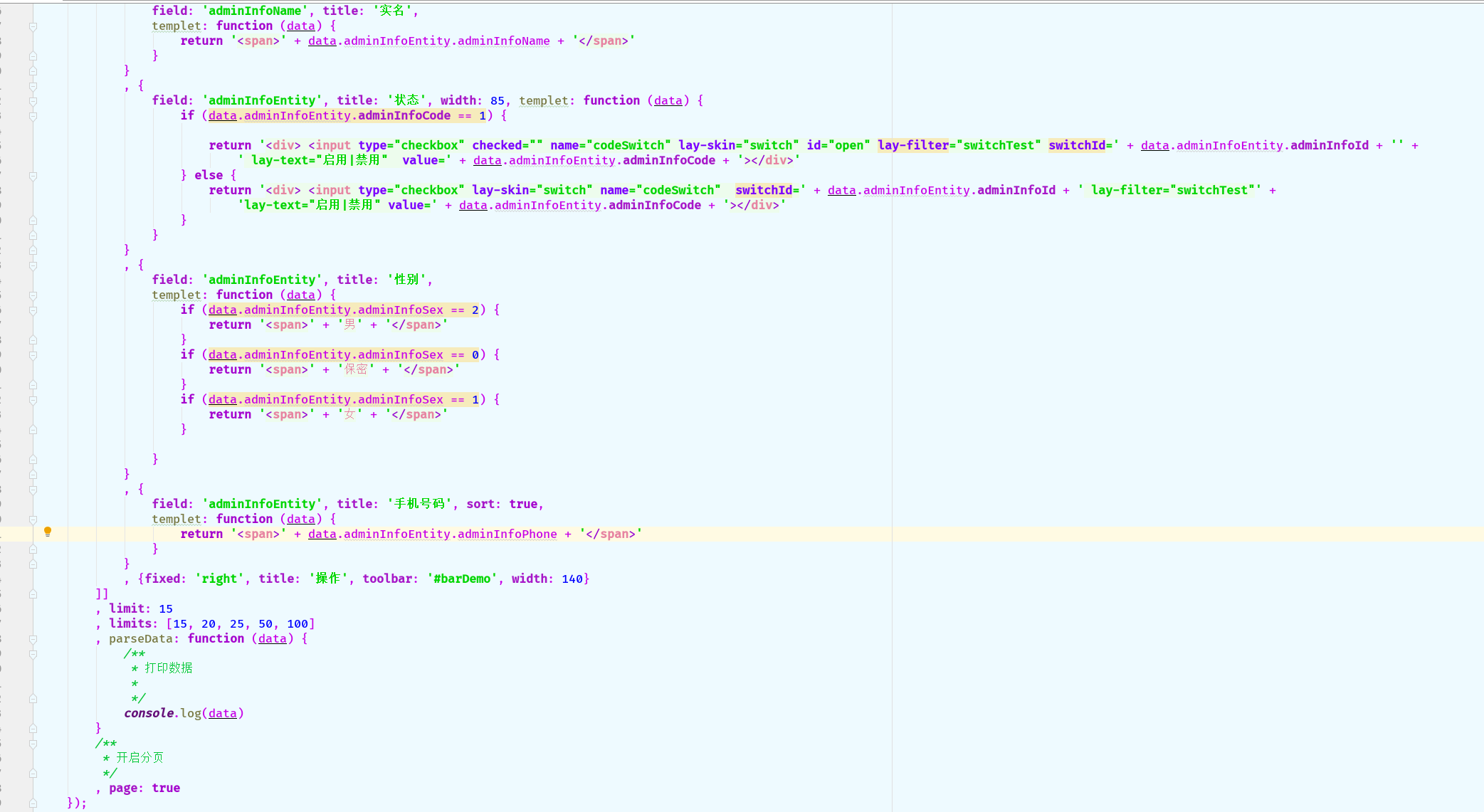
table.render({
    elem: '#adminInfoList'
    , url: '/admin/queryAdminInfoAll'
    , cols: [[
        {type: 'checkbox', fixed: 'left'},
        {
            field: 'adminInfoEntity', title: '头像',
            templet: function (data) {
                return '<img class="layui-circle adminImage" width="26" height="26" src=../../' + data.adminInfoEntity.adminInfoImage + '>'
            }
        }
        , {field: 'adminAccount', title: '登录名'}
        , {
            field: 'adminInfoEntity', title: '邮箱', sort: true,
            templet: function (data) {
                return '<span>' + data.adminInfoEntity.adminInfoEmail + '</span>'
            }
        }
        , {
            field: 'adminInfoEntity', title: '权限',
            templet: function (data) {
                if (data.adminInfoEntity.adminInfoClass == 0) {
                    return '<span>' + "普通管理员" + '</span>'
                }
                if (data.adminInfoEntity.adminInfoClass == 1) {
                    return '<span>' + "超级管理员" + '</span>'
                }

            }
        }
        , {
            field: 'adminInfoName', title: '实名',
            templet: function (data) {
                return '<span>' + data.adminInfoEntity.adminInfoName + '</span>'
            }
        }
        , {
            field: 'adminInfoEntity', title: '状态', width: 85, templet: function (data) {
                if (data.adminInfoEntity.adminInfoCode == 1) {

                    return '<div> <input type="checkbox" checked="" name="codeSwitch" lay-skin="switch" id="open" lay-filter="switchTest" switchId=' + data.adminInfoEntity.adminInfoId + '' +
                        ' lay-text="启用|禁用"  value=' + data.adminInfoEntity.adminInfoCode + '></div>'
                } else {
                    return '<div> <input type="checkbox" lay-skin="switch" name="codeSwitch"  switchId=' + data.adminInfoEntity.adminInfoId + ' lay-filter="switchTest"' +
                        'lay-text="启用|禁用" value=' + data.adminInfoEntity.adminInfoCode + '></div>'
                }
            }
        }
        , {
            field: 'adminInfoEntity', title: '性别',
            templet: function (data) {
                if (data.adminInfoEntity.adminInfoSex == 2) {
                    return '<span>' + '男' + '</span>'
                }
                if (data.adminInfoEntity.adminInfoSex == 0) {
                    return '<span>' + '保密' + '</span>'
                }
                if (data.adminInfoEntity.adminInfoSex == 1) {
                    return '<span>' + '女' + '</span>'
                }

            }
        }
        , {
            field: 'adminInfoEntity', title: '手机号码', sort: true,
            templet: function (data) {
                return '<span>' + data.adminInfoEntity.adminInfoPhone + '</span>'
            }
        }
        , {fixed: 'right', title: '操作', toolbar: '#barDemo', width: 140}
    ]]
    , limit: 15
    , limits: [15, 20, 25, 50, 100]
    , parseData: function (data) {
        /**
         * 打印数据
         *
         */
        console.log(data)
    }
    /**
     * 开启分页
     */
    , page: true
});
html 代码:
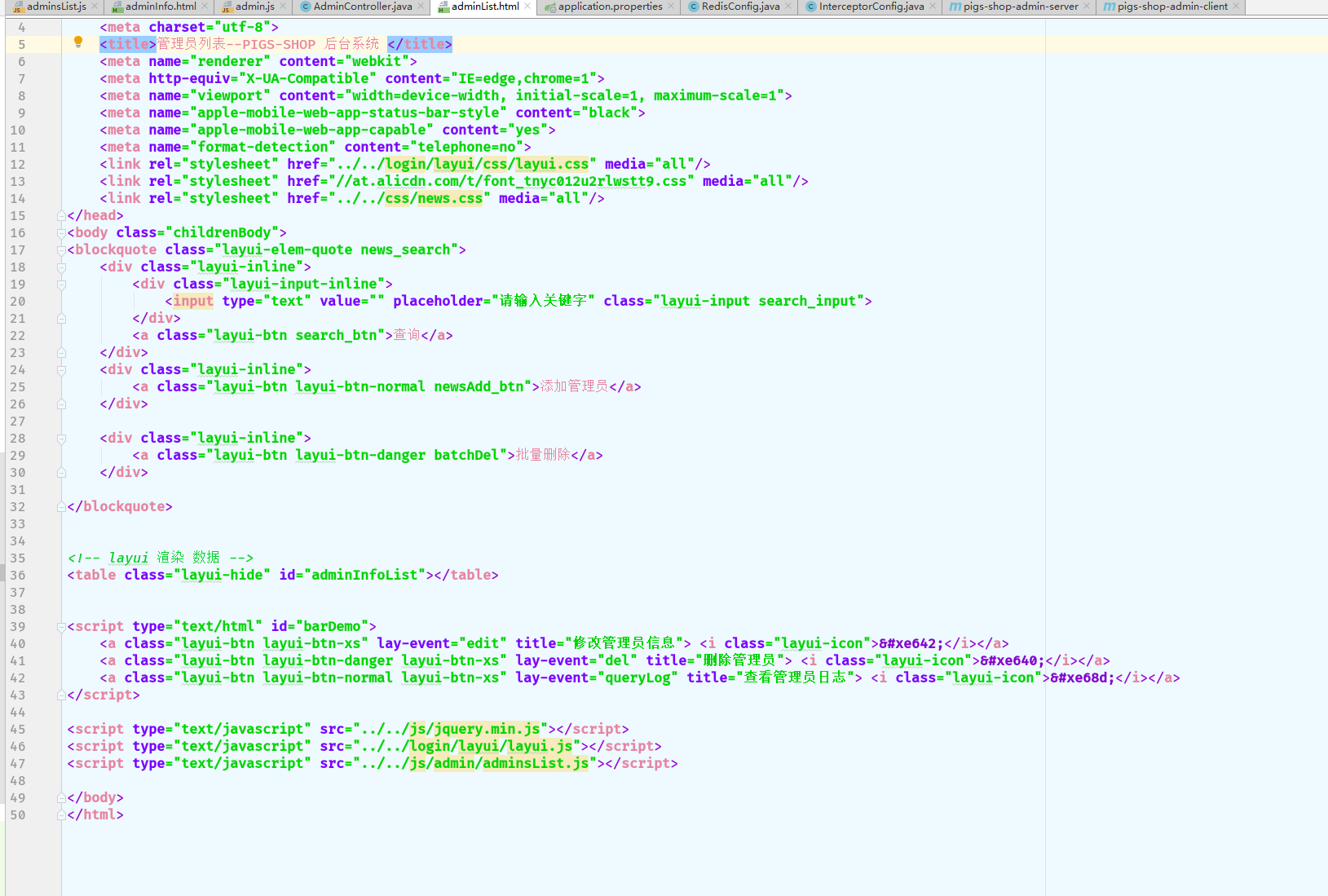
<table class="layui-hide" id="adminInfoList"></table> <script type="text/html" id="barDemo">
<a class="layui-btn layui-btn-xs" lay-event="edit" title="修改管理员信息"> <i class="layui-icon"></i></a>
<a class="layui-btn layui-btn-danger layui-btn-xs" lay-event="del" title="删除管理员"> <i class="layui-icon"></i></a>
<a class="layui-btn layui-btn-normal layui-btn-xs" lay-event="queryLog" title="查看管理员日志"> <i class="layui-icon"></i></a>
</script>
如问题请留言 感谢观看
springBoot mybatis mysql pagehelper layui 分页的更多相关文章
- 7、SpringBoot+Mybatis整合------PageHelper简单分页
开发工具:STS 代码下载链接:https://github.com/theIndoorTrain/SpringBoot_Mybatis/tree/1d30d2a573ce6784149a28af9b ...
- SpringBoot+Mybatis配置Pagehelper分页插件实现自动分页
SpringBoot+Mybatis配置Pagehelper分页插件实现自动分页 **SpringBoot+Mybatis使用Pagehelper分页插件自动分页,非常好用,不用在自己去计算和组装了. ...
- Springboot+Mybatis+MySQL实例练习时踩坑记录
最近刚开始学习后端,直接让上手学习Springboot+Mybatis+MySQL对CRUD的实例,虽然实例不难,但是上面的三个知识我都不懂,就有点为难我了 所以经常遇到一个点卡自己很久的情况,这里列 ...
- springboot成神之——springboot+mybatis+mysql搭建项目简明demo
springboot+mybatis+mysql搭建项目简明demo 项目所需目录结构 pom.xml文件配置 application.properties文件配置 MyApplication.jav ...
- 【SpringBoot】SpringBoot/MyBatis/MySql/thymeleaf/Log4j整合工程
工程下载地址:https://files.cnblogs.com/files/xiandedanteng/MMSpringWeb20191027-1.rar 工程目录结构如图: 1.创建工程 有些网文 ...
- SpringBoot+MyBatis+Mysql 6.X 版本日期型数据获,时间错乱,jason序列化时间相差8小时问题
新项目是用的springboot+mybatis+mysql 6.0.6版本的驱动包来搭建的,在使用的过程中遇到以下2个问题 从mysql取的的数据日期时间,与真实的时间往后错乱了14个小时. spr ...
- SpringBoot+Mybatis+MySql 自动生成代码 自动分页
一.配置文件 <!-- 通用mapper --> <dependency> <groupId>tk.mybatis</groupId> <arti ...
- 从 0 使用 SpringBoot MyBatis MySQL Redis Elasticsearch打造企业级 RESTful API 项目实战
大家好!这是一门付费视频课程.新课优惠价 699 元,折合每小时 9 元左右,需要朋友的联系爱学啊客服 QQ:3469271680:我们每课程是明码标价的,因为如果售价为现在的 2 倍,然后打 5 折 ...
- SpringBoot+MyBatis+MySQL读写分离(实例)
1. 引言 读写分离要做的事情就是对于一条SQL该选择哪个数据库去执行,至于谁来做选择数据库这件事儿,无非两个,要么中间件帮我们做,要么程序自己做.因此,一般来讲,读写分离有两种实现方式.第一种是 ...
随机推荐
- DOS命令编译JAVA程序
上篇文章给大家写了怎么安装JDK配置,现在这篇文章我们就来学习下怎么在DOS命令下编译JAVA程序,以后没编译器都可以直接编译啦(嘻嘻!) 我这里就用永远的 “Hello wrold!”来演示下吧. ...
- Python Web 基础向(四) 浅谈数据层
数据层一般会给人带来一些困扰,在于其定位不准确.聚合Model的工作也可以放在逻辑层做,但会导致逻辑层变重,经常出现大段晦涩代码.因此我的建议是保留Model聚合层,尽管会导致工作量的略微增加,但却可 ...
- TableViewComponent v2
Unity UGUI 自带的 ScrollView 控件不支持复用滚动内容,在数量大的情况下,界面容易卡顿 借鉴其他游戏控件,写了个可复用的滚动组件,扩展.优化了ScrollView TableVie ...
- 玩转iOS开发:iOS中的GCD开发(三)
上一章, 我们了解到了GCD里的一些队列和任务的知识, 也实践了一下, 同时我们也对主队列的一些小情况了解了一下, 比如上一章讲到的卡线程的问题, 如果没有看的朋友可以去看看玩转iOS开发:iOS中的 ...
- brup安装证书抓取https
brup安装证书抓取https 0x00下载 下载安装brup 前提是需要java环境 0X01配置brup 配置brup的代理设置 0X02设置浏览器 我使用的是火狐,以下都以火狐为例 0X03证书 ...
- sklearn简单实现机器学习算法记录
sklearn简单实现机器学习算法记录 需要引入最重要的库:Scikit-learn 一.KNN算法 from sklearn import datasets from sklearn.model_s ...
- git问题待更新
git pull failed 错误解决 情况: 刚开始的项目,需要创建一个项目,然后pull从远端的项目,创建分支dev,然后从dev分支开始拉取远端的代码 出现错误,说git pull faile ...
- HTTP&ServletContext&Response对象_文件上传
今日内容 1. HTTP协议:响应消息 2. Response对象 3. ServletContext对象 HTTP协议 1. 请求消息:客户端发送给服务器端的数据 * 数据格式: 1. 请求行 2. ...
- MVC三层架构
需求: 注册登录: # 知识补充: >> MVC模型: |-- M 模型: |-- V 视图: |-- >> 基本概念: |-- 层级之间的调用关系: |-- V层接收前台数据 ...
- frida报错frida.InvalidArgumentError: device not found问题解决方案
一.问题描述 python安装好frida框架后,在安卓端启动了frida-server,启动要hook的应用,在cmd中执行python脚本,报错frida.InvalidArgumentE ...