
angularjs 利用filter进行表单查询及分页查询
页面:
<div>

    <input style="width:90%;margin-left:5px;margin-right:5px;" class="form-control sys_input" ng-model="imagePaths.filter.imageName" placeholder="查询..."/>

</div>

<div>

    <!--<ul ng-repeat="item in imagePaths.imageinfo | filter:imagePaths.filter">

        <li><img width="40px" height="40px" ng-src="http://127.0.0.1:8099/{{item.imageName}}">{{item.imageLength/ | number:}}KB<a href="http://127.0.0.1:8099/{{item.imageName}}" target="_blank">{{item.imageName}}</a>

        <button type="button" ng-click="imageDownload(item)">下载</button></li>

    </ul>-->

     <table class="table table-hover table-bordered" style="width:90%;margin-left:5px;margin-right:5px;">

        <tbody>

            <tr ng-repeat="item in imagePaths.imageinfo | filter:imagePaths.filter|paging:imagePaths.page.index:imagePaths.page.size" style="height:30px;">

                <td><img ng-src="http://127.0.0.1:8099/{{item.imageName}}"></td>

                <td>{{item.imageLength/ | number:}}KB</td>

                <td>{{item.imageName}}</td>

                <td><button type="button" class="btn btn-warning btn-sm" ng-click="imageDownload(item.imageName)">下载</button></td>

            </tr>

        </tbody>

    </table>

    <div class="pull-center" style="width:90%;margin-left:5px;margin-right:5px;">

        <pagination total-items="imagePaths.imageinfo|filter:imagePaths.filter|size" ng-model="imagePaths.page.index" max-size=""

                    items-per-page="imagePaths.page.size"

                    class="pagination-sm pull-right" boundary-links="true" previous-text="上页" next-text="下页" first-text="首页" last-text="末页"></pagination>

    </div>

</div>
这里主要说的是查询的数据结构:$scope.imagePaths=
{"imageinfo":
[{imageLength: "19505",imageName: "company_logo.png"},
{imageLength: "116010",imageName: "crashed_icon.png"},
{imageLength: "116411",imageName: "logo.png"}
],"page":{size:2,index:1}};
需增加两个自定义的过滤器:
  ng.module('index-filters', [])

       .filter('paging',function(){

            return function (items, index, pageSize) {

                if (!items)

                return [];

                var offset = (index - ) * pageSize;

                return items.slice(offset, offset + pageSize);

            }

        })

        .filter('size',function(){

            return function (items) {

                if (!items)

                return ;

                return items.length ||

            }

        })
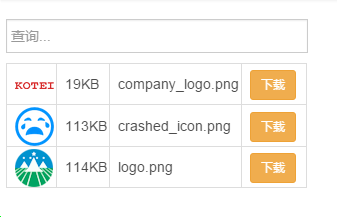
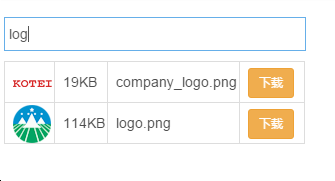
效果如图:

angularjs 利用filter进行表单查询及分页查询的更多相关文章
- PHP简单利用token防止表单重复提交
<?php /* * PHP简单利用token防止表单重复提交 * 此处理方法纯粹是为了给初学者参考 */ session_start(); function set_token() { $_S ...
- AngularJs 入门系列-2 表单验证
对于日常的开发来说,最常见的开发场景就是通过表单编辑数据,这里涉及的问题就是验证问题. angularjs 内置已经支持了常见的验证方式,可以轻松实现表单验证. 1. 绑定 为了方便,我们在 $sco ...
- PHP简单利用token防止表单重复提交(转)
<?php/* * PHP简单利用token防止表单重复提交 */function set_token() { $_SESSION['token'] = md5(microtime(true)) ...
- 利用session防止表单重复提交
转自:http://www.cnblogs.com/xdp-gacl/p/3859416.html 利用Session防止表单重复提交 对于[场景二]和[场景三]导致表单重复提交的问题,既然客户端无法 ...
- 利用HttpWebRequest模拟表单提交 JQuery 的一个轻量级 Guid 字符串拓展插件. 轻量级Config文件AppSettings节点编辑帮助类
利用HttpWebRequest模拟表单提交 1 using System; 2 using System.Collections.Specialized; 3 using System.IO; ...
- 利用JS提交表单的几种方法和验证(必看篇)
第一种方式:表单提交,在form标签中增加onsubmit事件来判断表单提交是否成功 ? 1 2 3 4 5 6 7 8 9 10 11 12 13 14 15 16 17 18 19 <scr ...
- 利用EF和C#泛型实现通用分页查询
利用EF和C#泛型实现通用分页查询 Entity Framework 是微软以 ADO.NET 为基础所发展出来的对象关系对应 (ORM) 解决方案,是微软的ORM框架.此框架将数据库中的 ...
- SQL Server -- 回忆笔记(四):case函数,索引,子查询,分页查询,视图,存储过程
SQL Server知识点回忆篇(四):case函数,索引,子查询,分页查询,视图,存储过程 1. CASE函数(相当于C#中的Switch) then '未成年人' else '成年人' end f ...
- MySQL——优化嵌套查询和分页查询
优化嵌套查询 嵌套查询(子查询)可以使用SELECT语句来创建一个单列的查询结果,然后把这个结果作为过滤条件用在另一个查询中.嵌套查询写起来简单,也容易理解.但是,有时候可以被更有效率的连接(JOIN ...
随机推荐
- Scarborough Fair 绝美天籁
很少见的男声唱法,而且还古色古香: https://www.youtube.com/watch?v=sgbo2QWLBzI https://www.youtube.com/watch?v=-BakWV ...
- 如何快速使用ECharts绘制可视化图表
1.在ECharts官网,下载ECharts的源码和示例文件. 2.解压缩下载下来的Echars压缩包,找到doc\example\www\echartsjs目录,将里面的js文件全部取出来,放到项目 ...
- 我要爱死这个markdown 了
今天上班依旧看wpdang的文章,最后作者说,文章使用markdown写的,好奇心促使我搜了一把什么是markdown.然后看到了这篇文章,一瞬间就开始兴奋了.顿时觉得,这个东西太好用 了,简直又激起 ...
- Linux Kernel 'perf_event.c'本地权限提升漏洞
漏洞版本: Linux Kernel 3.11-rc4 漏洞描述: Linux Kernel是一款开源的操作系统 Linux Kernel 'perf_event.c'存在一个安全漏洞,允许本地攻击者 ...
- 查看Mysql执行计划
使用navicat查看mysql执行计划: 打开profile分析工具: 查看是否生效:show variable like ‘%profil%’; 查看进程:show processlist; 选择 ...
- 警告: [SetPropertiesRule]{Server/Service/Engine/Host/Context} Setting property 'source' to
警告: [SetPropertiesRule]{Server/Service/Engine/Host/Context} Setting property 'source' to 警告: [SetPro ...
- asp.net生成二维码的方法
asp.net生成二维码的方法 [复制链接] 这个要利用一个Dll文件. 如下 Gma.QrCodeNet.Encoding.dll (105.5 KB, 下载次数: 27) 当然大家也可以直 ...
- Win10开发必备:Visual Studio 2015正式版下载
7月21日凌晨消息,面向大众用户的Visual Studio 2015集成开发工具正式版免费试用版已经推出.本文帮大家汇总一下简体中文社区版.专业版以及企业版在线安装版以及ISO离线安装镜像下载地址. ...
- Delphi 用Web App Debugger简单调试ISAPI 转
用Web App Debugger简单调试ISAPI 以isapi为例: 1.新建一个project,用isapi/nsapi: 2.remove这个project中所有的unit: 3.加进你用 ...
- 基础排序算法之快速排序(Quick Sort)
快速排序(Quick Sort)同样是使用了分治法的思想,相比于其他的排序方法,它所用到的空间更少,因为其可以实现原地排序.同时如果随机选取中心枢(pivot),它也是一个随机算法.最重要的是,快速排 ...