
IntelliJ Idea 解决 Could not autowire. No beans of 'xxxx' type found 的错误提示
IntelliJ Idea 解决 Could not autowire. No beans of ‘xxxx’ type found 的错误提示
哈,在使用 @Autowired 时,今天又遇一坑,这俩波浪线是干啥子嘛:
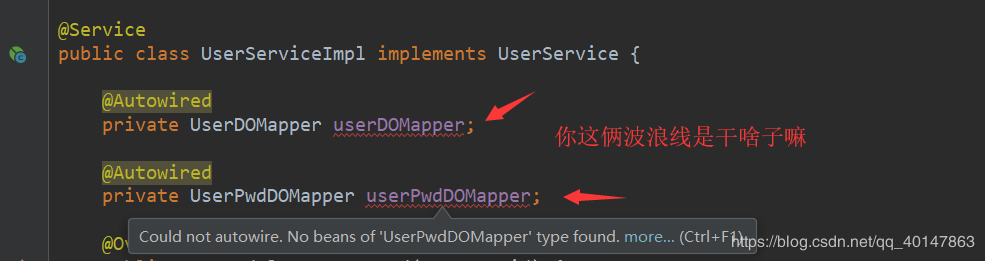
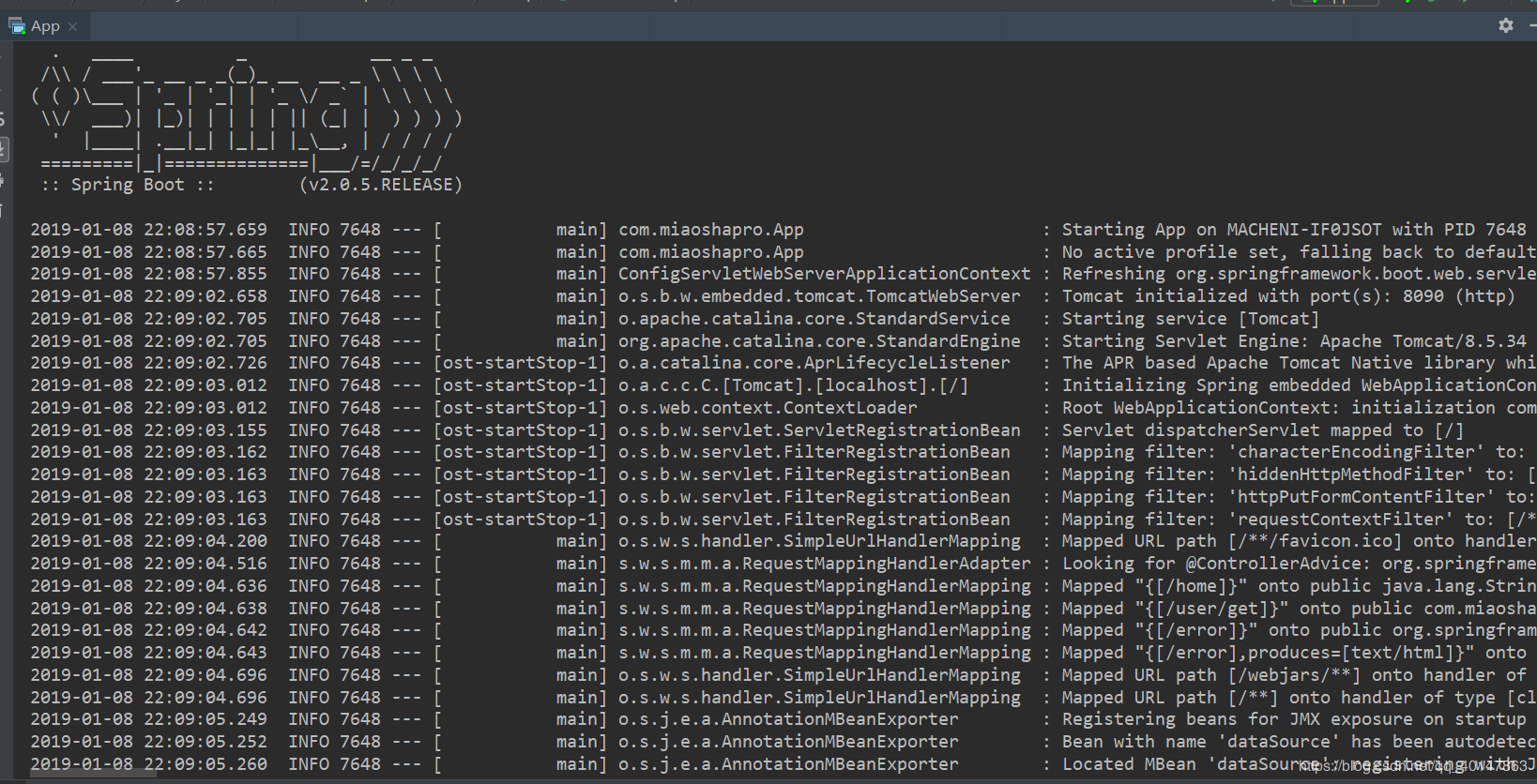
然鹅,试了一下,控制台也不报错,可以正常运行,
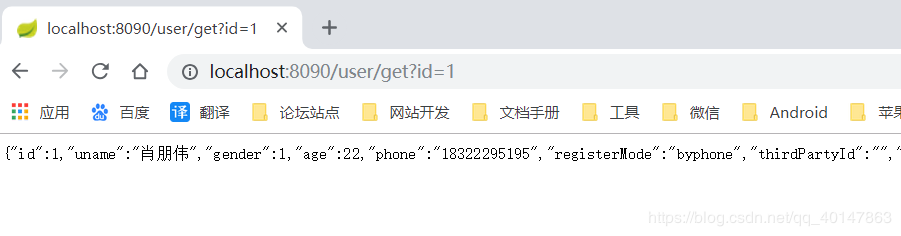
数据也有:
于是,又再百度上找答案。。
问题分析
在 Idea 的 spring 工程里,经常会遇到 Could not autowire. No beans of ‘xxxx’ type found 的错误提示。但程序的编译和运行都是没有问题的,这个错误提示并不会产生影响。但红色的错误提示在有些有强迫症的程序员眼里,多多少少有些不太舒服。
问题原因其一
第一个是 Intellij IDEA 本身工具的问题。
解决办法:
(1)不理它。
(2)在注解上加上:
@Autowired(required = false)
1
(3)降低 Autowired 检测的级别,将 Severity 的级别由之前的 error 改成 warning 或其它可以忽略的级别。
还有一个原因
这个博主没有遇到,友情粘贴!
第二个便是我们导入 @Service 包的时候导入包错误造成的。
spring auto scan 配置,在编辑情况下,无法找不到对应的bean,于是提示找不到对应 bean 的错误。常见于 mybatis 的 mapper,如下:
<!-- mapper scanner configurer -->
<bean id="mapperScannerConfig" class="org.mybatis.spring.mapper.MapperScannerConfigurer">
<property name="basePackage" value="com.adu.spring_test.mybatis.dao" />
<property name="sqlSessionFactoryBeanName" value="sqlSessionFactory" />
</bean>
1
2
3
4
5
解决办法:
错误导包 import com.alibaba.dubbo.config.annotation.Service;
1
正确的包应该是下面这个:
import org.springframework.stereotype.Service;
1
————————————————
版权声明:本文为CSDN博主「西瓜天尊」的原创文章,遵循 CC 4.0 BY-SA 版权协议,转载请附上原文出处链接及本声明。
原文链接:https://blog.csdn.net/plpldog/article/details/91961101
IntelliJ Idea 解决 Could not autowire. No beans of 'xxxx' type found 的错误提示的更多相关文章
- IntelliJ Idea解决Could not autowire. No beans of 'xxxx' type found的错误提示
本文转自:http://blog.csdn.net/u012453843/article/details/54906905 1.问题描述 在Idea的spring工程里,经常会遇到Could not ...
- IntelliJ Idea如何解决Could not autowire. No beans of 'xxxx' type found的错误提示
问题描述 在idea中进行开发时,经常会遇见Could not autowire. No beans of 'xxxx' type found的错误提示,这样的是不影响程序编译和运行的,但是看起来会很 ...
- IntelliJ Idea取消Could not autowire. No beans of 'xxxx' type found的错误提示
1.问题描述 在Idea的spring工程里,经常会遇到Could not autowire. No beans of 'xxxx' type found的错误提示.但程序的编译和运行都是没有问题的, ...
- 【转】IntelliJ Idea取消Could not autowire. No beans of 'xxxx' type found的错误提示
1.问题描述 在Idea的spring工程里,经常会遇到Could not autowire. No beans of 'xxxx' type found的错误提示.但程序的编译和运行都是没有问题的, ...
- Could not autowire. No beans of 'xxxx' type found的错误
在Idea的spring工程里,经常会遇到Could not autowire. No beans of 'xxxx' type found的错误提示.但程序的编译和运行都是没有问题的,这个错误提示并 ...
- IntelliJ Idea设置Could not autowire. No beans of 'xxx' type found
1.问题描述 在Idea的spring工程里,经常会遇到Could not autowire. No beans of ‘xxxx’ type found的错误提示.但程序的编译和运行都是没有问题的, ...
- 解决 "Could not autowire. No beans of 'SationMapper' type found" 的问题
网上查找的方法,附上原文链接:https://blog.csdn.net/Coder_Knight/article/details/83999139 方法1:在mapper文件上加@Repositor ...
- SpringBoot学习- 7、问题Could not autowire. No beans of 'xxxx' type found处理
SpringBoot学习足迹 这个问题网上有好多同学都提到这个问题,代码可以运行,但是就是有红线,强迫症不能忍 自己试验下 1.增加一个final编译一下,再删掉就不会出红线了 public clas ...
- Could not autowire. No beans of 'TbItemMapper' type found. less... (Ctrl+F1) Checks autowiring prob
Intellij Idea开发工具在@Autowired或者@Resource注入XxxMapper接口时报如下错误: Could not autowire. No beans of 'TbItemM ...
随机推荐
- JavaDailyReports10_07
动手动脑① 1 package test_1; 2 3 public class Test { 4 5 public static void main(String[] args) { 6 // TO ...
- saltstack批量管理文件和计划任务
简介 saltstack是由thomas Hatch于创建的一个开源项目,设计初衷是为了实现一个快速的远程执行系统.用来管理你的基础架构,可轻松管理成千上万台服务器. 关于saltstack更多功能本 ...
- 在vscode中配置sass savepath
1.先在VSCode上面安装插件:Live Sass Compiler 2.创建好scss文件夹文件和css文件夹 3.然后在VSCode的控制台上打开Live sass watching模式(控制台 ...
- 电脑加载有文件的CD、DVD驱动器图标修改
CD的图标有一定限制,不知道你说的是有盘状态还是默认的状态.插入光盘状态:用autorun.inf格式:[autorun]open=Install.exe 点击光盘时的起动程序icon=Autorun ...
- 【Flutter】功能型组件之异步UI更新
前言 很多时候会依赖一些异步数据来动态更新UI,比如在打开一个页面时我们需要先从互联网上获取数据,在获取数据的过程中我们显示一个加载框,等获取到数据时我们再渲染页面:又比如想展示Stream(比如文件 ...
- 【Flutter】可滚动组件之CustomScrollView
前言 CustomScrollView是可以使用Sliver来自定义滚动模型(效果)的组件.它可以包含多种滚动模型,举个例子,假设有一个页面,顶部需要一个GridView,底部需要一个ListView ...
- 一文带你探究Sentinel的独特初始化
摘要:本系列通过作者对Redis Sentinel源码的理解,详细说明Sentinel的代码实现方式. Redis Sentinel 是Redis提供的高可用模型解决方案.Sentinel可以自动监测 ...
- git文件操作
git下载地址: https://git-scm.com/download mac 直接使用brew下载brew install git 1Git一般工作流程: 1.在工作目录创建版本库 2.在工作目 ...
- 【Java】集合框架(List Set Map)
文章目录 集合框架 List(列表) ArrayList 案例 Set HashSet 案例 iterator(迭代器) Map HashMap 案例 集合总结 参考资料 重新搞一波 复习巩固 简单记 ...
- innodb是怎么刷新日志缓冲的
当innodb把日志缓冲刷新到磁盘日志文件的时候,先会用一个mutex锁住缓冲区,刷新到所需要的位置,然后移动剩下的条目到缓冲区的前面,当mutex释放时,可能有超过一个事务已经准备好刷新其日志记录, ...