
如何运行开源的React Native项目?
如何运行开源的RN项目?
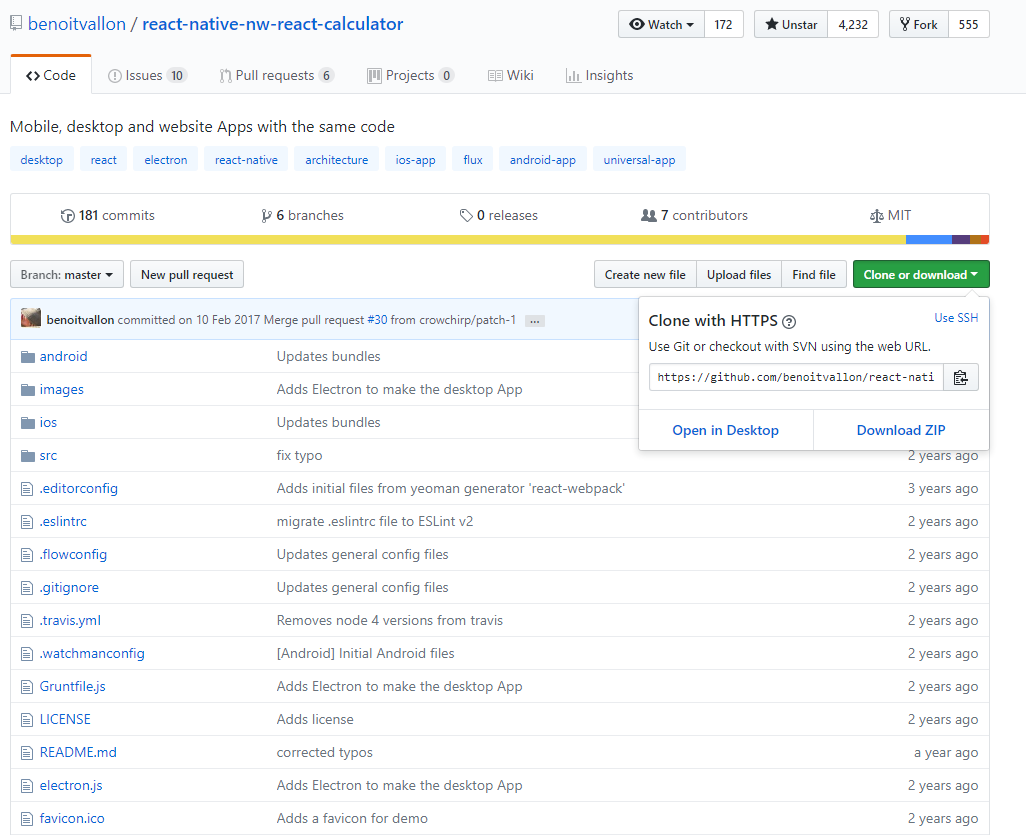
1.下载
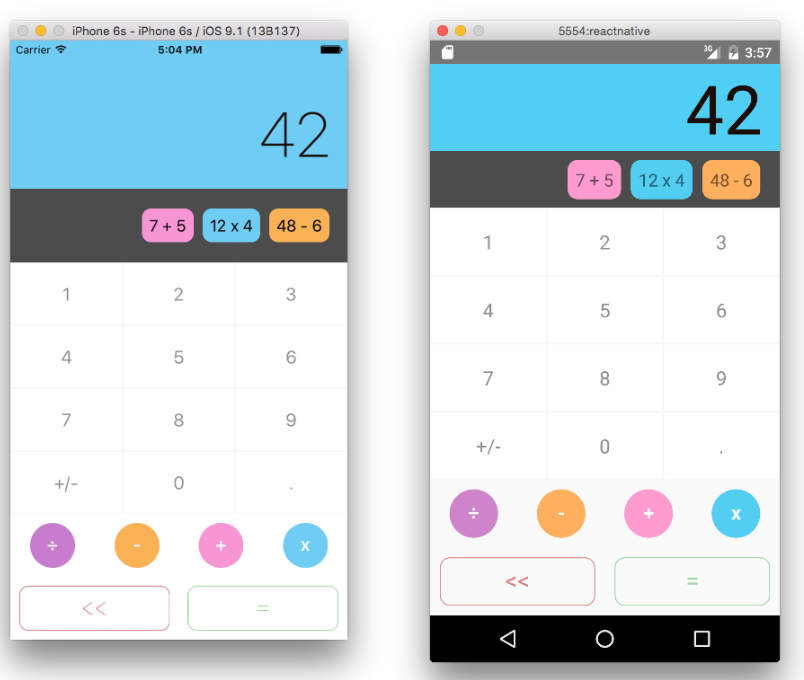
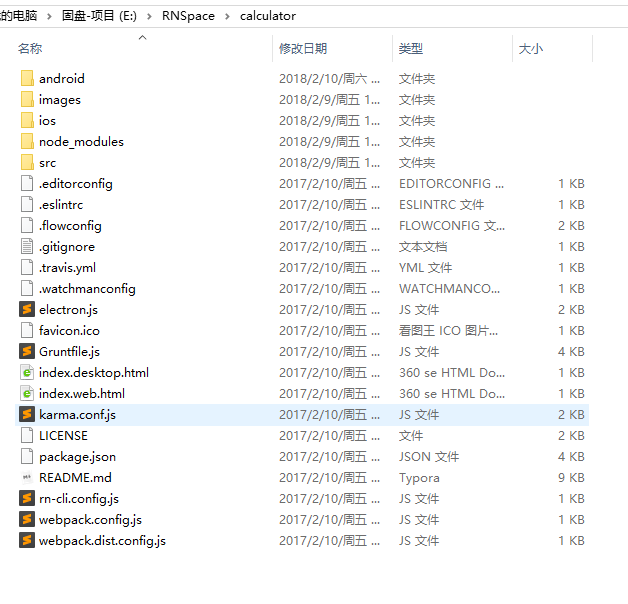
2.解压
3.配置本地sdk位置
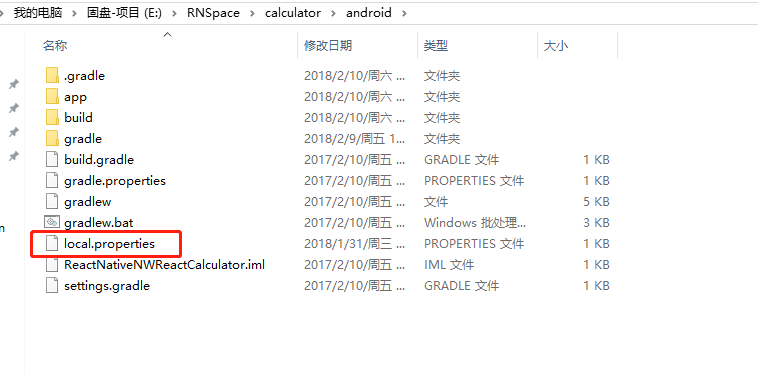
sdk.dir = D\:\\Android\\SDK
4.调整gradle版本
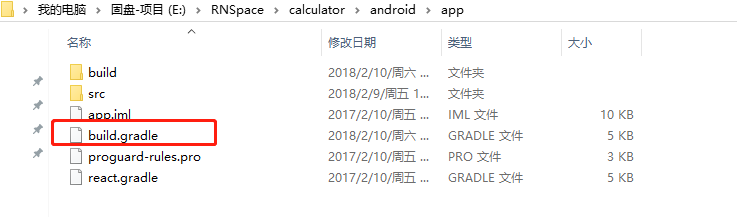
apply plugin: "com.android.application"

import com.android.build.OutputFile

/**

 * The react.gradle file registers a task for each build variant (e.g. bundleDebugJsAndAssets

 * and bundleReleaseJsAndAssets).

 * These basically call `react-native bundle` with the correct arguments during the Android build

 * cycle. By default, bundleDebugJsAndAssets is skipped, as in debug/dev mode we prefer to load the

 * bundle directly from the development server. Below you can see all the possible configurations

 * and their defaults. If you decide to add a configuration block, make sure to add it before the

 * `apply from: "react.gradle"` line.

 *

 * project.ext.react = [

 *   // the name of the generated asset file containing your JS bundle

 *   bundleAssetName: "index.android.bundle",

 *

 *   // the entry file for bundle generation

 *   entryFile: "index.android.js",

 *

 *   // whether to bundle JS and assets in debug mode

 *   bundleInDebug: false,

 *

 *   // whether to bundle JS and assets in release mode

 *   bundleInRelease: true,

 *

 *   // whether to bundle JS and assets in another build variant (if configured).

 *   // See http://tools.android.com/tech-docs/new-build-system/user-guide#TOC-Build-Variants

 *   // The configuration property can be in the following formats

 *   //         'bundleIn${productFlavor}${buildType}'

 *   //         'bundleIn${buildType}'

 *   // bundleInFreeDebug: true,

 *   // bundleInPaidRelease: true,

 *   // bundleInBeta: true,

 *

 *   // the root of your project, i.e. where "package.json" lives

 *   root: "../../",

 *

 *   // where to put the JS bundle asset in debug mode

 *   jsBundleDirDebug: "$buildDir/intermediates/assets/debug",

 *

 *   // where to put the JS bundle asset in release mode

 *   jsBundleDirRelease: "$buildDir/intermediates/assets/release",

 *

 *   // where to put drawable resources / React Native assets, e.g. the ones you use via

 *   // require('./image.png')), in debug mode

 *   resourcesDirDebug: "$buildDir/intermediates/res/merged/debug",

 *

 *   // where to put drawable resources / React Native assets, e.g. the ones you use via

 *   // require('./image.png')), in release mode

 *   resourcesDirRelease: "$buildDir/intermediates/res/merged/release",

 *

 *   // by default the gradle tasks are skipped if none of the JS files or assets change; this means

 *   // that we don't look at files in android/ or ios/ to determine whether the tasks are up to

 *   // date; if you have any other folders that you want to ignore for performance reasons (gradle

 *   // indexes the entire tree), add them here. Alternatively, if you have JS files in android/

 *   // for example, you might want to remove it from here.

 *   inputExcludes: ["android/**", "ios/**"]

 * ]

 */

apply from: "react.gradle"

/**

 * Set this to true to create two separate APKs instead of one:

 *   - An APK that only works on ARM devices

 *   - An APK that only works on x86 devices

 * The advantage is the size of the APK is reduced by about 4MB.

 * Upload all the APKs to the Play Store and people will download

 * the correct one based on the CPU architecture of their device.

 */

def enableSeparateBuildPerCPUArchitecture = false

/**

 * Run Proguard to shrink the Java bytecode in release builds.

 */

def enableProguardInReleaseBuilds = false

android {

    compileSdkVersion 26 // 23

    buildToolsVersion "26.0.2" // 23

    defaultConfig {

        applicationId "com.reactnativenwreactcalculator"

        minSdkVersion 16

        targetSdkVersion 22

        versionCode 1

        versionName "1.0"

        ndk {

            abiFilters "armeabi-v7a", "x86"

        }

    }

    splits {

        abi {

            reset()

            enable enableSeparateBuildPerCPUArchitecture

            universalApk false  // If true, also generate a universal APK

            include "armeabi-v7a", "x86"

        }

    }

    buildTypes {

        release {

            minifyEnabled enableProguardInReleaseBuilds

            proguardFiles getDefaultProguardFile("proguard-android.txt"), "proguard-rules.pro"

        }

    }

    // applicationVariants are e.g. debug, release

    applicationVariants.all { variant ->

        variant.outputs.each { output ->

            // For each separate APK per architecture, set a unique version code as described here:

            // http://tools.android.com/tech-docs/new-build-system/user-guide/apk-splits

            def versionCodes = ["armeabi-v7a":1, "x86":2]

            def abi = output.getFilter(OutputFile.ABI)

            if (abi != null) {  // null for the universal-debug, universal-release variants

                output.versionCodeOverride =

                        versionCodes.get(abi) * 1048576 + defaultConfig.versionCode

            }

        }

    }

}

dependencies {

    compile fileTree(dir: "libs", include: ["*.jar"])

    compile "com.android.support:appcompat-v7:23.0.1"

    compile "com.facebook.react:react-native:+"  // From node_modules

}
调成本地存在的。
5.安装一些依赖
npm i 或者 npm install
6.运行

react-native run-android

如何运行开源的React Native项目?的更多相关文章
- React Native 项目运行在 Web 浏览器上面
React Native 的出现,让前端工程师拥有了使用 JavaScript 编写原生 APP 的能力.相比之前的 Web app 来说,对于性能和用户体验提升了非常多. 但是 React Nati ...
- 安装android Studio和运行react native项目(基础篇)
ANDROID_HOME环境变量 确保ANDROID_HOME环境变量正确地指向了你安装的Android SDK的路径. 打开控制面板 -> 系统和安全 -> 系统 -> 高级系统设 ...
- 【腾讯Bugly干货分享】React Native项目实战总结
本文来自于腾讯bugly开发者社区,非经作者同意,请勿转载,原文地址:http://dev.qq.com/topic/577e16a7640ad7b4682c64a7 “8小时内拼工作,8小时外拼成长 ...
- Expo大作战(三)--针对已经开发过react native项目开发人员有针对性的介绍了expo,expo的局限性,开发时项目选型注意点等
简要:本系列文章讲会对expo进行全面的介绍,本人从2017年6月份接触expo以来,对expo的研究断断续续,一路走来将近10个月,废话不多说,接下来你看到内容,讲全部来与官网 我猜去全部机翻+个人 ...
- 技术实践丨React Native 项目 Web 端同构
摘要:尽管 React Native 已经进入开源的第 6 个年头,距离发布 1.0 版本依旧是遥遥无期."Learn once, write anywhere",完全不影响 Re ...
- React Native 项目整合 CodePush 全然指南
版权声明:本文为博主原创文章,未经博主同意不得转载. https://blog.csdn.net/y4x5M0nivSrJaY3X92c/article/details/81976844 作者 | 钱 ...
- 第一个React Native项目
1>下图操作创建第一个React Native项目: 用Xcode运行界面如下: 记住: 在使用项目文件期间,终端记住不要关闭的哟!!! 改变了程序代码,需要刷新运行,使用快捷键: Comman ...
- React Native 项目实战-Tamic
layout: post title: React Native 项目实战 date: 2016-10-18 15:02:29 +0800 comments: true categories: Rea ...
- react native项目启动需要做的操作
一.启动: 1.查看端口(默认8081是否被占用) netstat -ano 可以查看所有的进程 2.netstat -ano | findstr "8081" 查看某个端口 ...
随机推荐
- Hive扩展功能(五)--HiveServer2服务高可用
软件环境: linux系统: CentOS6.7 Hadoop版本: 2.6.5 zookeeper版本: 3.4.8 主机配置: 一共m1, m2, m3这五部机, 每部主机的用户名都为centos ...
- JS高级——arguments
arguments 1.函数内部的一个对象,在函数调用的时候,默认的会将所有传入的实参依次存入该对象 2.是一个伪数组 3.arguments.length 可以用来表示传入实参的个数 4.argum ...
- SQL基本操作——创建索引
CREATE INDEX 语句用于在表中创建索引.在不读取整个表的情况下,索引使数据库应用程序可以更快地查找数据. 索引:您可以在表中创建索引,以便更加快速高效地查询数据.用户无法看到索引,它们只能被 ...
- pycuda installation error: command 'gcc' failed with exit status 1
原文:python采坑之路 Setup script exited with error: command 'gcc' failed with exit status 1 伴随出现"cuda ...
- tidyverse生态链
一套完整的数据分析流程 , 如下图所示 从图中可以看到,整个流程包括读取数据,整洁数据,数据探索和交流部分.经过前两部分, 我们可以得到一个整理好的数据,它的每一行都是一个样本 , 每一列是一个变量. ...
- PHP 之phpqrcode类库生成二维码
<?php /** * Created by PhpStorm. * User: 25754 * Date: 2019/6/4 * Time: 15:53 */ include "./ ...
- PHP 之微信JSSDK类封装
<?php class JSSDK { private $appId; private $appSecret; public function __construct($appId, $appS ...
- 码书:编码与解码的战争 PDF 下载
码书:编码与解码的战争 PDF 下载 下载地址:https://pan.baidu.com/s/14Y_krHh-unOv4g2KYFFDgQ 如需分享码:[打开微信]->[扫描右侧二维码]-& ...
- 网际协议IP简述
最近花了些时间重新回顾了谢希仁教授主编的<计算机网络>关于网络层的章节,这是一本高校教材,里面关于计算机网络的内容比较基础,并且讲的很细致,笔者针对网际协议IP地址部分觉得有必要进行阅读后 ...
- Dijkstra算法模板
自己对Dijstra算法的理解是: 首先输入保存点,边的权值(注意无向图和有向图在保存时的区别). 将表示从起点st到顶点 i 的距离的d[ i ]数组的每一个值初始化为INF,令d[st] = 0. ...