
springboot学习(一)
最近想学习springboot所以在网上找了很多文章参考怎么构建springboot项目以及集成mybatis
集成mybatis的部分参考了这两篇文章
https://blog.csdn.net/travellersY/article/details/78620247?utm_source=blogxgwz12
https://blog.csdn.net/sufu1065/article/details/82905892?utm_source=blogxgwz21
1.首先通过idea创建springboot项目
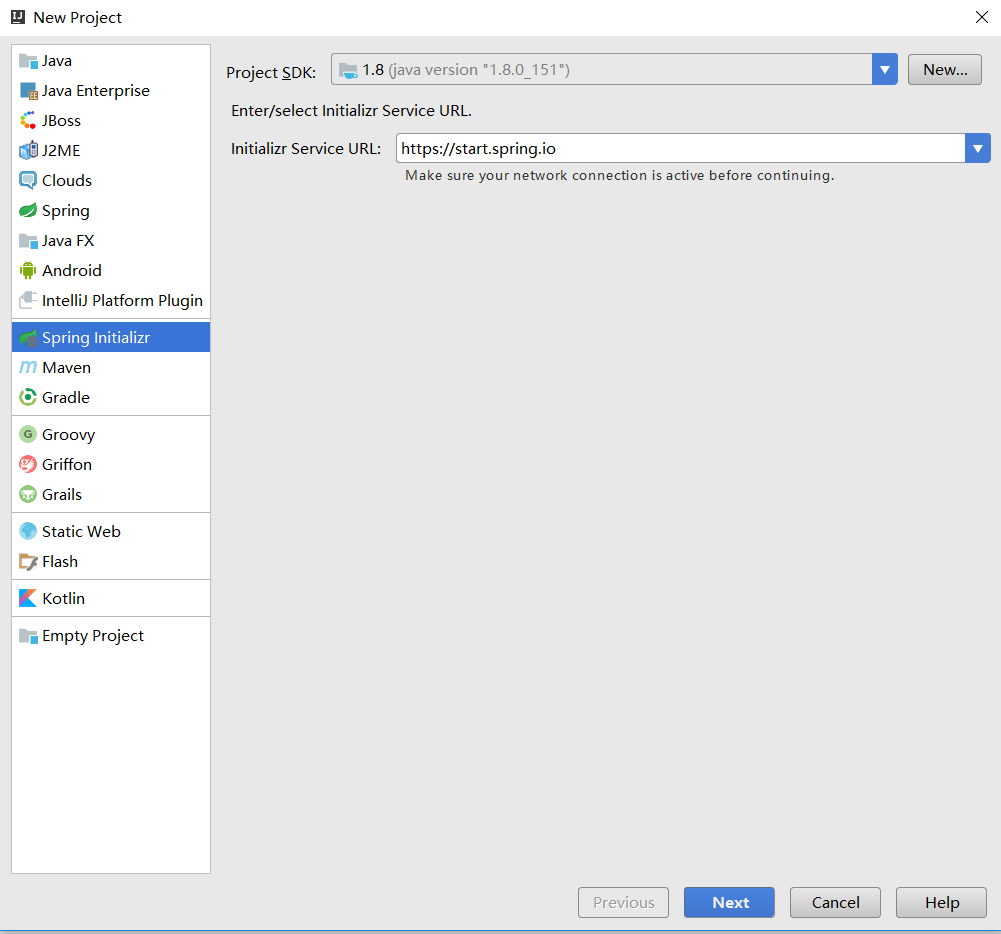
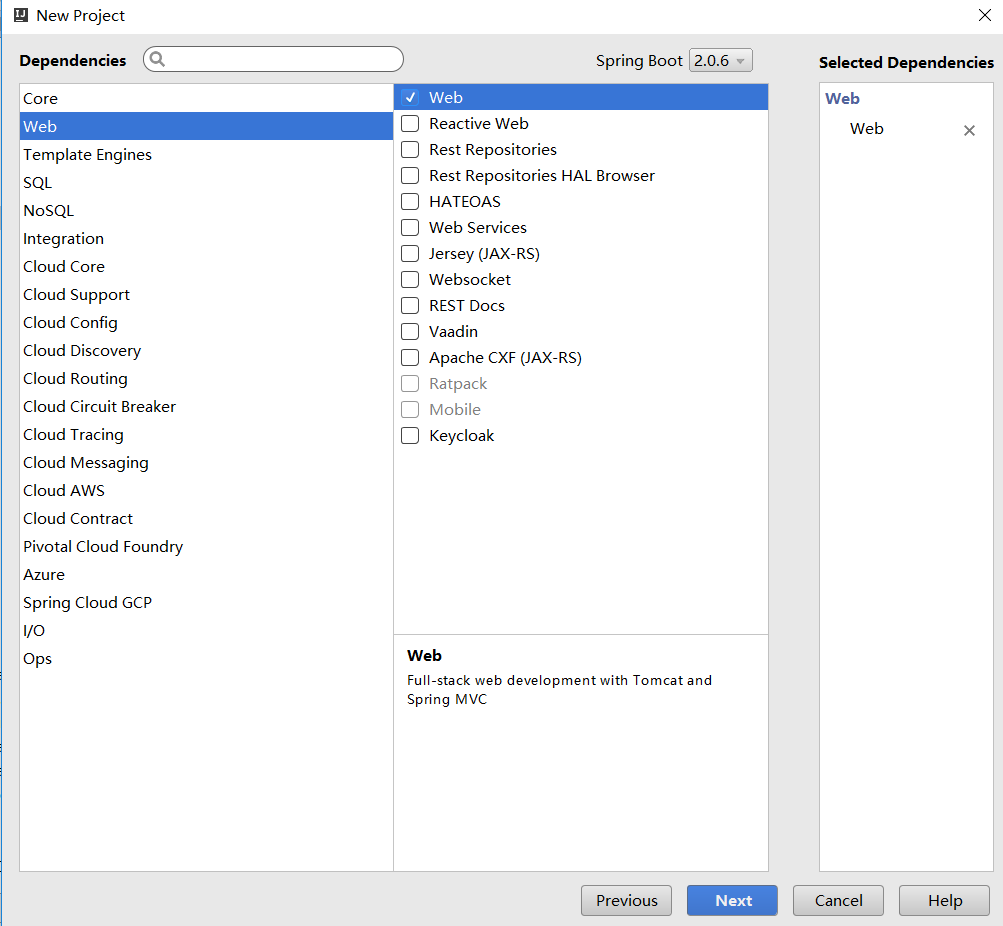
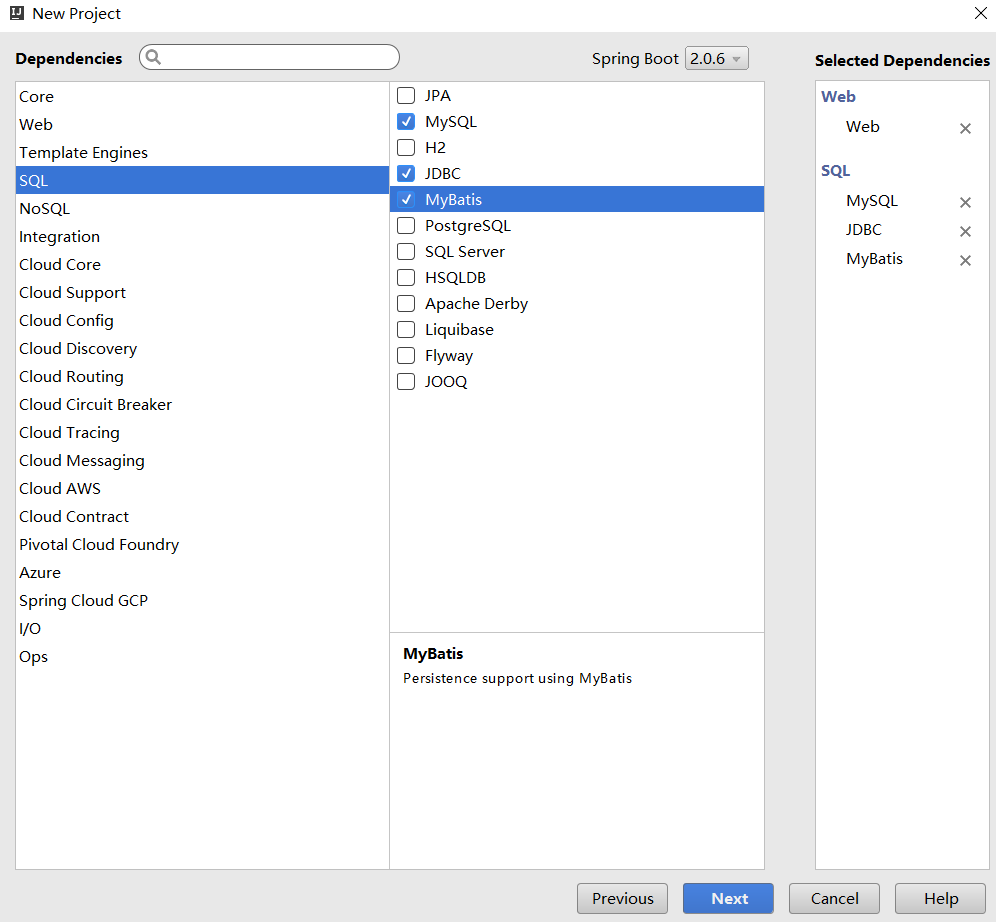
2.构建项目文件夹

3.添加依赖
<plugin>
   <groupId>org.mybatis.generator</groupId>
   <artifactId>mybatis-generator-maven-plugin</artifactId>
   <version>1.3.7</version>
   <executions>
      <execution>
         <id>Generate MyBatis Artifacts</id>
         <phase>deploy</phase>
         <goals>
            <goal>generate</goal>
         </goals>
      </execution>
   </executions>
   <configuration>
      <!-- generator 工具配置文件的位置 -->
      <configurationFile>src/main/resources/mybatis-generator/generatorConfig.xml</configurationFile>
      <verbose>true</verbose>
      <overwrite>true</overwrite>
   </configuration>
   <dependencies>
      <dependency>
         <groupId>mysql</groupId>
         <artifactId>mysql-connector-java</artifactId>
         <version>5.1.47</version>
      </dependency>
      <dependency>
         <groupId>org.mybatis.generator</groupId>
         <artifactId>mybatis-generator-core</artifactId>
         <version>1.3.7</version>
      </dependency>
   </dependencies>
</plugin>
4.配置文件generatorConfig.xml
<?xml version="1.0" encoding="UTF-8"?>
<!DOCTYPE generatorConfiguration
        PUBLIC "-//mybatis.org//DTD MyBatis Generator Configuration 1.0//EN"
        "http://mybatis.org/dtd/mybatis-generator-config_1_0.dtd">

<generatorConfiguration>
    <!-- 引入配置文件 -->
    <properties resource="mybatis-generator/mybatisGeneratorinit.properties"/>

    <!-- 一个数据库一个context -->
    <!--defaultModelType="flat" 大数据字段,不分表 -->
    <context id="MysqlTables" targetRuntime="MyBatis3Simple" defaultModelType="flat">
        <!-- 自动识别数据库关键字,默认false,如果设置为true,根据SqlReservedWords中定义的关键字列表;
        一般保留默认值,遇到数据库关键字(Java关键字),使用columnOverride覆盖 -->
        <property name="autoDelimitKeywords" value="true" />
        <!-- 生成的Java文件的编码 -->
        <property name="javaFileEncoding" value="utf-8" />
        <!-- beginningDelimiter和endingDelimiter:指明数据库的用于标记数据库对象名的符号,比如ORACLE就是双引号,MYSQL默认是`反引号; -->
        <property name="beginningDelimiter" value="`" />
        <property name="endingDelimiter" value="`" />

        <!-- 格式化java代码 -->
        <property name="javaFormatter" value="org.mybatis.generator.api.dom.DefaultJavaFormatter"/>
        <!-- 格式化XML代码 -->
        <property name="xmlFormatter" value="org.mybatis.generator.api.dom.DefaultXmlFormatter"/>
        <plugin type="org.mybatis.generator.plugins.SerializablePlugin" />

        <plugin type="org.mybatis.generator.plugins.ToStringPlugin" />

        <!-- 注释 -->
        <commentGenerator >
            <property name="suppressAllComments" value="false"/><!-- 是否取消注释 -->
            <property name="suppressDate" value="true" /> <!-- 是否生成注释代时间戳-->
        </commentGenerator>

        <!-- jdbc连接 -->
        <jdbcConnection driverClass="${jdbc_driver}" connectionURL="${jdbc_url}" userId="${jdbc_user}" password="${jdbc_password}" />
        <!-- 类型转换 -->
        <javaTypeResolver>
            <!-- 是否使用bigDecimal, false可自动转化以下类型(Long, Integer, Short, etc.) -->
            <property name="forceBigDecimals" value="false"/>
        </javaTypeResolver>

        <!-- 生成实体类地址 -->
        <javaModelGenerator targetPackage="com.zhh.model" targetProject="${project}" >
            <property name="enableSubPackages" value="false"/>
            <property name="trimStrings" value="true"/>
        </javaModelGenerator>
        <!-- 生成mapxml文件 -->
        <sqlMapGenerator targetPackage="mappers" targetProject="${resources}" >
            <property name="enableSubPackages" value="false" />
        </sqlMapGenerator>
        <!-- 生成mapxml对应client,也就是接口dao -->
        <javaClientGenerator targetPackage="com.zhh.dao" targetProject="${project}" type="XMLMAPPER" >
            <property name="enableSubPackages" value="false" />
        </javaClientGenerator>
        <!-- table可以有多个,每个数据库中的表都可以写一个table,tableName表示要匹配的数据库表,也可以在tableName属性中通过使用%通配符来匹配所有数据库表,只有匹配的表才会自动生成文件 -->
        <table tableName="student" enableCountByExample="true" enableUpdateByExample="true" enableDeleteByExample="true" enableSelectByExample="true" selectByExampleQueryId="true">
            <property name="useActualColumnNames" value="false" />
            <!-- 数据库表主键 -->
            <generatedKey column="id" sqlStatement="Mysql" identity="true" />
        </table>
    </context>
</generatorConfiguration>
配置文件mybatisGeneratorinit.properties
#Mybatis Generator configuration
#dao类和实体类的位置
project =src/main/java
#mapper文件的位置
resources=src/main/resources
#根据数据库中的表生成对应的pojo类、dao、mapper
jdbc_driver =com.mysql.jdbc.Driver
jdbc_url=jdbc:mysql://localhost:3306/test
jdbc_user=root
jdbc_password=root
使用插件

这里右键maven build...
生成成功后
修改Service
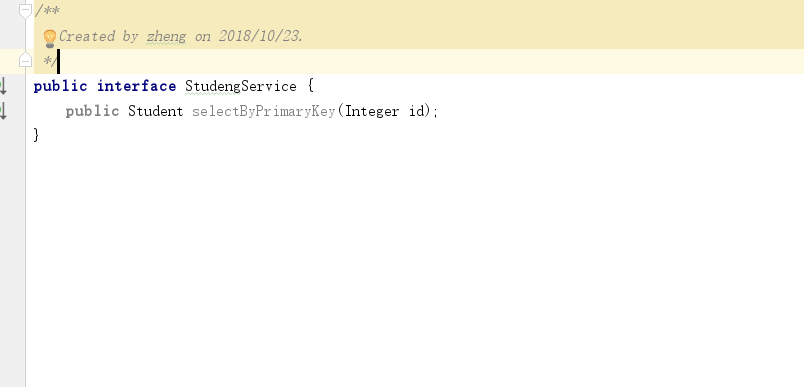
添加StudentServiceImpl
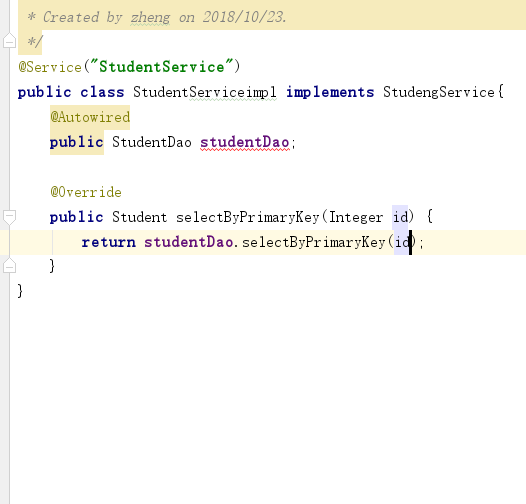
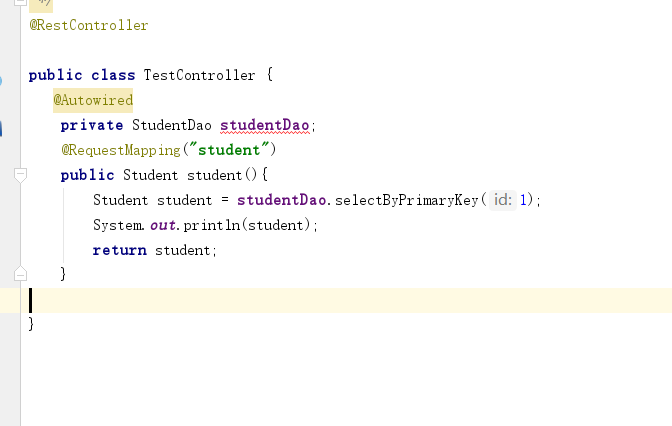
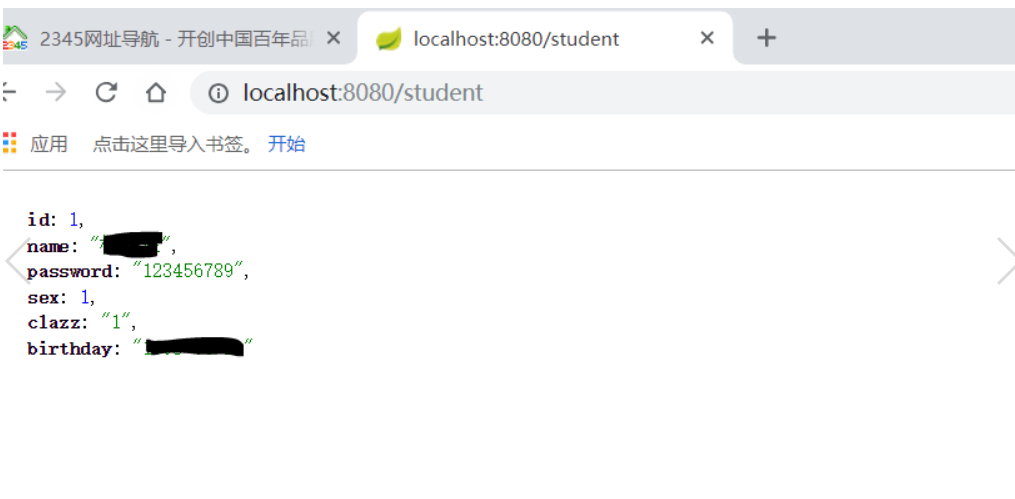
运行之后路径
http://localhost:8080/student
效果
这里还有一个好用的idea辅助插件Free MyBatis plugin
安装步骤
    点击file
    setting
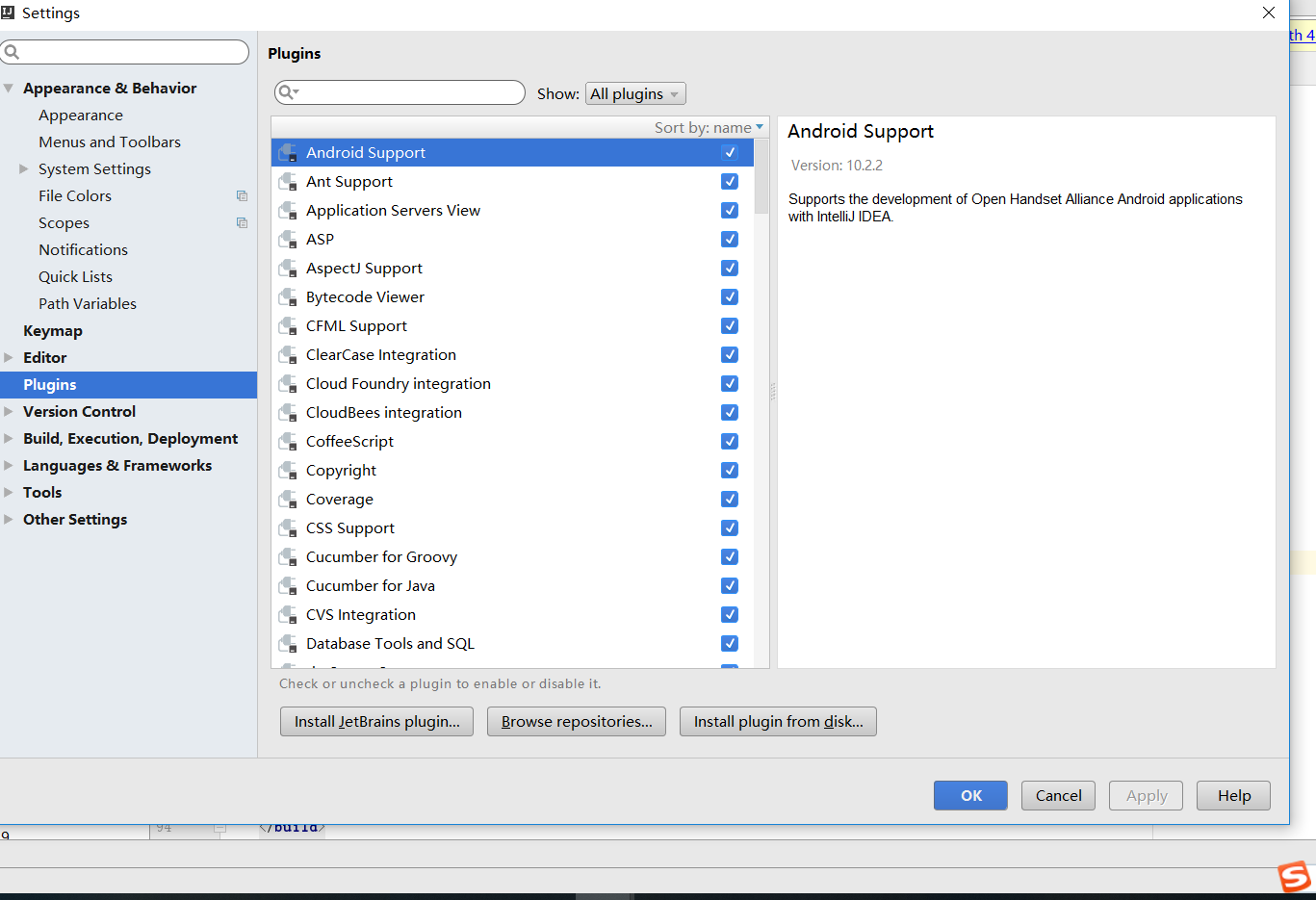
输入插件名字
Free MyBatis plugin安装

效果
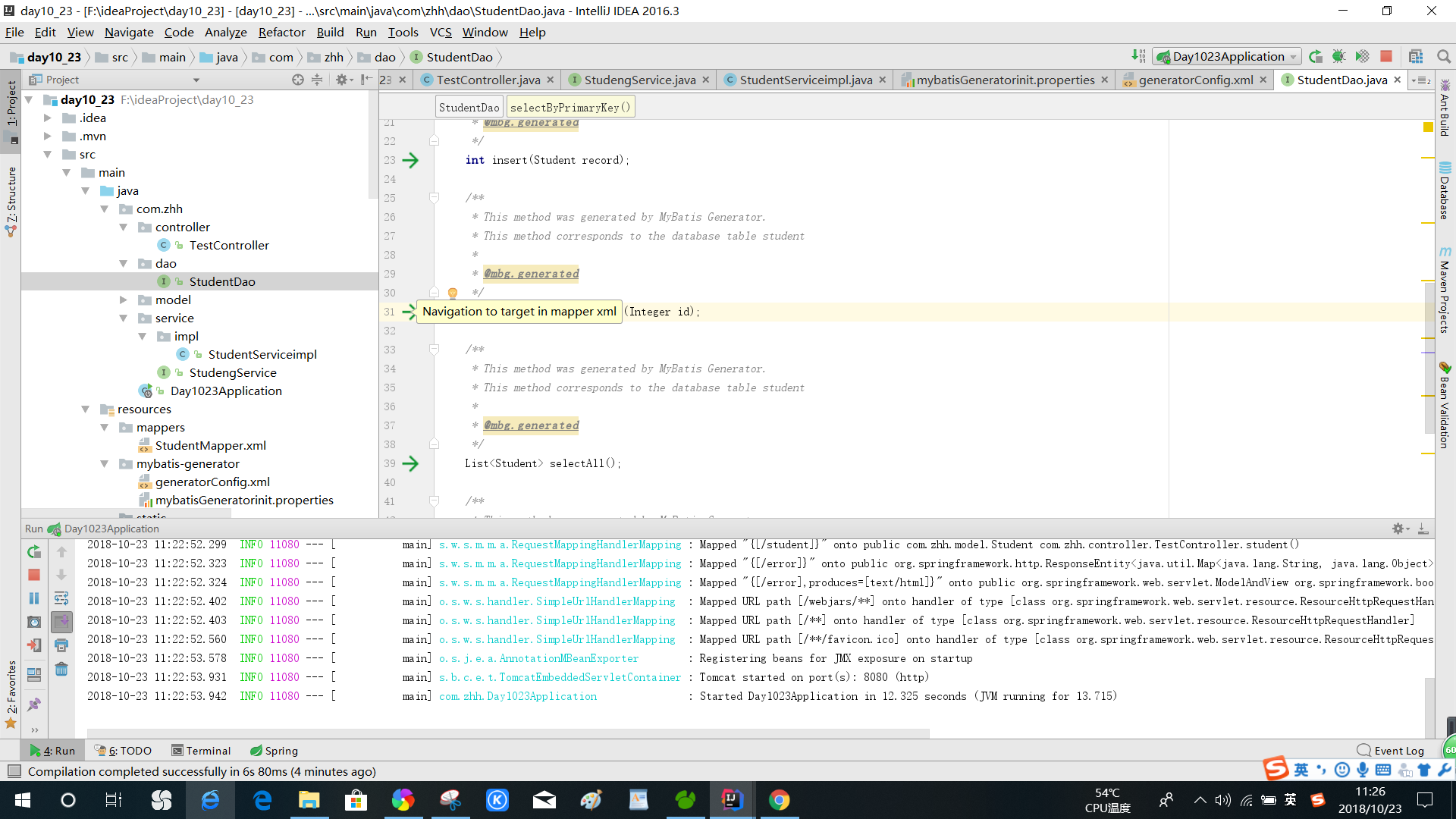
可以点击箭头直接从dao层去到xml对应的方法
springboot学习(一)的更多相关文章
- springboot 学习资源推荐
springboot 是什么?对于构建生产就绪的Spring应用程序有一个看法. Spring Boot优先于配置的惯例,旨在让您尽快启动和运行.(这是springboot的官方介绍) 我们为什么要学 ...
- Springboot学习记录1--概念介绍以及环境搭建
摘要:springboot学习记录,环境搭建: 官方文档地址:https://docs.spring.io/spring-boot/docs/current-SNAPSHOT/reference/ht ...
- SpringBoot学习笔记
SpringBoot个人感觉比SpringMVC还要好用的一个框架,很多注解配置可以非常灵活的在代码中运用起来: springBoot学习笔记: .一.aop: 新建一个类HttpAspect,类上添 ...
- springboot学习(一)——helloworld
以下内容,如有问题,烦请指出,谢谢 springboot出来也很久了,以前零散地学习了不少,不过很长时间了都没有在实际中使用过了,忘了不少,因此要最近准备抽时间系统的学习积累下springboot,给 ...
- SpringBoot学习(3)-SpringBoot添加支持CORS跨域访问
SpringBoot学习(3)-SpringBoot添加支持CORS跨域访问 https://blog.csdn.net/yft_android/article/details/80307672
- Springboot学习07-数据源Druid
Springboot学习07-数据源Druid 关键字 Druid 前言 学习笔记 正文 1-Druid是什么 Druid是阿里巴巴开源平台上的一个项目,整个项目由数据库连接池.插件框架和SQL解析器 ...
- Springboot学习06-Spring AOP封装接口自定义校验
Springboot学习06-Spring AOP封装接口自定义校验 关键字 BindingResult.Spring AOP.自定义注解.自定义异常处理.ConstraintValidator 前言 ...
- Springboot学习05-自定义错误页面完整分析
Springboot学习06-自定义错误页面完整分析 前言 接着上一篇博客,继续分析Springboot错误页面问题 正文 1-自定义浏览器错误页面(只要将自己的错误页面放在指定的路径下即可) 1-1 ...
- Springboot学习04-默认错误页面加载机制源码分析
Springboot学习04-默认错误页面加载机制源码分析 前沿 希望通过本文的学习,对错误页面的加载机制有这更神的理解 正文 1-Springboot错误页面展示 2-Springboot默认错误处 ...
- Springboot学习笔记(六)-配置化注入
前言 前面写过一个Springboot学习笔记(一)-线程池的简化及使用,发现有个缺陷,打个比方,我这个线程池写在一个公用服务中,各项参数都定死了,现在有两个服务要调用它,一个服务的线程数通常很多,而 ...
随机推荐
- [luogu4718]Pollard-Rho算法
模板题 题解主要分为两部分,即Miller-Robin判素数以及关于Pollard-Rho算法 1.Miller-Robin判素数 对于一个数$n$,判定其是否为素数,依次执行以下几步-- (1)若$ ...
- [cf878D]Magic Breeding
对于每一行,用一个2^12个01来表示,其中这一行就是其中所有为1的点所代表的行(i二进制中包含的行)的max的min,然后就可以支持取max和min了,查询只需要枚举答案即可 1 #include& ...
- ROS机器人开发实践1->SSH远程登录要点记录
1.有线网卡 设置 找到有线网络,点击设置,修改其中的IPv4的地址和子网掩码. 1 //地址 2 192.168.xxx.xxx 3 //子网掩码 4 255.255.255.0 点击应用 2.配置 ...
- nodejs中的fs模块中的方法
nodejs中的fs模块 引入模块 const fs =require("fs") 检测文件是否存在fs.stat(path,callback) fs.stat("./n ...
- Codeforces 983E - NN country(贪心+倍增优化)
Codeforces 题面传送门 & 洛谷题面传送门 一道(绝对)偏简单的 D1E,但是我怕自己过若干年(大雾)忘了自己的解法了,所以过来水篇题解( 首先考虑怎么暴力地解决这个问题,不难发现我 ...
- SSRF的原理和防范
背景 最近做的安全测评主要是SSRF,发现自己在这一块有挺大知识盲点,抓紧补一下. 1.介绍 SSRF(Server-Side Request Forgery:服务器端请求伪造),是一种攻击者利用服务 ...
- Navicat 激活教程2021(Linux)
Navicat 激活教程2021(Linux) 目录 背景 环境 激活 清理 使用 背景 Navicat 是香港卓软数字科技有限公司生产的一系列 MySQL.MariaDB.MongoDB.Oracl ...
- 【基因组注释】RepeatMasker和RepeatModeler安装、配置与运行避坑
目录 1.conda安装 2.配置RepBase 3.RepeatMasker避坑 4.RepeatProteinMask避坑 5.RepeatModeler避坑 6.自定义重复序列库 后记 1.co ...
- R shinydashboard——3.外观
目录 1.皮肤 2.注销面板 3.CSS 4. 标题延长 5.侧边栏宽度 6.图标 7.状态和颜色 1.皮肤 shinydashboard有很多颜色主题和外观的设置.默认为蓝色,可指定黑丝.紫色.绿色 ...
- java 按内容拆分文件
文件内容为: BC************* **************** *************** BC************* **************** *********** ...