
【水滴石穿】bstmy-blend-app
这个项目是一个简单的底部导航切换页面
项目的地址为:https://github.com/Bstmy/bstmy-blend-app
先看效果
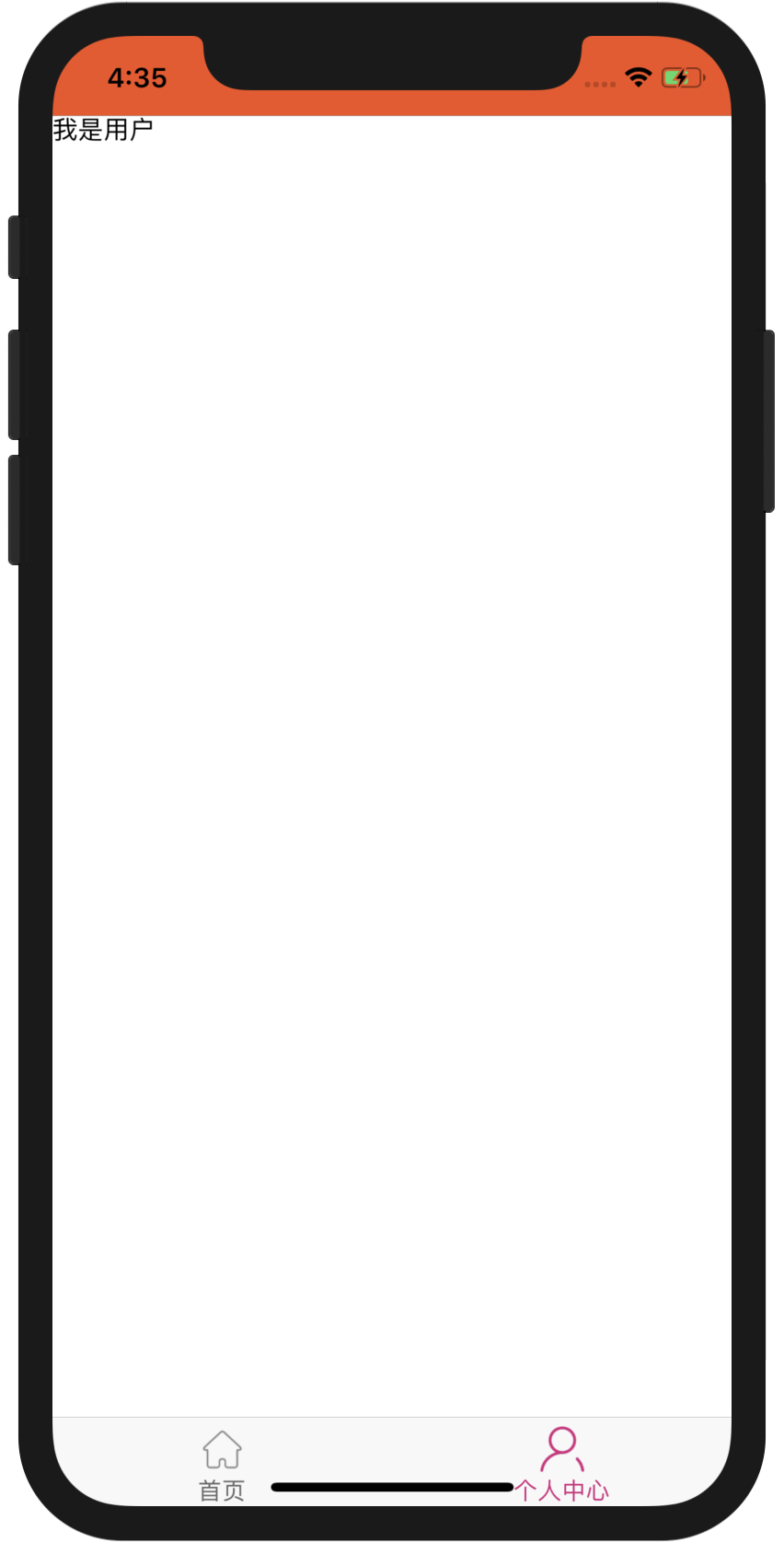
点击首页是首页面,点击个人中心是个人中心页面
先看代码
//index.js

//引用的是根app.js

import {AppRegistry} from 'react-native';

import App from './app/App';

import {name as appName} from './app.json';

AppRegistry.registerComponent(appName, () => App);
//app/App.js

//这个里面不仅有防止闪屏的,还有倒计时为3的启动页,还有定义了首页

import React, { Component } from 'react';

//闪屏

import SplashScreen from 'react-native-splash-screen';

//导航

import {createAppContainer, createStackNavigator} from 'react-navigation';

//显示首页

import Home from "./Home";

//这个是很好看的启动页很美腻

import GuideView from "./guide/GuideView";

const RootStack = createStackNavigator(

    {

        homes: Home,

        guideView: GuideView

    },

    {

        initialRouteName: 'guideView'   ,

        defaultNavigationOptions: {

            headerStyle: {

                backgroundColor: '#f4511e',

                height:0,

            },

            headerTintColor: '#fff',

            headerTitleStyle: {

                fontWeight: 'bold',

            },

        },

    }

);

const AppContainer = createAppContainer(RootStack);

//定义首页

//渲染AppConta

export default class App extends Component {

    constructor(props) {

        super(props);

        SplashScreen.hide(); // 关闭启动屏幕

    }

    render() {

        return (

            <AppContainer />

        );

    }

}
//app/guide/GuideView.js

//配置的启动页

import React, {Component} from 'react';

import {

    Image,

    StyleSheet,

    View,

    Text

} from 'react-native';

import Swiper from 'react-native-swiper';

import AutoSize from '../utils/AutoSize';

class GuideView extends Component {

    constructor() {

        super();

        this.state = { invertedTime: 5 };

    }

    componentDidMount() {

        this.timer1=setInterval(() => {

            this.setState(previousState => {

                return {invertedTime: (previousState.invertedTime-1)};

            })

            console.log("启动倒计时"+this.state.invertedTime );

            if(this.state.invertedTime == 0){

                this.openHomePage();

                clearInterval(this.timer1)

            }

        } ,1000);

    }

    openHomePage(){

        this.props.navigation.navigate('homes');

    }

    //卸载计时器

    componentWillUnmount() {

        this.timer1 && clearInterval(this.timer1);

    }

    render() {

        return (

            <View style={styles.container}>

                <Text style={styles.next} onPress={this.openHomePage.bind(this)}>{this.state.invertedTime}</Text>

                <Swiper style={styles.wrapper}

                    showsButtons={false}       //为false时不显示控制按钮

                    paginationStyle={{      //小圆点位置

                        bottom: 30

                    }}

                    loop={true}        //如果设置为false,那么滑动到最后一张时,再次滑动将不会滑到第一张图片。

                    autoplay={true}          //自动轮播

                    autoplayTimeout={3}      //每隔3秒切换

                    >

                    <Image style={styles.image} source={require('../img/guide/geoude2.jpg')}/>

                    <Image style={styles.image} source={require('../img/guide/geoude3.jpg')}/>

                    <Image style={styles.image} source={require('../img/guide/geoude1.jpg')}/>

                </Swiper>

            </View>

        );

    }

};

let styles = StyleSheet.create({

    container: {

        flex: 1,//必写

        flexDirection: 'column',

    },

    image: {

        width:AutoSize.size.width,//等于width:width

        height:AutoSize.size.height,

    },

    next:{

        width: 30,

        height: 30,

        borderRadius:15,

        fontSize:15,

        textAlign:"center",

        textAlignVertical: 'center',

        backgroundColor: "#D4237A",

        zIndex:1,

        position: 'absolute',

        color:"#fff",

        right: 20,

        top: 20,

    }

});

export default GuideView;
//app/utils/AutoSize.js

//这个里面进行的就是屏幕适配

import React from 'react';

import Dimensions from 'Dimensions';

const AutoSize = {

    size: {

        width: Dimensions.get('window').width,

        height: Dimensions.get('window').height

    },

};

export default AutoSize;
//app/route/RootStack.js

//定义的是首页

import { createStackNavigator } from 'react-navigation';

import Home from '../Home'

import GuideView from '../guide/GuideView'

export const RootStack = createStackNavigator(

    {

        home: Home,

        guideView: GuideView,

    },

    {

        initialRouteName: 'guideView',

        defaultNavigationOptions: {

            headerStyle: {

                backgroundColor: '#f4511e',

            },

            headerTintColor: '#fff',

            headerTitleStyle: {

                fontWeight: 'bold',

            },

        },

    }

);
//和index页面类似,不过具体怎么控制的?

//app/pages/User.js

import React, { Component } from 'react';

import {

    View,

    Text

} from 'react-native';

class User extends Component {

    render() {

        return (

            <View>

                <Text>

                    我是用户

                </Text>

            </View>

        );

    }

}

export default User;
上面有一点点的不理解
不知道是什么控制的切换的页面的,因为那个是同时引用的
不过这个项目我喜欢~~哭唧唧,在这个水平这里~~
【水滴石穿】bstmy-blend-app的更多相关文章
- 用 Blend 给Windows Phone 应用创建 示例数据
前言 创建 示例数据(Sample Data) 是提高程序开发效率的一个很有效方法,有了它,我们调UI的时候就不必每次都运行应用,然后在手机上观看页面效果了,配合 “AlignmentGrid.pn ...
- Win10/UWP 让你的App使用上扫描仪
UWP的扫描仪功能现在被微软划分到了[Windows Desktop Extensions for the UWP]中,如果要使用扫描仪扫描图片到自己的App中,首先我们要添加[Windows Des ...
- Blend 2015 教程 (二) 样式
前一篇讲述了如何在新Blend中完成一个简单的带数据绑定的界面小例子,本篇将讲述一下,把View层和Style层分开,并搭建Style层框架的方法,并进行细节样式修改. 1. 在解决方案资源管理器面板 ...
- Blend 2015 教程 (四)控件模板
前一篇讲述了修改ListBox样式的方法,本篇将修改性别显示区域的样式. 1. 选择ListBox控件,编辑ItemTemplate的当前项,选择CheckBox控件,在美工板导航栏中点击CheckB ...
- 使用MVVM-Sidekick开发Universal App(二)
上一篇文章已经建立了基本的实体类,并且搞定了多语言的问题,以后在app里用字符串的时候就可以从资源文件中取了.现在继续进行. 一.添加一个页面 CurrencyExchanger首页是一个货币兑换的列 ...
- 不可或缺 Windows Native (25) - C++: windows app native, android app native, ios app native
[源码下载] 不可或缺 Windows Native (25) - C++: windows app native, android app native, ios app native 作者:web ...
- 尝试HTML + JavaScript 编写Windows App
一直以来博文中使用最多的就是C# + XAML.进入Windows App时代,又多了一对 Javascript + HTML组合,这对于Web开发的程序员来说再熟悉不过了.其实小编也做过几年的Web ...
- 重新想象 Windows 8 Store Apps (70) - 其它: 文件压缩和解压缩, 与 Windows 商店相关的操作, app 与 web, 几个 Core 的应用, 页面的生命周期和程序的生命周期
[源码下载] 重新想象 Windows 8 Store Apps (70) - 其它: 文件压缩和解压缩, 与 Windows 商店相关的操作, app 与 web, 几个 Core 的应用, 页面的 ...
- 给 Xamarin.Form For Windows Phone APP 加个漂亮的 "头"
Windows Phone 是那个1%, 我也是那个1%, 不喜勿喷.WP 向来给 android / ios 的粉们一个最直观的印象: 丑.其实"丑"这个东西会一直下去,而且是个 ...
- iOS视频直播初窥:高仿<喵播APP>
视频直播初窥 视频直播,可以分为 采集,前处理,编码,传输, 服务器处理,解码,渲染 采集: iOS系统因为软硬件种类不多, 硬件适配性比较好, 所以比较简单. 而Android端市面上机型众多, 要 ...
随机推荐
- Windows API 第14篇 DeleteAndRenameFile
函数定义:BOOL DeleteAndRenameFile( LPCWSTR lpszDestFile, ...
- 微信小程序知识点梳理
小程序介绍 17年一月9号,小程序刚发布的时候,个人很幸运的成为第一批吃螃蟹的人,当然也是第一批采坑的人. 小程序是基于微信的一种应用,使用微信自定义的组件,让我们使用JavaScript的方式,达到 ...
- LUOGU P4195 Spoj3105 Mod
题面 bsgs问题.因为p可能不为质数,所以我们将原先解题的式子变形 每次除以p与a的最大公约数,直到最大公约数为1或b不能整除为止 代码 #include<iostream> #incl ...
- dubbo入门学习(二)-----dubbo hello world
一.dubbo hello world入门示例 1.提出需求 某个电商系统,订单服务需要调用用户服务获取某个用户的所有地址: 我们现在需要创建两个服务模块进行测试: 模块 功能 订单服务web模块 创 ...
- 微信小程序上传图片(附后端代码)
几乎每个程序都需要用到图片. 在小程序中我们可以通过image组件显示图片. 当然小程序也是可以上传图片的,微信小程序文档也写的很清楚. 上传图片 首先选择图片 通过wx.chooseImage(OB ...
- 转: V4L2驱动程序架构
源地址:http://blog.chinaunix.net/uid-26101960-id-3297657.html 1 V4L2简介 video4linux2(V4L2)是Linux内核中关于视频设 ...
- 跟我一起做一个vue的小项目(十一)
接下来我们进行的是详情页动态路由及banner布局 先看页面的效果 下面是代码部分 <template> <div> <div class="banner&qu ...
- Gym - 102082G
Gym - 102082Ghttps://vjudge.net/problem/2198225/origin对于数列中任意一个数,要么从最左边到它不递减,要么从最右边到到它不递减,为了满足这个条件,就 ...
- 通过游戏学python 3.6 第一季 第九章 实例项目 猜数字游戏--核心代码--猜测次数--随机函数和屏蔽错误代码--优化代码及注释--简单账号密码登陆--账号的注册查询和密码的找回修改--锁定账号--锁定次数--菜单功能'menufile
通过游戏学python 3.6 第一季 第九章 实例项目 猜数字游戏--核心代码--猜测次数--随机函数和屏蔽错误代码--优化代码及注释--简单账号密码登陆--账号的注册查询和密码的找回修改--锁 ...
- js图片碎片效果(移动端也适用)
<!DOCTYPE html> <html> <head> <meta http-equiv="Content-Type" content ...