
微信小程序通过getPhoneNumber后台PHP解密获取用户手机号码
之前做的版本用户这块是以获取用户openid为凭证,最近改版重新整理了一下,新增注册登录以手机号码为主,
两种(正常注册手机号码-密码+一键获取当前用户手机号码)
getPhoneNumber这个组件要通过button来实现。将button中的open-type=“getPhoneNumber”,并且绑定bindgetphonenumber事件获取回调。
在使用这个组件之前必须先调用 login 接口
然后传递code,iv,encryptedData参数到后台,后台解密
示例
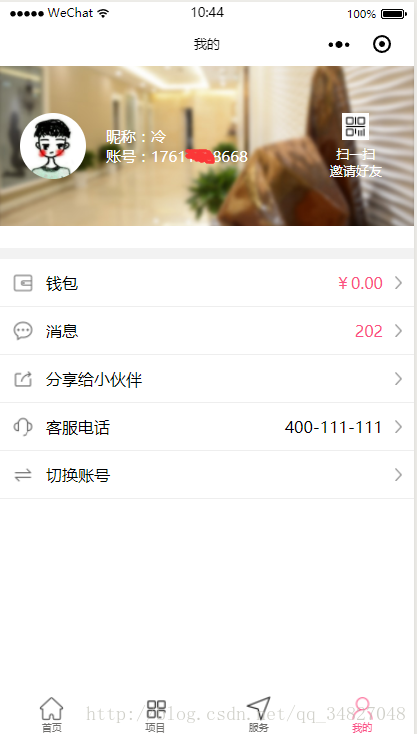
<button open-type="getPhoneNumber" bindgetphonenumber="getPhoneNumber"

 hover-class="none">一键自动注册</button>
  getPhoneNumber: function (e) {

      console.log(e.detail.errMsg)

      if (e.detail.errMsg == 'getPhoneNumber:fail user deny') {

        wx.showModal({

          title: '提示',

          showCancel: false,

          content: '未授权',

          success: function (res) { }

        })

      } else {

        wx.login({

          success: function (res) {

            var code = res.code;

            if (res.code) {

              //发起网络请求

              console.log(res.code)

            } else {

              console.log('获取用户登录态失败!' + res.errMsg)

            }

            wx.showModal({

              title: '提示',

              showCancel: false,

              content: '同意授权',

              success: function (res) {

                var that = this;

                console.log(123)

                wx.request({

                  url: '/wxapplet/wx/wechat/phone',

                  data: {

                    code: code,

                    iv: e.detail.iv,

                    encryptedData: e.detail.encryptedData

                  },

                  method: 'GET',

                  header: {

                    'content-type': 'application/json'

                  },

                  success: function (res) {

                    wx.setStorageSync('user', res.data.data);

                    if(res.data.code == "200"){

                      console.log(res.data.data)

                      wx.showToast({

                        title: '一键绑定成功',

                        icon: 'success',

                        duration: 2000,

                        success: function(){

                          wx.switchTab({ url: '../user-center/index' });

                        }

                      })

                    }else{

                      wx.showModal({

                        title: '提示',

                        content: '一键绑定失败,请重新尝试',

                        success: function (res) {

                          if (res.confirm) {

                            console.log('用户点击确定')

                          } else if (res.cancel) {

                            console.log('用户点击取消')

                          }

                        }

                      })

                    }

                  },

                });

              }

            })

          }

        });

      }

}
- 后台是php 框架是laravel
<?php

namespace App\Http\Controllers\WxApplet;

use Illuminate\Http\Request;

use App\Http\Controllers\Controller;

use App\Repository\WxUserRepository;

include_once app_path('/Http/Controllers/WxApplet/Php/wxBizDataCrypt.php');

class WechatController extends Controller

{

  /**

   * constructer.

   *

   * @param WxUserRepository  $wxUser

   */

   public function __construct

   (

        WxUserRepository $WxUserRepository

   )

   {

        $this->WxUserRepository  = $WxUserRepository;

   }

    /**

     * 获取用户手机号码

     *

     * @return response

     */

    public function getWechatUserPhone(Request $request)

    {

        $code   =   $request->get('code');

        $encryptedData   =   $request->get('encryptedData');

        $iv   =  $request->get('iv');

        //小程序开发账户

        $appid  =  "*******" ;

        $secret =   "*******";

        $URL = "https://api.weixin.qq.com/sns/jscode2session?appid=$appid&secret=$secret&js_code=$code&grant_type=authorization_code";

        $apiData=file_get_contents($URL);

           if(!isset(json_decode($apiData)->errcode))

           {

              $sessionKey = json_decode($apiData)->session_key;

              $info = new \WXBizDataCrypt($appid, $sessionKey);

              $errCode = $info->decryptData($encryptedData, $iv, $data );

              if ($errCode == 0)

              {

                  $phone = json_decode($data)->phoneNumber;

                  $single_phone=$this->WxUserRepository->Single($phone);

                  if ($single_phone == null)

                  {

                     $wx_user = $this->WxUserRepository->Create($phone,$password);

                  }

                  return $this->Success(200003);

              }

              else {

                return $this->fail(420004);

             }

          }

    }

 }
原文链接:https://blog.csdn.net/qq_34827048/article/details/78878121
微信小程序通过getPhoneNumber后台PHP解密获取用户手机号码的更多相关文章
- 微信小程序前端调用后台方法并获取返回值
wxml代码 <wxs src="../../wxs/string.wxs" module="tools" /> <!-- 调用tools.i ...
- 微信小程序需要https后台的创业机会思考
最近比较关注微信小程序,而且微信小程序的后台必须强制要求https, https相对http成本要高很多了. 这里我感觉有2个商机 (1)提供https 中转服务器 ,按流量来收费 (2) 微信小程序 ...
- 微信小程序与Java后台通信
一.写在前面 最近接触了小程序的开发,后端选择Java,因为小程序的代码运行在腾讯的服务器上,而我们自己编写的Java代码运行在我们自己部署的服务器上,所以一开始不是很明白小程序如何与后台进行通信的, ...
- 微信小程序与Java后台的通信
一.写在前面 最近接触了小程序的开发,后端选择Java,因为小程序的代码运行在腾讯的服务器上,而我们自己编写的Java代码运行在我们自己部署的服务器上,所以一开始不是很明白小程序如何与后台进行通信的, ...
- 微信小程序登录JAVA后台
代码地址如下:http://www.demodashi.com/demo/12736.html 登录流程时序登录流程时序 具体的登录说明查看 小程序官方API 项目的结构图: springboot项目 ...
- 微信小程序:java后台获取openId
一.功能描述 openId是某个微信账户对应某个小程序或者公众号的唯一标识,但openId必须经过后台解密才能获取(之前实现过前台解密,可是由于微信小程序的种种限制,前台解密无法在小程序发布后使用) ...
- 微信小程序与java后台交互
java后台使用的ssm框架,小程序连接的本地接口.跟正常的web访问没什么区别,也是后台获取url,返回json数据:只是小程序前台请求的url要带上http://localhost:80801. ...
- 原创:微信小程序调用PHP后台接口,解析纯html文本
---效果图片预览--- 1.微信js动态传参:wx.request({ url: 'https://m.****.com/index.php/Home/Xiaoxxf/activ ...
- 微信小程序支付c#后台实现
今天为大家带来比较简单的支付后台处理 首先下载官方的c#模板(WxPayAPI),将模板(WxPayAPI)添加到服务器上,然后在WxPayAPI项目目录中添加两个“一般处理程序” (改名为GetOp ...
随机推荐
- Mac上打开终端的7种简单方法
终端机是用于给Mac命令的便捷工具,尽管它可能会吓倒许多人.毕竟,这不像输入句子然后Mac响应那样简单.如果您有兴趣学习使用Terminal或只想输入一两个命令,我们在下面列出了一些文章,可以帮助您使 ...
- 用 Keras 实现单词级的 one-hot 编码 & 使用散列技巧的单词级的 one-hot 编码
from keras.preprocessing.text import Tokenizer samples = ['The cat sat on the mat.', 'The dog ate my ...
- asp.net core的AOP记录
序曲:学习编程最好的方式就是敲代码,没有比这个更好的方法,哪怕你看了上百G的视频,都不如你自己敲几行代码更为有效.还有要记得敲完代码然后写一篇随笔来记录一下你所学所想. 什么叫AOP? AOP面向切面 ...
- maven搭建webservice apache cxf实现
用 web方式发布 webService 服务端.客户端 一.服务器端搭建 1.首先创建 一个web工程(增加Maven依赖) 2.增加Maven依赖包,如下: <project xmlns=& ...
- C#NULL条件运算符
C#6.0新增的特性 NULL条件运算符 ?. 之前我们在需要判断某个对象是否为空的是这样的 Person per = null; if (per != null) { Console.Write(& ...
- YourSQLDba的共享路径备份遭遇重启问题
如果YourSQLDba设置过共享路径备份(具体参考博客YourSQLDba设置共享路径备份),有时候服务器重启后,备份就会出错,具体错误信息类似如下所示: Date 2019/9/25 ...
- 实训第六天(mybatis)
今天实训第六天,我们学习了mybatis这个数据库框架,虽然说框架的环境搭建非常的繁琐,但是在了解原理和流程之后是非常的舒服的.因为有一个强大的工具被我掌握了,所以今天感觉非常的开心. 首先我们是在s ...
- Configuration on demand is not supported by the current version of the Android Gradle plugin since you are using Gradle version 4.6 or above. Suggestion: disable configuration on demand by setting org
androidStudio打开cocos3.17.2Lua项目时,出现了 Configuration on demand is not supported by the current version ...
- Linux系统学习 十三、VSFTP服务—相关文件
常见的FTP服务器程序 IIS.Serv-U (windwards中) wu-ftpd(淘汰了).Proftpd (Linux中) vsftpd(Very Secure ...
- 21.决策树(ID3/C4.5/CART)
总览 算法 功能 树结构 特征选择 连续值处理 缺失值处理 剪枝 ID3 分类 多叉树 信息增益 不支持 不支持 不支持 C4.5 分类 多叉树 信息增益比 支持 ...