
使用scrapy爬取dota2贴吧数据并进行分析
一直好奇贴吧里的小伙伴们在过去的时间里说的最多的词是什么,那我们就来抓取分析一下贴吧发文的标题内容,并提取分析一下,看看吧友们在说些什么。
首先我们使用scrapy对所有贴吧文章的标题进行抓取
scrapy startproject btspider
cd btspider
scrapy genspider -t basic btspiderx tieba.baidu.com
修改btspiderx内容
# -*- coding: utf-8 -*-

import scrapy

from btspider.items import BtspiderItem

class BTSpider(scrapy.Spider):

    name = "btspider"

    allowed_domains = ["baidu.com"]

    start_urls = []

    for x in xrange(91320):

        if x == 0:

            url = "https://tieba.baidu.com/f?kw=dota2&ie=utf-8"

        else:

            url = "https://tieba.baidu.com/f?kw=dota2&ie=utf-8&pn=" + str(x*50)

        start_urls.append(url)

    def parse(self, response):

        for sel in response.xpath('//div[@class="col2_right j_threadlist_li_right "]'):

            item = BtspiderItem()

            item['title'] = sel.xpath('div/div/a/text()').extract()

            item['link'] = sel.xpath('div/div/a/@href').extract()

            item['time'] = sel.xpath(

                'div/div/span[@class="threadlist_reply_date pull_right j_reply_data"]/text()').extract()

            yield item
修改items.py
# -*- coding: utf-8 -*-

# Define here the models for your scraped items

#

# See documentation in:

# https://doc.scrapy.org/en/latest/topics/items.html

import scrapy

class BtspiderItem(scrapy.Item):

    title = scrapy.Field()

    link = scrapy.Field()

    time = scrapy.Field()
这里我们实际上保存的只是title标题内容
修改pipelines.py
# -*- coding: utf-8 -*-

# Define your item pipelines here

#

# Don't forget to add your pipeline to the ITEM_PIPELINES setting

# See: https://doc.scrapy.org/en/latest/topics/item-pipeline.html

import codecs

import json

class BtspiderPipeline(object):

    def __init__(self):

        self.file = codecs.open('info', 'w', encoding='utf-8')

    def process_item(self, item, spider):

        # line = json.dumps(dict(item)) + "\n"

        titlex = dict(item)["title"]

        if len(titlex) != 0:

            title = titlex[0]

        #linkx = dict(item)["link"]

        #if len(linkx) != 0:

        #    link = 'http://tieba.baidu.com' + linkx[0]

        #timex = dict(item)["time"]

        #if len(timex) != 0:

        #    time = timex[0].strip()

        line = title + '\n' #+ link + '\n' + time + '\n'

        self.file.write(line)

        return item

    def spider_closed(self, spider):

        self.file.close()
修改settings.py
BOT_NAME = 'btspider'

SPIDER_MODULES = ['btspider.spiders']

NEWSPIDER_MODULE = 'btspider.spiders'

ROBOTSTXT_OBEY = True

ITEM_PIPELINES = {

   'btspider.pipelines.BtspiderPipeline': 300,

}
启动爬虫
scrapy crawl btspider
所有的标题内容会被保存为info文件
等到爬虫结束,我们来分析info文件的内容
github上有个示例,改改就能用
git clone https://github.com/FantasRu/WordCloud.git
修改main.py文件如下:
# coding: utf-8

from os import path

import numpy as np

# import matplotlib.pyplot as plt

# matplotlib.use('qt4agg')

from wordcloud import WordCloud, STOPWORDS

import jieba

class WordCloud_CN:

    '''

    use package wordcloud and jieba

    generating wordcloud for chinese character

    '''

    def __init__(self, stopwords_file):

        self.stopwords_file = stopwords_file

        self.text_file = text_file

    @property

    def get_stopwords(self):

        self.stopwords = {}

        f = open(self.stopwords_file, 'r')

        line = f.readline().rstrip()

        while line:

            self.stopwords.setdefault(line, 0)

            self.stopwords[line.decode('utf-8')] = 1

            line = f.readline().rstrip()

        f.close()

        return self.stopwords

    @property

    def seg_text(self):

        with open(self.text_file) as f:

            text = f.readlines()

            text = r' '.join(text)

            seg_generator = jieba.cut(text)

            self.seg_list = [

                i for i in seg_generator if i not in self.get_stopwords]

            self.seg_list = [i for i in self.seg_list if i != u' ']

            self.seg_list = r' '.join(self.seg_list)

        return self.seg_list

    def show(self):

        # wordcloud = WordCloud(max_font_size=40, relative_scaling=.5)

        wordcloud = WordCloud(font_path=u'./static/simheittf/simhei.ttf',

                              background_color="black", margin=5, width=1800, height=800)

        wordcloud = wordcloud.generate(self.seg_text)

        # plt.figure()

        # plt.imshow(wordcloud)

        # plt.axis("off")

        # plt.show()

        wordcloud.to_file("./demo/" + self.text_file.split('/')[-1] + '.jpg')

if __name__ == '__main__':

    stopwords_file = u'./static/stopwords.txt'

    text_file = u'./demo/info'

    generater = WordCloud_CN(stopwords_file)

    generater.show()
然后启动分析
python main.py
由于数据比较大,分析时间会比较长,可以拿到廉价的单核云主机上后台分析,等着那结果就好。
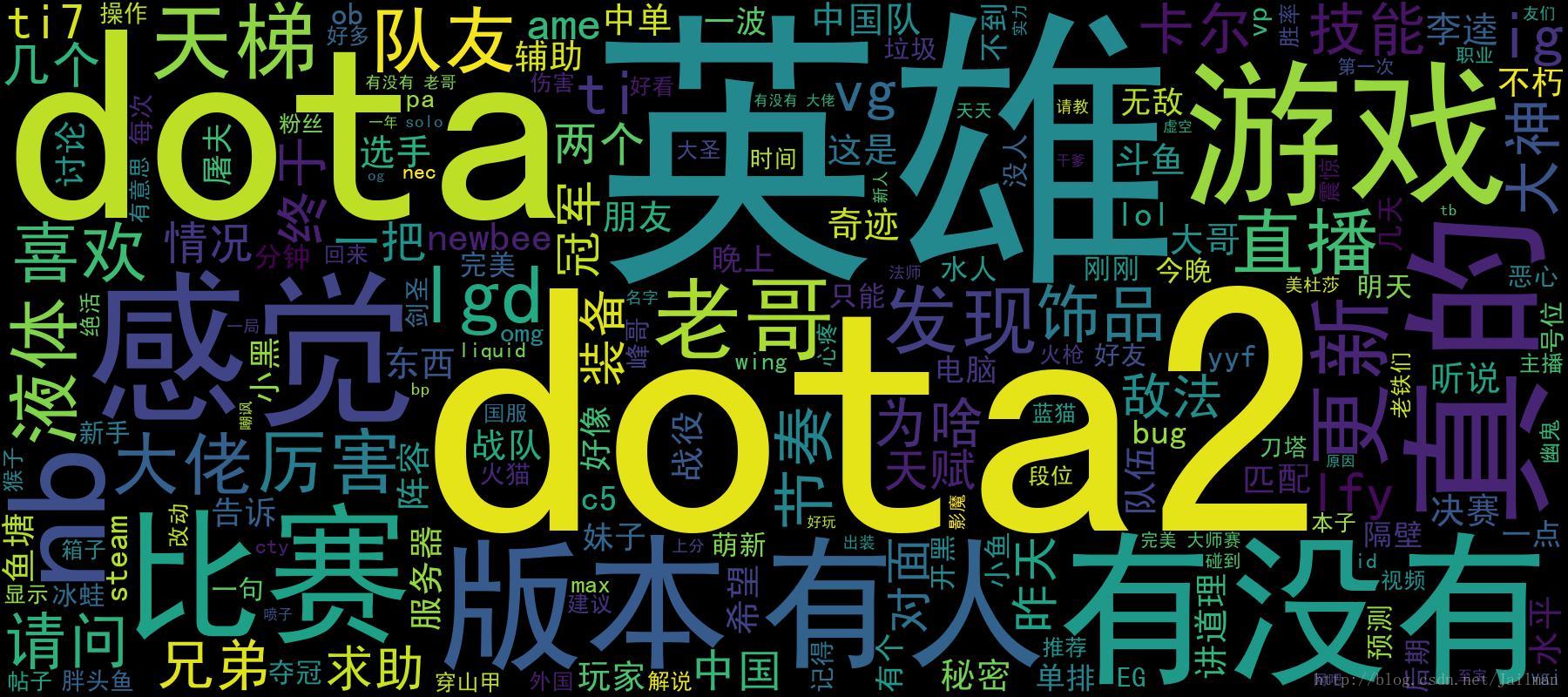
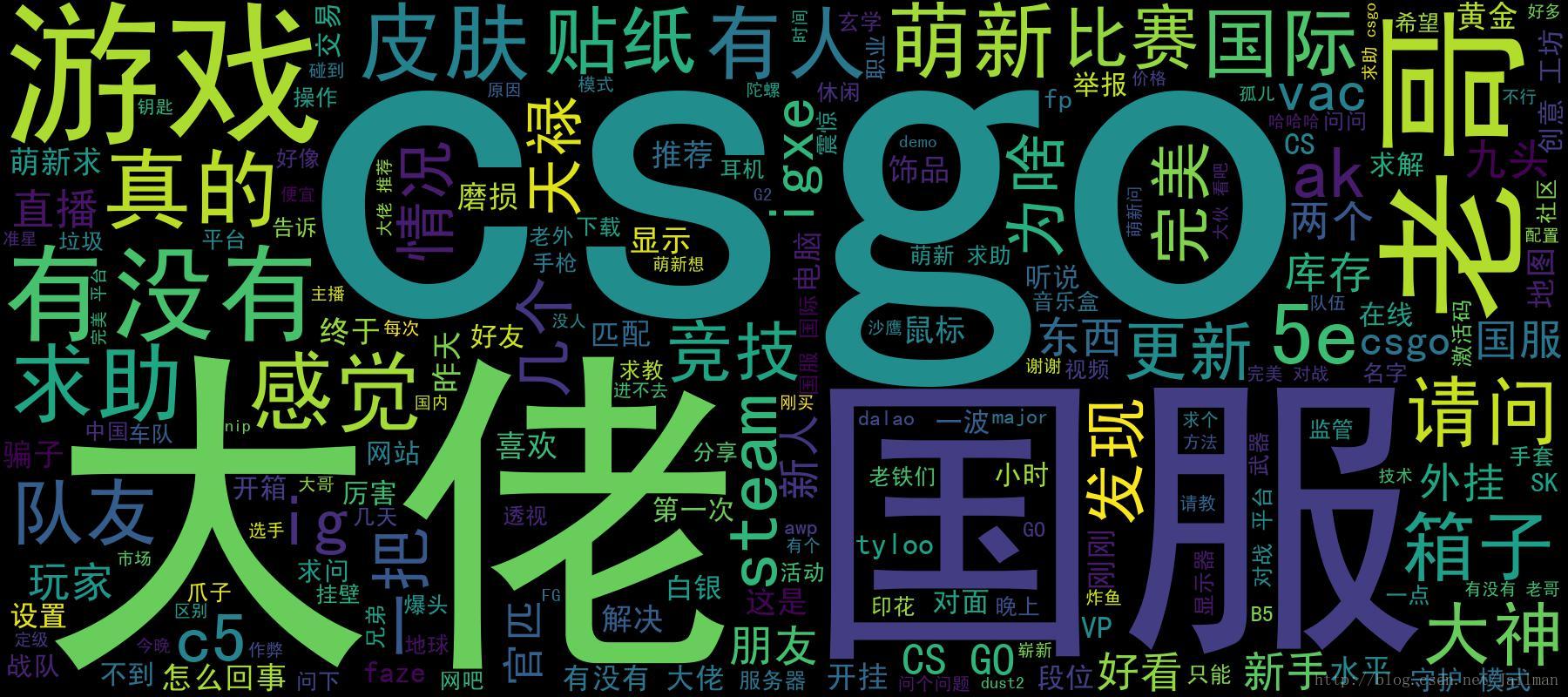
下边是我分析两个热门游戏贴吧的词云图片
使用scrapy爬取dota2贴吧数据并进行分析的更多相关文章
- Scrapy爬取到的中文数据乱码问题处理
Scrapy爬取到中文数据默认是 Unicode编码的,于是显示是这样的: "country": ["\u56fd\u4ea7\u6c7d\u8f66\u6807\u5f ...
- scrapy爬取booking酒店评论数据
# scrapy爬取酒店评论数据 -- 代码 here:github地址:https://github.com/760730895/scrapy_Booking-- 采用scrapy爬取酒店评论数据 ...
- 使用scrapy爬取网站的商品数据
目标是爬取网站http://www.muyingzhijia.com/上全部的商品数据信息,包括商品的一级类别,二级类别,商品title,品牌,价格. 搜索了一下,python的scrapy是一个不错 ...
- scrapy爬取伯乐在线文章数据
创建项目 切换到ArticleSpider目录下创建爬虫文件 设置settings.py爬虫协议为False 编写启动爬虫文件main.py
- Scrapy实战篇(八)之Scrapy对接selenium爬取京东商城商品数据
本篇目标:我们以爬取京东商城商品数据为例,展示Scrapy框架对接selenium爬取京东商城商品数据. 背景: 京东商城页面为js动态加载页面,直接使用request请求,无法得到我们想要的商品数据 ...
- 用scrapy爬取京东的数据
本文目的是使用scrapy爬取京东上所有的手机数据,并将数据保存到MongoDB中. 一.项目介绍 主要目标 1.使用scrapy爬取京东上所有的手机数据 2.将爬取的数据存储到MongoDB 环境 ...
- 如何提升scrapy爬取数据的效率
在配置文件中修改相关参数: 增加并发 默认的scrapy开启的并发线程为32个,可以适当的进行增加,再配置文件中修改CONCURRENT_REQUESTS = 100值为100,并发设置成了为100. ...
- 教你分分钟学会用python爬虫框架Scrapy爬取心目中的女神
本博文将带领你从入门到精通爬虫框架Scrapy,最终具备爬取任何网页的数据的能力.本文以校花网为例进行爬取,校花网:http://www.xiaohuar.com/,让你体验爬取校花的成就感. Scr ...
- Scrapy爬取美女图片 (原创)
有半个月没有更新了,最近确实有点忙.先是华为的比赛,接着实验室又有项目,然后又学习了一些新的知识,所以没有更新文章.为了表达我的歉意,我给大家来一波福利... 今天咱们说的是爬虫框架.之前我使用pyt ...
随机推荐
- 2015-2016 ACM-ICPC Northeastern European Regional Contest (NEERC 15)C - Cactus Jubilee
题意:给一颗仙人掌,要求移动一条边,不能放在原处,移动之后还是一颗仙人掌的方案数(仙人掌:无向图,每条边只在一个环中),等价于先删除一条边,然后加一条边 题解:对于一颗仙人掌,分成两种边,1:环边:环 ...
- Space Ant
Space Ant The most exciting space discovery occurred at the end of the 20th century. In 1999, scient ...
- loj 10117 简单题(cqoi 2006)
题目来源:CQOI 2006 有一个 n 个元素的数组,每个元素初始均为 0.有 m条指令,要么让其中一段连续序列数字反转——0变 1,1 变 0(操作 1),要么询问某个元素的值(操作 2). 例如 ...
- 小程序 wepy wx.createAnimation 向右滑动渐入渐出
<style lang="less"> .animation { width: 100vw; height: 100vh; opacity: 0; background ...
- js 时间戳转特定格式的日期
var Tools = {}; Tools.formatDate = function (fmt,timestamp) { if(timestamp){ var date = new Date(par ...
- python匿名函数以及return语句
- POJ 1001 Exponentiation(大数运算)
POJ 1001 Exponentiation 时限:500 ms 内存限制:10000 K 提交材料共计: 179923 接受: 43369 描述:求得数R( 0.0 < R < ...
- 蓝桥杯—BASIC-27 2n皇后问题(DFS)
问题描述 给定一个n*n的棋盘,棋盘中有一些位置不能放皇后.现在要向棋盘中放入n个黑皇后和n个白皇后, 使任意的两个黑皇后都不在同一行.同一列或同一条对角线上,任意的两个白皇后都不在同一行. 同一列或 ...
- mysql不会使用索引,导致全表扫描情况
不会使用索引,导致全表扫描情况 1.不要使用in操作符,这样数据库会进行全表扫描,推荐方案:在业务密集的SQL当中尽量不采用IN操作符 2.not in 使用not in也不会走索引推荐方案:用not ...
- day8-python函数
函数的简介 函数就是完成特定功能的一个语句组,这组语句可以作为一个单位使用,并且给它取一个名字. 降低编程难度 代码重用 可以通过函数名在程序的不同地方多长执行,这通常叫函数调用(.). 预定义函数 ...