
git branch & git remote branch
git branch & git remote branch
$ git branch -h

usage: git branch [<options>] [-r | -a] [--merged | --no-merged]

   or: git branch [<options>] [-l] [-f] <branch-name> [<start-point>]

   or: git branch [<options>] [-r] (-d | -D) <branch-name>...

   or: git branch [<options>] (-m | -M) [<old-branch>] <new-branch>

   or: git branch [<options>] (-c | -C) [<old-branch>] <new-branch>

   or: git branch [<options>] [-r | -a] [--points-at]

   or: git branch [<options>] [-r | -a] [--format]

Generic options

    -v, --verbose         show hash and subject, give twice for upstream branch

    -q, --quiet           suppress informational messages

    -t, --track           set up tracking mode (see git-pull(1))

    -u, --set-upstream-to <upstream>

                          change the upstream info

    --unset-upstream      Unset the upstream info

    --color[=<when>]      use colored output

    -r, --remotes         act on remote-tracking branches

    --contains <commit>   print only branches that contain the commit

    --no-contains <commit>

                          print only branches that don't contain the commit

    --abbrev[=<n>]        use <n> digits to display SHA-1s

Specific git-branch actions:

    -a, --all             list both remote-tracking and local branches

    -d, --delete          delete fully merged branch

    -D                    delete branch (even if not merged)

    -m, --move            move/rename a branch and its reflog

    -M                    move/rename a branch, even if target exists

    -c, --copy            copy a branch and its reflog

    -C                    copy a branch, even if target exists

    -l, --list            list branch names

    --show-current        show current branch name

    --create-reflog       create the branch's reflog

    --edit-description    edit the description for the branch

    -f, --force           force creation, move/rename, deletion

    --merged <commit>     print only branches that are merged

    --no-merged <commit>  print only branches that are not merged

    --column[=<style>]    list branches in columns

    --sort <key>          field name to sort on

    --points-at <object>  print only branches of the object

    -i, --ignore-case     sorting and filtering are case insensitive

    --format <format>     format to use for the output
-r ===--remotes & -l ===--list & -d ===--Delete,
-D=== delete branch (even if not merged)
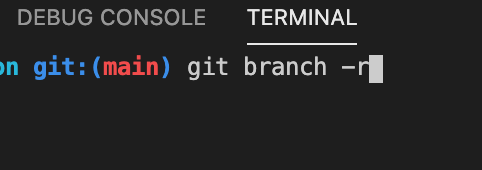
$ git branch -r

$ git branch -l

$ git branch -D test

refs
https://stackoverflow.com/questions/1783405/how-do-i-check-out-a-remote-git-branch
xgqfrms 2012-2020
www.cnblogs.com 发布文章使用:只允许注册用户才可以访问!
原创文章,版权所有️xgqfrms, 禁止转载 ️,侵权必究️!
git branch & git remote branch的更多相关文章
- [git]常用 Git 命令清单
新建 创建一个新的 git 版本库.这个版本库的配置.存储等信息会被保存到.git 文件夹中 # 初始化当前项目 $ git init # 新建一个目录,将其初始化为Git代码库 $ git init ...
- Git 02: git管理码云代码仓库 + IDEA集成使用git
Git项目搭建 创建工作目录与常用指令 工作目录(WorkSpace)一般就是你希望Git帮助你管理的文件夹,可以是你项目的目录,也可以是一个空目录,建议不要有中文. 日常使用只要记住下图6个命令: ...
- 【IDEA】 Can't Update No tracked branch configured for branch master or the branch doesn't exist. To make your branch track a remote branch call, for example, git branch --set-upstream-to origin/master
IDEA点击GIT更新按钮时,报错如下: Can't UpdateNo tracked branch configured for branch master or the branch doesn' ...
- Rename a local and remote branch in git
If you have named a branch incorrectly AND pushed this to the remote repository follow these steps b ...
- git remote branch操作
将本地branch basic提交到remote的basic上: git push origin basic:basic 将remote的 basic branch更新到本地的 basic branc ...
- Git checkout on a remote branch does not work
I believe this occurs when you are trying to checkout a remote branch that your local git repo is no ...
- [Git] How to rename your remote branch
Rename your local foo branch with bar: git branch -m foo bar Remember this will add the new branch w ...
- git create remote branch (五)
admin@PC-panzidong MINGW64 ~/WebstormProjects/backEndServer (master) 查看本地分支信息$ git branch* master ad ...
- git pull的时候提示git pull <remote> <branch>
yuanqiao@yuanqiao-PC MINGW64 /h/WorkSpace/git/dadeTest (dev)$ git pullremote: Enumerating objects: 7 ...
随机推荐
- JVM重新认识(一)oop-klass模型--HSDB使用验证
一:oop-kclass模型 思考:我们平时写的java类编译成.class文件,JVM加载.class文件,那么加载.class文件之后在JVM中就是oop-kclass(C++)模型形式存在的. ...
- 笔记 | 吴恩达新书《Machine Learning Yearning》
这本书共112页,内容不多,偏向于工程向,有很多不错的细节,在此记录一下. 0 书籍获取 关注微信公众号"机器学习炼丹术",回复[MLY]获取pdf 1 测试集与训练集的比例 2 ...
- Hash Array Mapped Trie
Hash Array Mapped Trie Python\hamt.c
- Communicating sequential processes CSP 通信顺序进程 CSP writing to a file by name (process, Erlang) vs. writing to a file descriptor (channel, Go)
the-way-to-go_ZH_CN/01.2.md at master · Unknwon/the-way-to-go_ZH_CN https://github.com/Unknwon/the-w ...
- (十一)整合 FastDFS 中间件,实现文件分布式管理
整合 FastDFS 中间件,实现文件分布式管理 1.FastDFS简介 1.1 核心角色 1.2 运转流程 2.SpringBoot整合FastDFS 2.1 核心步骤 2.2 核心依赖 2.3 配 ...
- Jenkins部署静态资源文件
Jenkins部署静态资源文件 1.Jenkins部署静态资源文件 1.1 设置项目名称.参数(环境.分支)等 1.2 配置源码管理 1.3 配置构建参数 2.项目实战demo 2.1 demo1 部 ...
- linux下安装 zookeeper-3.4.9并搭建集群环境
本文主要记录作者在实践过程中实现在centos7环境下安装zookeeper并搭建集群的详细步骤,关于zookeeper本文将不做详细介绍,安装步骤详情如下: 前提准备:3台linux服务器(因为zo ...
- linux系统命令(调试命令)(nmtui,ip a、ss、ps、uptime、top、lsof、grep,iotop、iftop)
本章命令 0 1 2 3 4 5 6 7 8 9 10 nmtui ip a ss ps uptime top lsof grep iotop iftop tsar nmtui 图形化管理网卡命令 依 ...
- 18.RAID介绍和部署磁盘阵列
1.RAID RAID(Redundant Array of Independent Disks,独立冗余磁盘阵列)技术具备的冗余备份机制以及提升了的硬盘吞吐量. 1)RAID 0:把多块物理硬盘设备 ...
- HTML定位
定位(position) 定位是一种更加高级的布局手段,通过定位可以将元素摆放到元素的任何位置 使用position属性来设置定位 可选值:static 默认值,元素是静止的没有开启定位 relati ...