
windows下nginx问题:[crit] 796#7096: *1 GetFileAttributesEx() "F: ginx-1.12.2\html\dist" failed (123: The filename, directory name, or volume label syntax is incorrect), client: 127.0.0.1, server: localho
错误信息:
2019/09/09 13:54:37 [crit] 796#7096: *1 GetFileAttributesEx() "F: ginx-1.12.2\html\dist" failed (123: The filename, directory name, or volume label syntax is incorrect), client: 127.0.0.1, server: localhost, request: "GET / HTTP/1.1", host: "localhost:8081"
说明:本机windows环境下 玩nginx部署vue项目的时候, 访问http://localhost:8081/ 出现了错误页面
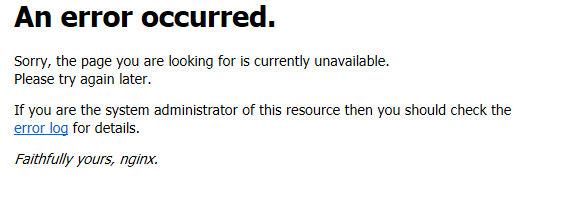
然后我就去看日志,就是上边的错误信息。发现 错误信息中 应该是 nginx-1.12.2结果却是 ginx-1.12.2 。
原因:windows和linux不一样,windows中默认是 反斜杠\\\\\\\\\\\\\ 而linux确是斜杠////// 结果根路径F:\nginx-1.12.2 中的 \n 就会被当成是换行,被转义处理。
解决办法:配置vue资源根目录的时候 F:\\nginx-1.12.2\html\dist 双反斜杠表示不转义。如果是linux就不会存在这个问题 我已经测试了
下边是windows的 nginx配置文件:
 //

#user nobody;

worker_processes  1;

#error_log  logs/error.log;

#error_log  logs/error.log  notice;

#error_log  logs/error.log  info;

#pid        logs/nginx.pid;

events {

    worker_connections  1024;

}

http {

    include       mime.types;

    default_type  application/octet-stream;

    #log_format  main  '$remote_addr - $remote_user [$time_local] "$request" '

    #                  '$status $body_bytes_sent "$http_referer" '

    #                  '"$http_user_agent" "$http_x_forwarded_for"';

    #access_log  logs/access.log  main;

    sendfile        on;

    #tcp_nopush     on;

    #keepalive_timeout  0;

    keepalive_timeout  65;

    #gzip  on;

    server {

        listen       8081;

        server_name  localhost;

        #charset koi8-r;

        #access_log  logs/host.access.log  main;

        location / {

#vue项目的根路径 windows是双反斜杠

            root   F:\\nginx-1.12.2\html\dist;

            index  index.html index.htm;

try_files $uri $uri/ /index.html;

        }

		#访问后台接口的代理

		location /api/ {

            proxy_pass	http://localhost:8080/;

        }

		location = /favicon.ico {

			log_not_found off;

			access_log off;

		}

        #error_page  404              /404.html;

        # redirect server error pages to the static page /50x.html

        #

        error_page   500 502 503 504  /50x.html;

        location = /50x.html {

            root   html;

        }

        # proxy the PHP scripts to Apache listening on 127.0.0.1:80

        #

        #location ~ \.php$ {

        #    proxy_pass   http://127.0.0.1;

        #}

        # pass the PHP scripts to FastCGI server listening on 127.0.0.1:9000

        #

        #location ~ \.php$ {

        #    root           html;

        #    fastcgi_pass   127.0.0.1:9000;

        #    fastcgi_index  index.php;

        #    fastcgi_param  SCRIPT_FILENAME  /scripts$fastcgi_script_name;

        #    include        fastcgi_params;

        #}

        # deny access to .htaccess files, if Apache's document root

        # concurs with nginx's one

        #

        #location ~ /\.ht {

        #    deny  all;

        #}

    }

    # another virtual host using mix of IP-, name-, and port-based configuration

    #

    #server {

    #    listen       8000;

    #    listen       somename:8080;

    #    server_name  somename  alias  another.alias;

    #    location / {

    #        root   html;

    #        index  index.html index.htm;

    #    }

    #}

    # HTTPS server

    #

    #server {

    #    listen       443 ssl;

    #    server_name  localhost;

    #    ssl_certificate      cert.pem;

    #    ssl_certificate_key  cert.key;

    #    ssl_session_cache    shared:SSL:1m;

    #    ssl_session_timeout  5m;

    #    ssl_ciphers  HIGH:!aNULL:!MD5;

    #    ssl_prefer_server_ciphers  on;

    #    location / {

    #        root   html;

    #        index  index.html index.htm;

    #    }

    #}

}
windows下nginx问题:[crit] 796#7096: *1 GetFileAttributesEx() "F: ginx-1.12.2\html\dist" failed (123: The filename, directory name, or volume label syntax is incorrect), client: 127.0.0.1, server: localho的更多相关文章
- 123: The filename, directory name, or volume label syntax is incorrect今天玩nginx的时候报错
今天在win下玩nginx的时候 提示500错误 看了下nginx的logs 提示 123: The filename, directory name, or volume label syntax ...
- Windows下Nginx配置SSL实现Https访问(包含证书生成)
Vincent.李 Windows下Nginx配置SSL实现Https访问(包含证书生成) Windows下Nginx配置SSL实现Https访问(包含证书生成) 首先要说明为什么要实现https ...
- Windows下Nginx Virtual Host多站点配置详解
Windows下Nginx Virtual Host多站点配置详解 此教程适用于Windows系统已经配置好Nginx+Php+Mysql环境的同学. 如果您还未搭建WNMP环境,请查看 window ...
- windows下nginx的启动关闭
Windows下Nginx的启动.停止等命令 在Windows下使用Nginx,我们需要掌握一些基本的操作命令,比如:启动.停止Nginx服务,重新载入Nginx等,下面我就进行一些简单的介绍. .启 ...
- Windows下Nginx的启动、停止等命令
Windows下Nginx的启动.停止等命令 在Windows下使用Nginx,我们需要掌握一些基本的操作命令,比如:启动.停止Nginx服务,重新载入Nginx等,下面我就进行一些简单的介绍.1.启 ...
- Windows下Nginx的启动、停止等命令(转)
Windows下Nginx的启动.停止等命令 在Windows下使用Nginx,我们需要掌握一些基本的操作命令,比如:启动.停止Nginx服务,重新载入Nginx等,下面我就进行一些简单的介绍.1.启 ...
- windows下nginx+fastcgi不能使用file_get_contents/curl/fopen的原因
这两天一直在搞windows下nginx+fastcgi的file_get_contents请求.我想,很多同学都遇到当file_get_contents请求外网的http/https的php文件时毫 ...
- Windows下Nginx实现负载均衡
Apache,Nginx Apache和Nginx都属于属于 静态页面服务器,都有插件支持动态编程语言处理,但Nginx的IO模比Apache更适合跑代理.所以一般都作为前端缓冲代理(Nginx的反向 ...
- [转]Windows 下 Nginx+IIS 使用
本文转自:https://blog.csdn.net/chihen/article/details/52698594 Windows 下 Nginx+IIS 使用 一.Nginx简介 Nginx (& ...
随机推荐
- hive中如何查询除了其中某个字段剩余所有字段
想要将hive分区表中的某个分区复制到新的分区中,使用如下sql语句 insert overwrite table zcfw_sda.sda04_core_request_base_ratio_ifr ...
- hive如何获取当前时间
在大多数的sql中获取当前时间都是用now()函数即可,hive获取当前时间的函数与sql 不一样 在impala中执行now()函数时是可以通过的 然而在hive中执行now()函数却报错: hiv ...
- 简易的java爬虫项目
简易的java爬虫项目 本项目仅供java新手学习交流,由于本人也是一名java初学者,所以项目中也有很多不规范的地方,希望各位高手不吝赐教,在评论区指出我的不足,我会虚心学习: 成果预览: 在开始讲 ...
- 如何针对 iPhone X 设计网站?
在全面屏的 iPhone X 上,不需要而外的代码,Safari 可以非常完美的展示现有的网站.整个网站的内容都会自动地展示在一个“安全区域”内,并不会被四周的圆角或者“小刘海”遮挡住. Safari ...
- HDU 4143 A Simple Problem 题解
题目 For a given positive integer n, please find the saallest positive integer x that we can find an i ...
- 从零开始学Electron笔记(一)
前端技术在最近几年迅猛发展,在任何开发领域我们都能看到前端的身影,从PC端到手机端,从APP到小程序,似乎前端已经无所不能,这就要求我们需要不断地去学习来提升自己!前段时间尤大通过直播介绍了一下Vue ...
- 阐述Fetch.ai的能源市场优化
原文链接:https://fetch.ai/explaining-fetch-ais-energy-market-optimization/ 阐述Fetch.ai的能源市场优化 2019年11月4日 ...
- C#获取页面内容的几种方式
常见的Web页面获取页面内容用 WebRequest 或者 HttpWebRequest 来操作 Http 请求. 例如,获取百度网站的 html 页面 var request = WebReques ...
- Linux下diff命令用法详解
大家好,我是良许. 我们在平时工作的时候,经常要知道两个文件之间,以及同个文件不同版本之间有何异同点.在 Windows 下,有 beyond compare 这个好用的工具,而在 Linux 下,也 ...
- day14总结
装饰器 """1.什么是装饰器 器指的是工具/功能 装饰指的是为被装饰对象添加额外的功能 大白话:定义装饰器就是定义了一个函数,该函数就是用来为其他函数添加额外的功能的 ...