
UGUI:窗口限制以及窗口缩放
版权申明:
- 本文原创首发于以下网站:
- 博客园『优梦创客』的空间:https://www.cnblogs.com/raymondking123
- 优梦创客的官方博客:https://91make.top
- 优梦创客的游戏讲堂:https://91make.ke.qq.com
- 『优梦创客』的微信公众号:umaketop
- 您可以自由转载,但必须加入完整的版权声明
窗口拖动限制在一个特定的区域
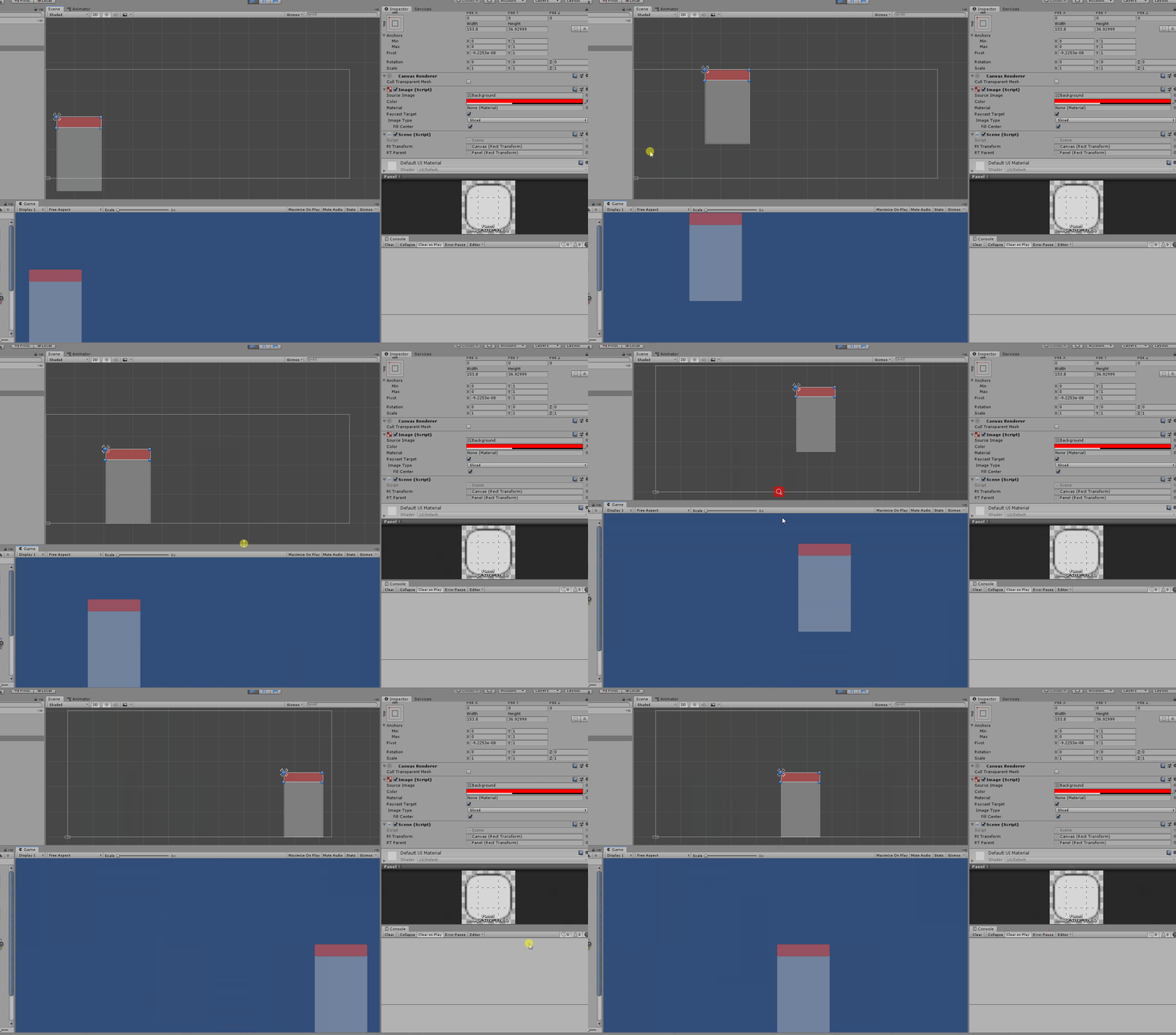
public class Scene : MonoBehaviour, IDragHandler, IPointerDownHandler

{

    public RectTransform RtTransform;

    public RectTransform RTParent;

    Vector2 downpos;

    Vector2 newpos;

    public void OnPointerDown(PointerEventData eventData)

    {

       RectTransformUtility.ScreenPointToLocalPointInRectangle

       (RtTransform, eventData.position

       ,eventData.pressEventCamera, out downpos);

        //print(downpos);

    }

    public void OnDrag(PointerEventData eventData)

    {

        if (RectTransformUtility.ScreenPointToLocalPointInRectangle

         (RtTransform, eventData.position

         , eventData.pressEventCamera, out newpos))

        {

            Vector2 offset = newpos - downpos;

            transform.parent.position = (Vector2)transform.parent.position + offset;

            downpos = newpos;

        }

        if (RTParent.position.x < 0)

        {

            Vector2 tmp = RTParent.position;

            tmp.x = 0;

            RTParent.position = tmp;

        }

        else if (RTParent.position.x > RtTransform.rect.width - RTParent.rect.width)

        {

            Vector2 tmp = RTParent.position;

            tmp.x = RtTransform.rect.width - RTParent.rect.width;

            RTParent.position = tmp;

        }

        if (RTParent.position.y < 0)

        {

            Vector2 tmp = RTParent.position;

            tmp.y = 0;

            RTParent.position = tmp;

        }

        else if (RTParent.position.y > RtTransform.rect.height - RTParent.rect.height)

        {

            Vector2 tmp = RTParent.position;

            tmp.y = RtTransform.rect.height - RTParent.rect.height;

            RTParent.position = tmp;

        }

    }
窗口缩放
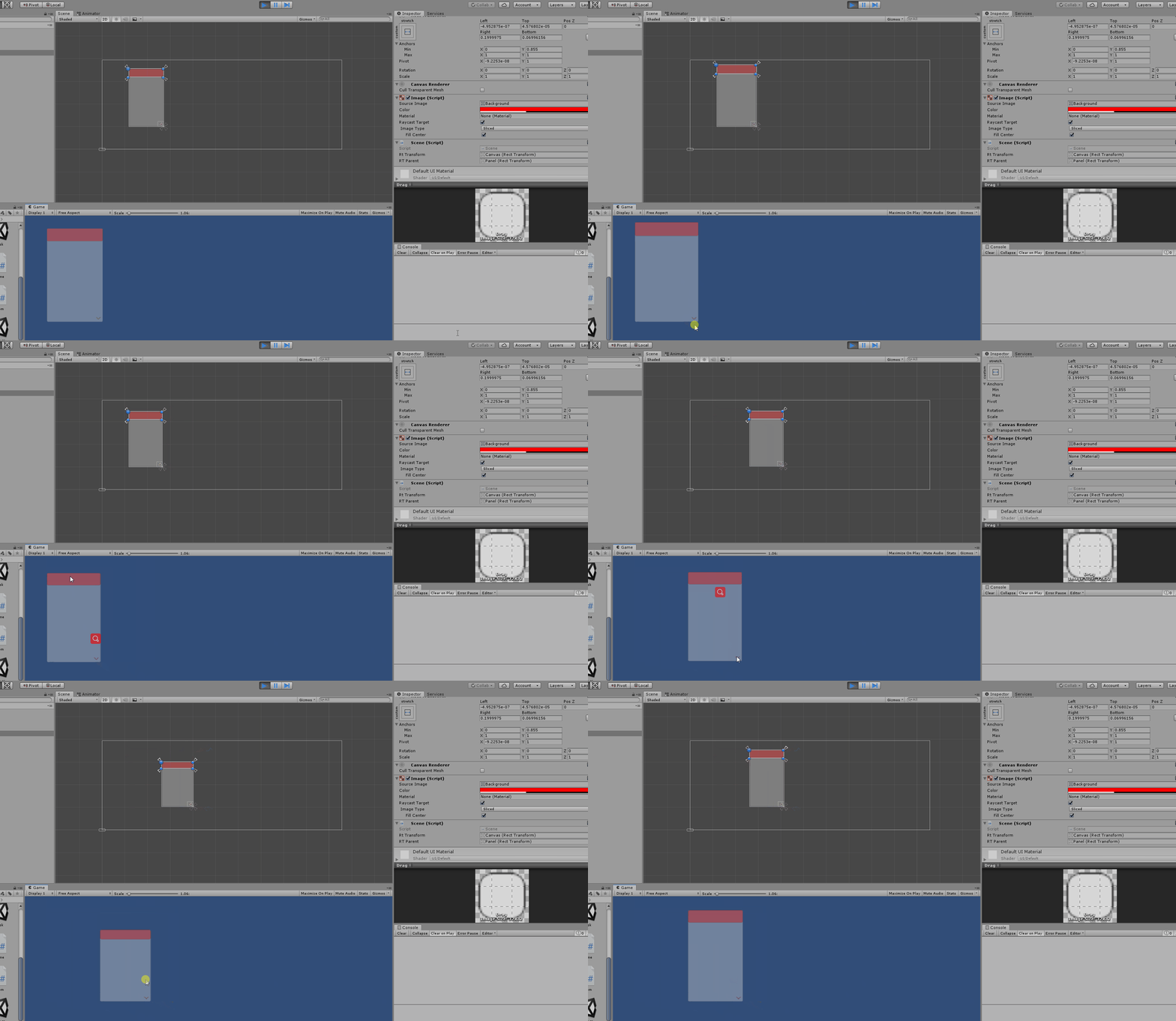
public class Zoom : MonoBehaviour,IPointerDownHandler,IDragHandler

{

    public RectTransform canvasWindow;

    public RectTransform parentWinfow;

    Vector2 downpos;

    Vector2 newpos;

    Vector2 origsize;

    public void OnPointerDown(PointerEventData eventData)

    {

        origsize = parentWinfow.sizeDelta;

        RectTransformUtility.ScreenPointToLocalPointInRectangle

        (canvasWindow, eventData.position, eventData.pressEventCamera, out downpos);

    }

    public void OnDrag(PointerEventData eventData)

    {

        if (RectTransformUtility.ScreenPointToLocalPointInRectangle

           (canvasWindow, eventData.position, eventData.pressEventCamera, out newpos))

        {

            Vector2 offpos=newpos-downpos;

           // offpos.y *= -1;

            parentWinfow.sizeDelta =origsize + offpos;

        }

    }

}
UGUI:窗口限制以及窗口缩放的更多相关文章
- JQuery-Dialog(弹出窗口,遮蔽窗口)
在Ajax中经常用到的弹出窗口和遮蔽窗口.自己写肯定是一个最佳方案,但时间和成本上,还是决定了寻找现成的吧.大概罗列一下.需要我满足我几个条件 一定要简洁方便 拥有遮蔽功能,Model Dialog ...
- TCP滑动窗口(发送窗口和接受窗口)
TCP窗口机制 TCP header中有一个Window Size字段,它其实是指接收端的窗口,即接收窗口.用来告知发送端自己所能接收的数据量,从而达到一部分流控的目的. 其实TCP在整个发送过程中, ...
- JavaScript子窗口调用父窗口变量和函数的方法
在做一个父窗口开启子窗口并且在子窗口关闭的时候调用父窗口的方法,达到局部刷新的目的. 父窗口: <!DOCTYPE html PUBLIC "-//W3C//DTD XHTML 1.0 ...
- UI: 窗口全屏, 窗口尺寸
窗口全屏 窗口尺寸 示例1.窗口全屏UI/FullScreen.xaml <Page x:Class="Windows10.UI.FullScreen" xmlns=&quo ...
- tcp协议头窗口,滑动窗口,流控制,拥塞控制关系
参考文章 TCP 的那些事儿(下) http://coolshell.cn/articles/11609.html tcp/ip详解--拥塞控制 & 慢启动 快恢复 拥塞避免 http://b ...
- 背水一战 Windows 10 (3) - UI: 窗口全屏, 窗口尺寸
[源码下载] 背水一战 Windows 10 (3) - UI: 窗口全屏, 窗口尺寸 作者:webabcd 介绍背水一战 Windows 10 之 UI 窗口全屏 窗口尺寸 示例1.窗口全屏UI/F ...
- HTML中IFrame父窗口与子窗口相互操作
一.Iframe篇 //&&&&&&&&&&&&&&&&&&am ...
- Win32编程:窗口类样式+窗口外观样式+窗口显示样式
1.窗口类样式WNDCLASS.style CS_VREDRAW 提供窗口位置变化事件和高度变化事件的处理程序,功能是重绘窗口 CS_HREDRAW 提供窗口位置变化事件和宽度变化事件的处理程序,功能 ...
- JavaScript(Iframe、window.open、window.showModalDialog)父窗口与子窗口之间的操作
一.Iframe 篇 公共部分 //父对象得到子窗口的值 //ObjectID是窗口标识,ContentID是元素ID function GetValue(ObjectID,ContentID) { ...
- js window.open() 父窗口与子窗口的互相调用(未必有用)
javascript 父窗口与子窗口的互相调用 <html> <head></head> <body> 主要实现父子关系的页面 window.opene ...
随机推荐
- [LeetCode] 370. Range Addition 范围相加
Assume you have an array of length n initialized with all 0's and are given k update operations. Eac ...
- [LeetCode] 321. Create Maximum Number 创建最大数
Given two arrays of length m and n with digits 0-9 representing two numbers. Create the maximum numb ...
- oracle-DBlink基本操作
01,查询 查询DBLINK信息 select * from dba_db_links; select owner,object_name from dba_objects where object_ ...
- Oracle--缓冲区忙等待事件
一,缓冲区等待事件 缓冲区忙等待是I/O-bound Oracle系统中比较常见的现象,特别是在Oracle STATSPACK报告的前五个忙等待的读(顺序/分散)系统中,如前5个定时事件: % 总和 ...
- python使用rdflib创建rdf,在jena fuseki上执行SPARQL查询
建立并启动jena fuseki服务 参考:https://www.cnblogs.com/bincoding/p/11223372.html 使用rdflib创建rdf文件 import rdfli ...
- Django中render_to_response和render的区别(转载)
转载地址:https://www.douban.com/note/278152737/ 自django1.3开始:render()方法是render_to_response的一个崭新的快捷方式,前者会 ...
- Java连载9-数据类型&字符编码
一.数据类型注意:(1)计算机最初只支持英文,最先出现的字符编码是:ASII码例如:‘a'对应97,对应01100001(2)编码和解码的时候采用同一套字典/对照表,不会出现乱码.否则会出现乱码.二. ...
- PostgreSQL事务特性之嵌套事务
嵌套事务的实现是基于SAVEPOINT.ROLLBACK TO SAVEPOINT和RELEASE SAVEPOINT的,也就是设置一个保存点,可以回滚到保存点和释放保存点. 测试表的初始状态如下: ...
- 微信小程序练习笔记(更新中。。。)
微信小程序练习笔记 微信小程序的练习笔记,用来整理思路的,文档持续更新中... 案例一:实现行的删除和增加操作 test.js // 当我们在特定方法中创建对象或者定义变量给与初始值的时候,它是局部 ...
- 深入V8引擎-编译启动
记录一下步骤,方便以后换了电脑重新编译. 1.搞定depot_tools,git地址:git clone https://chromium.googlesource.com/chromium/tool ...