
怎样使android的view动画循环弹动
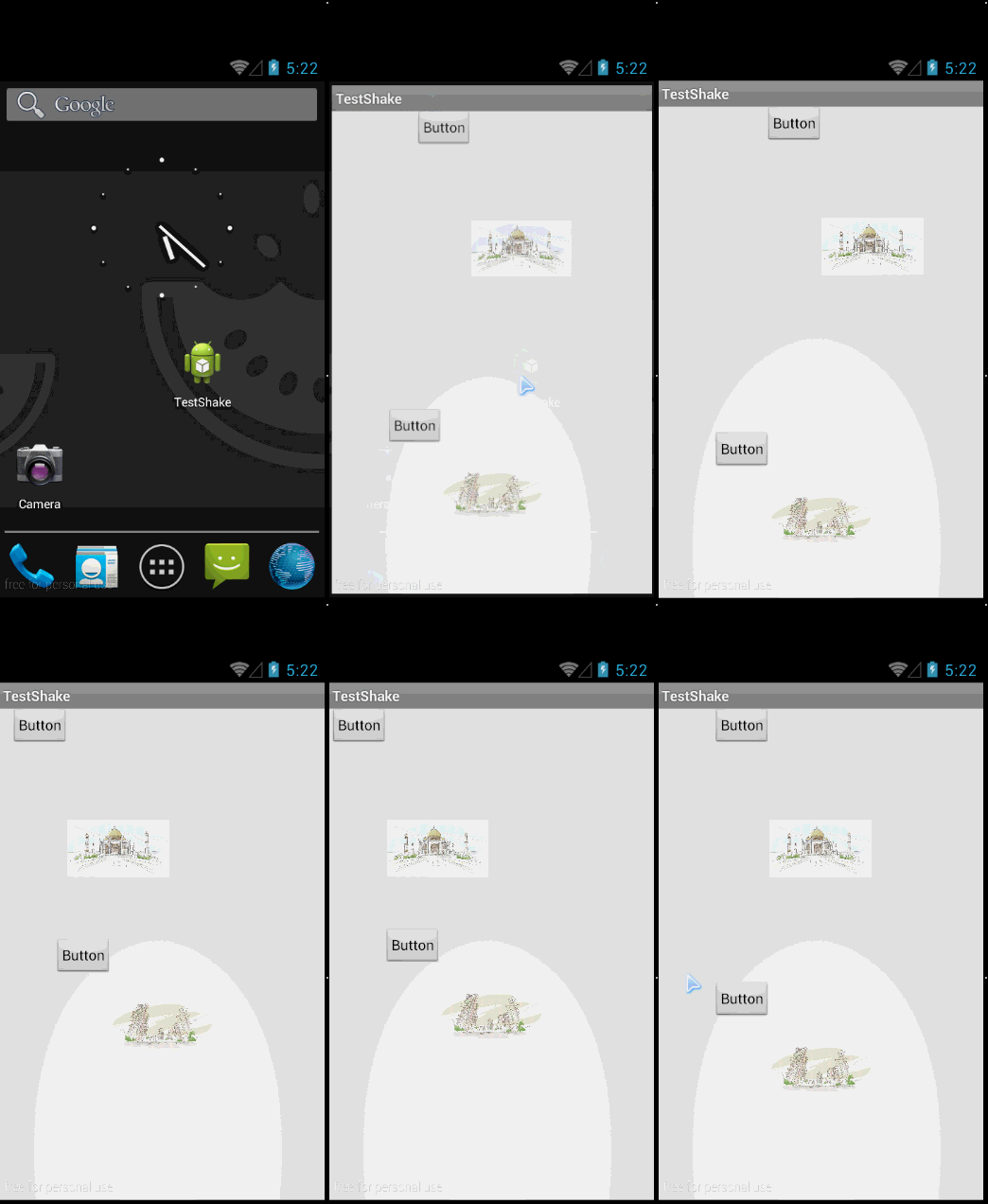
在res中建立文件夹anim,分别写下cycles.xml,shake1.xml,shake2.xml
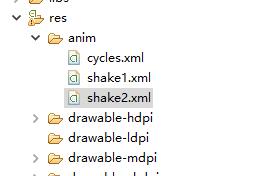
cycles.xml:
 <?xml version="1.0" encoding="utf-8"?>

 <!--  android:cycles代表移动的速度 -->

 <cycleInterpolator xmlns:android="http://schemas.android.com/apk/res/android"

     android:cycles="1" />
shake1.xml:
 <?xml version="1.0" encoding="utf-8"?>

 <!--水平移动 -->

 <!--android:duration代表运行时间 -->

 <!-- android:fromXDelta代表起始横坐标位置  (0,0)-->

 <!-- android:toXDelta代表离横坐标起始位置的X距离为100 (100,0)-->

 <translate xmlns:android="http://schemas.android.com/apk/res/android"

     android:duration="3000"

     android:fromXDelta="0.0"

     android:toXDelta="100.0"

     android:interpolator="@anim/cycles"/>
shake2.xml:
 <?xml version="1.0" encoding="utf-8"?>

 <!--垂直移动 -->

 <!--android:duration代表运行时间 -->

 <!-- android:fromXDelta代表起始纵坐标位置  (0,0)-->

 <!-- android:toXDelta代表离横坐标起始位置的Y距离为100(0,100)-->

 <translate xmlns:android="http://schemas.android.com/apk/res/android"

     android:duration="3000"

     android:fromYDelta="0.0"

     android:toYDelta="100.0"

     android:interpolator="@anim/cycles"/>
activity_main.xml:
 1 <RelativeLayout xmlns:android="http://schemas.android.com/apk/res/android"

 2     xmlns:tools="http://schemas.android.com/tools"

 3     android:layout_width="match_parent"

 4     android:layout_height="match_parent"

 5     tools:context="com.zzw.testshake.MainActivity" >

 6

 7     <ImageView

 8         android:id="@+id/image2"

 9         android:layout_width="100dp"

10         android:layout_height="100dp"

11         android:layout_alignParentBottom="true"

12         android:layout_centerHorizontal="true"

13         android:layout_marginBottom="78dp"

14         android:src="@drawable/b" />

15

16     <ImageView

17         android:id="@+id/image1"

18         android:layout_width="100dp"

19         android:layout_height="100dp"

20         android:layout_alignLeft="@+id/image2"

21         android:layout_alignParentTop="true"

22         android:layout_marginTop="87dp"

23         android:src="@drawable/a" />

24

25     <Button

26         android:id="@+id/button2"

27         style="?android:attr/buttonStyleSmall"

28         android:layout_width="wrap_content"

29         android:layout_height="wrap_content"

30         android:layout_above="@+id/image2"

31         android:layout_toLeftOf="@+id/image2"

32         android:text="Button" />

33

34

35     <Button

36         android:id="@+id/button1"

37         style="?android:attr/buttonStyleSmall"

38         android:layout_width="wrap_content"

39         android:layout_height="wrap_content"

40         android:layout_below="@+id/editText1"

41         android:layout_toLeftOf="@+id/image1"

42         android:text="Button" />

43

44 </RelativeLayout>
activity_main.xml
MainActivity:
 package com.zzw.testshake;

 import android.app.Activity;

 import android.os.Bundle;

 import android.view.animation.AnimationUtils;

 import android.widget.Button;

 import android.widget.EditText;

 import android.widget.ImageView;

 public class MainActivity extends Activity {

     @Override

     protected void onCreate(Bundle savedInstanceState) {

         super.onCreate(savedInstanceState);

         setContentView(R.layout.activity_main);

         ImageView image1 = (ImageView) findViewById(R.id.image1);

         image1.startAnimation(AnimationUtils.loadAnimation(this, R.anim.shake1));

         ImageView image2 = (ImageView) findViewById(R.id.image2);

         image2.startAnimation(AnimationUtils.loadAnimation(this, R.anim.shake2));

         Button bt1 = (Button) findViewById(R.id.button1);

         bt1.startAnimation(AnimationUtils.loadAnimation(this, R.anim.shake1));

         Button bt2 = (Button) findViewById(R.id.button2);

         bt2.startAnimation(AnimationUtils.loadAnimation(this, R.anim.shake2));

     }

 }
怎样使android的view动画循环弹动的更多相关文章
- Android开发——View动画、帧动画和属性动画详解
0. 前言 Android动画是面试的时候经常被问到的话题.我们都知道Android动画分为三类:View动画.帧动画和属性动画. 先对这三种动画做一个概述: View动画是一种渐进式动画,通过图 ...
- Android传统View动画与Property动画基础及比较
前言:关于动画方面的知识也整理一段时间了,如题,这篇文章简单的介绍了View和Property动画的概念,如何在项目中创建资源文件,以及如何在代码中使用它们,本次整理动画的重点放在了Property动 ...
- Android(java)学习笔记200:Android中View动画之 XML实现 和 代码实现
1.Animation 动画类型 Android的animation由四种类型组成: XML中: alph 渐变透明度动画效果 scale 渐变尺寸伸缩动画效果 translate 画面转换位置移动动 ...
- Android(java)学习笔记143:Android中View动画之 XML实现 和 代码实现
1.Animation 动画类型 Android的animation由四种类型组成: XML中: alph 渐变透明度动画效果 scale 渐变尺寸伸缩动画效果 translate 画面转换位置移动动 ...
- Android移动view动画问题
http://www.cnblogs.com/eoiioe/archive/2012/08/29/2662546.html Android写动画效果不是一般的麻烦,网上找了好久,终于解决了动画的问题, ...
- Android中view动画
[1]透明 //点击按钮 实现iv 透明的效果 动画 public void click1(View v) { //1.0意味着着完全不透明 0.0意味着完全透明 AlphaAnimation aa ...
- Android中的动画学习总结
android中动画可分为三种:帧动画,补间动画,和属性动画.其中属性动画是google推荐的,它可以实现前面两种动画的效果,运用起来更加灵活. 帧动画:顾名思义,就是一帧一帧的图片,快速播放形成的动 ...
- Android中的动画使用总结
android中动画可分为三种:帧动画,补间动画,和属性动画.其中属性动画是google推荐的,它可以实现前面两种动画的效果,运用起来更加灵活. 帧动画:顾名思义,就是一帧一帧的图片,快速播放形成的动 ...
- android 巧用动画使您app风骚起来
巧用Android的自定义动画,使你更加的有动感,是大多数Android开发人员的目标,那怎么做到这点.请听下文分解: 3.0以前,android支持两种动画模式,tween animation(幅间 ...
随机推荐
- 【转】nginx服务器安装及配置文件详解
原文:http://seanlook.com/2015/05/17/nginx-install-and-config/ nginx服务器安装及配置文件详解 nginx在工作中已经有好几个环境在使用了, ...
- 启用 CORS 来解决这个问题(ajax跨域请求)
<input type="file" name="btn_Upload" value="上传" id="btn_Upload ...
- python 赋值,交换值理解
python里的赋值都是引用,第一次赋值就是定义. 看下面两个交换值的例子: 1. >>> a,b,c = 1,2,3 >>> a = b >>> ...
- android L 新控件侧滑菜单DrawerLayout 使用教程
介绍 drawerLayout是Support Library包中实现了侧滑菜单效果的控件,可以说drawerLayout是因为第三方控件如MenuDrawer等的出现之后,google借鉴而出现的产 ...
- CLOB和BLOB的区别
BLOB和CLOB都是大字段类型,BLOB是按二进制来存储的,而CLOB是可以直接存储文字的.其实两个是可以互换的的,或者可以直接用LOB字段代替这两个.但是为了更好的管理ORACLE数据库,通常像图 ...
- Unity WebSocket(仅适用于WebGL平台)
!!!转载注明:http://www.cnblogs.com/yinlong1991/p/unity_ylwebsocket.html Unity WebSocket 使用 1.下载 YLWebSoc ...
- 慕课网-安卓工程师初养成-4-8 Java循环语句之 do...while
do...while 循环与 while 循环语法有些类似,但执行过程差别比较大. 语法: 执行过程: <1>. 先执行一遍循环操作,然后判断循环条件是否成立 <2>. 如果 ...
- 【练习】如何显示本地主机上的MySQL客户机版本
在终端窗口以oracle用户身份登录 [root@enmo ~]# su - oracle [oracle@enmo ~]$ mysql -V mysql Ver , for Linux (x86_6 ...
- Android WebView与JavaScript交互操作(Demo)
应用场景: 为了使Android移动项目能够在较短的时间内完成开发,同时降低技术人员开发的成本投入,往往会采用Hybrid APP的开发模式.相关Hybrid APP(混合型应用)参看:http:// ...
- 解决ScrollView下嵌套ListView、GridView显示不全的问题
/** * 自定义gridview,解决ListView中嵌套gridview显示不正常的问题(1行半) * @author wangyx * @version 1.0.0 2012-9-14 */ ...