
iOS - UIKit
1、UIKit 框架基本结构
1)控件
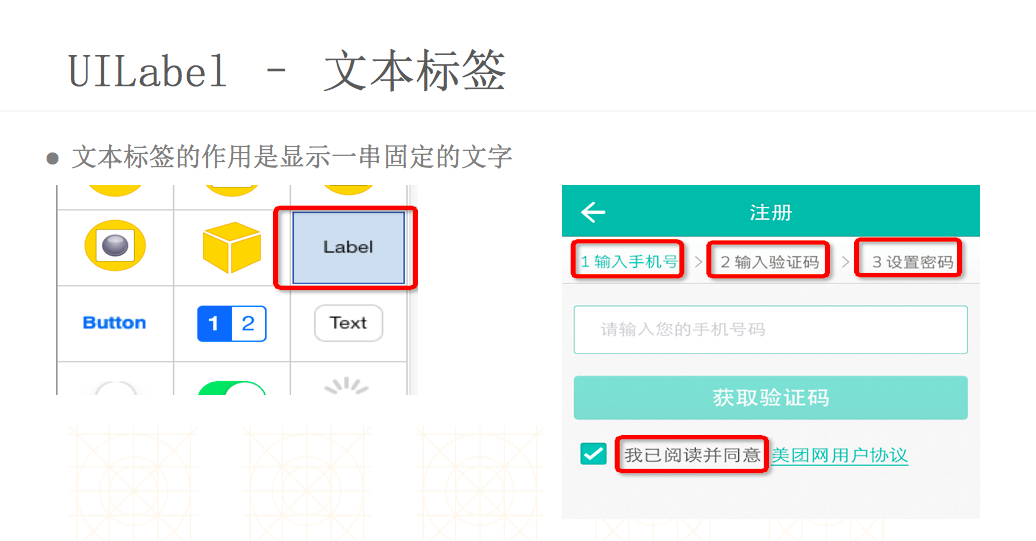
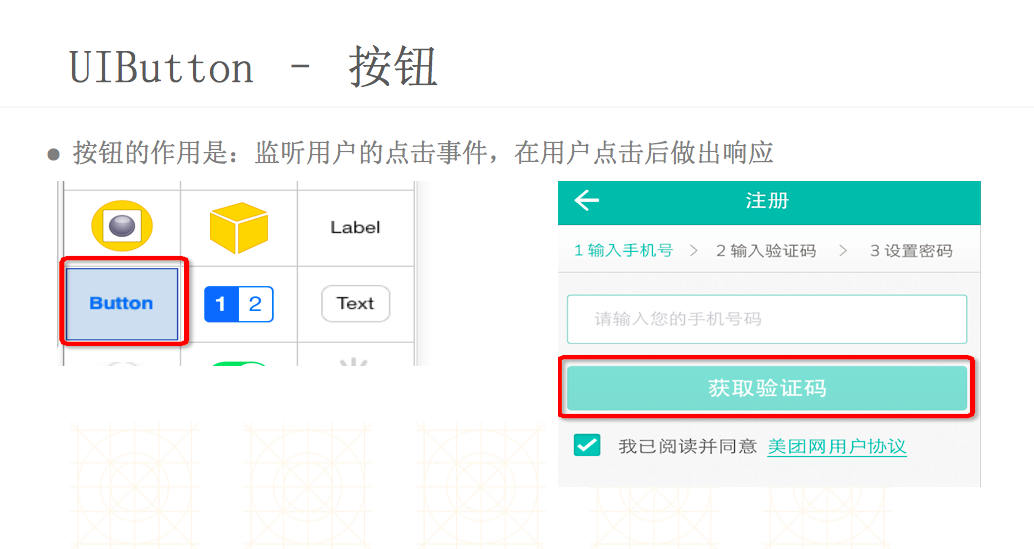
屏幕上的所有 UI 元素都叫做控件(也有叫做视图、组件),比如按钮(UIButton)、文本(UILabel)都是控件。
为了便于开发者打造各式各样的优秀 App,UIKit 框架提供了非常多功能强大又易用的 UI 控件,但并不是每一个都很常用,有些控件可能 1 年内都用不上,有些控件天天用,比如 UIButton、UILabel、UIImageView、UITableView 等等。
每个控件都是个容器,能容纳其他控件。内部小控件是大控件的子控件,大控件是内部小控件的父控件。
一个控件看不见有哪些可能:
- 宽度或者高度其实为 0
- 位置不对(比如是个负数或者超大的数,已经超出屏幕)
- hidden == YES
- alpha <= 0.01
- 没有设置背景色、没有设置内容
- 可能是文字颜色和背景色一样
2)控件坐标系
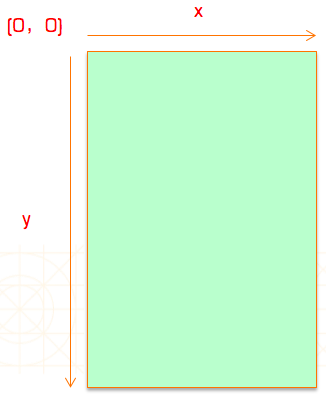
在 UIKit 中,坐标系的原点(0,0)在左上角,x 值向右正向延伸,y 值向下正向延伸。
1.1 各控件之间的层次结构
			   |—— UIAcceleration

    		   |

			   |—— UIAccelerometer

			   |

    		   |—— UIAccessibilityElement

			   |

			   |—— UIActivity

			   |                                    |—— UIBarButtonItem

			   |—— UIBarItem ——————————————————————-|

    		   |                                    |—— UITabBarItem

			   |—— UIBeziPath

			   |

    		   |—— UIColor

			   |

			   |—— UIDevice

    		   |

			   |—— UIDocumentInteractionController

			   |

    		   |—— UIEvent

			   |

			   |—— UIFont                           |—— UILongPressGestureRecognizer  |—— UIWindow

    		   |                                    |                                 |

    		   |—— UIGestureRecognizer —————————————|—— UIPanGestureRecognizer        |—— UILabel

			   |                                    |                                 |

			   |—— UIImage                          |—— UIPinchGestureRecognizer      |—— UIPickerView

    		   |                                    |                                 |

			   |—— UILocalizedIndexedCollation      |—— UIRotationGestureRecognizer   |—— UIProgressView

			   |                                    |                                 |

    		   |—— UILocalNotification              |—— UISwipeGestureRecognizer      |—— UIActivityIndicatorView       |—— UITextView

    		   |                                    |                                 |                                 |

    		   |—— UIMenuController                 |—— UITapGestureRecognizer        |—— UIImageView                   |—— UITableView

    		   |                                                                      |                                 |

	NSObject ——|—— UIMenuItem                                                         |—— UIScrollView ——————————————-——|—— UICollectionView

			   |                                                                      |

			   |—— UINavigationItem                                                   |—— UITabBar

			   |                                                                      |

			   |—— UINib                                                              |—— UIToolbar                     |—— UIStepper

    		   |                                                                      |                                 |

			   |—— UIPasteboard                                                       |—— UINavigationBar               |—— UIButton

			   |                                                                      |                                 |

    		   |—— UIPopoverController              |—— UISimpleTextPrintFormatter    |—— UITableViewCell               |—— UIDatePicker

			   |                                    |                                 |                                 |

    		   |—— UIPrintFormatter ———————————————-|—— UIMarkupTextPrintFormatter    |—— UIActionSheet                 |—— UIPageControl

			   |                                    |                                 |                                 |

    		   |—— UIPrintInfo                      |—— UIViewPrintFormatter          |—— UIAlertView                   |—— UISegmentedControl

			   |                                                                      |                                 |

			   |—— UIPrinInteractionController                                        |—— UISearchBar                   |—— UITextField

    		   |                                                                      |                                 |

			   |—— UIPrintPageRender                |—— UIApplication                 |—— UIWebView                     |—— UISlider

			   |                                    |                                 |                                 |

    		   |—— UIPrintPaper                     |—— UIView ———————————————————————|—— UIControl ————————————————————|—— UISwitch

			   |                                    |

			   |—— UIResponder ———————————————-—————|—— UIViewController —————————————|—— UISplitViewController

			   |                                                                      |

			   |—— UIScreen                                                           |—— UITabBarController

    		   |                                                                      |

			   |—— UIScreenMode                                                       |—— UITableViewController

			   |                                                                      |                              |—— UIImagePickerController

			   |—— UISearchDisplayController                                          |—— UINavigationController ————|

    		   |                                                                      |                              |—— UIVideoEditorController

			   |—— UITextChecker                                                      |—— UICollectionViewController

			   |                                                                      |

    		   |—— UITextInputStringTokenizer                                         |—— UIPageViewController

			   |                                                                      |

			   |—— UITextPosition                                                     |—— UIActivityViewController

    		   |

			   |—— UITextRanger

			   |

    		   |—— UITouch

			   |

    		   |—— CMMotionManager
1.2 各控件关联说明
	UIWindow                          : UIView                     窗口

        UIApplication                     : UIResponder                应用

        UIView                            : UIResponder                视图

            UILabel                           : UIView                    标签

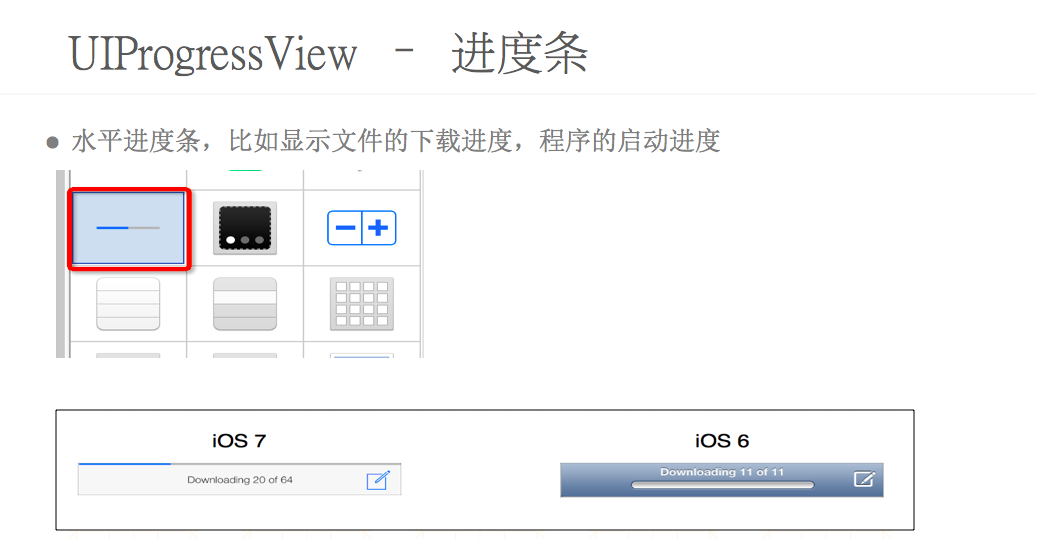
            UIProgressView                    : UIView                    进度条

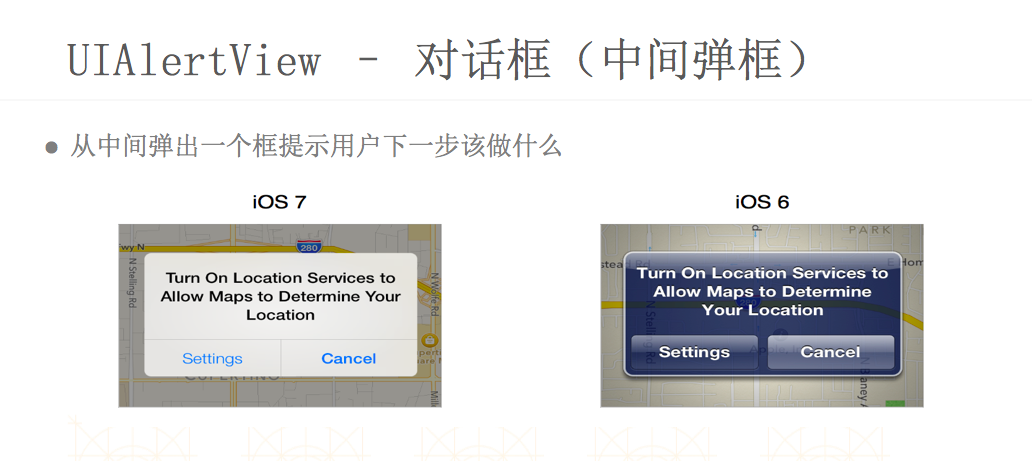
            UIAlertView                       : UIView                    警告框

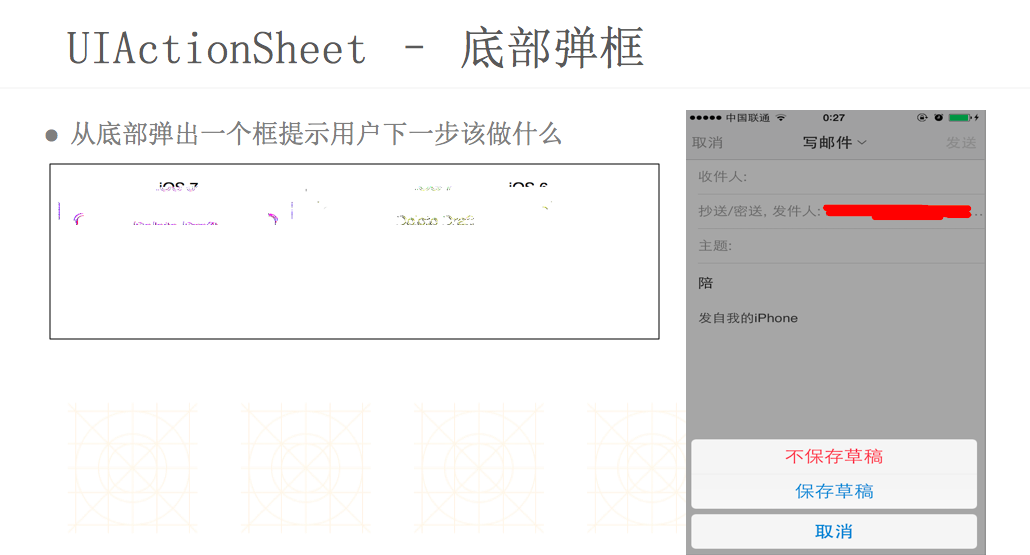
            UIActionSheet                     : UIView                    操作表

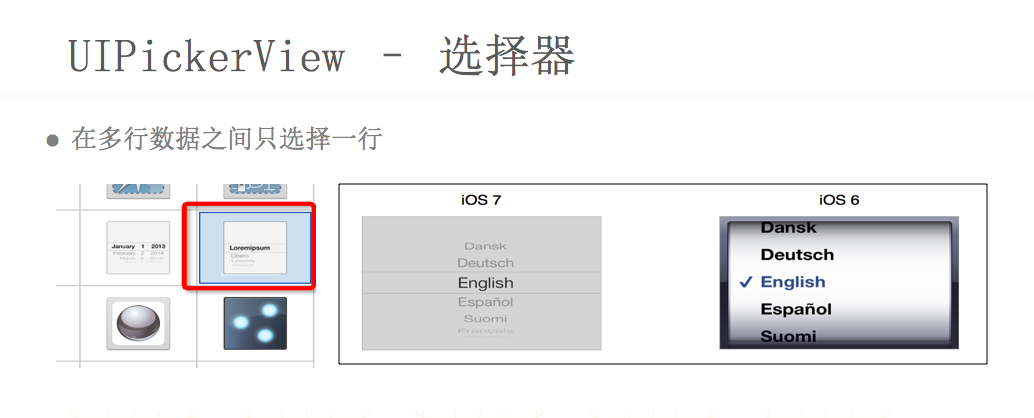
            UIPickerView                      : UIView                    选择框

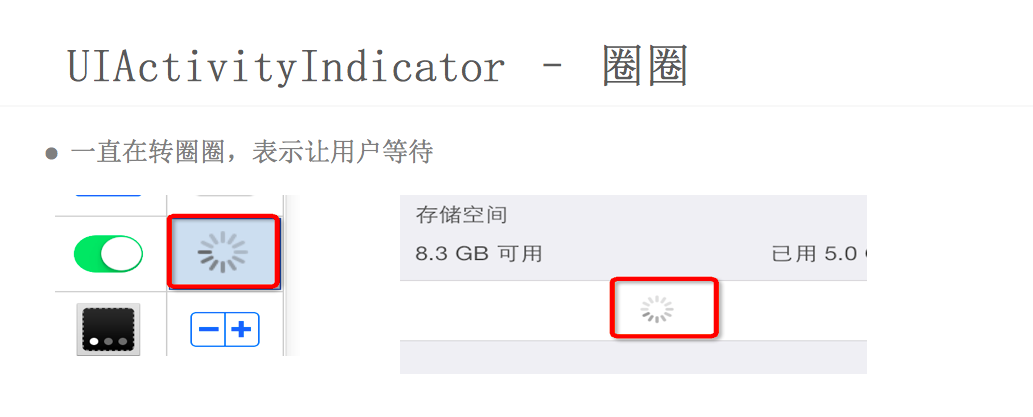
            UIActivityIndicatorView           : UIView                    风火轮

            UIImageView                       : UIView                    图像视图

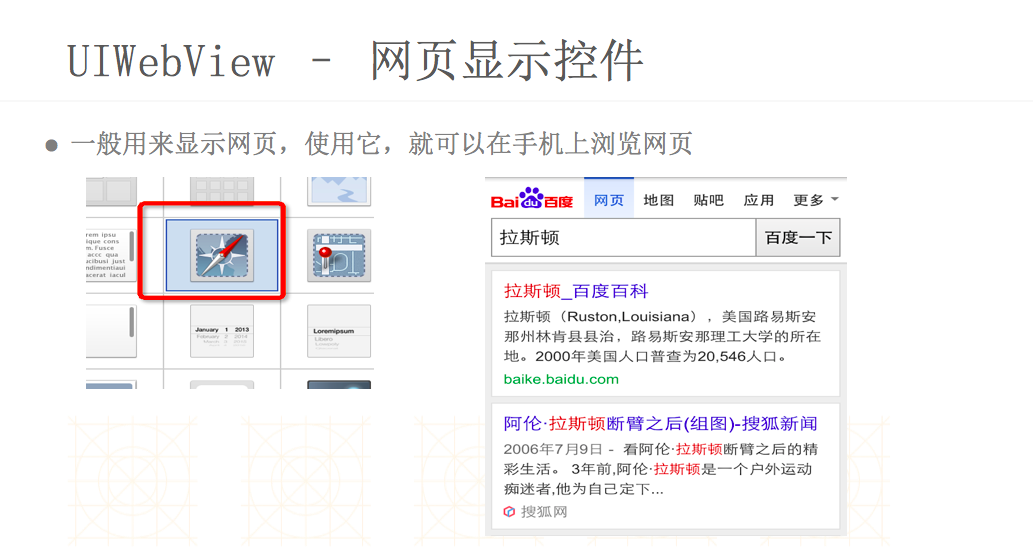
            UIWebView                         : UIView                    网页视图

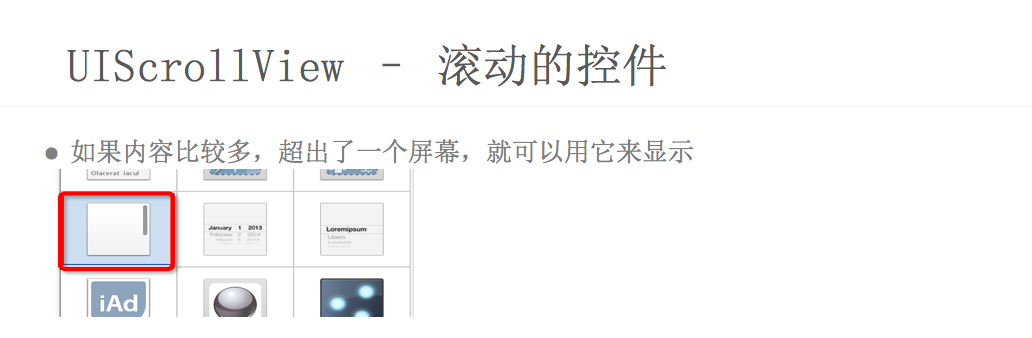
            UIScrollView                      : UIView                    滚动视图

            UITextView                        : UIScrollView              多行文本视图

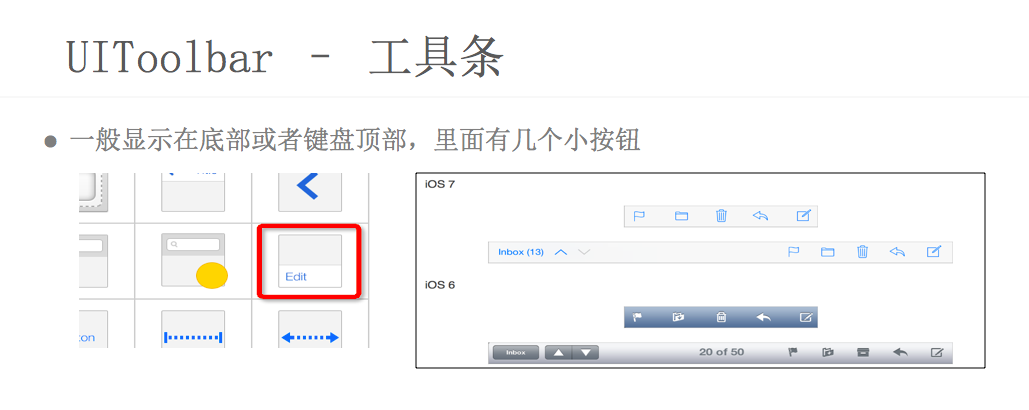
            UIToolbar                         : UIView                    工具条

        UIControl                         : UIView                     控制器

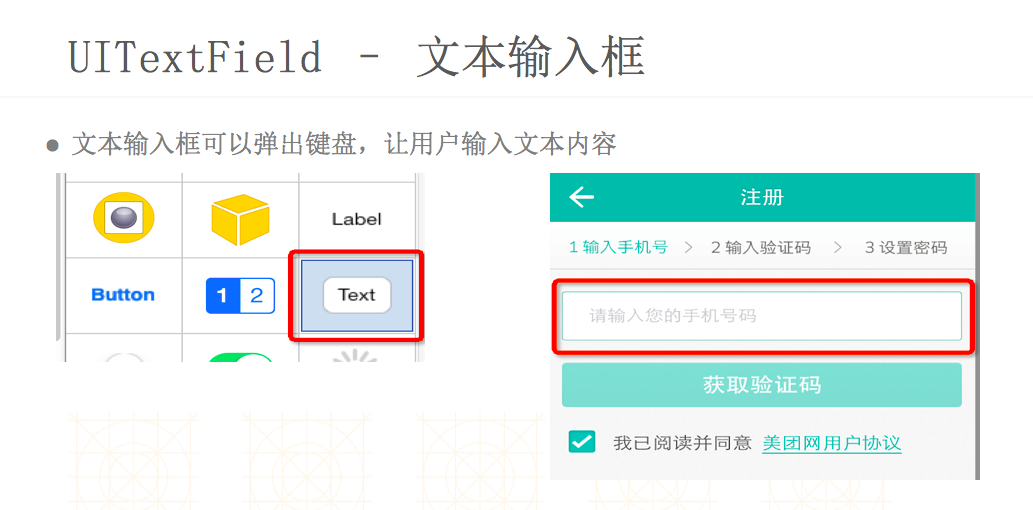
            UITextField                       : UIControl                 文本框控件

            UIButton                          : UIControl                 按钮控件

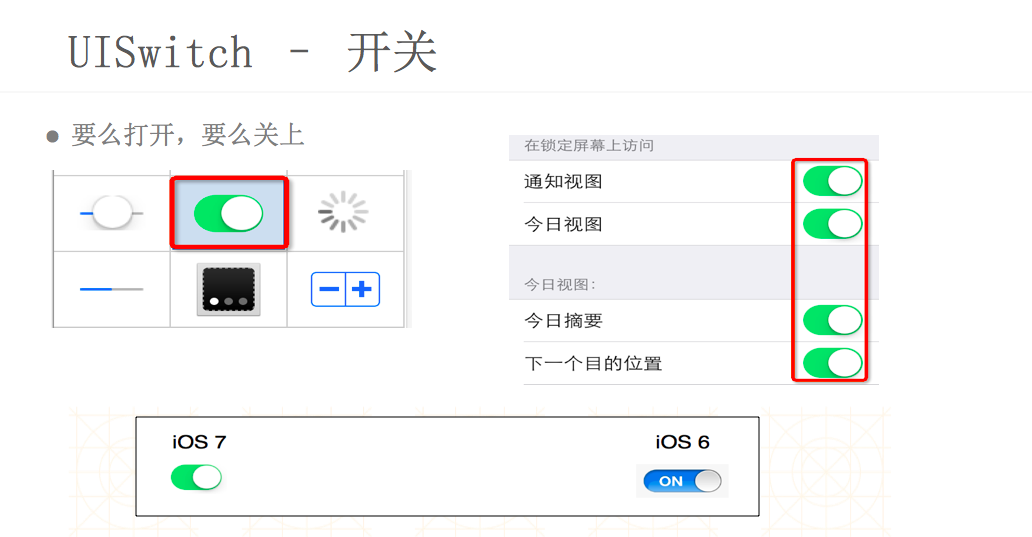
            UISwitch                          : UIControl                 开关按钮控件

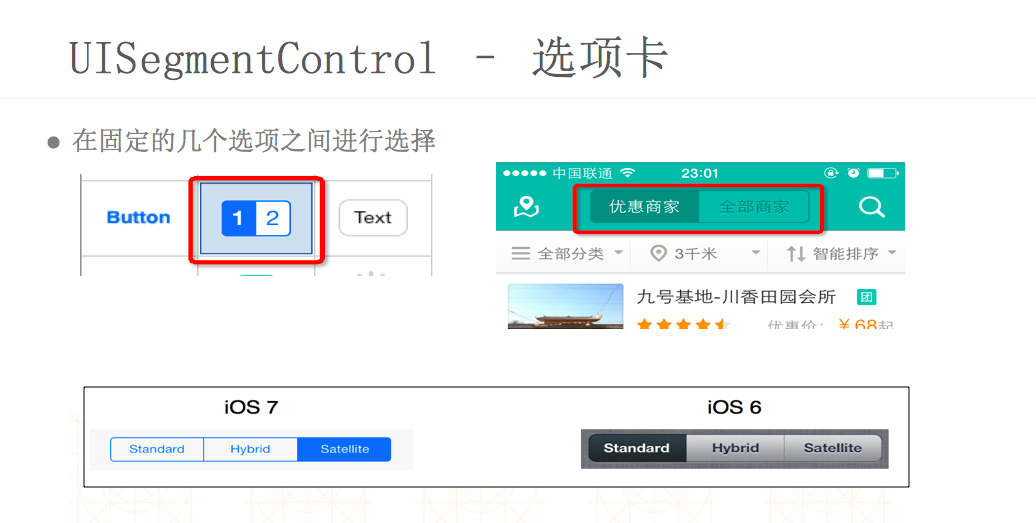
            UISegmentedControl                : UIControl                 选择控件

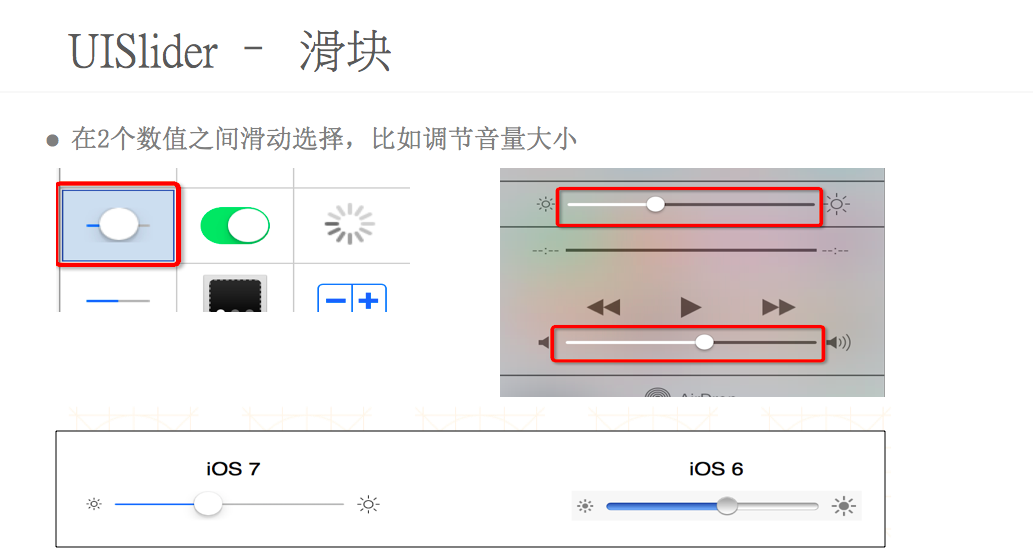
            UISlider                          : UIControl                 滑块控件

            UIStepper                         : UIControl                 微调器控件

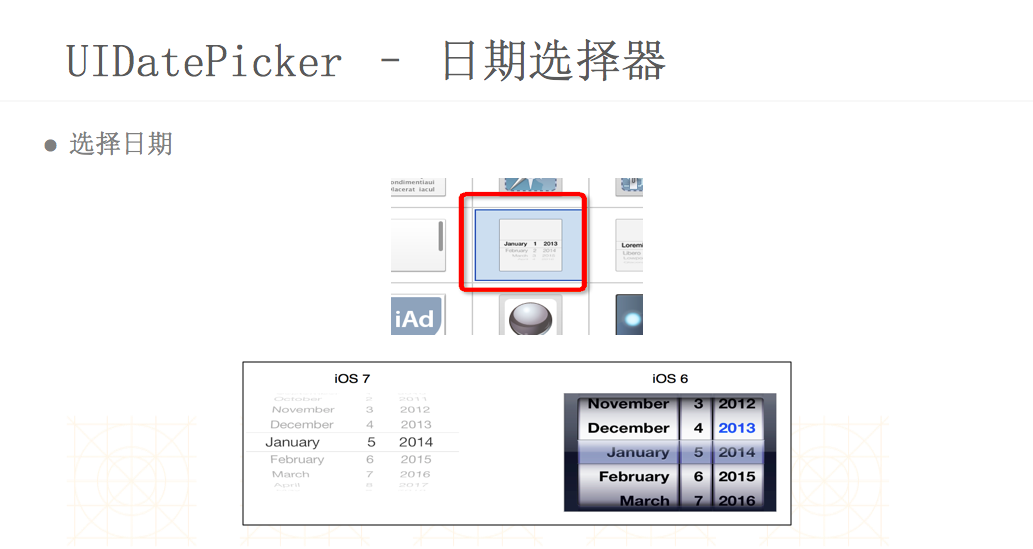
            UIDatePicker                      : UIControl                 日期选择器控件

        UIViewController                  : UIResponder                视图控制器

            UITableViewController             : UIViewController          表格视图控制器

                UITableView                   : UIScrollView              表格视图

                UITableViewCell               : UIView                    表格视图单元

            UINavigationController            : UIViewController          导航视图控制器

                UINavigationBar               : UIView                    导航条

            UITabBarController                : UIViewController          标签视图控制器

                UITabBar                      : UIView                    标签条

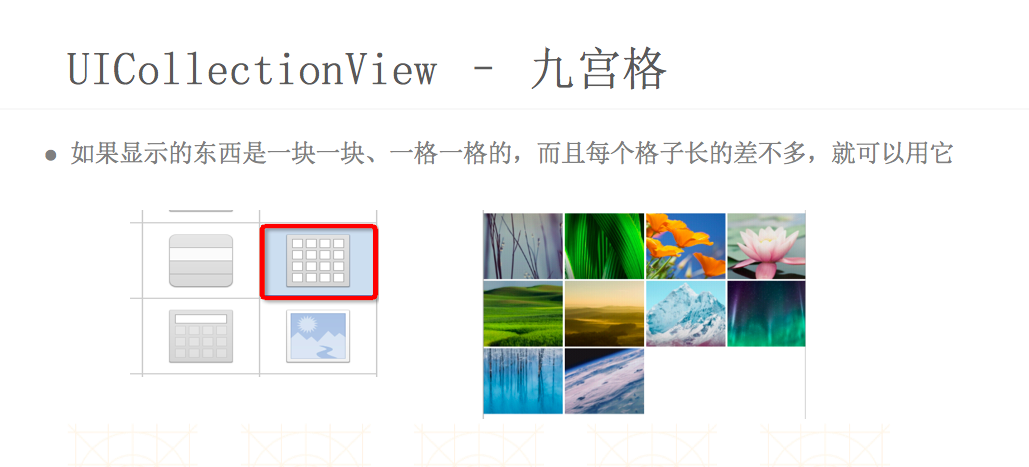
            UICollectionViewController        : UIViewController          网格视图控制器

                UICollectionView              : UIScrollView              网格视图

            UIPageViewController              : UIViewController          页视图控制器

                UIPageControl                 : UIControl                 页控件

            UISplitViewController             : UIViewController          分割视图控制器

            UIImagePickerController           : UINavigationController    图像选择视图控制器

            UIActivityViewController          : UIViewController          分享视图控制器

                UIActivity                    : NSObject                  分享

            UISearchController                : NSObject                  搜索视图控制器

                UISearchBar                   : UIView                    搜索条

            UIAlertController                 : UIViewController          警告视图控制器

        UIColor                           : NSObject                   颜色

        UIDevice                          : NSObject                   设备信息

        CMMotionManager                   : NSObject                   加速度传感器

        UIGestureRecognizer               : NSObject                   手势检测

            UITapGestureRecognizer            : UIGestureRecognizer       点击手势

            UILongPressGestureRecognizer      : UIGestureRecognizer       长按手势

            UIRotationGestureRecognizer       : UIGestureRecognizer       旋转手势

            UIPinchGestureRecognizer          : UIGestureRecognizer       捏合手势

            UIPanGestureRecognizer            : UIGestureRecognizer       拖动手势

            UISwipeGestureRecognizer          : UIGestureRecognizer       滑动手势

        UITouch                           : NSObject                   触摸

        AudioServicesPlayAlertSound       :                            短频音效播放

        AVAudioPlayer                     : NSObject                   音频播放

        MPMoviePlayerViewController       : UIViewController           视频播放视图控制器

            MPMoviePlayerController           : NSObject                  视频播放控件

        AVPlayerViewController            : UIViewController           音视频播放视图控制器

            AVPlayer                          : NSObject                  音视频播放控件
2、各控件功能说明
2.1 文字显示
2.2 进度显示
2.3 弹框提醒
2.4 滚动视图
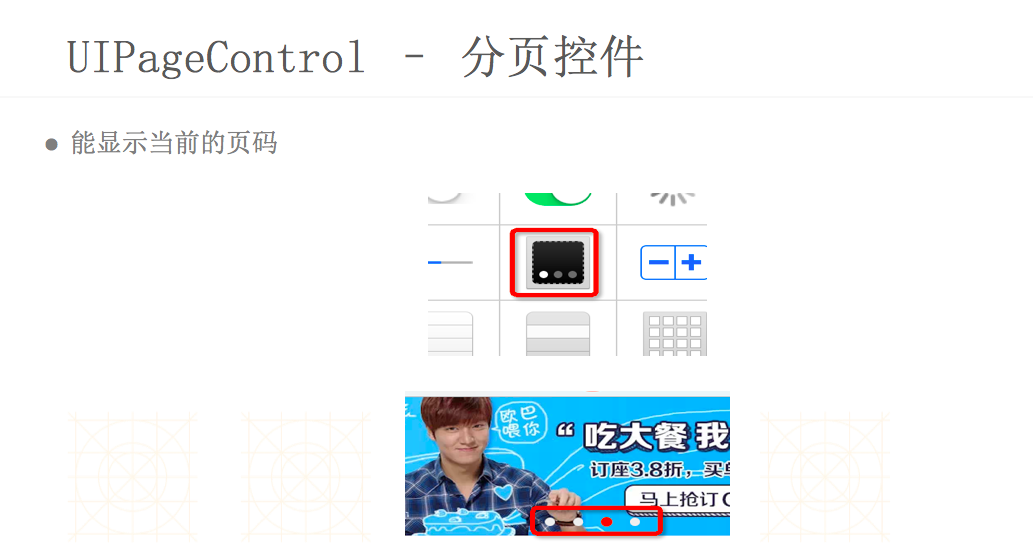
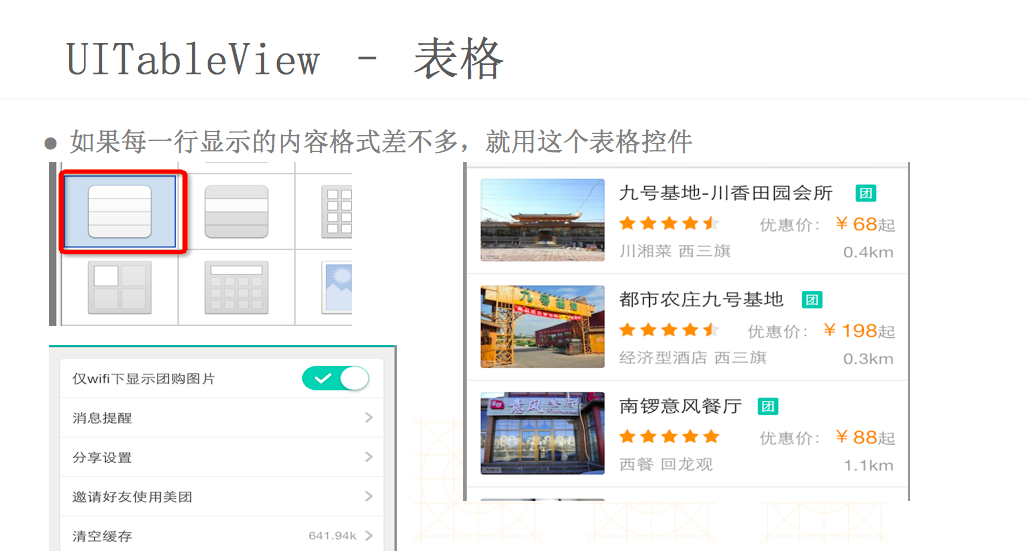
2.5 内容选择
2.6 工具条
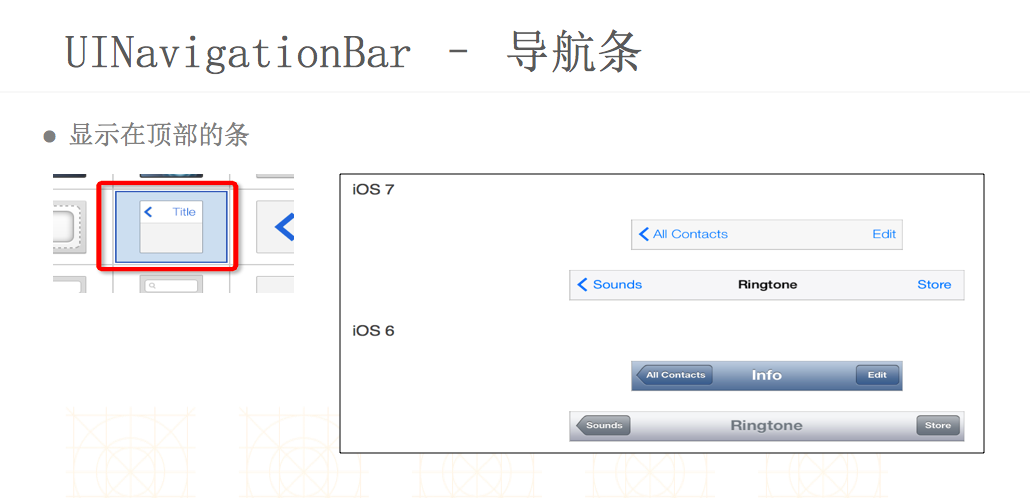
iOS - UIKit的更多相关文章
- iOS UIKit:viewController之动画(5)
当弹出一个view controller时,UIKit提供了一些标准转换动画,并且也支持用户自定义的动画效果. 1 UIView动画 UIView是自带动画实现功能,其中有两种方式实现: ...
- iOS UIKit:TableView之单元格配置(2)
Table View是UITableView类的实例对象,其是使用节(section)来描述信息的一种滚动列表.但与普通的表格不同,tableView只有一行,且只能在垂直方向进行滚动.tableVi ...
- iOS UIKit:Navigation Controllers
navigation controller是一种层次结构的container view controller,即其通过一个view controllers栈来管理内部的content view con ...
- iOS UIKit:viewController之定义(2)
@import url(http://i.cnblogs.com/Load.ashx?type=style&file=SyntaxHighlighter.css);@import url(/c ...
- iOS UIKit:viewController之层次结构(1)
ViewController是iOS应用程序中重要的部分,是应用程序数据和视图之间的重要桥梁.且应用程序至少有一个view controller.每个view controller对象都负责和管理一个 ...
- iOS UIKit:view
@import url(http://i.cnblogs.com/Load.ashx?type=style&file=SyntaxHighlighter.css); @import url(/ ...
- iOS UIKit:App
1.App生命周期 IOS架构是由许多设计模式实现,如model-view-controller 和 delegation模式. 1.1 main函数 与其它框架类似,IOS框架的入口也是从main函 ...
- ios UIKit动力
UIkit动力学是UIkit框架中模拟真实世界的一些特性. UIDynamicAnimator 主要有UIDynamicAnimator类,通过这个类中的不同行为来实现一些动态特性. 它一般有两种初始 ...
- ios UIKit动力 分类: ios技术 2015-07-14 12:55 196人阅读 评论(0) 收藏
UIkit动力学是UIkit框架中模拟真实世界的一些特性. UIDynamicAnimator 主要有UIDynamicAnimator类,通过这个类中的不同行为来实现一些动态特性. 它一般有两种初始 ...
- iOS UIKit Dynamics入门 UIKit动力学,实现重力、连接、碰撞、悬挂等动画效果
本文为转载文章 版权归原文所有 什么是UIKit动力学(UIKit Dynamics) 其实就是UIKit的一套动画和交互体系.我们现在进行UI动画基本都是使用CoreAnimation或者UIVie ...
随机推荐
- 打开开源项目总得.md文件
google了一些: 78 Tools for Writing and Previewing Markdown http://mashable.com/2013/06/24/markdown-too ...
- raw_input() 与 input()
这两个均是 python 的内建函数,通过读取控制台的输入与用户实现交互.但他们的功能不尽相同. >>> raw_input_A = raw_input("raw_inpu ...
- 发现数据库错误模式(AppScan扫描结果)
最近工作要求解决下web的项目的漏洞问题,扫描漏洞是用的AppScan工具,其中此篇文章是关于发现数据库错误模式问题的.下面就把这块东西分享出来. 原创文章,转载请注明 --------------- ...
- Communication System(dp)
Communication System Time Limit: 1000MS Memory Limit: 10000K Total Submissions: 25006 Accepted: 8925 ...
- u Calculate e 分类: HDU 2015-06-19 22:18 14人阅读 评论(0) 收藏
u Calculate e Time Limit: 2000/1000 MS (Java/Others) Memory Limit: 65536/32768 K (Java/Others) Total ...
- HDU(4734),数位DP
题目链接:http://acm.split.hdu.edu.cn/showproblem.php?pid=4734 F(x) Time Limit: 1000/500 MS (Java/Others) ...
- Nhibernate中CreateSQLQuery用法实例
说明: 使用原生SQL查询时,若要通过addEntity方法引入对象,则查询结果列中必须包含该对象的所有属性,否则会抛出System.IndexOutOfRangeException异常. 结论: 若 ...
- Objective-C学习笔记_Xcode模拟命令行填入参数执行
菜单Product->Edit Scheme 左边找到run xxx,点击后再邮编选择Arguments面板中就可以设置Xcode在运行命令行app时模拟输入参数. 设置完成后再次run就会自动 ...
- 解决This function or variable may be unsafe
工程名字右键属性-->C/C++-->预处理器-->预处理器定义-->加入:_CRT_SECURE_NO_WARNINGS
- 解决Win7下UAC开启时无法响应WM_DROPFILES消息
//以管理员身份运行,程序窗口就可以接收到拖放文件消息[WM_DROPFILES]了. ChangeWndMessageFilterOk(WM_DROPFILES, MSGFLT_ADD); Chan ...