
image和TFRecord互相转换
关说不练假把式。手上正好有车牌字符的数据集,想把他们写成TFRecord格式,然后读进来,构建一个简单的cnn训练看看。然后发现准确率只有0.0x。随机猜也比这要好点吧。只能一步步检查整个过程。暂时想到问题可能出现的地方:
- 数据编码解码错误
- 网络构建问题
- 学习步长问题
- 数据量太小
- label设置
不确定是不是这些问题先检查下,tensorboard能给我们很多信息。今天先检查了图片解码编码问题。在读取数据的时候为image增加一个summary,这样就能在tensorboard上看到图片了。
img=tf.summary.image('input',x,batch_size)
tensorboard的使用之前有说过。出现的结果说我没有图片记录,大约是这个意思。所以我的解码编码程序还是有问题。图片编码成tfreord无非就是把图片数据按照tfrecord的格式填进去。tfrecord是example的集合,example的格式:
message Example {#message类似于类

  Features features = 1;

};
而 Features 是字典集合,(key,value)。
下面直接上tfrecord编码解码代码,改好过的。
 import tensorflow as tf

 import numpy as np

 import glob

 import os

 from PIL import Image

 def _int64_feature(value):

     if not isinstance(value,list):

         value=[value]

     return tf.train.Feature(int64_list=tf.train.Int64List(value=value))

 def _byte_feature(value):

     return tf.train.Feature(bytes_list=tf.train.BytesList(value=[value]))

 def encode_to_tfrecords(data_path,name,rows=24,cols=16):#从图片路径读取图片编码成tfrecord

     folders=os.listdir(data_path)#这里都和我图片的位置有关

     folders.sort()

     numclass=len(folders)

     i=0

     npic=0

     writer=tf.python_io.TFRecordWriter(name)

     for floder in folders:

         path=data_path+"/"+floder

         img_names=glob.glob(os.path.join(path,"*.bmp"))

         for img_name in img_names:

             img_path=img_name

             img=Image.open(img_path).convert('P')

             img=img.resize((cols,rows))

             img_raw=img.tobytes()

             labels=[0]*34#我用的是softmax,要和预测值的维度一致

             labels[i]=1

             example=tf.train.Example(features=tf.train.Features(feature={#填充example

                 'image_raw':_byte_feature(img_raw),

                 'label':_int64_feature(labels)}))

             writer.write(example.SerializeToString())#把example加入到writer里,最后写到磁盘。

             npic=npic+1

         i=i+1

     writer.close()

     print npic

 def decode_from_tfrecord(filequeuelist,rows=24,cols=16):

     reader=tf.TFRecordReader()#文件读取

     _,example=reader.read(filequeuelist)

     features=tf.parse_single_example(example,features={'image_raw':#解码

             tf.FixedLenFeature([],tf.string),

             'label':tf.FixedLenFeature([34,1],tf.int64)})

     image=tf.decode_raw(features['image_raw'],tf.uint8)

     image.set_shape(rows*cols)

     image=tf.cast(image,tf.float32)*(1./255)-0.5

     label=tf.cast(features['label'],tf.int32)

     return image,label

 def get_batch(filename_queue,batch_size):

     with tf.name_scope('get_batch'):

         [image,label]=decode_from_tfrecord(filename_queue)

         images,labels=tf.train.shuffle_batch([image,label],batch_size=batch_size,num_threads=2,

                  capacity=100+3*batch_size,min_after_dequeue=100)

         return images,labels

 def generate_filenamequeue(filequeuelist):

     filename_queue=tf.train.string_input_producer(filequeuelist,num_epochs=5)

     return filename_queue

 def test(filename,batch_size):

     filename_queue=generate_filenamequeue(filename)

     [images,labels]=get_batch(filename_queue,batch_size)

     init_op = tf.group(tf.global_variables_initializer(),

                        tf.local_variables_initializer())

     sess=tf.InteractiveSession()

     sess.run(init_op)

     coord=tf.train.Coordinator()

     threads=tf.train.start_queue_runners(sess=sess,coord=coord)

     i=0

     try:

         while not coord.should_stop():

             image,label=sess.run([images,labels])

             i=i+1

             if i%1000==0:

                 for j in range(batch_size):#之前tfrecord编码的时候,数据范围变成[-0.5,0.5],现在相当于逆操作,把数据变成图片像素值

                     image[j]=(image[j]+0.5)*255

                     ar=np.asarray(image[j],np.uint8)

                     #image[j]=tf.cast(image[j],tf.uint8)

                     print ar.shape

                     img=Image.frombytes("P",(16,24),ar.tostring())#函数参数中宽度高度要注意。构建24×16的图片

                     img.save("/home/wen/MNIST_data/reverse_%d.bmp"%(i+j),"BMP")#保存部分图片查看

             '''if(i>710):

                 print("step %d"%(i))

                 print image

                 print label'''

     except tf.errors.OutOfRangeError:

         print('Done training -- epoch limit reached')

     finally:

     # When done, ask the threads to stop.

         coord.request_stop()

 # Wait for threads to finish.

     coord.join(threads)

     sess.close()
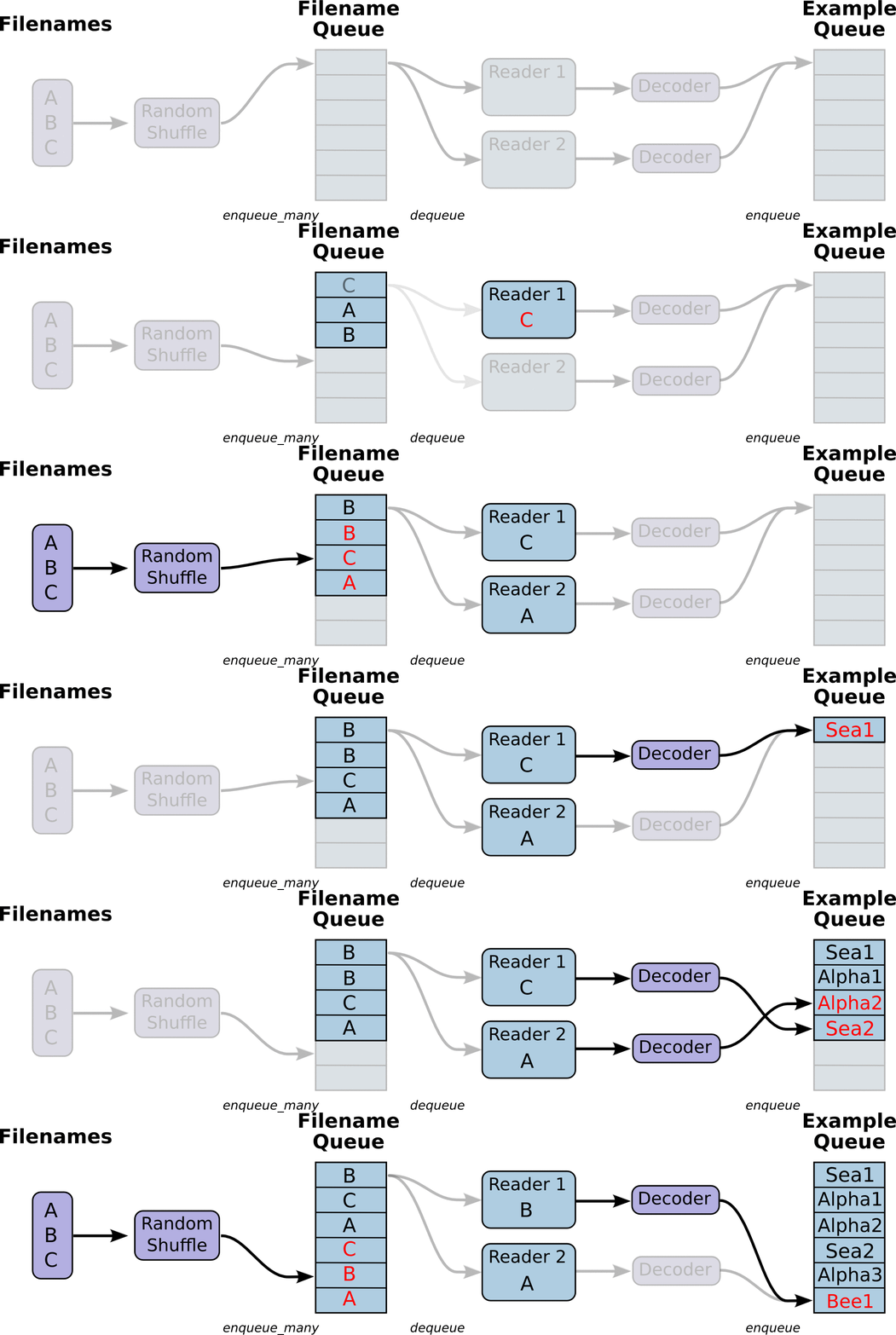
读取文件的动态图,来自官网教程:
在文件夹中:

在tensorboard里:
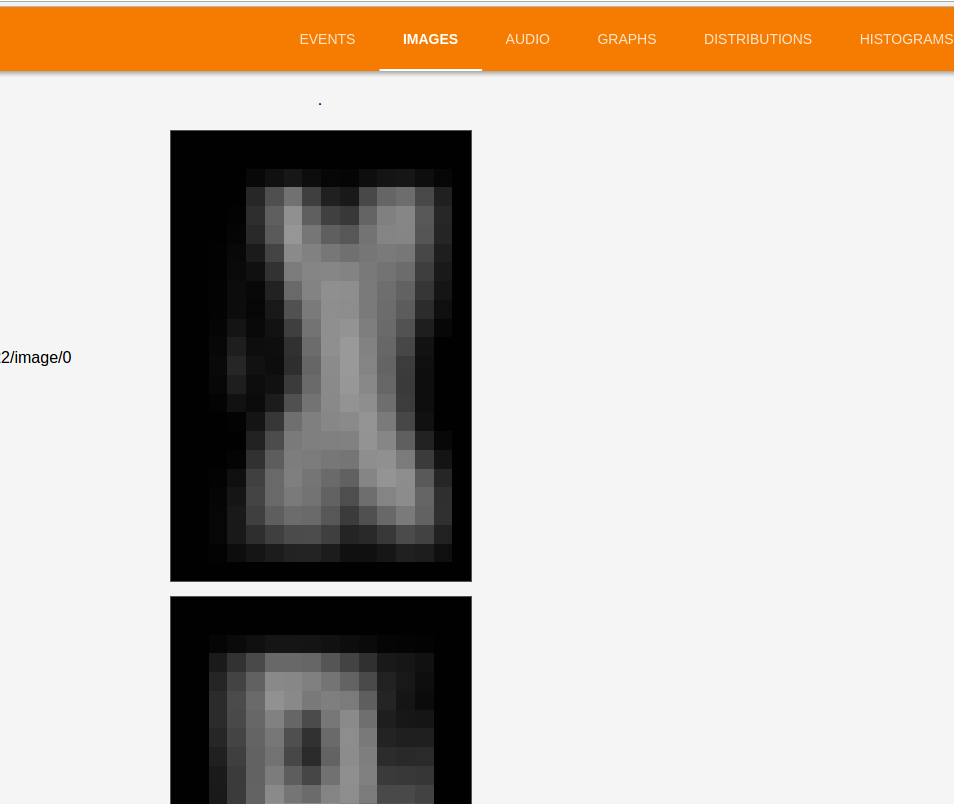
终于看见熟悉的图片了,现在数据编码解码没问题,效果依然0.0x。。。。
错误改掉一个少一个,接着检查其他部分。
debug过程中,一直在google,stackoverflow,官网documents,度娘略微鸡肋。
***********************************************************************************************************************************************************************************************
猜测是同类样本集中b并且同类数据多,用batch_shuffle装进来的都还是同类
image和TFRecord互相转换的更多相关文章
- day21 TFRecord格式转换MNIST并显示
首先简要介绍了下TFRecord格式以及内部实现protobuf协议,然后基于TFRecord格式,对MNIST数据集转换成TFRecord格式,写入本地磁盘文件,再从磁盘文件读取,通过pyplot模 ...
- 学习笔记TF016:CNN实现、数据集、TFRecord、加载图像、模型、训练、调试
AlexNet(Alex Krizhevsky,ILSVRC2012冠军)适合做图像分类.层自左向右.自上向下读取,关联层分为一组,高度.宽度减小,深度增加.深度增加减少网络计算量. 训练模型数据集 ...
- 深度学习原理与框架-Tfrecord数据集的制作 1.tf.train.Examples(数据转换为二进制) 3.tf.image.encode_jpeg(解码图片加码成jpeg) 4.tf.train.Coordinator(构建多线程通道) 5.threading.Thread(建立单线程) 6.tf.python_io.TFR(TFR读入器)
1. 配套使用: tf.train.Examples将数据转换为二进制,提升IO效率和方便管理 对于int类型 : tf.train.Examples(features=tf.train.Featur ...
- Tensorflow中使用tfrecord方式读取数据-深度学习-周振洋
本博客默认读者对神经网络与Tensorflow有一定了解,对其中的一些术语不再做具体解释.并且本博客主要以图片数据为例进行介绍,如有错误,敬请斧正. 使用Tensorflow训练神经网络时,我们可以用 ...
- TensorFlow高效读取数据的方法——TFRecord的学习
关于TensorFlow读取数据,官网给出了三种方法: 供给数据(Feeding):在TensorFlow程序运行的每一步,让python代码来供给数据. 从文件读取数据:在TensorFlow图的起 ...
- 更加清晰的TFRecord格式数据生成及读取
TFRecords 格式数据文件处理流程 TFRecords 文件包含了 tf.train.Example 协议缓冲区(protocol buffer),协议缓冲区包含了特征 Features.Ten ...
- TFRecord 的使用
什么是 TFRecord PS:这段内容摘自 http://wiki.jikexueyuan.com/project/tensorflow-zh/how_tos/reading_data.html 一 ...
- TFRecord读写简介+Demo 基于Ubuntu18.04+Tensorflow1.12 无WARNING
简介 TFRecord是TensorFlow官方推荐使用的数据格式化存储工具. 它规范了数据的读写方式. 只要生成一次TFRecord,之后的数据读取和加工处理的效率都会得到提高. 将图片转换成TFR ...
- javascript中的Array对象 —— 数组的合并、转换、迭代、排序、堆栈
Array 是javascript中经常用到的数据类型.javascript 的数组其他语言中数组的最大的区别是其每个数组项都可以保存任何类型的数据.本文主要讨论javascript中数组的声明.转换 ...
随机推荐
- YTU 2914: xiaoping学构造函数
2914: xiaoping学构造函数 时间限制: 1 Sec 内存限制: 128 MB 提交: 148 解决: 90 题目描述 xiaoping刚接触类的构造和析构函数,对于构造函数的编写比较困 ...
- Linux网络协议栈(二)——套接字缓存(socket buffer)
Linux网络核心数据结构是套接字缓存(socket buffer),简称skb.它代表一个要发送或处理的报文,并贯穿于整个协议栈.1. 套接字缓存skb由两部分组成:(1) 报文数据:它 ...
- VS2013文件同步插件开发
一.插件功能描述 插件监控一个xml文件,当该文档有添加新元素在保存的时候将新增的元素同步到指定的目录下. 二.模板的选择 由于该功能是跟代码编辑有关的,要监控文档的保存事件,所以要在文档打开的时候就 ...
- 06_传智播客iOS视频教程_源文件后缀名和main函数
OC与C语言的不同. 把OC程序运行起来,CPU只会找main函数.并且只会执行main函数当中的代码.当main函数的代码执行完毕之后这个程序就自动结束掉了. main函数的参数是可以让我们在运行程 ...
- 关于ArcGis for javascrept查询ArcGis server图层信息的方式
方式一: queryTask方式: 该方式用于单个图层的条件查询(不能跨图层查询) 1. 创建query对象 query = new esri.tasks.Query(); 2. 给query对象设置 ...
- Visual Studio一些插件
让JavaScript像C#一样支持Region http://www.cnblogs.com/codealone/p/3647127.html
- 【黑金教程笔记之006】【建模篇】【Lab 05 SOS信号之一】—笔记
sos_module.v是产生SOS信号的功能模块.即有次序的输出莫斯码:点.画.间隔.control_module.v是一个定时触发器,每一段时间使能sos_module.v. 模块: /***** ...
- linux 文件查阅 cat、more、less、tail
文件内容查阅1.cat由第一行开始显示文件内容2.tac:从最后一行开始显示,可以看出tac是cat的倒写形式.3.nl:显示的时候,顺便输出行号;4.more:一页一页地显示文件内容5.less:与 ...
- 针对IE浏览器里面CSS的Bug解决方法
IE6双倍边距bug 当页面内有多个连续浮动时,如本页的图标列表是采用左浮动,此时设置li的左侧margin值时,在最左侧呈现双倍情况.如外边距设置为10px, 而左侧则呈现出20px,解决它的方法是 ...
- Poj 2594 Treasure Exploration (最小边覆盖+传递闭包)
题目链接: Poj 2594 Treasure Exploration 题目描述: 在外星上有n个点需要机器人去探险,有m条单向路径.问至少需要几个机器人才能遍历完所有的点,一个点可以被多个机器人经过 ...