
springboot 学习之路 6(定时任务)
目录:【持续更新。。。。。】

  spring 部分常用注解
  spring boot 学习之路1(简单入门)
  spring boot 学习之路2(注解介绍)
  spring boot 学习之路3( 集成mybatis )
  spring boot 学习之路4(日志输出)
  spring boot 学习之路5(打成war包部署tomcat)
  spring boot 学习之路6(定时任务)
  spring boot 学习之路6(集成durid连接池)
  spring boot 学习之路7(静态页面自动生效问题)
  spring boot 学习之路8 (整合websocket(1))
  spring boot 学习之路9 (项目启动后就执行特定方法)
spring boot做定时很简单,只需要加个注解就ok了
package com.huhy.web.filters;

import org.slf4j.Logger;

import org.slf4j.LoggerFactory;

import org.springframework.context.annotation.Configuration;

import org.springframework.scheduling.annotation.EnableScheduling;

import org.springframework.scheduling.annotation.Scheduled;

/**

 * @Author:{huhy}

 * @DATE:Created on 2017/10/12 17:54

 * @Class 测试spring boot的定时任务:

 */

@Configuration

@EnableScheduling // 启用定时任务

public class SchedulingConfig {

    private final Logger logger = LoggerFactory.getLogger(getClass());

    @Scheduled(cron = "0/5 * * * * ?") // 每20秒执行一次

    public void scheduler() {

        logger.info("定时任务已启动---------------- ");

    }

}
运行起来项目:

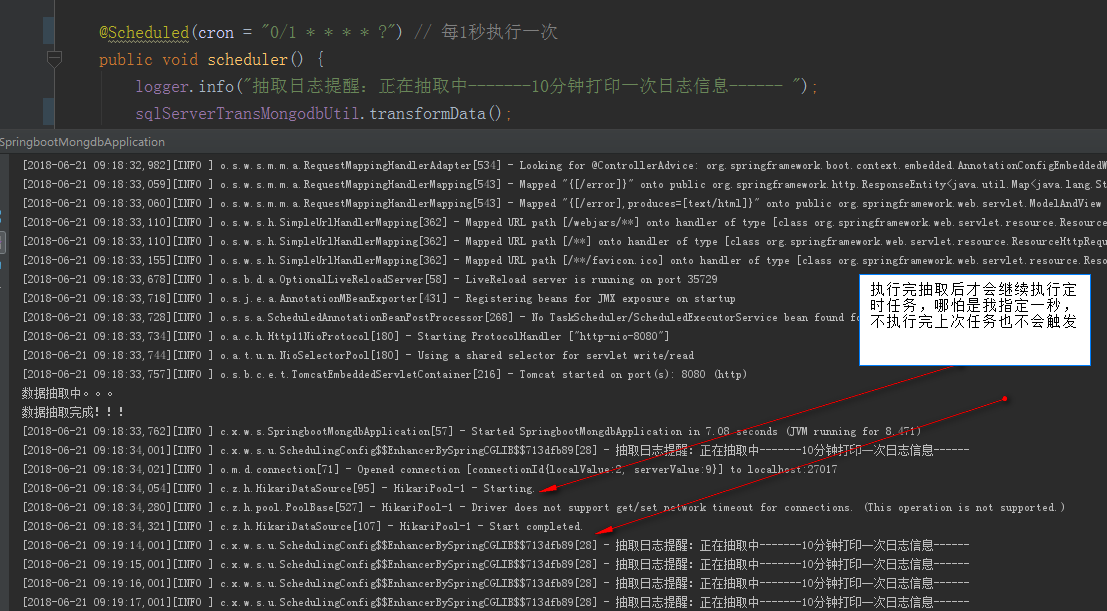
注意:定时任务启动后只有执行结束上次任务才会继续执行,即使在指定周期内,也不会触发:
补充:
 cron表达式详解:

 一个cron表达式有至少6个(也可能7个)有空格分隔的时间元素。

        按顺序依次为

       1  秒(0~59)

       2  分钟(0~59)

       3 小时(0~23)

       4  天(0~31)

       5 月(0~11)

       6  星期(1~7 1=SUN 或 SUN,MON,TUE,WED,THU,FRI,SAT)

       7.年份(1970-2099)

       其中每个元素可以是一个值(如6),一个连续区间(9-12),一个间隔时间(8-18/4)(/表示每隔4小时),一个列表(1,3,5),通配符。由于"月份中的日期"和"星期中的日期"这两个元素互斥的,必须要对其中一个设置?.

        0 0 10,14,16 * * ? 每天上午10点,下午2点,4点

        0 0/30 9-17 * * ?   朝九晚五工作时间内每半小时

        0 0 12 ? * WED 表示每个星期三中午12点

        "0 0 12 * * ?" 每天中午12点触发

        "0 15 10 ? * *" 每天上午10:15触发

        "0 15 10 * * ?" 每天上午10:15触发

        "0 15 10 * * ? *" 每天上午10:15触发

        "0 15 10 * * ? 2005" 2005年的每天上午10:15触发

        "0 * 14 * * ?" 在每天下午2点到下午2:59期间的每1分钟触发

        "0 0/5 14 * * ?" 在每天下午2点到下午2:55期间的每5分钟触发

        "0 0/5 14,18 * * ?" 在每天下午2点到2:55期间和下午6点到6:55期间的每5分钟触发

        "0 0-5 14 * * ?" 在每天下午2点到下午2:05期间的每1分钟触发

        "0 10,44 14 ? 3 WED" 每年三月的星期三的下午2:10和2:44触发

        "0 15 10 ? * MON-FRI" 周一至周五的上午10:15触发

        "0 15 10 15 * ?" 每月15日上午10:15触发

        "0 15 10 L * ?" 每月最后一日的上午10:15触发

        "0 15 10 ? * 6L" 每月的最后一个星期五上午10:15触发

        "0 15 10 ? * 6L 2002-2005" 2002年至2005年的每月的最后一个星期五上午10:15触发

        "0 15 10 ? * 6#3" 每月的第三个星期五上午10:15触发

        有些子表达式能包含一些范围或列表

        例如:子表达式(天(星期))可以为 “MON-FRI”,“MON,WED,FRI”,“MON-WED,SAT”

        “*”字符代表所有可能的值

        “/”字符用来指定数值的增量

        例如:在子表达式(分钟)里的“0/15”表示从第0分钟开始,每15分钟

                 在子表达式(分钟)里的“3/20”表示从第3分钟开始,每20分钟(它和“3,23,43”)的含义一样

        “?”字符仅被用于天(月)和天(星期)两个子表达式,表示不指定值

        当2个子表达式其中之一被指定了值以后,为了避免冲突,需要将另一个子表达式的值设为“?”

        “L” 字符仅被用于天(月)和天(星期)两个子表达式,它是单词“last”的缩写

        如果在“L”前有具体的内容,它就具有其他的含义了。例如:“6L”表示这个月的倒数第6天

        注意:在使用“L”参数时,不要指定列表或范围,因为这会导致问题

        W 字符代表着平日(Mon-Fri),并且仅能用于日域中。它用来指定离指定日的最近的一个平日。大部分的商业处理都是基于工作周的,所以 W 字符可能是非常重要的。

        例如,日域中的 15W 意味着 "离该月15号的最近一个平日。" 假如15号是星期六,那么 trigger 会在14号(星期五)触发,因为星期四比星期一离15号更近。

        C:代表“Calendar”的意思。它的意思是计划所关联的日期,如果日期没有被关联,则相当于日历中所有日期。例如5C在日期字段中就相当于日历5日以后的第一天。1C在星期字段中相当于星期日后的第一天。

        字段   允许值   允许的特殊字符

        秒           0-59           , - * /

        分           0-59           , - * /

        小时           0-23           , - * /

        日期           1-31           , - * ? / L W C

        月份           1-12 或者 JAN-DEC           , - * /

        星期           1-7 或者 SUN-SAT           , - * ? / L C #

        年(可选)           留空, 1970-2099           , - * /
@Scheduled所支持的参数:
1.cron:cron表达式,指定任务在特定时间执行;

2.fixedDelay:表示上一次任务执行完成后多久再次执行,参数类型为long,单位ms;

3.fixedDelayString:与fixedDelay含义一样,只是参数类型变为String;

4.fixedRate:表示按一定的频率执行任务,参数类型为long,单位ms;

5.fixedRateString: 与fixedRate的含义一样,只是将参数类型变为String;

6.initialDelay:表示延迟多久再第一次执行任务,参数类型为long,单位ms;

7.initialDelayString:与initialDelay的含义一样,只是将参数类型变为String;

8.zone:时区,默认为当前时区,一般没有用到。
补充:springboot的多线程定时任务:
定时任务基类:
多线程定时任务配置方式:以config配置类进行实现,我在这介绍两种方式:
方式一: 注解实现:

代码很简单,就不解释了:
方式二:springboot原生支持方式:

代码如下:
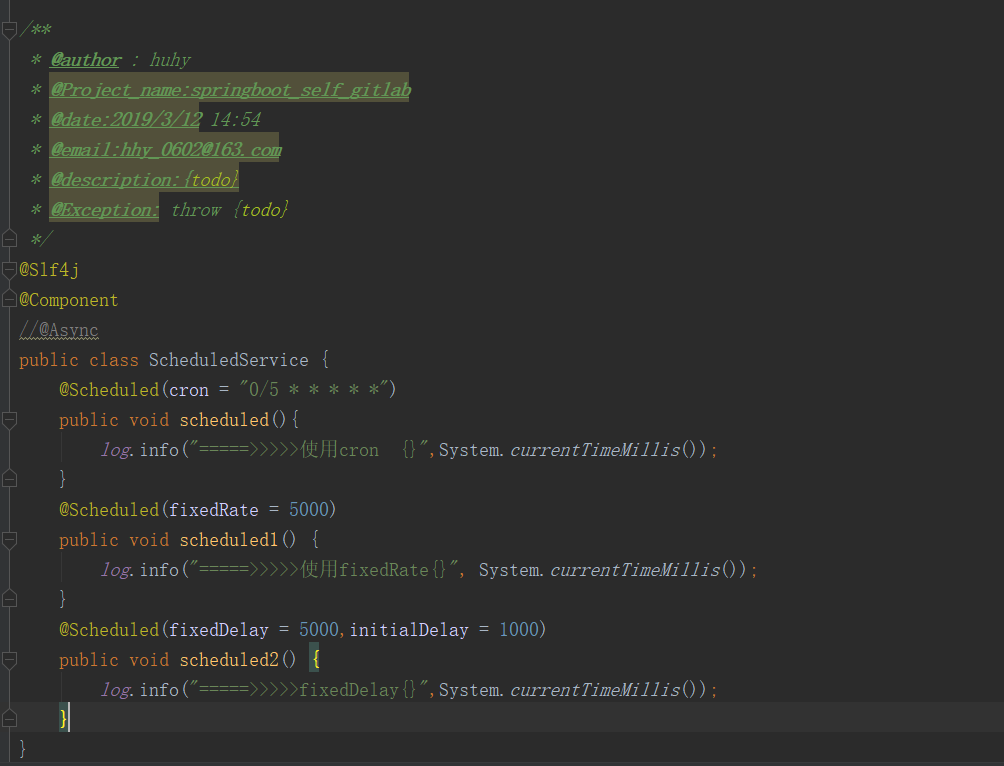
ScheduledService:

@Slf4j

@Component

//@Async

public class ScheduledService {

    @Scheduled(cron = "0/5 * * * * *")

    public void scheduled(){

        log.info("=====>>>>>使用cron  {}",System.currentTimeMillis());

    }

    @Scheduled(fixedRate = 5000)

    public void scheduled1() {

        log.info("=====>>>>>使用fixedRate{}", System.currentTimeMillis());

    }

    @Scheduled(fixedDelay = 5000,initialDelay = 1000)

    public void scheduled2() {

        log.info("=====>>>>>fixedDelay{}",System.currentTimeMillis());

    }

}
AsyncConfig: 使用这种记得在定时类或者方法上加 @Async
@Configuration

@EnableAsync

public class AsyncConfig {

    /*

   此处成员变量应该使用@Value从配置中读取

    */

    private int corePoolSize = 10;

    private int maxPoolSize = 200;

    private int queueCapacity = 10;

    @Bean

    public Executor taskExecutor() {

        ThreadPoolTaskExecutor executor = new ThreadPoolTaskExecutor();

        executor.setCorePoolSize(corePoolSize);

        executor.setMaxPoolSize(maxPoolSize);

        executor.setQueueCapacity(queueCapacity);

        executor.initialize();

        return executor;

    }

}
ScheduleConfig:

@Configuration

public class ScheduleConfig implements SchedulingConfigurer {

    @Override

    public void configureTasks(ScheduledTaskRegistrar taskRegistrar) {

        taskRegistrar.setScheduler(Executors.newScheduledThreadPool(5));

    }

}
springboot 学习之路 6(定时任务)的更多相关文章
- springboot 学习之路 8 (整合websocket(1))
目录:[持续更新.....] spring 部分常用注解 spring boot 学习之路1(简单入门) spring boot 学习之路2(注解介绍) spring boot 学习之路3( 集成my ...
- springboot 学习之路 1(简单入门)
目录:[持续更新.....] spring 部分常用注解 spring boot 学习之路1(简单入门) spring boot 学习之路2(注解介绍) spring boot 学习之路3( 集成my ...
- springboot 学习之路 3( 集成mybatis )
目录:[持续更新.....] spring 部分常用注解 spring boot 学习之路1(简单入门) spring boot 学习之路2(注解介绍) spring boot 学习之路3( 集成my ...
- springboot 学习之路 9 (项目启动后就执行特定方法)
目录:[持续更新.....] spring 部分常用注解 spring boot 学习之路1(简单入门) spring boot 学习之路2(注解介绍) spring boot 学习之路3( 集成my ...
- springboot 学习之路 2(注解介绍)
目录:[持续更新.....] spring 部分常用注解 spring boot 学习之路1(简单入门) spring boot 学习之路2(注解介绍) spring boot 学习之路3( 集成my ...
- springboot 学习之路 4(日志输出)
目录:[持续更新.....] spring 部分常用注解 spring boot 学习之路1(简单入门) spring boot 学习之路2(注解介绍) spring boot 学习之路3( 集成my ...
- springboot 学习之路 5(打成war包部署tomcat)
目录:[持续更新.....] spring 部分常用注解 spring boot 学习之路1(简单入门) spring boot 学习之路2(注解介绍) spring boot 学习之路3( 集成my ...
- springboot 学习之路 6(集成durid连接池)
目录:[持续更新.....] spring 部分常用注解 spring boot 学习之路1(简单入门) spring boot 学习之路2(注解介绍) spring boot 学习之路3( 集成my ...
- springboot 学习之路 7(静态页面自动生效问题)
目录:[持续更新.....] spring 部分常用注解 spring boot 学习之路1(简单入门) spring boot 学习之路2(注解介绍) spring boot 学习之路3( 集成my ...
随机推荐
- .Net RabbitMQ之消息通信 构建RPC服务器
1.消息投递服务 RabbitMQ是一种消息投递服务,怎么理解这句话呢?即RabbitMQ即不是消息的生产者,也是消息的消费者.他就像现实生活中快递模式,消费者在电商网站上下单买了一件商品,此时对应的 ...
- 图片base64上传时可能遇到的问题
base64上传图片时服务器接到的值可能会丢失字符串 解决方法如下:(分为单个上传和多个上传) <?php $BASE_DIR = "../"; //文件上传 $img = ...
- Linux编程 12 (默认shell环境变量, PATH变量重要讲解)
一 .概述 默认情况下, bash shell会用一些特定的环境变量来定义系统的环境.这些默认环境变量可以理解是上篇所讲的系统全局环境变量. 1.1 bash shell支持的Bourne变量 Bo ...
- 打成Jar包后运行报错 Unable to locate Spring NamespaceHandler for XML schema namespace
MAVEN项目,在IDEA中运行正常,但是把它打成jar包后再运行就会出现异常: Exception in thread "main" org.springframework. ...
- java数据类型大转换
1.字符串类型向整形转换 int age = Integer.parseInt(strAge); 2 int -> String int i=12;String s="";第 ...
- Ubuntu 18.04.1 搭建Java环境和HelloWorld
一.搭建Java环境 系统环境 Ubuntu 18.04.1 JDK 8 IDEA 2018.2 1.下载JDK 官网地址:http://www.oracle.com/technetwork/java ...
- datatables 配套bootstrap3样式使用小结(1)
今天介绍汇总一下datatables. 网址: www.datatables.net 公司CMS内容资讯站的后台管理界面用了大量的table来管理数据,试用了之后,感觉挺不错,推荐一下. 先上一个基本 ...
- [转]认识JWT
本文转自:https://www.cnblogs.com/cjsblog/p/9277677.html 1. JSON Web Token是什么 JSON Web Token (JWT)是一个开放标准 ...
- .Net EF6+Mysql 环境搭建
由于一直使用的数据库是mysql,之前所用的orm都是轻量级的例如 dapper 这些的,然后想用ef配置一下mysql,总共时间花了差不多2天,才将坑填完,写个博客将流程记录一下 给后来者少掉点坑. ...
- Webservice开发、引用
一.Webservice开发 1.在解决方案右键添加新建项目,新建空的web应用程序 2.在新建的项目右键添加新建项选择web服务 3.这里就是webservice 里的方法,可以添加自己需要的方法( ...