
docker 二进制安装
首先所属环境为内网并且服务器拥有的开发环境不确定,需要跑当前服务所需代码,所以优先选择使用docker
docker 文档地址
https://docs.docker.com
在 install 中存在 Install Docker Engine from binaries 二进制安装
https://download.docker.com/linux/static/stable/x86_64/ 选择自己所需的docker 版本。
下载下来之后是一个 tar 压缩包。之后可以按照官网指令进行。
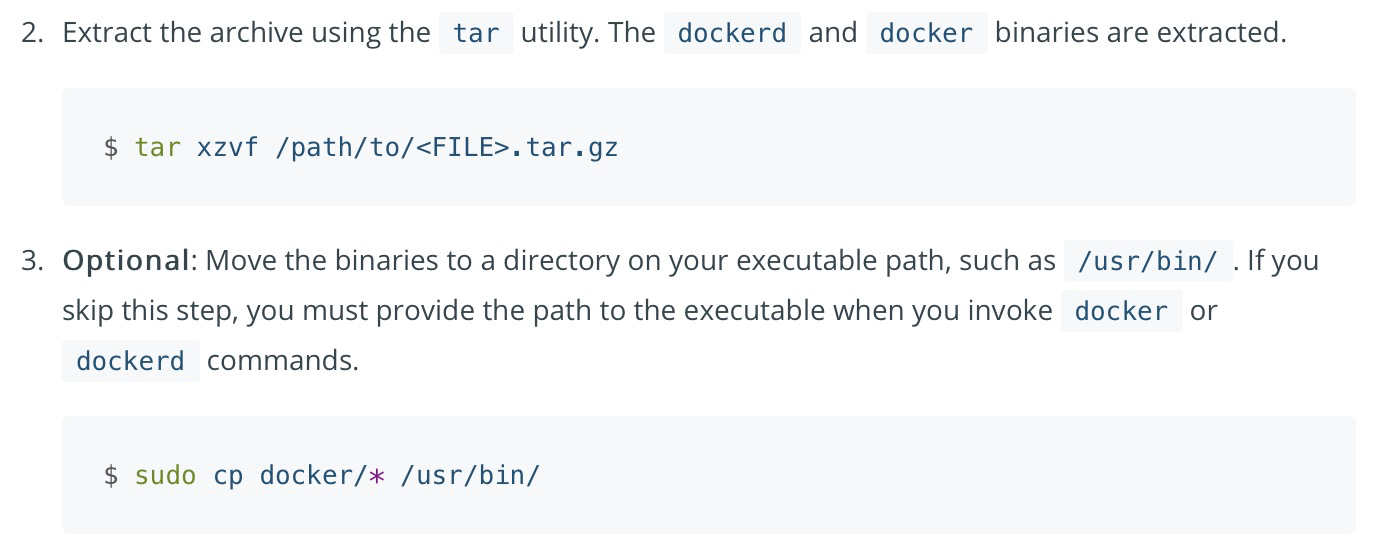
此时的docker 无法跟随服务器进行自启动,所以需要继续进行配置。
vi /usr/lib/systemd/system/docker.service #复制docker.service 内容
systemctl daemon-reload
systemctl start docker
systemctl status docker
systemctl enable docker
docker.service 内容 此内容为 https://www.runoob.com/docker/centos-docker-install.html 中 curl -sSL https://get.daocloud.io/docker | sh 安装的docker 所拥有的,更改了下 docker 镜像内容
[Unit]

Description=Docker Application Container Engine

Documentation=https://docs.docker.com

After=network-online.target firewalld.service containerd.service

Wants=network-online.target

# 此处需要删除 docker.socket

# 参考此篇文章 https://www.cnblogs.com/fat-girl-spring/p/14236356.html

Requires=containerd.service

[Service]

Type=notify

# the default is not to use systemd for cgroups because the delegate issues still

# exists and systemd currently does not support the cgroup feature set required

# for containers run by docker

# 服务器存储时最大存储空间为 /home 路径下,所以需要修改docker 镜像的存储位置

# 参考此篇文章修改 docker.service 的镜像存储位置 https://www.modb.pro/db/47890

ExecStart=/usr/bin/dockerd  --graph=/usr/local/docker/dockerd --containerd=/run/containerd/containerd.sock

ExecReload=/bin/kill -s HUP $MAINPID

TimeoutSec=0

RestartSec=2

Restart=always

# Note that StartLimit* options were moved from "Service" to "Unit" in systemd 229.

# Both the old, and new location are accepted by systemd 229 and up, so using the old location

# to make them work for either version of systemd.

StartLimitBurst=3

# Note that StartLimitInterval was renamed to StartLimitIntervalSec in systemd 230.

# Both the old, and new name are accepted by systemd 230 and up, so using the old name to make

# this option work for either version of systemd.

StartLimitInterval=60s

# Having non-zero Limit*s causes performance problems due to accounting overhead

# in the kernel. We recommend using cgroups to do container-local accounting.

LimitNOFILE=infinity

LimitNPROC=infinity

LimitCORE=infinity

# Comment TasksMax if your systemd version does not support it.

# Only systemd 226 and above support this option.

TasksMax=infinity

# set delegate yes so that systemd does not reset the cgroups of docker containers

Delegate=yes

# kill only the docker process, not all processes in the cgroup

KillMode=process

OOMScoreAdjust=-500

[Install]

WantedBy=multi-user.target
** https://docs.docker.com
** https://www.modb.pro/db/47890
** https://www.runoob.com/docker/centos-docker-install.html
** https://www.cnblogs.com/fat-girl-spring/p/14236356.html
docker 二进制安装的更多相关文章
- centos7下docker二进制安装
问题描述: 内网离线环境下,安装docker.二进制来的还是快点,或者内网搭建yum的epel仓库! 环境: centos7.x docker-18.9.0 x86_64 static //二进制 ...
- Docker 二进制安装docker
https://blog.csdn.net/bruce_yds/article/details/80035714
- Centos7 二进制安装 Kubernetes 1.13
目录 1.目录 1.1.什么是 Kubernetes? 1.2.Kubernetes 有哪些优势? 2.环境准备 2.1.网络配置 2.2.更改 HOSTNAME 2.3.配置ssh免密码登录登录 2 ...
- centos中docker的安装
之前学习docker的时候,是在windows上直接使用可执行文件安装的,最近需要在自己的服务器上安装docker,特此了解了一下如何安装,这里补一下. 小白学Docker之基础篇 小白学Docker ...
- [sql]mysql5.6cmake安装/mysql5.7二进制安装
centos7上cmake编译安装mysql-5.6.36.tar.gz 系统环境 - 环境(安装前规划好主机名,mysql编译过程会用) [root@n1 mysql-5.6.36]# cat /e ...
- Docker - CentOS 安装 Docker 和 Docker-Compose
目录 介绍 Docker Docker-Conpose 安装 Docker CE 系统要求 使用 YUM 安装 配置加速器 安装 Docker-Compose 介绍 Docker Docker 是一个 ...
- docker快速安装jenkins
用过docker的人,可能真的很难忍受再一步步二进制安装了,好了话不多说,感慨一下jenkins实现自动化发布构建真的很方便. 推荐一个学习的好地方https://m.w3cschool.cn/jen ...
- 【爬坑系列】之kubernetes环境搭建:二进制安装与镜像安装
准备: 网上教如何编译与安装kubernetes的教程很多,需要提前准备的也很多,比如关闭selinux,防火墙啦....但有一点一定要注意,编译kubernetes源码时要求有2G内存,这个可是实打 ...
- Docker从安装部署到Hello World
Docker 是 PaaS 提供商 dotCloud 开源的一个基于 LXC 的高级容器引擎,源代码托管在 Github 上, 基于go语言并遵从Apache2.0协议开源.Docker 是一个开源的 ...
- 二进制安装K8S集群V1.16.3
centos linux7.5 cat > /etc/hosts << EOF 192.168.199.221 master 192.168.199.222 node1 192.16 ...
随机推荐
- [超详细] [效能工具]Typora+PicGo+Github免费图床快速搭建,提升技术文档输出效率
一.前言 在我们日常的学习和工作中,我们经常需要进行写作.尤其对于我们程序技术人员而言,工作中的技术方案文档或者接口文档等,都是经常需要用上的. 那么如果没有一个高效的工具,去帮助我们记录和创作,这将 ...
- 【Redis实战专题】「性能监控系列」全方位探索Redis的性能监控以及优化指南
Redis基本简介 Redis是一个开源(BSD 许可).内存存储的数据结构服务器,可用作数据库,高速缓存和消息队列代理.它支持字符串.哈希表.列表.集合.有序集合等数据类型.内置复制.Lua 脚本. ...
- VSCode 创建flutter项目和运行、调试、热更新项目
1.创建--在終端輸入命令 flutter create 项目名 2.普通运行--在终端输入命令 flutter run 3.打开你的虚拟机或者是连上手机等待页面加载 4.普通運行情況下修改代碼后想要 ...
- Blazor入门100天 : 身份验证和授权 (2) - 角色/组件/特性/过程逻辑
目录 建立默认带身份验证 Blazor 程序 `角色/组件/特性/过程逻辑 DB 改 Sqlite 将自定义字段添加到用户表 脚手架拉取IDS文件,本地化资源 freesql 生成实体类,freesq ...
- Python修改柱状图边缘柱子与图边界的距离
本文介绍基于Python中matplotlib.pyplot模块,修改柱状图.条形图最两侧的柱子与图像边缘之间距离的方法. 最近,绘制了一个水平的柱状图,但是发现图的上.下边距(不是柱子与柱子 ...
- 【.NET 8】ASP.NET Core计划 - 支持更完善的AOT发布
.NET7.0刚发布不久,.NET社区开始了.NET8.0的开发,重心重新回到了新功能的迭代. 我们知道在.NET7.0中一个令人激动的特新就是支持了NativeAOT,我们可以通过NativeAOT ...
- spring-in-action-day04-配置属性 @ConfigurationProperties
1.Spring环境抽象的概念 2.怎么配置属性.在application.yml举例一些常用的配置 3.自定义配置属性@ConfigurationProperties(prefix = " ...
- 一款备受欢迎的用户脚本管理器插件TampermonKey-油猴脚本管理器安装与使用
Tampermonkey简介 Tampermonkey是一款备受欢迎的浏览器扩展和用户脚本管理器,它适用于目前各种主流浏览器. 方便的脚本管理(正在运行的脚本和可以运行的脚本在图标处显示一览无余) 脚 ...
- Office 2016 专业版打开Excel空白解决方案
一.打开注册表 1.Win+R 输入 regedit 回车 2.找到路径 HKEY_CLASSES_ROOT\Excel.Sheet.12\shell\Open\command 更改默认值为 &quo ...
- dataset的基本使用
在折线图(柱状.散点图类似)中使用 案例一(默认方式) let option={ dataset:{ source:[ ["1","2","3&quo ...