
mysql 5.7安装教程
一、mysql下载地址 https://downloads.mysql.com/archives/installer/
说在前面的话
我为什么已经尝试和使用过同类型产品的很多MySQL版本,还要书写这篇博客呢?基于mysql-installer-web-community-5.7.18.1.msi
是因为,最近在做数据分析相关的研究工作。
首先,跟大家解释下mysql-installer-web-community的mysq和mysql-installer-communityl的版本的区别
我看官网的解释是这样的:
Choosing the right file:
If you have an online connection while running the MySQL Installer, choose the mysql-installer-web-community file.
If you do NOT have an online connection while running the MySQL Installer, choose the mysql-installer-community file.
意思就是如果你在运行MySQL安装程序时可以上网(网络连接),选择mysql-installer-web-community;
如果你在运行MySQL安装程序时不可以上网(没有网络连接),选择mysql-installer-community。
用通俗的说法就是一个是在线安装,一个是离线安装。看下这两个文件的大小就知道了。
mysql-installer-web-community-5.7.18.1.msi的下载
http://ftp.ntu.edu.tw/MySQL/Downloads/MySQLInstaller/
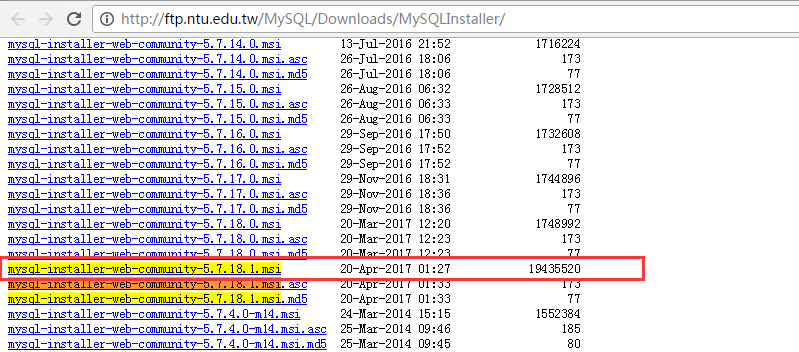
mysql-installer-web-community-5.7.18.1.msi的安装
下载安装包, mysql-installer-web-community-5.7.18.1
第一步:双击

第二步:等待一会
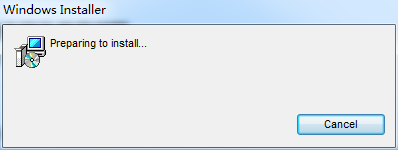
第三步:双击运行,并点击“I accept…”,如下图所示。

第四步:单击“Next” ,进入安装类型选择界面,对于学习数据分析来说, 只需要其中 2、 3 个模块即可,不用全部安装, 选择“Custom”就可以。 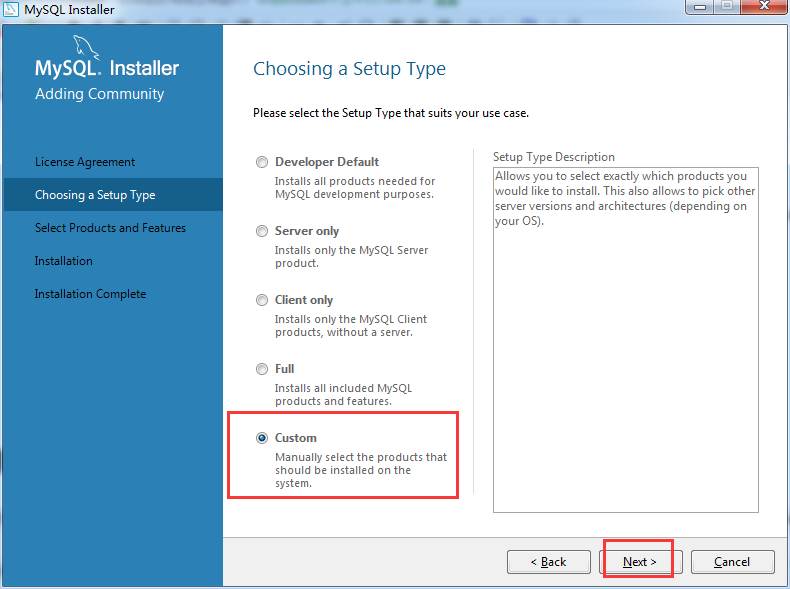
第五步:选择“Custom”后, 出现选择安装模块的界面。
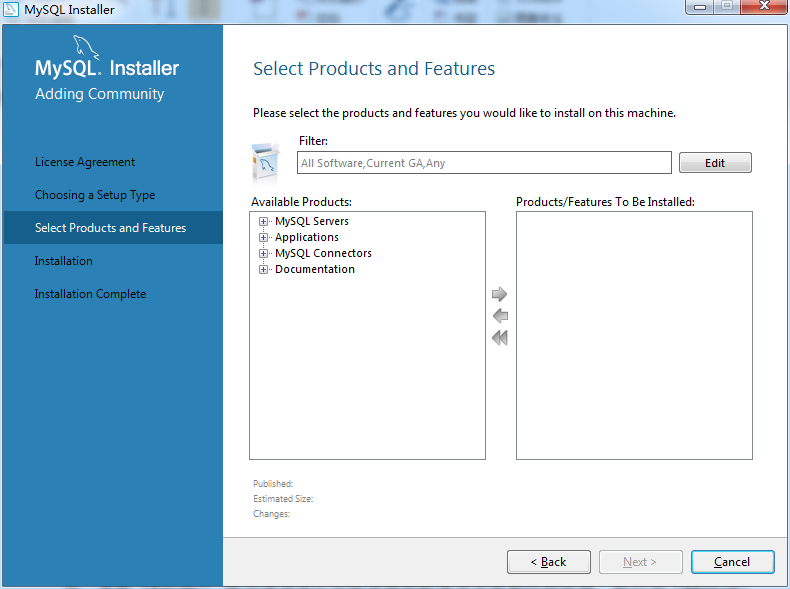
由上图可知,确实自带了很多。我不一一展示。
因为,我是安装用来,做数据分析的 ,所以只需要其中 2、 3 个模块即可,不用全部安装,
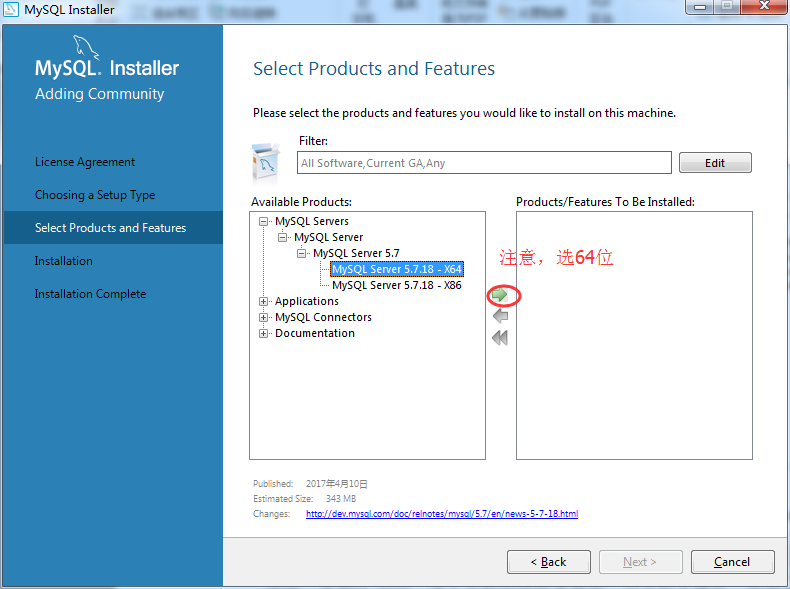

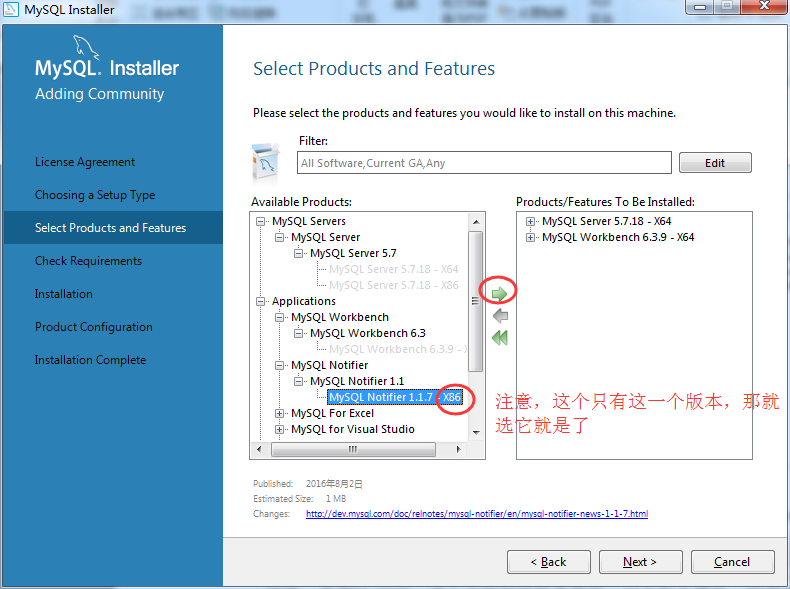
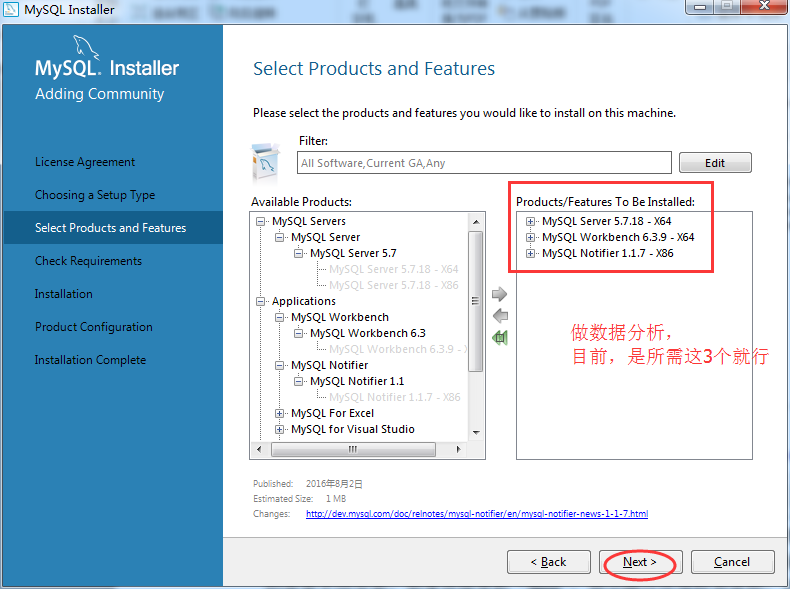
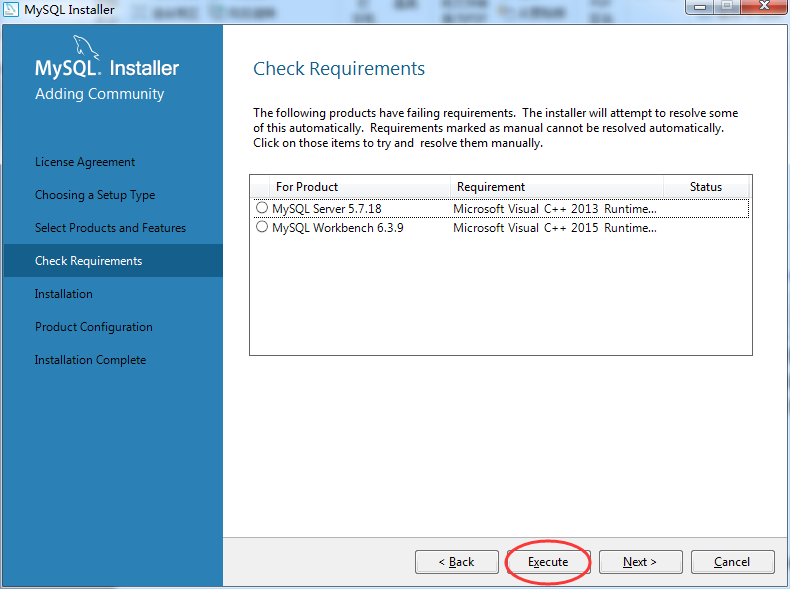
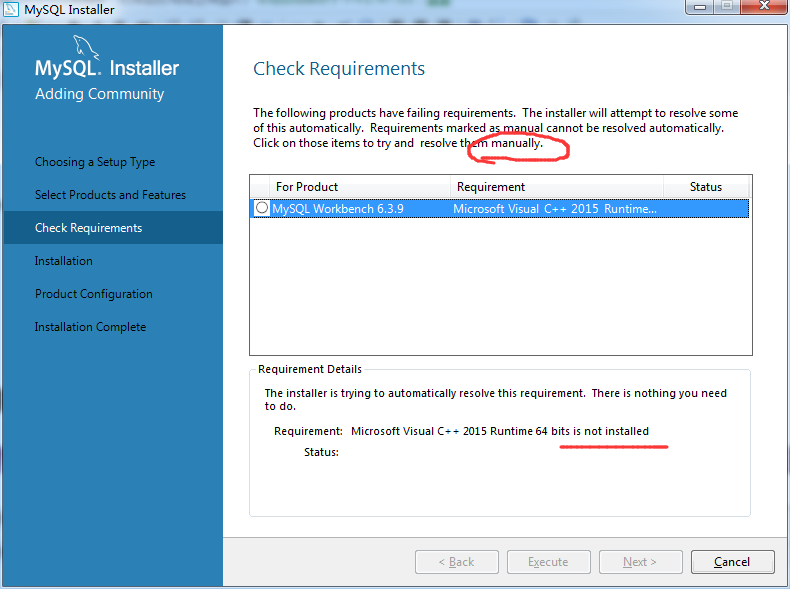
说明: 选择”Full”后,进入安装环境检查界面, 对于每个模块,所需要的环境要求都已经列出,单机“Excute”,将会逐项进行安装环境的检查并安装相应的环境,标记为“Manual”的需要手动安装。如果直接单机“Next”,则会跳过环境检查流程,直接安装符合环境要求的模块,不符合要求的则不安装。
说明:由于 MySQL 安装在 Windows 环境下,所以需要微软的一些类库的支持。对于一般开
发人员的电脑上都有这些类库,但是对于非编程人员的电脑上可能没有,需要安装。
Microsoft Visual C++ 2015, .Net Framework 4.5
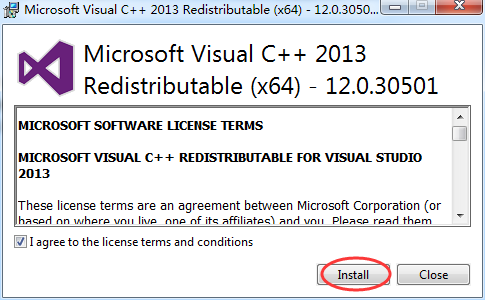
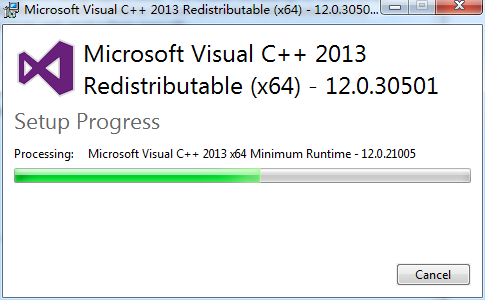


得要安装好,
Microsoft Visual C++ 2015 和 .Net Framework 4.5
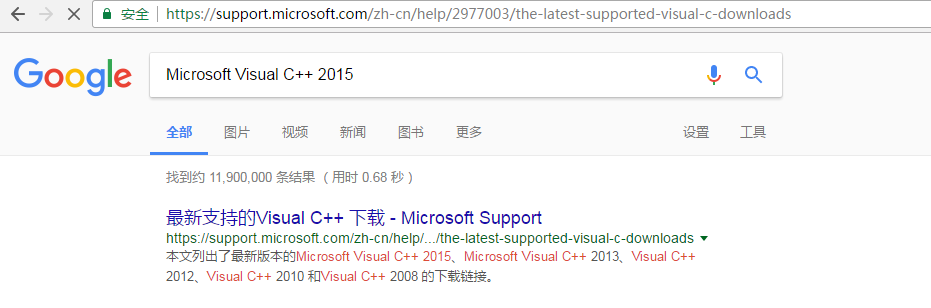
https://www.microsoft.com/zh-CN/download/details.aspx?id=52685
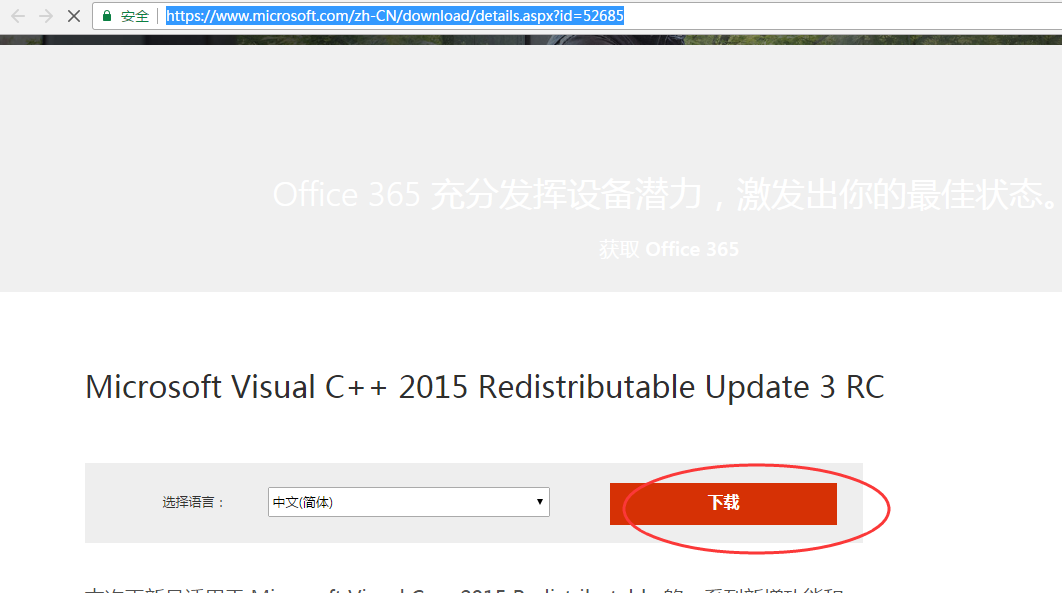
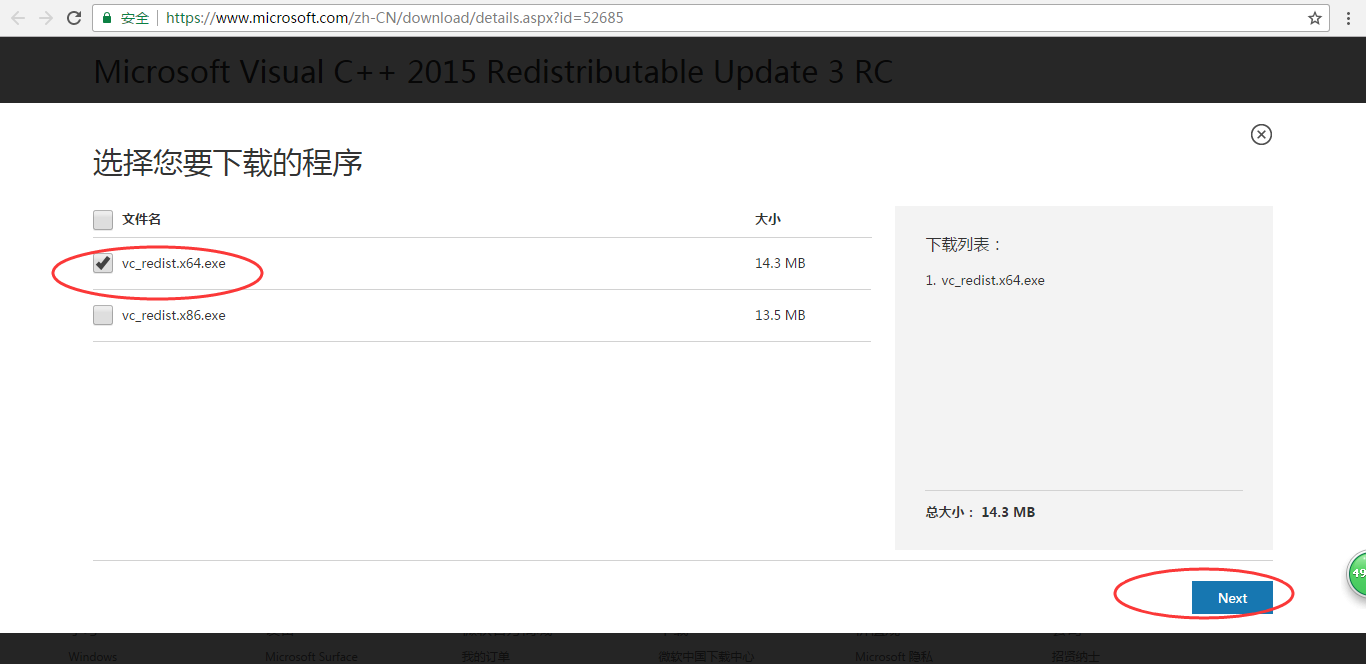


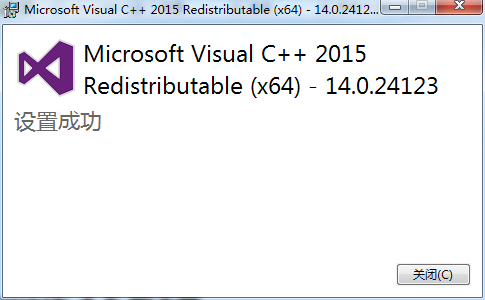
.Net Framework 4.5 的下载
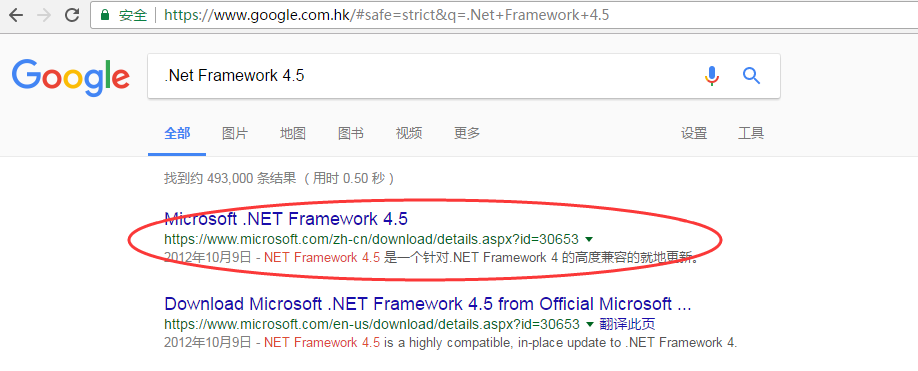
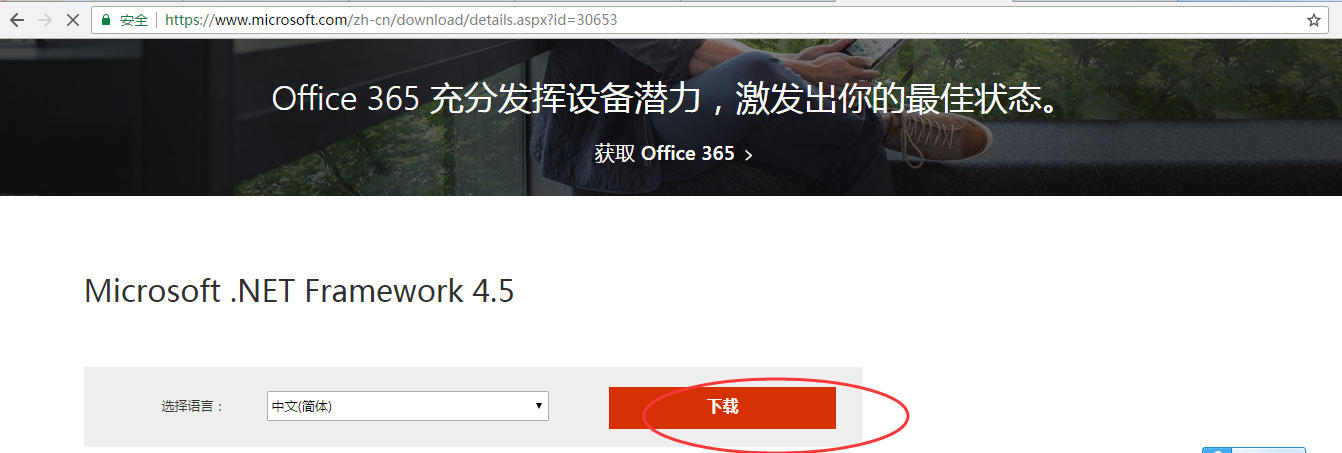
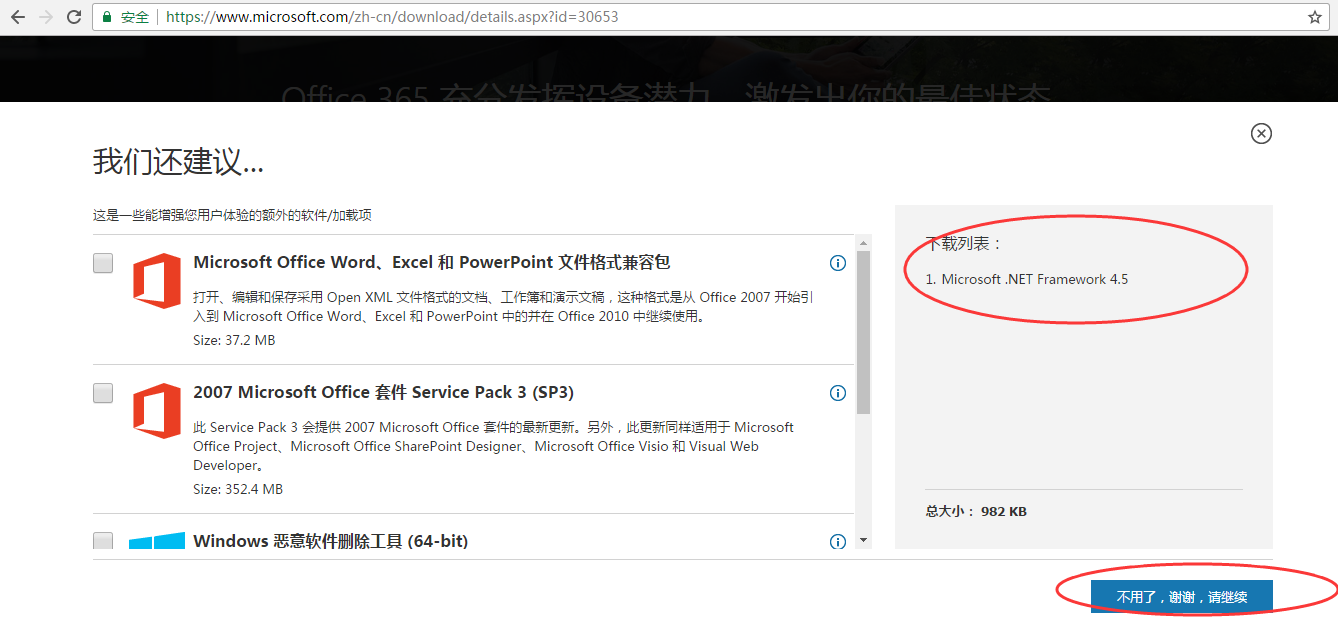

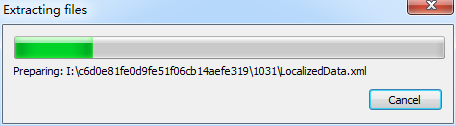
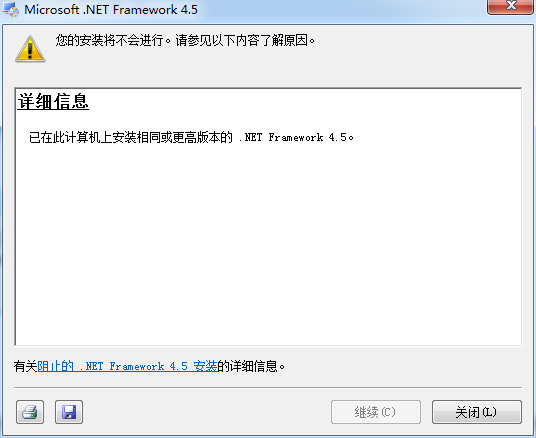
我电脑上,已经有了,就不演示了。
好的,手动安装所需后,然后,再点击,重新安装即可。


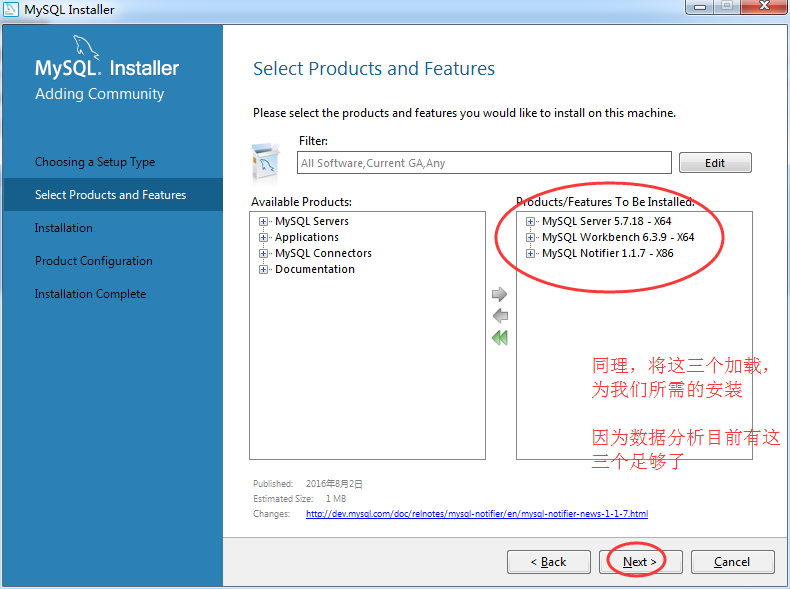
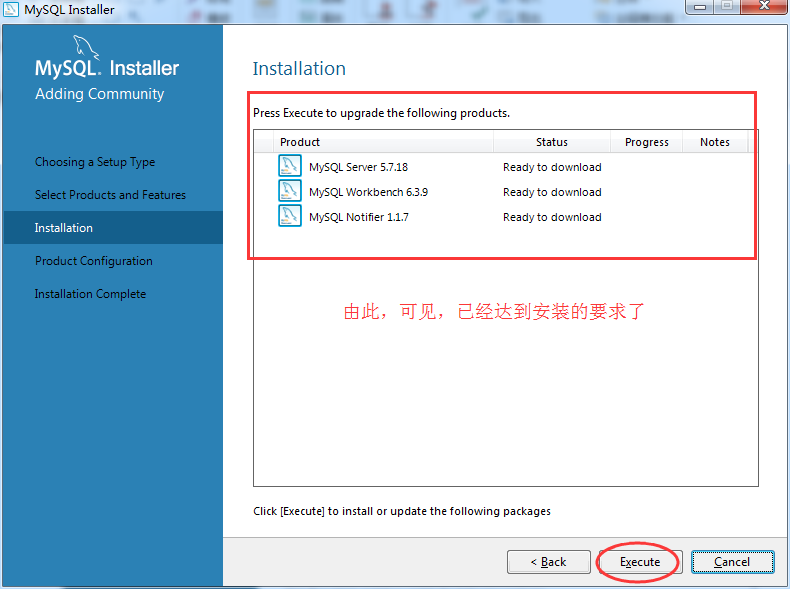
它会,自动一段时间,下载好。喝杯咖啡去吧!
单击“Excute”后,各个模块开始下载,下载完成后会自动安装,并出现下载进度提示,如图所示。 漫长的等待时期,尤其是 MySQL Server5.7.18 的下载。
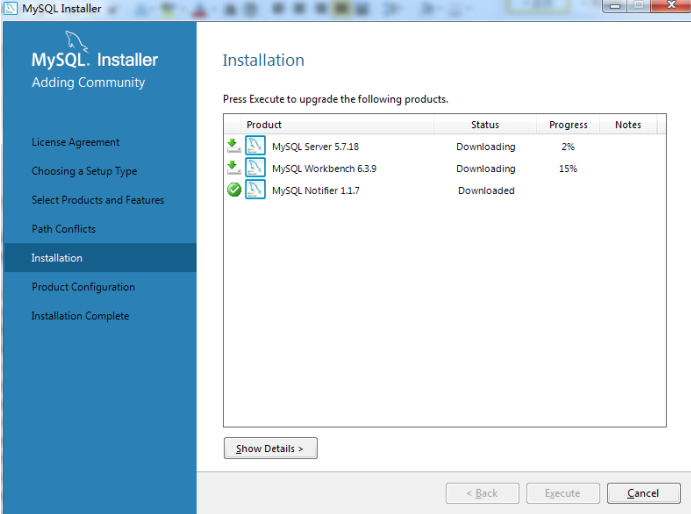
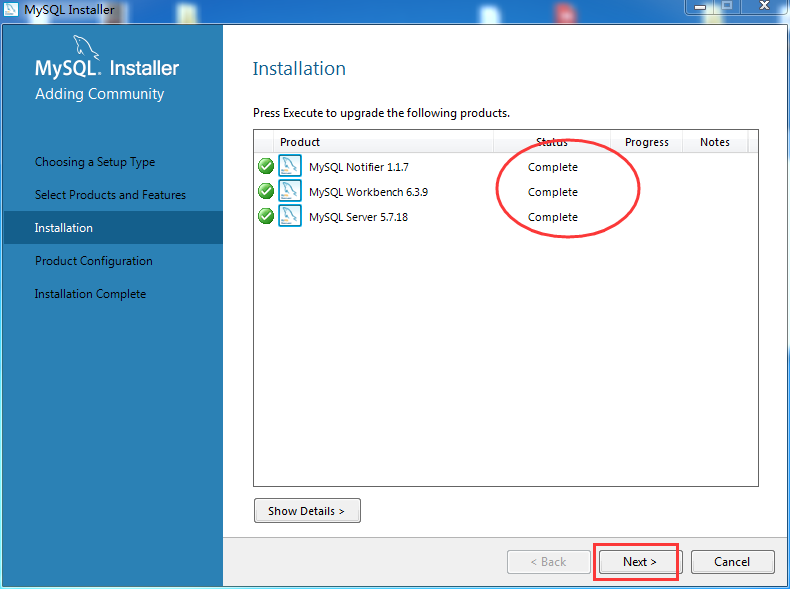
我这里,是花了半天的时间。也许,比如大家在安装这一步时,会有时不得不关电脑,没事,关闭之后,直接再重复上述步骤到这里即可。

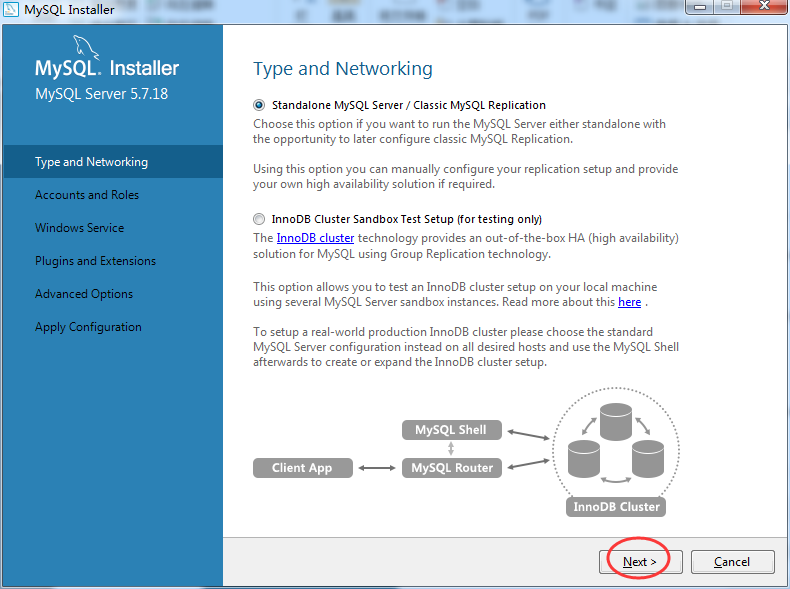
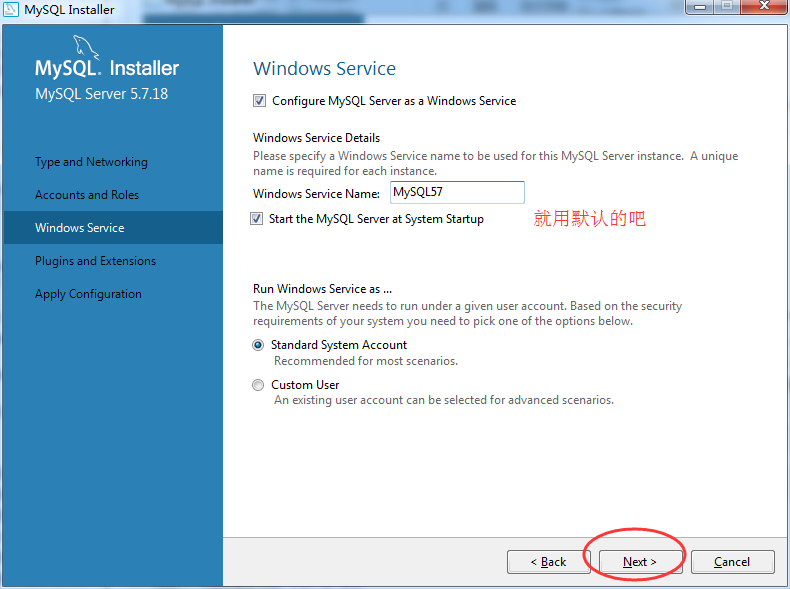
默认选择第一个,直接单机“下一步” 。
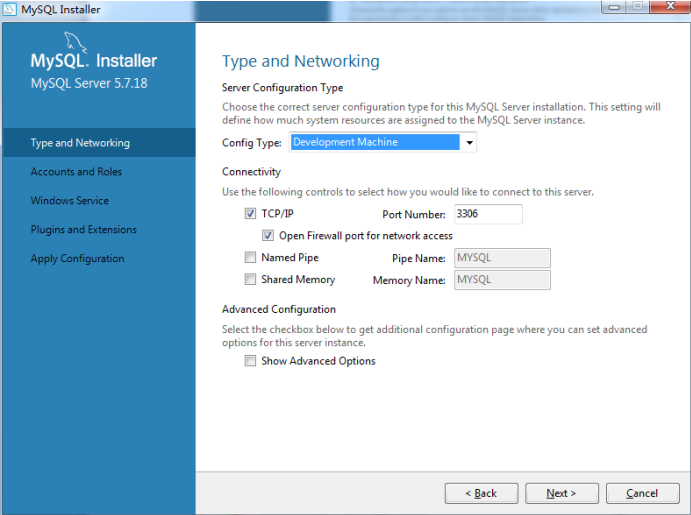
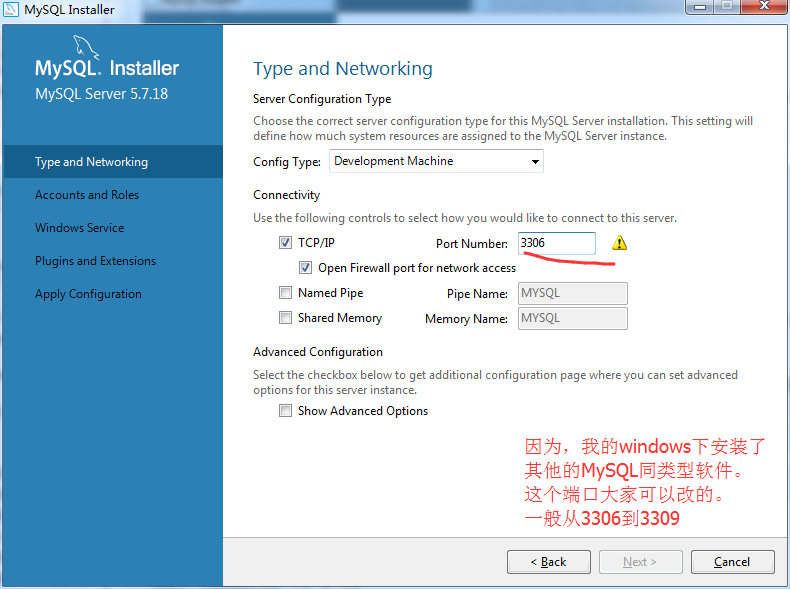
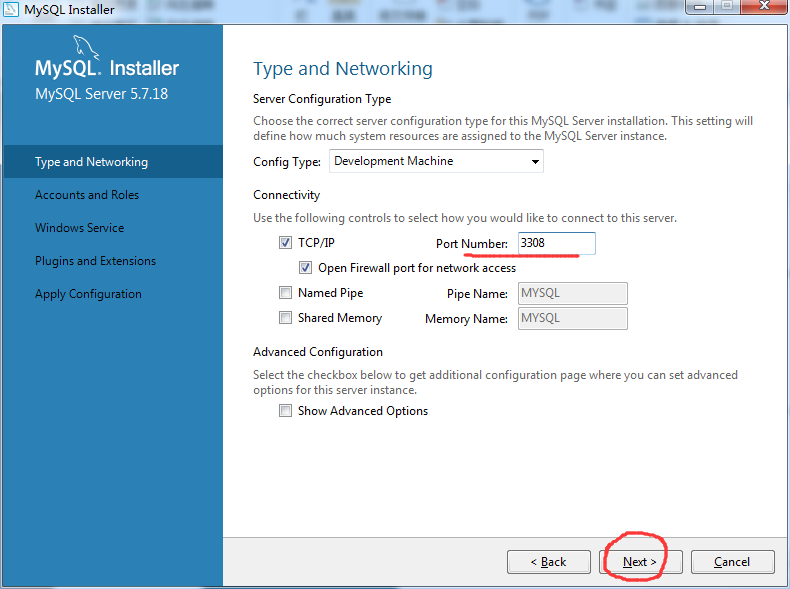
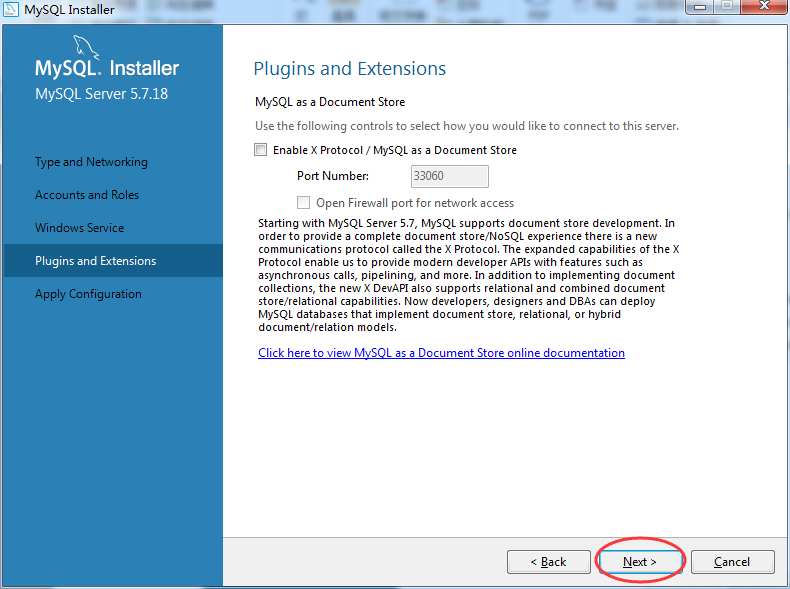
不用管,直接单机“下一步”。
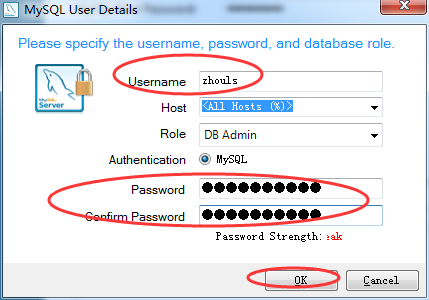
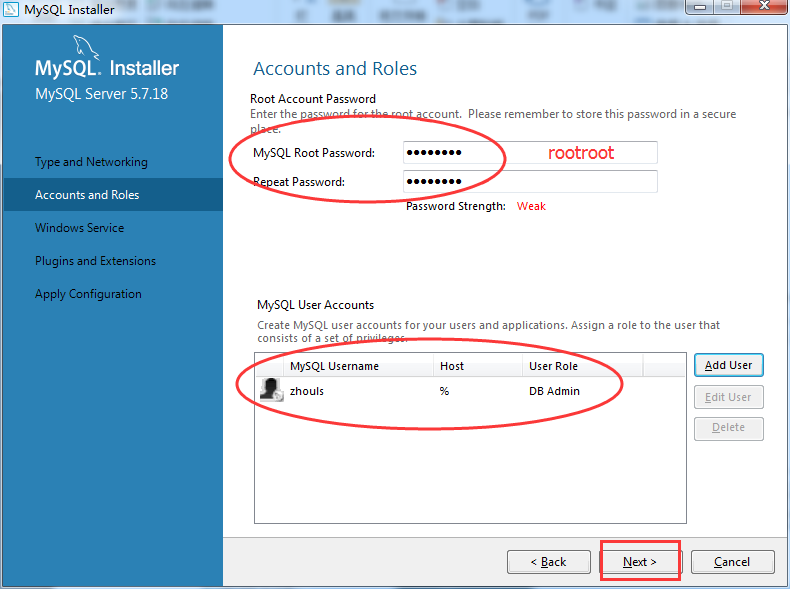
输入 MySQL 超级管理员账户“root”密码,并且还可以创建普通管理员。
我一般喜欢给root密码为rootroot

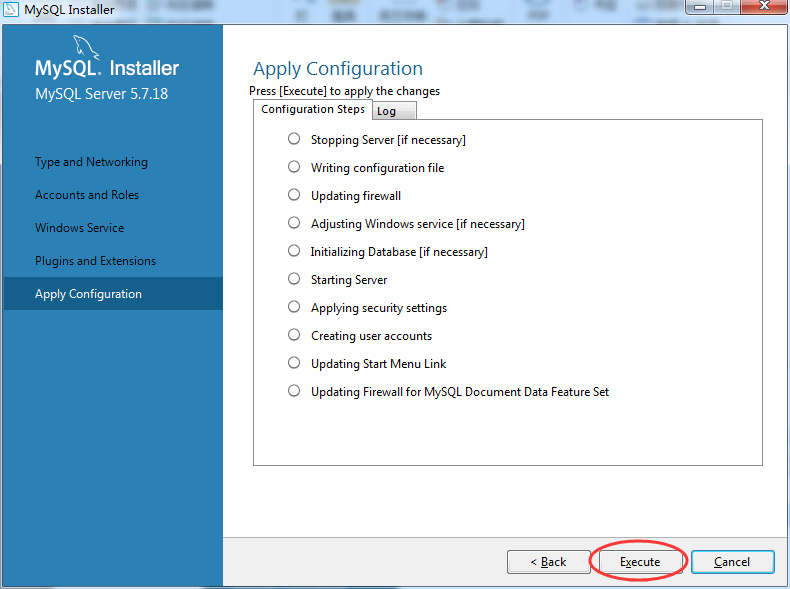
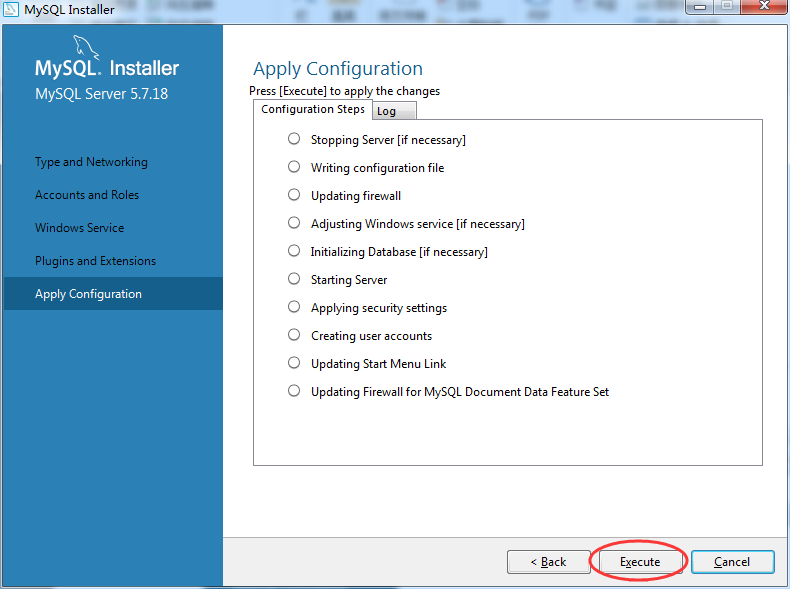
这个log,我复制出来,给大家看看。
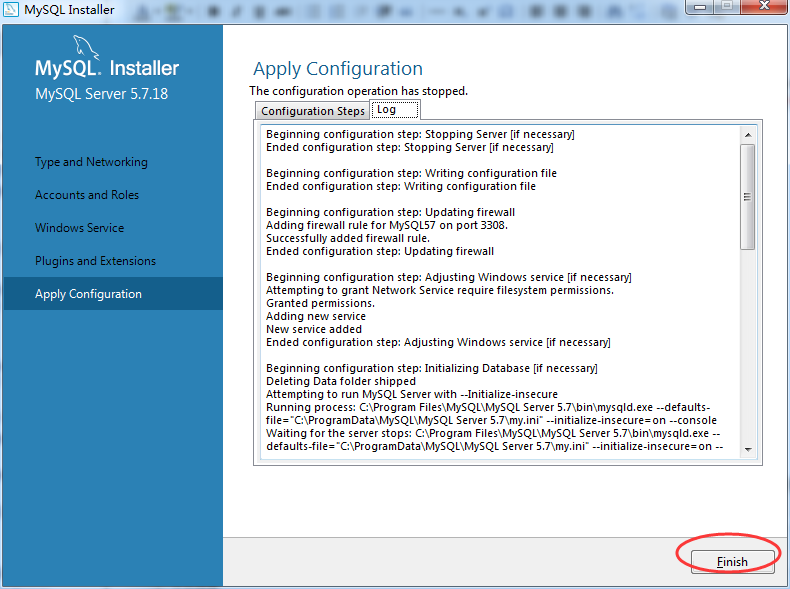

Beginning configuration step: Stopping Server [if necessary]

Ended configuration step: Stopping Server [if necessary]

Beginning configuration step: Writing configuration file

Ended configuration step: Writing configuration file

Beginning configuration step: Updating firewall

Adding firewall rule for MySQL57 on port 3308.

Successfully added firewall rule.

Ended configuration step: Updating firewall

Beginning configuration step: Adjusting Windows service [if necessary]

Attempting to grant Network Service require filesystem permissions.

Granted permissions.

Adding new service

New service added

Ended configuration step: Adjusting Windows service [if necessary]

Beginning configuration step: Initializing Database [if necessary]

Deleting Data folder shipped

Attempting to run MySQL Server with --Initialize-insecure

Running process: C:\Program Files\MySQL\MySQL Server 5.7\bin\mysqld.exe --defaults-file="C:\ProgramData\MySQL\MySQL Server 5.7\my.ini" --initialize-insecure=on --console

Waiting for the server stops: C:\Program Files\MySQL\MySQL Server 5.7\bin\mysqld.exe --defaults-file="C:\ProgramData\MySQL\MySQL Server 5.7\my.ini" --initialize-insecure=on --console

2017-06-09T08:09:15.505766Z 0 [Warning] TIMESTAMP with implicit DEFAULT value is deprecated. Please use --explicit_defaults_for_timestamp server option (see documentation for more details).

2017-06-09T08:09:15.535767Z 0 [Warning] 'NO_ZERO_DATE', 'NO_ZERO_IN_DATE' and 'ERROR_FOR_DIVISION_BY_ZERO' sql modes should be used with strict mode. They will be merged with strict mode in a future release.

2017-06-09T08:09:23.327213Z 0 [Warning] InnoDB: New log files created, LSN=45790

2017-06-09T08:09:24.559284Z 0 [Warning] InnoDB: Creating foreign key constraint system tables.

2017-06-09T08:09:25.174319Z 0 [Warning] No existing UUID has been found, so we assume that this is the first time that this server has been started. Generating a new UUID: f3a3b10f-4cea-11e7-babd-00ffb027ca9a.

2017-06-09T08:09:25.273324Z 0 [Warning] Gtid table is not ready to be used. Table 'mysql.gtid_executed' cannot be opened.

2017-06-09T08:09:25.277325Z 1 [Warning] root@localhost is created with an empty password ! Please consider switching off the --initialize-insecure option.

Finished initialize database

Ended configuration step: Initializing Database [if necessary]

Beginning configuration step: Starting Server

Starting MySQL as a service

Ended configuration step: Starting Server

Beginning configuration step: Applying security settings

Attempting to update security settings.

Updated security settings.

Ended configuration step: Applying security settings

Beginning configuration step: Creating user accounts

Attempting to Add New MySQL Users

Added New Users.

Ended configuration step: Creating user accounts

Beginning configuration step: Updating Start Menu Link

Attempting to verify command-line client shortcut.

Verified command-line client shortcut.

Verified command-line client shortcut.

Ended configuration step: Updating Start Menu Link

Beginning configuration step: Updating Firewall for MySQL Document Data Feature Set

Ended configuration step: Updating Firewall for MySQL Document Data Feature Set
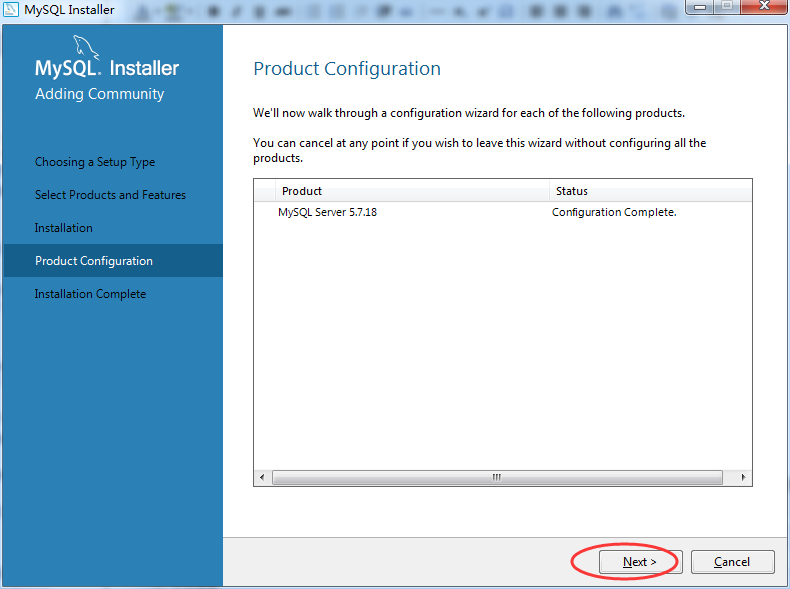
完成安装,单机“下一步”。

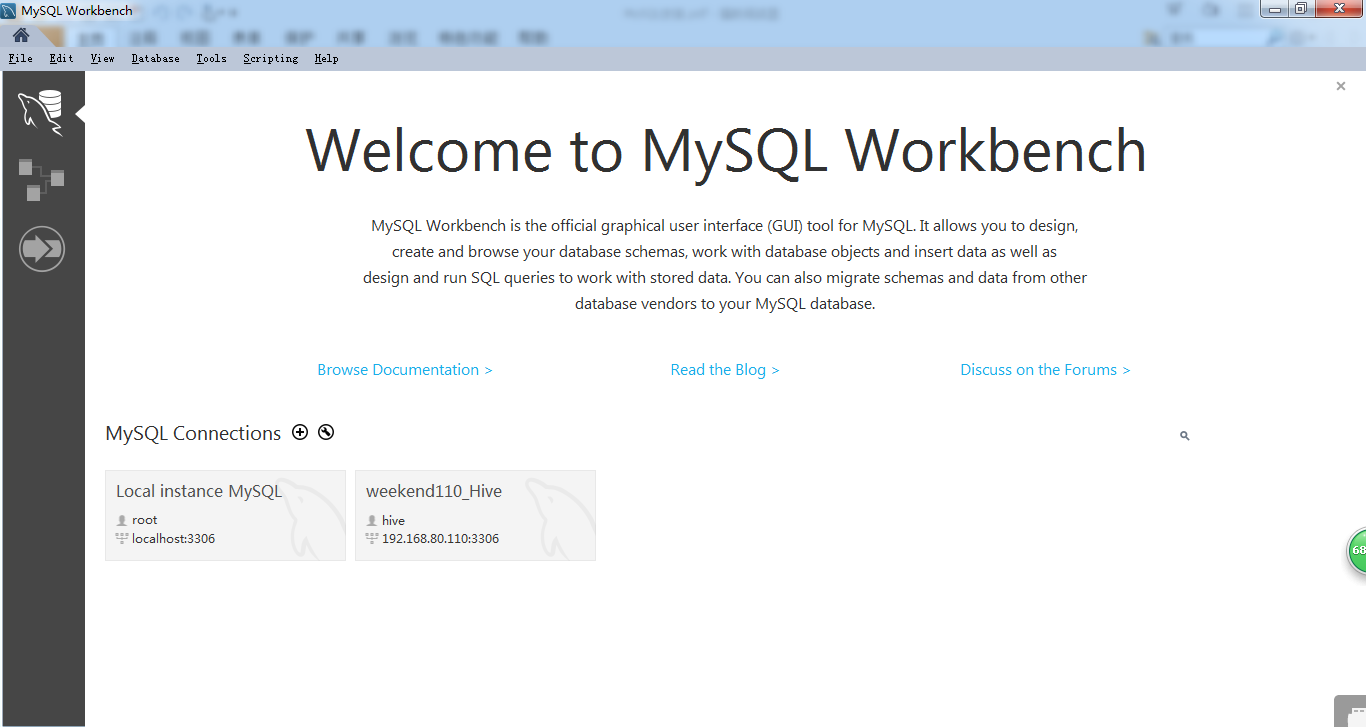
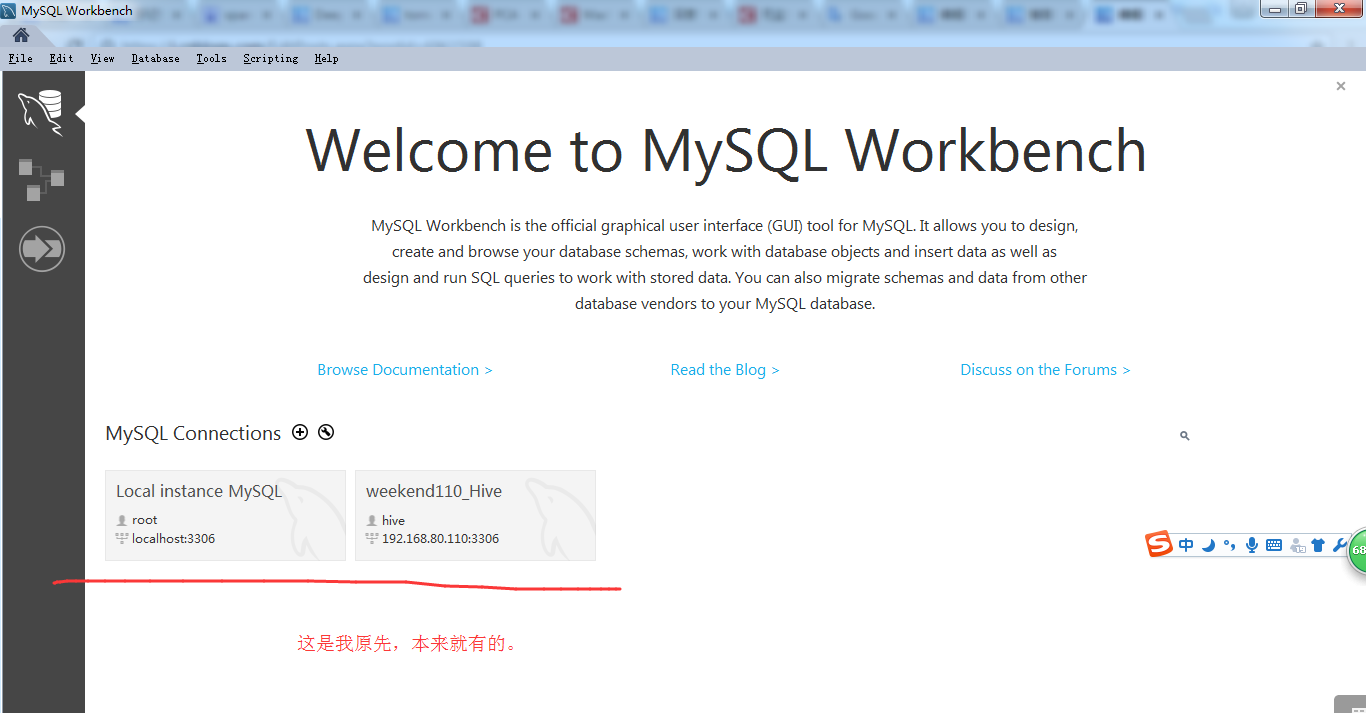
我这里,若要对windows的MySQL,则是root@localhost,然后是以3308端口。
其中我图片中的root@localhots,以3306,是我另一个同类型的MySQL软件。 以及192.168.80.110:3306是我大数据平台下的Linux里的MySQL。
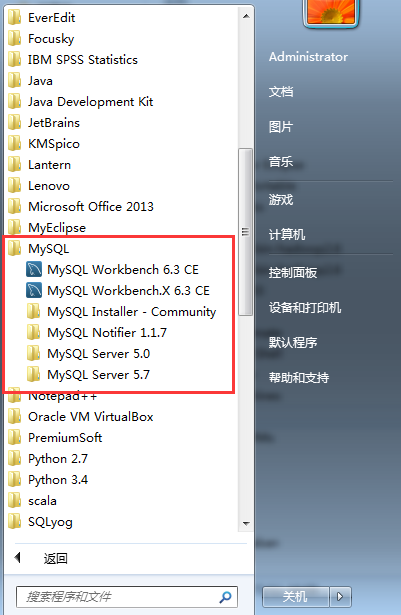
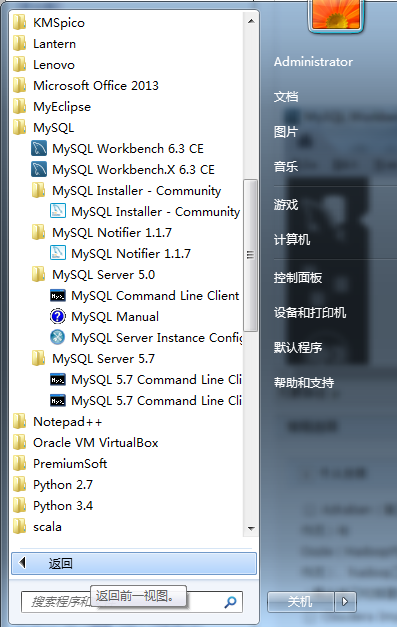
以后,我们启动,则点击如下即可

常见问题
问题 1: 无法启动次程序,因为计算机丢失 api-ms-win-crt-runtime

http://blog.csdn.net/huqiao1206/article/details/50768481
问题 2: 单独下载、安装 workbench
https://dev.mysql.com/downloads/workbench/
扩展学习
MySQL Workbench类型之MySQL客户端工具的下载、安装和使用
Navicat Premium之MySQL客户端的下载、安装和使用(博主推荐)
SQLyog之MySQL客户端的下载、安装和使用(旗舰版)(推荐)
SQLyog之MySQL客户端的下载、安装和使用(企业版)(破解)
Navicat for MySQL之MySQL客户端的下载、安装和使用
SQLyog之MySQL客户端的下载、安装和使用(普通版)
MySQL Server类型之MySQL客户端工具的下载、安装和使用(博主推荐)
mysql 5.7安装教程的更多相关文章
- MySQL数据库的安装教程及相关问题
MySQL数据库的安装教程及相关问题 2018-07-13 MySQL数据库的下载及安装教程 问题1:Authentication plugin 'caching_sha2_password' can ...
- mysql 5.6 安装教程
首先是下载 mysql-installer-community-5.6.14.0.msi ,大家可以到 mysql 官方网去下载,也可以到笔者所提供的地址去下载,下载方法在这里就不多说了,我想大家都明 ...
- MySQL 5.7 安装教程
自序:最近又要重新用上Mysql,在有道笔记找了以前自己记录怎么安装mysql5.7的笔记,发现那个时候记得笔记比较随意,看的比较费劲,现在决定重新在博客记录一下,以便以后自己查阅的时候更加方便. 1 ...
- Windows10 Apache2.4 PHP7 MySQL 5.7安装教程
最近细细的折腾了win10下PHP环境的安装过程,每次安装总是有小问题,现在总结一下.安装之前需要注意,下载的安装包(除MySQL)外必须统一是64位或者统一时32位. 一. MySQL5.7的安装 ...
- Mac for MySQL 5.7 安装教程
一.环境 MAC OS X 10.10 二.下载MySQL 地址:http://dev.mysql.com/get/Downloads/MySQL-5.7/mysql-5.7.10-osx10.10- ...
- MySQL 5.7 安装教程(Win 10)
MySQL5.7 下载 官网下载(不推荐使用):https://dev.mysql.com/downloads/mysql/ 清华镜像站下载(推荐):https://mirrors.tuna.tsin ...
- MySQL多实例安装教程
目录 MySQL的多实例 实验准备: 准备阶段: 实验阶段 MySQL的多实例 实验准备: 1. 一个干净的centos7系统 2. 关闭防火墙和selinux 3. 之前已经二进制安装过的MySQL ...
- MySQL下载和安装教程
1.下载MySQL数据库可以访问官方网站:https://www.mysql.com/ 2.点击DOWNLOADS模块下的Community模块下的MySQL Community Server进行下载 ...
- MySQL的rpm安装教程
Linux 上安装 MySQL Linux平台上推荐使用RPM包来安装Mysql,MySQL AB提供了以下RPM包的下载地址: MySQL - MySQL服务器.你需要该选项,除非你只想连接运行在另 ...
随机推荐
- Spark+Kafka的Direct方式将偏移量发送到Zookeeper实现(转)
原文链接:Spark+Kafka的Direct方式将偏移量发送到Zookeeper实现 Apache Spark 1.3.0引入了Direct API,利用Kafka的低层次API从Kafka集群中读 ...
- Coredata — 入门使用
CoreData的底层实现尽管是使用的sqlite数据库.但是CoreData在使用起来但是和sqlite大相径庭.可能你会发现你连一句sql语句都不要写.CoreData存在于应用程序和持久化存储区 ...
- UGUI 屏幕适配 导致 BoxCollider无效 解决记录
从来没有做过一个完整的游戏,所以用UGUI来做个手游界的 " Hello World " - 微信打飞机.看起来easy做起来也碰到各种奇异的问题. 昨天导出安卓包之后,在我的MX ...
- 【Nodejs】“快算24”扑克牌游戏算法 1.02
快算24是一种挺好的锻炼孩子算数能力的扑克牌游戏,它的游戏方式是把四张牌的牌面数值通过有限四则运算得到结果24,四张牌必须仅用一次.各地玩法还有点差别,有的只算1-10,其它抽出来:有的地方把整幅牌都 ...
- Office WORD如何在图片上添加文字
如图所示,在图片格式中选择图片衬于文字下方即可,这样看起来感觉就像在图片上直接加字一样,没有生硬的感觉. 最终效果: Word如何在图片上添加文字Word如何在图片上添加文字Word如何在图片上添加文 ...
- shell和awk配合使用
#!/bin/sh#$1 video id#$2 save result file########################################################### ...
- fiddler设置显示区域参数
oSession["ui-color"] = "red"; 设置字体颜色,颜色名称oSession["ui-italic"] = " ...
- 通过Shell命令与JavaAPI读取ElasticSearch数据 (能力工场小马哥)
主要内容: 通过JavaAPI和Shell命令两种方式操作ES集群 集群环境: 两个 1,未配置集群名称的单节点(模拟学习测试环境); 2,两个节点的集群(模拟正常生产环境). JDK8+Elasti ...
- 在Ubuntu Server是配置iptables防火墙
iptables 是一个安装在Ubuntu Server上的默认防火墙.在正常的ubuntu安装过程中,iptables是被安装上了的,但是它默认允许所有的流量(不管防火墙是否是无效的) 关于ipta ...
- bzr登陆加密
bzr提示:You have not informed bzr of your Launchpad ID, and you must do this towrite to Launchpad or a ...