
Animate.css 前端动画开发教程
1.首先下载animate.css文件;
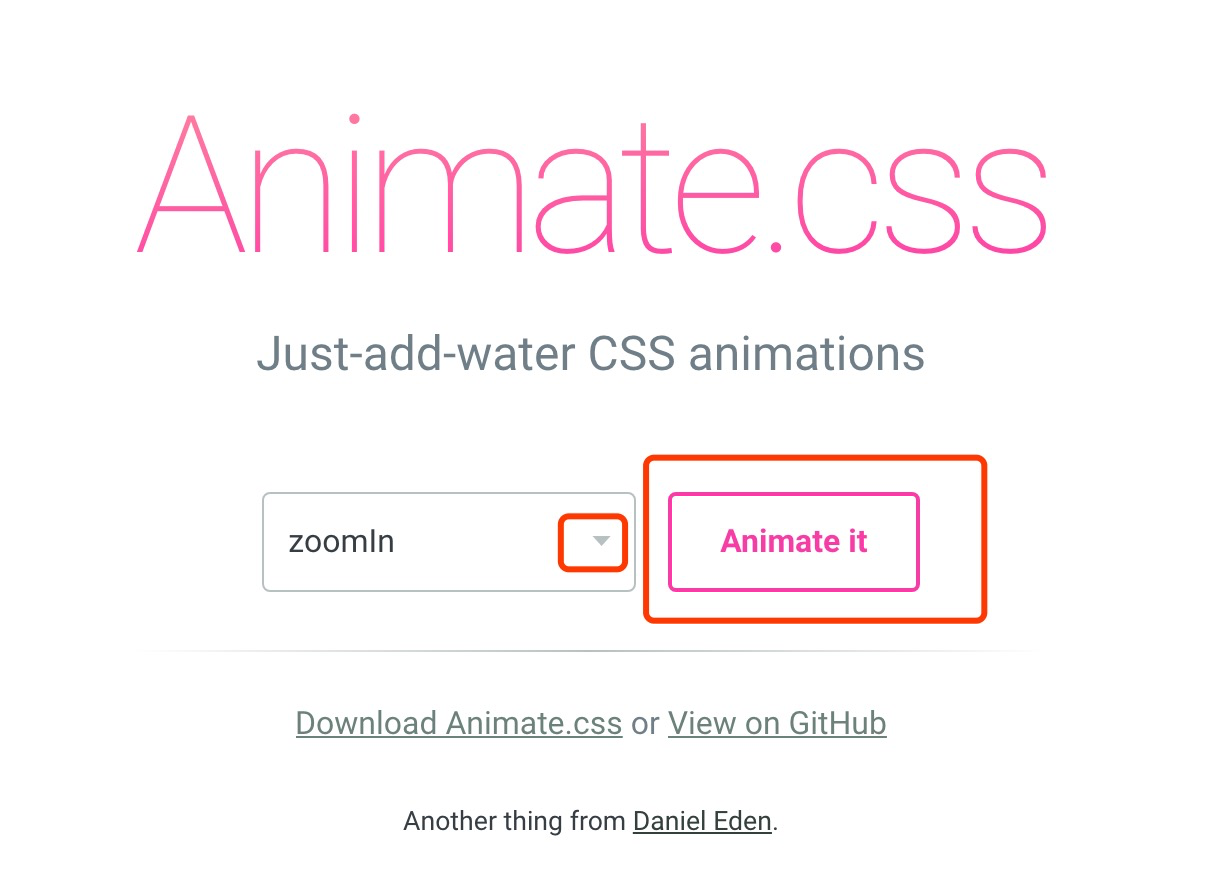
2.打开动画预览地址选择想要的动画,地址:https://daneden.github.io/animate.css/ ,选择好后记住动画的名字在你下载的animate.css中搜索,把该动画的css复制出来;
3.复制出的代码如下:
/*悬浮层跳出动画*/
@-webkit-keyframes zoomInDown {
0% {
opacity: 0;
-webkit-transform: scale3d(.1, .1, .1) translate3d(0, -1000px, 0);
transform: scale3d(.1, .1, .1) translate3d(0, -1000px, 0);
-webkit-animation-timing-function: cubic-bezier(0.55, .055, .675, .19);
animation-timing-function: cubic-bezier(0.55, .055, .675, .19)
}
60% {
opacity: 1;
-webkit-transform: scale3d(.475, .475, .475) translate3d(0, 60px, 0);
transform: scale3d(.475, .475, .475) translate3d(0, 60px, 0);
-webkit-animation-timing-function: cubic-bezier(0.175, .885, .32, 1);
animation-timing-function: cubic-bezier(0.175, .885, .32, 1)
}
}
@keyframes zoomInDown {
0% {
opacity: 0;
-webkit-transform: scale3d(.1, .1, .1) translate3d(0, -1000px, 0);
-ms-transform: scale3d(.1, .1, .1) translate3d(0, -1000px, 0);
transform: scale3d(.1, .1, .1) translate3d(0, -1000px, 0);
-webkit-animation-timing-function: cubic-bezier(0.55, .055, .675, .19);
animation-timing-function: cubic-bezier(0.55, .055, .675, .19)
}
60% {
opacity: 1;
-webkit-transform: scale3d(.475, .475, .475) translate3d(0, 60px, 0);
-ms-transform: scale3d(.475, .475, .475) translate3d(0, 60px, 0);
transform: scale3d(.475, .475, .475) translate3d(0, 60px, 0);
-webkit-animation-timing-function: cubic-bezier(0.175, .885, .32, 1);
animation-timing-function: cubic-bezier(0.175, .885, .32, 1)
}
}
.zoomInDown {
-webkit-animation-name: zoomInDown;
animation-name: zoomInDown
}
4.只需修改上面红色部分为绿色部分,然后将如下css复制到页面就可以直接用了(只需在你想要动的div上加class 这个zoomInDown);
/*悬浮层跳出动画*/
@-webkit-keyframes zoomInDown {
0% {
opacity: 0;
-webkit-transform: scale3d(.1, .1, .1) translate3d(0, -1000px, 0);
transform: scale3d(.1, .1, .1) translate3d(0, -1000px, 0);
-webkit-animation-timing-function: cubic-bezier(0.55, .055, .675, .19);
animation-timing-function: cubic-bezier(0.55, .055, .675, .19)
}
60% {
opacity: 1;
-webkit-transform: scale3d(.475, .475, .475) translate3d(0, 60px, 0);
transform: scale3d(.475, .475, .475) translate3d(0, 60px, 0);
-webkit-animation-timing-function: cubic-bezier(0.175, .885, .32, 1);
animation-timing-function: cubic-bezier(0.175, .885, .32, 1)
}
}
@keyframes zoomInDown {
0% {
opacity: 0;
-webkit-transform: scale3d(.1, .1, .1) translate3d(0, -1000px, 0);
-ms-transform: scale3d(.1, .1, .1) translate3d(0, -1000px, 0);
transform: scale3d(.1, .1, .1) translate3d(0, -1000px, 0);
-webkit-animation-timing-function: cubic-bezier(0.55, .055, .675, .19);
animation-timing-function: cubic-bezier(0.55, .055, .675, .19)
}
60% {
opacity: 1;
-webkit-transform: scale3d(.475, .475, .475) translate3d(0, 60px, 0);
-ms-transform: scale3d(.475, .475, .475) translate3d(0, 60px, 0);
transform: scale3d(.475, .475, .475) translate3d(0, 60px, 0);
-webkit-animation-timing-function: cubic-bezier(0.175, .885, .32, 1);
animation-timing-function: cubic-bezier(0.175, .885, .32, 1)
}
}
.zoomInDown {
animation: zoomInDown 1s;
-webkit-animation: zoomInDown 1s;
}
5.搞定!
Animate.css 前端动画开发教程的更多相关文章
- vue中使用第三方插件animate.css实现动画效果
vue中使用第三方插件animate.css实现动画效果1.首先先引入第三方类animated.css2.将你所需要动画的标签用包裹起来3.在transition元素中添加enter-active-c ...
- CSS--使用Animate.css制作动画效果
一 使用Animate.css动画 // 通过@import引入外部CSS资源; // 引入线上图片及JS文件; // 通过更改CSS类名生成不同类型的CSS3动画; <!DOCTYPE h ...
- vue animate.css训练动画案例 列表循环
制作目标动画:向上入场添加数据,点击数据右滑动离场 简单页面效果: 实现代码如下: <!DOCTYPE html> <html> <head> <meta c ...
- vue中使用animate.css实现动画
参考链接:https://www.cnblogs.com/ccyinghua/p/7872694.html 参考链接:https://www.jianshu.com/p/2e0b2f8d40cf 使用 ...
- vue中使用transition和animate.css动画效果
一.单个动画中,使用div中引用animate动画 1.下载依赖 npm install animate.css –save 2.main.js中全局引用 import animate from 'a ...
- JQuery插件之Animate.css和 jquery-aniview
Animate.css 一款强大的预设css3动画库 简介 animate.css 是一个来自国外的 CSS3 动画库,它预设了抖动(shake).闪烁(flash).弹跳(bounce).翻转(fl ...
- 基于animate.css动画库的全屏滚动小插件,适用于vue.js(移动端、pc)项目
功能简介 基于animate.css动画库的全屏滚动,适用于vue.js(移动端.pc)项目. 安装 npm install vue-animate-fullpage --save 使用 main.j ...
- React 系列教程 1:实现 Animate.css 官网效果
前言 这是 React 系列教程的第一篇,我们将用 React 实现 Animate.css 官网的效果.对于 Animate.css 官网效果是一个非常简单的例子,原代码使用 jQuery 编写,就 ...
- python 全栈开发,Day58(bootstrap组件,bootstrap JavaScript 插件,后台模板,图表插件,jQuery插件库,Animate.css,swiper,运行vue项目)
一.bootstrap组件 无数可复用的组件,包括字体图标.下拉菜单.导航.警告框.弹出框等更多功能. 组件和插件的区别? 插件:一个功能,比如js文件 组件:html css js 组件包含插件 面 ...
随机推荐
- 【转】vi编辑只读文档无法保存的解决办法
vi编辑只读文档无法保存的解决办法 使用普通用户编辑nginx.conf 等配置文件: 保存的时 候会提示:没有Root Permission 可以用如下方法解决:保存时加上::w !sudo tee ...
- IDEA之插件篇
强烈推荐小伙伴们,安装以下插件:
- 解题:NOI 2016 优秀的拆分
题面 其实题目不算很难,但是我调试的时候被玄学了,for循环里不写空格会RE,写了才能过.神**调了一个多小时是这么个不知道是什么的玩意(真事,可以问i207M=.=),心态爆炸 发现我们只要找AA或 ...
- Service Fabric Failover Manager
作者:潘罡 (Van Pan)@ Microsoft 什么是Failover Manager 我们回到Service Fabric系统架构图. Failover Manager是Reliability ...
- git 使用 gitignore
git 使用 git简介 git 命令 git 忽略文件 git 作用:版本控制 Git 是一个开源的分布式版本控制软件,用以有效.高速的处理从很小到非常大的项目版本管理. Git 最初是由Li ...
- linux(ubuntu) 常用指令
1.新建文件夹 mkdir mkdir test 2.进入文件夹 cd cd test 3.创建/修改文件 vim vim a.txt 如果不存在a.txt,就会新增a.txt; 如果存在,则修改 先 ...
- linux缓存手动清理
一般情况下不建议这么做, 如果你确定向的话还是可以的首先运行sync把未存盘的cache都写入磁盘,稍等片刻, 或者是直接运行sync 两遍 然后echo 1 试试应该大部分缓存可以释放 释放ca ...
- Spring 中出现相同名称的 bean 的处理机制
小总结: 如果启用组件扫描,bean名称不同时,Spring将尝试创建一个bean,即使该类的bean已经在spring-config.xml中定义了. 但是,如果在spring配置文件中定义的bea ...
- CSS中的选择器(笔记)
1.通配符选择器(*):通配符选择器是用来选择所有元素,也可以选择某个元素下的所有元素.所有浏览器都支持通配符选择器. ;;} .dome *{padding: 2px;} 2.元素选择器(Ele): ...
- HDU 1846 Brave Game 巴什博奕
解题报告:Alice和Bob在做一个取石子游戏,有一堆n个石子,然后规定每个人每次最少要去1个石子,最多可以取m个石子,最后一次取完石子的人为胜. 巴什博奕,关键是找到必胜点和必败点,我们可以先列举出 ...