
GreenPlum 大数据平台--web监控
一,安装web监控界面
01,准备
下载greenplum cc包,>>
解压缩
02,安装前配置
vim /greenplum/data/master/gpseg-/pg_hba.conf

local    gpperfmon   gpmon                         trust

host     all         gpmon         127.0.0.1/    trust

host     all         gpmon         ::/         trust

配置 export PGDATA=/greenplum/data/master/gpseg-1/
03,安装
./gpccinstall-4.1.1
缺少用户,执行以下命令
gpperfmon_install --enable --password 123456 --port 5432

然后继续执行安装命令
[gpadmin@greenplum01 greenplum-cc-web-4.6.-LINUX-x86_64]$ ./gpccinstall-4.6.

       ***  IMPORTANT INFORMATION - PLEASE READ CAREFULLY  ***

PIVOTAL GREENPLUM DATABASE END USER LICENSE AGREEMENT

IMPORTANT - READ CAREFULLY: This Software contains computer programs and

other proprietary material and information, the use of which is subject to

and expressly conditioned upon acceptance of this End User License

Agreement ("EULA").

.................(慢慢点跳过)

Rev: Pivotal_GPDB_EULA_03182014.txt

I HAVE READ AND AGREE TO THE TERMS OF THE ABOVE PIVOTAL GREENPLUM DATABASE

END USER LICENSE AGREEMENT.

Do you agree to the Pivotal Greenplum Command Center End User License Agreement? Yy/Nn (Default=Y)

Y

Where would you like to install Greenplum Command Center? (Default=/usr/local)

/home/gpadmin/greenplum-web

Path not exist, create it? Yy/Nn (Default=Y)

y

What would you like to name this installation of Greenplum Command Center? (Default=gpcc)

What port would you like gpcc webserver to use? (Default=)

Would you like to enable kerberos? Yy/Nn (Default=N)

Would you like enable SSL? Yy/Nn (Default=N)

Please choose a display language (Default=English)

.  English

.  Chinese

// :: GPCC [version 4.6.] may not be fully compatible with GPDB [installed version 5.16].

Please reference the version compatibility in the GPCC documentation (gpcc.docs.pivotal.io/)

Installation in progress...

// ::

Successfully installed Greenplum Command Center.
gpscp -h greenplum02 $MASTER_DATA_DIRECTORY/pg_hba.conf =:$MASTER_DATA_DIRECTORY/

gpscp -h greenplum02 ~/.pgpass =:~/
04,查看
[gpadmin@greenplum01 greenplum-cc-web-4.6.-LINUX-x86_64]$ psql -d 'gpperfmon' -c 'select * from system_now;' ctime | hostname | mem_total | mem_used | mem_actual_used | mem_actual_free | swap_total | swap_used | swap_

page_in | swap_page_out | cpu_user | cpu_sys | cpu_idle | load0 | load1 | load2 | quantum | disk_ro_rate | di

sk_wo_rate | disk_rb_rate | disk_wb_rate | net_rp_rate | net_wp_rate | net_rb_rate | net_wb_rate

-------+----------+-----------+----------+-----------------+-----------------+------------+-----------+------

--------+---------------+----------+---------+----------+-------+-------+-------+---------+--------------+---

-----------+--------------+--------------+-------------+-------------+-------------+-------------

( rows)

[gpadmin@greenplum01 greenplum-cc-web-4.6.-LINUX-x86_64]$
二,配置环境变量
01,所有机器:
.bash_profile里面添加 source /home/gpadmin/greenplum-web/greenplum-cc-web-4.6./gpcc_path.sh
然后source .bashrc
02,启动服务
gpcc start
添加允许客户端
host all gpmon 192.168.0.221/ md5
03,访问

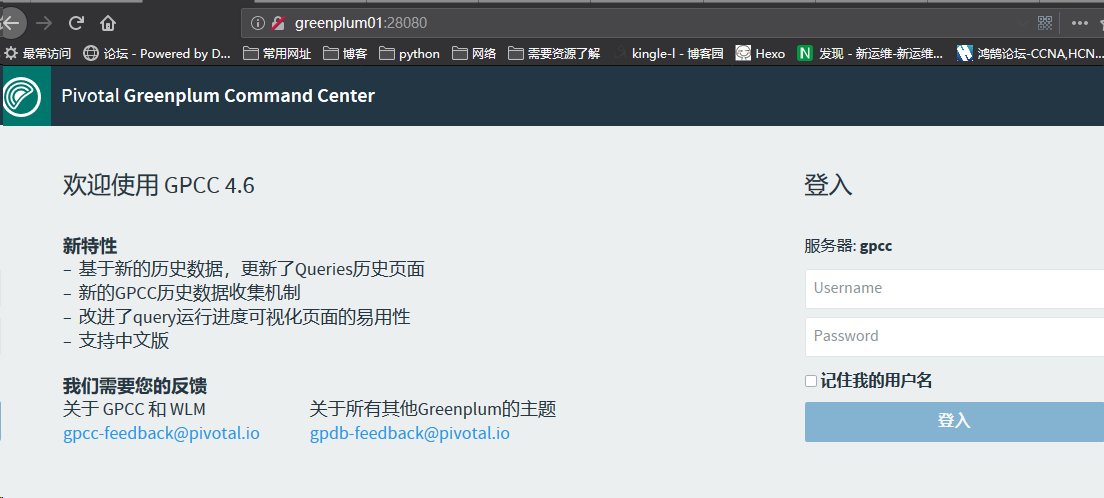
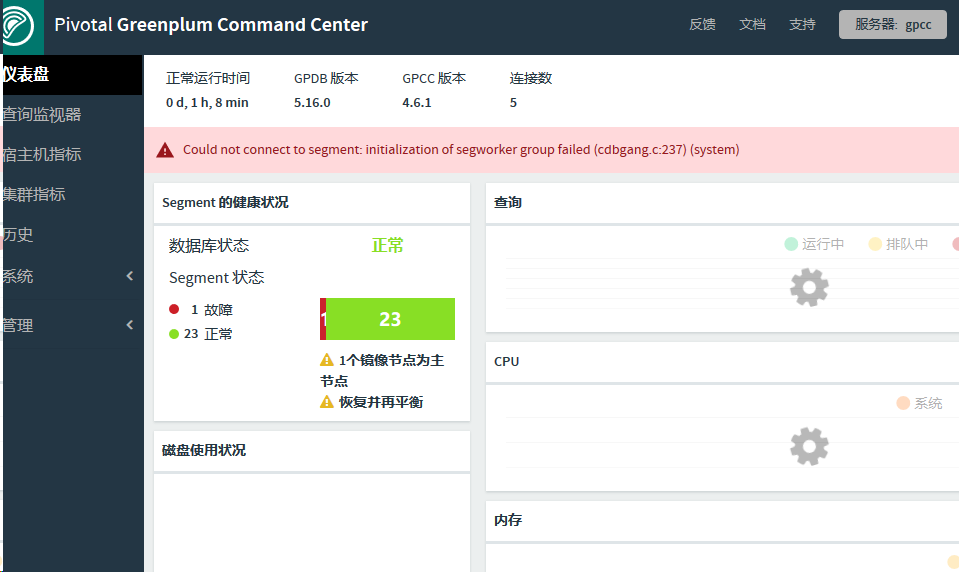
账号:gpmon 密码123456
常用:
 gpstart 默认安装完成会自动开启,启动数据库

 gpstate{-f 查看standby状态} 查看数据库状态

 gpstop 关闭数据库

 psql -l 列出所有数据库

 gpstop -M fast 快速关闭

 gpstop –r 重启

 gpstop –u 重新加载配置文件

 createdb -p  -e -U gpadmin dbname 创建数据库

 gpconfig -c 参数名称 -v 参数值(若果master和segment不一样,name在后面指定-m master参数值) 批量修改系统配置文件参数
 alter role gpadmin with password '123456'; --户名创建密码

 select * from gp_segment_configuration; --查看segment配置

 select * from pg_filespace_entry; --查看文件系统

 \d+ <tablename> --查看表结构

 \dt --显示表

 \l --显示数据库

 \q 退出
GreenPlum 大数据平台--web监控的更多相关文章
- GreenPlum 大数据平台--监控
数据库状态监控活动 活动 过程 纠正措施 列出当前状态为down的Segment.如果有任何行被返回,就会生成一个警告或者告警. 推荐频率:每5到10分钟 重要度: IMPORTANT 在postgr ...
- GreenPlum 大数据平台--介绍
一,GreenPlum 01,介绍: Greenplum是一种基于PostgreSQL的分布式数据库,其采用shared-nothing架构,主机.操作系统.内存.存储都是自我控制的,不存在共享. 官 ...
- GreenPlum 大数据平台--外部表(三)
一,外部表介绍 Greenplum 在数据加载上有一个明显的优势,就是支持数据的并发加载,gpfdisk是并发加载的工具,数据库中对应的就是外部表 所谓外部表,就是在数据库中只有表定义.没有数据,数据 ...
- GreenPlum 大数据平台--非并行备份(六)
一,非并行备份(pg_dump) 1) GP依然支持常规的PostgreSQL备份命令pg_dump和pg_dumpall 2) 备份将在Master主机上创建一个包含所有Segment数据的大的备份 ...
- GreenPlum 大数据平台--安装
1. 环境准备 01, 安装包准备: Greenplum : >>>>链接地址 Pgadmin客户端 : >>>链接地址 greenplum-cc-web ...
- GreenPlum 大数据平台--运维(三)
一,操作命令 01,启动gpstart 参数说明 COMMAND NAME: gpstart Starts a Greenplum Database system. ***************** ...
- GreenPlum 大数据平台--备份-邮件配置-gpcrondump & gpdbrestore(五)
01,备份 生成备份数据库 [gpadmin@greenplum01 ~]$ gpcrondump -l /gpbackup/back2/gpcorndump.log -x postgres -v [ ...
- GreenPlum 大数据平台--并行备份(四)
01,并行备份(gp_dump) 1) GP同时备份Master和所有活动的Segment实例 2) 备份消耗的时间与系统中实例的数量没有关系 3) 在Master主机上备份所有DDL文件和GP相关的 ...
- GreenPlum 大数据平台--基础使用(一)
一,操作语法 01,创建数据库 --创建用户-- [gpadmin@greenplum01 ~]$ export PGDATABASE=testDB --指定数据库名字 [gpadmin@greenp ...
随机推荐
- 关于eWebEditorAPI
1.获取HTML document.getElementById(Iframe的名称).contentWindow.getHTML();在线API http://www.ewebeditor.net/ ...
- ipmitool批量添加新用户名和密码
Intelligent Platform Management Interface 需求:已知BMC帐号id2为root管理员帐号,添加id5bmc帐号 工具:ipmitool version 1.8 ...
- c# 对象反射赋值未知属性需类型转换
反射某个类时,对于类的属性,字段.已知有已知的方法,未知有未知的写法. 而SetValues赋值则需要类型转换 情况1,该属性类型是已知类型,例如:int int value=500; propert ...
- Kotlin if else判断
Kotlin的if相对与java,有着较为灵活的用法. if是用来判断. if在Kotlin里面可以作为表达式来使用. 如果熟悉C java C#等 A>B:A?B这个判断应该是很熟悉,而Kot ...
- WebStorm安装与快捷键
WebStorm是JetBrains 推出的一款强大的HTML5编辑工具(特别开发JavaScript非常好用),被JavaScript开发者誉为“web前端开发神奇”.“最强悍的JavaScript ...
- Django rest framework框架——APIview源码分析
一.什么是rest REST其实是一种组织Web服务的架构,而并不是我们想象的那样是实现Web服务的一种新的技术,更没有要求一定要使用HTTP.其目标是为了创建具有良好扩展性的分布式系统. 可用一句话 ...
- HDU6330-2018ACM暑假多校联合训练Problem L. Visual Cube
就是画个图啦 分三个平面去画orz #include <iostream> #include <cmath> #include <cstring> #include ...
- 八大排序算法的python实现(三)冒泡排序
代码: #coding:utf-8 #author:徐卜灵 #交换排序.冒泡排序 L = [1, 3, 2, 32, 5, 4] def Bubble_sort(L): for i in range( ...
- Python中实现简单的插件框架
在系统设计中,经常我们希望设计一套插件机制,在不修改程序主体情况下,动态去加载附能. 我设想的插件系统: 1.通过类来实现 2.自动查找和导入 我们假设需要实现一个简单的插件系统,插件可以接收一个参数 ...
- loj2289 [THUWC 2017]在美妙的数学王国中畅游(LCT+Taylor展开)
link 题目大意: 你需要维护一个树 每个点都有个sin(ax+b)或exp(ax+b)或ax+b 你需要维护一些操作:连边.删边.修改某个点的初等函数.询问某条树链上所有函数带入某个值后权值和或不 ...