
GreenPlum 大数据平台--web监控
一,安装web监控界面
01,准备
下载greenplum cc包,>>
解压缩
02,安装前配置
vim /greenplum/data/master/gpseg-/pg_hba.conf

local    gpperfmon   gpmon                         trust

host     all         gpmon         127.0.0.1/    trust

host     all         gpmon         ::/         trust

配置 export PGDATA=/greenplum/data/master/gpseg-1/
03,安装
./gpccinstall-4.1.1
缺少用户,执行以下命令
gpperfmon_install --enable --password 123456 --port 5432

然后继续执行安装命令
[gpadmin@greenplum01 greenplum-cc-web-4.6.-LINUX-x86_64]$ ./gpccinstall-4.6.

       ***  IMPORTANT INFORMATION - PLEASE READ CAREFULLY  ***

PIVOTAL GREENPLUM DATABASE END USER LICENSE AGREEMENT

IMPORTANT - READ CAREFULLY: This Software contains computer programs and

other proprietary material and information, the use of which is subject to

and expressly conditioned upon acceptance of this End User License

Agreement ("EULA").

.................(慢慢点跳过)

Rev: Pivotal_GPDB_EULA_03182014.txt

I HAVE READ AND AGREE TO THE TERMS OF THE ABOVE PIVOTAL GREENPLUM DATABASE

END USER LICENSE AGREEMENT.

Do you agree to the Pivotal Greenplum Command Center End User License Agreement? Yy/Nn (Default=Y)

Y

Where would you like to install Greenplum Command Center? (Default=/usr/local)

/home/gpadmin/greenplum-web

Path not exist, create it? Yy/Nn (Default=Y)

y

What would you like to name this installation of Greenplum Command Center? (Default=gpcc)

What port would you like gpcc webserver to use? (Default=)

Would you like to enable kerberos? Yy/Nn (Default=N)

Would you like enable SSL? Yy/Nn (Default=N)

Please choose a display language (Default=English)

.  English

.  Chinese

// :: GPCC [version 4.6.] may not be fully compatible with GPDB [installed version 5.16].

Please reference the version compatibility in the GPCC documentation (gpcc.docs.pivotal.io/)

Installation in progress...

// ::

Successfully installed Greenplum Command Center.
gpscp -h greenplum02 $MASTER_DATA_DIRECTORY/pg_hba.conf =:$MASTER_DATA_DIRECTORY/

gpscp -h greenplum02 ~/.pgpass =:~/
04,查看
[gpadmin@greenplum01 greenplum-cc-web-4.6.-LINUX-x86_64]$ psql -d 'gpperfmon' -c 'select * from system_now;' ctime | hostname | mem_total | mem_used | mem_actual_used | mem_actual_free | swap_total | swap_used | swap_

page_in | swap_page_out | cpu_user | cpu_sys | cpu_idle | load0 | load1 | load2 | quantum | disk_ro_rate | di

sk_wo_rate | disk_rb_rate | disk_wb_rate | net_rp_rate | net_wp_rate | net_rb_rate | net_wb_rate

-------+----------+-----------+----------+-----------------+-----------------+------------+-----------+------

--------+---------------+----------+---------+----------+-------+-------+-------+---------+--------------+---

-----------+--------------+--------------+-------------+-------------+-------------+-------------

( rows)

[gpadmin@greenplum01 greenplum-cc-web-4.6.-LINUX-x86_64]$
二,配置环境变量
01,所有机器:
.bash_profile里面添加 source /home/gpadmin/greenplum-web/greenplum-cc-web-4.6./gpcc_path.sh
然后source .bashrc
02,启动服务
gpcc start
添加允许客户端
host all gpmon 192.168.0.221/ md5
03,访问

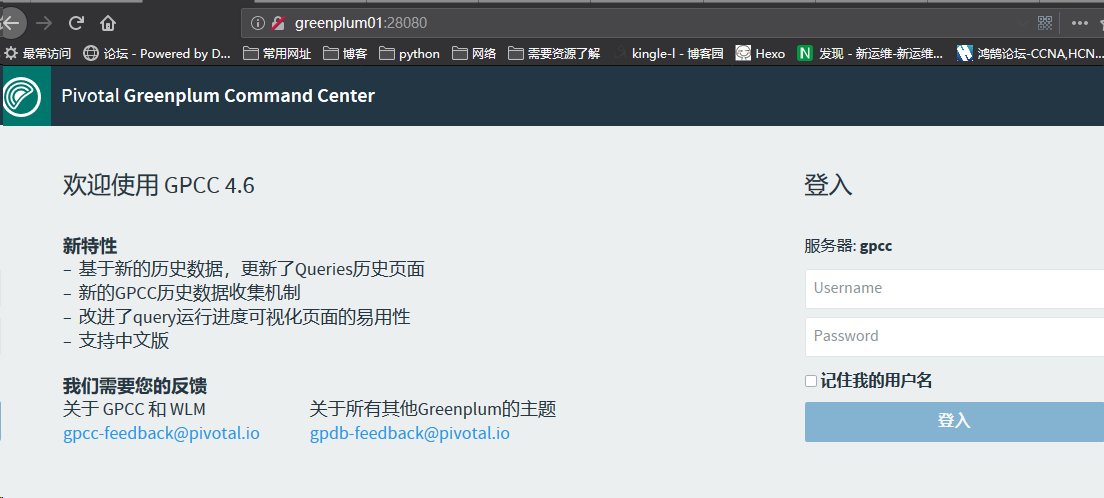
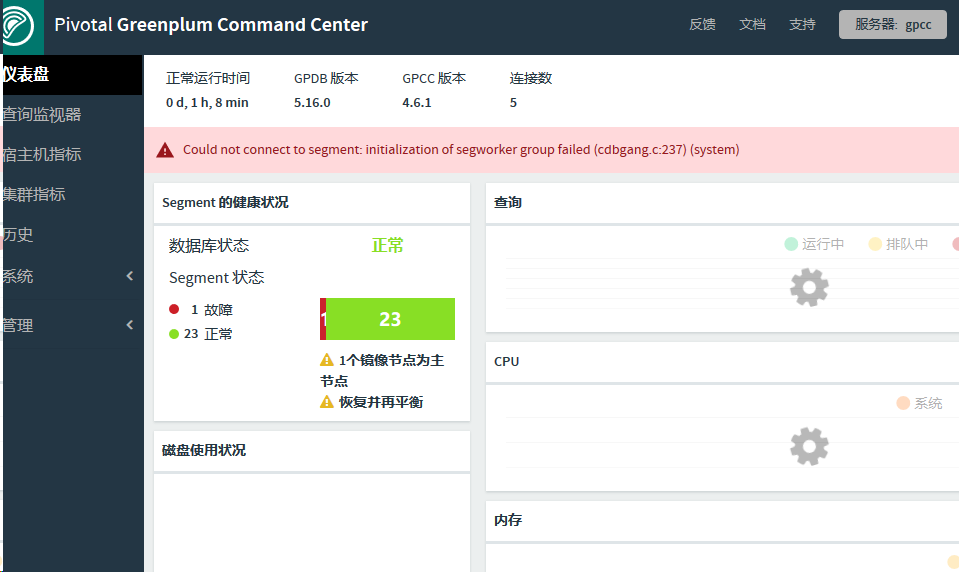
账号:gpmon 密码123456
常用:
 gpstart 默认安装完成会自动开启,启动数据库

 gpstate{-f 查看standby状态} 查看数据库状态

 gpstop 关闭数据库

 psql -l 列出所有数据库

 gpstop -M fast 快速关闭

 gpstop –r 重启

 gpstop –u 重新加载配置文件

 createdb -p  -e -U gpadmin dbname 创建数据库

 gpconfig -c 参数名称 -v 参数值(若果master和segment不一样,name在后面指定-m master参数值) 批量修改系统配置文件参数
 alter role gpadmin with password '123456'; --户名创建密码

 select * from gp_segment_configuration; --查看segment配置

 select * from pg_filespace_entry; --查看文件系统

 \d+ <tablename> --查看表结构

 \dt --显示表

 \l --显示数据库

 \q 退出
GreenPlum 大数据平台--web监控的更多相关文章
- GreenPlum 大数据平台--监控
数据库状态监控活动 活动 过程 纠正措施 列出当前状态为down的Segment.如果有任何行被返回,就会生成一个警告或者告警. 推荐频率:每5到10分钟 重要度: IMPORTANT 在postgr ...
- GreenPlum 大数据平台--介绍
一,GreenPlum 01,介绍: Greenplum是一种基于PostgreSQL的分布式数据库,其采用shared-nothing架构,主机.操作系统.内存.存储都是自我控制的,不存在共享. 官 ...
- GreenPlum 大数据平台--外部表(三)
一,外部表介绍 Greenplum 在数据加载上有一个明显的优势,就是支持数据的并发加载,gpfdisk是并发加载的工具,数据库中对应的就是外部表 所谓外部表,就是在数据库中只有表定义.没有数据,数据 ...
- GreenPlum 大数据平台--非并行备份(六)
一,非并行备份(pg_dump) 1) GP依然支持常规的PostgreSQL备份命令pg_dump和pg_dumpall 2) 备份将在Master主机上创建一个包含所有Segment数据的大的备份 ...
- GreenPlum 大数据平台--安装
1. 环境准备 01, 安装包准备: Greenplum : >>>>链接地址 Pgadmin客户端 : >>>链接地址 greenplum-cc-web ...
- GreenPlum 大数据平台--运维(三)
一,操作命令 01,启动gpstart 参数说明 COMMAND NAME: gpstart Starts a Greenplum Database system. ***************** ...
- GreenPlum 大数据平台--备份-邮件配置-gpcrondump & gpdbrestore(五)
01,备份 生成备份数据库 [gpadmin@greenplum01 ~]$ gpcrondump -l /gpbackup/back2/gpcorndump.log -x postgres -v [ ...
- GreenPlum 大数据平台--并行备份(四)
01,并行备份(gp_dump) 1) GP同时备份Master和所有活动的Segment实例 2) 备份消耗的时间与系统中实例的数量没有关系 3) 在Master主机上备份所有DDL文件和GP相关的 ...
- GreenPlum 大数据平台--基础使用(一)
一,操作语法 01,创建数据库 --创建用户-- [gpadmin@greenplum01 ~]$ export PGDATABASE=testDB --指定数据库名字 [gpadmin@greenp ...
随机推荐
- MongoDB整理笔记のMapReduce
MongDB的MapReduce相当于MySQL中的“group by”,所以在MongoDB上使用Map/Reduce进行并行“统计”很容易. 使用MapReduce要实现两个函数Map函数和Red ...
- EBS取Web字段SQL操作文档
1) 安全性—>责任-à定义 在这个路径下,输入责任名称,可以查询这个责任的请求组的名称 2) organization_id 和 org_id的功能 3) 查找网页上的字段 Naviga ...
- 小议C#接口的隐式与显示实现(续)
上文连接,讲的比较模糊,而且调用起来感觉比较混乱 http://www.cnblogs.com/walleyekneel/p/3581489.html 这次改为显式接口调用,可能项目也有这个一个需求 ...
- winform treeview绑定数据 DOM操作
form1 public void treeView() { // datatable 定义变量接收 传归来的值 DataTable Father = new BuMenDA().ConSql(); ...
- php统计目录大小
function dirSize($directroy) { $dir_size=0; $dir_handle = @opendir($directroy); if($dir_handle) { wh ...
- [Win32::Console]Perl终端版生命游戏
环境,WinXP/Win7 Perl 5.16 默认循环1000次,按ESC提前退出 use strict; use Term::ReadKey; use Win32::Console; use T ...
- (c++11)随机数------c++程序设计原理与实践(进阶篇)
随机数既是一个实用工具,也是一个数学问题,它高度复杂,这与它在现实世界中的重要性是相匹配的.在此我们只讨论随机数哦最基本的内容,这些内容可用于简单的测试和仿真.在<random>中,标准库 ...
- 20165219 2017-2018-2 《Java程序设计》第8周学习总结
20165219 2017-2018-2 <Java程序设计>第8周学习总结 教材学习内容总结 进程与线程 线程是比进程更小的单位:线程间可以共享进程中的某些内存单元 java的多线机制 ...
- css3中的自定义字体
自定义字体 /*定义*/ @font-face { font-family: "icons"; src: url("icomoon.eot"); src: lo ...
- 关于执行webdriver.Chrome; 报错WebDriverException: Message: unknown error: Element is not clickable at point (1085, 103)
from selenium import webdriverfrom time import sleep dr = webdriver.Chrome() dr.get("http://pj1 ...