
Asp.net简单三层+Sqllite 增删改查
- 新建项目à新建一个空白解决方案
- 在Model新建一个实体类
- using System;
- using System.Collections.Generic;
- using System.Linq;
- using System.Text;
- using System.Threading.Tasks;
- namespace factory.Model
- {
- public class factorys
- {
- //ID INTEGER PRIMARY KEY AUTOINCREMENT
- // NOT NULL
- // DEFAULT 1,
- //correspondent NVARCHAR( 100 ) COLLATE NOCASE,
- //contactaddress NVARCHAR( 100 ) COLLATE NOCASE,
- //contacts NVARCHAR( 50 ) COLLATE NOCASE,
- //contactway NVARCHAR( 50 ) COLLATE NOCASE,
- //contactposition NVARCHAR( 50 ),
- //dutydepartment NVARCHAR( 50 ),
- //dutyofficer NVARCHAR( 50 ) COLLATE NOCASE,
- //note NVARCHAR( 2000 ) COLLATE NOCASE
- private int _ID;
- public int ID
- {
- get { return _ID; }
- set { _ID = value; }
- }
- /// <summary>
- /// 客户单位
- /// </summary>
- private string _correspondent;
- public string Correspondent
- {
- get { return _correspondent; }
- set { _correspondent = value; }
- }
- /// <summary>
- /// 联系地址
- /// </summary>
- private string _contactaddress;
- public string Contactaddress
- {
- get { return _contactaddress; }
- set { _contactaddress = value; }
- }
- /// <summary>
- /// 联系人
- /// </summary>
- private string _contacts;
- public string Contacts
- {
- get { return _contacts; }
- set { _contacts = value; }
- }
- /// <summary>
- /// 联系方式
- /// </summary>
- private string _contactway;
- public string Contactway
- {
- get { return _contactway; }
- set { _contactway = value; }
- }
- /// <summary>
- /// 联系人职务
- /// </summary>
- private string _contactposition;
- public string Contactposition
- {
- get { return _contactposition; }
- set { _contactposition = value; }
- }
- /// <summary>
- /// 负责部门
- /// </summary>
- private string _dutydepartment;
- public string Dutydepartment
- {
- get { return _dutydepartment; }
- set { _dutydepartment = value; }
- }
- /// <summary>
- /// 负责人
- /// </summary>
- private string _dutyofficer;
- public string Dutyofficer
- {
- get { return _dutyofficer; }
- set { _dutyofficer = value; }
- }
- /// <summary>
- /// 备注
- /// </summary>
- private string _note;
- public string Note
- {
- get { return _note; }
- set { _note = value; }
- }
- }
- }
- 右击解决方案名称à新建一个DAL与BLL ,Model类库,因为个人习惯建好每个类库时喜欢à右击类库属性à默认命名空间将factoryModel改为àfactory.Model所以应用命名空间时为
- using factory.Model;
- 如果不更改则为
- using factoryModel;
- 新建一个Windows窗体应用程序(UI层)
- 添加引用 : 因为用的是SQLite数据库所以要手动添加一个SQLite的dll引用文件,在解决方案下新建一个lib文件夹将SQLite的dll文件添加进去
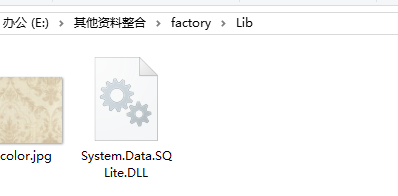 DAL引用Model,与新建的lib文件下的SQLite.dll 及
 BLL引用DAL,Model与Model UI引用DAL与Model
 - DAL下的ado.net SqlliteHelper.cs
- using System;
- using System.Collections.Generic;
- using System.Linq;
- using System.Text;
- using System.Threading.Tasks;
- using System.Configuration;
- using System.Data.SQLite;
- using System.Data;
- namespace factory.DAL
- {
- public class SqlliteHelper
- {
- //连接字符串
- private static readonly string str = ConfigurationManager.ConnectionStrings["conStr"].ConnectionString;
- //方法
- /// <summary>
- /// 增删改 都可以
- /// </summary>
- /// <param name="sql">sql语句</param>
- /// <param name="ps">sql语句中的参数</param>
- /// <returns>返回受影响的行数</returns>
- public static int ExecuteNonQuery(string sql, params SQLiteParameter[] ps)
- {
- try
- {
- using (SQLiteConnection con = new SQLiteConnection(str))
- {
- using (SQLiteCommand cmd = new SQLiteCommand(sql, con))
- {
- if (ps != null)
- {
- cmd.Parameters.AddRange(ps);
- }
- con.Open();
- return cmd.ExecuteNonQuery();
- }
- }
- }
- catch (Exception ex)
- {
- throw ex;
- }
- }
- /// <summary>
- /// 查询首行首列
- /// </summary>
- /// <param name="sql">sql语句</param>
- /// <param name="ps">参数</param>
- /// <returns>首行首列object</returns>
- public static object ExecuteScalar(string sql, params SQLiteParameter[] ps)
- {
- try
- {
- using (SQLiteConnection con = new SQLiteConnection(str))
- {
- using (SQLiteCommand cmd = new SQLiteCommand(sql, con))
- {
- con.Open();
- if (ps != null)
- {
- cmd.Parameters.AddRange(ps);
- }
- return cmd.ExecuteScalar();
- }
- }
- }
- catch (Exception ex)
- {
- throw ex;
- }
- }
- /// <summary>
- /// 查询的
- /// </summary>
- /// <param name="sql"></param>
- /// <param name="ps"></param>
- /// <returns></returns>
- public static SQLiteDataReader ExecuteReader(string sql, params SQLiteParameter[] ps)
- {
- SQLiteConnection con = new SQLiteConnection(str);
- try
- {
- using (SQLiteCommand cmd = new SQLiteCommand(sql, con))
- {
- if (ps != null)
- {
- cmd.Parameters.AddRange(ps);
- }
- try
- {
- con.Open();
- return cmd.ExecuteReader(System.Data.CommandBehavior.CloseConnection);
- }
- catch (Exception ex)
- {
- con.Close();
- con.Dispose();
- throw ex;
- }
- }
- }
- catch (Exception ex)
- {
- throw ex;
- }
- }
- /// <summary>
- /// 查询的是一个表
- /// </summary>
- /// <param name="sql">sql语句</param>
- /// <param name="ps">sql语句中的参数</param>
- /// <returns>一个表</returns>
- public static DataTable ExecuteTable(string sql, params SQLiteParameter[] ps)
- {
- try
- {
- DataTable dt = new DataTable();
- using (SQLiteDataAdapter sda = new SQLiteDataAdapter(sql, str))
- {
- if (ps != null)
- {
- sda.SelectCommand.Parameters.AddRange(ps);
- }
- sda.Fill(dt);
- }
- return dt;
- }
- catch (Exception ex)
- {
- throw ex;
- }
- }
- }
- }
- App.config配置文件
- <?xml version="1.0" encoding="utf-8" ?>
- <configuration>
- <startup useLegacyV2RuntimeActivationPolicy="true">
- <supportedRuntime version="v4.0"/>
- </startup>
- <connectionStrings>
- <add connectionString="Data Source=factory.db;Version=3;" name="conStr"/>
- </connectionStrings>
- </configuration>
- SQLite数据库文件就放在UI的binàdebug目录下
- 最后说下参数是

- 完整图片

- 这是本人第一次写博客,主要还是以记录为主,如有其它不当之处还望指点
- 源码下载
- SQLite第三方编辑工具(sqlitestudio)
Asp.net简单三层+Sqllite 增删改查的更多相关文章
- Asp.Net操作MySql数据库增删改查
Asp.Net操作MySql数据库增删改查,话不多说直接步入正题.git源码地址:https://git.oschina.net/gxiaopan/NetMySql.git 1.安装MySQL数据库 ...
- salesforce 零基础开发入门学习(六)简单的数据增删改查页面的构建
VisualForce封装了很多的标签用来进行页面设计,本篇主要讲述简单的页面增删改查.使用的内容和设计到前台页面使用的标签相对简单,如果需要深入了解VF相关知识以及标签, 可以通过以下链接查看或下载 ...
- 【Mybatis】简单的mybatis增删改查模板
简单的mybatis增删改查模板: <?xml version="1.0" encoding="UTF-8" ?> <!DOCTYPE map ...
- 【转载】salesforce 零基础开发入门学习(六)简单的数据增删改查页面的构建
salesforce 零基础开发入门学习(六)简单的数据增删改查页面的构建 VisualForce封装了很多的标签用来进行页面设计,本篇主要讲述简单的页面增删改查.使用的内容和设计到前台页面使用的 ...
- 最简单的mybatis增删改查样例
最简单的mybatis增删改查样例 Book.java package com.bookstore.app; import java.io.Serializable; public class Boo ...
- 关于C#三层架构增删改查中的“删除”问题
序: 刚学习C#,经过一段时间学习,现在正在做一个简单的前后台联通的项目(主要是C#三层架构实现增删改查).分享一点儿小经验,也供自己以后可以回头看看自己的码农之路. 内容: 主要分享的是一条删除会用 ...
- 【ASP.NET MVC】jqGrid 增删改查详解
1 概述 本篇文章主要是关于JqGrid的,主要功能包括使用JqGrid增删查改,导入导出,废话不多说,直接进入正题. 2 Demo相关 2.1 Demo展示 第一部分 第二部分 2.2 ...
- SQL简单语句(增删改查)
简单的SQL语句增删改查操作 说明: 在mysql里面亲测结果正确 用到的表(学生表:studnets) 1.创建一个学生表,(学号,姓名,性别,家庭住址) mysql> create t ...
- KbmMemTable的简单应用(增删改查示例)
//kbmMemTable unit Unit1; interface uses Windows, Messages, SysUtils, Variants, Classes, Graph ...
随机推荐
- SPRING IN ACTION 第4版笔记-第二章-001-用@Autowired\@ComponentScan、@Configuration、@Component实现自动装载bean
1. package soundsystem; import org.springframework.context.annotation.ComponentScan; import org.spri ...
- XP中IIS“HTTP 500 - 内部服务器错误”解决方法
我先把主要过程叙述一下,叙述完有每个问题的具体操作方法. 今天我在XP上安装IIS,运行网站出现"HTTP 500 - 内部服务器错误". 打开HTML没有问题,打开ASP文件时就 ...
- 搜索(DLX重复覆盖模板):HDU 2295 Radar
Radar Time Limit: 2000/1000 MS (Java/Others) Memory Limit: 32768/32768 K (Java/Others)Total Submi ...
- MySqlCommand, MySqlParameter and "LIKE" with Percent Symbol
//Wrong way MySqlCommand cmd = oldDb.GetSqlStringCommand(CommandType.Text,"SELECT * _ FROM user ...
- C#后台执行bat
C#后台执行bat ProcessStartInfo p = new ProcessStartInfo(); p.FileName = "C:\\1.bat"; p.WindowS ...
- 查看当前hadoop的版本号
查看当前hadoop的版本号: 2015-01-20 20:58:03
- ARM学习笔记6——程序状态寄存器访问指令
这两条指令结合,可用于对CPSR或SPSR进行读/写操作. 当需要保存或修改当前模式下CPSR或SPSR的内容时,首先必须将这些内容传递到通用寄存器中 1.MRS指令(Move to Register ...
- 18. 4Sum
#include <string>#include <stack>#include <vector>#include <map>#include < ...
- Bzoj 2453: 维护队列 && Bzoj 2120: 数颜色 分块,bitset
2453: 维护队列 Time Limit: 10 Sec Memory Limit: 128 MBSubmit: 578 Solved: 247[Submit][Status][Discuss] ...
- kvm 性能调优
CPU Tuning Cache share tuning 对于物理 CPU,同一个 core 的 threads 共享 L2 Cache,同一个 socket 的 cores 共享 L3 cache ...