
一、Core授权-2 之.net core 基于Jwt实现Token令牌
一、Startup类配置
ConfigureServices中
            //添加jwt验证:

            services.AddAuthentication(JwtBearerDefaults.AuthenticationScheme)

                    .AddJwtBearer(options =>

                    {

                        options.TokenValidationParameters = new TokenValidationParameters

                        {

                            ValidateIssuer = true,//是否验证Issuer

                            ValidateAudience = true,//是否验证Audience

                            ValidateLifetime = true,//是否验证失效时间

                            ValidateIssuerSigningKey = true,//是否验证SecurityKey

                            ValidIssuer = Configuration["Jwt:Issuer"],//appsettings.json文件中定义的Issuer

                            ValidAudience = Configuration["Jwt:Issuer"],//appsettings.json文件中定义的Audience

                            IssuerSigningKey = new SymmetricSecurityKey(Encoding.UTF8.GetBytes(Configuration["Jwt:Key"]))

                        };//appsettings.json文件中定义的JWT Key

                    });
Configure 启用中间件
app.UseAuthentication(); // 注意添加这一句,启用jwt验证
整体代码:
    public class Startup

    {

        public Startup(IConfiguration configuration)

        {

            Configuration = configuration;

        }

        public IConfiguration Configuration { get; }

        // This method gets called by the runtime. Use this method to add services to the container.

        public void ConfigureServices(IServiceCollection services)

        {

            services.AddMvc().SetCompatibilityVersion(CompatibilityVersion.Version_2_1);

            //添加jwt验证:

            services.AddAuthentication(JwtBearerDefaults.AuthenticationScheme)

                    .AddJwtBearer(options =>

                    {

                        options.TokenValidationParameters = new TokenValidationParameters

                        {

                            ValidateIssuer = true,//validate the server

                            ValidateAudience = true,//ensure that the recipient of the token is authorized to receive it

                            ValidateLifetime = true,//check that the token is not expired and that the signing key of the issuer is valid

                            ValidateIssuerSigningKey = true,//verify that the key used to sign the incoming token is part of a list of trusted keys

                            ValidIssuer = Configuration["Jwt:Issuer"],//appsettings.json文件中定义的Issuer

                            ValidAudience = Configuration["Jwt:Issuer"],//appsettings.json文件中定义的Audience

                            IssuerSigningKey = new SymmetricSecurityKey(Encoding.UTF8.GetBytes(Configuration["Jwt:Key"]))

                        };//appsettings.json文件中定义的JWT Key

                    });

        }

        // This method gets called by the runtime. Use this method to configure the HTTP request pipeline.

        public void Configure(IApplicationBuilder app, IHostingEnvironment env)

        {

            if (env.IsDevelopment())

            {

                app.UseDeveloperExceptionPage();

            }

            //跨域

            app.UseCors(builder =>

            {

                builder.SetIsOriginAllowed(origin => true)

                    .AllowAnyHeader()

                    .WithMethods("GET", "POST")

                    .AllowCredentials();

            });

            app.UseAuthentication(); // 注意添加这一句,启用jwt验证

            app.UseMvc();

        }

    }
二、appsetting.json中配置
  "Jwt": {

    "Key": "veryVerySecretKey",

    "Issuer": "http://localhost:53111"

  }
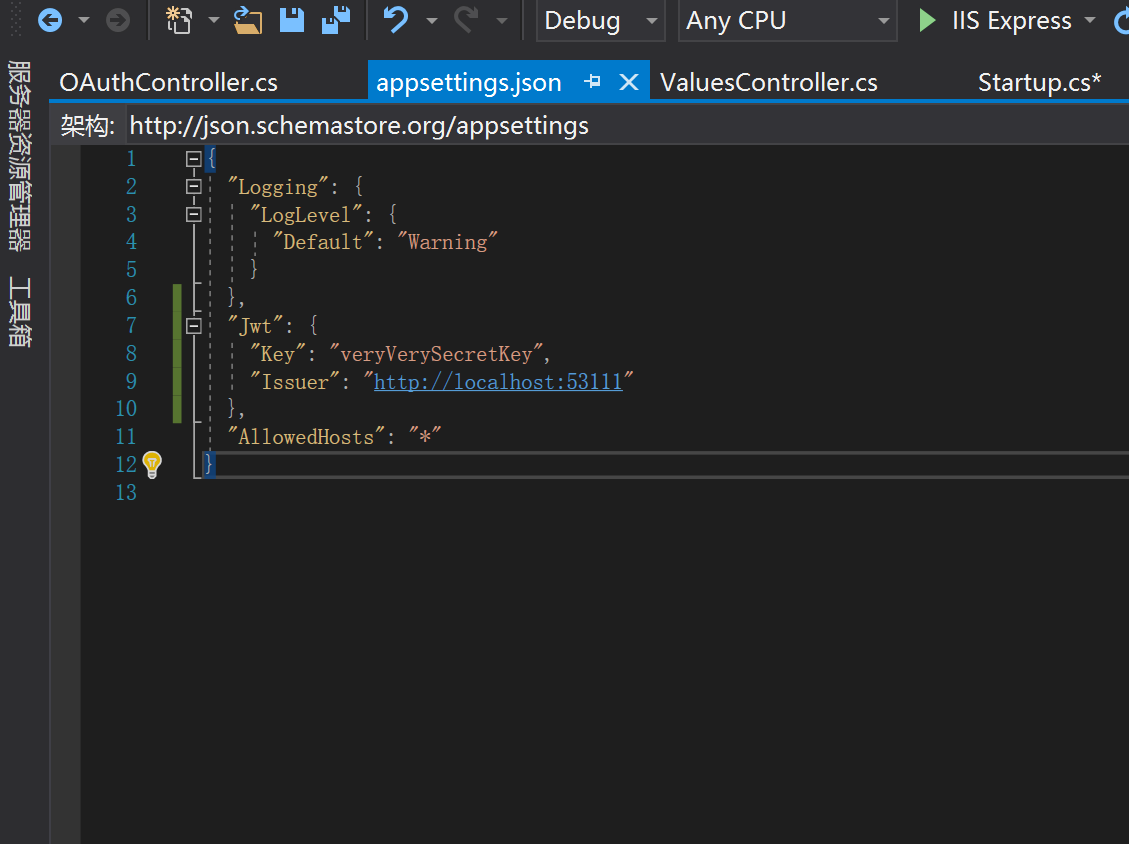
整体代码:
{

  "Logging": {

    "LogLevel": {

      "Default": "Warning"

    }

  },

  "Jwt": {

    "Key": "veryVerySecretKey",

    "Issuer": "http://localhost:53111"

  },

  "AllowedHosts": "*"

}
如图:
三、Api控制器中 根据登录信息生成token令牌

整体代码:
using System;

using System.Collections.Generic;

using System.IdentityModel.Tokens.Jwt;

using System.Linq;

using System.Security.Claims;

using System.Text;

using System.Threading.Tasks;

using Microsoft.AspNetCore.Http;

using Microsoft.AspNetCore.Mvc;

using Microsoft.Extensions.Configuration;

using Microsoft.IdentityModel.Tokens;

namespace Temp.Controllers

{

    [Route("api/[controller]/[action]")]  //Api控制器

    [ApiController]

    public class OAuthController : ControllerBase

    {

        private readonly IConfiguration _config;

        public OAuthController(IConfiguration configuration)

        {

            _config = configuration;

        }

        /// <summary>

        /// login

        /// </summary>

        /// <returns></returns>

        [HttpPost]

        public string Token(string user, string password)

        {

            //验证用户名和密码

            var claims = new Claim[] { new Claim(ClaimTypes.Name, "John"), new Claim(JwtRegisteredClaimNames.Email, "john.doe@blinkingcaret.com") };

            var key = new SymmetricSecurityKey(Encoding.UTF8.GetBytes(_config["Jwt:Key"]));

            var creds = new SigningCredentials(key, SecurityAlgorithms.HmacSha256);

            var token = new JwtSecurityToken(

              //颁发者

              issuer: _config["Jwt:Issuer"],

              //接收者

              audience: _config["Jwt:Issuer"],

              //添加claims

              claims: claims,

              //指定token的生命周期,过期时间

              expires: DateTime.Now.AddMinutes(),

              //签名证书

              signingCredentials: creds);

            //一个典型的JWT 字符串由三部分组成:

            //header: 头部,meta信息和算法说明

            //payload: 负荷(Claims), 可在其中放入自定义内容, 比如, 用户身份等

            //signature: 签名, 数字签名, 用来保证前两者的有效性

            //三者之间由.分隔, 由Base64编码.根据Bearer 认证规则, 添加在每一次http请求头的Authorization字段中, 这也是为什么每次这个字段都必须以Bearer jwy - token这样的格式的原因.

            return new JwtSecurityTokenHandler().WriteToken(token);

        }

    }

}
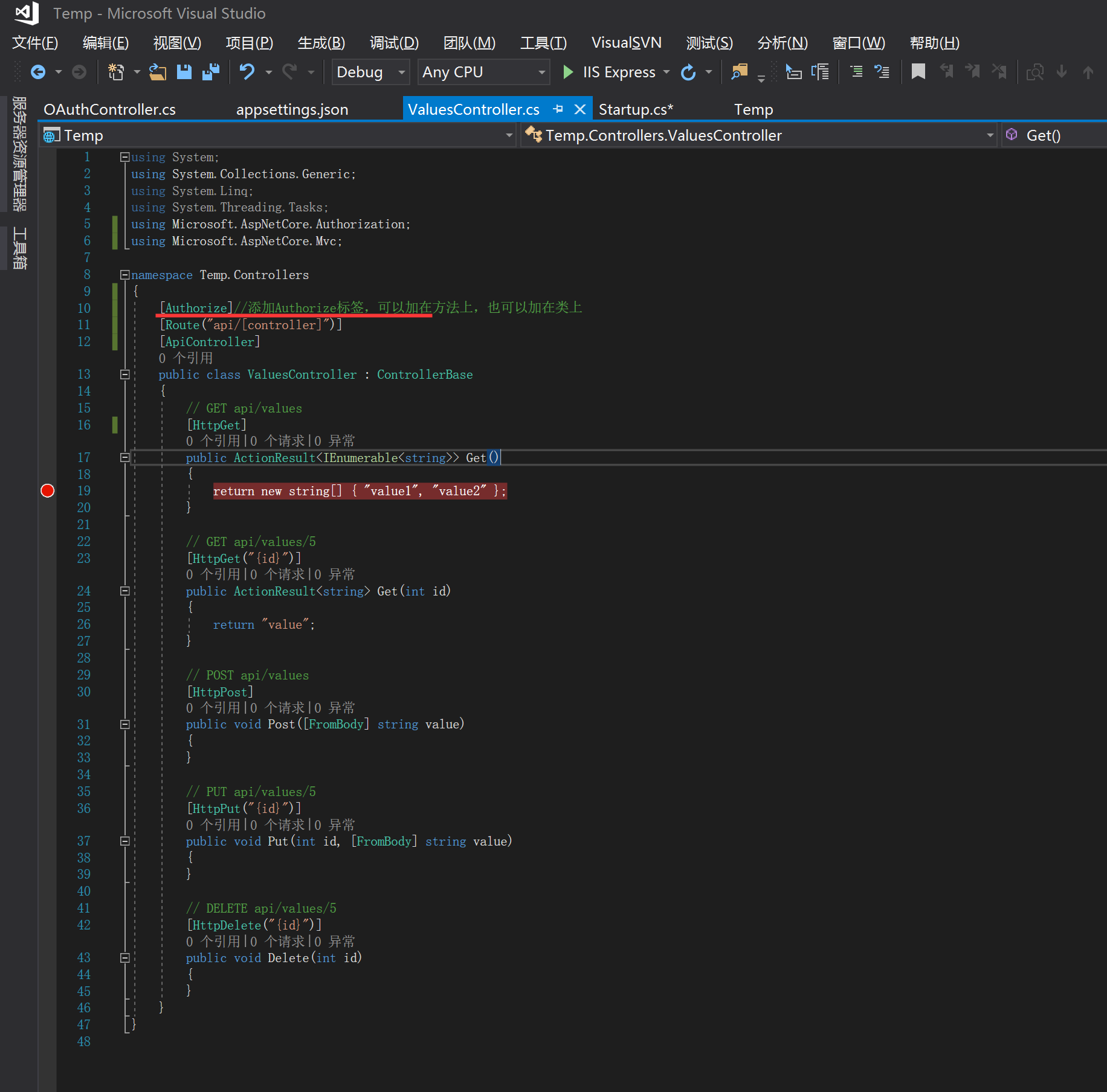
四、对授权的进行验证
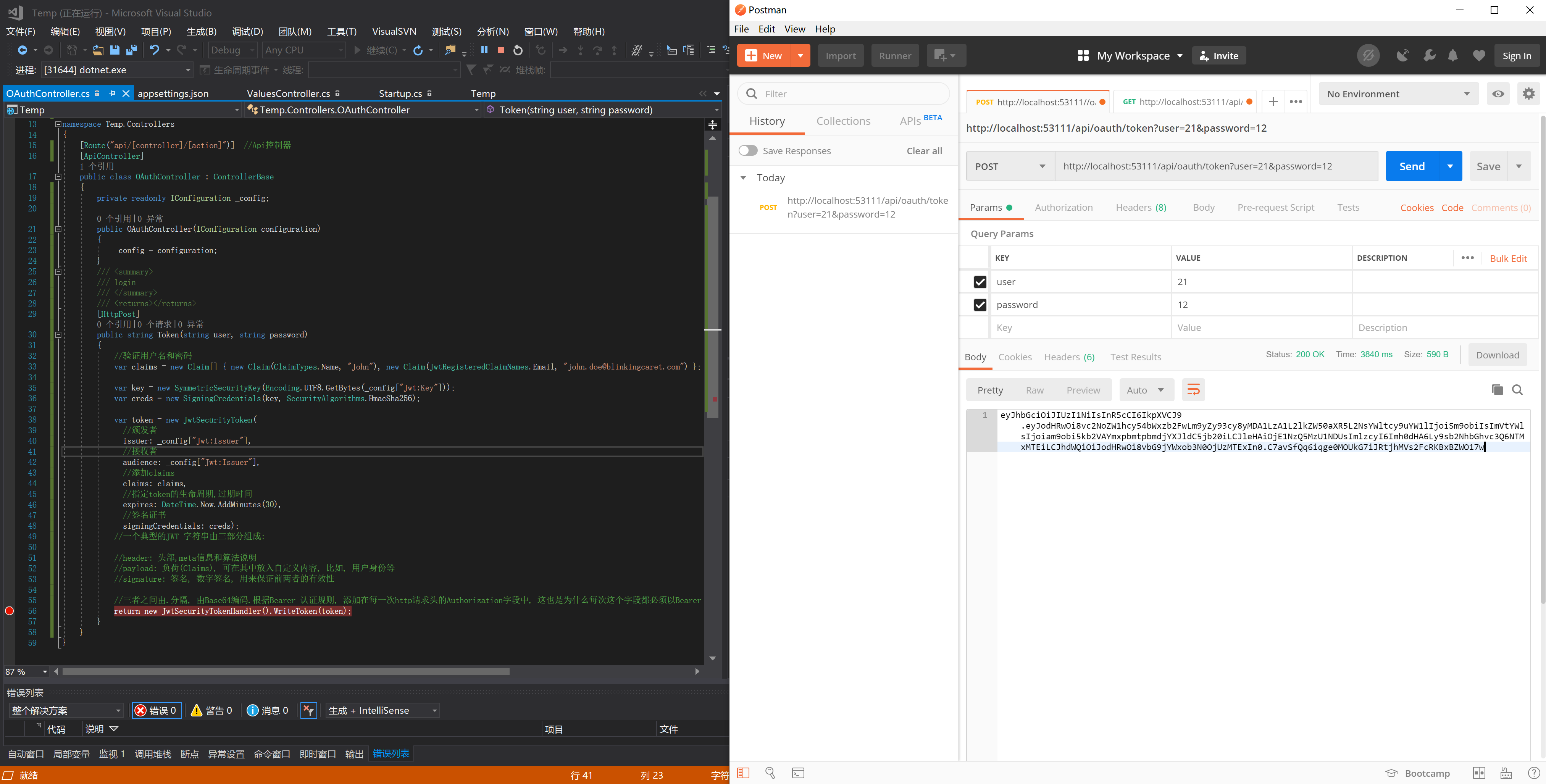
效果如下:
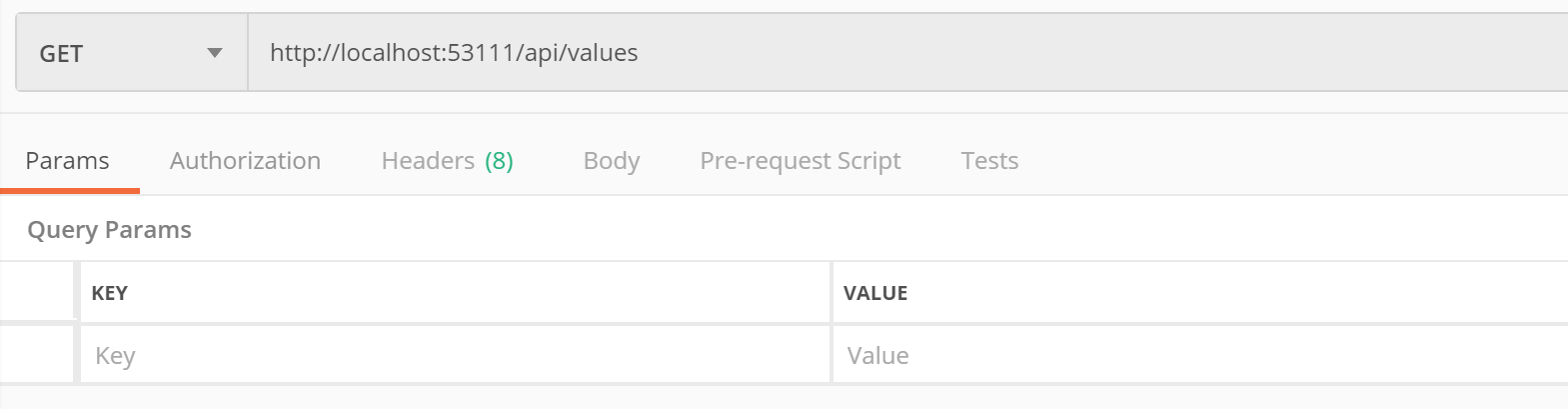
获取资源:
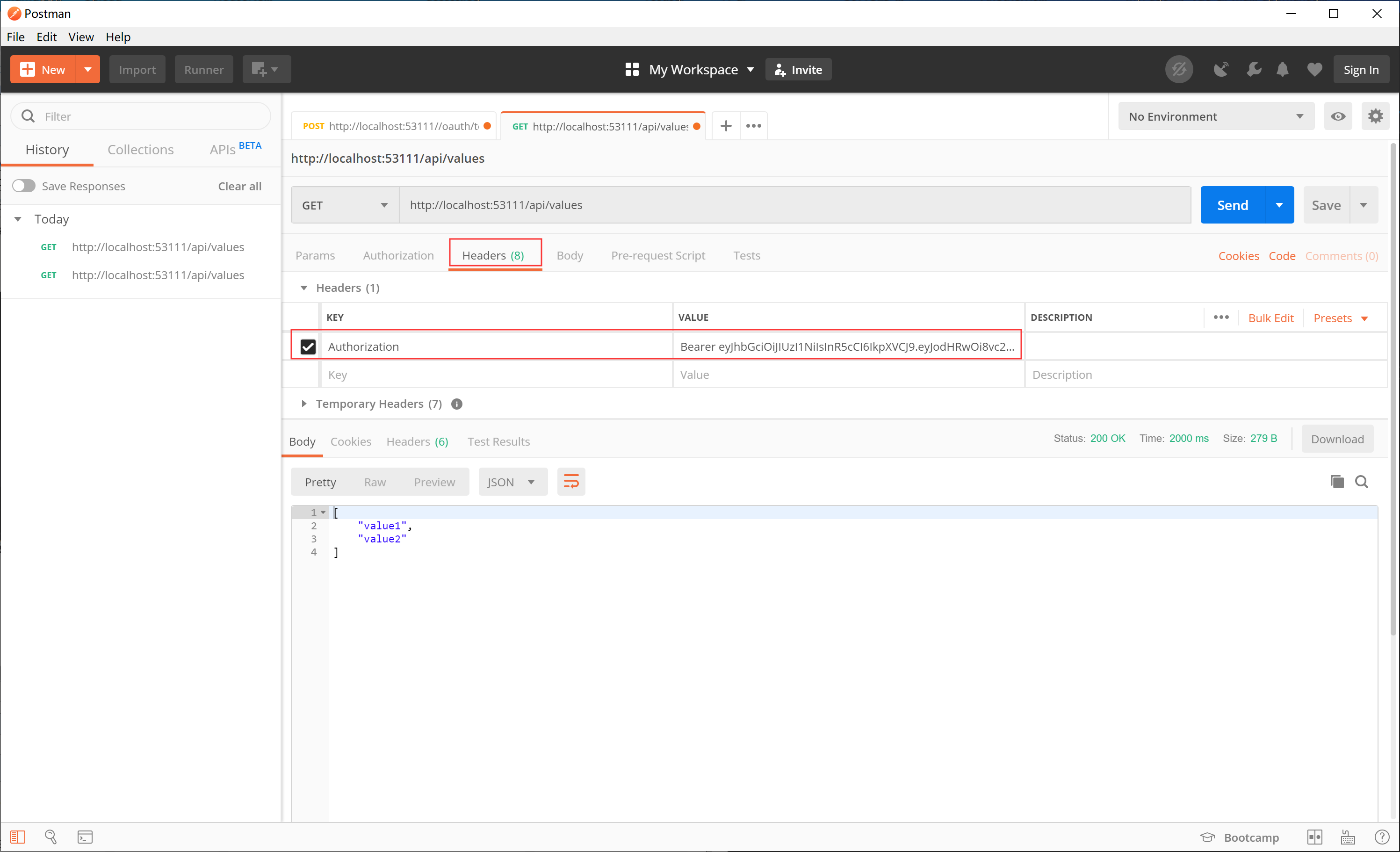
注意:这个地方要默认取消

一、Core授权-2 之.net core 基于Jwt实现Token令牌的更多相关文章
- .net core 基于Jwt实现Token令牌
Startup类ConfigureServices中 services.AddAuthentication(JwtBearerDefaults.AuthenticationScheme) .AddJw ...
- 基于JWT的Token开发案例
代码地址如下:http://www.demodashi.com/demo/12531.html 0.准备工作 0-1运行环境 jdk1.8 maven 一个能支持以上两者的代码编辑器,作者使用的是ID ...
- ASP.NET Web API 2系列(四):基于JWT的token身份认证方案
1.引言 通过前边的系列教程,我们可以掌握WebAPI的初步运用,但是此时的API接口任何人都可以访问,这显然不是我们想要的,这时就需要控制对它的访问,也就是WebAPI的权限验证.验证方式非常多,本 ...
- ASP.NET WebApi 基于JWT实现Token签名认证
一.前言 明人不说暗话,跟着阿笨一起玩WebApi!开发提供数据的WebApi服务,最重要的是数据的安全性.那么对于我们来说,如何确保数据的安全将会是需要思考的问题.在ASP.NET WebServi ...
- token 与 基于JWT的Token认证
支持跨域访问,无状态认证 token特点 支持跨域访问: Cookie是不允许垮域访问的,这一点对Token机制是不存在的,前提是传输的用户认证信息通过HTTP头传输 无状态(也称:服务端可扩展行): ...
- 基于JWT的Token认证机制及安全问题
[干货分享]基于JWT的Token认证机制及安全问题 https://bbs.huaweicloud.com/blogs/06607ea7b53211e7b8317ca23e93a891
- 基于JWT的Token身份验证
身份验证,是指通过一定的手段,完成对用户身份的确认.为了及时的识别发送请求的用户身份,我们调研了常见的几种认证方式,cookie.session和token. 1.Cookie cookie是 ...
- 基于JWT实现token验证
JWT的介绍 Json Web Token(JWT)是目前比较流行的跨域认证解决方案,是一种基于JSON的开发标准,由于数据是可以经过签名加密的,比较安全可靠,一般用于前端和服务器之间传递信息,也可以 ...
- Asp.Net Core 3.1 学习3、Web Api 中基于JWT的token验证及Swagger使用
1.初始JWT 1.1.JWT原理 JWT(JSON Web Token)是目前最流行的跨域身份验证解决方案,他的优势就在于服务器不用存token便于分布式开发,给APP提供数据用于前后端分离的项目. ...
随机推荐
- Activity 怎么和 Service 绑定,怎么在 Activity 中启动自己对应的 Service?
Activity 通过 bindService(Intent service, ServiceConnection conn, int flags)跟 Service 进行绑定,当绑定成功的时候 Se ...
- apache通过rewrite限制某个目录
1.<IfModule mod_rewrite.c> RewriteEngine on RewriteCond %{HTTP_URI} ^.*/tmp/* [NC] RewriteRule ...
- IE浏览器兼容问题(unset不生效)
背景色重置:background-color: transparent; width重置:auto height重置:auto
- delphi 导出excel
Var FExcel:OleVariant; //excel应用程序 FWorkBook :OleVariant; //工作表 Temsheet:OleVariant; //工作薄 FPicture: ...
- Professional JavaScript for Web Developers P226
我是这么理解的: (object.getName = object.getName),这条语句在执行结束后,返回的是右操作数object.getName: 但是关键是这个右操作数现在放在哪里 ? 我 ...
- [转] javascript 正则表达式提取数字使用
简述: 测试了一下js的正则表达式函数match 用来从一个字符串里挑出非0开头的数字, 放入一个array里, 之后join(',')之后输出 知识点: 1. 用match函数, 提取一个字符串当中 ...
- $q服务——angular
$q是做为angular的一个服务而存在的,只是对promise异步编程模式的一个简化实现版,源码中剔除注释实现代码也就二百多行,下面开始介绍$q的API. 一.defer对象(延迟对象)可以通$q. ...
- node递归批量重命名指定文件夹下的文件
1.用法:将js内容拷到一文件中,命名为batchRename.js: 该文件可以放到任何你想更改文件名的文件夹目录,然后dos(或 linux 终端)进入该文件夹,然后执行node batchRe ...
- Tlbimp 生成c#互操作com组件dll;Tlbimp 生成.net互操作com组件dll
Tlbimp 生成c#互操作com组件dll vs开发人员命令提示>进入到com组件目录>Tlbimp com.dll
- 【计算机视觉】ViBe - a powerful technique for background detection and subtraction in video sequences
转自:http://blog.csdn.net/stellar0/article/details/8777283 作者:星zai ViBe算法:ViBe - a powerful technique ...