
JS 验证码的实现
转自:https://github.com/ace0109/verifyCode
正要做一个验证码,网上找到这个还不错:
gVerify.js:
!(function(window, document) {

	function GVerify(options) { //创建一个图形验证码对象,接收options对象为参数

		this.options = { //默认options参数值

			id: "", //容器Id

			canvasId: "verifyCanvas", //canvas的ID

			width: "100", //默认canvas宽度

			height: "30", //默认canvas高度

			type: "blend", //图形验证码默认类型blend:数字字母混合类型、number:纯数字、letter:纯字母

			code: ""

		}

		if(Object.prototype.toString.call(options) == "[object Object]"){//判断传入参数类型

			for(var i in options) { //根据传入的参数,修改默认参数值

				this.options[i] = options[i];

			}

		}else{

			this.options.id = options;

		}

		this.options.numArr = "0,1,2,3,4,5,6,7,8,9".split(",");

		this.options.letterArr = getAllLetter();

		this._init();

		this.refresh();

	}

	GVerify.prototype = {

		/**版本号**/

		version: '1.0.0',

		/**初始化方法**/

		_init: function() {

			var con = document.getElementById(this.options.id);

			var canvas = document.createElement("canvas");

			this.options.width = con.offsetWidth > 0 ? con.offsetWidth : "100";

			this.options.height = con.offsetHeight > 0 ? con.offsetHeight : "30";

			canvas.id = this.options.canvasId;

			canvas.width = this.options.width;

			canvas.height = this.options.height;

			canvas.style.cursor = "pointer";

			canvas.innerHTML = "您的浏览器版本不支持canvas";

			con.appendChild(canvas);

			var parent = this;

			canvas.onclick = function(){

				parent.refresh();

			}

		},

		/**生成验证码**/

		refresh: function() {

			this.options.code = "";

			var canvas = document.getElementById(this.options.canvasId);

			if(canvas.getContext) {

				var ctx = canvas.getContext('2d');

			}else{

				return;

			}

			ctx.textBaseline = "middle";

			ctx.fillStyle = randomColor(180, 240);

			ctx.fillRect(0, 0, this.options.width, this.options.height);

			if(this.options.type == "blend") { //判断验证码类型

				var txtArr = this.options.numArr.concat(this.options.letterArr);

			} else if(this.options.type == "number") {

				var txtArr = this.options.numArr;

			} else {

				var txtArr = this.options.letterArr;

			}

			for(var i = 1; i <= 4; i++) {

				var txt = txtArr[randomNum(0, txtArr.length)];

				this.options.code += txt;

				ctx.font = randomNum(this.options.height/2, this.options.height) + 'px SimHei'; //随机生成字体大小

				ctx.fillStyle = randomColor(50, 160); //随机生成字体颜色

				ctx.shadowOffsetX = randomNum(-3, 3);

				ctx.shadowOffsetY = randomNum(-3, 3);

				ctx.shadowBlur = randomNum(-3, 3);

				ctx.shadowColor = "rgba(0, 0, 0, 0.3)";

				var x = this.options.width / 5 * i;

				var y = this.options.height / 2;

				var deg = randomNum(-30, 30);

				/**设置旋转角度和坐标原点**/

				ctx.translate(x, y);

				ctx.rotate(deg * Math.PI / 180);

				ctx.fillText(txt, 0, 0);

				/**恢复旋转角度和坐标原点**/

				ctx.rotate(-deg * Math.PI / 180);

				ctx.translate(-x, -y);

			}

			/**绘制干扰线**/

			for(var i = 0; i < 4; i++) {

				ctx.strokeStyle = randomColor(40, 180);

				ctx.beginPath();

				ctx.moveTo(randomNum(0, this.options.width), randomNum(0, this.options.height));

				ctx.lineTo(randomNum(0, this.options.width), randomNum(0, this.options.height));

				ctx.stroke();

			}

			/**绘制干扰点**/

			for(var i = 0; i < this.options.width/4; i++) {

				ctx.fillStyle = randomColor(0, 255);

				ctx.beginPath();

				ctx.arc(randomNum(0, this.options.width), randomNum(0, this.options.height), 1, 0, 2 * Math.PI);

				ctx.fill();

			}

		},

		/**验证验证码**/

		validate: function(code){

			var code = code.toLowerCase();

			var v_code = this.options.code.toLowerCase();

			if(code == v_code){

				return true;

			}else{

				this.refresh();

				return false;

			}

		}

	}

	/**生成字母数组**/

	function getAllLetter() {

		var letterStr = "a,b,c,d,e,f,g,h,i,j,k,l,m,n,o,p,q,r,s,t,u,v,w,x,y,z,A,B,C,D,E,F,G,H,I,J,K,L,M,N,O,P,Q,R,S,T,U,V,W,X,Y,Z";

		return letterStr.split(",");

	}

	/**生成一个随机数**/

	function randomNum(min, max) {

		return Math.floor(Math.random() * (max - min) + min);

	}

	/**生成一个随机色**/

	function randomColor(min, max) {

		var r = randomNum(min, max);

		var g = randomNum(min, max);

		var b = randomNum(min, max);

		return "rgb(" + r + "," + g + "," + b + ")";

	}

	window.GVerify = GVerify;

})(window, document);
index.html
<!DOCTYPE html>

<html>

    <head>

        <meta charset="UTF-8">

        <title>图形验证码</title>

    </head>

    <body>

        <div id="v_container" style="width: 200px;height: 50px;"></div>

        <input type="text" id="code_input" value="" placeholder="请输入验证码"/><button id="my_button">验证</button>

    </body>

    <script src="./gVerify.js"></script>

    <script>

        var verifyCode = new GVerify("v_container");

        document.getElementById("my_button").onclick = function(){

            var res = verifyCode.validate(document.getElementById("code_input").value);

            if(res){

                alert("验证正确");

            }else{

                alert("验证码错误");

            }

        }

    </script>

</html>
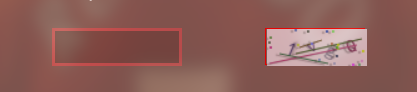
使用这个效果不错:
JS 验证码的实现的更多相关文章
- js 验证码 倒计时60秒
js 验证码 倒计时60秒 <input type="button" id="btn" value="免费获取验证码" /> & ...
- js验证码有效时间倒计时
js验证码有效时间倒计时 <!DOCTYPE html> <html> <head> <meta http-equiv="Content-Type& ...
- 纯js验证码
纯js验证码 <!DOCTYPE html> <html> <head> <title>纯js验证码</title> </head&g ...
- easyui page添加文本,js验证码
onLoadSuccess: function (db) { //db是后台数据的返回结果集 $.ajax({ url: "AjaxSource/Buex.ashx", data: ...
- JS验证码邮件
js var time = 30; var canSend = true; function f5() { if (canSend) {//判断是否要ajax发送刷新验证码 验证码在后台刷新 //al ...
- js 验证码倒计时
<!DOCTYPE html> <html lang="en"> <head> <meta charset="UTF-8&quo ...
- angular.js 验证码注册登录
css部分 header{ height: 50px; line-height: 50px; display: flex; } .callback{ text-align: left; display ...
- 一些网站后台模板源码分析 Particleground.js 验证码
转: https://blog.csdn.net/bcbobo21cn/article/details/51271750 1 灰色简洁企业后台管理模板 效果: 看下项目结构: 它使用了moderniz ...
- JS验证码
1.引用jquery 2.Html页面 <div> <canvas id="canvas" style="cursor: pointer; height ...
随机推荐
- 阶段3 2.Spring_04.Spring的常用注解_2 常用IOC注解按照作用分类
注解配置和xml的配置要实现的功能都是一样的.都是要降低程序间的耦合,只不过配置的形式不一样 打包方式改成jar 加入spring 的依赖 复制之前的代码过来 复制到我们新建的工程里 resurces ...
- 阶段3 2.Spring_01.Spring框架简介_02.今日课程内容介绍
spring共四天 第一天:spring框架的概述以及spring中基于XML的IOC配置 第二天:spring中基于注解的IOC和ioc的案例 第三天:spring中的aop和基于XML以及注解的A ...
- 大众点评cat监控平台搭建
参考官方文档:https://github.com/dianping/cat/wiki/readme_server 1.数据库相关 (1)创建数据库cat,并执行以下sql创建相关表: CREATE ...
- SAE Django如何禁止外部IP访问
在SAE上基于Django搭建的Web工程有时需要禁止来自某些特定IP地址的访问请求. 例如一个为搭建在SAE的其他项目提供服务的内部工程,可以设置为只允许SAE内部的IP地址访问,从而提高项目的安全 ...
- C#客户端填充外部IE浏览器中网页文本(input)且不提交
//引用COM组件//Microsoft HTML Object Library//Microsoft Internet Controls 记得改成x86 SHDocVw.ShellWindows ...
- JS实战篇
实现选项卡的选择: 效果图如下: 代码如下: <!DOCTYPE html> <html> <head> <meta charset="UTF-8& ...
- Python学习之线程
8.5 线程 进程:开辟空间,加载数据,资源单位 线程:流水线,执行代码,执行单位 8.5.1 线程的概念 是操作系统能够进行运算调度的最小单位,线程包含在进程中,是进程中的执行单元,一个进程至少包含 ...
- Java的前后端需要了解些什么?
一.Java概念 Java具有简单性.面向对象.分布式.健壮性.安全性.平台独立与可移植性.多线程.动态性等特点.Java可以编写桌面应用程序.Web应用程序.分布式系统和嵌入式系统应用程序等. Ja ...
- body标签中的相关标签
一.内容概要 字体标签 h1~h6 <font> <u> <b> <strong> <em> <sup> <sub> ...
- java读取文件完整版
public static void readFileByBytes(String fileName) { File file = new File(fileName); InputStream in ...