
wildfly(JBoss AS)应用服务器快速入门
什么是wildfly
JBoss AS 从8版本起名为wildfly。Wildfly是一个开源的基于JavaEE的轻量级应用服务器。可以在任何商业应用中免费使用。
WildFly是一个灵活的、轻量的、强大管理能力的应用程序服务器。Wildfly是一个管理EJB的容器和服务器,但JBoss核心服务不包括支持servlet/JSP的WEB容器,一般与Tomcat或Jetty绑定使用。
特点
- 无与伦比的速度:快速启动,无限的网络性能和可扩展性。
- 非常的轻量级:瘦内存管理,运行时间可定制化。
- 强大的管理功能:统一的配置和管理。
Wildfly更多特点及与市面上常见的Web服务对比,可参看《热门WEB容器TOMCAT、JETTY、 GLASSFISH、WILDFLY对比》。
下载安装
wildfly下载地址:https://wildfly.org/downloads/
目前,最新版本是18.0.0.Final,选择“Java EE Full & Web Distribution”项对应的ZIP版本,点击下载即可。如果官网下载较慢,可关注微信公众号“程序新视界”,回复“wildfly”获得下载链接。
安装java环境要求Java8或更高版本。
所谓的安装即解压即可。下面看一下该版本的目录结构:
├── LICENSE.txt

├── README.txt

├── appclient

├── bin

├── copyright.txt

├── docs

├── domain

├── jboss-modules.jar

├── modules

├── standalone

└── welcome-content
standalone目录下存放的应用将单独占用进程,可单独启动和关闭,之间没有关联性。旗下有许多xml文件可供启动时选择。
domain目录下的应用之间有关联性,managing multiple servers from a single control point。
modules目录,jboss采用module加载驱动。
readme及启动命令
重点看一下readme中的内容,提供了启动相关的指导。
关键特性:
Key Features

------------

* Jakarta EE 8 support

* Fast Startup

* Small Footprint

* Modular Design

* Unified Configuration and Management

* Distributed Domain Management
文档获取,同时也可以看出启动时默认是监听8080端口。
Also, once WildFly is started you can go to http://localhost:8080/

for additional information.
启动命令:
Starting a Standalone Server

----------------------------

A WildFly standalone server runs a single instance.

<JBOSS_HOME>/bin/standalone.sh      (Unix / Linux)

<JBOSS_HOME>\bin\standalone.bat     (Windows)
启动脚本位于根目录/bin目录中。Windows为standalone.bat,Linux为standalone.sh。
Wildfly还可以启动一个管理后台来对服务进行管理。
Starting a Managed Domain

-------------------------

A WildFly managed domain allows you to control and configure multiple instances,

potentially across several physical (or virtual) machines. The default

configuration includes a domain controller and a single server group with three

servers (two of which start automatically), all running on the localhost.

<JBOSS_HOME>/bin/domain.sh      (Unix / Linux)

<JBOSS_HOME>\bin\domain.bat     (Windows)
启动脚本位于根目录/bin目录中。Windows为domain.bat,Linux为domain.sh。
停止服务,可以通过控制台输入Ctrl+c命令来操作。如果服务在后台运行,可执行一下命令进行停止。
<JBOSS_HOME>/bin/jboss-cli.sh --connect --command=:shutdown      (Unix / Linux)

<JBOSS_HOME>\bin\jboss-cli.bat --connect --command=:shutdown     (Windows)
启动操作
现在启动项目standalone看一下效果。
19:48:11,234 INFO  [org.jboss.as.ejb3] (MSC service thread 1-6) WFLYEJB0482: Strict pool mdb-strict-max-pool is using a max instance size of 32 (per class), which is derived from the number of CPUs on this host.

19:48:11,234 INFO  [org.jboss.as.ejb3] (MSC service thread 1-2) WFLYEJB0481: Strict pool slsb-strict-max-pool is using a max instance size of 128 (per class), which is derived from thread worker pool sizing.

19:48:11,296 INFO  [org.wildfly.extension.undertow] (MSC service thread 1-4) WFLYUT0006: Undertow HTTP listener default listening on 127.0.0.1:8080

19:48:11,409 INFO  [org.jboss.as.ejb3] (MSC service thread 1-6) WFLYEJB0493: EJB subsystem suspension complete

19:48:11,479 INFO  [org.jboss.as.connector.subsystems.datasources] (MSC service thread 1-3) WFLYJCA0001: Bound data source [java:jboss/datasources/ExampleDS]

19:48:11,579 INFO  [org.jboss.as.patching] (MSC service thread 1-3) WFLYPAT0050: WildFly Full cumulative patch ID is: base, one-off patches include: none

19:48:11,596 WARN  [org.jboss.as.domain.management.security] (MSC service thread 1-5) WFLYDM0111: Keystore /Users/zzs/tools/wildfly18/standalone/configuration/application.keystore not found, it will be auto generated on first use with a self signed certificate for host localhost

19:48:11,606 INFO  [org.jboss.as.server.deployment.scanner] (MSC service thread 1-6) WFLYDS0013: Started FileSystemDeploymentService for directory /Users/zzs/tools/wildfly18/standalone/deployments

19:48:11,746 INFO  [org.wildfly.extension.undertow] (MSC service thread 1-2) WFLYUT0006: Undertow HTTPS listener https listening on 127.0.0.1:8443

19:48:11,846 INFO  [org.jboss.ws.common.management] (MSC service thread 1-2) JBWS022052: Starting JBossWS 5.3.0.Final (Apache CXF 3.3.3)

19:48:11,963 INFO  [org.jboss.as.server] (Controller Boot Thread) WFLYSRV0212: Resuming server

19:48:11,965 INFO  [org.jboss.as] (Controller Boot Thread) WFLYSRV0060: Http management interface listening on http://127.0.0.1:9990/management

19:48:11,965 INFO  [org.jboss.as] (Controller Boot Thread) WFLYSRV0051: Admin console listening on http://127.0.0.1:9990

19:48:11,965 INFO  [org.jboss.as] (Controller Boot Thread) WFLYSRV0025: WildFly Full 18.0.0.Final (WildFly Core 10.0.0.Final) started in 3880ms - Started 315 of 577 services (369 services are lazy, passive or on-demand)
通过以上部分日志可以看到,wildfly监听了8080,8443和9990端口。
访问服务器的url为:127.0.0.1:8080,访问管理后台的url为:http://127.0.0.1:9990/。
访问服务器可看到如下页面:
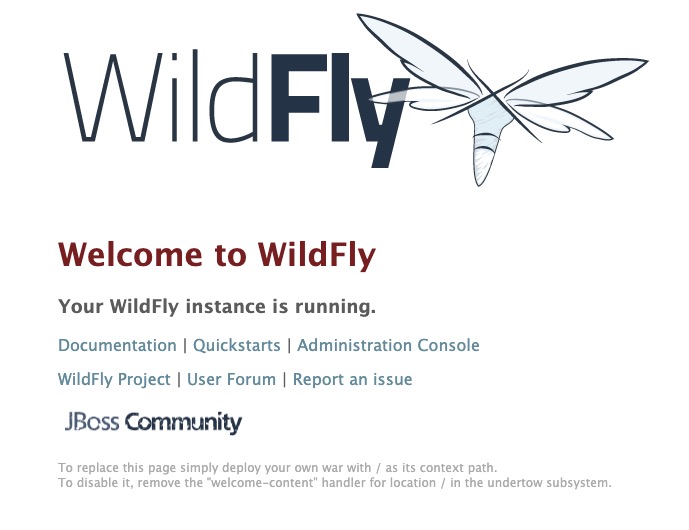
页面内包含文档、快速启动、管理后台等链接。
此时访问后台管理会提示如下内容:
Welcome to WildFly

Your WildFly Application Server is running.

However you have not yet added any users to be able to access the admin console.

To add a new user execute the add-user.sh script within the bin folder of your WildFly installation and enter the requested information.

By default the realm name used by WildFly is "ManagementRealm" this is already selected by default.

After you have added the user follow this link to Try Again.
也就是说启动成功了,但没有配置用户。同tomcat一样,wildfly也有自己的服务管理页面,可以统一管理应用,设置权限用户。执行add-user脚本来添加管理者用户。
bin zzs$ ./add-user.sh

What type of user do you wish to add?

 a) Management User (mgmt-users.properties)

 b) Application User (application-users.properties)

 # 输入a,以添加管理用户

(a): a

Enter the details of the new user to add.

Using realm 'ManagementRealm' as discovered from the existing property files.

# 输入用户名

Username : zzs

Password recommendations are listed below. To modify these restrictions edit the add-user.properties configuration file.

 - The password should be different from the username

 - The password should not be one of the following restricted values {root, admin, administrator}

 - The password should contain at least 8 characters, 1 alphabetic character(s), 1 digit(s), 1 non-alphanumeric symbol(s)

 # 输入用户密码

Password :

# 重新输入密码

Re-enter Password :

# 留空即可或输入ManagementRealm

What groups do you want this user to belong to? (Please enter a comma separated list, or leave blank for none)[  ]: ManagementRealm

About to add user 'zzs' for realm 'ManagementRealm'

# 继续则输入yes

Is this correct yes/no? yes

Added user 'zzs' to file '/Users/zzs/tools/wildfly18/standalone/configuration/mgmt-users.properties'

Added user 'zzs' to file '/Users/zzs/tools/wildfly18/domain/configuration/mgmt-users.properties'

Added user 'zzs' with groups ManagementRealm to file '/Users/zzs/tools/wildfly18/standalone/configuration/mgmt-groups.properties'

Added user 'zzs' with groups ManagementRealm to file '/Users/zzs/tools/wildfly18/domain/configuration/mgmt-groups.properties'

Is this new user going to be used for one AS process to connect to another AS process?

e.g. for a slave host controller connecting to the master or for a Remoting connection for server to server EJB calls.

# 继续则输入yes

yes/no? yes

这里需要注意,用户添加完毕后,将回馈给你此用户的secret value,可在domain与slave 的通信中用到

To represent the user add the following to the server-identities definition <secret value="MTk4NzEwMjlfUXE=" />
每一步操作都会有对应的提示与选项,按照提示填写即可。
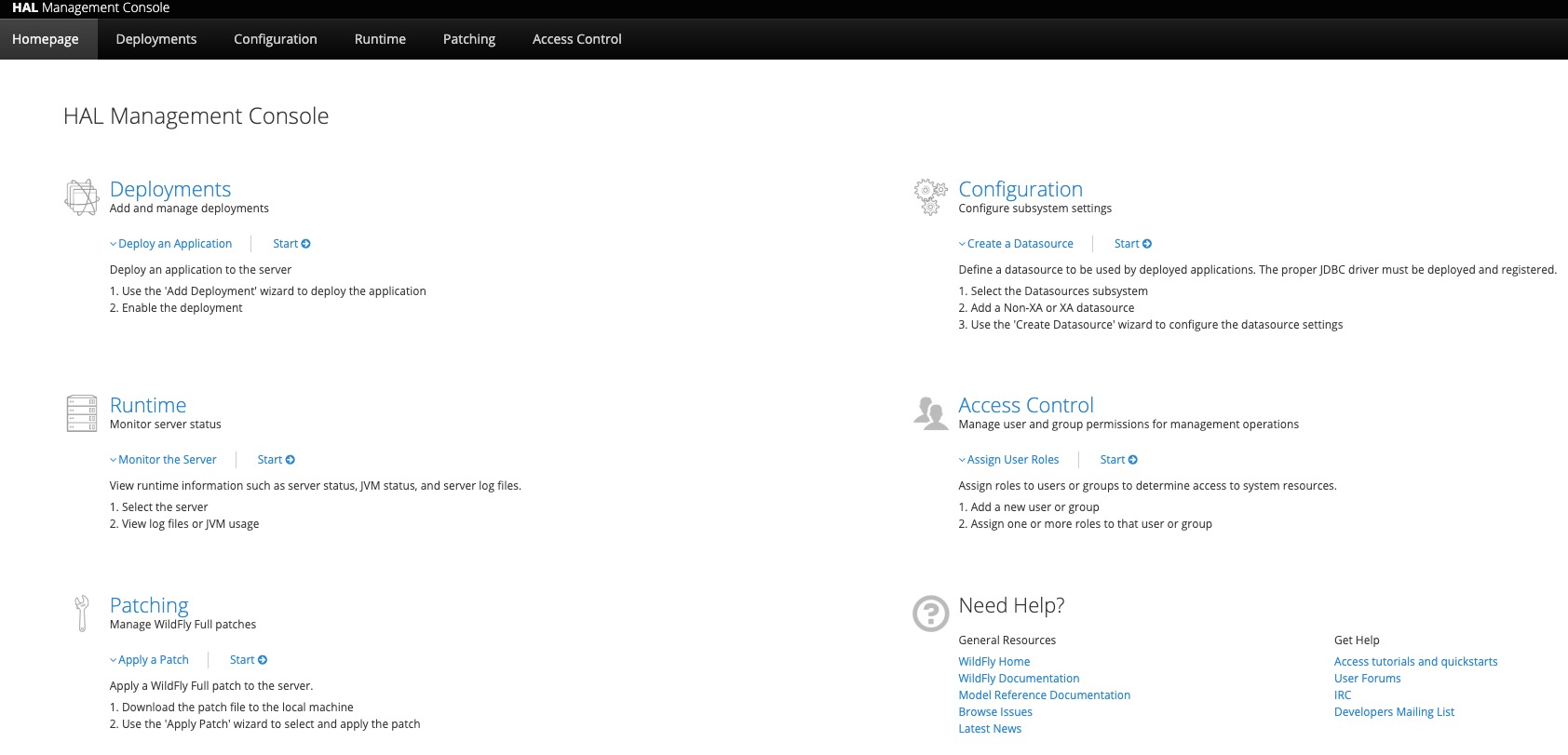
设置完成,再进点击Administration Console或访问http://127.0.0.1:9990/,输入刚刚设置的用户名密码,即可登录管理后台。
原文链接:《wildfly(JBoss AS)应用服务器快速入门》
参考文章:《热门WEB容器TOMCAT、JETTY、 GLASSFISH、WILDFLY对比》
程序新视界:精彩和成长都不容错过

wildfly(JBoss AS)应用服务器快速入门的更多相关文章
- spring boot入门教程——Spring Boot快速入门指南
Spring Boot已成为当今最流行的微服务开发框架,本文是如何使用Spring Boot快速开始Web微服务开发的指南,我们将使创建一个可运行的包含内嵌Web容器(默认使用的是Tomcat)的可运 ...
- spring快速入门(二)
一.在spring快速入门(一)的基础上,我们来了解spring是如何解决对象的创建以及对象之间的依赖关系的问题 (比如client中依赖UserAction的具体实现,UserActionImpl中 ...
- quartz-2.2.x 快速入门 (1)
欢迎来到quartz快速入门教程.阅读本教程,你将会了解: quartz下载 quartz安装 根据你的需要,配置Quartz 开始一个示例应用 当熟悉了quratz调度的基本功能后,可以尝试一些 ...
- SpringMvc_快速入门,深入分析
目录 一.前言二.spring mvc 核心类与接口三.spring mvc 核心流程图 四.spring mvc DispatcherServlet说明 五.spring mvc 父子上下文的说明 ...
- Spring MVC 教程,快速入门,深入分析
http://elf8848.iteye.com/blog/875830/ Spring MVC 教程,快速入门,深入分析 博客分类: SPRING Spring MVC 教程快速入门 资源下载: ...
- Spring_MVC_教程_快速入门_深入分析
Spring MVC 教程,快速入门,深入分析 博客分类: SPRING Spring MVC 教程快速入门 资源下载: Spring_MVC_教程_快速入门_深入分析V1.1.pdf Spring ...
- 【个人笔记】002-PHP基础-01-PHP快速入门-02-PHP语言相关介绍输
002-PHP基础-01-PHP快速入门 02-PHP语言相关介绍 1.PHP是什么 Hypertext Preprocessor超文本预处理器 是一种通用开源脚本语言 Personal Home P ...
- Node.js快速入门
Node.js是什么? Node.js是建立在谷歌Chrome的JavaScript引擎(V8引擎)的Web应用程序框架. 它的最新版本是:v0.12.7(在编写本教程时的版本).Node.js在官方 ...
- SuperSocket快速入门(二):启动程序以及相关的配置
如何快速启动第一个程序 既然是快速入门,所以,对于太深奥的知识点将不做讲解,会在后续的高级应用章节中,会对SS进行拆解.所有的实例90%都是来自SS的实例,外加本人的注释进行讲解. 一般应用而言,你只 ...
随机推荐
- 你真的了解Grid布局吗?
Grid网格布局 概述:Grid将容器划分为一个个网格,通过任意组合不同的网格,做出你想想要的布局 Grid与flex布局相似,将整个Grid分为了容器与子项(格子) Grid容器的三个重要的概念: ...
- 5分钟了解lucene全文索引
一.Lucene介绍及应用 Apache Lucene是当下最为流行的开源全文检索工具包,基于JAVA语言编写. 目前基于此工具包开源的搜索引擎,成熟且广为人知的有Solr和Elasticsearch ...
- 高级部分_委托、Lambda表达式、事件
委托 (1)把方法当作参数来传递的话,就要用到委托: (2)委托是一个类型,这个类型可以赋值一个方法的引用. C#使用一个类分为两个阶段,首先定义这个类,告诉编译器这个类由什么字段和方法组成:然后使用 ...
- Net基础篇_学习笔记_第十一天_面向对象(静态与非静态 static)
static:静态的 静态和非静态的区别1).在非静态类中,既可以有实例成员(非静态成员),也可以有静态成员. 成员----方法/函数2).在调用实例成员的时候,需要使用对象名.实例成员; 在调 ...
- Java线程常见面试题
v 多线程实现手段: (1).继承Thread类 (2)实现Runable接口 (3)使用线程池 v 线程控制在那个包:java.util.concurrent. (1)提供了线程的运行.(2)线程池 ...
- Python机器学习笔记:卷积神经网络最终笔记
这已经是我的第四篇博客学习卷积神经网络了.之前的文章分别是: 1,Keras深度学习之卷积神经网络(CNN),这是开始学习Keras,了解到CNN,其实不懂的还是有点多,当然第一次笔记主要是给自己心中 ...
- 注解@Async解决异步调用问题
序言:Spring中@Async 根据Spring的文档说明,默认采用的是单线程的模式的.所以在Java应用中,绝大多数情况下都是通过同步的方式来实现交互处理的. 那么当多个任务的执行势必会相互影响. ...
- 05:(H5*) node、npm、nrm
目录: 1:NPM 2:CNPM 3:NRM 4:homebrew 5:具体指令 6: -g -S -D 1:NPM NPM的全称是Node Package Manager, 是一个NodeJS包管理 ...
- Git同步更新操作GitHub和码云仓库上面的代码
一.前言 问题: 小编在生活中,一般都是将代码保存到github上,但由于国内的码云仓库确实速度比github快很多,用起来也很方便,于是后来就慢慢转码云了,当然小编在github上的代码也不想放弃更 ...
- Kubernetes学习之应用部署变迁
从物理单机.虚拟化(容器化)到云原生 历史 云原生 ---初期 总结