
wildfly(JBoss AS)应用服务器快速入门
什么是wildfly
JBoss AS 从8版本起名为wildfly。Wildfly是一个开源的基于JavaEE的轻量级应用服务器。可以在任何商业应用中免费使用。
WildFly是一个灵活的、轻量的、强大管理能力的应用程序服务器。Wildfly是一个管理EJB的容器和服务器,但JBoss核心服务不包括支持servlet/JSP的WEB容器,一般与Tomcat或Jetty绑定使用。
特点
- 无与伦比的速度:快速启动,无限的网络性能和可扩展性。
- 非常的轻量级:瘦内存管理,运行时间可定制化。
- 强大的管理功能:统一的配置和管理。
Wildfly更多特点及与市面上常见的Web服务对比,可参看《热门WEB容器TOMCAT、JETTY、 GLASSFISH、WILDFLY对比》。
下载安装
wildfly下载地址:https://wildfly.org/downloads/
目前,最新版本是18.0.0.Final,选择“Java EE Full & Web Distribution”项对应的ZIP版本,点击下载即可。如果官网下载较慢,可关注微信公众号“程序新视界”,回复“wildfly”获得下载链接。
安装java环境要求Java8或更高版本。
所谓的安装即解压即可。下面看一下该版本的目录结构:
├── LICENSE.txt

├── README.txt

├── appclient

├── bin

├── copyright.txt

├── docs

├── domain

├── jboss-modules.jar

├── modules

├── standalone

└── welcome-content
standalone目录下存放的应用将单独占用进程,可单独启动和关闭,之间没有关联性。旗下有许多xml文件可供启动时选择。
domain目录下的应用之间有关联性,managing multiple servers from a single control point。
modules目录,jboss采用module加载驱动。
readme及启动命令
重点看一下readme中的内容,提供了启动相关的指导。
关键特性:
Key Features

------------

* Jakarta EE 8 support

* Fast Startup

* Small Footprint

* Modular Design

* Unified Configuration and Management

* Distributed Domain Management
文档获取,同时也可以看出启动时默认是监听8080端口。
Also, once WildFly is started you can go to http://localhost:8080/

for additional information.
启动命令:
Starting a Standalone Server

----------------------------

A WildFly standalone server runs a single instance.

<JBOSS_HOME>/bin/standalone.sh      (Unix / Linux)

<JBOSS_HOME>\bin\standalone.bat     (Windows)
启动脚本位于根目录/bin目录中。Windows为standalone.bat,Linux为standalone.sh。
Wildfly还可以启动一个管理后台来对服务进行管理。
Starting a Managed Domain

-------------------------

A WildFly managed domain allows you to control and configure multiple instances,

potentially across several physical (or virtual) machines. The default

configuration includes a domain controller and a single server group with three

servers (two of which start automatically), all running on the localhost.

<JBOSS_HOME>/bin/domain.sh      (Unix / Linux)

<JBOSS_HOME>\bin\domain.bat     (Windows)
启动脚本位于根目录/bin目录中。Windows为domain.bat,Linux为domain.sh。
停止服务,可以通过控制台输入Ctrl+c命令来操作。如果服务在后台运行,可执行一下命令进行停止。
<JBOSS_HOME>/bin/jboss-cli.sh --connect --command=:shutdown      (Unix / Linux)

<JBOSS_HOME>\bin\jboss-cli.bat --connect --command=:shutdown     (Windows)
启动操作
现在启动项目standalone看一下效果。
19:48:11,234 INFO  [org.jboss.as.ejb3] (MSC service thread 1-6) WFLYEJB0482: Strict pool mdb-strict-max-pool is using a max instance size of 32 (per class), which is derived from the number of CPUs on this host.

19:48:11,234 INFO  [org.jboss.as.ejb3] (MSC service thread 1-2) WFLYEJB0481: Strict pool slsb-strict-max-pool is using a max instance size of 128 (per class), which is derived from thread worker pool sizing.

19:48:11,296 INFO  [org.wildfly.extension.undertow] (MSC service thread 1-4) WFLYUT0006: Undertow HTTP listener default listening on 127.0.0.1:8080

19:48:11,409 INFO  [org.jboss.as.ejb3] (MSC service thread 1-6) WFLYEJB0493: EJB subsystem suspension complete

19:48:11,479 INFO  [org.jboss.as.connector.subsystems.datasources] (MSC service thread 1-3) WFLYJCA0001: Bound data source [java:jboss/datasources/ExampleDS]

19:48:11,579 INFO  [org.jboss.as.patching] (MSC service thread 1-3) WFLYPAT0050: WildFly Full cumulative patch ID is: base, one-off patches include: none

19:48:11,596 WARN  [org.jboss.as.domain.management.security] (MSC service thread 1-5) WFLYDM0111: Keystore /Users/zzs/tools/wildfly18/standalone/configuration/application.keystore not found, it will be auto generated on first use with a self signed certificate for host localhost

19:48:11,606 INFO  [org.jboss.as.server.deployment.scanner] (MSC service thread 1-6) WFLYDS0013: Started FileSystemDeploymentService for directory /Users/zzs/tools/wildfly18/standalone/deployments

19:48:11,746 INFO  [org.wildfly.extension.undertow] (MSC service thread 1-2) WFLYUT0006: Undertow HTTPS listener https listening on 127.0.0.1:8443

19:48:11,846 INFO  [org.jboss.ws.common.management] (MSC service thread 1-2) JBWS022052: Starting JBossWS 5.3.0.Final (Apache CXF 3.3.3)

19:48:11,963 INFO  [org.jboss.as.server] (Controller Boot Thread) WFLYSRV0212: Resuming server

19:48:11,965 INFO  [org.jboss.as] (Controller Boot Thread) WFLYSRV0060: Http management interface listening on http://127.0.0.1:9990/management

19:48:11,965 INFO  [org.jboss.as] (Controller Boot Thread) WFLYSRV0051: Admin console listening on http://127.0.0.1:9990

19:48:11,965 INFO  [org.jboss.as] (Controller Boot Thread) WFLYSRV0025: WildFly Full 18.0.0.Final (WildFly Core 10.0.0.Final) started in 3880ms - Started 315 of 577 services (369 services are lazy, passive or on-demand)
通过以上部分日志可以看到,wildfly监听了8080,8443和9990端口。
访问服务器的url为:127.0.0.1:8080,访问管理后台的url为:http://127.0.0.1:9990/。
访问服务器可看到如下页面:
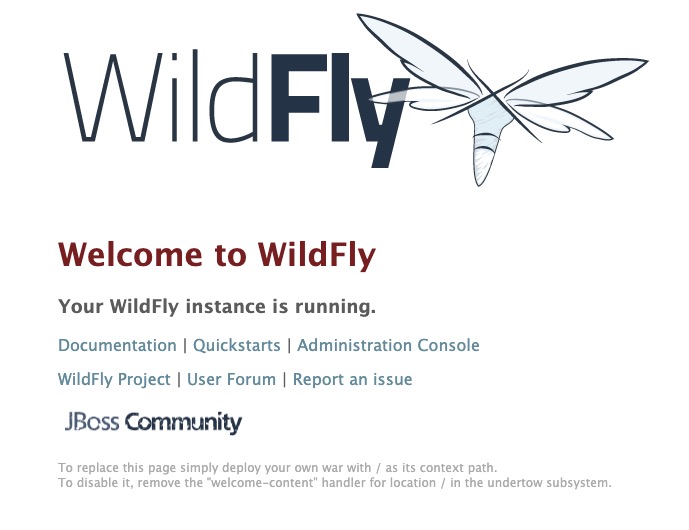
页面内包含文档、快速启动、管理后台等链接。
此时访问后台管理会提示如下内容:
Welcome to WildFly

Your WildFly Application Server is running.

However you have not yet added any users to be able to access the admin console.

To add a new user execute the add-user.sh script within the bin folder of your WildFly installation and enter the requested information.

By default the realm name used by WildFly is "ManagementRealm" this is already selected by default.

After you have added the user follow this link to Try Again.
也就是说启动成功了,但没有配置用户。同tomcat一样,wildfly也有自己的服务管理页面,可以统一管理应用,设置权限用户。执行add-user脚本来添加管理者用户。
bin zzs$ ./add-user.sh

What type of user do you wish to add?

 a) Management User (mgmt-users.properties)

 b) Application User (application-users.properties)

 # 输入a,以添加管理用户

(a): a

Enter the details of the new user to add.

Using realm 'ManagementRealm' as discovered from the existing property files.

# 输入用户名

Username : zzs

Password recommendations are listed below. To modify these restrictions edit the add-user.properties configuration file.

 - The password should be different from the username

 - The password should not be one of the following restricted values {root, admin, administrator}

 - The password should contain at least 8 characters, 1 alphabetic character(s), 1 digit(s), 1 non-alphanumeric symbol(s)

 # 输入用户密码

Password :

# 重新输入密码

Re-enter Password :

# 留空即可或输入ManagementRealm

What groups do you want this user to belong to? (Please enter a comma separated list, or leave blank for none)[  ]: ManagementRealm

About to add user 'zzs' for realm 'ManagementRealm'

# 继续则输入yes

Is this correct yes/no? yes

Added user 'zzs' to file '/Users/zzs/tools/wildfly18/standalone/configuration/mgmt-users.properties'

Added user 'zzs' to file '/Users/zzs/tools/wildfly18/domain/configuration/mgmt-users.properties'

Added user 'zzs' with groups ManagementRealm to file '/Users/zzs/tools/wildfly18/standalone/configuration/mgmt-groups.properties'

Added user 'zzs' with groups ManagementRealm to file '/Users/zzs/tools/wildfly18/domain/configuration/mgmt-groups.properties'

Is this new user going to be used for one AS process to connect to another AS process?

e.g. for a slave host controller connecting to the master or for a Remoting connection for server to server EJB calls.

# 继续则输入yes

yes/no? yes

这里需要注意,用户添加完毕后,将回馈给你此用户的secret value,可在domain与slave 的通信中用到

To represent the user add the following to the server-identities definition <secret value="MTk4NzEwMjlfUXE=" />
每一步操作都会有对应的提示与选项,按照提示填写即可。
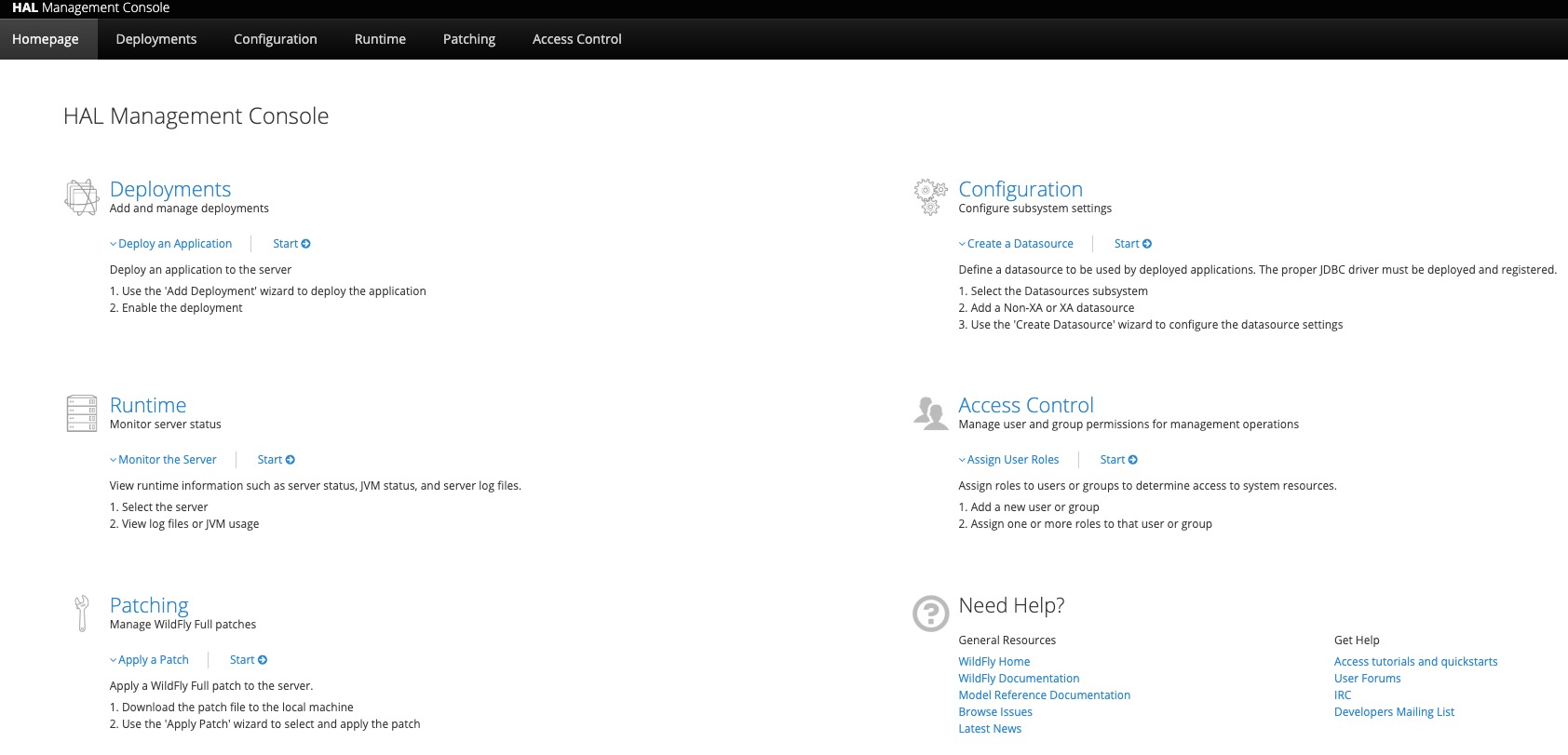
设置完成,再进点击Administration Console或访问http://127.0.0.1:9990/,输入刚刚设置的用户名密码,即可登录管理后台。
原文链接:《wildfly(JBoss AS)应用服务器快速入门》
参考文章:《热门WEB容器TOMCAT、JETTY、 GLASSFISH、WILDFLY对比》
程序新视界:精彩和成长都不容错过

wildfly(JBoss AS)应用服务器快速入门的更多相关文章
- spring boot入门教程——Spring Boot快速入门指南
Spring Boot已成为当今最流行的微服务开发框架,本文是如何使用Spring Boot快速开始Web微服务开发的指南,我们将使创建一个可运行的包含内嵌Web容器(默认使用的是Tomcat)的可运 ...
- spring快速入门(二)
一.在spring快速入门(一)的基础上,我们来了解spring是如何解决对象的创建以及对象之间的依赖关系的问题 (比如client中依赖UserAction的具体实现,UserActionImpl中 ...
- quartz-2.2.x 快速入门 (1)
欢迎来到quartz快速入门教程.阅读本教程,你将会了解: quartz下载 quartz安装 根据你的需要,配置Quartz 开始一个示例应用 当熟悉了quratz调度的基本功能后,可以尝试一些 ...
- SpringMvc_快速入门,深入分析
目录 一.前言二.spring mvc 核心类与接口三.spring mvc 核心流程图 四.spring mvc DispatcherServlet说明 五.spring mvc 父子上下文的说明 ...
- Spring MVC 教程,快速入门,深入分析
http://elf8848.iteye.com/blog/875830/ Spring MVC 教程,快速入门,深入分析 博客分类: SPRING Spring MVC 教程快速入门 资源下载: ...
- Spring_MVC_教程_快速入门_深入分析
Spring MVC 教程,快速入门,深入分析 博客分类: SPRING Spring MVC 教程快速入门 资源下载: Spring_MVC_教程_快速入门_深入分析V1.1.pdf Spring ...
- 【个人笔记】002-PHP基础-01-PHP快速入门-02-PHP语言相关介绍输
002-PHP基础-01-PHP快速入门 02-PHP语言相关介绍 1.PHP是什么 Hypertext Preprocessor超文本预处理器 是一种通用开源脚本语言 Personal Home P ...
- Node.js快速入门
Node.js是什么? Node.js是建立在谷歌Chrome的JavaScript引擎(V8引擎)的Web应用程序框架. 它的最新版本是:v0.12.7(在编写本教程时的版本).Node.js在官方 ...
- SuperSocket快速入门(二):启动程序以及相关的配置
如何快速启动第一个程序 既然是快速入门,所以,对于太深奥的知识点将不做讲解,会在后续的高级应用章节中,会对SS进行拆解.所有的实例90%都是来自SS的实例,外加本人的注释进行讲解. 一般应用而言,你只 ...
随机推荐
- Go依赖管理及Go module使用
Go语言的依赖管理随着版本的更迭正逐渐完善起来. 依赖管理 为什么需要依赖管理 最早的时候,Go所依赖的所有的第三方库都放在GOPATH这个目录下面.这就导致了同一个库只能保存一个版本的代码.如果不同 ...
- LaTeX 自动避免重复内容
在编辑自动化文档时,很容易出现在文档多处提及相同内容的情况.例如,描述某具体设备的图片,在多个工艺中都会用到,而又无法确定工艺出现顺序,或者对于不同企业,工艺不尽相同.这时我们可能会希望,latex帮 ...
- Java位运算实现加减乘除四则运算
本文是继<一文了解有趣的位运算>的第二篇文章. 我们知道,计算机最基本的操作单元是字节(byte),一个字节由8个位(bit)组成,一个位只能存储一个0或1,其实也就是高低电平.无论多么复 ...
- 喜大普奔,两个开源的 Spring Boot + Vue 前后端分离项目可以在线体验了
折腾了一周的域名备案昨天终于搞定了. 松哥第一时间想到赶紧把微人事和 V 部落部署上去,我知道很多小伙伴已经等不及了. 1. 也曾经上过线 其实这两个项目当时刚做好的时候,我就把它们部署到服务器上了, ...
- 使用如下命令修改.bashrc文件
使用如下命令修改.bashrc文件: gedit ~/.bashrc 编辑之后必须执行 source ~/.bashrc
- 【Unity与Android】01-Unity与Android交互通信的简易实现
前言 使用Unity也有不短的时间了,安卓包也打过不少,但是对Unity与Android的交互却知之甚少. 因工作需求,需要在Android平台接一些sdk(扩展功能).我就借此机会就了解了下Unit ...
- [C++]类的设计(2)——拷贝控制(拷贝控制和资源管理)
1.类的行为分类:看起来像一个值:看起来想一个指针. 1)类的行为像一个值,意味着他应该有自己的状态.当我们拷贝一个像值的对象时,副本和原对象是完全独立的.改变副本不会对原有对象有任何影响 ...
- python 切片步长
python切片 切片:list变量[值下标:结束值下标] 什么意思呢? 就是获取 list中 下标从定义的位置开始获取数据到 自定义的下标位置结束, 但是切片有个规矩就是顾头不顾尾, 举个例子 ...
- [Scala]集合中List元素转Tuple元素的函数迭代写法
____ 本文链接: https://www.cnblogs.com/senwren/p/Scala-Lis-2-Tuple.html —— Scala没有提供相应写法, 但迭代写法仍然可以做到. 有 ...
- 暑期——第九周总结(1,林子雨老师关于hdfs eclipse案例报错问题【已解决】)
所花时间:7天 代码行:1000(Java)+500(Python)+300(C++) 博客量:1篇 了解到知识点 : 一: 解决"Class org.apache.hadoop.hdfs. ...