
UIView设置阴影
UI设计师有时候希望我们的产品比较酷。
阴影是他们喜欢的效果之一。
怎么设置阴影呢?
1、设置一个四边都相同的阴影
   UIImageView *testImgView = [[UIImageView alloc]initWithFrame:CGRectMake(, , , )];

    [testImgView setBackgroundColor:[UIColor yellowColor]];

    // 阴影颜色

    testImgView.layer.shadowColor = [UIColor blackColor].CGColor;

    // 阴影偏移,默认(0, -3)

    testImgView.layer.shadowOffset = CGSizeMake(,);

    // 阴影透明度,默认0

    testImgView.layer.shadowOpacity = 0.5;

    // 阴影半径,默认3

    testImgView.layer.shadowRadius = ;

    [self.view addSubview:testImgView];
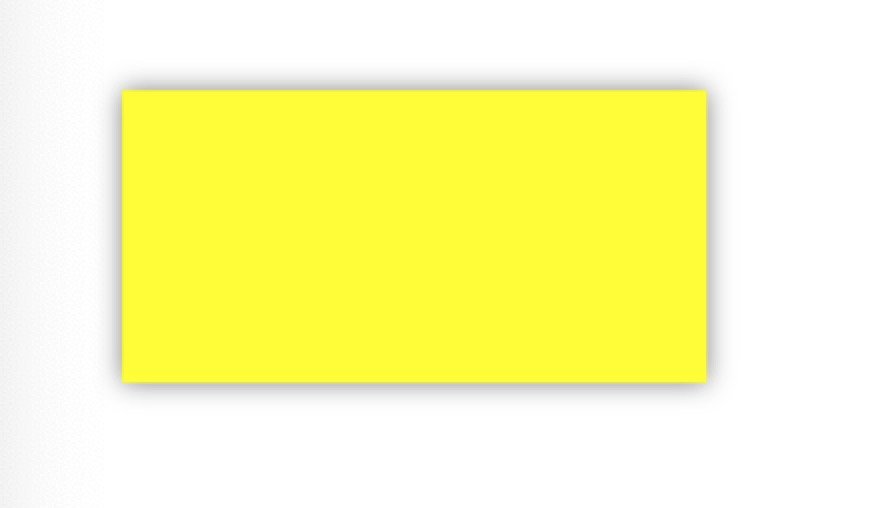
效果如图:
2、设置单边阴影
//单边阴影

    UILabel *testLabel = [[UILabel alloc]initWithFrame:CGRectMake(, , , )];

    [testLabel setBackgroundColor:[UIColor yellowColor]];

    // 阴影颜色

    testLabel.layer.shadowColor = [UIColor blackColor].CGColor;

    // 阴影偏移,默认(0, -3)

    testLabel.layer.shadowOffset = CGSizeMake(,);

    // 阴影透明度,默认0

    testLabel.layer.shadowOpacity = 0.5;

    // 阴影半径,默认3

    testLabel.layer.shadowRadius = ;

    // 单边阴影 顶边

    float shadowPathWidth = testLabel.layer.shadowRadius;

    CGRect shadowRect = CGRectMake(-shadowPathWidth/2.0, -shadowPathWidth/2.0, testLabel.bounds.size.width+shadowPathWidth, shadowPathWidth);

    UIBezierPath *path = [UIBezierPath bezierPathWithRect:shadowRect];

    testLabel.layer.shadowPath = path.CGPath;

    [self.view addSubview:testLabel];
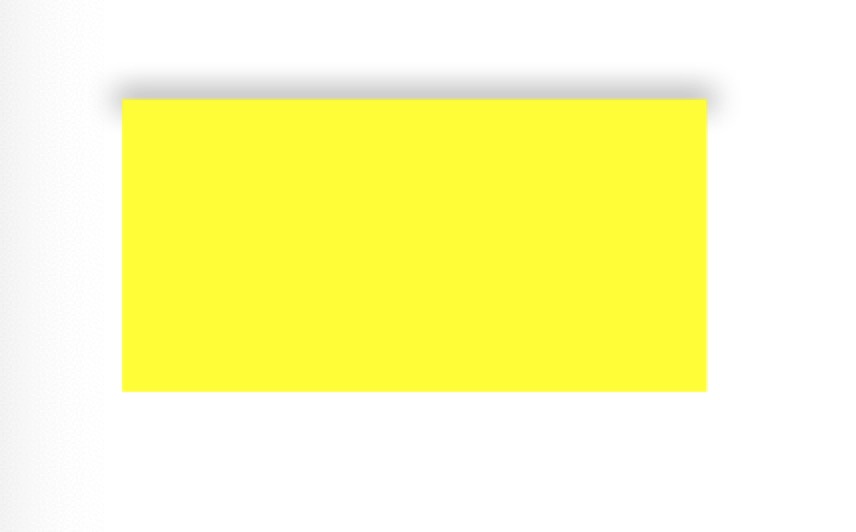
效果如下:
3、和阴影相关的属性
/** Shadow properties. **/

/* The color of the shadow. Defaults to opaque black. Colors created

 * from patterns are currently NOT supported. Animatable. */

@property(nullable) CGColorRef shadowColor;

/* The opacity of the shadow. Defaults to 0. Specifying a value outside the

 * [0,1] range will give undefined results. Animatable. */

@property float shadowOpacity;

/* The shadow offset. Defaults to (0, -3). Animatable. */

@property CGSize shadowOffset;

/* The blur radius used to create the shadow. Defaults to 3. Animatable. */

@property CGFloat shadowRadius;

/* When non-null this path defines the outline used to construct the

 * layer's shadow instead of using the layer's composited alpha

 * channel. The path is rendered using the non-zero winding rule.

 * Specifying the path explicitly using this property will usually

 * improve rendering performance, as will sharing the same path

 * reference across multiple layers. Upon assignment the path is copied.

 * Defaults to null. Animatable. */

@property(nullable) CGPathRef shadowPath;
UIView设置阴影的更多相关文章
- iPhone之为UIView设置阴影(CALayer的shadowColor,shadowOffset,shadowOpacity,shadowRadius,shadowPath属性)
效果图: 以下代码实现: 第一个图片的代码 //加阴影--任海丽编辑 _imageView.layer.shadowColor = [UIColor blackColor].CGColor;//sha ...
- UIView 设置阴影(属性说明)
以下代码实现: 第一个图片的代码 //加阴影--任海丽编辑 _imageView.layer.shadowColor = [UIColor blackColor].CGColor;//shadowCo ...
- UIView设置阴影无效的原因之一
本想在底部的按钮设置个阴影, 代码如下: self.layer.shadowColor = [UIColor blackColor].CGColor; self.layer.shadowOffset ...
- swift 设置阴影和圆角
1.正常view设置阴影 func setShadow(view:UIView,sColor:UIColor,offset:CGSize, opacity:Float,radius:CGFloat) ...
- div四个边框分别设置阴影样式
对于div边框的阴影一直没有很好地理解,也一直不明白怎么给四个边框分别设置阴影.昨天项目中碰到了这个问题,就认真想了一下,在此总结一二. 首先,还是从官方解释说起. 网上的解释通常都是什么水平阴影长度 ...
- iOS UIView设置圆角
UIView设置圆角 1.比较简单的情况,UIView四个角都是圆角: UIView *aView = [[UIView alloc] init]; aView.frame = CGRectMake( ...
- UIView设置背景渐变色
UIView设置背景渐变色 // Allocate bitmap context CGContextRef bitmapContext = CGBitmapContextCreate(NULL, , ...
- 使文字在div中水平和垂直居中的的css样式为,四个边分别设置阴影样式
text-align:center; /*水平居中*/ line-height: 20px; /*行距设为与div高度一致*/ HTML元素 <div>水平垂直居中</div> ...
- IOS UIView圆角,阴影,边框,渐增光泽
圆角 sampleView.layer.cornerRadius = 2.5; // 圓角的弧度sampleView.layer.masksToBounds = YES; 阴影 sampleView. ...
随机推荐
- JS---DOM---案例:模拟百度搜索框
模拟百度搜索框 我的思路整理: 1. 注册文本框抬起事件(onkeyup) 2. 处理函数: --->创建临时数组,循环遍历文本框键入的文字内容和keywords数组,用keyWords[i]. ...
- mysql-两种方式安装
一.数据库版本 MySQL 常见版本 MySQL Community Server 社区版本,开源免费,但不提供官方技术支持. MySQL Enterprise Edition 企业版本,需付费,可以 ...
- WPF 3D球及进阶玩法
在WPF中3D球的构建算法请参考: https://www.cnblogs.com/lonelyxmas/p/9844951.html 好玩以及值得借鉴的Demo: (CSDN下载需要积分,避免你 ...
- Centos7通过yum跟源码编译安装Nginx
源码编译安装 http://nginx.org/en/download.html 到官网下载,然后用XFTP上传到root目录 把文件解压出来 tar -zxvf nginx-1.16.0.tar.g ...
- GO基础之异常处理
一.异常 1. 错误指程序中出现不正常的情况,从而导致程序无法正常执行.•大多语言中使用try... catch... finally语句执行.假设我们正在尝试打开一个文件,文件系统中不存在这个文件. ...
- 开启Hyper-V
开启Hyper-V 添加方法非常简单,把以下内容保存为.cmd文件,然后以管理员身份打开这个文件.提示重启时保存好文件重启吧,重启完成就能使用功能完整的Hyper-V了. pushd "%~ ...
- arcgis api for javascript 学习(七) 调用发布地图信息,并将地图属性信息输出到Excel表格---进阶版
我们在arcgis api for javascript 学习(三)已经学习到了关于调用地图信息进行属性输出的问题,不过通过代码我们实现后会发现还是有一些小瑕疵的,比如我们只能单个数据属性的输出,如果 ...
- Linux下安装及使用mysql
(注:本人在centos7进行的安装及使用) 1.安装wget yum install wget 2.下载mysql安装包 wget http://repo.mysql.com/mysql57-com ...
- 【Java基础】Annotation 的本质和自定义实现
Java 中注解的实现原理 一.引言 在 Java5 之前,利用 xml 进行配置是各大框架的常规操作,这种方式可以实现松耦合并完成框架中几乎所有需要的配置,但随着项目的扩展,xml 文件本身的内容将 ...
- Redis和MongoDB区别
MongoDB 更类似 MySQL,支持字段索引.游标操作,其优势在于查询功能比较强大,擅长查询 JSON 数据,能存储海量数据,但是不支持事务.Redis 是一个开源(BSD许可)的,内存中的数据结 ...