
React开发入门
<!DOCTYPE html>

<html>

<head>

   <meta charset="utf-8">

   <title>Hello world!</title>

   <script src = "../../build/react.js"></script>

   <script src = "../../build/react-dom.js"></script>

   <script src = "../../build/browser.min.js"></script>

</head>

<body>

   <div id = "example"></div>

   <script type="text/babel">

      ReactDOM.render(

            <h1>Hello,World!</h1>,

            document.getElementById('example')

      );

   </script>

</body>

</html>
<script type="text/babel">

   ReactDOM.render(

         <h1>Hello,World!</h1>,

         document.getElementById('example')

   );

</script>
ReactDOM.render(

    <h1>Hello,World!</h1>,

    document.getElementById('example')

);
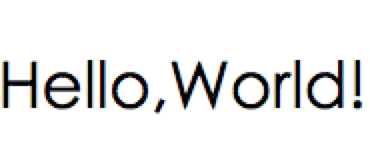
var animals = ['dog','cat','pig'];

ReactDOM.render(

    <div>

        {

            animals.map(function(animal) {

              return <h1>{animal}</h1>

            })

        }

    </div>,

    document.getElementById('example')

);
Warning: Each child in an array or iterator should have a unique "key" prop. Check the top-level render call using <div>
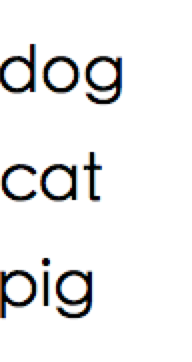
var animals = ['dog','cat','pig'];

ReactDOM.render(

    <div>

        {

            animals.map(function(animal,key) {

              return <h1 key = {key}>{animal}</h1>

            })

        }

    </div>,

    document.getElementById('example')

);
browser.min.js:3 XMLHttpRequest cannot load file:///Users/**/***/React/MyReactDemo/helloworld/src/helloworld.js.
 Cross origin requests are only supported for protocol schemes:
http, data, chrome, chrome-extension, https, chrome-extension-resource.
startup chrome with --disable-web-security

On Windows:

chrome.exe --disable-web-security

On Mac:

open /Applications/Google\ Chrome.app/ --args --disable-web-security
http://localhost:63342/MyReactDemo/helloworld/src/helloworld.html
file:///Users/zhanggui/zhanggui/React/MyReactDemo/helloworld/src/helloworld.html
3、组件化
React.createClass方法就是用于生成一个组件类,比如:

var ZGButton = React.createClass({

    render:function() {

        return <button>ZG{this.props.name}</button>

    }

});

ReactDOM.render(

    <ZGButton name = 'Button1'/>,

    document.getElementById('example')

);
var zGButton = React.createClass({

    render:function() {

        return <button>ZG{this.props.name}</button>

    }

});

ReactDOM.render(

    <zGButton name="Button2">Button</zGButton>,

    document.getElementById('example')

);
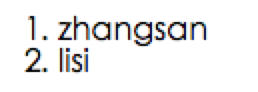
var Students = React.createClass({

    render:function() {

        return (

            <ol>

                {

                    React.Children.map(this.props.children,function(child) {

                        return <li>{child}</li>

                    })

                }

            </ol>

        );

    }

});

ReactDOM.render(

    <Students>

        <span>zhangsan</span>

        <span>lisi</span>

    </Students>,

    document.getElementById('example')

);
var Student = React.createClass({

    propTypes: {

      myName:React.PropTypes.string.isRequired,

    },

    render:function() {

        return <h1>

            {this.props.myName}

        </h1>

    }

});

var myNameStr = "React";

ReactDOM.render(

    <Student myName = {myNameStr} />,

    document.getElementById('example')

);
var Student = React.createClass({

    getDefaultProps: function() {

        return {

            myName:"Default React"

        }

    },

    propTypes: {

      myName:React.PropTypes.string.isRequired,

    },

    render:function() {

        return <h1>

            {this.props.myName}

        </h1>

    }

});
var MyComponment = React.createClass({

    render:function(){

        return (

          <div>

              <input type = "text" ref = "myTextInput"/>

              <input type = "button" value = "Focus the text input" onClick={this.handleClick}/>

          </div>

        );

    },

    handleClick:function() {

        // alert(this.refs.myTextInput);

        this.refs.myTextInput.focus();

    }

});

ReactDOM.render(

    <MyComponment/>,

    document.getElementById('example')

);
var LinkButton = React.createClass({

    getInitialState:function () {

      return {linked:false};

    },

    handleClick:function() {

        this.setState({linked:!this.state.linked});

    },

    render:function() {

        var text = this.state.linked? 'linked':'not linked';

        return (

            <p onClick={this.handleClick}>

                You {text} this. Click to toggle

            </p>

        );

    }

});

ReactDOM.render(

    <LinkButton/>,

    document.getElementById('example')

);
var Form = React.createClass({

    getInitialState:function() {

        return {value:'Hello'};

    },

    handleChange:function(event) {

        this.setState({value:event.target.value});

    },

    render:function() {

        var value = this.state.value;

        return (

            <div>

                <input type="text" value = {value} onChange={this.handleChange}/>

                <p>{value}</p>

            </div>

        );

    }

});

ReactDOM.render(

    <Form/>,

    document.getElementById('example')

);
var MyButton = React.createClass({

    componentDidMount:function() {

        alert("已经装载");

    },

    componentWillMount:function() {

        alert("将要装载");

    },

    componentWillUpdate:function() {

        alert("将要更新");

    },

    componentDidUpdate:function() {

        alert("已经更新");

    },

    componentWillUnmount:function() {

        alert("将要移除");

    },

    render:function(){

        return (

            <button>MyButton</button>

        );

    },

});

var LoadButton = React.createClass({

    loadMyButton:function() {

      ReactDOM.render(

          <MyButton/>,

          document.getElementById('myBTN')

      );

    },

    removeMyButton:function() {

        var result = ReactDOM.unmountComponentAtNode(document.getElementById('myBTN'));

        console.log(result);

    },

    render:function() {

        return (

            <div>

                <button onClick={this.removeMyButton}>卸载MyButton</button>

                <button onClick={this.loadMyButton}>装载MyButton</button>

                <div id="myBTN">这里是mybuttonquyu</div>

            </div>

        );

    }

});

ReactDOM.render(

    <LoadButton/>,

    document.getElementById('example')

);
var UserGist = React.createClass({

    getInitialState:function() {

        return {

            username:'',

            lastGistUrl:''

        }

    },

    componentDidMount:function(){

        $.get(this.props.source,function(result){

            var lastGist  = result[0];

            if (this.isMounted()) {

                this.setState({

                        username:lastGist.owner.login,

                        lastGistUrl:lastGist.html_url

                }

                );

            }

        }.bind(this));

    },

    render:function() {

        return (

            <div>

                    {this.state.username}'s last gist is

                    <a href={this.state.lastGistUrl}>here</a>

            </div>

        );

    }

});

ReactDOM.render(

    <UserGist source = "https://api.github.com/users/octocat/gists"/>,

    document.getElementById('example')

);
React开发入门的更多相关文章
- 基于Nodejs生态圈的TypeScript+React开发入门教程
基于Nodejs生态圈的TypeScript+React开发入门教程 概述 本教程旨在为基于Nodejs npm生态圈的前端程序开发提供入门讲解. Nodejs是什么 Nodejs是一个高性能Ja ...
- React开发入门:以开发Todo List为例
目录 概述 React基本概念 JSX是什么? 设置React APP 初始化APP 应用结构 探索第一个React组件 index.js 变量和props JSX中的变量 组件props props ...
- 前端React开发入门笔记
什么是React React是一个JavaScript库,是由FaceBook和Instagram开发的,主要用于用户创建图形化界面. Hello world <!DOCTYPE html> ...
- React组件开发入门
React 组件开发入门 Introduction 本文组成: Ryan Clark文章Getting started with React的翻译. 博主的实践心得. React由Facebook的程 ...
- React Native入门教程 1 -- 开发环境搭建
有人问我为啥很久不更新博客..我只能说在学校宿舍真的没有学习的环境..基本上在宿舍里面很颓废..不过要毕业找工作了,我要渐渐把这个心态调整过来,就从react-native第一篇博客开始.话说RN也出 ...
- React.js 入门与实战之开发适配PC端及移动端新闻头条平台课程上线了
原文发表于我的技术博客 我在慕课网的「React.js 入门与实战之开发适配PC端及移动端新闻头条平台」课程已经上线了,文章中是目前整个课程的大纲,以后此课程还会保持持续更新,此大纲文档也会保持更新, ...
- React Native入门——布局实践:开发京东client首页(一)
有了一些对React Native开发的简单了解,让我们从实战出发.一起来构建一个简单的京东client. 这个client是仿照之前版本号的京东client开发的Android版应用,来源于CSDN ...
- 二、react开发环境配置与webpack入门
Webpack 模块打包工具(module bundler)功能: 将 CSS.图片与其他资源打包 打包之前预处理(Less.CoffeeScript.JSX.ES6 等)档案 依 entry 文件不 ...
- React.js入门笔记
# React.js入门笔记 核心提示 这是本人学习react.js的第一篇入门笔记,估计也会是该系列涵盖内容最多的笔记,主要内容来自英文官方文档的快速上手部分和阮一峰博客教程.当然,还有我自己尝试的 ...
随机推荐
- mac 安装mysql + 修改root用户密码 + 及报Access denied for user 'root'@'localhost' (using password:YES)解决办法
1.下载MySQL 到mysql的官网http://dev.mysql.com/downloads/mysql/然后在页面中会看到“MySQL Community Server”下方有一个“downl ...
- [HTML]输入框被限制输入某些类型数据
ENTER键可以让光标移到下一个输入框 <input onkeydown="if(event.keyCode==13)event.keyCode=9" > 只能是中文& ...
- 【小白的CFD之旅】07 CFD常识
学了一周的流体力学,小白对于流体力学有了基本的了解,但是流体力学涵盖的内容何其之多,一周的时间怎么可能学得好呢,很多的概念都是模棱两可.为了在一个月之后能够应用CFD,小白又找到了黄师姐. “师姐,看 ...
- [WPF系列]-Data Validation
项目经常前台界面涉及到用户输入时,我们常常会用到数据有效性的验证.在网页中我们之前用js来校验Form中的数据有效性.在WPF中我们如何实现这种验证机制了?答案:INotifyDataErrorInf ...
- 不同材质怎么通过ZBrush赋予同一个模型上
ZBrush 作为最专业的数字雕刻与绘画软件,能够制作出高质量的3D模型,包括模型的颜色贴图和材质属性.不同材质可以改变照明在表面上的反应,以便模型表现出光泽.凹凸.反射.金属性或透明效果.ZBrus ...
- 洛谷P2964 [USACO09NOV]硬币的游戏A Coin Game
题目描述 Farmer John's cows like to play coin games so FJ has invented with a new two-player coin game c ...
- pycharm的使用破解和Anaconda的使用
1.pycharm的破解: 版本: pycharm 2016.2.3 链接: 下载专业版本 下面是这个版本的注册码: 43B4A73YYJ-eyJsaWNlbnNlSWQiOiI0M0I0QTcz ...
- linux 、 jmeter部署安装
1.安装&配置 可在Linux服务器上利用服务器强大的性能,执行JMeter进行性能测试. 当然,可在Windows机器上先编好测试计划(注意版本匹配,否则可能产生莫名错误),然后下载到Lin ...
- Java 8简明教程
本文由 ImportNew 欢迎阅读我编写的Java 8介绍.本教程将带领你一步一步地认识这门语言的新特性.通过简单明了的代码示例,你将会学习到如何使用默认接口方法,Lambda表达式,方法引用和重复 ...
- Oracle系列——开发中奇葩问题你遇到几个(一)
前言:在使用oracle数据进行开发的时候有没有经常出现一些很奇怪.很纳闷.很无厘头的问题呢.下面是本人使用oracle一段时间遇到的问题小节,在此做个记录,方便以后再遇到类似的问题能快速解决.如果你 ...