
鼠标悬浮图片时弹出透明提示图层的jQuery特效
源码:
<!doctype html>

<html class="no-js" lang="en">

<head>

<meta charset="utf-8">

<title>CollagePlus for jQuery Example</title>

<link rel="stylesheet" type="text/css" href="../support/examples.css" media="all" />

<link rel="stylesheet" type="text/css" href="../css/transitions.css" media="all" />

<!--[if lt IE 9]>

    <script src="//ajax.googleapis.com/ajax/libs/jquery/1.8.3/jquery.min.js"></script>

    <![endif]-->

<!--[if (gte IE 9) | (!IE)]><!-->

<script src="jquery.js"></script>

<!--<![endif]-->

<!--[if IE]>

    <script src="http://html5shiv.googlecode.com/svn/trunk/html5.js"></script>

    <![endif]-->

<script src="../jquery.collagePlus.js"></script>

<script src="../jquery.removeWhitespace.js"></script>

<script src="../jquery.collageCaption.js"></script>

<script type="text/javascript">

    // All images need to be loaded for this plugin to work so

    // we end up waiting for the whole window to load in this example

    $(window).load(function () {

        $(document).ready(function(){

            collage();

            $('.Collage').collageCaption();

        });

    });

    // Here we apply the actual CollagePlus plugin

    function collage() {

        $('.Collage').removeWhitespace().collagePlus(

            {

                'fadeSpeed'     : 2000,

                'targetHeight'  : 200

            }

        );

    };

    // This is just for the case that the browser window is resized

    var resizeTimer = null;

    $(window).bind('resize', function() {

        // hide all the images until we resize them

        $('.Collage .Image_Wrapper').css("opacity", 0);

        // set a timer to re-apply the plugin

        if (resizeTimer) clearTimeout(resizeTimer);

        resizeTimer = setTimeout(collage, 200);

    });

    </script>

</head>

<body>

<div style="text-align:center; font-weight:bold; font-size:24px;"><a style="color:#2dbdf1;"href="http://www.100sucai.com">100sucai.com</a></div>

<section class="Collage effect-parent">

  <div class="Image_Wrapper" data-caption="This is some data <u>with</u>html in it"><a href="http://www.100sucai.com"><img src="01.gif"></a></div>

  <div class="Image_Wrapper" data-caption="This is some data <u>with</u>html in it. Also a really long sentence with a <a href="http://www.100sucai.com">link</a> in it"><a href="http://www.100sucai.com"><img src="02.gif"></a></div>

  <div class="Image_Wrapper" data-caption="This is some data <u>with</u>html in it This is some data <u>with</u>html in it. Also a really long sentence with a <a href="http://www.100sucai.com">link</a> in it This is some data <u>with</u>html in it. Also a really long sentence with a <a href="http://www.100sucai.com">link</a> in it"><a href="http://www.100sucai.com"><img src="03.gif"></a></div>

  <div class="Image_Wrapper" data-caption="This is some data <u>with</u>html in it This is some data <u>with</u>html in it. Also a really long sentence with a <a href="http://www.100sucai.com">link</a> in it"><a href="http://www.100sucai.com"><img src="04.gif"></a></div>

  <div class="Image_Wrapper" data-caption="This is some data <u>with</u>html in it"><a href="http://www.100sucai.com"><img src="05.gif"></a></div>

  <div class="Image_Wrapper" data-caption="This is some data <u>with</u>html in it This is some data <u>with</u>html in it. Also a really long sentence with a <a href="http://www.100sucai.com">link</a> in it"><a href="http://www.100sucai.com"><img src="06.gif"></a></div>

</section>

</body>

</html>
效果图:
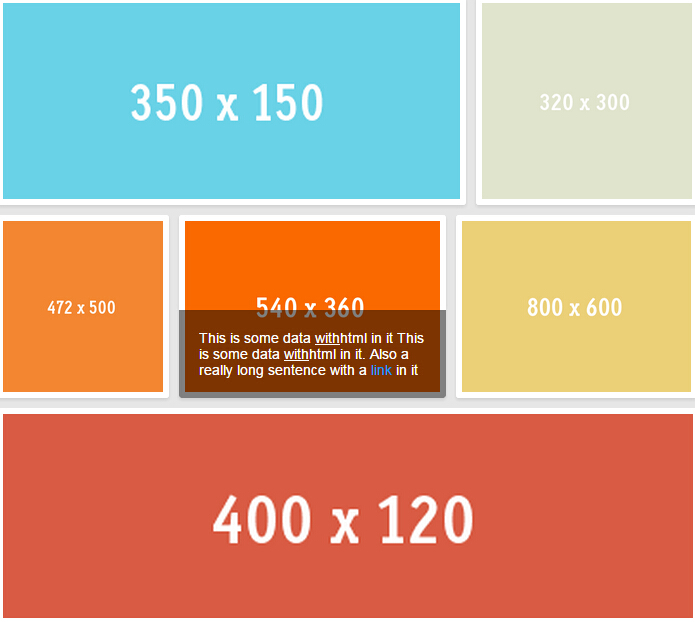
演示地址:www.100sucai.com/code/769.html
鼠标悬浮图片时弹出透明提示图层的jQuery特效的更多相关文章
- [UWP]在应用退出时弹出确认提示框
1. 需求 在应用退出时(点击右上角的关闭按钮)弹出一个确认按钮可以说是一个最常见的操作了,例如记事本的"你是否保存": 但这个功能在UWP上居然有点小复杂.这篇文章将解释如何实现 ...
- Devexpress XtraReport 打印时弹出Margins提示解决办法
当我们用Dev的报表引擎做报表时,如果把边缘设置为0时会弹出提示. 可以通过代码 XtraReport.PrintingSystem.ShowMarginsWarning = false; 取消该提示
- Jquery实现鼠标hover图片遮罩弹出提示层特效
1.引入JS文件和所需要的样式文件 2.简单的写上以下18行代码就可以实现了 $(document).ready(function() { $("div.tip_trigger a.img& ...
- SQL Server 新建 数据库关系图 时弹出警告提示此数据库没有有效所有者,因此无法安装数据库关系图支持对象。
今天创建数据库关系图,发现提示此数据库没有有效所有者,因此无法安装数据库关系图支持对象.若要继续,请首先使用 数据库属性 对话框的文件页或 ALTER AUTHORIZAITION 语句将数据库所有者 ...
- 配置Info.plist (设置状态栏样式、自定义定位时系统弹出的提示语、配置3DTouch应用快捷菜单)
一.概述 iOS中很多功能需要配置Info.plist才能实现,如设置后台运行.支持打开的文件类型.自定义访问隐私内容时弹出的提示等.了解Info.plist中各字段及其含义,可以访问苹果开发网站相关 ...
- 浅谈CSS和JQuery实现鼠标悬浮图片放大效果
对于刚刚学习网页前台设计的同学一定对图片的处理非常苦恼,那么这里简单的讲解一下几个图片处理的实例. 以.net为平台,微软的Visual Studio 2013为开发工具,当然前台技术还是采用CSS3 ...
- js在关闭页面前弹出确认提示【转载】
最近项目中出现个bug,就是导出数据后,会提示确认导航,其实实际需求并不需要这个提示,可能是之前遗留的问题.查了下资料是在触发了onbeforeunload事件,那么剩下的就是代码组织问题了. 众所周 ...
- SVN 安装后右键出现点击鼠标右键弹出错误提示:CrashHandler initialization error
SVN 安装后右键出现点击鼠标右键弹出错误提示:CrashHandler initialization error 原因是目标文件夹中缺少SendRpt.exe文件 解决方案:找svn是好的的同事将b ...
- PLSQL 登录时弹出(没有登录)空白提示框
如题,在登录的时候莫名出现了plsql登录时弹出(没有登录)的空白提示框,在网上找了很多方法之后都不行,然后发现plsql的 oracle主目录名莫名的成了空,然后直接重新把它的目录设置上 重启pls ...
随机推荐
- ZOJ 2588 Burning Bridges(求含重边的无向连通图的割边) - from lanshui_Yang
Burning Bridges Time Limit: 5 Seconds Memory Limit: 32768 KB Ferry Kingdom is a nice little country ...
- 关于禁止Android scrollView 因内容变化而自动滚动 android:descendantFocusability
出现这种情况是因为你让scrollview获得了焦点,所以它才会滚动.如果你百度了以后,你可能会发现有些博客会说让焦点停在固定的一个view中就可以了.这对于不存在刷新的页面确实是可以的,但是当你出现 ...
- iOS中的网络请求 和 网络监测
1.网络监测 //根据主机名判断网络是否连接 Reachability *reach = [Reachability reachabilityWithHostName:@"www.baidu ...
- JavaScript 编写线程代码引用Concurrent.Thread.js
马上来下载和使用源码吧!假定你已经将下载的源码保存到一个名为Concurrent.Thread.js的文件夹里,在进行任何操作之前,先运行如下程序,这是一个很简单的功能实现: <script t ...
- hg(Mercurial)版本库迁移到git版本库
这几天没事干净搞迁移了,迁移完MVC又迁移版本库,还把工作电脑迁移了一下,开始用Win8.1了.这个迁移主要是因为实在不想在工作电脑上又装git又装hg了,点个右键出来一大堆菜单,况且现在git已经成 ...
- Java中String常用方法
java中String的常用方法1.length() 字符串的长度 例:char chars[]={'a','b'.'c'}; String s=new String(chars); int len= ...
- JavaScript break和continue 跳出循环
在JavaScript中,使用 break 和 continue 语句跳出循环: break语句的作用是立即跳出循环,即不再执行后面的所有循环: continue语句的作用是停止正在执行的循环,直接进 ...
- Delphi数组复制
const AA : arrary[0..4] of byte =(0,1,2,3,4) var BB : arrary[0..4] of byte; begin BB := AA ; {这样是错 ...
- [转]Webservice client timeout
本文转自:http://social.msdn.microsoft.com/Forums/vstudio/en-us/ed89ae3c-e5f8-401b-bcc7-333579a9f0fe/webs ...
- js实现shell排序
//shell排序配插入排序function shell_insert_sort(arr){ var gap = arr.length; do{ gap = parseInt(gap/3) + 1; ...