
20165226 实验四 Android程序设计
实验四 Android程序设计
实验目的
一、Android Studio的安装测试
二、Activity测试
三、UI测试
四、布局测试
五、事件处理测试
实验内容及步骤
(一)Android Studio的安装测试
- 安装Android Studio

成功安装后再进行Android SDK。
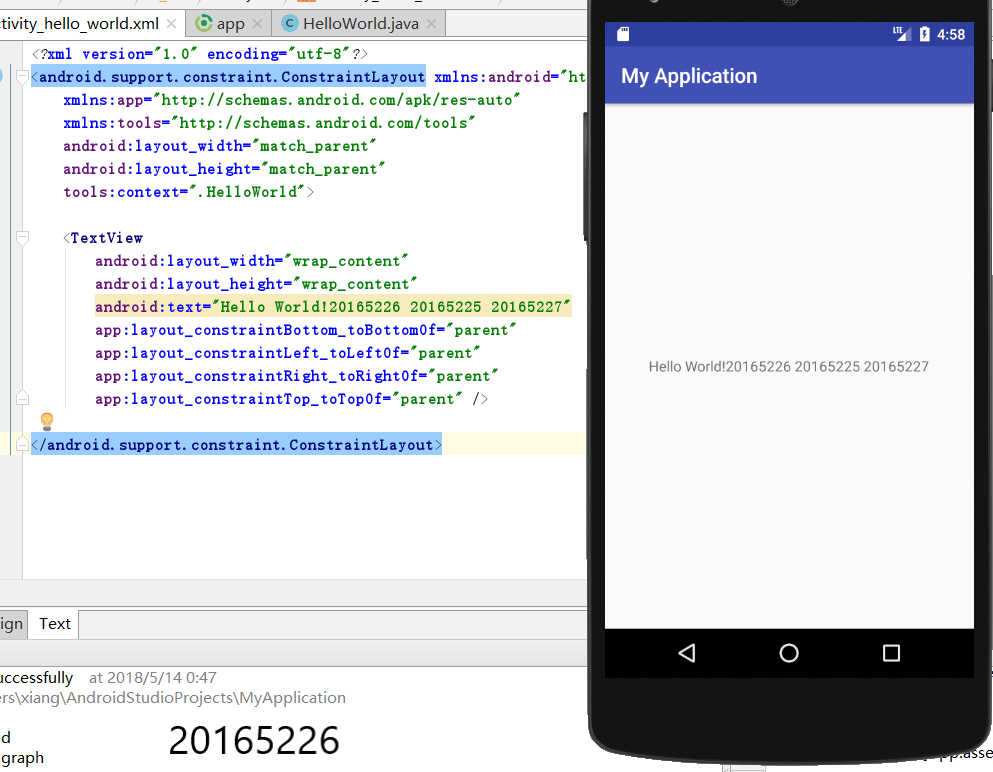
- 修改res目录中的内容,hello world后要显示自己的学号,以及自己学号前后一名同学的学号
(二)Activity测试
构建项目ThirdActivity
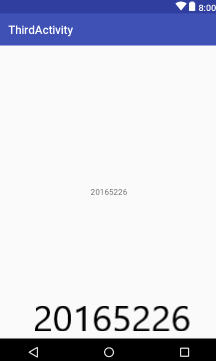
创建ThirdActivity,在ThirdActivity中显示自己的学号,修改代码让MainActivity启动ThirdActivity
package com.example.xiang.thirdactivity;

import android.os.Bundle;

import android.app.Activity;

import android.content.Intent;

import android.view.Menu;

import android.view.MotionEvent;

import android.view.View;

import android.view.View.OnTouchListener;

import android.widget.TextView;

public class MainActivity extends Activity implements

        OnTouchListener {

    @Override

    protected void onCreate(Bundle savedInstanceState) {

        super.onCreate(savedInstanceState);

        setContentView(R.layout.activity_main);

        TextView tv = (TextView) findViewById(R.id.textView1);

        tv.setOnTouchListener(this);

    }

    @Override

    public boolean onCreateOptionsMenu(Menu menu) {

// Inflate the menu; this adds items to the action bar if it

// is present.

        getMenuInflater().inflate(R.menu.menu_main, menu);

        return true;

    }

    @Override

    public boolean onTouch(View arg0, MotionEvent event) {

        Intent intent = new Intent(this, ThirdActivity.class);

        intent.putExtra("message", "20165226");

        startActivity(intent);

        return true;

    }

}
- 提交代码运行截图和码云Git链接,截图加学号水印

(三)UI测试
- 构建项目MyApplication3,运行教材相关代码
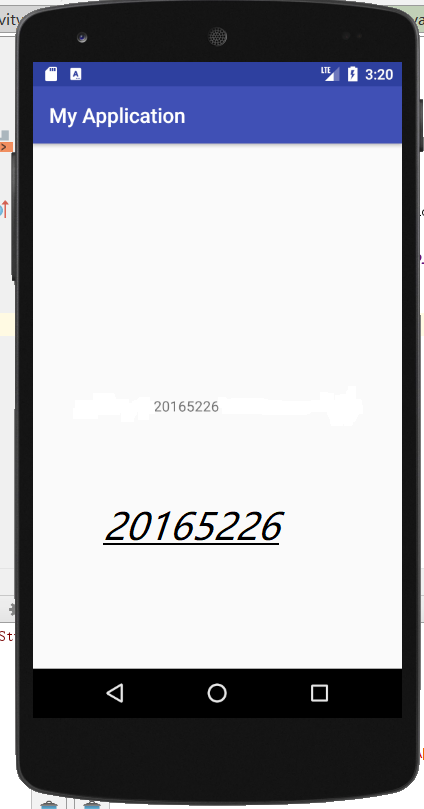
- 修改代码让Toast消息中显示自己的学号信息
- MainActivity
package MyApplication3.app.src.main.java.com.example.xiang.myapplication;

import android.support.v7.app.AppCompatActivity;

import android.os.Bundle;

import android.content.Context;

import android.support.v7.app.AppCompatActivity;

import android.os.Bundle;

import android.app.Activity;

import android.util.AttributeSet;

import android.view.Menu;

import android.view.MenuItem;

import android.view.View;

import android.widget.Button;

import android.widget.Toast;

public class MainActivity extends AppCompatActivity {

    @Override

    protected void onCreate(Bundle savedInstanceState) {

        super.onCreate(savedInstanceState);

        setContentView(R.layout.activity_main);

        Button btnshow1 = (Button) findViewById(R.id.btn1);

        btnshow1.setOnClickListener(new View.OnClickListener() {

            @Override

            public void onClick(View v) {

                Toast toast = Toast.makeText(MainActivity.this, "20165226", Toast.LENGTH_LONG);

                toast.show();

            }

        });

    }

    @Override

    public boolean onCreateOptionsMenu(Menu menu) {

        // Inflate the menu; this adds items to the action bar if it

        // is present.

        getMenuInflater().inflate(R.menu.menu_main, menu);

        return true;

    }

}
- activity_main.xml
<?xml version="1.0" encoding="utf-8"?>

<android.support.constraint.ConstraintLayout xmlns:android="http://schemas.android.com/apk/res/android"

    xmlns:app="http://schemas.android.com/apk/res-auto"

    xmlns:tools="http://schemas.android.com/tools"

    android:layout_width="match_parent"

    android:layout_height="match_parent"

    tools:context=".MainActivity">

    <TextView

        android:layout_width="wrap_content"

        android:layout_height="wrap_content"

        android:text="20165226"

        app:layout_constraintBottom_toBottomOf="parent"

        app:layout_constraintLeft_toLeftOf="parent"

        app:layout_constraintRight_toRightOf="parent"

        app:layout_constraintTop_toTopOf="parent" />

</android.support.constraint.ConstraintLayout>
- 结果
(四)布局测试
- 构建项目,运行教材相关代码
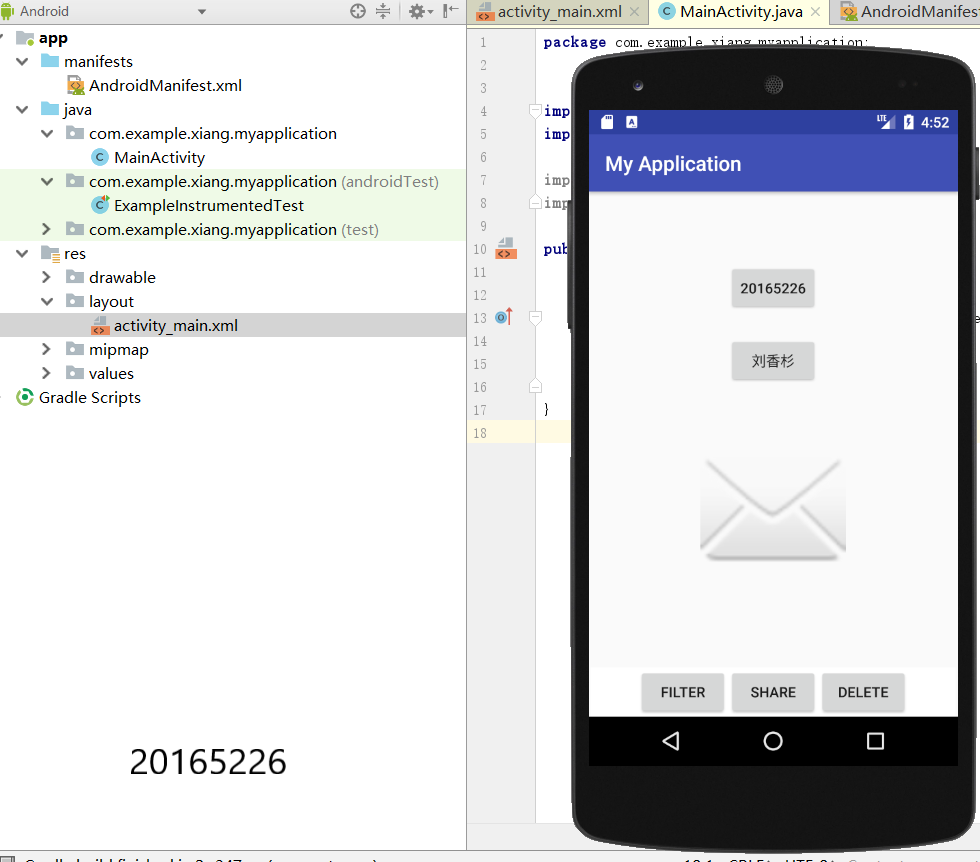
- 修改布局让P290页的界面与教材不同
- activity_main.xml
<RelativeLayout

    xmlns:android="http://schemas.android.com/apk/res/android"

    xmlns:tools="http://schemas.android.com/tools"

    android:layout_width="match_parent"

    android:layout_height="match_parent"

    android:paddingLeft="2dp"

    android:paddingRight="2dp">

    <Button

        android:id="@+id/cancelButton"

        android:layout_width="wrap_content"

        android:layout_height="wrap_content"

        android:text="20165226"

        android:layout_marginTop="70dp"

        android:layout_alignParentTop="true"

        android:layout_centerHorizontal="true" />

    <Button

        android:id="@+id/saveButton"

        android:layout_width="wrap_content"

        android:layout_height="wrap_content"

        android:text="刘香杉"

        android:layout_below="@+id/cancelButton"

        android:layout_alignLeft="@+id/cancelButton"

        android:layout_alignStart="@+id/cancelButton"

        android:layout_marginTop="23dp" />

    <ImageView

        android:layout_width="150dp"

        android:layout_height="150dp"

        android:layout_marginTop="45dp"

        android:padding="4dp"

        android:src="@android:drawable/ic_dialog_email"

        android:id="@+id/imageView"

        android:layout_below="@+id/saveButton"

        android:layout_centerHorizontal="true" />

    <LinearLayout

        android:id="@+id/filter_button_container"

        android:layout_width="match_parent"

        android:layout_height="wrap_content"

        android:layout_alignParentBottom="true"

        android:gravity="center|bottom"

        android:background="@android:color/white"

        android:orientation="horizontal" >

        <Button

            android:id="@+id/filterButton"

            android:layout_width="wrap_content"

            android:layout_height="fill_parent"

            android:text="Filter" />

        <Button

            android:id="@+id/shareButton"

            android:layout_width="wrap_content"

            android:layout_height="fill_parent"

            android:text="Share" />

        <Button

            android:id="@+id/deleteButton"

            android:layout_width="wrap_content"

            android:layout_height="fill_parent"

            android:text="Delete" />

    </LinearLayout>

</RelativeLayout>
- 结果
(五)事件处理测试
- 构建项目,运行教材相关代码
<RelativeLayout xmlns:android="http://schemas.android.com/apk/res/android"

    xmlns:tools="http://schemas.android.com/tools"

    android:layout_width="match_parent"

    android:layout_height="match_parent"

    android:paddingBottom="150dp"

    android:paddingLeft="150dp"

    android:paddingRight="150dp"

    tools:context=".MainActivity">

    <AnalogClock

        android:id="@+id/analogClock1"

        android:layout_width="wrap_content"

        android:layout_height="wrap_content"

        android:layout_alignParentTop="true"

        android:layout_centerHorizontal="true"

        android:layout_marginTop="200dp"

        android:onClick="changeColor" />

</RelativeLayout>
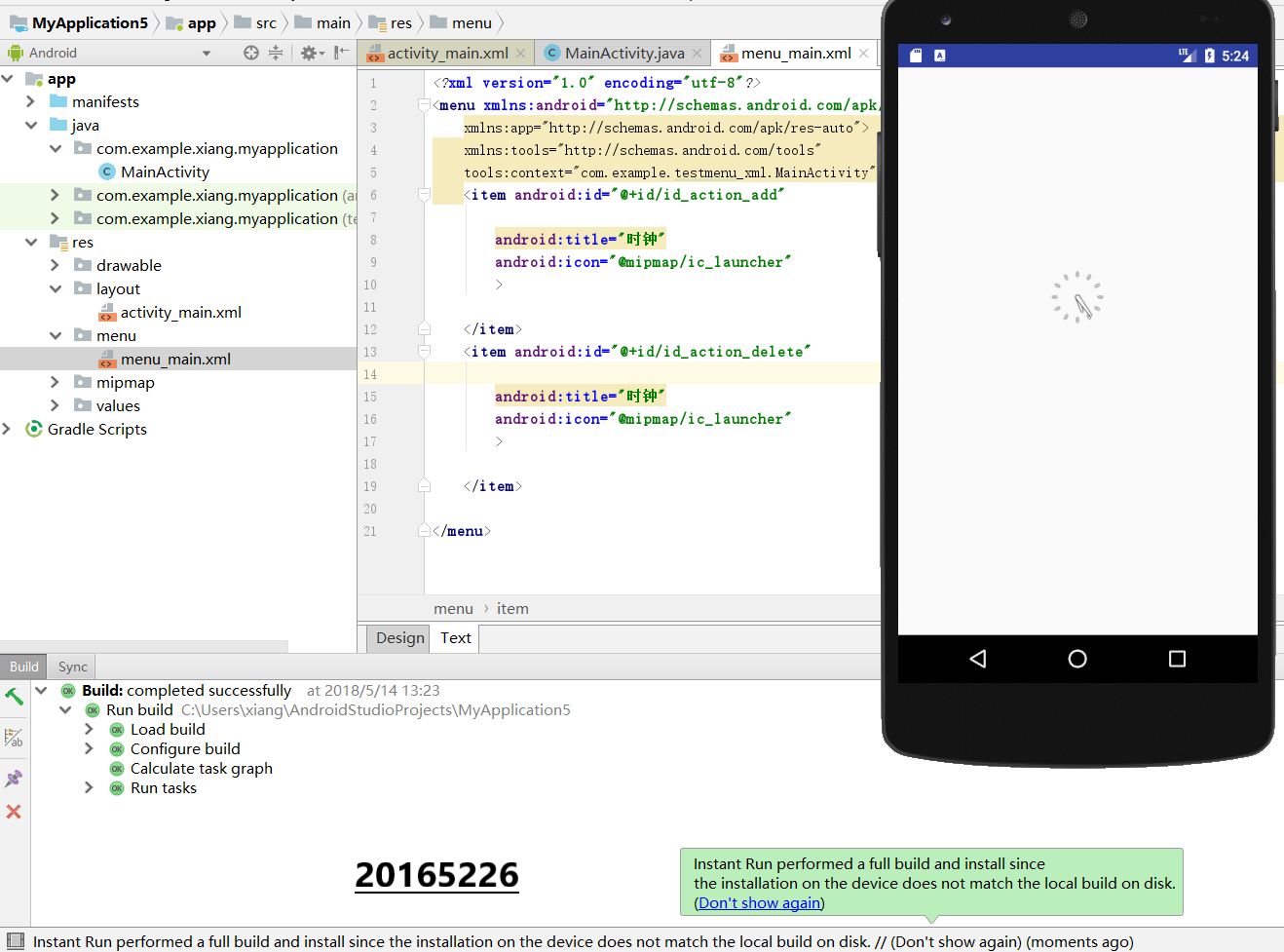
- 结果
遇到问题及解决方案
问题1:下载gradle时,不能正常顺利下载,在一次次点击
try again始终弹出design not successful
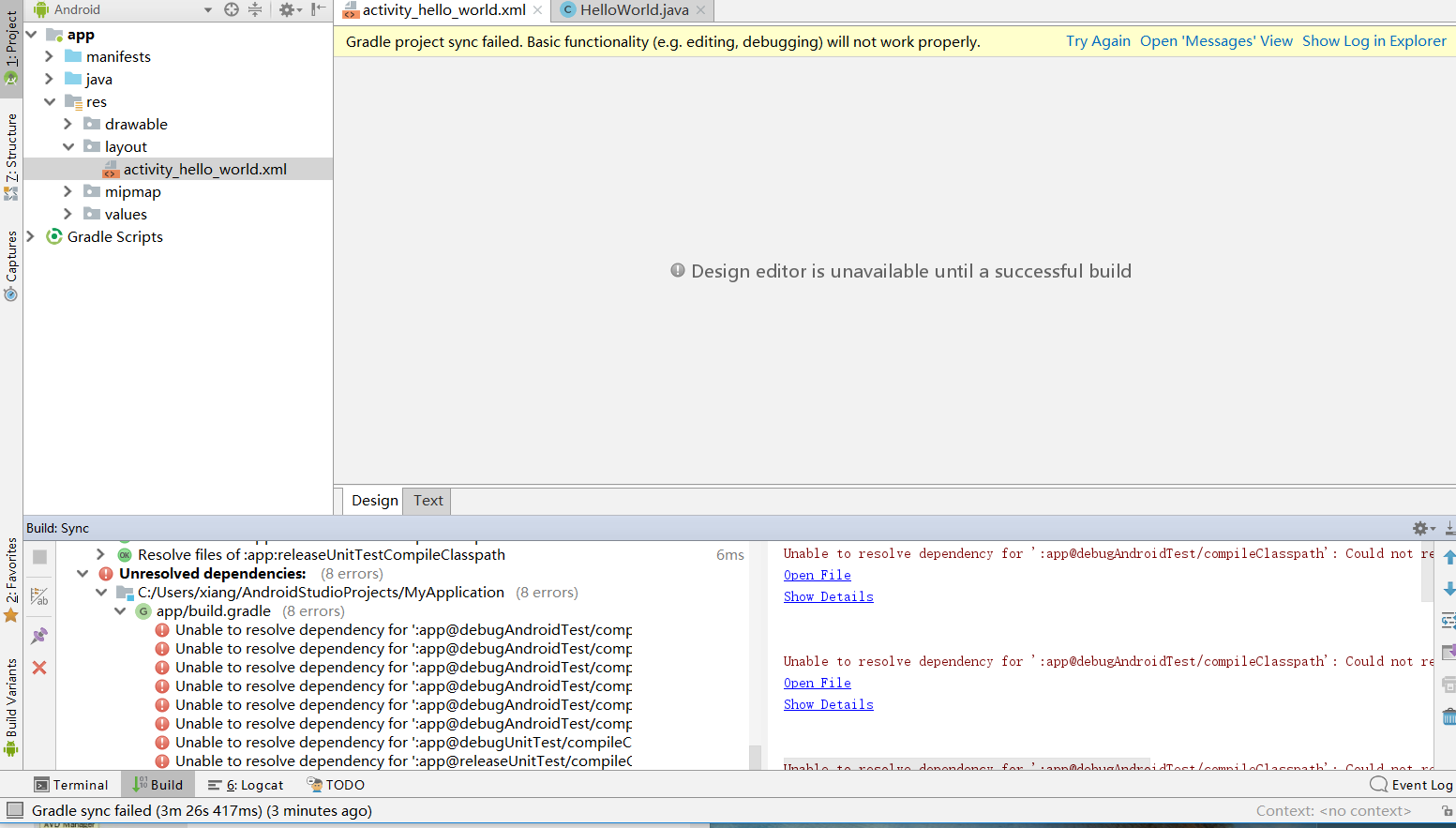
问题1解决方案:外下,然后把gradle拖进相关文件,或者检查等待网络畅通。
问题2:在运行时,因文件命名有误,build failed

问题2解决方案:通过重命名文件为
menu_main.xml,成功解决问题。
统计PSP(Personal Software Process)时间:
| 步骤 | 耗时 | 百分比 |
|---|---|---|
| 设计 | 90min | 50% |
| 代码实现 | 45 | 25% |
| 测试 | 20 | 11% |
| 分析总结 | 25 | 14% |
实验小结
本次实验主要学会了下载安装Android Studio及其使用情况。Android Studio相对来说十分陌生,但他是建立在java基础之上,有Java搭建平台会好懂很多。在各种尝试下仍不能运行时,有些焦急,但在顺利解决问题之后,特别是显示出虚拟界面时,有小小的满足与成就。
20165226 实验四 Android程序设计的更多相关文章
- 实验四 Android程序设计 实验报告
实验四 Android程序设计 实验报告 目录 代码托管地址 Android程序设计-1 Android程序设计-2 Android程序设计-3 Android程序设计-4 Android程序设计-5 ...
- 第十四周实验报告:实验四 Android程序设计
20162317袁逸灏 第十四周实验报告:实验四 Android程序设计 实验内容 Android Studio 实验要求 学会使用Android Studio 学习 活动 以及相关知识内容 学习 U ...
- 20165235实验四 Android程序设计
20165235实验四 Android程序设计 实验课程:JAVA编程设计 实验名称:Android开发 姓名:祁瑛 学号:20165235 实验时间:2018.05.16 指导老师:娄家鹏 Andr ...
- 20165220Java实验四 Android程序设计
一.实验报告封面 课程:Java程序设计 班级:1652班 姓名:葛宇豪 学号:20165220 指导教师:娄嘉鹏 实验日期:2018年5月14日 实验时间:13:45 - 15:25 实验序号:实验 ...
- 20172328《程序设计与数据结构》实验四 Android程序设计报告
20172328<程序设计与数据结构>实验四 Android程序设计报告 课程:<程序设计与数据结构> 班级: 1723 姓名: 李馨雨 学号:20172328 实验教师:王志 ...
- 20172302《程序设计与数据结构》实验四Android程序设计实验报告
课程:<程序设计与数据结构> 班级: 1723 姓名: 侯泽洋 学号:20172302 实验教师:王志强老师 实验日期:2018年5月30日 必修/选修: 必修 1.实验内容 (1)And ...
- 实验四 Android程序设计
20155224 实验四 Android程序设计 实验报告 实验报告封面: 课程:Java程序设计 班级:1652班 姓名:王高源 学号:20165225 指导教师:娄嘉鹏 实验日期:2018年5月1 ...
- 20165236 实验四 Android程序设计
20165236 实验四 Android程序设计 一.实验报告 课程:Java程序设计 班级:1652班 姓名:郭金涛 学号:20165236 指导教师:娄嘉鹏 实验 ...
- 20165205 2017-2018-2 《Java程序设计》实验四 Android程序设计
20165205 2017-2018-2 <Java程序设计>实验四 Android程序设计 实验内容 实验四 Android程序设计-1 Android Stuidio的安装测试: 参考 ...
随机推荐
- DB2导入导出数据
1.导出表数据到txt文件: export to /brcb_edp/data_public_edp/file/CCDM/file/FILE_CCDM_DR_CARD_CUST_DET.txt of ...
- C++面向对象高级编程(八)模板
技术在于交流.沟通,转载请注明出处并保持作品的完整性. 这节课主要讲模板的使用,之前我们谈到过函数模板与类模板 (C++面向对象高级编程(四)基础篇)这里不再说明 1.成员模板 成员模板:参数为tem ...
- 浅谈《剑指offer》原题:不使用条件、循环语句求1+2+……+n
转载自:浅谈<剑指offer>原题:求1+2+--+n 如侵犯您的版权,请联系:windeal12@qq.com <剑指offer>上的一道原题,求1+2+--+n,要求不能使 ...
- vue.js 源代码学习笔记 ----- 工具方法 share
/* @flow */ /** * Convert a value to a string that is actually rendered. { .. } [ .. ] 2 => '' */ ...
- 《gradle 用户指南中文版》目录
gradle 用户指南 版权所有©2007-2017 Hans Dockter,Adam Murdoch只要您不对这些副本收取任何费用,并且进一步规定,每个副本都包含本版权声明,无论是以印刷版还是电子 ...
- 激活函数之softmax介绍及C++实现
下溢(underflow):当接近零的数被四舍五入为零时发生下溢.许多函数在其参数为零而不是一个很小的正数时才会表现出质的不同.例如,我们通常要避免被零除或避免取零的对数. 上溢(overflow): ...
- java 导入Excel -- 套路及代码分析
一.思路分析 1.我们要做导入,实际上也就是先文件上传,然后读取文件的数据. 2.我们要有一个导入的模板,因为我们导入的Excel列要和我们的数据字段匹配上,所以我们要给它来一个规定,也就是模板. 3 ...
- iOS如何限制使用SDK的版本? 解决iOS项目的版本兼容问题
更新 2015-11-16 感谢微博好友@zyyy_000的评论,补充了为什么要在+ (void)load方法里面做Method Swizzling. 前言 最近,在做项目时,因为某种原因,突然要 ...
- 物体识别重要指标——平均准确率(Average Precision, AP )
师兄的截图,不知道出处,仅用于学习,多多包涵.
- flexcan controller register
/********************************************************************* * flexcan controller register ...