
Macaca 等待机制
工具软件自己的问题
不支持面向页面设计模式 , 更不用说面向组件
搭建环境
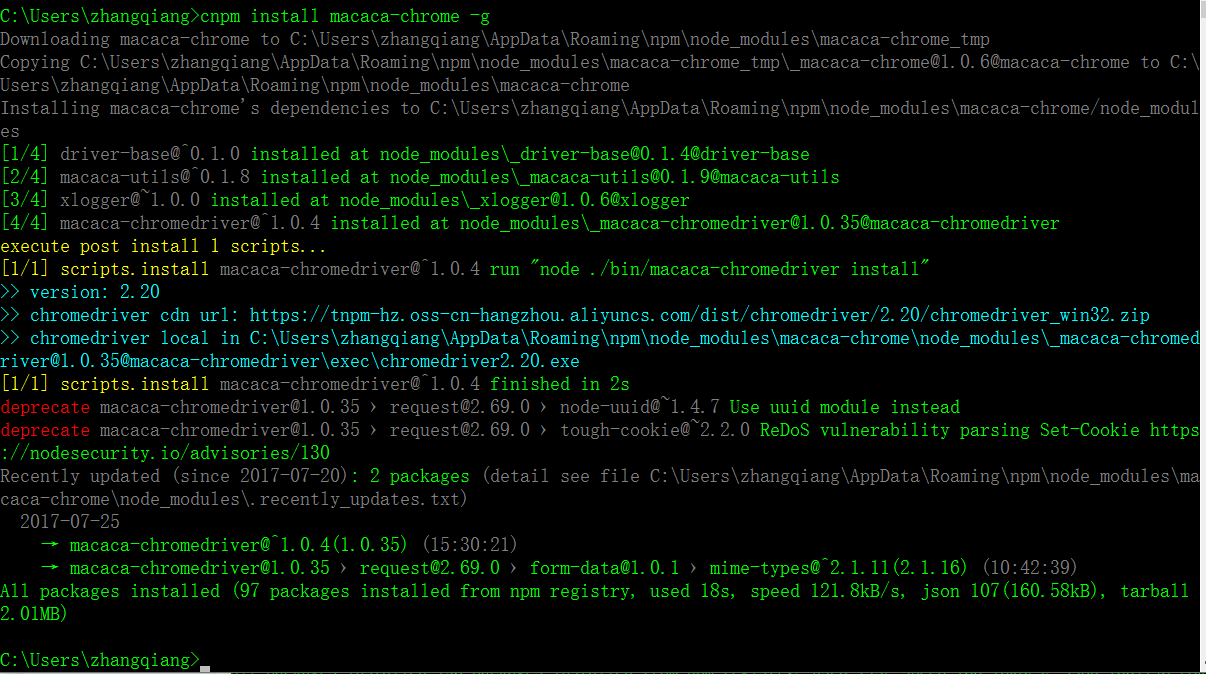
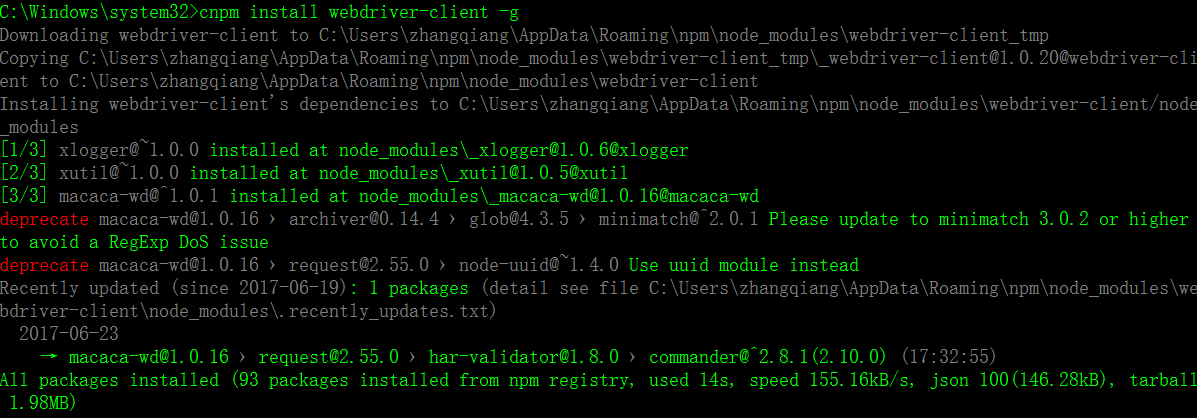
C:\Windows\system32>cnpm install macaca-electron -g

Downloading macaca-electron to C:\Users\zhangqiang\AppData\Roaming\npm\node_modules\macaca-electron_tmp

Copying C:\Users\zhangqiang\AppData\Roaming\npm\node_modules\macaca-electron_tmp\_macaca-electron@1.1.6@macaca-electron to C:\Users\zhangqiang\AppData\Roaming\npm\node_modules\macaca-electron

Installing macaca-electron's dependencies to C:\Users\zhangqiang\AppData\Roaming\npm\node_modules\macaca-electron/node_modules

[1/7] co@^4.6.0 installed at node_modules\_co@4.6.0@co

[2/7] webdriver-dfn-error-code@^1.0.3 installed at node_modules\_webdriver-dfn-error-code@1.0.4@webdriver-dfn-error-code

[3/7] driver-base@^0.1.0 installed at node_modules\_driver-base@0.1.4@driver-base

[4/7] xlogger@^1.0.0 installed at node_modules\_xlogger@1.0.6@xlogger

[5/7] selenium-atoms@~1.0.1 installed at node_modules\_selenium-atoms@1.0.2@selenium-atoms

[6/7] electron-prebuilt@^0.37.6 installed at node_modules\_electron-prebuilt@0.37.8@electron-prebuilt

[7/7] macaca-utils@~0.1.8 installed at node_modules\_macaca-utils@0.1.9@macaca-utils

execute post install 1 scripts...

[1/1] scripts.postinstall electron-prebuilt@^0.37.6 run "node install.js"

Downloading electron-v0.37.8-win32-x64.zip

[============================================>] 100.0% of 49.65 MB (4.84 MB/s)

[1/1] scripts.postinstall electron-prebuilt@^0.37.6 finished in 23s

Recently updated (since 2017-06-19): 3 packages (detail see file C:\Users\zhangqiang\AppData\Roaming\npm\node_modules\macaca-electron\node_modules\.recently_updates.txt)

  2017-06-23

    → electron-prebuilt@0.37.8 › extract-zip@1.6.5 › concat-stream@1.6.0 › readable-stream@2.3.2 › string_decoder@~1.0.0(1.0.3) (02:36:15)

  2017-06-22

    → electron-prebuilt@0.37.8 › extract-zip@1.6.5 › concat-stream@1.6.0 › readable-stream@^2.2.2(2.3.2) (21:48:21)

    → electron-prebuilt@0.37.8 › extract-zip@1.6.5 › concat-stream@1.6.0 › readable-stream@2.3.2 › safe-buffer@~5.1.0(5.1.1) (04:19:28)

All packages installed (166 packages installed from npm registry, used 37s, speed 81.41kB/s, json 183(271.17kB), tarball 2.66MB)[3/7] driver-base@^0.1.0 installed at node_modules\_driver-base@0.1.4
x
C:\Windows\system32>cnpm install macaca-electron -g
Downloading macaca-electron to C:\Users\zhangqiang\AppData\Roaming\npm\node_modules\macaca-electron_tmp
Copying C:\Users\zhangqiang\AppData\Roaming\npm\node_modules\macaca-electron_tmp\_macaca-electron@1.1.6@macaca-electron to C:\Users\zhangqiang\AppData\Roaming\npm\node_modules\macaca-electron
Installing macaca-electron's dependencies to C:\Users\zhangqiang\AppData\Roaming\npm\node_modules\macaca-electron/node_modules
[1/7] co@^4.6.0 installed at node_modules\_co@4.6.0@co
[2/7] webdriver-dfn-error-code@^1.0.3 installed at node_modules\_webdriver-dfn-error-code@1.0.4@webdriver-dfn-error-code
[3/7] driver-base@^0.1.0 installed at node_modules\_driver-base@0.1.4@driver-base
[4/7] xlogger@^1.0.0 installed at node_modules\_xlogger@1.0.6@xlogger
[5/7] selenium-atoms@~1.0.1 installed at node_modules\_selenium-atoms@1.0.2@selenium-atoms
[6/7] electron-prebuilt@^0.37.6 installed at node_modules\_electron-prebuilt@0.37.8@electron-prebuilt
[7/7] macaca-utils@~0.1.8 installed at node_modules\_macaca-utils@0.1.9@macaca-utils
execute post install 1 scripts...
[1/1] scripts.postinstall electron-prebuilt@^0.37.6 run "node install.js"
Downloading electron-v0.37.8-win32-x64.zip
[============================================>] 100.0% of 49.65 MB (4.84 MB/s)
[1/1] scripts.postinstall electron-prebuilt@^0.37.6 finished in 23s
Recently updated (since 2017-06-19): 3 packages (detail see file C:\Users\zhangqiang\AppData\Roaming\npm\node_modules\macaca-electron\node_modules\.recently_updates.txt)
2017-06-23
→ electron-prebuilt@0.37.8 › extract-zip@1.6.5 › concat-stream@1.6.0 › readable-stream@2.3.2 › string_decoder@~1.0.0(1.0.3) (02:36:15)
2017-06-22
→ electron-prebuilt@0.37.8 › extract-zip@1.6.5 › concat-stream@1.6.0 › readable-stream@^2.2.2(2.3.2) (21:48:21)
→ electron-prebuilt@0.37.8 › extract-zip@1.6.5 › concat-stream@1.6.0 › readable-stream@2.3.2 › safe-buffer@~5.1.0(5.1.1) (04:19:28)
All packages installed (166 packages installed from npm registry, used 37s, speed 81.41kB/s, json 183(271.17kB), tarball 2.66MB)


运行
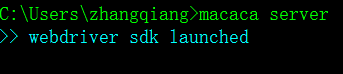
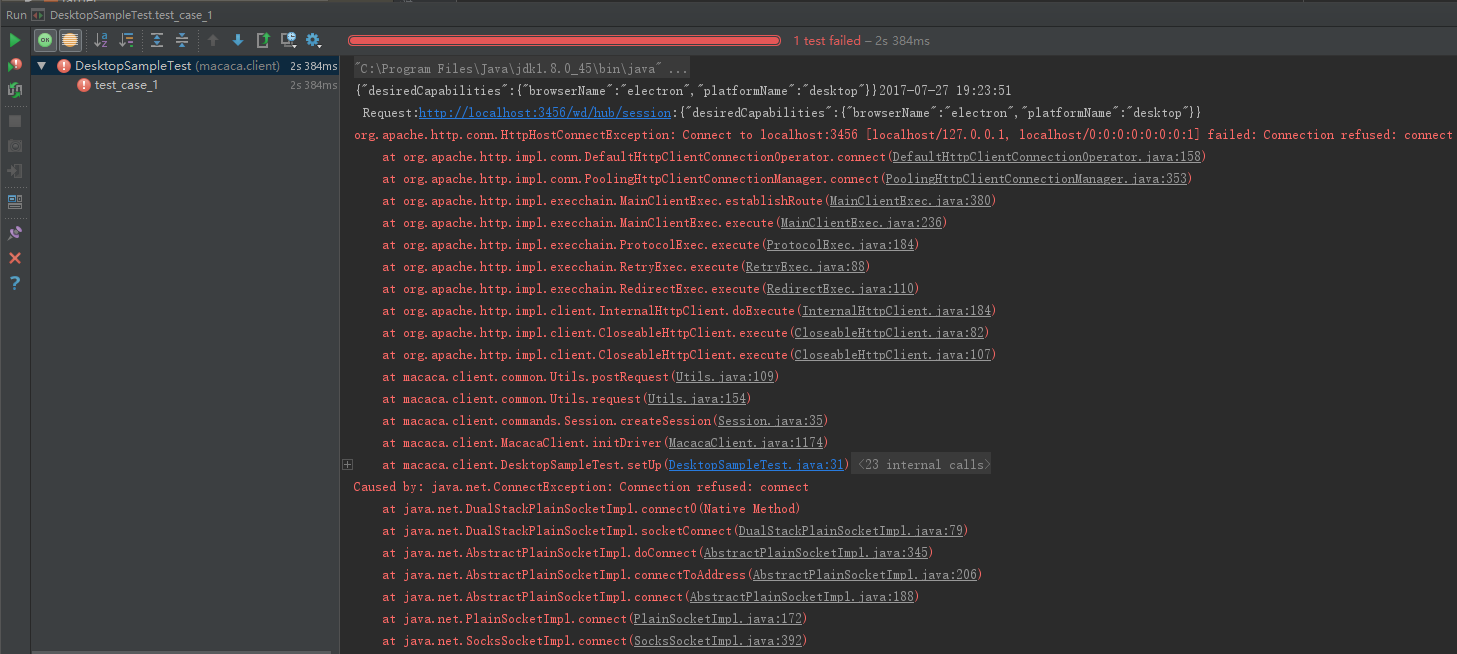
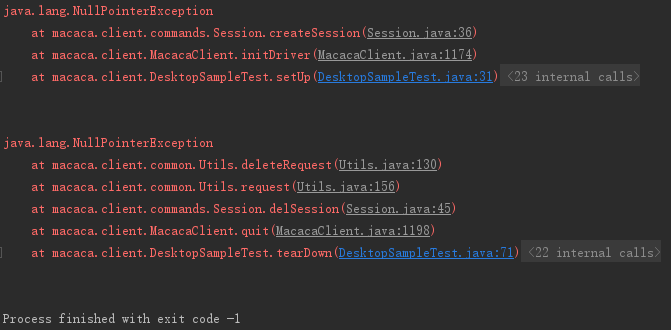
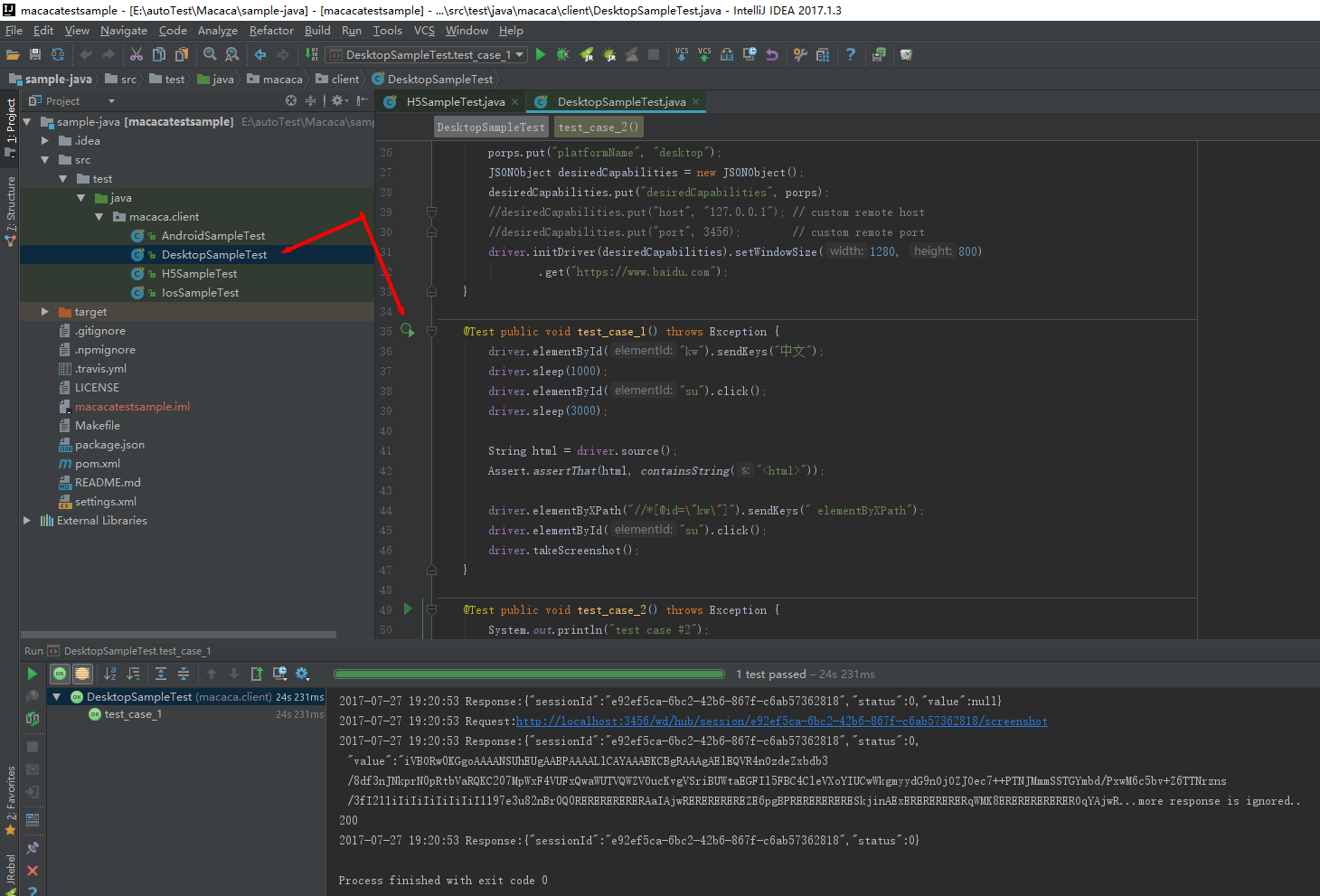
到入到IDEA

问题

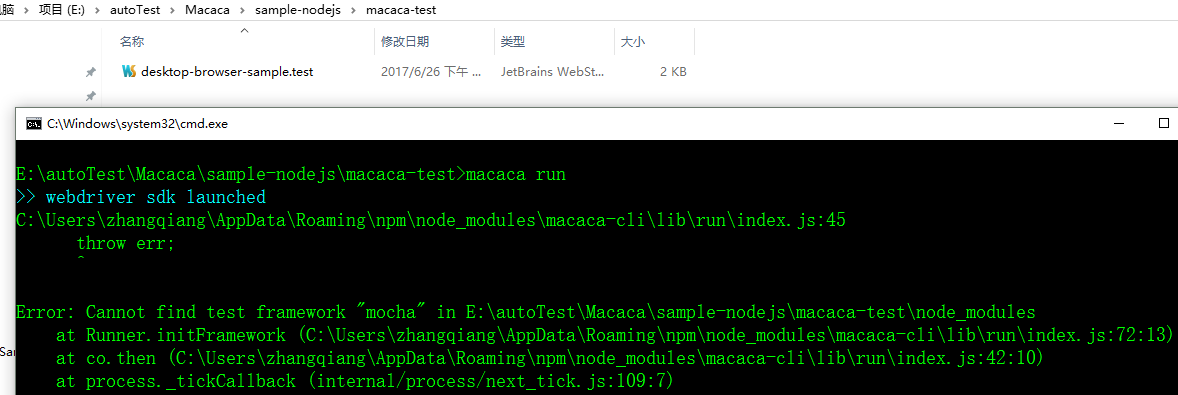
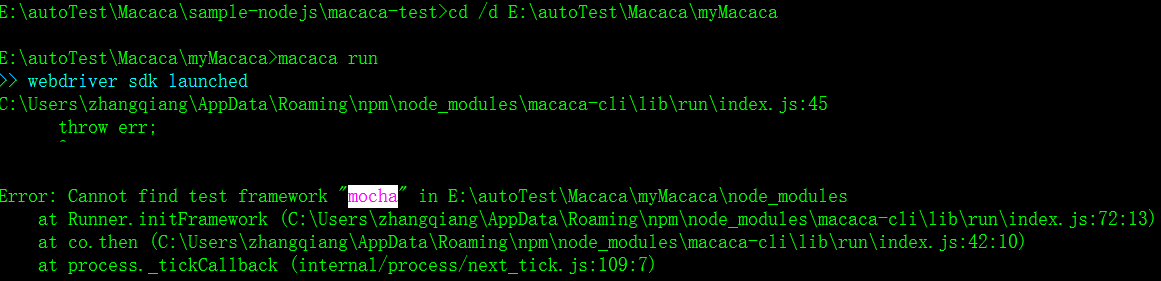
找不到 macha 框架
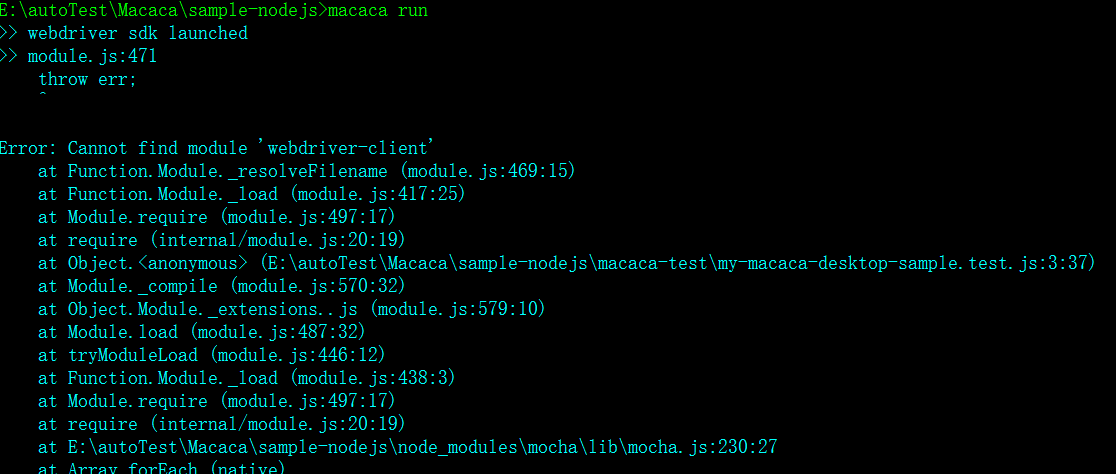
在项目路径里找不到 webdriver-client
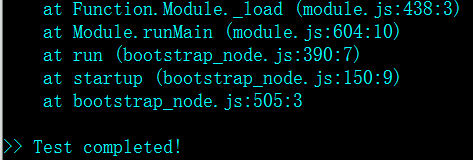

macaca run 怎么指定运行哪个测试 js 文件

Error: >> session.js:40:14 [master] pid:19012 Error: Cannot find module 'macaca-android'

    at Function.Module._resolveFilename (module.js:536:15)

at Function.Module._load (module.js:466:25)x
Error: >> session.js:40:14 [master] pid:19012 Error: Cannot find module 'macaca-android'
at Function.Module._resolveFilename (module.js:536:15)
at Function.Module._load (module.js:466:25)
Macaca 等待机制的更多相关文章
- WebDriver元素等待机制
能否构建健壮和可靠的测试是UI自动化测试能否成功的关键因素之一.但实际情况是当一个测试接着一个测试执行的时候,常会遇到各种不同的状况.比如脚本去定位元素或去验证程序的运行状态时,有时会发现找不到元素, ...
- Python+Selenium笔记(十):元素等待机制
(一) 前言 突然的资源受限或网络延迟,可能导致找不到目标元素,这时测试报告会显示测试失败.这时需要一种延时机制,来使脚本的运行速度与程序的响应速度相匹配,WebDriver为这种情况提供了隐式等待 ...
- selenium等待机制
等待机制 因为你要查找的标签由于网速等原因迟迟没有加载出来,你就直接获取这个标签,很明显是报错,现有的简单粗暴的解决办法就是time.sleep(3),睡几秒,也就是设置线程等待,等这个标签加载出 ...
- selenium WebDriverWait类等待机制的实现
在自动化测试脚本的运行过程中,可以通过设置等待的方式来避免由于网络延迟或浏览器卡顿导致的偶然失败,常用的等待方式有三种: 很多人学习python,不知道从何学起.很多人学习python,掌握了基本语法 ...
- selenium等待机制学习笔记
转载至: https://blog.csdn.net/huilan_same/article/details/52544521 1. 强制等待 第一种也是最简单粗暴的一种办法就是强制等待sleep(x ...
- appnium显式等待机制
强制等待: sleep不推荐全局隐式等待 全局隐式等待: 在服务端等待 driver.manage().timeouts().implicitlyWait(10, TimeUnit.SECONDS); ...
- selenium(Java)WebDriverWait等待机制
//标题是不是“百度一下,你就知道” 18 new WebDriverWait(driver,5).until(ExpectedConditions.titleIs("百度一下,你就知道&q ...
- 再谈AbstractQueuedSynchronizer:共享模式与基于Condition的等待/通知机制实现
共享模式acquire实现流程 上文我们讲解了AbstractQueuedSynchronizer独占模式的acquire实现流程,本文趁热打铁继续看一下AbstractQueuedSynchroni ...
- 再谈AbstractQueuedSynchronizer2:共享模式与基于Condition的等待/通知机制实现
共享模式acquire实现流程 上文我们讲解了AbstractQueuedSynchronizer独占模式的acquire实现流程,本文趁热打铁继续看一下AbstractQueuedSynchroni ...
随机推荐
- Lua的文件IO操作
Lua 标准库 - 输入输出处理(input and output facilities) 转载于:http://blog.csdn.net/duanxuyun 文本Tag: Lua [IT168 技 ...
- 编写高质量代码改善C#程序的157个建议——建议119:不要使用自己的加密算法
建议119:不要使用自己的加密算法 很多人认为自己写的加密算法才是安全的,因为该算法只有“自己知道”.很遗憾,这是大错特错. 首先,我们不是秘密学专家,如果我们随随便便写个算法就称得上是加密算法的话, ...
- java 访问HTTPS rest服务
import java.io.*;import java.net.*;import java.security.cert.CertificateException;import java.securi ...
- Alpha冲刺(五)
Information: 队名:彳艮彳亍团队 组长博客:戳我进入 作业博客:班级博客本次作业的链接 Details: 组员1 柯奇豪 过去两天完成了哪些任务 基于ssm框架的前后端交互测试,结合微信小 ...
- Gym - 100989H (贪心)
After the data structures exam, students lined up in the cafeteria to have a drink and chat about ho ...
- Django集成TinyMCE(admin后台+前台)
Django版本1.11,操作系统windows 7,在pycharm的terminal中使用pip install django-tinymce下载tinymce(前提是装的python里有pip功 ...
- 工作中的Buff加成-结构化思考力:第一章:认识结构化思维及其作用
一:引言 为了更好的说明结构思考力,我们先来做几个小测试. PS:如果你能做到,请留言,因为我要和你交好友,因为你是人才啊,可以挖一挖,挖到我的公司中. 第一个测试:请在三秒内记住下列数字.数字顺序不 ...
- MongoDB基础知识记录
MongoDB基础知识记录 一.概念: 讲mongdb就必须提一下nosql,因为mongdb是nosql的代表作: NoSQL(Not Only SQL ),意即“不仅仅是SQL” ,指的是非关系型 ...
- NPOI CellStyle 设置
public class ExcelNPOIUnit { public static void SetCell(IWorkbook workbook, ISheet sheet, IRow row, ...
- 洛谷P5265 【模板】多项式反三角函数
题面 传送门 题解 我数学好像学得太差了 据说根据反三角函数求导公式 \[{d\over dx}\arcsin x={1\over \sqrt{1-x^2}}\] \[{d\over dx}\arct ...