
贝塞尔曲线 WPF MVVM N阶实现 公式详解+源代码下载
效果图:
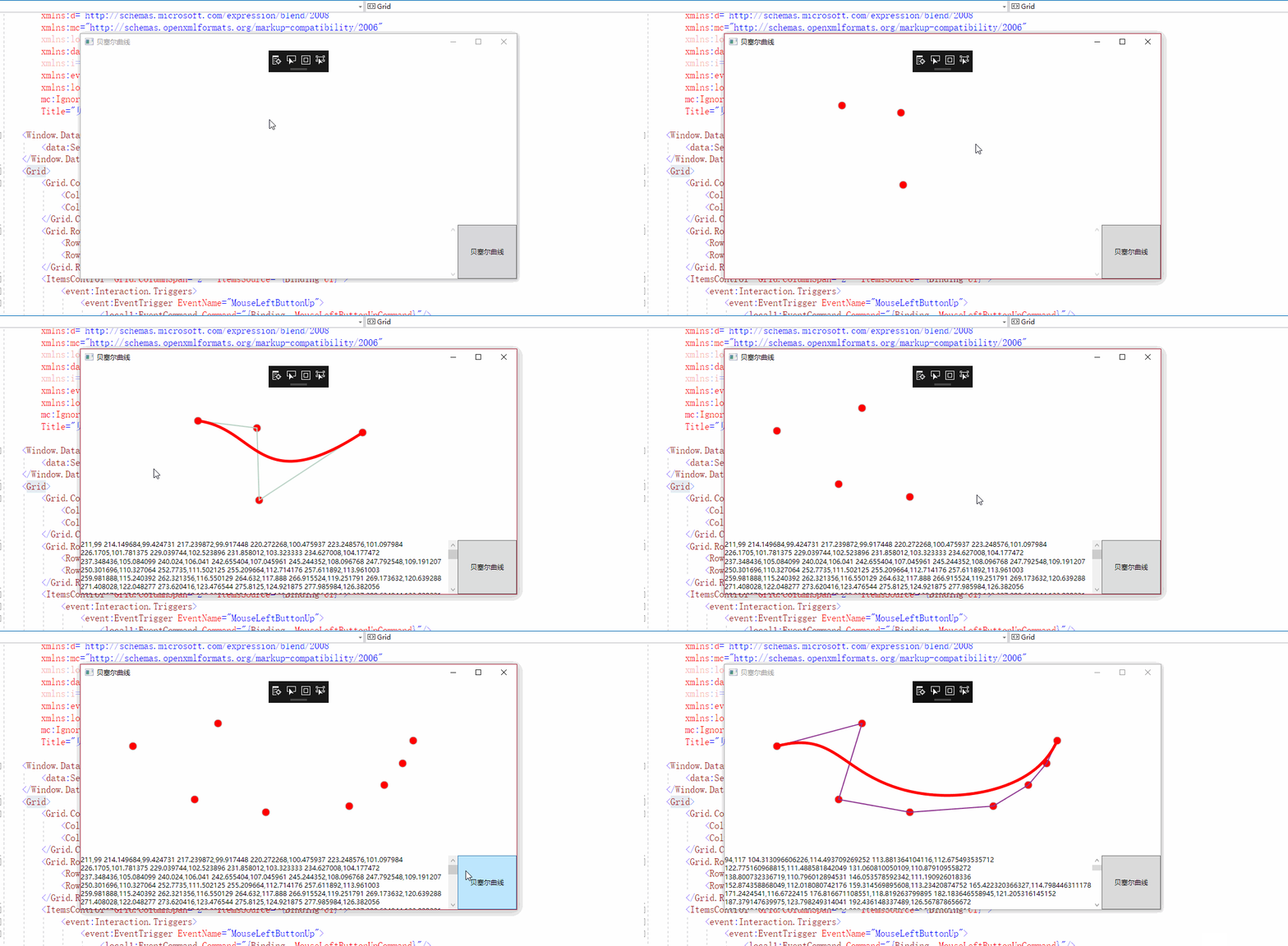
本程序主要实现:
- N阶贝塞尔曲线(通用公式)
本程序主要使用技术
- MVVM
- InterAction 事件绑定
- 动态添加Canvas的Item
第一部分公式:

- n=有效坐标点数量
- i=坐标点的下标
- P是坐标
- t是时间0~1之间
有效坐标点是坐标点的数量减1
计算坐标时分开计算,x,y时分别计算两边
至于括号内上n下i是组合数
计算方法是:
换成贝塞尔的公式中的组合数是:
剩下部分应该是很简单了。
因为是求和,所以先是代入公式最后相加即可
例子(摘自百度)
3阶

2阶

现在给出代码的部分
阶乘代码:
 private int Factorial(int n)

        {

            if (n == )

            {

                return ;

            }

            else

            {

                return n * Factorial(n - );

            }

        }
组合数公式代码:
private int GetCA(int r, int n) => Factorial(r) / (Factorial(n) * Factorial((r - n)));
贝塞尔
  /// <summary>

        /// 求单坐标贝塞尔公式

        /// </summary>

        /// <param name="Max">最大有效坐标点的数量</param>

        /// <param name="Index">需要计算的坐标点的下标</param>

        /// <param name="Time">时间0~1</param>

        /// <param name="P">单个坐标值(x或者y)</param>

        /// <returns></returns>

        private double GetPoints(int Max, int Index, double Time, double P)

        {

            var C = GetCA(Max, Index);

            var T1 = Math.Pow(Time, Index);

            var T2 = Math.Pow(( - Time), Max - Index);

            return (C * T1 * T2 * P);

        }
使用方式
  private void SetPoints(Polyline polyline)

        {

            polyline.Points.Clear();

            double ax = ;

            double ay = ;

            for (double t = 0.00; t < 1.01; t += 0.01)

            {

                for (int i = ; i < Points.Count; i++)

                {

                    ax += GetPoints(Points.Count - , i, t, Points[i].X);

                    ay += GetPoints(Points.Count - , i, t, Points[i].Y);

                }

                //此处的ax ay为t时,i下标的有效Points[i].X 坐标点 和Points[i].Y坐标点的Points.Count - 1阶贝塞尔曲线

                polyline.Points.Add(new Point(ax, ay));

                ax = ;

                ay = ;

            }

            SetText(polyline.Points);

        }
第二部分 MVVM的事件绑定
MVVM事件绑定需要使用
System.Windwos.Interactiivity.dll
一般来说使用NuGet搜索Expression.Blend.Sdk.WPF就可以了
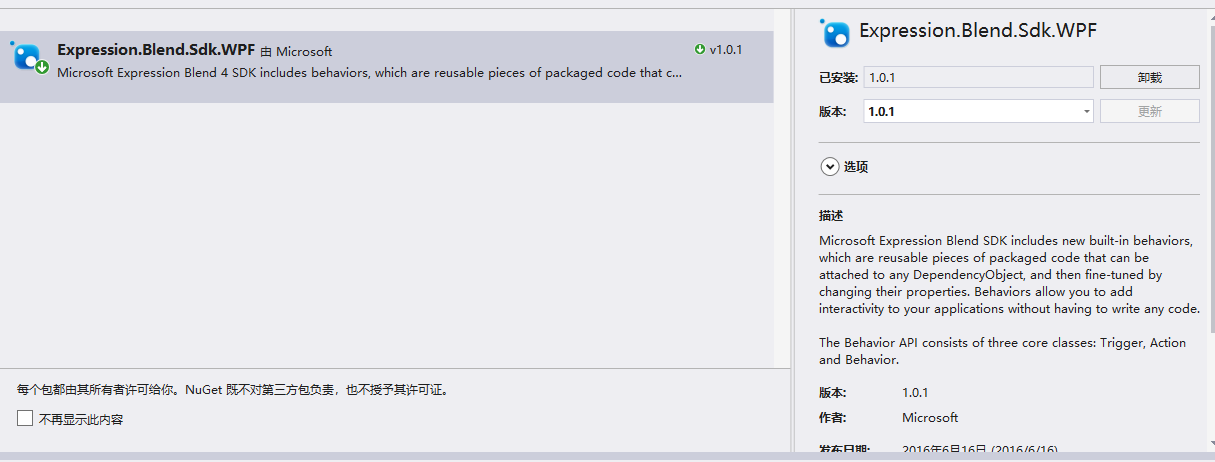
使用方式为
先创建实现 TriggerAction<DependencyObject>接口类
 public class EventCommand : TriggerAction<DependencyObject>

    {

        public static readonly DependencyProperty CommandProperty =

       DependencyProperty.Register("Command", typeof(ICommand), typeof(EventCommand),

      null);

        public static readonly DependencyProperty CommandParameterProperty =

         DependencyProperty.Register("CommandParameter", typeof(object), typeof(EventCommand),

        null);

        public ICommand Command

        {

            get { return (ICommand)GetValue(CommandProperty); }

            set { SetValue(CommandProperty, value); }

        }

        public object CommandParameter

        {

            get { return GetValue(CommandParameterProperty); }

            set { SetValue(CommandParameterProperty, value); }

        }

        protected override void Invoke(object parameter)

        {

            if (this.AssociatedObject != null)

            {

                ICommand command = this.Command;

                if (command != null)

                {

                    if (this.CommandParameter != null)

                    {

                        if (command.CanExecute(this.CommandParameter))

                        {

                            command.Execute(this.CommandParameter);

                        }

                    }

                    else

                    {

                        if (command.CanExecute(parameter))

                        {

                            command.Execute(new Tuple<object, object>(this.AssociatedObject, parameter));

                        }

                    }

                }

            }

        }

    }
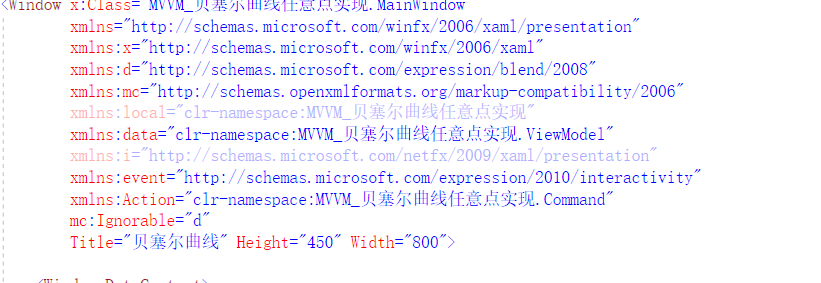
其次是在XAML页面添加引用
分别为
  <!--此处时引用interactivity的dll-->

 xmlns:event="http://schemas.microsoft.com/expression/2010/interactivity"

  <!--此处时引用刚才实现的接口类-->

xmlns:Action="clr-namespace:MVVM_贝塞尔曲线任意点实现.Command"
使用方式:
 <ItemsControl  Grid.ColumnSpan="2"  ItemsSource="{Binding UI}">

            <event:Interaction.Triggers>

                <!--此处EventName为事件标准名称-->

                <event:EventTrigger EventName="MouseLeftButtonUp">

                    <Action:EventCommand Command="{Binding  MouseLeftButtonUpCommand}"/>

                </event:EventTrigger>

            </event:Interaction.Triggers>

            <ItemsControl.ItemsPanel>

                <ItemsPanelTemplate>

                    <Canvas  Background="Transparent"/>

                </ItemsPanelTemplate>

            </ItemsControl.ItemsPanel>

            <ItemsControl.ItemContainerStyle>

                <Style>

                    <Setter Property="Canvas.Left" Value="{Binding X}"/>

                    <Setter Property="Canvas.Top"  Value="{Binding Y}"/>

                </Style>

            </ItemsControl.ItemContainerStyle>

            <ItemsControl.ItemTemplate>

                <DataTemplate>

                    <ContentControl Content="{Binding UI}"/>

                </DataTemplate>

            </ItemsControl.ItemTemplate>

        </ItemsControl>
VIewMolde部分则是正常使用即可
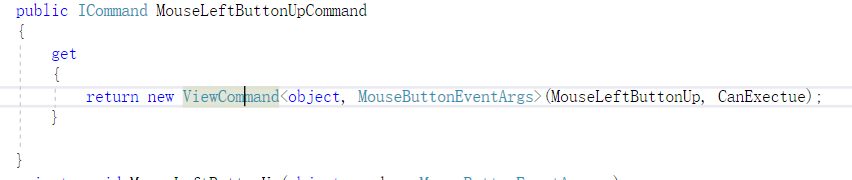
剩余部分
可以看看源代码
贝塞尔曲线 WPF MVVM N阶实现 公式详解+源代码下载的更多相关文章
- 热门前沿知识相关面试问题-MVC/MVP/MVVM架构设计模式面试问题详解
MVC[最常用]: MVC的定义:M:业务逻辑处理.[业务MODEL]V:处理数据显示的部分.[如xml布局文件]C:Activity处理用户交互的问题.[也就是Activity在MVC中扮演着C的角 ...
- N阶台阶问题(详解)
原创 问题描述: 有N阶台阶,每一步可以走1步台阶或者2步台阶,求出走到第N阶台阶的方法数. 解题思路: 类似于建立树的过程 1 2 1 2 1 2 1 2 1 2 ...
- WPF中的DependencyProperty存储方式详解
前言 接触WPF有一段时间了,之前虽然也经常使用,但是对于DependencyProperty一直处于一知半解的状态.今天花了整整一下午将这个概念梳理了一下,自觉对这个概念有了较为清晰的认识,之前很多 ...
- WPF读书笔记 x名称空间详解(第二天)
每天看一点,每天进步一点. x名称空间映射的是http://schemas.microsoft.com/winfx/2006/xaml,它包含的类均与解析XAML语言关,亦可称为"XAML名 ...
- [No000013F]WPF学习之X名称空间详解
X名称空间里面的成员(如X:Name,X:Class)都是写给XAML编译器看的.用来引导XAML代码将XAML代码编译为CLR代码. 4.1X名称空间里面到底都有些什么? x名称空间映射的是:htt ...
- WPF学习之X名称空间详解
X名称空间里面的成员(如X:Name,X:Class)都是写给XAML编译器看的.用来引导XAML代码将XAML代码编译为CLR代码. 4.1X名称空间里面到底都有些什么? x名称空间映射的是:htt ...
- WPF自定义选择年月控件详解
本文实例为大家分享了WPF自定义选择年月控件的具体代码,供大家参考,具体内容如下 封装了一个选择年月的控件,XAML代码: 1 2 3 4 5 6 7 8 9 10 11 12 13 14 15 16 ...
- Lucene TFIDFSimilarity评分公式详解
版权声明:本文为博主原创文章,遵循CC 4.0 by-sa版权协议,转载请附上原文出处链接和本声明. 本文链接:https://blog.csdn.net/zteny/article/details/ ...
- React 高阶组价详解
这个教程还是不错的...
随机推荐
- Python与Go选择排序
#!/usr/bin/env python # -*- coding: utf-8 -*- # 选择排序 # 时间复杂度O(n^2) def selection_sort(array): length ...
- A* 算法求第k短路径
A*算法是一类贪心算法,其可以用于寻找最优路径.我们可以利用A*算法来求第k短路径. 一条路径可以由两部分组成,第一部分是一个从出发到达任意点的任意路径,而第二部分是从第一部分的末端出发,到终点的最短 ...
- Java-集合条件筛选
import java.lang.reflect.Field; import java.lang.reflect.Modifier; import java.util.ArrayList; impor ...
- 读取mysq数据库l数据,并使用dataview显示
来自<sencha touch权威指南>,约198页开始 通过php脚本,可以将mysql数据库的数据作为json数据格式进行读取. (1)php代码(bookinfo.php): < ...
- ubuntu如何安装samba
1.samba安装sudo apt-get install samba2.修改smb.confsudo gedit /etc/samba/smb.conf 文件最后增加如下代码:[share] pat ...
- 1、概率vs统计
- requests对象
属性 0.HttpRequest.scheme 表示请求方案的字符串(通常为http或https) 1.HttpRequest.body 一个字符串,代表请求报文的主体.在处理非 HTTP 形式的报文 ...
- SpringMVC 2.5.6 +Hibernate 3.2.0
spring MVC配置详解 现在主流的Web MVC框架除了Struts这个主力 外,其次就是Spring MVC了,因此这也是作为一名程序员需要掌握的主流框架,框架选择多了,应对多变的需求和业务时 ...
- 线段树 - 3264 Balanced Lineup
大略的的看了线段树的定义然后就开始练手, 可能很多地方可以优化, 仅供参考. 徘徊在AC的边缘, 提交代码要把cout/cin 缓存 printf/scanf 刚好能过. #include <i ...
- 手把手教你看KEGG通路图!
手把手教你看KEGG通路图! 亲爱的小伙伴们,是不是正关注代谢通路研究?或者你正面对数据,绞尽脑汁?小编当然不能让亲们这么辛苦,今天就跟大家分享KEGG代谢通路图的正确解读方法,还在迷糊中的小伙伴赶紧 ...