
html5网页动画总结--jQuery旋转插件jqueryrotate
CSS3 提供了多种变形效果,比如矩阵变形、位移、缩放、旋转和倾斜等等,让页面更加生动活泼有趣,不再一动不动。然后 IE10 以下版本的浏览器不支持 CSS3 变形,虽然 IE 有私有属性滤镜(filter),但不全面,而且效果和性能都不好。
今天介绍一款 jQuery 插件——jqueryrotate,它可以实现旋转效果。jqueryrotate 支持所有主流浏览器,包括 IE6。如果你想在低版本的 IE 中实现旋转效果,那么 jqueryrotate 是一个很好的选择。
兼容性
jqueryrotate 支持所有主流浏览器,包括 IE6。jqueryrotate 在高级浏览器中使用 CSS3 transform 属性实现,在低版本 IE 中使用 VML 实现。当然,你可以使用 IE 条件注释,低版本 IE 使用 jqueryrotate,高级浏览器则直接使用 CSS3。
参数
| 参数 | 类型 | 说明 | 默认值 |
|---|---|---|---|
| angle | 数字 | 旋转一个角度 | 0 |
| animateTo | 数字 | 从当前的角度旋转到多少度 | 0 |
| step | 函数 | 每个动画步骤中执行的回调函数,当前角度值作为该函数的第一个参数 | 无 |
| easing | 函数 | 自定义旋转速度、旋转效果,需要使用 jQuery.easing.js | 无 |
| callback | 函数 | 旋转完成后的回调函数 | 无 |
| getRotateAngle | 函数 | 返回旋转对象当前的角度 | 无 |
| stopRotate | 函数 | 停止旋转 | 无 |
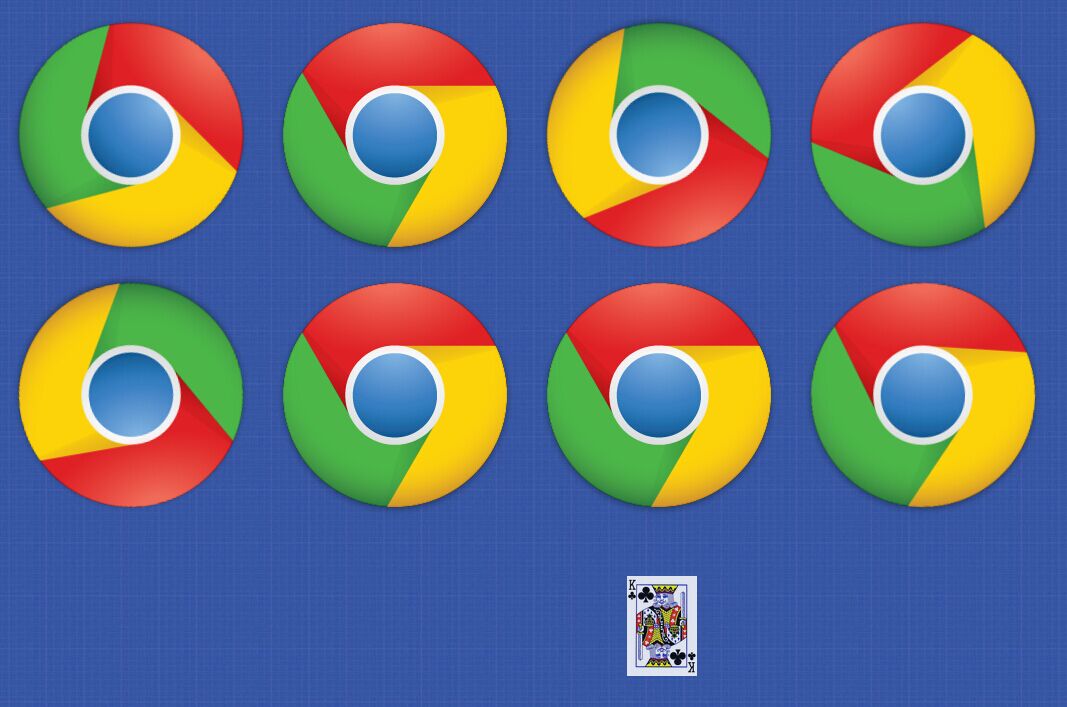
演示虽然使用的是图片,但 jqueryrotate 并不只是能运用在图片上,其他元素如 div 等也可以使用。同时,你可以发挥想象,制作出更多关于旋转的特效。
代码
<!doctype html>

<html>

<head>

<meta charset="utf-8">

<title>jQuery旋转插件jqueryrotate</title>

<style>

/*

 *  ease-in-out 规定以慢速开始和结束的过渡效果

 */

img{

-moz-transition: all 0.2s ease-in-out;

-webkit-transition: all 0.2s ease-in-out;

-o-transition: all 0.2s ease-in-out;

-ms-transition: all 0.2s ease-in-out;

transition: all 0.2s ease-in-out;

}

img:hover{

-moz-transform: rotate(70deg);

-webkit-transform: rotate(70deg);

-o-transform: rotate(70deg);

-ms-transform: rotate(70deg);

transform: rotate(70deg);

}

body{background: url(images/bg.jpg) repeat center center;}

.test {

    width: 500px;

    height: 300px;

    margin: 30px auto;

    position: relative;

} .test img {

    position: absolute;

    top: 40%;

    left: 0%;

    margin-left: -70px;

    margin-top: -100px;

} .test img:nth-child(1){

    z-index: 1;

    opacity: .6;

} .test img:nth-child(2){

    z-index: 2;

    transform: rotate(45deg);

}

</style>

<script type="text/javascript" src="js/jquery.min.js"></script>

<script type="text/javascript" src="js/jquery.rotate.min.js"></script>

<script type="text/javascript">

$(document).ready(function(){

//旋转45度

$('#img1').rotate({angle:45});

//鼠标滑过旋转180,离开回0度

$("#img2").rotate({

   bind:

     {

        mouseover : function() {

            $(this).rotate({animateTo:180});

        },

        mouseout : function() {

            $(this).rotate({animateTo:0});

        }

     }

});

//慢速旋转

var angle = 0;

setInterval(function(){

      angle+=3;

     $("#img3").rotate(angle);

},50);

//快速旋转一周,callback回调有时间间隔

var rotation = function (){

   $("#img4").rotate({

      angle:0,

      animateTo:360,

      callback: rotation

   });

}

rotation();

//这个没搞明白怎么用

var rotation2 = function (){

   $("#img5").rotate({

      angle:0,

      animateTo:360,

      callback: rotation2,

      easing: function (x,t,b,c,d){        // t: current time, b: begInnIng value, c: change In value, d: duration

          return c*(t/d)+b;

      }

   });

}

rotation2();

//点击后旋转180度

$("#img6").rotate({

   bind:

     {

        click: function(){

            $(this).rotate({ angle:0,animateTo:180,easing: $.easing.easeInOutExpo })

        }

     }

});

//每次点击在原基础上旋转90度

var value2 = 0

$("#img7").rotate({

   bind:

     {

        click: function(){

            value2 +=90;

            $(this).rotate({ animateTo:value2})

        }

     }

});

//跷跷板动画

var nnn = 0;

setInterval(function(){

    nnn++;

    if(nnn>=20){

        $("#img8").rotate(45);

    }

    if(nnn>=50){

        $("#img8").rotate(0);

        nnn=0;

    }

},50);

});

</script>

</head>

<body>

<img id="img1" src="data:images/chrome.png" width="256" height="256"/>

<img id="img2" src="data:images/chrome.png" width="256" height="256" />

<img id="img3" src="data:images/chrome.png" width="256" height="256"/>

<img id="img4" src="data:images/chrome.png" width="256" height="256"/>

<br>

<img id="img5" src="data:images/chrome.png" width="256" height="256"/>

<img id="img6" src="data:images/chrome.png" width="256" height="256"/>

<img id="img7" src="data:images/chrome.png" width="256" height="256"/>

<img id="img8" src="data:images/chrome.png" width="256" height="256"/>

<br>鼠标滑过后旋转,离开后恢复原位:

<div class="test">

<img src="data:images/cardKingClub.png" alt="" width="70" height="100" />

<a herf="#"><img src="data:images/cardKingClub.png" alt="" width="70" height="100" /></a>

</div>

<div style="text-align:center;margin:50px 0; font:normal 14px/24px 'MicroSoft YaHei';">

    html5网页动画总结--jQuery旋转插件jqueryrotate

</div>

</body>

</html>
html5网页动画总结--jQuery旋转插件jqueryrotate的更多相关文章
- jQuery旋转插件jqueryrotate 图片旋转
"jquery.rotate.min.js"是jQuery旋转rotate插件,支持Internet Explorer 6.0+ .Firefox 2.0 .Safari 3 .O ...
- jQuery旋转插件—rotate-摘自网友
jQuery旋转插件—rotate 时间:2013年01月03日作者:愚人码头查看次数:5,660 views评论次数:6条评论 网上发现一个很有意思的jQuery旋转插件,支持Internet Ex ...
- jQuery旋转插件
jQuery旋转插件,支持Internet Explorer 6.0 + .Firefox 2.0.Safari 3.Opera 9.Google Chrome,高级浏览器下使用Transform,低 ...
- jQuery抽奖插件 jQueryRotate
实现代码 网页中引用 <script type="text/javascript" src="js/jquery.min.js"></scri ...
- jQuery旋转插件—rotate
jQuery旋转插件,支持Internet Explorer 6.0+ .Firefox 2.0 .Safari 3 .Opera 9 .Google Chrome rotate(angle) 正值表 ...
- 基于HTML5 audio元素播放声音jQuery小插件
by zhangxinxu from http://www.zhangxinxu.com本文地址:http://www.zhangxinxu.com/wordpress/?p=1609 一.前面的些唠 ...
- The jQuery HTML5 Audio / Video Library (jQuery jPlayer插件给你的站点增加视频和音频功能)
http://jplayer.org/ The jQuery HTML5 Audio / Video Library jPlayer is the completely free and open s ...
- jQuery旋转插件jquery.rotate.js 让图片旋转
演示1 直接旋转一个角度 $('#img1').rotate(45); 演示2 鼠标移动效果 $('#img2').rotate({ bind : { mouseover : function(){ ...
- jquery旋转插件rotate参数说明
具体可见:http://www.jianshu.com/p/b632a1ed6a57
随机推荐
- Yii中设置时间分区
在wamp环境下,运行一个Php yii的项目 出现问题: Use of undefined constant PRC - assumed 'PRC' 检测我的环境 PHP5.3 检测Php.ini中 ...
- 理解 Soap
http://www.cnblogs.com/yhuang/archive/2012/04/04/share_storm.html 自己也写了下: using System; using System ...
- Bug Tracker 使用笔记(有图有真相)
目的:管理Bug,完善业务流程. 前提条件:BugTracker是基于IIS和SQL Server和Asp.Net的.相当于一个Web端的管理系统. 1.下载地址 http://sourceforge ...
- 深入探索AngularJS(持续更新)
数据双向绑定并不是Angular最出彩的地方.大部分对AngularJs的介绍都偏重于使用,使用的学习只是学了AngularJs的API,而那只能AngularJs的很小一部分.随着使用越来越深,系统 ...
- Hadoop Capacity Scheduler源码实现剖析
作者: 大圆那些事 | 文章可以转载,请以超链接形式标明文章原始出处和作者信息 网址: http://www.cnblogs.com/panfeng412/archive/2013/09/13/had ...
- paip.不同目录结构哈的文件批量比较
paip.不同目录结构哈的文件批量比较 作者Attilax 艾龙, EMAIL:1466519819@qq.com 来源:attilax的专栏 地址:http://blog.csdn.net/att ...
- Leetcode 190 Reverse Bits 位运算
反转二进制 class Solution { public: uint32_t reverseBits(uint32_t n) { uint32_t ans = ; ; i<; ++i,n &g ...
- android 多布局
做为最后的方法,也是最后一个才会考虑的方法,那就是为不同的尺寸界面单独写布局.不到万不得已不要用这个方法,相信不少人和我一样都被逼着用过这个方法吧.需要说明的是,横竖屏切换使用不同布局也是用这个方法解 ...
- 运行(WIN+R)中能使用的命令:ms-settings:,shell:,cpl,mmc...
ms-settings: --- DESC --- --- CMD --- Battery Saver ms-settings:batterysaver Battery Saver Settings ...
- Clojure上手
Clojure,这是什么鬼?一门基于JVM(现在也有基于.NET CLR的了:Clojure CLR) 的函数式编程语言.在JVM平台运行的时候,会被编译为JVM的字节码进行运算..为什么要学它?其设 ...