
h5完美实现无刷新上传并附带上传效果
附带上传源码如下:
 <!DOCTYPE html>

 <html>

 <head>

   <title>测试上传功能</title>

   <meta charset='utf-8'/>

   <style type="text/css">

         .vue-file-control{

             height:28px;

             width:500px;

             margin:100px;

         }

        .inputFileUpload

         {

             display: block;

             position: relative;

             width: 120px;

             padding:8px 12px;

             overflow: hidden;

             border: 1px solid #EBEBEB;

             background: none repeat scroll 0 0 #F3F3F3;

             color: #999999;

             cursor: pointer;

             text-align: center;

             float: left;

             margin-right:5px;

             border-radius:3px;

         }

         #textFileName

         {

             cursor: pointer;

             display: block;

             height:31px;

             width:200px;

             text-align: center;

             overflow:hidden;

             border:1px solid #f1f1f1;

             display:inline-block;

             border-radius:3px;

         }

         .btnUpload{

            display: inline-block;

            padding:8px 10px;

            background: #7CBAE9;

            color:white;

            margin-left:10px;

            position:absolute;

            cursor: pointer;

            border-radius:3px;

         }

         .filePreview

         {

             cursor: pointer;

             position: absolute;

             top: 0;

             left:0;

             width: 150px;

             height: 30px;

             font-size: 150px; /* 增大不同浏览器的可点击区域 */

             opacity: 0; /* 实现的关键点 */

             filter: alpha(opacity=0); /* 兼容IE */

         }

         .progressBarContainer{

            position:relative;

            margin-top:10px;

            height:8px;

            background:#f6f6f6;

            border-radius:3px;

            width:100%;

         }

         .progressBarContainer>#loadingBar{

            position:absolute;

            height:8px;

            background:#09bb07;

            border-radius:3px;

         }

         .progressBarContainer>#percentBar{

            position:absolute;

            margin-top:22px;

         }

         #linkPreviewPDF{

            margin-left: 80px;

            margin-top: 15px;

            display: none;

         }

   </style>

   <script src='./jquery.js'></script>

 </head>

 <body>

   <div class='vue-file-control'>

     <div class="inputFileUpload">

       <span>选择上传的文件</span>

       <input title="支持pdf文件上传,文件小于5M" class="filePreview" type="file" accept='application/pdf' onchange="document.getElementById('textFileName').value=this.value" single></div>

     <input type='text' id="textFileName" />

     <span class='btnUpload' >点击上传</span>

     <div class='progressBarContainer'>

       <div id='loadingBar'></div>

       <div id="percentBar"></div>

     </div>

     <div  id='linkPreviewPDF'>

       <a href="#" >点击预览</a>

     </div>

   </div>

   <script type="text/javascript">

       $(".btnUpload").on("click",function(){

           var file = $('input[type=file]')[0].files[0];

           var form = new FormData();

           form.append("file_type", "pdf");

           form.append("subpath", "//sub//test");

           form.append("upload_userid", "1");

           form.append("file_original_name", file.name);

           form.append("file", file);

           $.ajax({

               url: 'http://192.168.217.12/files/api/uploadfile',

               type: 'POST',

               data: form,

               processData: false,

               contentType: false,

               xhr: function() {

                   var xhr = $.ajaxSettings.xhr();

                   if (xhr.upload) {

                      //上传进度操作

                       xhr.upload.addEventListener('progress', function(e) {

                           var percentCount = ((e.loaded/e.total)*100).toFixed(0);

                           $('#loadingBar').css({"width":percentCount+"%"});

                           if(percentCount==100){

                              $("#percentBar").html("已完成");

                           }else{

                              $("#percentBar").html(percentCount+"%");

                           }

                       }, false);

                   }

                   return xhr;

               }

           }).done(function(res){

               console.log("上传成功");

               $("div#linkPreviewPDF").find("a").attr("href","http://192.168.217.12"+res.returnObj.url).end().show();

           }).fail(function(err){

               console.log("上传失败");

           });

       })

   </script>

 </body>

 </html>
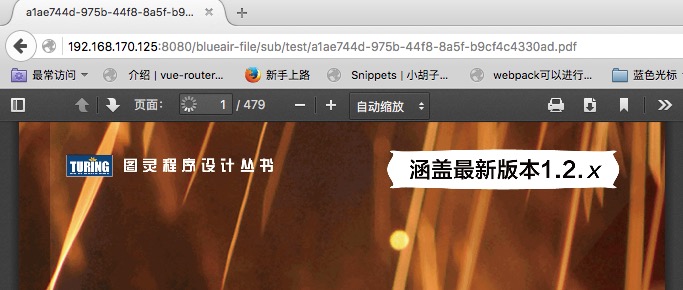
[图1]: 上传中。。。。。

[图2]:上传完成

[图3]:上传预览
h5完美实现无刷新上传并附带上传效果的更多相关文章
- 基于h5的图片无刷新上传(uploadifive)
基于h5的图片无刷新上传(uploadifive) uploadifive简介 了解uploadify之前,首先了解来一下什么是uploadify,uploadfy官网,uploadify和uploa ...
- PushState+Ajax 完美实现无刷新
转载自:http://lazynight.me/1897.html 折腾一下PJAX,利用HTML5的新API,实现历史记录的完美导入. 不知道你用没用过Github,里边的目录跳转就是用html5的 ...
- TP3.2:实现Ajax无刷新上传图片
1.基于TP3.2+ajaxfileupload进行无刷新上传图片,本次只上传一张,多张以后搞出来再发 2.效果: 3.html代码: <html> <head> < ...
- Ajax下载文件(页面无刷新)
说明:Ajax是无法实现文件传输的,本文只是模拟了Ajax不刷新页面就可以请求并返回数据的效果.实质上还是通过提交form表单来返回文件流的输出. 分步实现逻辑: ajax请求服务器,访问数据库,根据 ...
- MVC三级联动无刷新
本篇实现有关客户.订单和产品的无刷新三级联动,先看最终效果: 没有选择时,后2个Select状态为禁用: 当选择第1个Select,第2个Select可供选择,第3个Select依旧禁用: 当选择第2 ...
- jQuery无刷新上传之uploadify简单试用
先简单的侃两句:貌似已经有两个月的时间没有写过文章了,不过仍会像以前那样每天至少有一至两个小时是泡在园子里看各位大神的文章.前些天在研究“ajax无刷新上传”方面的一些插件,用SWFUpload实现了 ...
- PHP Ajax JavaScript 实现 无刷新附件上传
普通表单 前端页面 后台处理 带有文件的表单 刷新方式 前端界面 后台页面 无刷新方式 大文件上传 POST极值 upload极值 上传细节 前端页面 后台处理 总结 对一个网站而言,有一个基本的不可 ...
- ajax无刷新上传和下载
关于ajax无刷新上传和下载 这是一个没什么含量但是又用的比较多又不得不说的问题,其实真的不想说,因为没什么好说的. 关于上传 1.使用Flash,ActiveX 上传 ,略... 2.自己写XMLH ...
- mvc file控件无刷新异步上传操作
前言 上传文件应该是很常见必不可少的一个操作,网上也有很多提供的上传控件.今天遇到一个问题:input控件file无法进行异步无刷新上传.真真的感到别扭.所以就尝试这去处理了一下.主要分三个部分:上传 ...
随机推荐
- day27、28 二十八、项目:选课系统
选课系统 作业要求 角色:学校.学生.课程.讲师 要求: 1. 创建北京.上海 2 所学校 ----> 创建学校 2. 创建linux , python , go 3个课程 , linux\py ...
- Install VirtualBox Guest Additions for elementary os
Pls refer to: Install VirtualBox Guest Additions for elementary os
- Ultimate Guide to WhatsApp for Business 2019
By Iaroslav Kudritskiy (Source: https://rocketbots.io/blog/the-ultimate-guide-to-whatsapp-business-a ...
- 2. Scala变量
2.1 变量是程序的基本组成单位 举一个简单的例子 object boke_demo01 { def main(args: Array[String]): Unit = { var a: Int = ...
- iview 表单非空验证
rules: { title: [ {required: true, message: '请填写栏目名称', trigger: 'blur'} ], desc: [ {required: true, ...
- python摸爬滚打之day28----黏包处理
1.缓冲区和subprocess模块 1.1 缓冲区( 当send()内容超过输入缓冲区大小或recv()接收内容超过输出缓冲区大小时旧版本(py3.5以前)是会直接报错的, py3.5以后如果出错 ...
- zabbix基础服务搭建
监控系统的介绍 性能优化和监控点 1.cpu 调度器 有效的分配cpu的时间片 上下文切换 运行队列 ...
- condition版生产者与消费者模式
1.简介 在爬虫中,生产者与消费者模式是经常用到的.我能想到的比较好的办法是使用redis或者mongodb数据库构造生产者消费者模型.如果直接起线程进行构造生产者消费者模型,线程容易假死,也难以构造 ...
- 常用邮箱POP3 STMP服务器与端口号设置
一.常用邮箱POP3 STMP服务器与端口号设置: [网易 163.126免费邮箱目前不直接开放smtp.pop3服务.有需要的用户可通过购买随身邮或邮箱伴侣及加入会员中心获得.从2006年11月16 ...
- Random Forest总结
一.简介 RF = Bagging + Decision Tree 随机:数据采样随机,特征选择随机 森林:多个决策树并行放在一起 几个误区: 不是每棵树随机选择特征,而是每一个结点都随机选择固定数目 ...