
h5完美实现无刷新上传并附带上传效果
附带上传源码如下:
 <!DOCTYPE html>

 <html>

 <head>

   <title>测试上传功能</title>

   <meta charset='utf-8'/>

   <style type="text/css">

         .vue-file-control{

             height:28px;

             width:500px;

             margin:100px;

         }

        .inputFileUpload

         {

             display: block;

             position: relative;

             width: 120px;

             padding:8px 12px;

             overflow: hidden;

             border: 1px solid #EBEBEB;

             background: none repeat scroll 0 0 #F3F3F3;

             color: #999999;

             cursor: pointer;

             text-align: center;

             float: left;

             margin-right:5px;

             border-radius:3px;

         }

         #textFileName

         {

             cursor: pointer;

             display: block;

             height:31px;

             width:200px;

             text-align: center;

             overflow:hidden;

             border:1px solid #f1f1f1;

             display:inline-block;

             border-radius:3px;

         }

         .btnUpload{

            display: inline-block;

            padding:8px 10px;

            background: #7CBAE9;

            color:white;

            margin-left:10px;

            position:absolute;

            cursor: pointer;

            border-radius:3px;

         }

         .filePreview

         {

             cursor: pointer;

             position: absolute;

             top: 0;

             left:0;

             width: 150px;

             height: 30px;

             font-size: 150px; /* 增大不同浏览器的可点击区域 */

             opacity: 0; /* 实现的关键点 */

             filter: alpha(opacity=0); /* 兼容IE */

         }

         .progressBarContainer{

            position:relative;

            margin-top:10px;

            height:8px;

            background:#f6f6f6;

            border-radius:3px;

            width:100%;

         }

         .progressBarContainer>#loadingBar{

            position:absolute;

            height:8px;

            background:#09bb07;

            border-radius:3px;

         }

         .progressBarContainer>#percentBar{

            position:absolute;

            margin-top:22px;

         }

         #linkPreviewPDF{

            margin-left: 80px;

            margin-top: 15px;

            display: none;

         }

   </style>

   <script src='./jquery.js'></script>

 </head>

 <body>

   <div class='vue-file-control'>

     <div class="inputFileUpload">

       <span>选择上传的文件</span>

       <input title="支持pdf文件上传,文件小于5M" class="filePreview" type="file" accept='application/pdf' onchange="document.getElementById('textFileName').value=this.value" single></div>

     <input type='text' id="textFileName" />

     <span class='btnUpload' >点击上传</span>

     <div class='progressBarContainer'>

       <div id='loadingBar'></div>

       <div id="percentBar"></div>

     </div>

     <div  id='linkPreviewPDF'>

       <a href="#" >点击预览</a>

     </div>

   </div>

   <script type="text/javascript">

       $(".btnUpload").on("click",function(){

           var file = $('input[type=file]')[0].files[0];

           var form = new FormData();

           form.append("file_type", "pdf");

           form.append("subpath", "//sub//test");

           form.append("upload_userid", "1");

           form.append("file_original_name", file.name);

           form.append("file", file);

           $.ajax({

               url: 'http://192.168.217.12/files/api/uploadfile',

               type: 'POST',

               data: form,

               processData: false,

               contentType: false,

               xhr: function() {

                   var xhr = $.ajaxSettings.xhr();

                   if (xhr.upload) {

                      //上传进度操作

                       xhr.upload.addEventListener('progress', function(e) {

                           var percentCount = ((e.loaded/e.total)*100).toFixed(0);

                           $('#loadingBar').css({"width":percentCount+"%"});

                           if(percentCount==100){

                              $("#percentBar").html("已完成");

                           }else{

                              $("#percentBar").html(percentCount+"%");

                           }

                       }, false);

                   }

                   return xhr;

               }

           }).done(function(res){

               console.log("上传成功");

               $("div#linkPreviewPDF").find("a").attr("href","http://192.168.217.12"+res.returnObj.url).end().show();

           }).fail(function(err){

               console.log("上传失败");

           });

       })

   </script>

 </body>

 </html>
[图1]: 上传中。。。。。

[图2]:上传完成

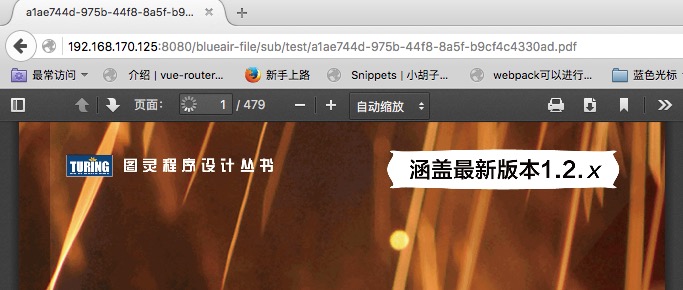
[图3]:上传预览
h5完美实现无刷新上传并附带上传效果的更多相关文章
- 基于h5的图片无刷新上传(uploadifive)
基于h5的图片无刷新上传(uploadifive) uploadifive简介 了解uploadify之前,首先了解来一下什么是uploadify,uploadfy官网,uploadify和uploa ...
- PushState+Ajax 完美实现无刷新
转载自:http://lazynight.me/1897.html 折腾一下PJAX,利用HTML5的新API,实现历史记录的完美导入. 不知道你用没用过Github,里边的目录跳转就是用html5的 ...
- TP3.2:实现Ajax无刷新上传图片
1.基于TP3.2+ajaxfileupload进行无刷新上传图片,本次只上传一张,多张以后搞出来再发 2.效果: 3.html代码: <html> <head> < ...
- Ajax下载文件(页面无刷新)
说明:Ajax是无法实现文件传输的,本文只是模拟了Ajax不刷新页面就可以请求并返回数据的效果.实质上还是通过提交form表单来返回文件流的输出. 分步实现逻辑: ajax请求服务器,访问数据库,根据 ...
- MVC三级联动无刷新
本篇实现有关客户.订单和产品的无刷新三级联动,先看最终效果: 没有选择时,后2个Select状态为禁用: 当选择第1个Select,第2个Select可供选择,第3个Select依旧禁用: 当选择第2 ...
- jQuery无刷新上传之uploadify简单试用
先简单的侃两句:貌似已经有两个月的时间没有写过文章了,不过仍会像以前那样每天至少有一至两个小时是泡在园子里看各位大神的文章.前些天在研究“ajax无刷新上传”方面的一些插件,用SWFUpload实现了 ...
- PHP Ajax JavaScript 实现 无刷新附件上传
普通表单 前端页面 后台处理 带有文件的表单 刷新方式 前端界面 后台页面 无刷新方式 大文件上传 POST极值 upload极值 上传细节 前端页面 后台处理 总结 对一个网站而言,有一个基本的不可 ...
- ajax无刷新上传和下载
关于ajax无刷新上传和下载 这是一个没什么含量但是又用的比较多又不得不说的问题,其实真的不想说,因为没什么好说的. 关于上传 1.使用Flash,ActiveX 上传 ,略... 2.自己写XMLH ...
- mvc file控件无刷新异步上传操作
前言 上传文件应该是很常见必不可少的一个操作,网上也有很多提供的上传控件.今天遇到一个问题:input控件file无法进行异步无刷新上传.真真的感到别扭.所以就尝试这去处理了一下.主要分三个部分:上传 ...
随机推荐
- 课堂动手动脑String
一 public class StringPool { public static void main(String args[]) { String s0="Hello"; St ...
- js_1_基本语法
- HttpClient参观记:.net core 2.2 对HttpClient到底做了什么?
.net core 于 10月17日发布了 ASP.NET Core 2.2.0 -preview3,在这个版本中,我看到了一个很让我惊喜的新特性:HTTP Client Performance Im ...
- js表单提交到后台对象接收
$.extend({ StandardPost:function(url,args){ var form = $("<form method='post' target='_blank ...
- spring boot 采坑
2019年2月19日19:25:42 版本 2.1.3.RELEASE 1,本地开发需要加依赖库,保存实时热更新 <dependency> <groupId>org.sprin ...
- F#周报2019年第9期
新闻 对于F#,Visual Studio 2019 RC有哪些更新 Visual Studio 2019 RC现在已经发布 C#版本与工具的升级 如何移植桌面应用程序到.NET Core 3.0 对 ...
- LeetCode 96 - 不同的二叉搜索树 - [DP]
假定 $f[n]$ 表示有 $n$ 个节点的二叉树,有多少种不同结构. 因此 $f[n] = \sum_{i=0}^{n-1} (f[i] \times f[n-1-i])$,选一个节点作为根节点,那 ...
- HTTP Streaming Architecture HLS 直播点播 HTTP流架构
小结: 1. 3部分 服务器组件 分发组件 客户端组件 https://developer.apple.com/library/archive/documentation/NetworkingInte ...
- Python——开发一个自动化微信投票器【附代码实例方法】
一个研究Python实践,最近研究一个投票的东东,主要是想测试利用Python实现刷微信投票. 本文纯粹为了记录一下 webdriver直接操作页面按钮的方法: #!/usr/bin/python # ...
- 冒泡排序(JAVA实现)
基本思想:在要排序的一组数中,对当前还未排好序的范围内的全部数,自上而下对相邻的两个数依次进行比较和调整,让较大的数往下沉,较小的往上冒. 即:每当两相邻的数比较后发现它们的排序与排序要求相反时,就将 ...