
jenkins 打包 springboot
遇到的坑
jdk maven 可以自己配置 也可以让jenkins生成
jenkins创建的项目打的包在 /var/lib/jenkins/jobs/
需要手动去下载pom中的jar 吧pom复制到m2目录 执行 mvn install 安装jar包
1、安装jenkins
wget -O /etc/yum.repos.d/jenkins.repo https://pkg.jenkins.io/redhat-stable/jenkins.repo
rpm --import https://pkg.jenkins.io/redhat-stable/jenkins.io.key
yum install jenkins
service jenkins start //启动jenkins服务
2、修改jenkins jdk的环境变量
vi /etc/init.d/Jenkins
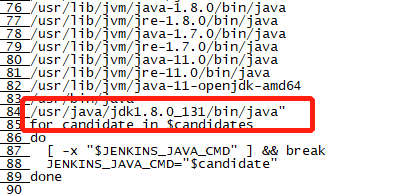
3、修改jenkins端口号 运行用户
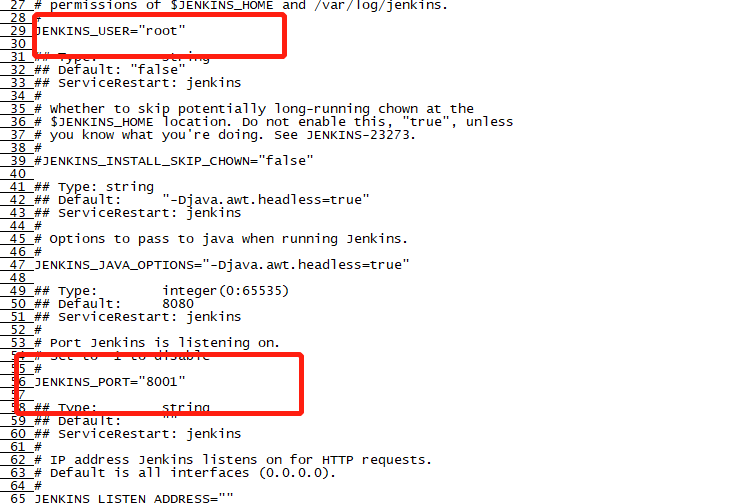
4、重启jenkins
service jenkins restart
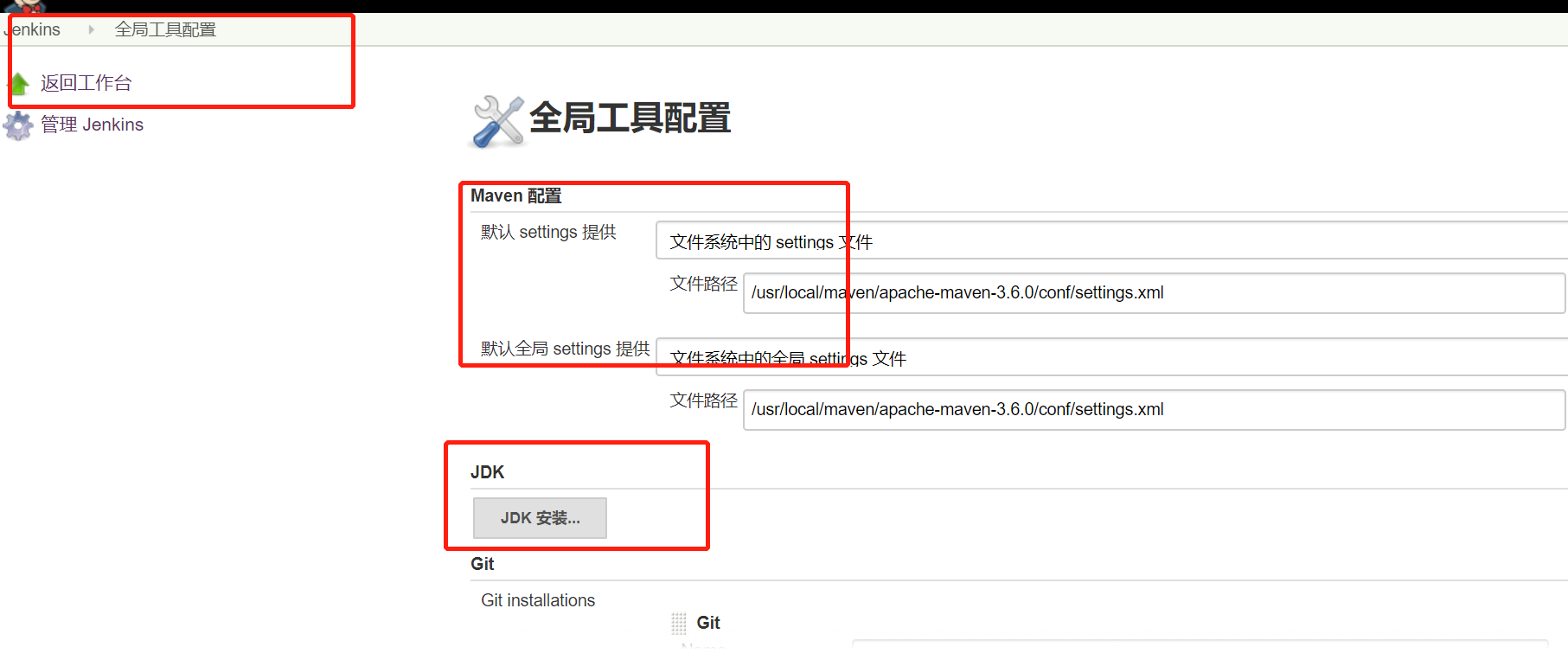
5、进入jenkins后台 修改全局工具配置 主要是 maven 和jdk
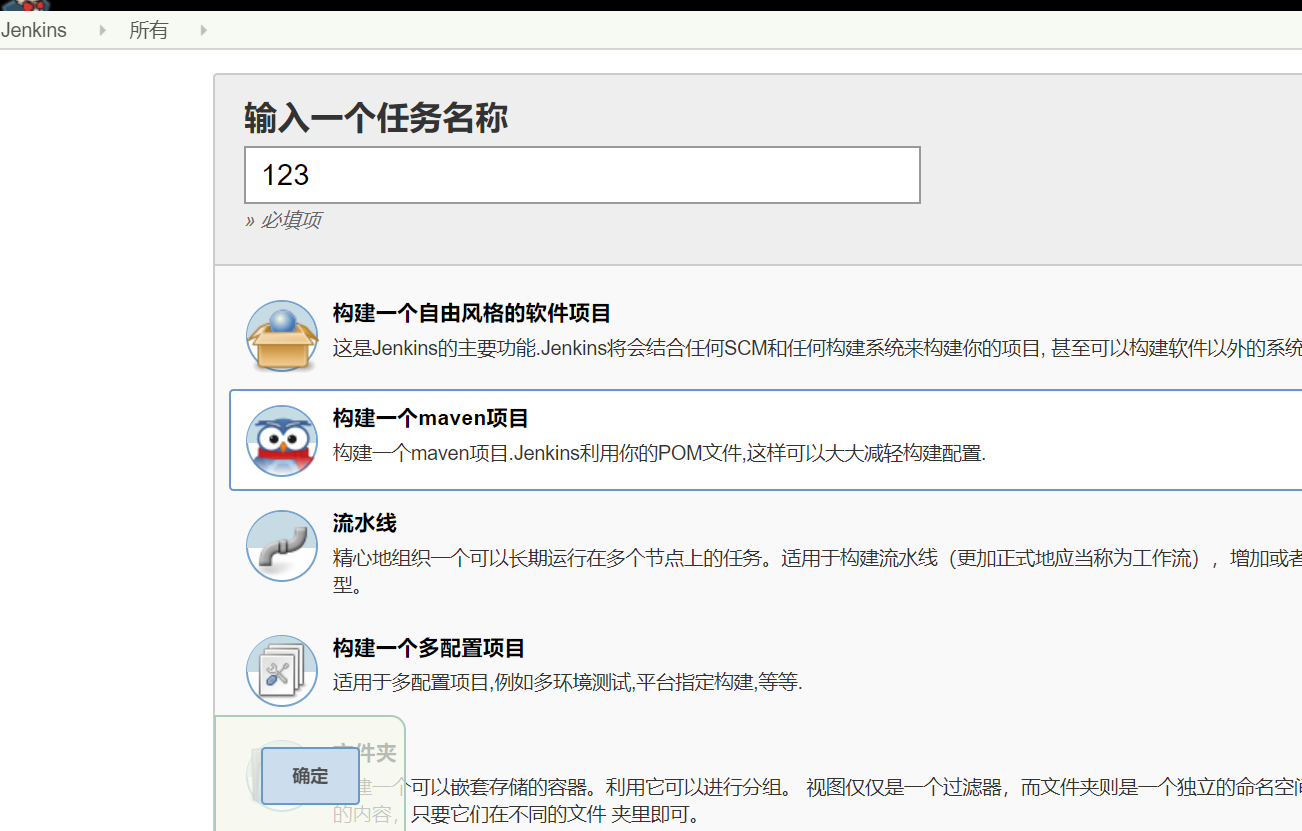
6、新建任务
7、进入配置选择git 图中填写gitub的ssh地址
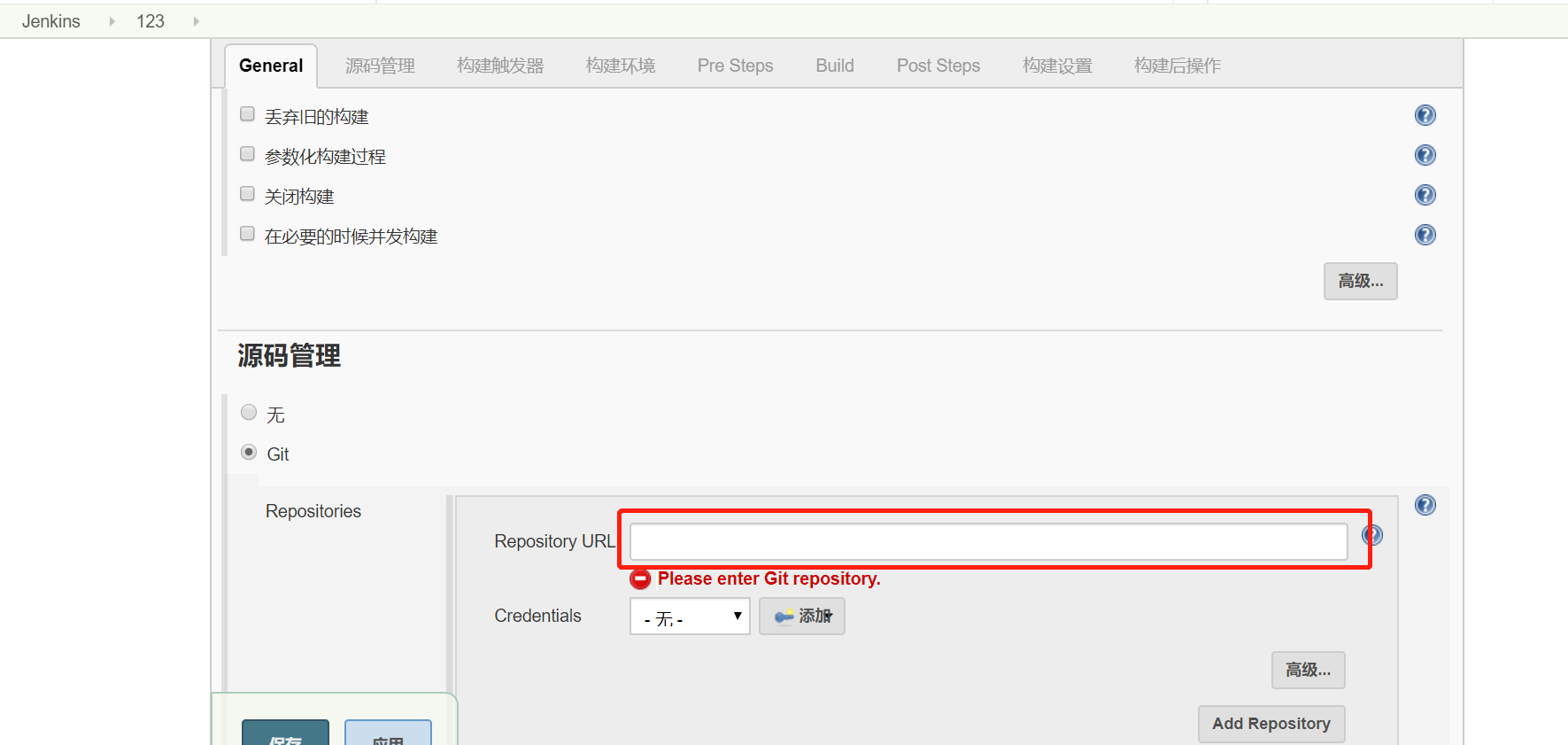
8、点击添加 ssh地址 https 的地址 请参考其他博客
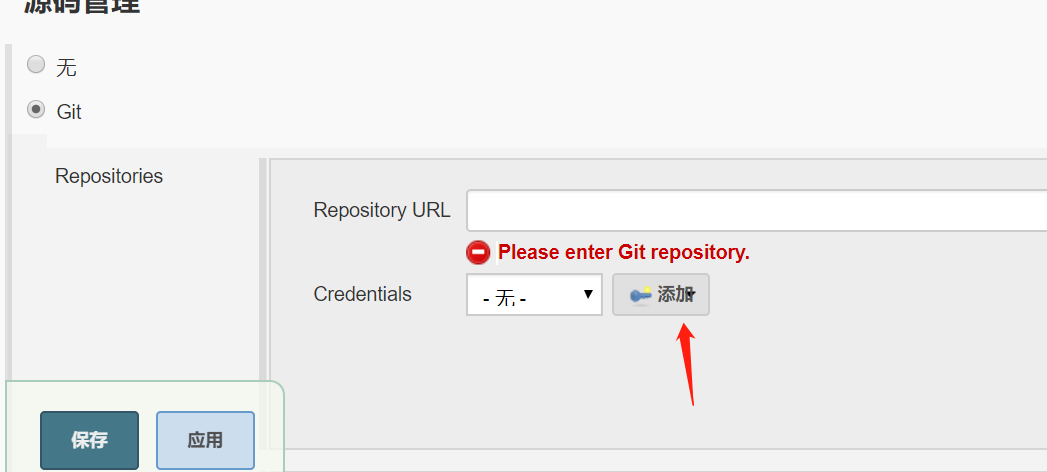
9、配置ssh 免密登录 ssh生成 配置 请参考其他博客
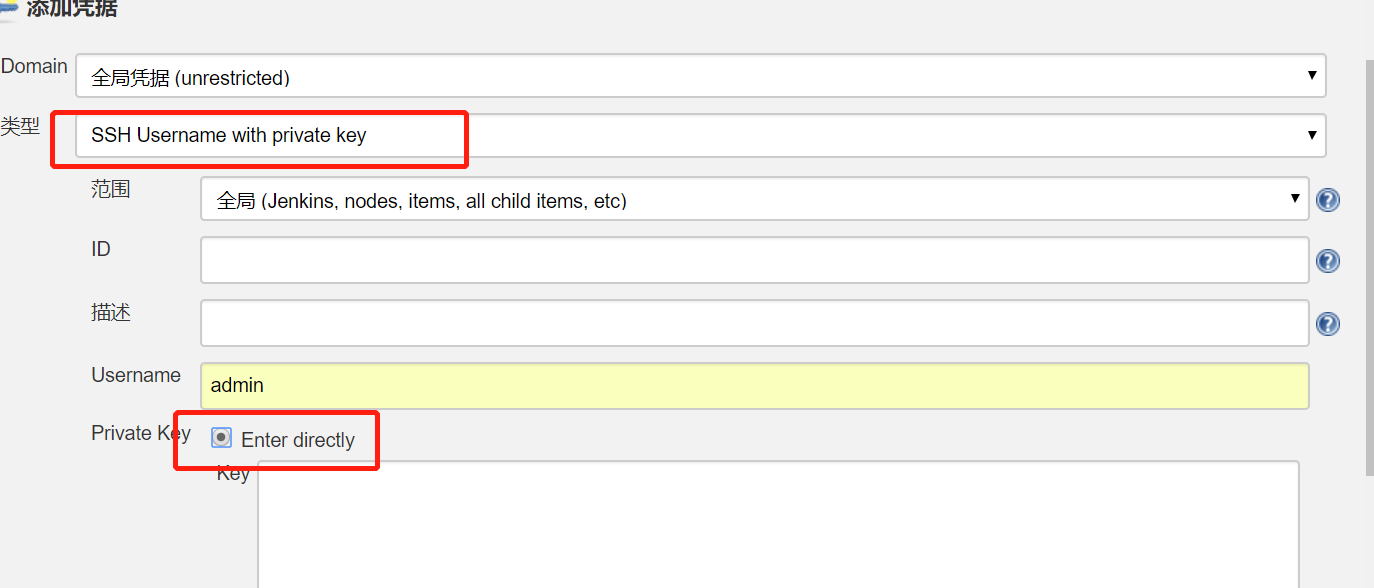
10、添加打印日志

11、clean install -Dmaven.test.skip=true -e
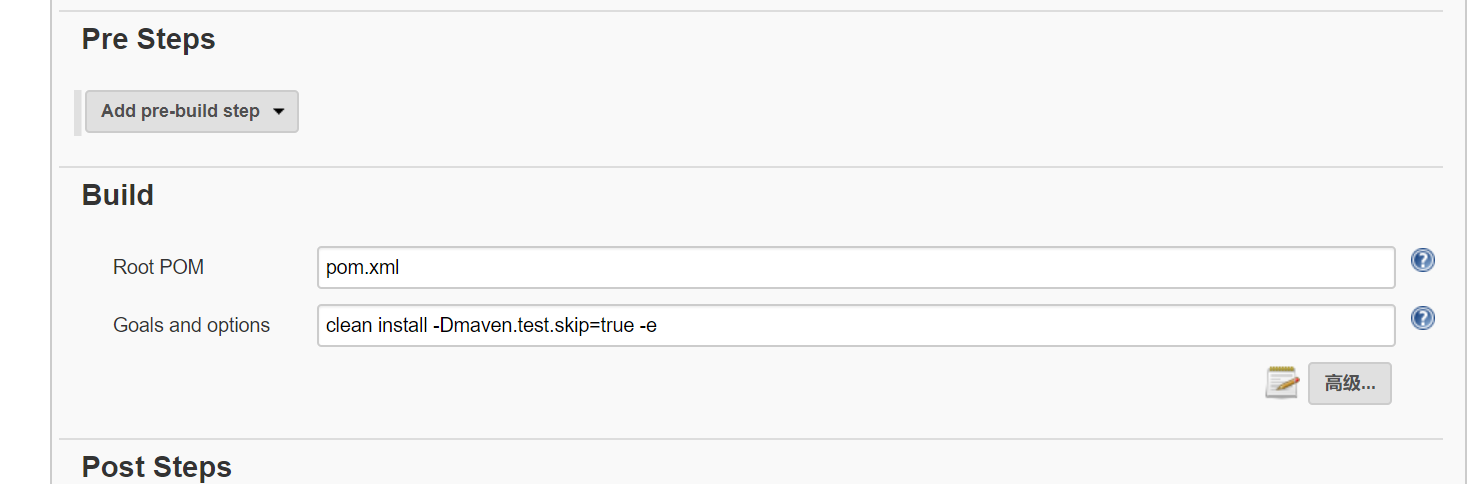
12、
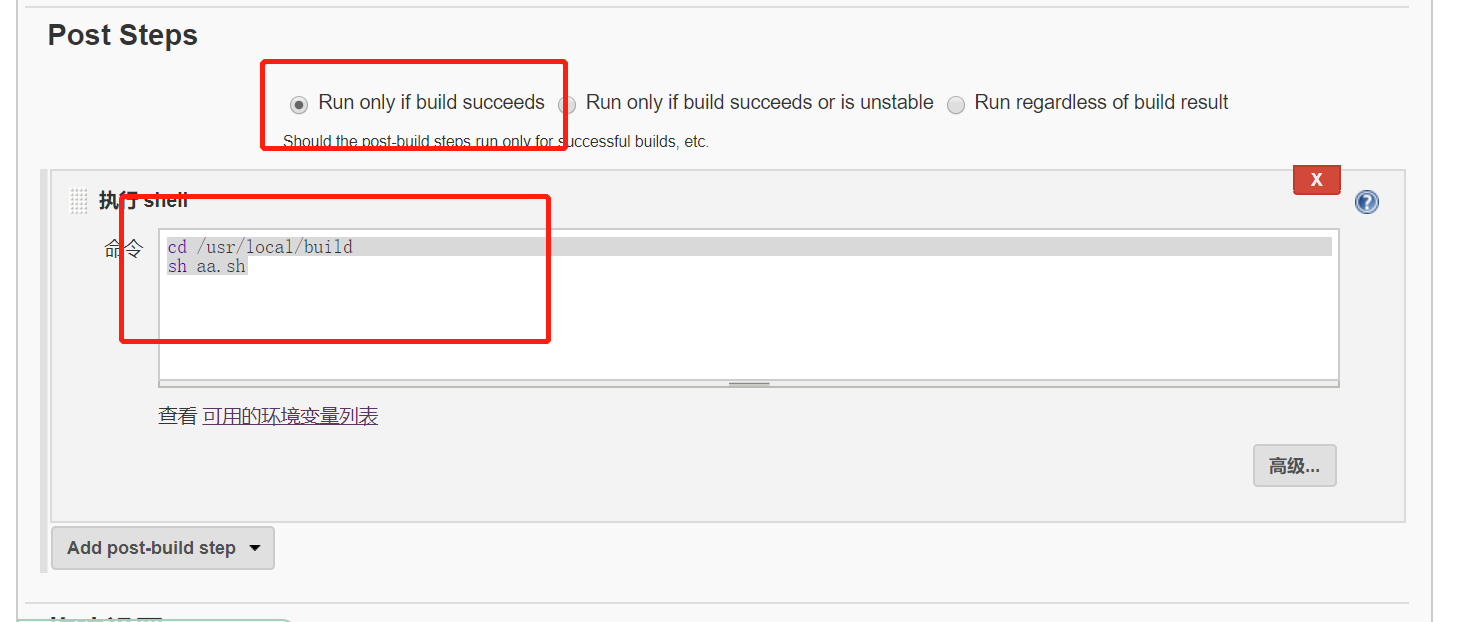
13、确定
14、编写脚本12步的 aa.sh 脚本
#!/bin/bash

export BUILD_ID=dontKillMe

www_path=/usr/local/midway

jar_path=/var/lib/jenkins/jobs/test/workspace/target/midway-0.0.1-SNAPSHOT.jar

jar_name=midway-0.0.1-SNAPSHOT.jar

pid=`ps -ef | grep midway-0.0.1-SNAPSHOT.jar | grep -v grep | awk '{print $2}'`

if [ -n "$pid" ]

then

   kill -9 $pid

fi

cd  ${jar_path}

cp  ${jar_path}/${jar_name} ${www_path}

cd  ${www_path}

nohup java -jar midway-0.0.1-SNAPSHOT.jar  > logs.log 2>&1 &
15、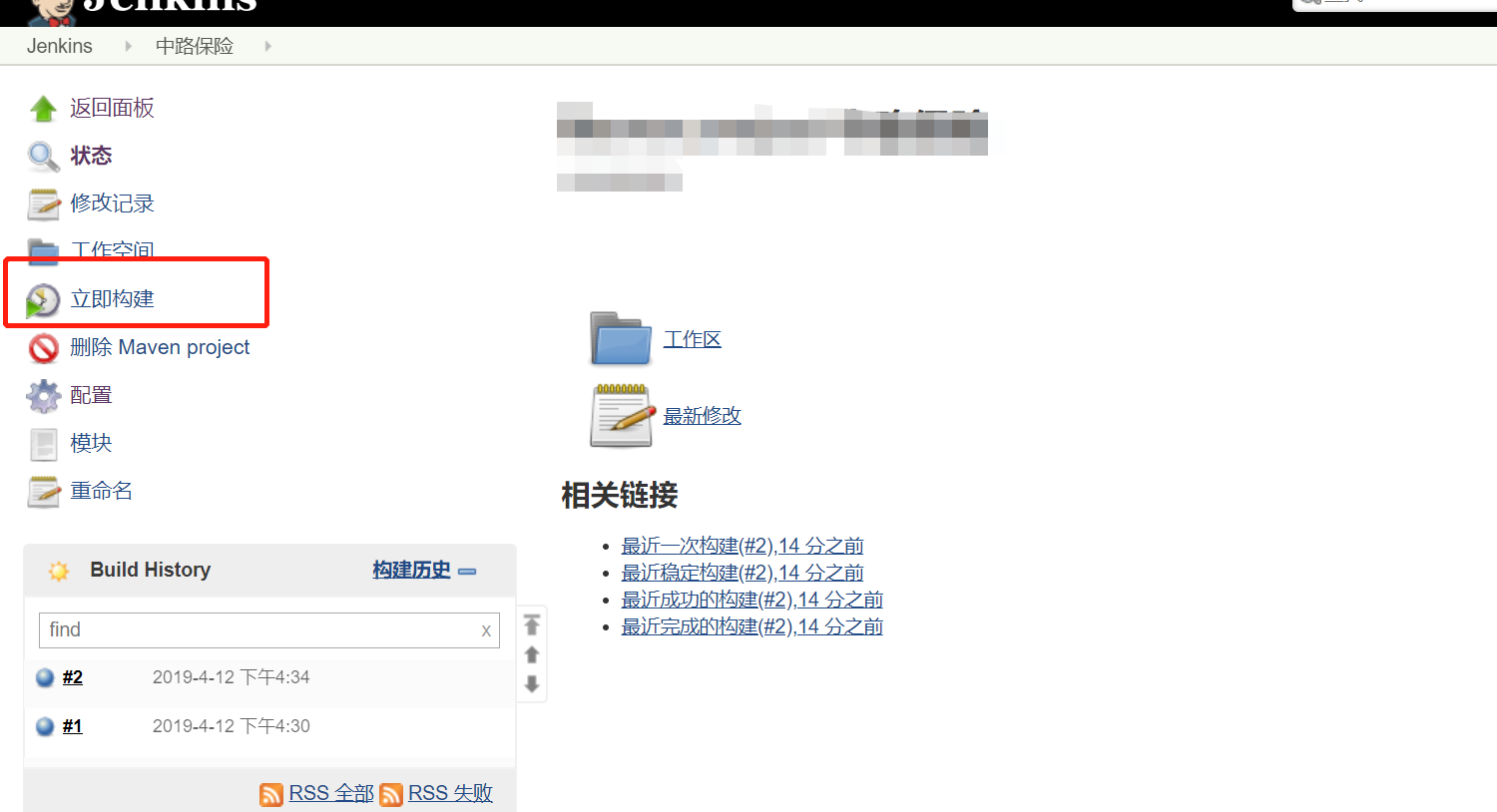
jenkins 打包 springboot的更多相关文章
- docker 运行jenkins及vue项目与springboot项目(五.jenkins打包springboot服务且在docker中运行)
docker 运行jenkins及vue项目与springboot项目: 一.安装docker 二.docker运行jenkins为自动打包运行做准备 三.jenkins的使用及自动打包vue项目 四 ...
- 五. jenkins部署springboot项目(2)--windows环境--服务
前提:jenkins和springboot运行在同一台机器 springboot 通过winsw部署为服务 winsw 下载地址:https://github.com/kohsuke/winsw/re ...
- gradle 打包springboot项目,找不到项目jar application.class
如题:gradle 打包springboot项目,找不到项目jar入口main方法:application.class 检查:lib/目录下没有相应项目的jar包 用gradle命令行查看日志:gra ...
- Jenkins打包安卓时提示没同意constraintLayout的license的解决方法
使用Jenkins打包安卓项目时,报错并失败,错误信息: You have not accepted the license agreements of the following SDK compo ...
- jenkins打包安卓项目
jenkins打包安卓项目和其它项目差不了太多. 1.构建选择 gradle(如果不用gradle自己写脚本编译也可) 2.jenkins用户需要安装JDK.SDK,jenkins会自动下载gradl ...
- 用maven按环境打包SpringBoot的不同配置文件
利用maven按环境打包SpringBoot的不同配置文件 application-dev.properties对应开发环境 application-test.properties对应测试环境 app ...
- Jenkins 打包 java项目时 丢失 配置文件(resource)
使用IDEA开发的spring boot 项目在本地打包运行可以,但是利用Jenkins打包运行提示读取不到配置文件中的变量,打开jar包发现里面没有配置文件.解决方法是在pom中增加如下配置 < ...
- windows jenkins 发布 springboot项目脚本
windows jenkins 发布 springboot项目脚本 1.关闭现有程序 (按端口关闭) [与按应用关闭 二选一] @echo off for /f "tokens=1-5&q ...
- 使用 Jenkins 打包成功后 运行 出现 Caused by: java.lang.IllegalArgumentException: Property 'sqlSessionFactory' or 'sqlSessionTemplate' are required
linux 运行时 错误日志 Error starting ApplicationContext. To display the conditions report re-run your appli ...
随机推荐
- ios自己定义类(UIView)代码生成简单的UITableViewCell
因为一个项目中有大量的UITableViewCell须要书写,样式几乎相同都是 文字介绍:显示内容 这种. 自己又懒得写UITableViewCell类嫌不是必需:在方法tableView:cellF ...
- iOS应用主流UI架构实现
一.介绍 如今iOS开发过程中,最常见的一种UI架构是:界面底部是四五个tab bar .中间是内容显示.顶部是包括标题及返回等操作button,当点击进入某个模块后可以点击进行返回.这样的架构的应用 ...
- getLocationInWindow getLocationOnScreen getLeft , getTop, getBottom,getRight
版权声明:本文为博主原创文章,未经博主允许不得转载. 最近做项目时,发现在activity的onCreate()和onResume()方法里调用View.getLocationInWindow() 时 ...
- B1968 [Ahoi2005]COMMON 约数研究 数论
大水题,一分钟就做完了...直接枚举1~n就行了,然后在n中判断出现多少次. 题干: Description Input 只有一行一个整数 N(0 < N < 1000000). Outp ...
- wamp服务器下安装mantis
什么是Mantis Mantis是一个BUG管理系统.主要特点如下: 1.用php写的系统,安装方便,不用像 bugzilla 那样安装那么多perl支持: 2.系统相对简单轻磅,使用简单: 3.出色 ...
- 查找DLL,并复制出来
Subst b: %windir%\assembly 执行完后,会发现硬盘分区多了个B盘,打开后看到了所有assembly下的DLL,于是在这里就搜到了Microsoft.ReportViewer.P ...
- React安装 脚手架create-react-app安装步骤及问题
create-react-app 是来自于 Facebook的脚手架,通过该命令我们无需配置就能快速构建 React 开发环境. 安装步骤: 1.先装脚手架 PS:第一次装直接在打开CMD默认 ...
- Codeforces Round #451 & Codeforces Round #452
Rounding Solution Proper Nutrition 枚举 Solution Phone Numbers 模拟 Solution Alarm Clock 贪心,好像不用线段树也可以,事 ...
- poj1149 PIGS 最大流(神奇的建图)
一开始不看题解,建图出错了.后来发现是题目理解错了. if Mirko wants, he can redistribute the remaining pigs across the unlock ...
- windows安装pyspider
基本环境 python2.7 win7 64bit 问题 Microsoft Visual C++ 10.0 is required Microsoft Visual C++ Compiler for ...