
JavaScript、tabel切换完整版—自动切换—鼠标移入停止-移开运行
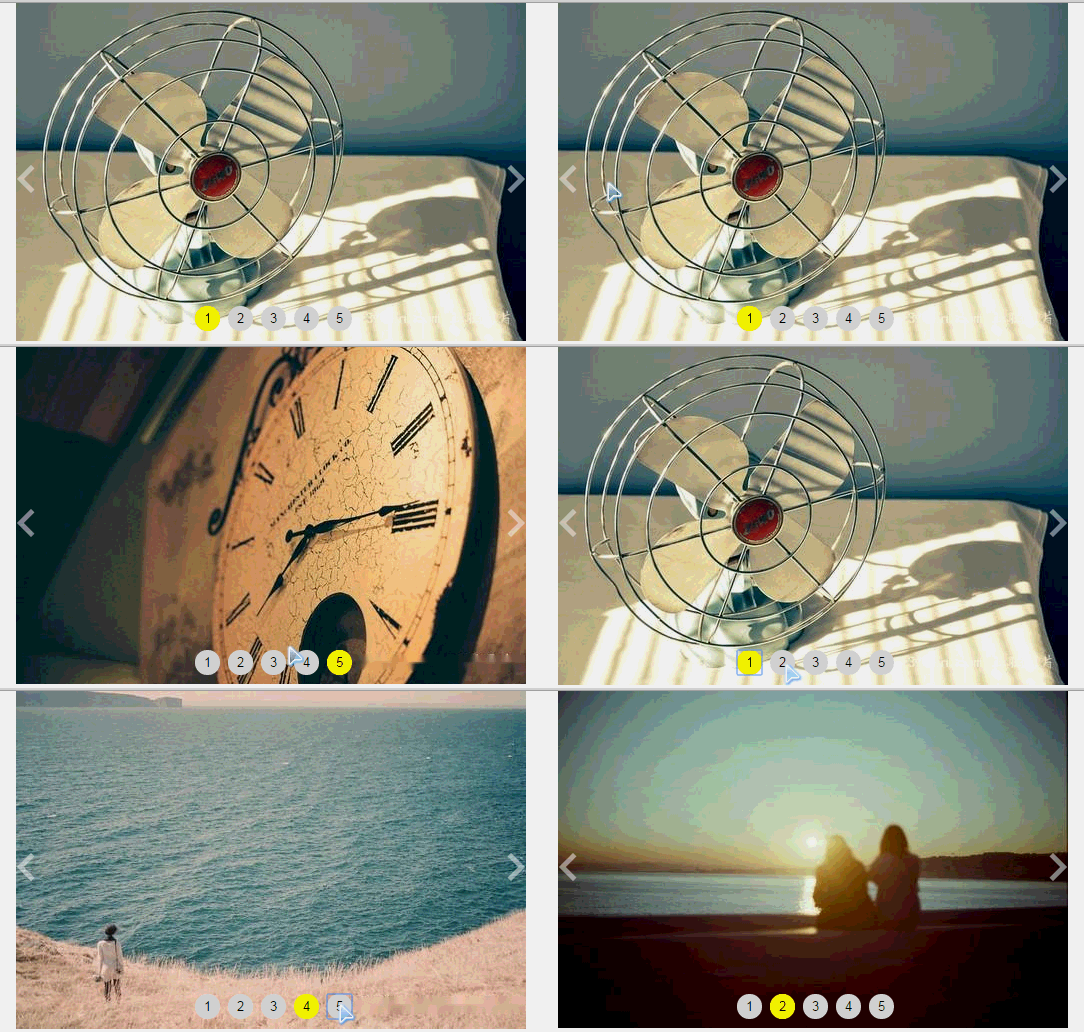
<!DOCTYPE html>

<html lang="en">

<head>

    <meta charset="UTF-8">

    <title>Document</title>

    <style type="text/css">

    *{

        margin: 0;

        padding: 0;

    }

      .wrap{

          width: 510px;

          margin: 0 auto;

          overflow: hidden;

            position: relative;

      }

      .caktye{

          width: 9999px;

          overflow: hidden;

          position: relative;

          left: 0;

      }

      .main{

          text-align: center;

            position: absolute;

            bottom: 10px;

            left: 35%;

      }

      .main button{

          width: 25px;

            height: 25px;

            text-align: center;

            line-height: 25px;

            border-radius: 25px;

            display: inline-block;

            border: none;

      }

      .active{

          background-color: yellow;

      }

      .caktye a{

          float: left;

      }

      .caktye img {

            display: block;

            width:510px;

        }

      #prevBtn{

            display: block;

            position: absolute;

            left: 5px;

            bottom: 45%;

            width: 15px;

            height: 15px;

            border-left: 5px solid ;

            border-top: 5px solid ;

             border-color: rgba(255,255,255,0.5);

            -webkit-transform: rotate(-45deg);

            transform: rotate(-45deg);

      }

      #nextBtn{

            display: block;

            position: absolute;

            right: 5px;

            bottom: 45%;

            width: 15px;

            height: 15px;

            border-right: 5px solid;

            border-top: 5px solid;

            -webkit-transform: rotate(45deg);

            transform: rotate(45deg);

            border-color: rgba(255,255,255,0.5);

      }

    </style>

</head>

<body>

    <div class="wrap">

      <div class="caktye" id="inner">

        <a href="###"><img src="img/1.jpg"></a>

        <a href="###"><img src="img/2.jpg"></a>

        <a href="###"><img src="img/3.jpg"></a>

        <a href="###"><img src="img/4.jpg"></a>

        <a href="###"><img src="img/5.jpg"></a>

      </div>

        <div class="main">

            <button class="active">1</button>

            <button>2</button>

            <button>3</button>

            <button>4</button>

            <button>5</button>

      </div>

      <div>

            <a href="###" id="prevBtn"></a>

            <a href="###" id="nextBtn"></a>

      </div>

    </div>

    <script type="text/javascript">

      var innerList = document.getElementById("inner");

      var btnList = document.getElementsByTagName("button");

      var perWidth =  inner.children[0].offsetWidth;

      var prevBtn = document.getElementById("prevBtn");

      var nextBtn = document.getElementById("nextBtn");

      function tab(){

            inner.style.left= -perWidth * index + "px"

                  for(var j=0;j<btnList.length; j++){

                        btnList[j].className="";

                  }

                  btnList[index].className="active";

      }

      function next() {

            index++;

            if(index > btnList.length - 1) {

                  index = 0;

            }

            tab();

      }

      function prev() {

            index--;

            if(index < 0) {

                  index = btnList.length - 1;

            }

            tab();

      }

      for(var i=0;i<btnList.length;i++){

            btnList[i].index=i;

            btnList[i].onclick =function(){

                index=this.index;

                tab();

            }

      }

      var index=0;

      function xunhuan(){

           index++;

               if(index>btnList.length -1){

                  index=0;

               }

           tab();

      }

     var  timer =setInterval(xunhuan,2000);

      inner.onmouseover =function(){

          clearInterval(timer);

      }

      inner.onmouseout =function(){

        timer = setInterval(xunhuan,2000);

      }

     //下一张

      nextBtn.onclick = function() {

            clearInterval(timer);

            next();

            timer = setInterval(next,2000);

      }

      //上一张

      prevBtn.onclick = function() {

            clearInterval(timer);

            prev();

            timer = setInterval(next,2000);

      }

    </script>

</body>

</html>
JavaScript、tabel切换完整版—自动切换—鼠标移入停止-移开运行的更多相关文章
- HTML5+JavaScript动画基础 完整版 中文pdf扫描版
<HTML5+JavaScript动画基础>包括了基础知识.基础动画.高级动画.3D动画和其他技术5大部分,分别介绍了动画的基本概念.动画的JavaScript基础.动画中的三角学.渲染技 ...
- ViewPager的基本使用--可左右循环切换也可自动切换
ViewPager也算是Android自带的常用控件之一,但是有可能会无法直接调用,所以只需要将工程目录里/libs/android-support-v4.jar该jarAdd to Build Pa ...
- jquery实现文字自动向上滚动,鼠标放上去停止,移开继续滚动代码...
<!DOCTYPE html> <html lang="en"> <head> <meta charset="UTF-8&quo ...
- js写当鼠标悬浮及移开出现背景变化
<!DOCTYPE html PUBLIC "-//W3C//DTD XHTML 1.0 Transitional//EN" "http://www.w3.org/ ...
- javascript实现图片切换、自动走、鼠标移入会停止,移出继续走
要实现以上效果并不难,把功能分开一步一步来实现就变得简单了,录制动态图不流畅,看代码意会吧! <!doctype html> <html lang="en"> ...
- 【温故而知新-Javascript】图片效果(图像震动效果、闪烁效果、自动切换图像)
1.当鼠标指针经过图像时图像震动效果 <!DOCTYPE html PUBLIC "-//W3C//DTD XHTML 1.0 Transitional//EN" " ...
- bootstrap tab切换如何让鼠标移动自动切换内容
bootstrap集成了很多功能,比如nav-tabs组件,可以将相似的内容集中在一个区块中展示.bootstrap tab切换默认是要点击才会切换的,如何实现鼠标移动就自动切换呢?如下图所示,光标移 ...
- html+css+jQuery+JavaScript实现tab自动切换功能
tab1.html内容 <!DOCTYPE html> <html> <head> <meta charset="UTF-8"> & ...
- javascript实现自动切换焦点功能学习
当用户在表单中填写完当前字段后,能否自动将焦点跳转到下一个字段以方便用户输入? 为了增强易用性,加快数据输入的速度,可以在前一个文本框中的字符达到一定的设置的字符长度后(比如电话号码,身份证号等),用 ...
随机推荐
- Spring面试题
69道Spring面试题和答案 原文地址 译者:深海(1422207401@qq.com) 校对:方腾飞 目录 Spring 概述 依赖注入 Spring beans Spring注解 Spr ...
- js/javascript代码注释规范与示例
文件注释 文件注释位于文件的最前面,应包括文件的以下信息:概要说明及版本(必须)项目地址(开源组件必须)版权声明(必须)开源协议(开源组件必须)版本号(必须)修改时间(必须),以ISO格式表示(可使用 ...
- UVA2037
#include<cstdio> int Sum(int n) { int sum=0; while(n!=0) { sum+=n%10; n/=10; } return sum; } v ...
- linux常用命令-权限管理命令
chmod [{ugoa}{+-=}{rwx}] [文件或目录] [mode=421] [文件或目录] -R 递归修改 例:chmod g+w,o-r 文件或目录 但是一般用数字配置权限,例:chm ...
- XmlException: 名称不能以“<”字符(十六进制值 0x3C)开头
svn 版本冲突引起的: 产看config 文件里面的内容是否冲突,这个问题可能和代码无关
- java 深入技术四(Set)
1)Set接口 set接口的父接口-Collection set接口的重要子类-HashSet set接口的重要子类 -TreeSet set 接口的特别子类-LinkedHashSet 2)Hash ...
- 【python】点分十进制ip与数字互转
来源:http://www.cnblogs.com/vovlie/archive/2012/10/17/2727029.html 利用lambda表达式,非常简洁 int_to_ip = lambda ...
- Odoo中最小库存规则和按订单生成规则的区别
---恢复内容开始--- 最小库存规则(Minimum stock rule)用来保证你的库存产品数量总是不会低于设定的最小库存数量.用来保证产品生产和回到客户的需求.当库存产品低于这个最小库存数量时 ...
- XML中<beans>中属性概述
<beans xmlns="http://www.springframework.org/schema/beans" xmlns:xsi="http://www.w ...
- 【Java EE 学习 45】【Hibernate学习第二天】【对象的三种状态】【一对多关系的操作】
一.对象的三种状态. 1.对象有三种状态:持久化状态.临时状态.脱管状态(游离状态) 2.Session的特定方法能使得一个对象从一个状态转换到另外一个状态. 3.三种状态的说明 (1)临时状态:临时 ...