
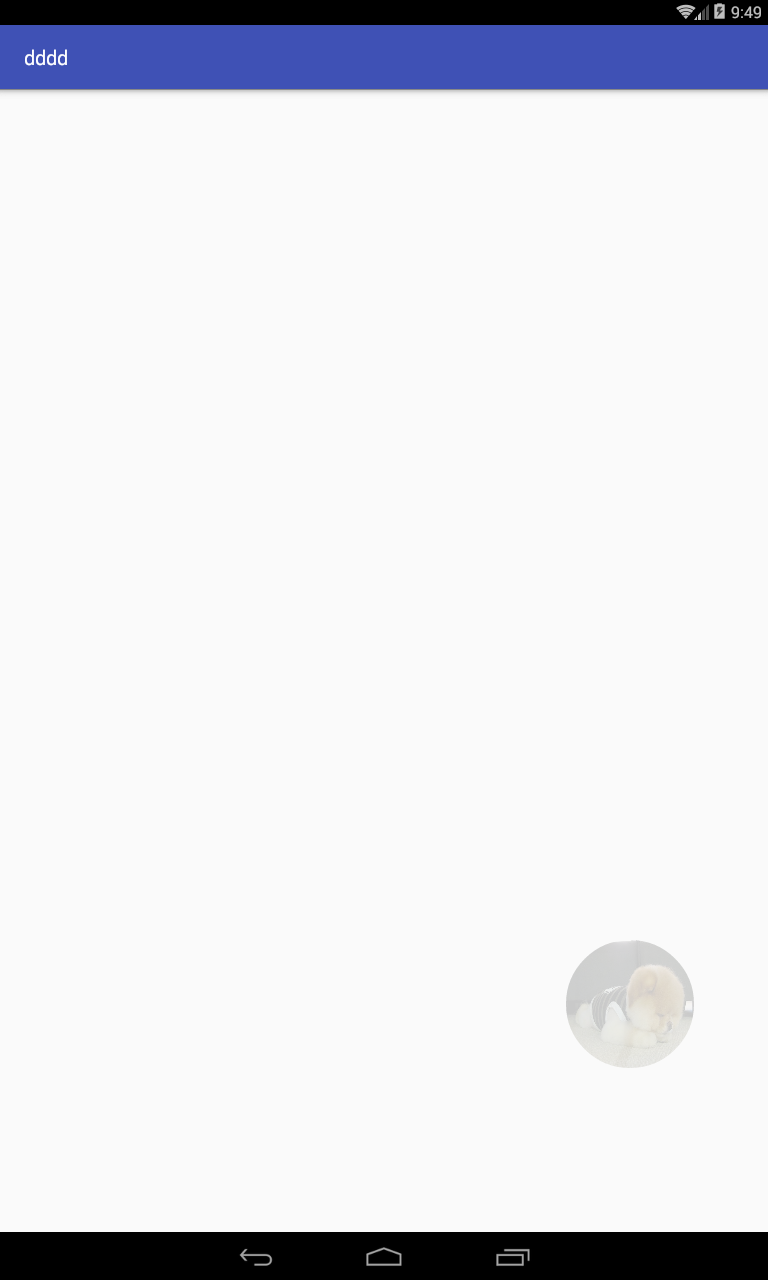
Android画一个随意拖动的圆形
import android.content.Context;

import android.graphics.Bitmap;

import android.graphics.BitmapFactory;

import android.graphics.Canvas;

import android.graphics.Color;

import android.graphics.Matrix;

import android.graphics.Paint;

import android.graphics.PorterDuff;

import android.graphics.PorterDuffXfermode;

import android.graphics.Rect;

import android.graphics.RectF;

import android.graphics.Typeface;

import android.view.MotionEvent;

import android.view.View;

/**

 * Created by songximing on 15/12/25.

 */

public class DraggableView extends View {

      /* (non-Javadoc)

         * @see android.view.View#onDraw(android.graphics.Canvas)

         */

    protected float currentx = 0;// 拖拽控件的x坐标

    protected float currenty = 0;// 拖拽控件的y坐标

    private int r = 0;//拖拽球的半径

    private boolean state = false;//判断控件是否应该获得焦点

    private Paint paint = null;//画笔

    private Paint paint1 = null;//画笔

    private Paint paintLine = null;//画笔线

    private Paint paintText = null;//画文字

    private static int ALPHA_1 = 50;//画笔的透明度为半透明

    private static int ALPHA_2 = 255;//画笔的透明度不透明

    private float downX = 0f;//判断是否移动了x

    private float downY = 0f;//判断是否移动了y

    private Context context = null;//上下文

    private DraggableView.ViewCallBack callBack = null;//回调

    public DraggableView(Context context, DraggableView.ViewCallBack callBack) {

        super(context);

        this.context = context;

        this.callBack = callBack;

        initPaint();

    }

    @Override

    protected void onDraw(Canvas canvas) {

        super.onDraw(canvas);

        drawView(canvas, 50, 11);

    }

    @Override

    public boolean onTouchEvent(MotionEvent event) {

        float x = event.getX();//获取点击的横坐标

        float y = event.getY();//获取点击的纵坐标

        //触摸事件的触发

        switch (event.getAction()) {

            case MotionEvent.ACTION_DOWN://触摸点击动作

                downX = x;

                downY = y;

                if (!isOption(x, y)) {

                    state = false;

                    return false;

                } else {

                    paint.setAlpha(ALPHA_2);

                    paint1.setAlpha(ALPHA_2);//设置画笔为半透明

                    this.invalidate();

                    state = true;

                }

                break;

            case MotionEvent.ACTION_MOVE://触摸移动动作

                if (state) {

                    viewMove(x, y, event);

                    this.invalidate();

                }

                break;

            case MotionEvent.ACTION_UP://触摸离开动作

                paint.setAlpha(ALPHA_1);//设置画笔为半透明

                paint1.setAlpha(ALPHA_1);//设置画笔为半透明

                this.invalidate();

                if (downX == x && downY == y) {

                    callBack.finishActivity(context);

                }

                break;

        }

        return true;

    }

    /**

     * 画控件

     *

     * @param canvas 画板

     * @param with   控件的宽度比例

     * @param heigh  控件的高度比例

     */

    private void drawView(Canvas canvas, int with, int heigh) {

//        if (getWidth() < getHeight()) {

//            r = getWidth() / with;

//        } else {

//            r = getHeight() / heigh;

//        }

        r = with;

        //如果是第一次画,画起始位置

        if (currentx == 0 && currenty == 0) {

            currentx = getWidth() - r;

            currenty = getHeight() - 3 * r;

            paint.setAlpha(ALPHA_1);

            paint1.setAlpha(ALPHA_1);

        }

        //画一个圆形bitmap

        // Bitmap bt1 = BitmapFactory.decodeResource(getResources(), R.mipmap.ww);

        // Bitmap bt2 = zoomImg(bt1, 2 * r, 2 * r);

        // Bitmap bt = toRoundBitmap(bt2);

        // canvas.drawBitmap(bt, currentx - r, currenty - r, paint);

        //可以改为图片资源

        //用画笔画一个圆球(不使用字体)

        canvas.drawCircle(currentx, currenty, r, paint1);

        canvas.drawCircle(currentx, currenty, r - 5, paint);

        int l = r / 4;

        canvas.drawLine(currentx - l, currenty - l, currentx + l, currenty + l, paintLine);

        canvas.drawLine(currentx - l, currenty + l, currentx + l, currenty - l, paintLine);

        //用画笔画一个圆球(使用字体)

        //canvas.drawCircle(currentx, currenty, r, paint1);

        //canvas.drawCircle(currentx, currenty, r-5, paint);

        //float bottom = paintText.getFontMetrics().bottom;

        //float w = paintText.measureText("\uF00D");

        //canvas.drawText("\uf00d", currentx - w / 2, currenty + 3 * bottom, paintText);

    }

    /**

     * 初试化画笔

     */

    private void initPaint() {

        paint = new Paint();

        paint.setAntiAlias(true);

        paint.setColor(Color.rgb(18, 26, 34));

        paint1 = new Paint();

        paint1.setAntiAlias(true);

        paint1.setColor(Color.WHITE);

        paintLine = new Paint();

        paintLine.setColor(Color.WHITE);

        paintLine.setStrokeWidth(5);

        paintLine.setAntiAlias(true);

        paintText = new Paint();

        paintText = new Paint();

        paintText.setColor(Color.WHITE);

        Typeface tf = Typeface.createFromAsset(context.getAssets(), "fonts/FontAwesome.ttf");

        paintText.setTextSize(50);

        paintText.setTypeface(tf);

    }

    /**

     * 设置滑动的效果

     *

     * @param x     点击的x坐标轴

     * @param y     点击的y坐标轴

     * @param event 控件的事件

     */

    private void viewMove(float x, float y, MotionEvent event) {

        if (x <= r) {

            currentx = r;

        } else if (x >= getWidth() - r) {

            currentx = getWidth() - r;

        } else if (y <= r) {

            currenty = r;

        } else if (y >= getHeight() - r) {

            currenty = getHeight() - r;

        } else {

            currentx = event.getX();

            currenty = event.getY();

        }

    }

    /**

     * 判断是不是在控件可操作的范围之内

     *

     * @param x 点击的x坐标轴

     * @param y 点击的y坐标轴

     */

    private boolean isOption(float x, float y) {

        if (x > currentx - r && x < currentx + r && y < currenty + r & y > currenty - r)

            return true;

        else

            return false;

    }

    /**

     * 回调

     */

    public interface ViewCallBack {

        public void finishActivity(Context context);

    }

    public Bitmap zoomImg(Bitmap bm, int newWidth, int newHeight) {

        // 获得图片的宽高

        int width = bm.getWidth();

        int height = bm.getHeight();

        // 计算缩放比例

        float scaleWidth = ((float) newWidth) / width;

        float scaleHeight = ((float) newHeight) / height;

        // 取得想要缩放的matrix参数

        Matrix matrix = new Matrix();

        matrix.postScale(scaleWidth, scaleHeight);

        // 得到新的图片   www.2cto.com

        Bitmap newbm = Bitmap.createBitmap(bm, 0, 0, width, height, matrix, true);

        return newbm;

    }

    /**

     * 转换图片成圆形

     *

     * @param bitmap 传入Bitmap对象

     * @return

     */

    public Bitmap toRoundBitmap(Bitmap bitmap) {

        int width = bitmap.getWidth();

        int height = bitmap.getHeight();

        float roundPx;

        float left, top, right, bottom, dst_left, dst_top, dst_right, dst_bottom;

        if (width <= height) {

            roundPx = width / 2;

            top = 0;

            bottom = width;

            left = 0;

            right = width;

            height = width;

            dst_left = 0;

            dst_top = 0;

            dst_right = width;

            dst_bottom = width;

        } else {

            roundPx = height / 2;

            float clip = (width - height) / 2;

            left = clip;

            right = width - clip;

            top = 0;

            bottom = height;

            width = height;

            dst_left = 0;

            dst_top = 0;

            dst_right = height;

            dst_bottom = height;

        }

        Bitmap output = Bitmap.createBitmap(width,

                height, Bitmap.Config.ARGB_8888);

        Canvas canvas = new Canvas(output);

        final int color = 0xff424242;

        final Paint paint = new Paint();

        final Rect src = new Rect((int) left, (int) top, (int) right, (int) bottom);

        final Rect dst = new Rect((int) dst_left, (int) dst_top, (int) dst_right, (int) dst_bottom);

        final RectF rectF = new RectF(dst_left, dst_top, dst_right, dst_bottom);

        paint.setAntiAlias(true);

        canvas.drawARGB(0, 0, 0, 0);

        paint.setColor(color);

        canvas.drawRoundRect(rectF, roundPx, roundPx, paint);

        paint.setXfermode(new PorterDuffXfermode(PorterDuff.Mode.SRC_IN));

        canvas.drawBitmap(bitmap, src, dst, paint);

        return output;

    }

}
调用:
 import android.content.Context;

 import android.content.Intent;

 import android.support.v7.app.AppCompatActivity;

 import android.os.Bundle;

 import android.view.View;

 import android.widget.RelativeLayout;

 public class MainActivity extends AppCompatActivity {

     @Override

     protected void onCreate(Bundle savedInstanceState) {

         super.onCreate(savedInstanceState);

         RelativeLayout relativeLayout = new RelativeLayout(this);//(RelativeLayout) findViewById(R.id.rl);

         DraggableView draggableView  = new DraggableView(this,new DraggableView.ViewCallBack(){

             @Override

             public void finishActivity(Context context) {

                 Intent intent = new Intent(MainActivity.this,SecondActivity.class);

                 startActivity(intent);

                 overridePendingTransition(R.anim.slide_in, R.anim.no_anim);

             }

         });

         relativeLayout.addView(draggableView);

         setContentView(relativeLayout);

     }

 }
Android画一个随意拖动的圆形的更多相关文章
- 张高兴的 UWP 开发笔记:用 Thumb 控件仿制一个可拖动 Button
在 WPF 上可用的控件拖动方法在 UWP 上大多没用,那干脆用 Thumb 仿制一个吧. 关于 Thumb 控件的教程也不多,毕竟在 WPF 控件拖动有很多种方法, Thumb 就显得很鸡肋了.下面 ...
- [uwp]自定义Behavior之随意拖动
由于最近有需求,所以自定义了一个随意拖动元素的Behavior. 当然在使用这个自定义的Behavior时,有个小假设:拖动元素必须是Canvas容器的子元素. 实现原理比较简单低效: 监听被拖动元素 ...
- 手把手带你画一个动态错误提示 Android自定义view
嗯..再差1篇就可以获得持之以恒徽章了,今天带大家画一个比较简单的view. 转载请注明出处:http://blog.csdn.net/wingichoy/article/details/504771 ...
- 手把手带你画一个漂亮蜂窝view Android自定义view
上一篇做了一个水波纹view 不知道大家有没有动手试试呢点击打开链接 这个效果做起来好像没什么意义,如果不加监听回调 图片就能直接替代.写这篇博客的目的是锻炼一下思维能力,以更好的面多各种自定义vi ...
- CentOS6下基于Nginx搭建mp4/flv流媒体服务器(可随意拖动)并支持RTMP/HLS协议(含转码工具)
1.先添加几个RPM下载源 1.1)安装RPMforge的CentOS6源 [root@AY130611215205Z ~]# wget -c http://pkgs.repoforge.or ...
- [Android] 给图像加入相框、圆形圆角显示图片、图像合成知识
前一篇文章讲述了Android触屏setOnTouchListener实现突破缩放.移动.绘制和加入水印,继续我的"随手拍"项目完毕给图片加入相框.圆形圆角显示图片和图像合 ...
- 用 D3.js 画一个手机专利关系图, 看看苹果,三星,微软间的专利纠葛
前言 本文灵感来源于Mike Bostock 的一个 demo 页面 原 demo 基于 D3.js v3 开发, 笔者将其使用 D3.js v5 进行重写, 并改为使用 ES6 语法. 源码: gi ...
- 用PS画一个齿轮
以前只会画圆画方,这没技术含量.今天学了一个稍难一点的,画一个齿轮.图形有圆也有方.以下描述如何画出来的. 一.打开PS准备一画布,画一矩形并且填充颜色. 二.编辑->自由变换(CTRL+T), ...
- 深夜,用canvas画一个时钟
深夜,用canvas画一个时钟 查看demo 这几天准备阿里巴巴的笔试,可以说已经是心力交瘁,自从阿里和蘑菇街的内推被刷掉之后,开始越来越怀疑起自己的能力来,虽然这点打击应该是微不足道的.毕竟校招在刚 ...
随机推荐
- linq读书笔记1-linq 初步
至于linq是什么之类的已经有过太多的文章介绍,亦不清楚的胡朋友可以自己搜索一下便可以得到大量的答案 为了体验linq究竟能带给我们什么体验,我们直接从代码入手: string[] words = n ...
- Android ----------获取各种路径(更新中。。。。。。)
##在手机中的路径 *获取应用的路径,形式:/data/data/包名 String appDataDir = getApplicationInfo().dataDir; *获取手机数据存储路径,即/ ...
- 数据库分库分表(sharding)系列(五) 一种支持自由规划无须数据迁移和修改路由代码的Sharding扩容方案
作为一种数据存储层面上的水平伸缩解决方案,数据库Sharding技术由来已久,很多海量数据系统在其发展演进的历程中都曾经历过分库分表的Sharding改造阶段.简单地说,Sharding就是将原来单一 ...
- 0129——UINavigationController
1.创建一个UINavigationController self.window = [[UIWindow alloc]initWithFrame:[UIScreen mainScreen].boun ...
- Json部分知识(前台显示格式、Json-lib日期处理)
1,Json格式用于datagrid数据显示 easyui前台显示数据可以使用JSONObject,也可以使用JSONArray.但是如果需要在datagrid表格中进行数据显示,只能使用JSONOb ...
- hdu1054 树状dp
B - 树形dp Crawling in process... Crawling failed Time Limit:2000MS Memory Limit:10000KB 64bit ...
- jQuery中的插件的编写和使用
1,常用的jQuery插件:表单验证插件formValidator a.目前支持5大验证方式:1.inputValidator(针对input,textarea,select控件的字符长度,值范围,选 ...
- php的一些小笔记-文件函数(1)
---恢复内容开始--- 与文件操作相关的函数有一部分可以和linux命令比较,但是我觉得可能还是linux上使用的比较频繁 如:chown,chmod,chgrp,rename,touch,link ...
- Phalcon自动加载(PHP自动加载)
自动加载(phalcon\Loader) 转载请注明来源 一.php文件引入 通过 include() 或 require() 函数,可以在PHP程序执行之前在该文件中插入一个文件的内容. 区别:处理 ...
- phpwind 去除init.phpwind.net统计功能
修改的文件如下:global.phplib/staticpage.class.phprequire/template.phpsimple/index.php